





























Kick-start your app creation
Whether you’re a beginner or a pro, Dynatrace Developer has the tools and support you need to create incredible apps with minimal effort.
Go to Dynatrace Developer
 Cisco Catalyst Center (DNA Center)
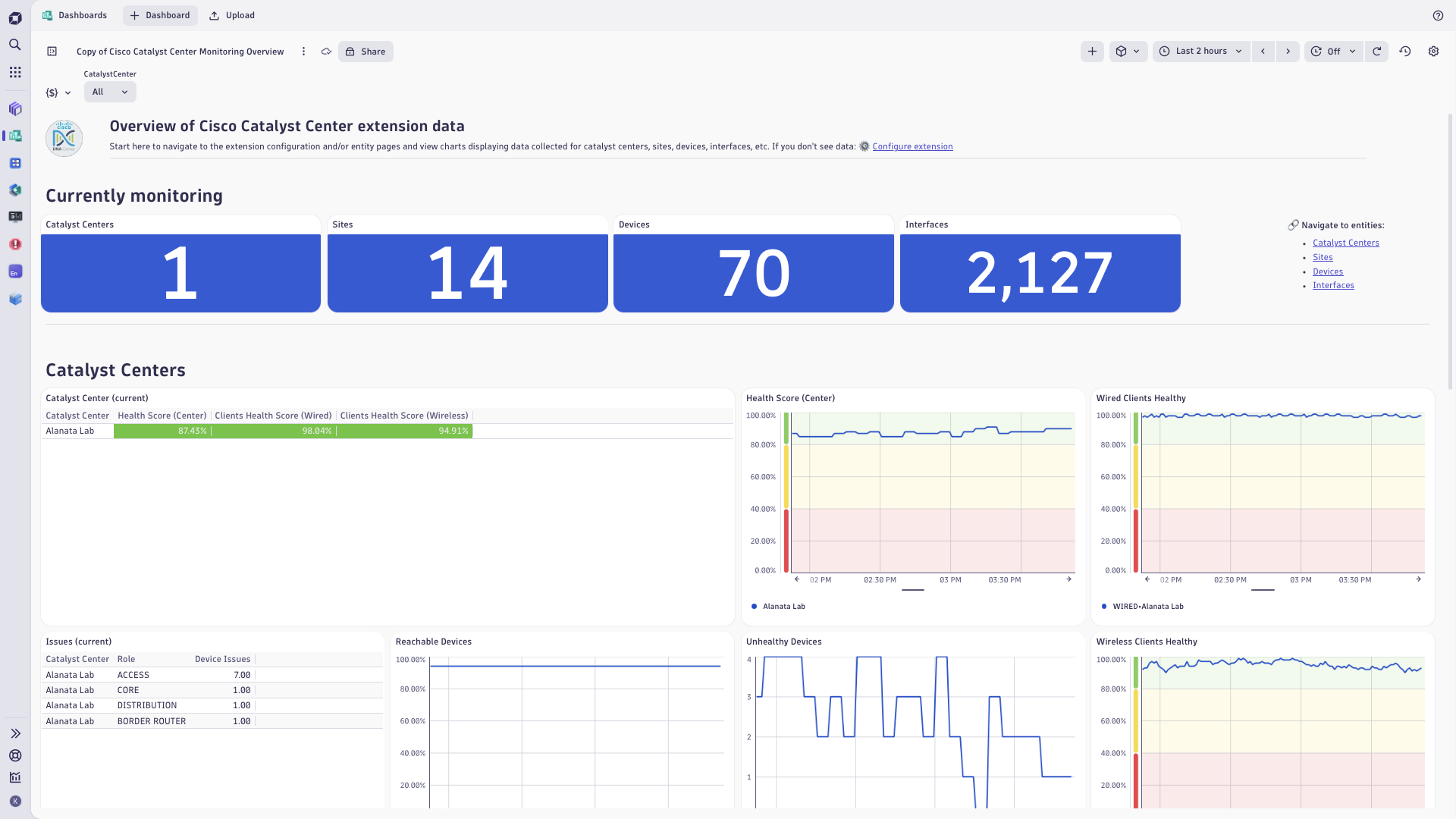
Get insights into the Cisco Catalyst Center infrastructure (f.k.a. DNA Center).
ExtensionCisco Catalyst extension uses Cisco Catalyst API to collect information about network managed by Cisco Catalyst Center.
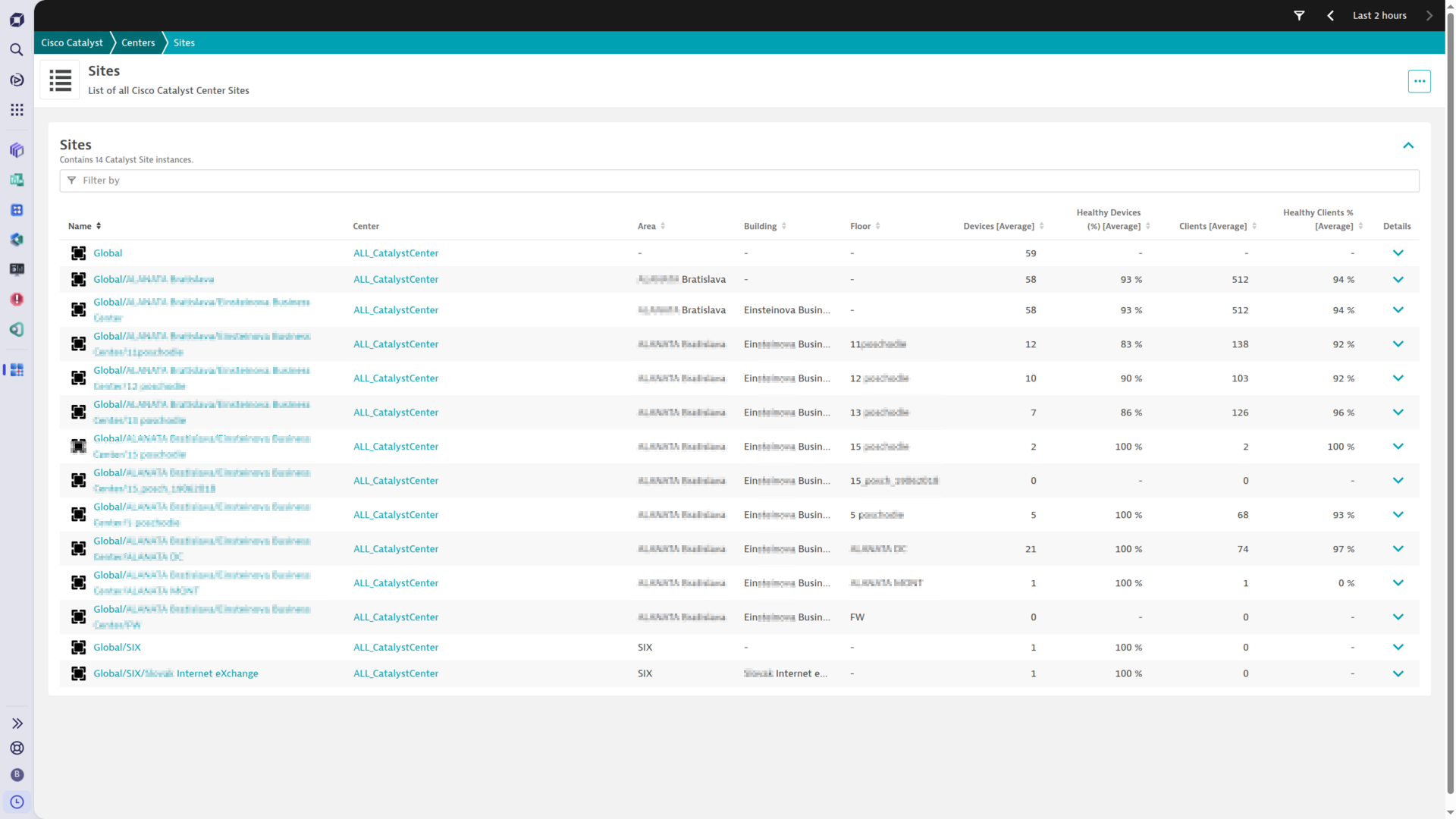
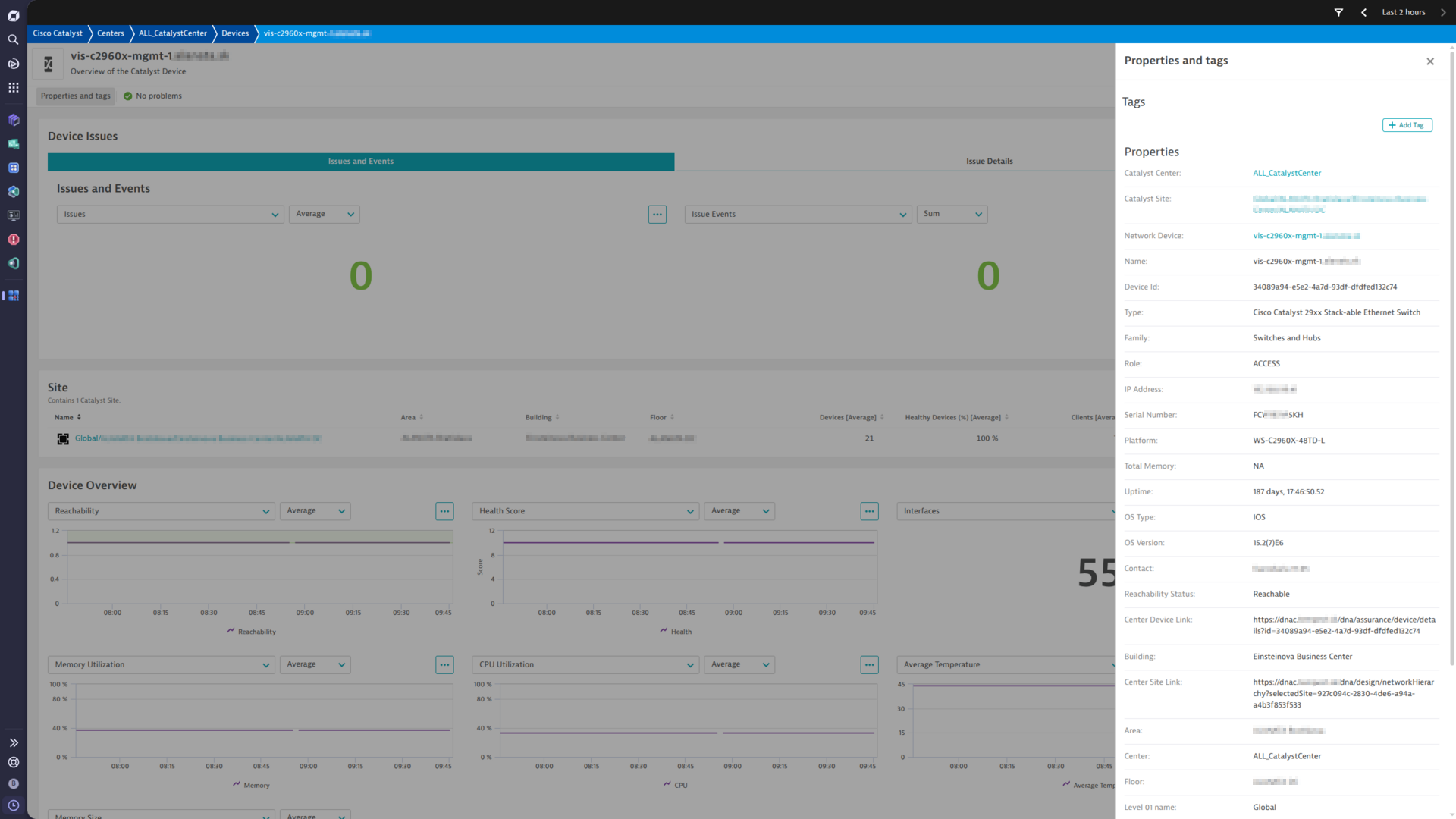
The extension provides insight into configuration, location and health status of devices and their interfaces.
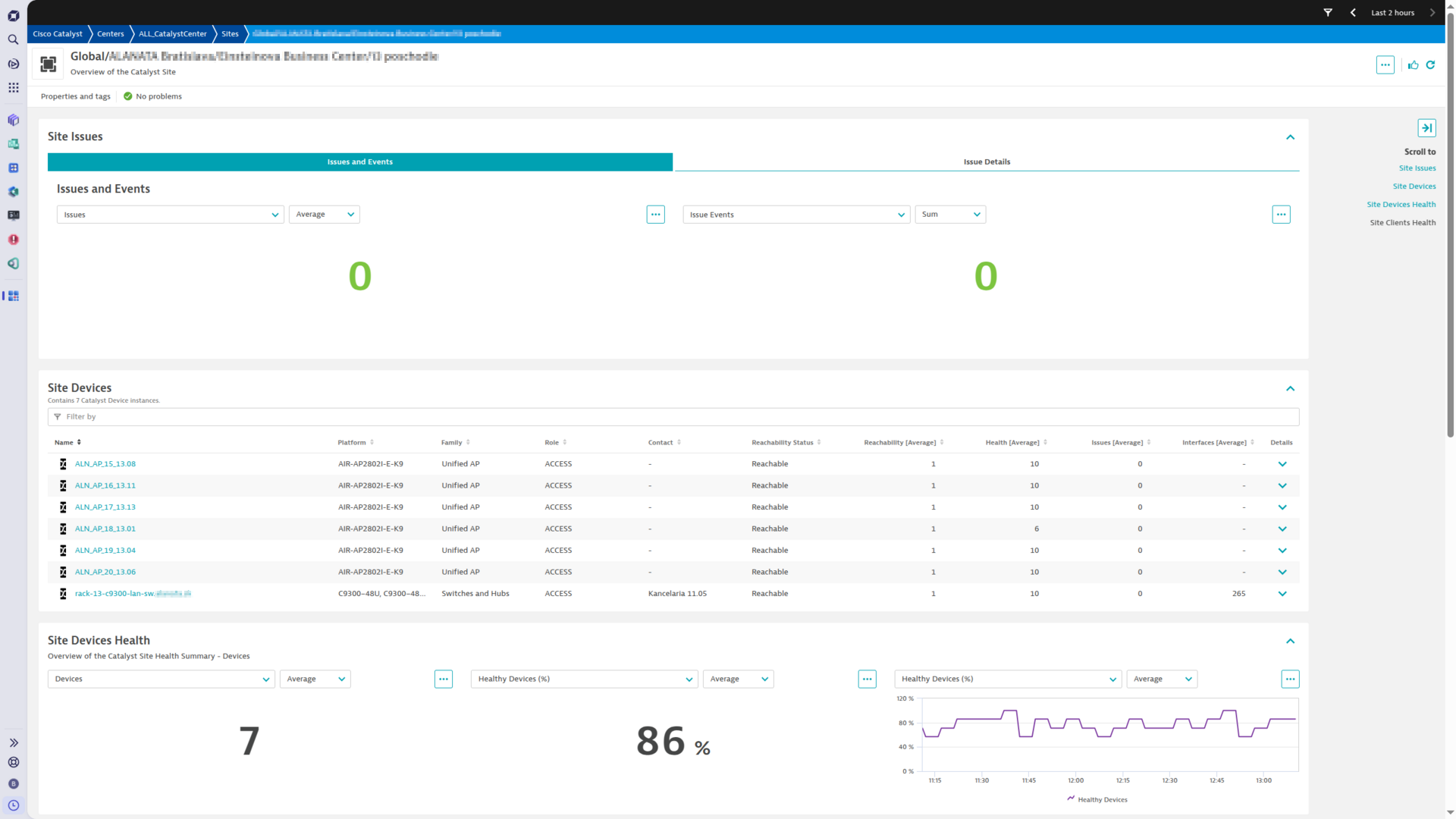
Analysis screens present data hierarchically, helping to quickly diagnose issues by site, role or by device platform.
Extension collects performance and health metrics as well as Cisco Catalyst issues/events. Basic statistics of client devices are also available.
This extension is intended for users, who:
For more information on the installation and configuration, please see Cisco Catalyst Center (DNA Center) extension in the Dynatrace Documentation.
Below is a complete list of the feature sets provided in this version. To ensure a good fit for your needs, individual feature sets can be activated and deactivated by your administrator during configuration.
| Metric name | Metric key | Description | Unit |
|---|---|---|---|
| Catalyst Center Monitoring Status | cisco.cc.center.status | Status of one monitoring configuration and its Catalyst Center connection - 1 when the extension holds a session to Catalyst Center, 0 when not. The dimensions show how the configuration reports - issues and Catalyst Center events as log messages or as Davis events, the enabled feature sets and the collection frequencies. | State |
| - | com.dynatrace.extension.network_device.cpu_usage | - | - |
| - | com.dynatrace.extension.network_device.memory_usage | - | - |
| - | com.dynatrace.extension.network_device.sysuptime | - | - |
| - | com.dynatrace.extension.network_device.if.status | - | - |
| - | com.dynatrace.extension.network_device.if.bytes_in.count | - | - |
| - | com.dynatrace.extension.network_device.if.bytes_out.count | - | - |
| Metric name | Metric key | Description | Unit |
|---|---|---|---|
| Device Count Query Duration | sfm.cisco.cc.get_devices_by_query_count.duration | Duration of the get_devices_by_query_count API call used to determine total device count before paginated collection. | Seconds |
| Device Count Query Errors | sfm.cisco.cc.get_devices_by_query_count.error | Number of errors during get_devices_by_query_count API call. | Count |
| Device Query Page Duration | sfm.cisco.cc.get_devices_by_query.duration | Duration of a single paginated get_devices_by_query API call used to collect device data. | Seconds |
| Device Query Page Errors | sfm.cisco.cc.get_devices_by_query.error | Number of errors during a paginated get_devices_by_query API call. | Count |
| Device Discovery Count Query Duration | sfm.cisco.cc.get_network_devices_count_by_params.duration | Duration of the get_network_devices_count_by_params API call used to determine device count during BASIC discovery. | Seconds |
| Device Discovery Count Query Errors | sfm.cisco.cc.get_network_devices_count_by_params.error | Number of errors during get_network_devices_count_by_params API call. | Count |
| Device Discovery Query Page Duration | sfm.cisco.cc.get_network_devices_by_params.duration | Duration of a single paginated get_network_devices_by_params API call used for BASIC device discovery. | Seconds |
| Device Discovery Query Page Errors | sfm.cisco.cc.get_network_devices_by_params.error | Number of errors during a paginated get_network_devices_by_params API call. | Count |
| Physical Topology Query Duration | sfm.cisco.cc.get_physical_topology.duration | Duration of the get_physical_topology API call used to collect physical network topology data. | Seconds |
| Physical Topology Query Errors | sfm.cisco.cc.get_physical_topology.error | Number of errors during get_physical_topology API call. | Count |
| Site Count Query Duration | sfm.cisco.cc.get_sites_count.duration | Duration of the get_sites_count API call used to determine total site count before paginated collection. | Seconds |
| Site Count Query Errors | sfm.cisco.cc.get_sites_count.error | Number of errors during get_sites_count API call. | Count |
| Site Query Page Duration | sfm.cisco.cc.get_sites.duration | Duration of a single paginated get_sites API call used to collect site data. | Seconds |
| Site Query Page Errors | sfm.cisco.cc.get_sites.error | Number of errors during a paginated get_sites API call. | Count |
| Site Topology Query Duration | sfm.cisco.cc.get_sites_topology.duration | Duration of the get_sites_topology API call used to collect site hierarchy topology. | Seconds |
| Site Topology Query Errors | sfm.cisco.cc.get_sites_topology.error | Number of errors during get_sites_topology API call. | Count |
| Interface Count Query Duration | sfm.cisco.cc.get_interfaces_by_query_count.duration | Duration of the get_interfaces_by_query_count API call used to determine total interface count before paginated collection. | Seconds |
| Interface Count Query Errors | sfm.cisco.cc.get_interfaces_by_query_count.error | Number of errors during get_interfaces_by_query_count API call. | Count |
| Interface Query Page Duration | sfm.cisco.cc.get_interfaces_by_query.duration | Duration of a single paginated get_interfaces_by_query API call used to collect interface data. | Seconds |
| Interface Query Page Errors | sfm.cisco.cc.get_interfaces_by_query.error | Number of errors during a paginated get_interfaces_by_query API call. | Count |
| Interface Discovery Count Query Duration | sfm.cisco.cc.get_intent_api_interfaces_count.duration | Duration of the get_intent_api_interfaces_count API call used to determine interface count during Intent API discovery. | Seconds |
| Interface Discovery Count Query Errors | sfm.cisco.cc.get_intent_api_interfaces_count.error | Number of errors during get_intent_api_interfaces_count API call. | Count |
| Interface Discovery Query Page Duration | sfm.cisco.cc.get_intent_api_interfaces.duration | Duration of a single paginated get_intent_api_interfaces API call used for Intent API interface discovery. | Seconds |
| Interface Discovery Query Page Errors | sfm.cisco.cc.get_intent_api_interfaces.error | Number of errors during a paginated get_intent_api_interfaces API call. | Count |
| Network Health Query Duration | sfm.cisco.cc.get_network_health.duration | Duration of the get_network_health API call used to collect overall network health scores. | Seconds |
| Network Health Query Errors | sfm.cisco.cc.get_network_health.error | Number of errors during get_network_health API call. | Count |
| Client Health Query Duration | sfm.cisco.cc.get_client_health.duration | Duration of the get_client_health API call used to collect client health scores. | Seconds |
| Client Health Query Errors | sfm.cisco.cc.get_client_health.error | Number of errors during get_client_health API call. | Count |
| Site Health Summaries Query Duration | sfm.cisco.cc.get_site_health_summaries.duration | Duration of the get_site_health_summaries API call used to collect site-level health summary data. | Seconds |
| Site Health Summaries Query Errors | sfm.cisco.cc.get_site_health_summaries.error | Number of errors during get_site_health_summaries API call. | Count |
| Issues Query Duration | sfm.cisco.cc.issues.duration | Duration of the issues API call used to collect Catalyst Center issues data. | Seconds |
| Issues Query Errors | sfm.cisco.cc.issues.error | Number of errors during issues API call. | Count |
| Event Notifications Query Duration | sfm.cisco.cc.events.duration | Duration of the events API call used to collect Catalyst Center event notifications data. | Seconds |
| Event Notifications Query Errors | sfm.cisco.cc.events.error | Number of errors during events API call. | Count |
| Group Records Fetched | sfm.cisco.cc.group.records_fetched.gauge | Total number of raw device or interface records fetched from the API for this reporting configuration group. | Count |
| Group Entities Reported | sfm.cisco.cc.group.entities_reported.gauge | Number of entities (devices or interfaces) reported to Dynatrace for this reporting configuration group. | Count |
| Group Overlap Devices | sfm.cisco.cc.group.overlap_devices.gauge | Number of devices matching this group filter that are reported by a different reporting configuration. Only emitted when OVERLAP strategy is active and overlap count is greater than zero. | Count |
| Metric name | Metric key | Description | Unit |
|---|---|---|---|
| Wired Clients Score | cisco.cc.site.client_health_wired | Site's Wired Clients Health Score | Percent |
| Wireless Clients Score | cisco.cc.site.client_health_wireless | Site's Wireless Clients Health Score | Percent |
| Clients | cisco.cc.site.client_count.gauge | Site's Clients Summary Count | Count |
| Wired Clients | cisco.cc.site.wired_client_count.gauge | Site's Wired Clients Summary Count | Count |
| Wireless Clients | cisco.cc.site.wireless_client_count.gauge | Site's Wireless Clients Summary Count | Count |
| Healthy Clients | cisco.cc.site.client_good_health_percentage | Site's Healthy Clients Summary Percentage | Percent |
| Devices | cisco.cc.site.network_device_count.gauge | Site's Devices Summary Count | Count |
| Healthy Devices | cisco.cc.site.network_device_good_health_percentage | Site's Healthy Devices Summary Percentage | Percent |
| Site Issues | cisco.cc.site.issue_count.gauge | Pending Site Issues | Count |
| Metric name | Metric key | Description | Unit |
|---|---|---|---|
| Health score (Center) | cisco.cc.center.health_score | Cisco Catalyst Network topology - Overall health score | Percent |
| Healthy devices | cisco.cc.center.healthy_devices | Cisco Catalyst Network topology - Healthy devices | Count |
| Unhealthy devices | cisco.cc.center.unhealthy_devices | Cisco Catalyst Network topology - Unhealthy devices | Count |
| Clients health score | cisco.cc.client.health_score | Cisco Catalyst Client - Overall client health score | Percent |
| Clients Count | cisco.cc.client.client_count.gauge | Cisco Catalyst Client - Clients count | Count |
| Unique Clients Count | cisco.cc.client.client_unique_count.gauge | Cisco Catalyst Client - Unique Clients Count | Count |
| Clients health score count | cisco.cc.client.health_score_count.gauge | Cisco Catalyst Client - Clients health score by score type | Count |
| Catalyst Center Event Count | cisco.cc.center.notification_count.gauge | Number of Cisco Catalyst Center event notifications reported per collection interval | Count |
| Metric name | Metric key | Description | Unit |
|---|---|---|---|
| Health | cisco.cc.device.health | Device's Health | State |
| CPU | cisco.cc.device.cpu | Device's CPU consumption | Percent |
| Memory | cisco.cc.device.memory | Device's Memory consumption | Percent |
| Average Temperature | cisco.cc.device.temperature | Device's Avg Temperature | Celsius |
| Device Issues | cisco.cc.device.issue_count.gauge | Pending Device Issues | Count |
| Reachability | cisco.cc.device.reachability | Device's Reachability (1: Reachable | 0: Not Reachable) | Count |
| Uptime | cisco.cc.device.uptime.gauge | Device Uptime in Seconds | Second |
| Issue Changes | cisco.cc.device.issue_events.gauge | Catalyst issues that were new or changed - status, priority or issue occurrence count differs from the previous collection cycle - counted per device and reported only when non-zero | Count |
| Metric name | Metric key | Description | Unit |
|---|---|---|---|
| Interface Count | cisco.cc.device.total_interface_count.gauge | Total Number of Interfaces for Device | Count |
| Admin Status | cisco.cc.interface.admin_status | Interface's Admin Status (1: UP | 0: DOWN) | State |
| Oper Status | cisco.cc.interface.oper_status | Interface's Status (1: UP | 0: DOWN) | State |
| Speed | cisco.cc.interface.speed | - | BitPerSecond |
| TX Rate | cisco.cc.interface.txRate | - | BitPerSecond |
| TX Utilization | cisco.cc.interface.txUtilization | - | Percent |
| TX Discards | cisco.cc.interface.txDiscards | - | Percent |
| TX Errors | cisco.cc.interface.txError | - | Percent |
| RX Rate | cisco.cc.interface.rxRate | - | BitPerSecond |
| RX Utilization | cisco.cc.interface.rxUtilization | - | Percent |
| RX Discards | cisco.cc.interface.rxDiscards | - | Percent |
| RX Errors | cisco.cc.interface.rxError | - | Percent |
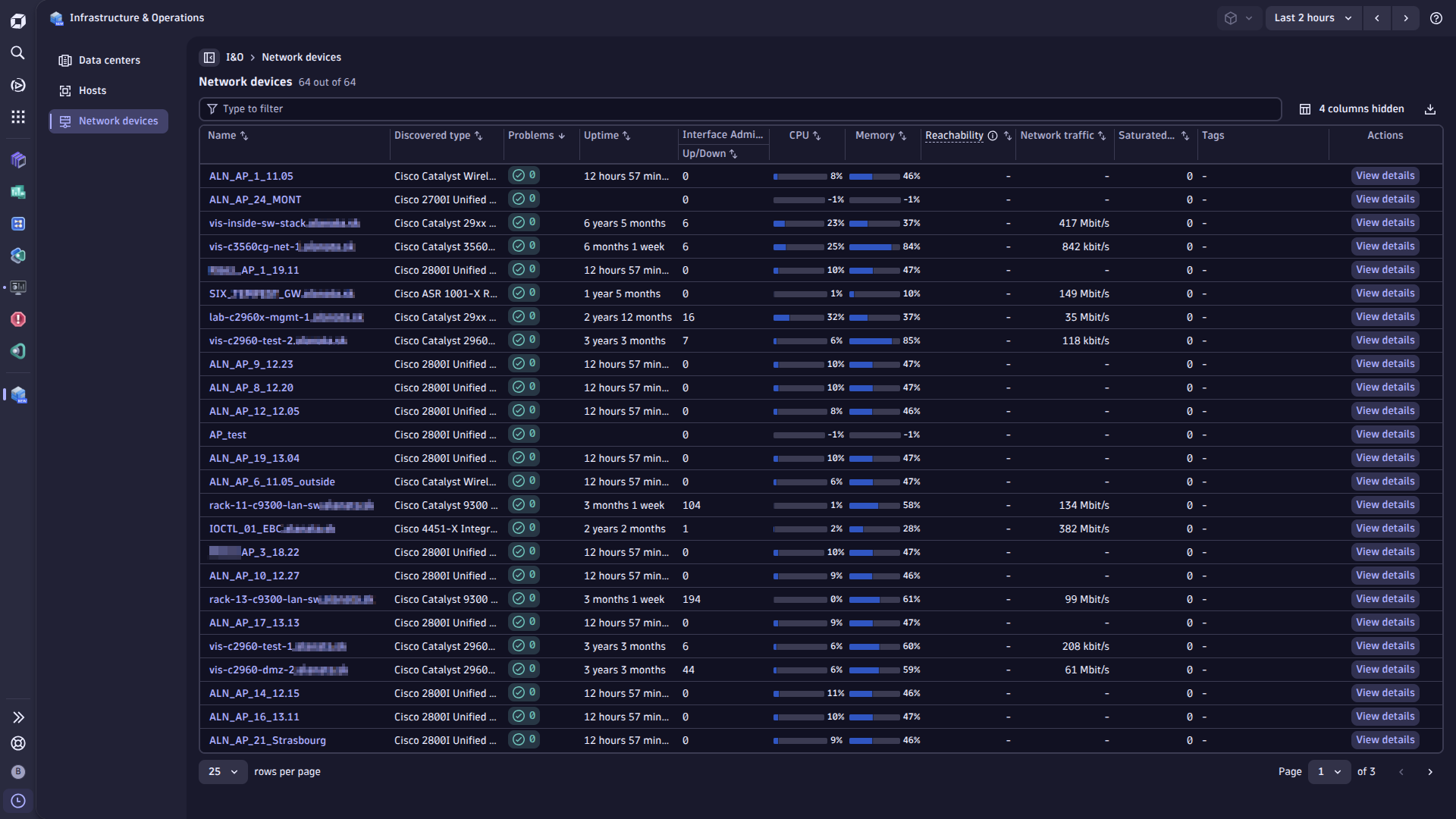
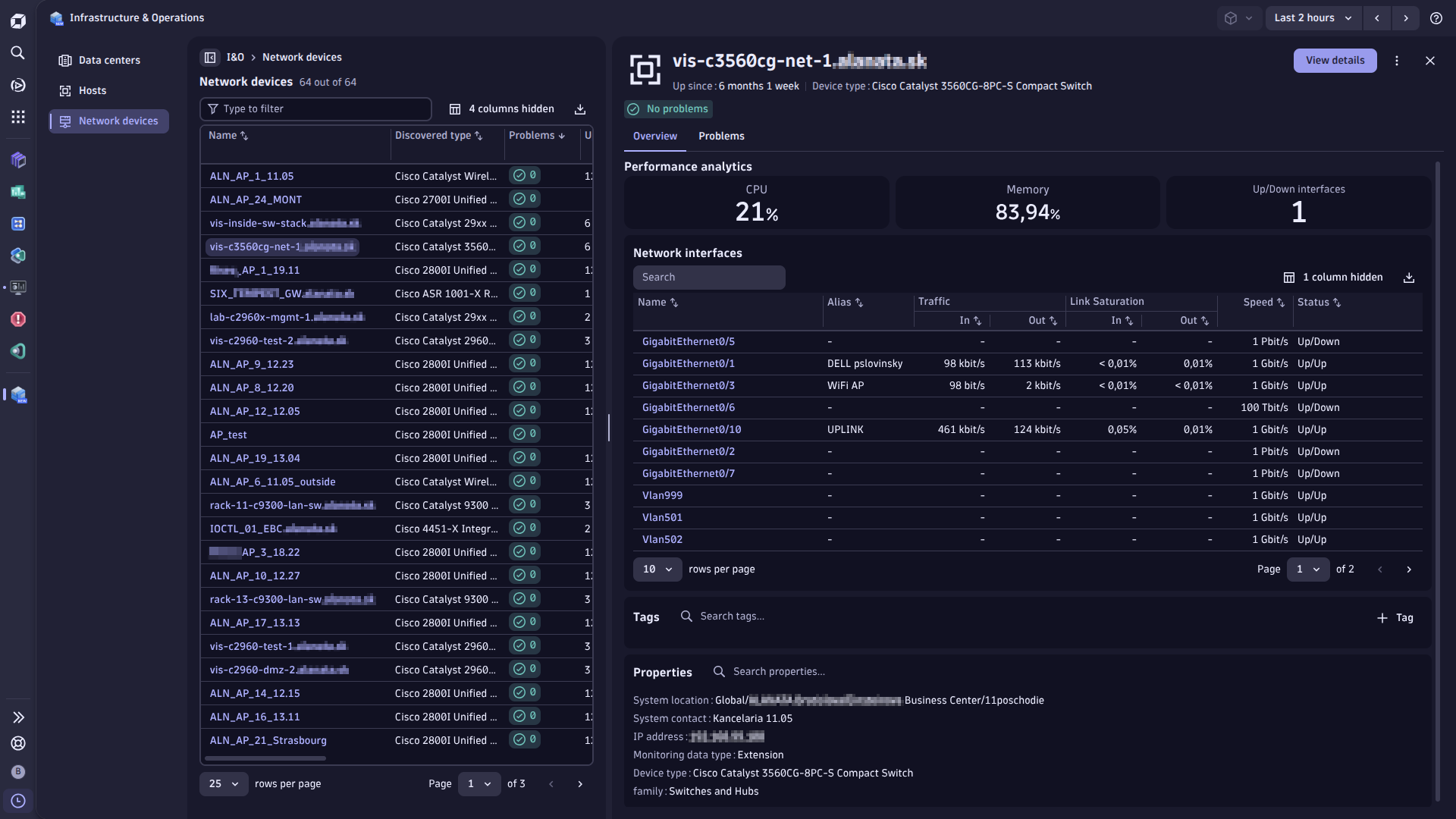
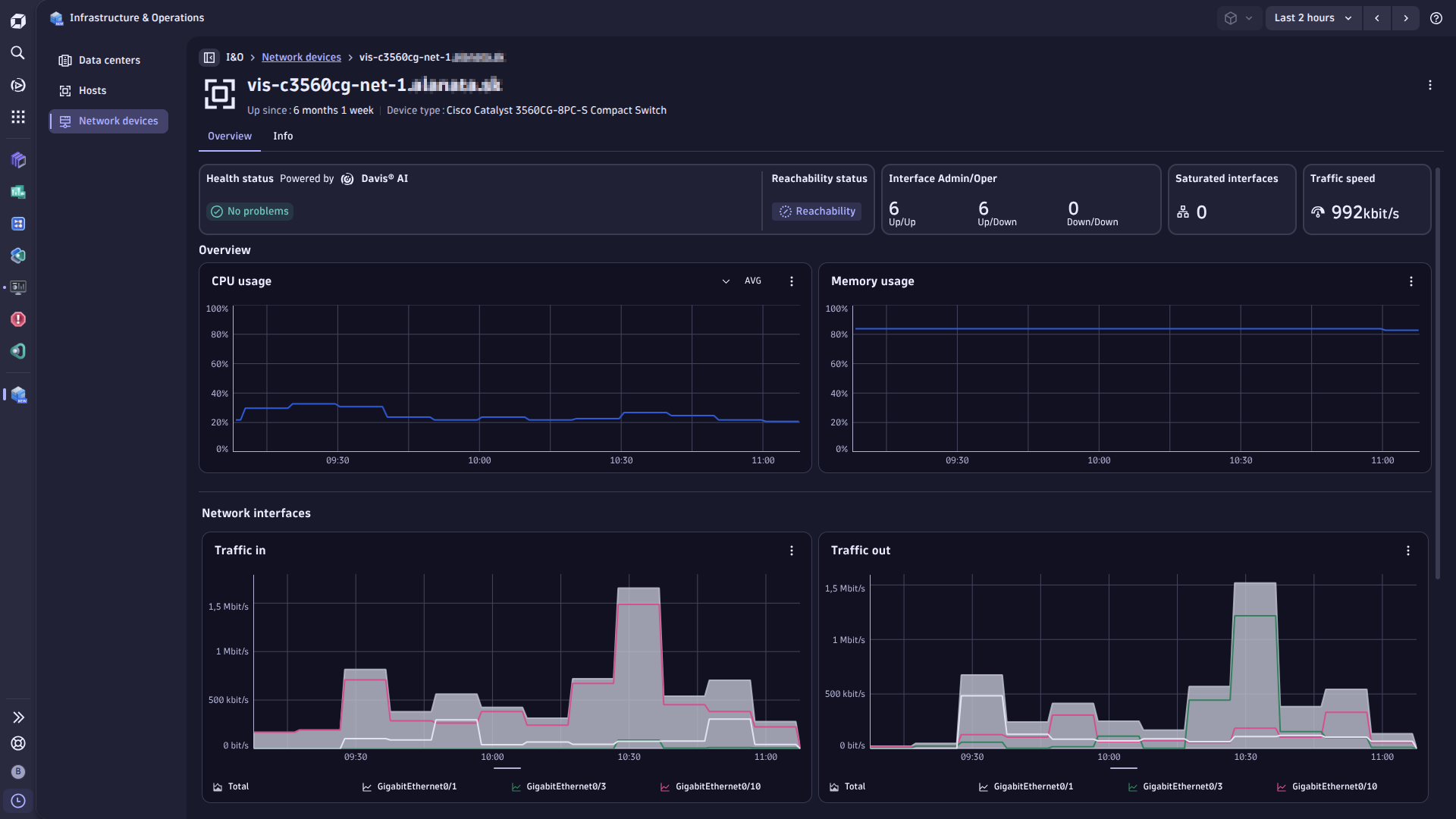
ip field of network device (EXT_NETWORK_DEVICE) nodes is now a list of IP addresses, as the Dynatrace semantic dictionary defines it. Before, it was a single text value. The device_ip_address log attribute is unchanged.This extension is now using all rich visualization features of Grail within Infrastructure & Operations App.
Explorer screens for Catalyst Centers and sites, and Catalyst Center tabs on network devices and interfaces.
You can now choose which interfaces are monitored. Every reporting configuration can filter interfaces by administrative status, operational status, port mode, interface type and interface name. This is the most effective way to reduce how many interfaces the extension reports.
Interface names are matched with wildcard patterns. * stands for any text. You can put it anywhere in a pattern, and more than once — GigabitEthernet*, *Vlan* and Gigabit*0/1 all work. A pattern without * matches that one exact name. You can enter several patterns, and an interface is kept if it matches any of them.
All interface filter values are case-sensitive, so gigabitethernet* and physical match nothing. Interface types are matched exactly and do not accept wildcards; use an interface name pattern when you need one.
Davis events reported for Catalyst Center issues and event notifications are now linked to their Smartscape entity: every event carries dt.smartscape_source.id, dt.smartscape_source.type and the matching dt.smartscape.<node type> property for the node the event targets (EXT_NETWORK_DEVICE, CISCO_CC_SITE or CISCO_CC_CENTER). Davis events of a device also name its site, and every event names its Catalyst Center, as related Smartscape nodes, so the problem is also visible on the site and the center.
cisco.cc.center.status reports the health status of the extension: 1 when it is connected to Catalyst Center, 0 when not, once per monitoring configuration and collection cycle. It is in the default feature set, so it is always reported.
Catalyst Center device tags on network devices. The EXT_NETWORK_DEVICE node has them as the list cisco_cc.tags. A device without tags has the list ["-"] on purpose: every device node carries the field, which keeps DQL queries simple, and a removed last tag is cleared.
The EXT_NETWORK_INTERFACE node has the interface description in its description field.
cisco.cc.device.issue_events.gauge is Issue Changes (was Issue Events) and cisco.cc.center.notification_count.gauge is Catalyst Center Event Count (was Catalyst Center Notification Count). The metric keys are unchanged, so custom dashboards and notebooks need no change.cisco.cc.device.total_interface_count.gauge (Interfaces), cisco.cc.device.health, cisco.cc.device.issue_count.gauge and cisco.cc.device.issue_events.gauge (Device), and cisco.cc.center.notification_count.gauge (Center). Log events, Davis events and the network:device entity are not affected.[Errno 24] Too many open files after a long run.cisco_cc.area, cisco_cc.building, cisco_cc.floor and cisco_cc.level_01_name through cisco_cc.level_04_name — to both the device and interface discovery log events. The EXT_NETWORK_DEVICE and EXT_NETWORK_INTERFACE Smartscape node attributes are extracted from those log fields by the logs OpenPipeline.dt_event_timeout_minutes expert configuration property (default: 60, maximum: 360), capped by DT Event Refire Interval, which is every 30 minutes with the defaults. More events are ingested for long-running issues; existing configurations need no changes.cisco.cc.center.cc_events metric has been renamed to
cisco.cc.center.notification_count.gauge. Historical data ingested under the old key
is not retroactively renamed. Charts will show a data gap until new data arrives under
the new key. The metric is a gauge reporting the notification count from the most
recent collection interval; built-in pie chart DQL queries use arrayLast to visualize
the actual last reported state. Limited impact: this metric is only collected when
report_notifications: true is set (default: false); only explicitly opted-in
configurations are affected.
cisco.cc.center.cc_events must be manually updated to reference
cisco.cc.center.notification_count.gauge.cisco.cc.device.memory_size.gauge and com.dynatrace.extension.network_device.memory_total
metrics are no longer reported. No reliable API source is available for total device memory. Use cisco.cc.device.memory / com.dynatrace.extension.network_device.memory_usage instead. Memory Size chart tiles have been removed from device screens accordingly.cisco.cc.device.cpu and cisco.cc.device.memory are suppressed by default when both the default and device feature sets are active (same values as
com.dynatrace.extension.network_device.cpu_usage / memory_usage). To restore both namespaces, set enable_legacy_cisco_cc_metrics: true in the expert configuration.cisco.cc.interface.* metrics. Previously (2.x extension version) these interfaces were excluded from all reporting.report_no_mac_interfaces_as_generic expert configuration toggle (default: false). When enabled, such interfaces are additionally reported as generic
com.dynatrace.extension.network_device.if.* metrics using a synthetic MAC derived from the interface ID, allowing full monitoring at the cost of increased DPS/DDU.chassis.mac dimension to all cisco.cc.device.* and cisco.cc.interface.* metrics and to device and interface discovery log events.vendor property to device discovery log events (cisco.cc.device_discovery).site_id dimension to interface metrics and interface discovery log events.chassis.mac and site_id as cisco_cc:interface entity attributes.sfm.cisco.cc.events.events.duration, sfm.cisco.cc.events.events.error).cisco_cc:device and network:device screens now use com.dynatrace.extension.network_device.* metric keys.productVendor from the Data API over the Intent API BASIC endpoint; the BASIC value is used only as a fallback when the Data API value is absent.Improved in this version
Patch level changes
New features:
cc_issue_link attribute added to the log events imported from DNA, allowing for quick jump to the issue as reported by the CNA Centermemory_size_text, os_type, os_version, serial_number, uptime_text, reachability status, platform_id, familyPatch level changes
security_context tagging of the generic network entities created by this extensions⚠️IMPORTANT CHANGE: This extension release requires Dynatrace cluster version 1.313 or later.
New features
Patch level changes
Patch level changes
The extension configuration screen has been upgraded to support new features. As a result, a new configuration must be created. To ensure continuity of metric data and preserve existing entities, make sure to use the same Endpoint Name as in the previous configuration.
See hub tile text for more details on how to set up these new features.
Add support for python 3.14
New features:
Note to those who have been running the private preview of the Cisco DNA extension in the past: this Catalyst Center extension supersedes the DNA extension. There is no migration path - please configure Cisco Catalyst Center extension from scratch and use it going forward. Deactivate and remove DNA extension, to conserve compute resources on ActiveGate, on Catalyst Center, and avoid unnecessary license consumption.

