
Skip to technology filters Skip to main content
Dynatrace Hub

Extend the platform,
empower your team.

Popular searches:
Home hero bg
Port AIPort AI
Port AI

Port AI

Ground every Port AI conversation in live Dynatrace production data.

Technology
Free trialDocumentation
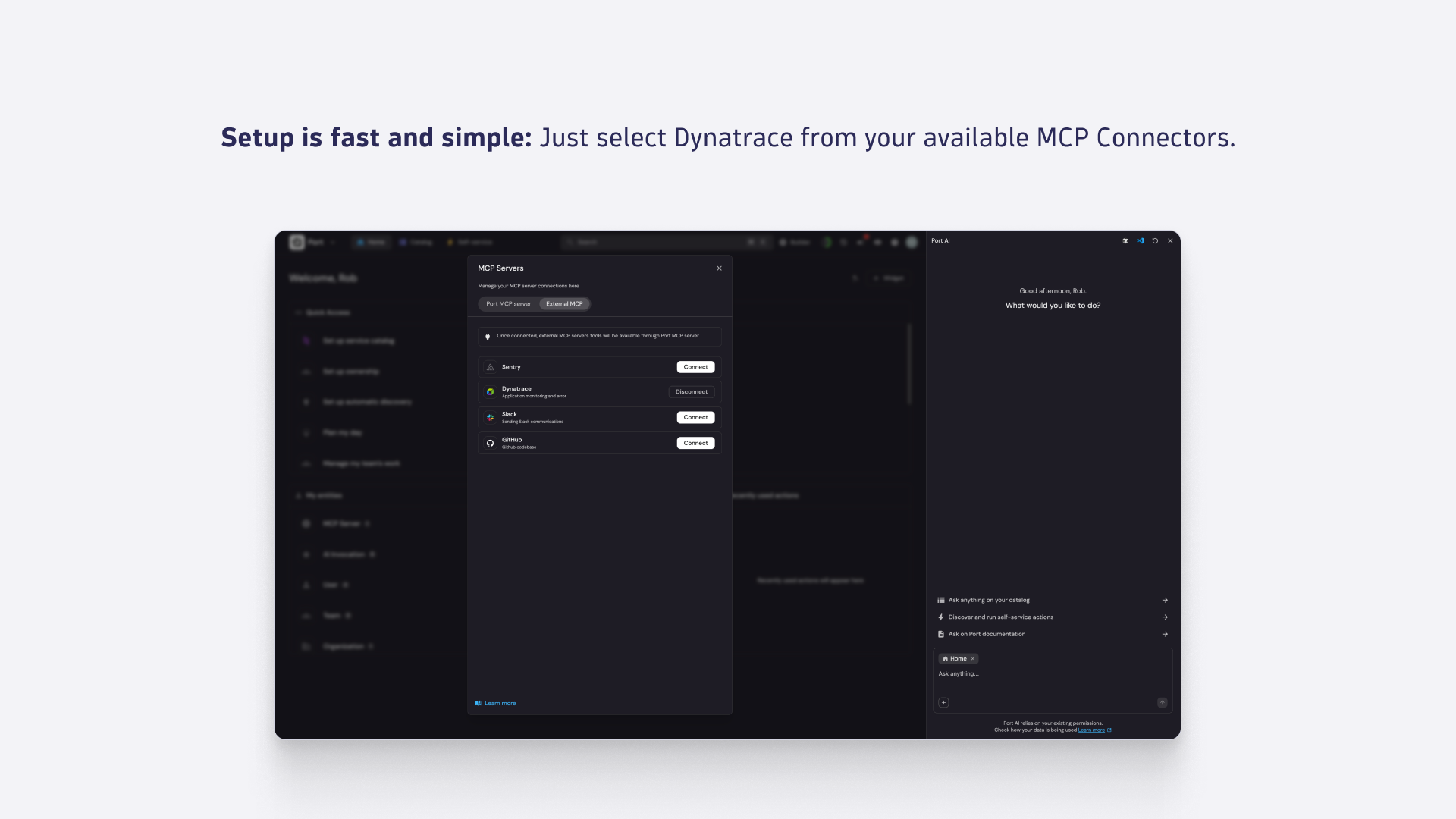
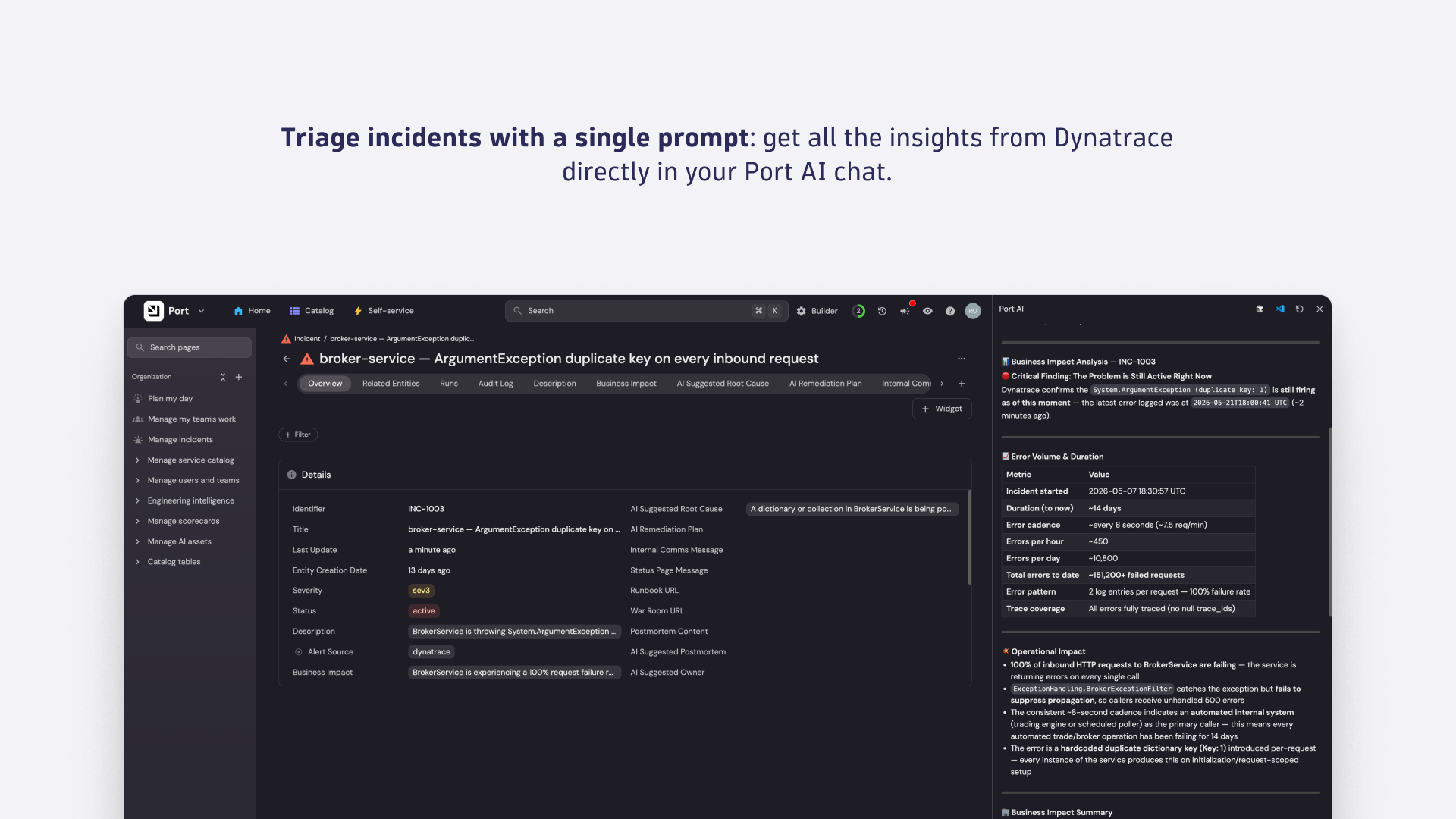
Setup is fast and simple: Just select Dynatrace from your available MCP Connectors.Triage incidents with a single prompt: get all the insights from Dynatrace directly in your Port AI chat.
  • Product information

Overview

The Dynatrace integration brings live runtime observability into every Port AI conversation. Instead of switching between your developer portal, observability platform, source host, and chat tool to investigate an issue, you ask once and get an answer that correlates production signals, code, and ownership in a single agent run.

  • Triage incidents from a single prompt: ask Port AI what's wrong and get back the failing service, error signature, suspect commit, and author in one agent run.
  • Correlate deployments with production behavior: connect recent commits and pipeline runs to live Dynatrace traces and problems without leaving the Port chat.
  • Generate on-call summaries: ask Port AI to summarize active problems for the services you own, with Dynatrace root-cause context already attached.
  • Draft postmortems with grounded data: pull the timeline, affected entities, and causal chain directly from Dynatrace into a Port AI–assisted writeup.
  • Investigate unknown services safely: query production signals for any service in the Port catalog, scoped to what your Dynatrace permissions already allow.

Get started

Setup is done once by a Port admin and then available to every authenticated Port AI user in your organization.

  1. Add Dynatrace as a data source. In Port, go to Data Sources → + Data source → MCP Servers. Select Dynatrace, fill in the connector details, and click Connect to authenticate with your Dynatrace tenant.
  2. Expose the tools you want Port AI to use. Under Allowed Tools, add the Dynatrace capabilities you want available across your organization — for example, querying production data, listing problems, retrieving problem details, and finding troubleshooting guidance. Click Publish.
  3. Register the incident triage skill. Add the ai-incident-triage skill from Port's skill library and point it at the incident entities in your catalog.
  4. Let users authenticate individually. On first use, each Port AI user signs in to Dynatrace through OAuth. Queries return only the data their existing Dynatrace permissions already allow.
Dynatrace
Documentation
By Dynatrace
Dynatrace support center
Copy to clipboard

More resources

Incident triage walkthrough

Incident triage walkthrough

Understand what a complete triage walkthrough in Port AI looks like.
Read more

The Dynatrace agentic ecosystem

The Dynatrace agentic ecosystem

Real agentic ecosystem use cases for SREs, developers, IT Ops, and more.
Read more
Dynatrace Hub
Get data into DynatraceBuild your own app
Dynatrace Intelligence - Agentic Operations SystemThe Dynatrace Agentic AI ecosystem
All (903)Log Management and AnalyticsKubernetesAI and LLM ObservabilityInfrastructure ObservabilitySoftware DeliveryApplication ObservabilityApplication SecurityBusiness ObservabilityDigital Experience
Filter
Type
Built and maintained by
Deployment model
SaaS
  • SaaS
  • Managed
Partner FinderBecome a partnerDynatrace Developer

Discover recent additions to Dynatrace

Dynatrace Assist logo

Dynatrace Assist

Dynatrace Assist: Ask, analyze, and act with Dynatrace Intelligence.

Smartscape logo

Smartscape

Interactively explore and analyze topology and relationships in digital systems.

Compliance Assistant logo

Compliance Assistant

Track, manage, and automate compliance across your IT and business landscape.

Experience Vitals logo

Experience Vitals

Optimize UX with core vitals, frontend error tracking, and end-to-end visibility.

Error Inspector logo

Error Inspector

Discover, triage, and manage errors across all your frontends.

Users & Sessions logo

Users & Sessions

Discover how users and cohorts with common characteristics experience your app.

Analyze your data

Understand your data better with deep insights and clear visualizations.

Notebooks logo

Notebooks

Create powerful, data-driven documents for custom analytics and collaboration.

Dashboards logo

Dashboards

Transform complex data into clear visualizations with custom dashboards.

Investigations logo

Investigations

Fast and precise incident response on Grail data with DQL queries.

Smartscape logo

Smartscape

Interactively explore and analyze topology and relationships in digital systems.

Logs logo

Logs

Explore all your logs without writing a single query.

Problems logo

Problems

Detect, explain and triage problems automatically using Dynatrace Intelligence.

Automate your processes

Turn data and answers into actions, securely, and at scale.

Workflows logo

Workflows

Automate tasks in your IT landscape and move towards autonomous operations.

Jira logo

Jira

Create, query, comment, transition, and resolve Jira tickets within workflows.

Slack logo

Slack

Automate Slack messaging for security incidents, attacks, remediation, and more.

Secure your cloud application

See vulnerabilities and attacks in your environment.

Security Posture Management logo

Security Posture Management

Detect, prioritize, and remediate security and compliance findings with SPM.

Threats & Exploits logo

Threats & Exploits

Understand, triage, and investigate detection findings and alerts.

More resources

Observability for Developers on Cursor logo

Observability for Developers on Cursor

Get Real time Code-Level data directly to your Cursor IDE.

Documents logo

Documents

Manage Dashboards, Notebooks and other documents in your Dynatrace environment.

GitHub Copilot Coding Agent logo

GitHub Copilot Coding Agent

Automate vulnerability remediation and boost developer productivity.

GitHub Copilot Custom Agent logo

GitHub Copilot Custom Agent

Automate your development workflows with specialized agent definitions.

Observability for Developer on JetBrains logo

Observability for Developer on JetBrains

Get real-time code-level data directly to your Jetbrains IDE.

Metrics logo

Metrics

Browse, search, and manage all your metrics in one central catalog.

Pagerduty for Dynatrace Workflows logo

Pagerduty for Dynatrace Workflows

Streamline incident management with automated Pageruty workflows.

Cursor IDE logo

Cursor IDE

Boost developer productivity and get real-time, code-level insights into Cursor.

Observability for Developers on Windsurf logo

Observability for Developers on Windsurf

Get real-time code-level data directly to your Windsurf IDE.

Are you looking for something different?

We have hundreds of apps, extensions, and other technologies to customize your environment

Leverage our newest innovations of Dynatrace Saas

Kick-start your app creation

Kick-start your app creation

Whether you’re a beginner or a pro, Dynatrace Developer has the tools and support you need to create incredible apps with minimal effort.
Go to Dynatrace Developer
Upgrading from Dynatrace Managed to SaaS

Upgrading from Dynatrace Managed to SaaS

Drive innovation, speed, and agility in your organization by seamlessly and securely upgrading.
Learn More
Log Management and Analytics

Log Management and Analytics

Innovate faster and more efficiently with unified log management and log analytics for actionable insights and automation.
Learn more