


























Kick-start your app creation
Whether you’re a beginner or a pro, Dynatrace Developer has the tools and support you need to create incredible apps with minimal effort.
Go to Dynatrace Developer
 Juniper Mist
Monitor Juniper Mist sites, access points, gateways, switches, and alarms.
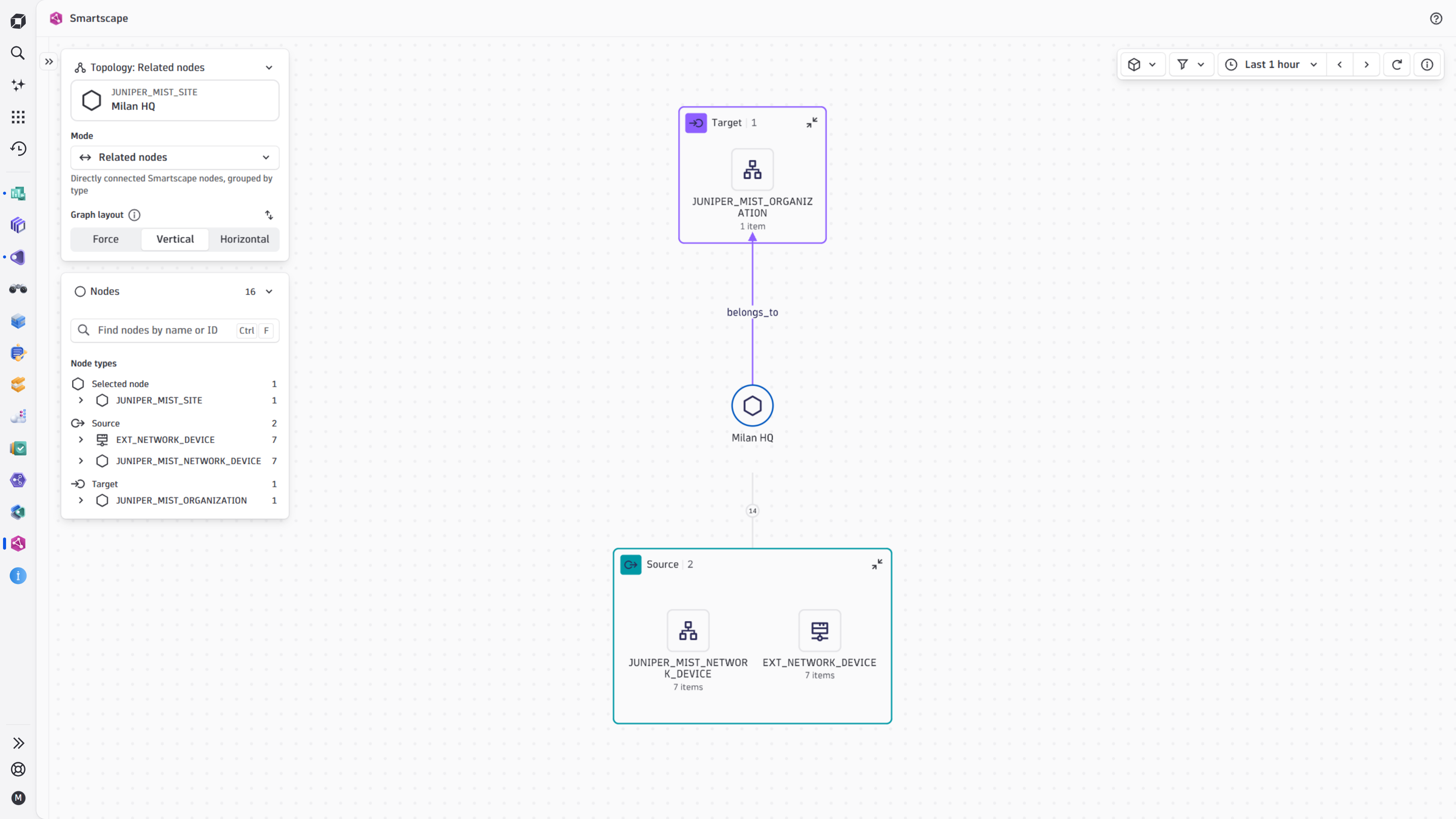
ExtensionThe Juniper Mist extension brings the network infrastructure managed by the Juniper Mist cloud into Dynatrace. Running on an ActiveGate, it polls organization and site metrics through the Mist REST API and streams device metrics in near real time through the Mist WebSocket API, covering access points, gateways, and switches down to individual wired and wireless interfaces. It builds the Smartscape topology, can import Mist alarms as Dynatrace events, and comes with a ready-to-use overview dashboard and unified analysis screens for analyzing the health of your Mist-managed network.
You need a Juniper Mist organization and an Environment ActiveGate with outbound HTTPS and secure WebSocket (WSS) access to the Mist API endpoint of your cloud region, directly or through a proxy. On the Mist side, generate an organization API token with the Observer (read-only) privilege that lets Dynatrace connect and collect the data.
For step-by-step instructions on the installation and configuration on both Juniper Mist and Dynatrace sides, please see Juniper Mist extension in the Dynatrace Documentation.
The Juniper Mist extension collects metrics and topology data for:
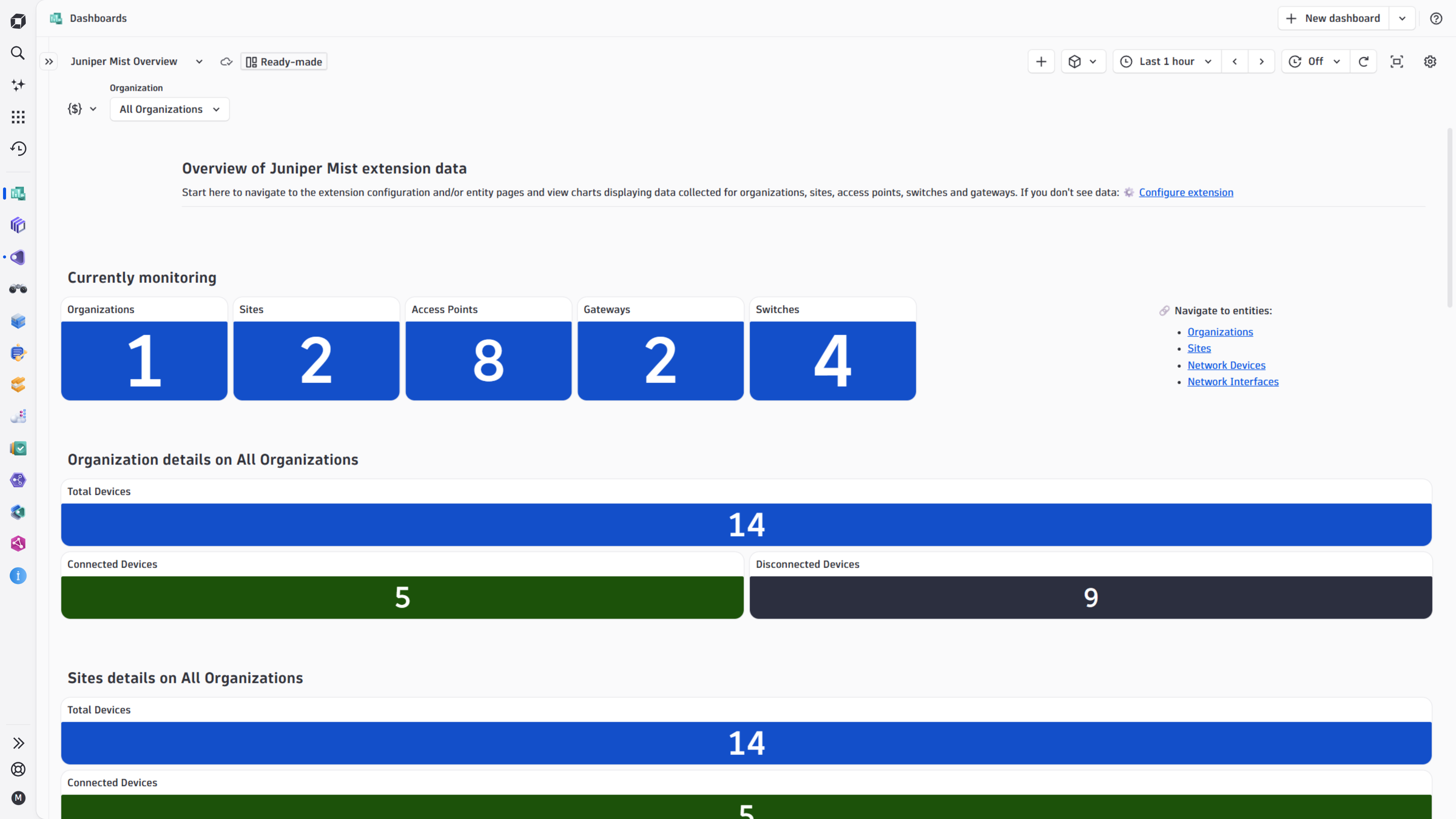
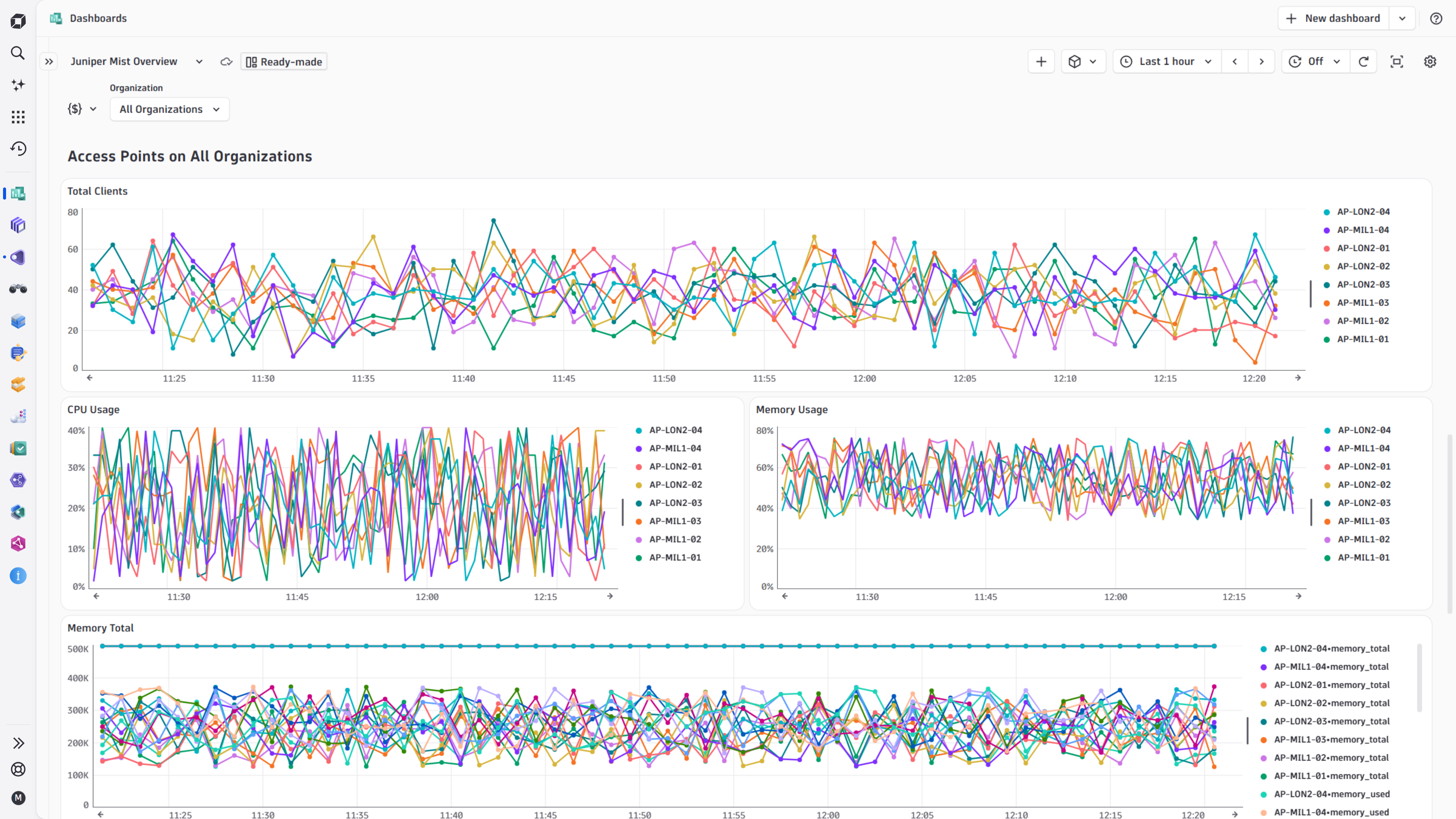
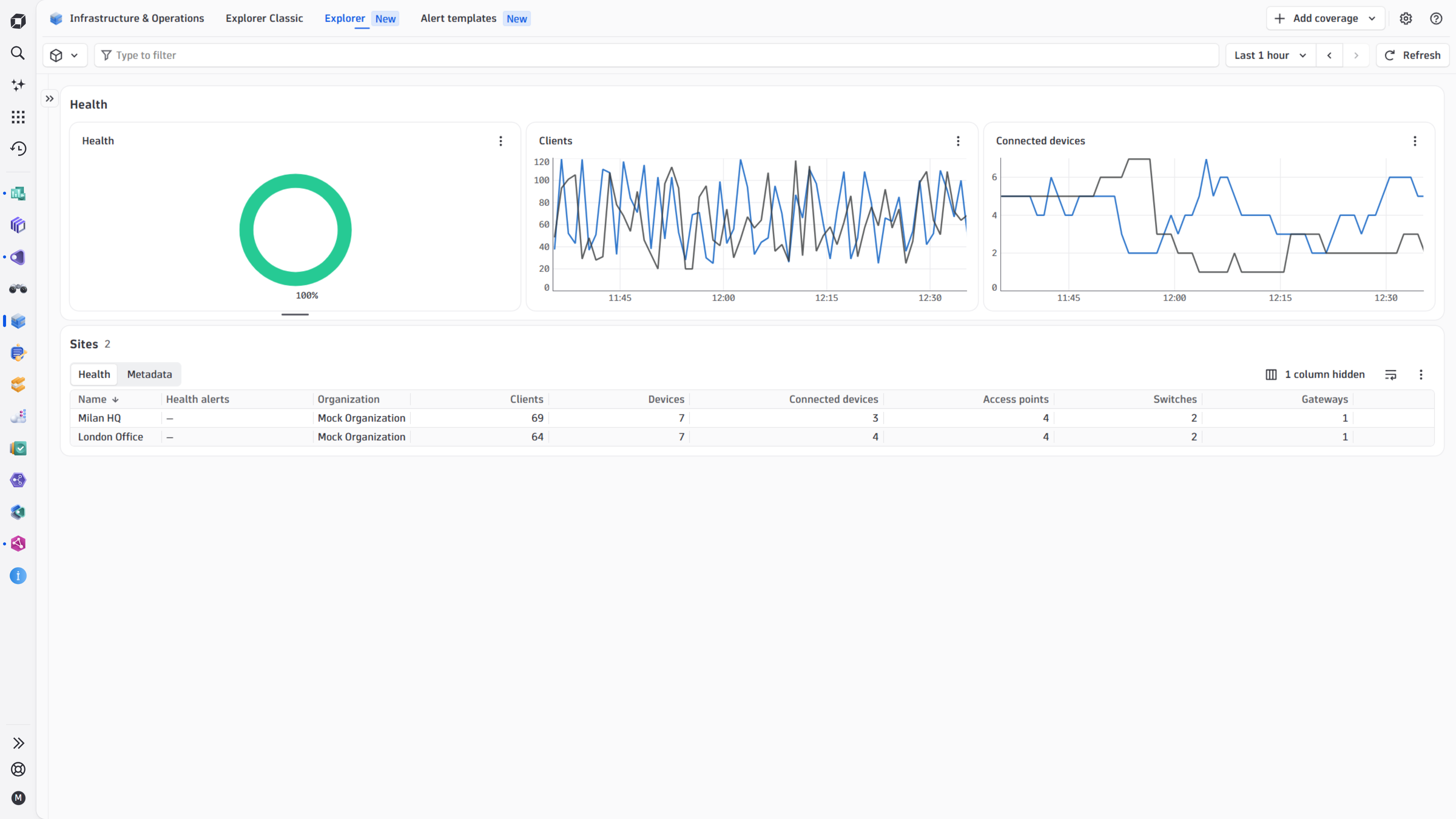
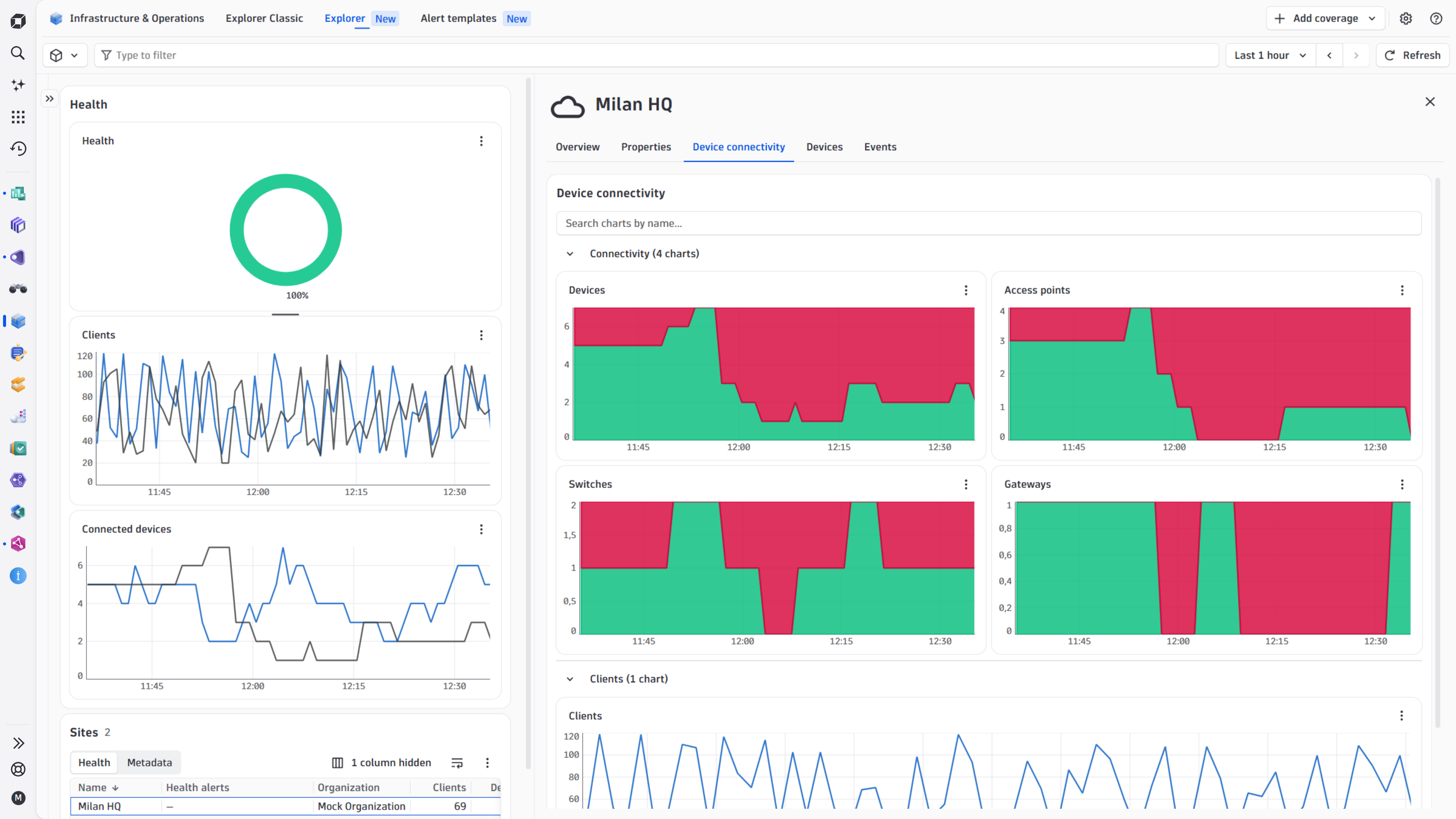
The extension brings the Juniper Mist Overview dashboard and unified analysis screens for organizations, sites, network devices, and network interfaces.
Below is a complete list of the feature sets provided in this version. To ensure a good fit for your needs, individual feature sets can be activated and deactivated by your administrator during configuration.
| Metric name | Metric key | Description | Unit |
|---|---|---|---|
| BLE power | juniper-mist.network_device.ble_power | Bluetooth Low Energy power of the network device | DecibelMilliWatt |
| BLE received bytes | juniper-mist.network_device.ble_rx_bytes | Number of bytes received over Bluetooth Low Energy by the network device | Bytes |
| BLE transmitted bytes | juniper-mist.network_device.ble_tx_bytes | Number of bytes transmitted over Bluetooth Low Energy by the network device | Bytes |
| BLE received packets | juniper-mist.network_device.ble_rx_pkts | Number of packets received over Bluetooth Low Energy by the network device | Count |
| BLE transmitted packets | juniper-mist.network_device.ble_tx_pkts | Number of packets transmitted over Bluetooth Low Energy by the network device | Count |
| BLE transmit resets | juniper-mist.network_device.ble_tx_resets | Number of Bluetooth Low Energy transmit resets by the network device | Count |
| Metric name | Metric key | Description | Unit |
|---|---|---|---|
| - | com.dynatrace.extension.network_device.if.bytes_in.count | - | - |
| - | com.dynatrace.extension.network_device.if.bytes_out.count | - | - |
| - | com.dynatrace.extension.network_device.if.in.pkts.count | - | - |
| - | com.dynatrace.extension.network_device.if.out.pkts.count | - | - |
| - | com.dynatrace.extension.network_device.if.status | - | - |
| Metric name | Metric key | Description | Unit |
|---|---|---|---|
| - | com.dynatrace.extension.network_device.if.bytes_in.count | - | - |
| - | com.dynatrace.extension.network_device.if.bytes_out.count | - | - |
| - | com.dynatrace.extension.network_device.if.in.pkts.count | - | - |
| - | com.dynatrace.extension.network_device.if.out.pkts.count | - | - |
| - | com.dynatrace.extension.network_device.if.status | - | - |
| Metric name | Metric key | Description | Unit |
|---|---|---|---|
| CPU idle | juniper-mist.network_device.cpu_idle | CPU idle percentage of the network device | Percent |
| CPU interrupt | juniper-mist.network_device.cpu_interrupt | CPU interrupt percentage of the network device | Percent |
| - | com.dynatrace.extension.network_device.cpu_usage | - | - |
| - | com.dynatrace.extension.network_device.memory_usage | - | - |
| - | com.dynatrace.extension.network_device.sysuptime | - | - |
| Metric name | Metric key | Description | Unit |
|---|---|---|---|
| Access Point count | juniper-mist.site.num_ap | Number of Access Points belonging to the site | Count |
| Connected Access Point count | juniper-mist.site.num_ap_connected | Number of connected Access Points belonging to the site | Count |
| Client count | juniper-mist.site.num_clients | Number of active clients in the site | Count |
| Device count | juniper-mist.site.num_devices | Number of devices belonging to the site | Count |
| Connected device count | juniper-mist.site.num_devices_connected | Number of connected devices belonging to the site | Count |
| Gateway count | juniper-mist.site.num_gateways | Number of Gateways belonging to the site | Count |
| Connected Gateway count | juniper-mist.site.num_gateways_connected | Number of connected Gateways belonging to the site | Count |
| Switch count | juniper-mist.site.num_switches | Number of Switches belonging to the site | Count |
| Connected Switch count | juniper-mist.site.num_switches_connected | Number of connected Switches belonging to the site | Count |
| Metric name | Metric key | Description | Unit |
|---|---|---|---|
| - | com.dynatrace.extension.network_device.cpu_usage | - | - |
| - | com.dynatrace.extension.network_device.memory_total | - | - |
| - | com.dynatrace.extension.network_device.memory_used | - | - |
| - | com.dynatrace.extension.network_device.memory_free | - | - |
| - | com.dynatrace.extension.network_device.memory_usage | - | - |
| Client count | juniper-mist.network_device.num_clients | Number of clients connected to the network device | Count |
| - | com.dynatrace.extension.network_device.sysuptime | - | - |
| Metric name | Metric key | Description | Unit |
|---|---|---|---|
| Device count | juniper-mist.org.num_devices | Number of devices belonging to the organization | Count |
| Connected device count | juniper-mist.org.num_devices_connected | Number of connected devices belonging to the organization | Count |
| Disconnected device count | juniper-mist.org.num_devices_disconnected | Number of disconnected devices belonging to the organization | Count |
| Inventory count | juniper-mist.org.num_inventory | Number of inventories belonging to the organization | Count |
| Site count | juniper-mist.org.num_sites | Number of sites belonging to the organization | Count |
| Metric name | Metric key | Description | Unit |
|---|---|---|---|
| CPU idle | juniper-mist.network_device.cpu_idle | CPU idle percentage of the network device | Percent |
| CPU interrupt | juniper-mist.network_device.cpu_interrupt | CPU interrupt percentage of the network device | Percent |
| - | com.dynatrace.extension.network_device.cpu_usage | - | - |
| - | com.dynatrace.extension.network_device.memory_usage | - | - |
| - | com.dynatrace.extension.network_device.sysuptime | - | - |
| Metric name | Metric key | Description | Unit |
|---|---|---|---|
| LLDP power allocated | juniper-mist.network_device.lldp_power_allocated | Power allocated by Link Layer Discovery Protocol on the network device | DecibelMilliWatt |
| LLDP power draw | juniper-mist.network_device.lldp_power_draw | Power draw by Link Layer Discovery Protocol on the network device | DecibelMilliWatt |
| LLDP power request count | juniper-mist.network_device.lldp_power_request_count | Number of power requests by Link Layer Discovery Protocol on the network device | Count |
| LLDP power requested | juniper-mist.network_device.lldp_power_requested | Power requested by Link Layer Discovery Protocol on the network device | DecibelMilliWatt |
| Metric name | Metric key | Description | Unit |
|---|---|---|---|
| - | com.dynatrace.extension.network_device.if.bytes_in.count | - | - |
| - | com.dynatrace.extension.network_device.if.bytes_out.count | - | - |
| - | com.dynatrace.extension.network_device.if.in.pkts.count | - | - |
| - | com.dynatrace.extension.network_device.if.out.pkts.count | - | - |
| - | com.dynatrace.extension.network_device.if.in.errors.count | - | - |
| - | com.dynatrace.extension.network_device.if.status | - | - |
| Interface speed | juniper-mist.network_device.if.speed | Speed of the network interface | BitsPerSecond |
| Interface full duplex | juniper-mist.network_device.if.full_duplex | Whether the network interface is full duplex | Boolean |
| Interface utilization | juniper-mist.network_device.if.util | Utilization of the network interface | Percent |
| Non-WiFi interface utilization | juniper-mist.network_device.if.util_non_wifi | Utilization of the non-WiFi network interface | Percent |
| Unknown WiFi interface utilization | juniper-mist.network_device.if.util_unknown_wifi | Utilization of the unknown WiFi network interface | Percent |
| Transmit interface utilization | juniper-mist.network_device.if.util_tx | Transmit utilization of the network interface | Percent |
| Receive in BSS interface utilization | juniper-mist.network_device.if.util_rx_in_bss | Receive in BSS utilization of the network interface | Percent |
| Receive other BSS interface utilization | juniper-mist.network_device.if.util_rx_other_bss | Receive other BSS utilization of the network interface | Percent |
| Undecodable WiFi interface utilization | juniper-mist.network_device.if.util_undecodable_wifi | Utilization of the undecodable WiFi network interface | Percent |
| Interface noise floor | juniper-mist.network_device.if.noise_floor | Noise floor of the wireless network interface | DecibelMilliWatt |
| Interface client count | juniper-mist.network_device.if.num_clients | Number of clients connected to the wireless network interface | Count |
Initial release. Looking forward for your feedback via the Dynatrace Community!