























Kick-start your app creation
Whether you’re a beginner or a pro, Dynatrace Developer has the tools and support you need to create incredible apps with minimal effort.
Go to Dynatrace Developer
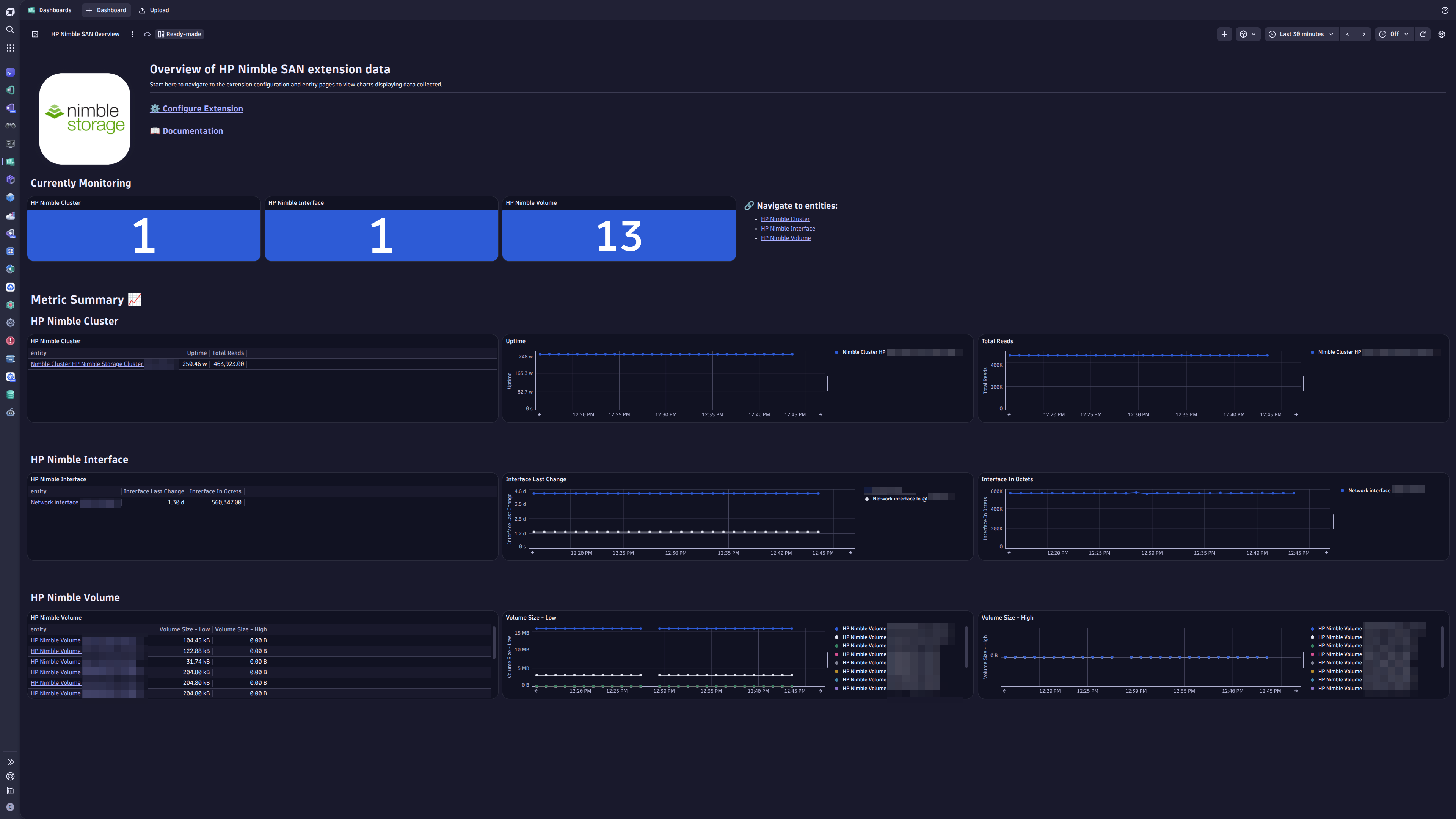
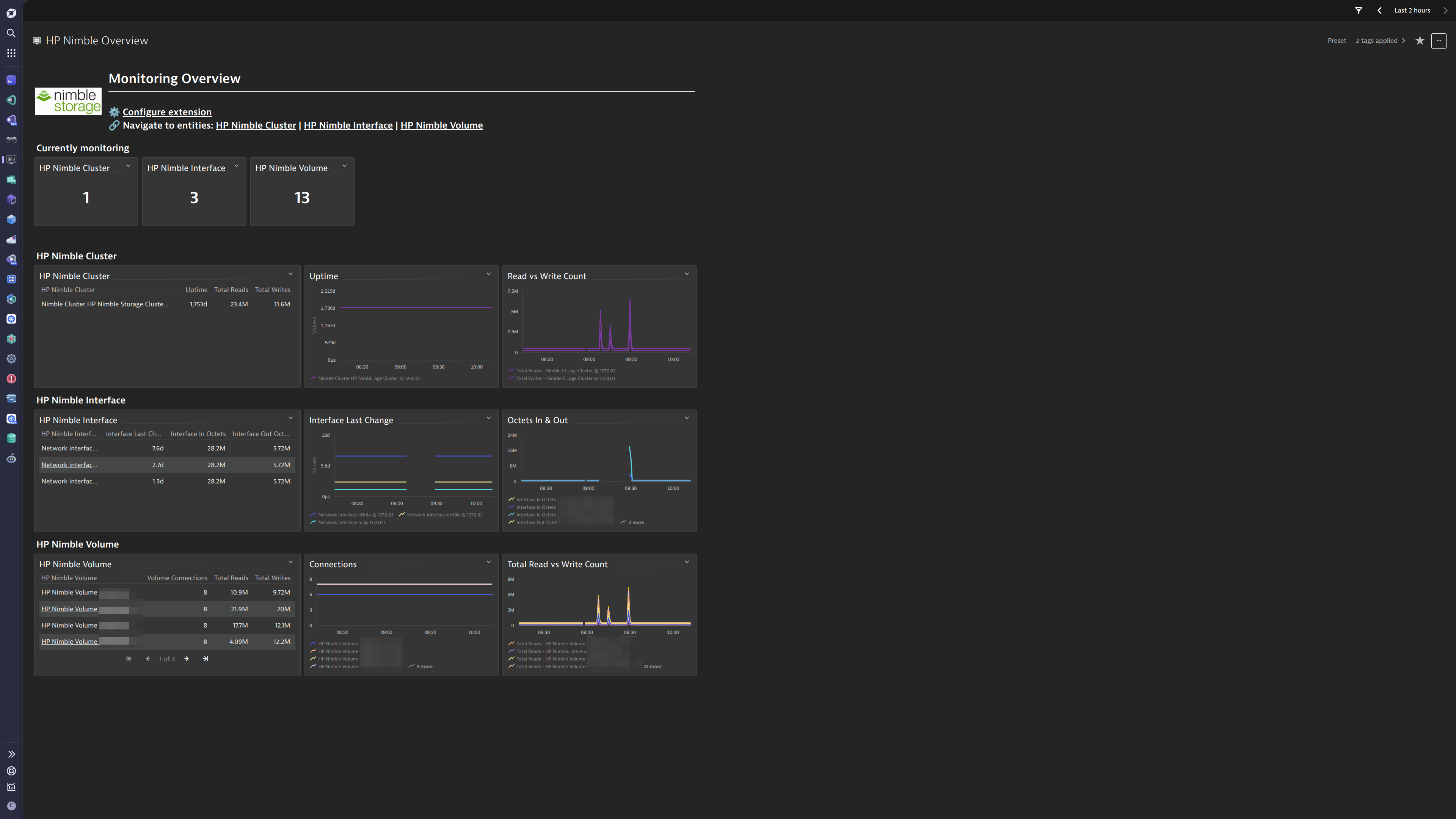
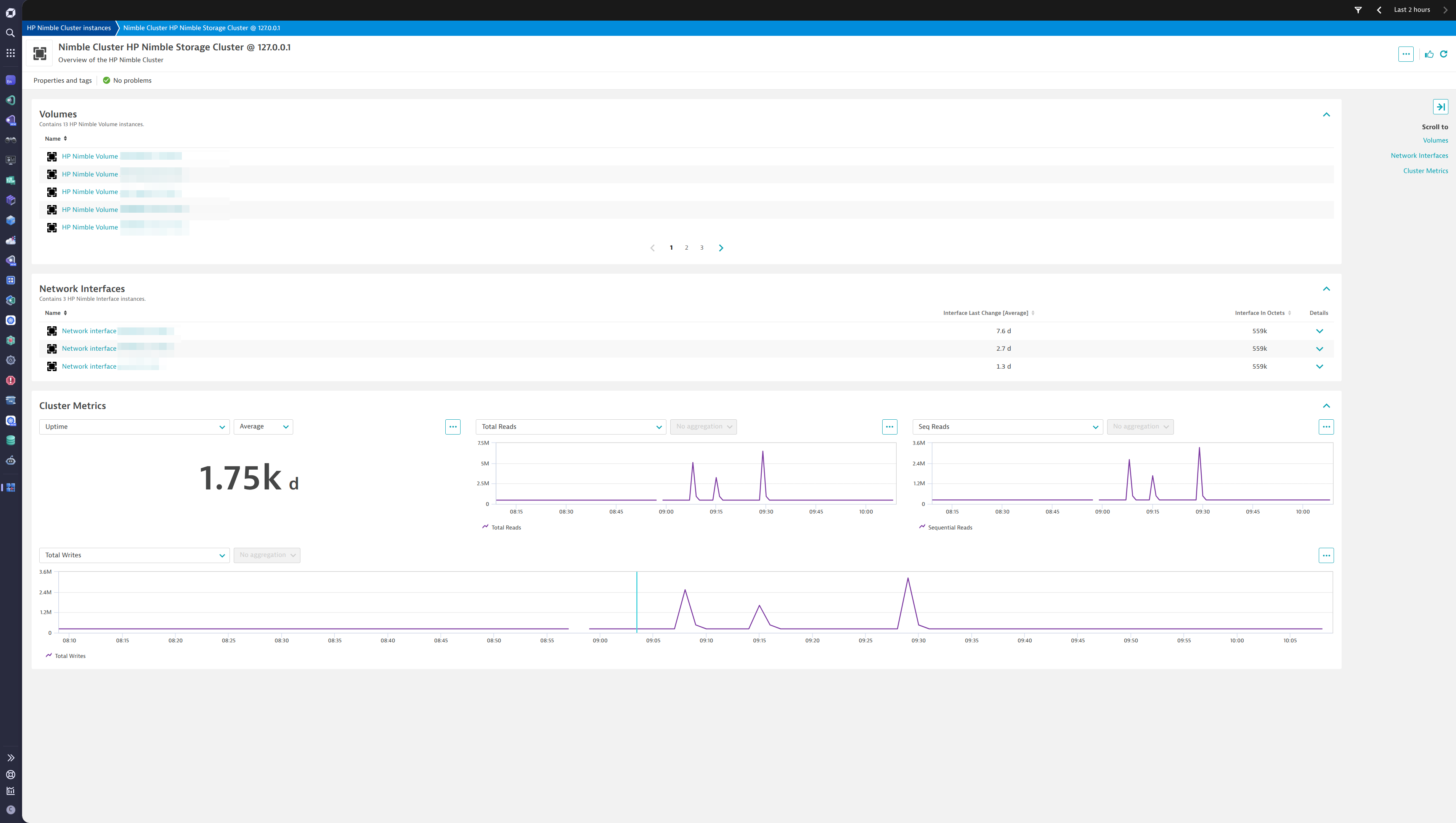
 HP Nimble SAN
This extension leverages the SNMP protocol to provide a complete solution to monitor HP Nimble Storage Devices. The complete configuration is provided out-of-the-box.
Simply activate the extension in your environment using in-product Hub, provide device configuration and you’re all set up.
More information can be found in the SNMP Extension Documentation
This extension is built on top of the Extension 2.0 Framework.
More information can be found in the Product News Blog:
This extension queries for metrics every minute. In both Classic and DPS Licensing models, license consumption is based on metric datapoints.
To estimate the amount of metric datapoints produced by an extension configuration per minute, use the following list which estimates a number of metrics per featureset and a multiplier value depending on which entity the metric is split by.
By adding these together an estimation of metric datapoints ingested per minute can be formed.
default: 1 x HP Nimble Cluster
Basic Volume Stats: 12 x HP Nimble Storage Volume
Global Stats: 15 x HP Nimble Cluster
Interfaces: 7 x HP Nimble Storage Interface
Volume Read Stats: 21 x HP Nimble Storage Volume
Volume Write Stats: 18 x HP Nimble Storage Volume
Approximate yearly datapoints = <metric datapoints per minute> * 60 minutes * 24 hours * 365 days
In the classic licensing model, metric ingestion will consume Davis Data Units (DDUs) at the rate of .001 DDUs per metric data point.
To get an estimation of the amount of data points the extension will produce over a year, multiply the above formula by .001.
Below is a complete list of the feature sets provided in this version. To ensure a good fit for your needs, individual feature sets can be activated and deactivated by your administrator during configuration.
| Metric name | Metric key | Description | Unit |
|---|---|---|---|
| Uptime | hp-nimble.sys.uptime | sysUpTimeInstance | Second |
| Metric name | Metric key | Description | Unit |
|---|---|---|---|
| Total Writes | hp-nimble.vol.io.total.writes.count | Total cumulative number of Write I/Os. | Count |
| Write Time | hp-nimble.vol.io.write.time.count | Total cumulative time for Write operation (sequential and random). | MicroSecond |
| Total Write Bytes | hp-nimble.vol.io.total.write.bytes.count | Total cumulative number of Write I/O bytes (sequential and random). | Byte |
| Sequential Writes Count | hp-nimble.vol.io.seq.write.count | Total Number of Sequential Write I/O operations. | Count |
| Sequential Write Bytes | hp-nimble.vol.io.seq.write.bytes.count | Number of Sequential Write I/O bytes. | Byte |
| Write Latency Count - O to 100u | hp-nimble.vol.io.write.latency.0To100u.count | Number of Write I/O operations with latency between 0 and 100 microseconds. | Count |
| Write Latency Count - 100u To 200u | hp-nimble.vol.io.write.latency.100uTo200u.count | Number of Write I/O operations with latency between 100 and 200 microseconds. | Count |
| Write Latency Count - 200u To 500u | hp-nimble.vol.io.write.latency.200uTo500u.count | Number of Write I/O operations with latency between 200 and 500 microseconds. | Count |
| Write Latency Count - 500u To 1ms | hp-nimble.vol.io.write.latency.500uTo1ms.count | Number of Write I/O operations with latency between 1/2 and 1 milliseconds. | Count |
| Write Latency Count - 1ms To 2ms | hp-nimble.vol.io.write.latency.1msTo2ms.count | Number of Write I/O operations with latency between 1 and 2 milliseconds. | Count |
| Write Latency Count - 2ms To 5ms | hp-nimble.vol.io.write.latency.2msTo5ms.count | Number of Write I/O operations with latency between 2 and 5 milliseconds. | Count |
| Write Latency Count - 5ms To 10ms | hp-nimble.vol.io.write.latency.5msTo10ms.count | Number of Write I/O operations with latency between 5 and 10 milliseconds. | Count |
| Write Latency Count - 10ms To 20ms | hp-nimble.vol.io.write.latency.10msTo20ms.count | Number of Write I/O operations with latency between 10 and 20 milliseconds. | Count |
| Write Latency Count - 20ms To 50ms | hp-nimble.vol.io.write.latency.20msTo50ms.count | Number of Write I/O operations with latency between 20 and 50 milliseconds. | Count |
| Write Latency Count - 50ms To 100ms | hp-nimble.vol.io.write.latency.50msTo100ms.count | Number of Write I/O operations with latency between 50 and 100 milliseconds. | Count |
| Write Latency Count - 100ms To 200ms | hp-nimble.vol.io.write.latency.100msTo200ms.count | Number of Write I/O operations with latency between 100 and 200 milliseconds. | Count |
| Write Latency Count - 200ms To 500ms | hp-nimble.vol.io.write.latency.200msTo500ms.count | Number of Write I/O operations with latency between 200 and 500 milliseconds. | Count |
| Write Latency Count - 500ms To Max | hp-nimble.vol.io.write.latency.500msToMax.count | Number of Write I/O operations with latency above 500 milliseconds. | Count |
| Metric name | Metric key | Description | Unit |
|---|---|---|---|
| Total Reads | hp-nimble.global.io.total.read.count | Total cumulative number of Read I/Os (sequential and random). | Count |
| Sequential Reads | hp-nimble.global.io.seq.read.count | Total cumulative number of Sequential Read I/Os. | Count |
| Total Writes | hp-nimble.global.io.total.write.count | Total cumulative number of Write I/Os. | Count |
| Sequential Writes | hp-nimble.global.io.seq.write.count | Total cumulative number of Sequential Write I/Os. | Count |
| Total Read Time | hp-nimble.global.io.read.time.count | Total cumulative microseconds the system has spent processing Read I/Os. This includes system and disk latency, but not any network latency back to the initiator. | MicroSecond |
| Total Write Time | hp-nimble.global.io.write.time.count | Total cumulative microseconds the system has spent processing Write I/Os. This includes system and disk latency, but not any network latency back to the initiator. | MicroSecond |
| Total Read Bytes | hp-nimble.global.io.total.read.bytes.count | Total cumulative number of Read I/O bytes (sequential and random). | Byte |
| Sequential Read Bytes | hp-nimble.global.io.seq.read.bytes.count | Total cumulative number of Sequential Read I/O bytes. | Byte |
| Total Write Bytes | hp-nimble.global.io.total.write.bytes.count | Total cumulative number of Write I/O bytes (sequential and random). | Byte |
| Sequential Write Bytes | hp-nimble.global.io.seq.write.bytes.count | Total cumulative number of Sequential Write I/O bytes. | Byte |
| Volume Bytes Used - Low | hp-nimble.global.disk.vol.bytes.used.low.count | Total number of bytes used on disk for volumes - low order bytes. | Byte |
| Volume Bytes Used - High | hp-nimble.global.disk.vol.bytes.used.high.count | Total number of bytes used on disk for volumes - high order bytes. | Byte |
| Snapshot Bytes Used - Low | hp-nimble.global.disk.snapshot.bytes.used.low.count | Total number of bytes used on disk for snapshots - low order bytes. | Byte |
| Snapshot Bytes Used - High | hp-nimble.global.disk.snapshot.bytes.used.high.count | Total number of bytes used on disk for snapshots - high order bytes. | Byte |
| Non-Sequential Read Hits | hp-nimble.global.io.nonseq.read.hits.count | Total cumulative number of cache hits for Non-Sequential Read I/Os. | Count |
| Metric name | Metric key | Description | Unit |
|---|---|---|---|
| Interface Last Change | hp-nimble.if.lastchange | - | Second |
| Interface In Octets | hp-nimble.if.in.octets.count | - | Count |
| Interface Out Octets | hp-nimble.if.out.octets.count | - | Count |
| Interface In Errors | hp-nimble.if.in.errors.count | - | Count |
| Interface In Discards | hp-nimble.if.in.discards.count | - | Count |
| Interface Out Errors | hp-nimble.if.out.errors.count | - | Count |
| Interface Out Discards | hp-nimble.if.out.discards.count | - | Count |
| Metric name | Metric key | Description | Unit |
|---|---|---|---|
| Volume Size - Low | hp-nimble.vol.size.low | Maximum defined size of a volume in bytes - low order bytes. | Byte |
| Volume Size - High | hp-nimble.vol.size.high | Maximum defined size of a volume in bytes - High order bytes. | Byte |
| Volume Usage - Low | hp-nimble.vol.usage.low | Current number of bytes a volume is using - low order bytes. | Byte |
| Volume Usage - High | hp-nimble.vol.usage.high | Current number of bytes a volume is using - high order bytes. | Byte |
| Volume Reserved - Low | hp-nimble.vol.reserved.low | Number of bytes reserved for a volume - low order bytes. | Byte |
| Volume Reserved - High | hp-nimble.vol.reserved.high | Number of bytes reserved for a volume - high order bytes. | Byte |
| Volume Online | hp-nimble.vol.online | Volume Online (true or false). | Count |
| Volume Connections | hp-nimble.vol.num.connections | Number of iSCSI connections to the volume. | Count |
| Disk Volume Used Bytes - Low | hp-nimble.vol.disk.vol.bytes.used.low.count | Total number of bytes used on disk for volumes - low order bytes. | Byte |
| Disk Volume Used Bytes - High | hp-nimble.vol.disk.vol.bytes.used.high.count | Total number of bytes used on disk for volumes - high order bytes. | Byte |
| Disk Snapshot Used Bytes - Low | hp-nimble.vol.disk.snapshot.bytes.used.low.count | Total number of bytes used on disk for snapshots - low order bytes. | Byte |
| Disk Snapshot Used Bytes - High | hp-nimble.vol.disk.snapshot.bytes.used.high.count | Total number of bytes used on disk for snapshots - high order bytes. | Byte |
| Metric name | Metric key | Description | Unit |
|---|---|---|---|
| Total Reads | hp-nimble.vol.io.total.reads.count | Total cumulative number of Read I/Os (sequential and random). | Count |
| Read Time | hp-nimble.vol.io.read.time.count | Total cumulative time for Read operation (sequential and random). | MicroSecond |
| Total Read Bytes | hp-nimble.vol.io.total.read.bytes.count | Total cumulative number of Read I/O bytes (sequential and random). | Byte |
| Sequential Read Count | hp-nimble.vol.io.seq.read.count | Total Number of Sequential Read I/O operations. | Count |
| Sequential Read Bytes | hp-nimble.vol.io.seq.read.bytes.count | Total cumulative number of Sequential Read I/O bytes. | Byte |
| Non-Sequential Read Total Hits | hp-nimble.vol.io.nonseq.read.total.hits.count | Total number of Nonsequential Read I/O hits (to Memory and SSD). | Count |
| Non-Sequential Read Memory Hits | hp-nimble.vol.io.nonseq.read.memory.hits.count | Total number of Nonsequential Read I/O hits to Memory. | Count |
| Non-Sequential Read SSD Hits | hp-nimble.vol.io.nonseq.read.ssd.hits.count | Total number of Nonsequential Read I/O hits to SSD. | Count |
| Read Latency Count - O to 100u | hp-nimble.vol.io.read.latency.0To100u.count | Number of Read I/O operations with latency between 0 and 100 microseconds. | Count |
| Read Latency Count - 100u To 200u | hp-nimble.vol.io.read.latency.100uTo200u.count | Number of Read I/O operations with latency between 100 and 200 microseconds. | Count |
| Read Latency Count - 200u To 500u | hp-nimble.vol.io.read.latency.200uTo500u.count | Number of Read I/O operations with latency between 200 and 500 microseconds. | Count |
| Read Latency Count - 500u To 1ms | hp-nimble.vol.io.read.latency.500uTo1ms.count | Number of Read I/O operations with latency between 1/2 and 1 milliseconds. | Count |
| Read Latency Count - 1ms To 2ms | hp-nimble.vol.io.read.latency.1msTo2ms.count | Number of Read I/O operations with latency between 1 and 2 milliseconds. | Count |
| Read Latency Count - 2ms To 5ms | hp-nimble.vol.io.read.latency.2msTo5ms.count | Number of Read I/O operations with latency between 2 and 5 milliseconds. | Count |
| Read Latency Count - 5ms To 10ms | hp-nimble.vol.io.read.latency.5msTo10ms.count | Number of Read I/O operations with latency between 5 and 10 milliseconds. | Count |
| Read Latency Count - 10ms To 20ms | hp-nimble.vol.io.read.latency.10msTo20ms.count | Number of Read I/O operations with latency between 10 and 20 milliseconds. | Count |
| Read Latency Count - 20ms To 50ms | hp-nimble.vol.io.read.latency.20msTo50ms.count | Number of Read I/O operations with latency between 20 and 50 milliseconds. | Count |
| Read Latency Count - 50ms To 100ms | hp-nimble.vol.io.read.latency.50msTo100ms.count | Number of Read I/O operations with latency between 50 and 100 milliseconds. | Count |
| Read Latency Count - 100ms To 200ms | hp-nimble.vol.io.read.latency.100msTo200ms.count | Number of Read I/O operations with latency between 100 and 200 milliseconds. | Count |
| Read Latency Count - 200ms To 500ms | hp-nimble.vol.io.read.latency.200msTo500ms.count | Number of Read I/O operations with latency between 200 and 500 milliseconds. | Count |
| Read Latency Count - 500ms To Max | hp-nimble.vol.io.read.latency.500msToMax.count | Number of Read I/O operations with latency above 500 milliseconds. | Count |
⚠️ Note:
New in this version:
Initial release of HP Nimble SAN Extension.

