




























Skip to technology filters Skip to main content
Dynatrace Hub

Extend the platform,
empower your team.

Popular searches:
Home hero bg
SnykSnyk
Snyk

Snyk

Ingest Snyk vulnerability findings, scans, and audit logs.

Extension
Free trialDocumentation
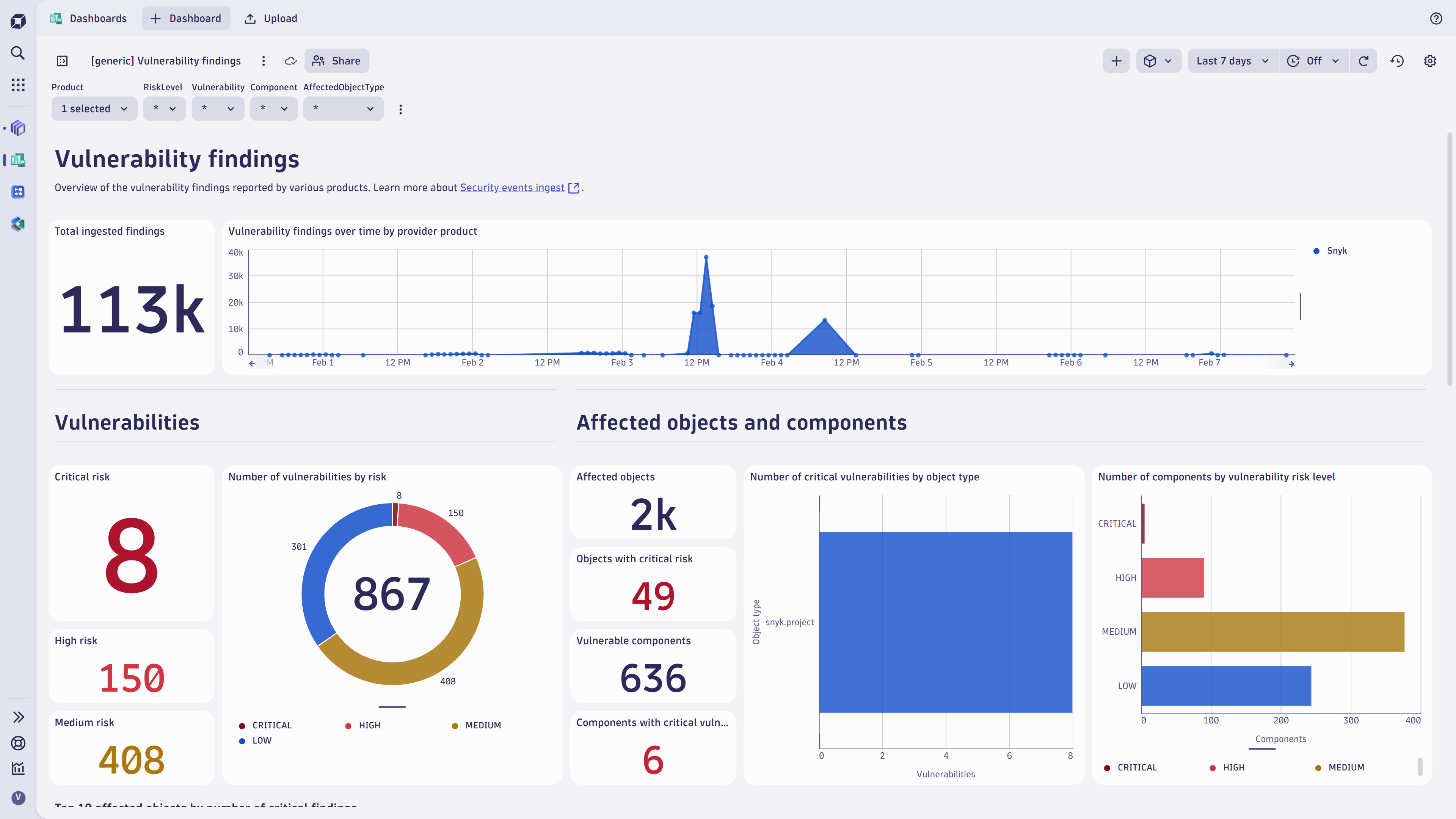
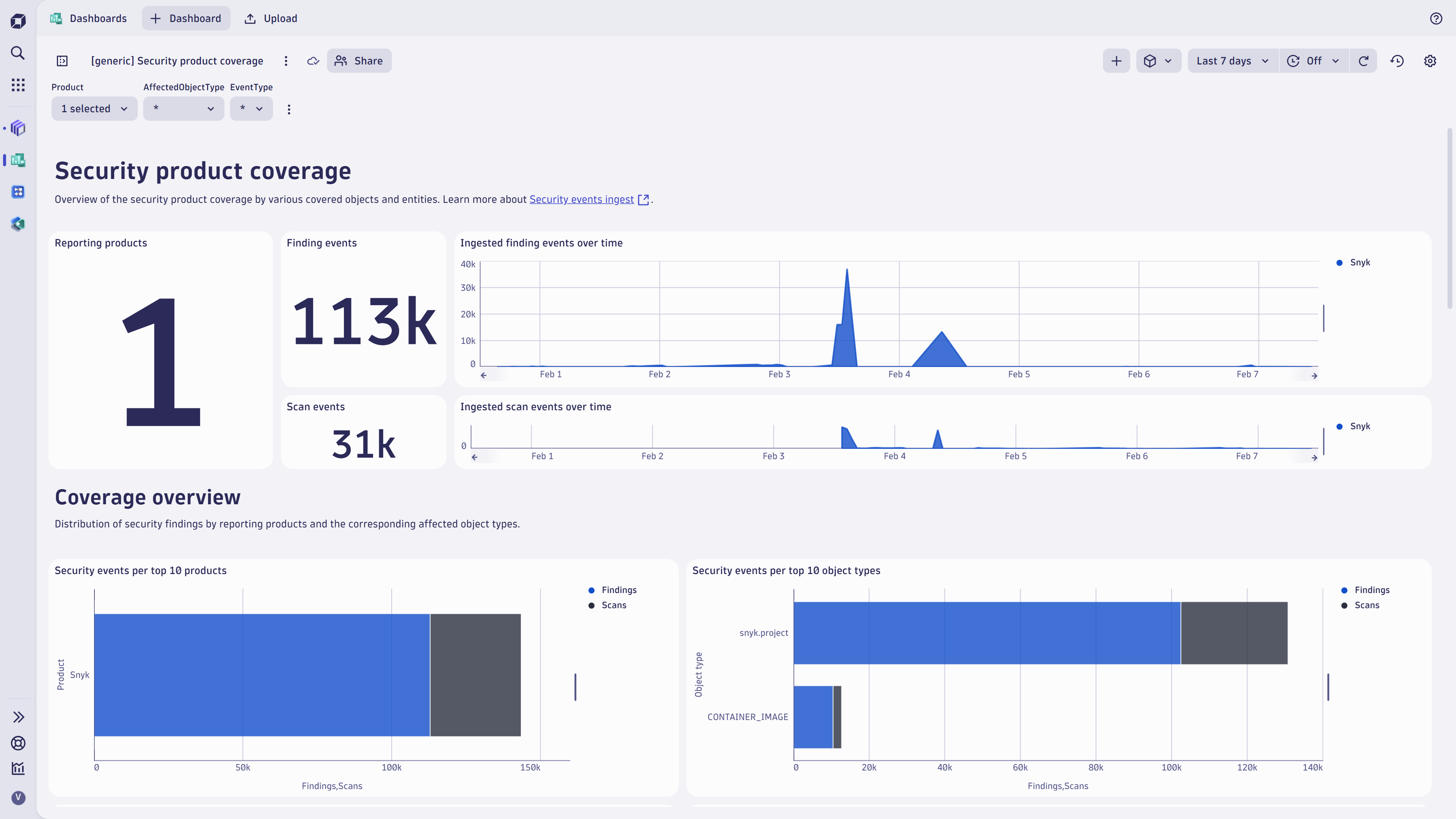
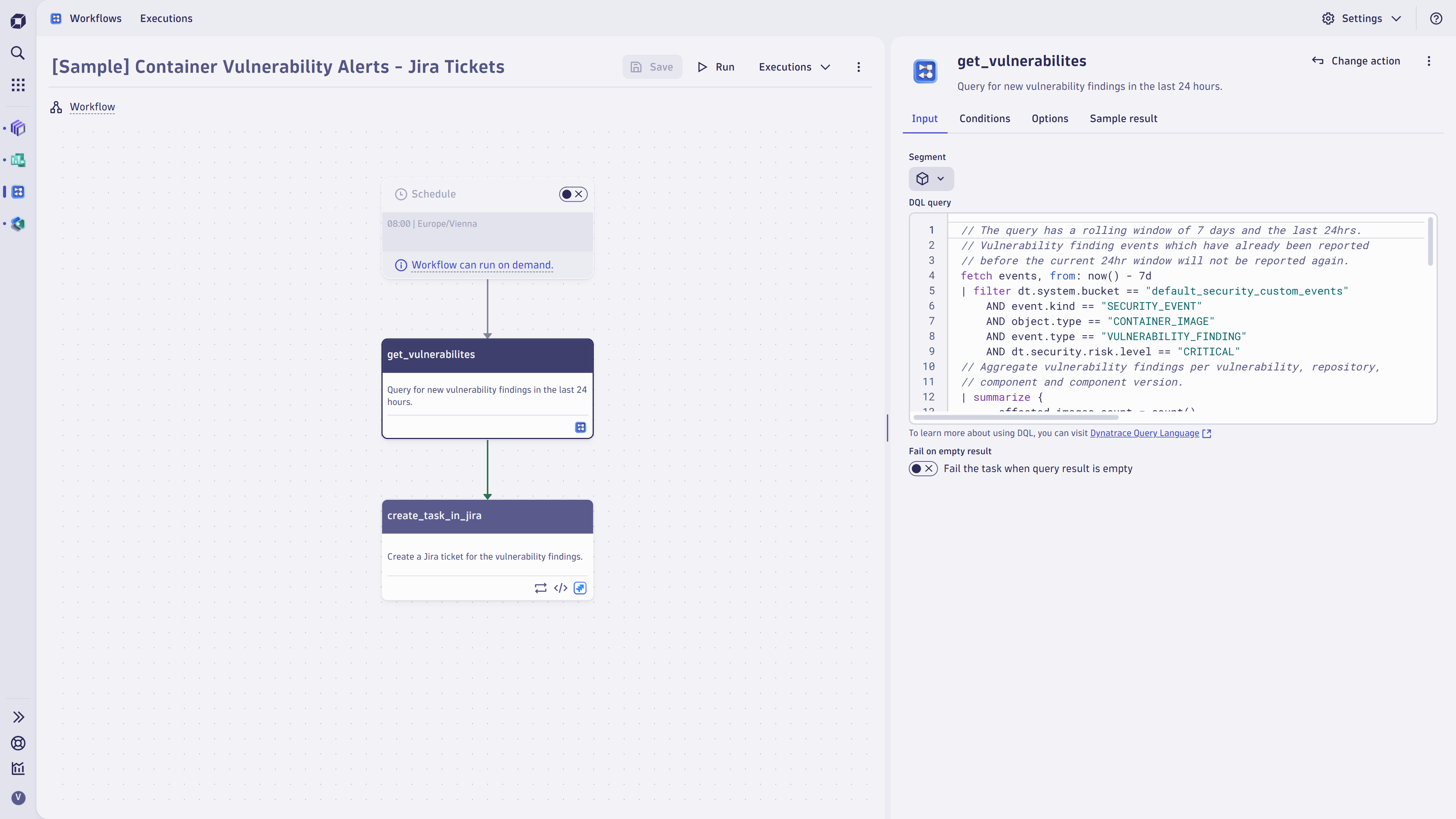
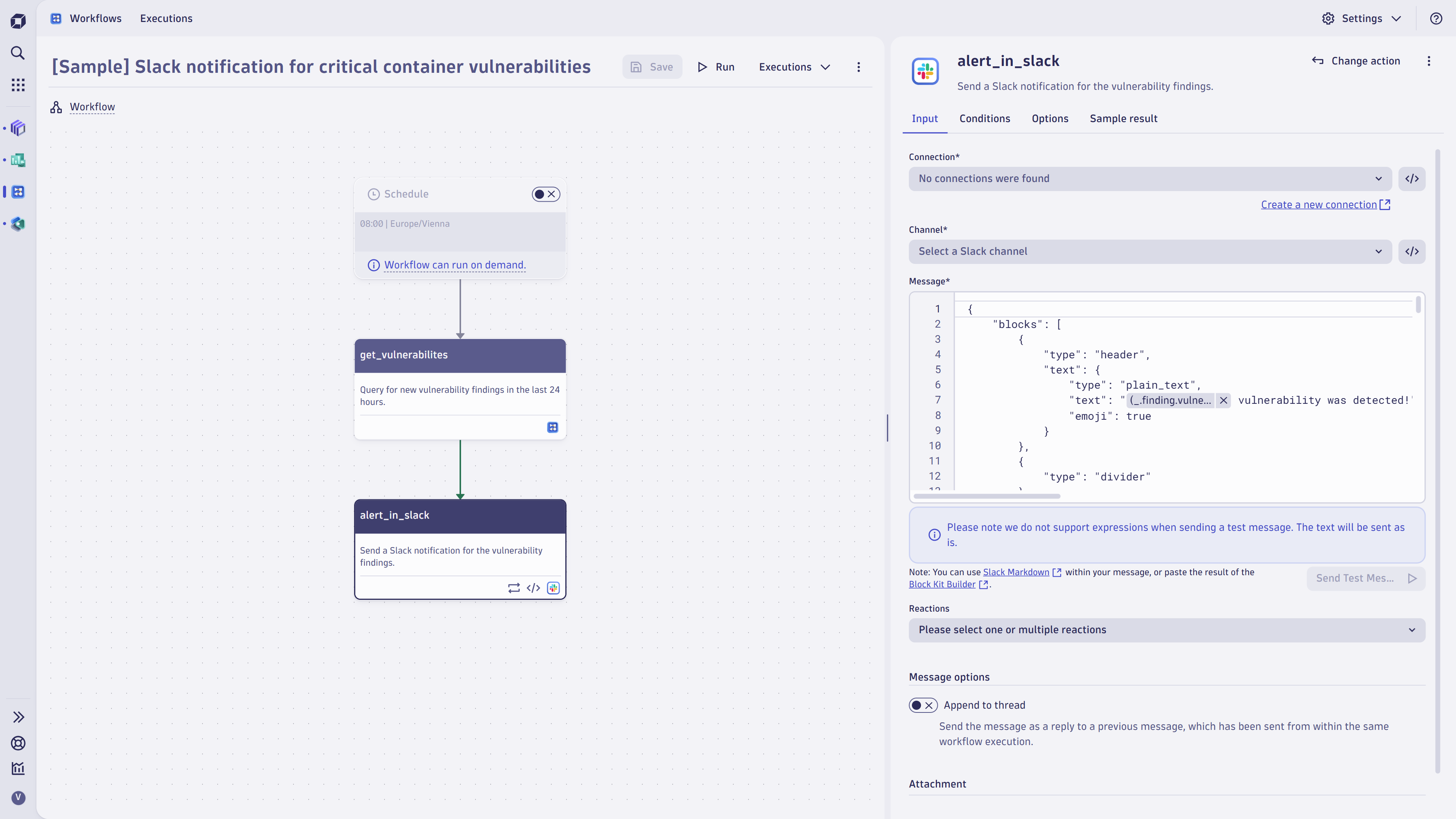
Vulnerability findings overview.Security coverage overview.Sample Jira workflow.Sample Slack workflow.
  • Product information
  • Release notes

Overview

Dynatrace integrates with Snyk products to enable visibility, orchestration, and prioritization of code, library, and container vulnerability findings.

Capabilities:

  • Single pane of glass: Ingest vulnerability findings, scan events, and audit logs from Snyk products into Dynatrace (powered by OpenPipeline™)

  • Unified analysis: Dynatrace transforms and maps the findings to a unified format for vulnerability findings (powered by Dynatrace Semantic Dictionary)

  • Findings operationalization: Prioritize, visualize, and automate vulnerability findings with runtime context

  • Unveil blind spots: Discover and eliminate coverage gaps in your Software Development Lifecycle (SDLC)

Use cases

  • Overview: Visualize and report your current security posture and trends around vulnerability findings across vulnerability scanners with Dashboards.

  • Prioritization: Analyze and prioritize vulnerability findings across multiple tools and products uniformly with Notebooks.

  • Automation: Create notifications and tickets for critical vulnerability findings with Workflows.

  • Investigation: Use vulnerability findings as an additional dimension for threat hunting and incident forensics using Security Investigator.

Compatibility information

  • Snyk REST API v2
  • Snyk v1 API
Dynatrace
DocumentationMore Information
By Dynatrace
Dynatrace support center
Subscribe to new releases
Copy to clipboard

Extension content

Content typeNumber of items included
document dashboard
5

Related to Snyk

ActiveGate logo

ActiveGate

Route traffic, monitor clouds and remote technologies & run Synthetic monitors

OpenPipeline logo

OpenPipeline

Configure ingest, processing, and persistence of data sent to Grail.

Extensions logo

Extensions

Manage Dynatrace extensions for hundreds of technologies.

Full version history

To have more information on how to install the downloaded package, please follow the instructions on this page.
ReleaseDate

Full version history

🪲 Fixed in this version:

  • Fixed another issue where events would be missed due to ActiveGate timezone mismatches.

ℹ️ This version requires ActiveGate version 1.313.0 or higher.

Full version history

🚀 Improved in this version:

  • The field finding.url is now populated with the issue URL for finding events.

🪲 Fixed in this version:

  • Fixed issue where events would sometimes be missed if the extension execution time exceeded the configured value.
  • Fixed issue where events would be missed due to ActiveGate timezone mismatches.
  • Fixed some of the out-of-the-box dashboard tiles showing errors.

ℹ️ This version requires ActiveGate version 1.313.0 or higher.

Full version history

🚀 Improved in this version:

  • The fields dt.extension.config.id and extension.config.name were added to the ingested audit logs.
  • To align with the new security.events OpenPipeline endpoint, the bundled ready-made dashboards now query this table instead of events. We recommend all users to adjust their monitoring configurations to ingest data to this new endpoint. You can find the official guidance here.

🪲 Fixed in this version:

  • Project tags for scan events are now properly formatted.

ℹ️ This version requires ActiveGate version 1.299.0 or higher.

Full version history

🚀 Improved in this version:

  • Improved logging when no Snyk organizations are found.

ℹ️ This version requires ActiveGate version 1.299.0 or higher.

Full version history

✨ New in this version:

  • Added five ready-made dashboards which are deployed upon installing the extension.

🚀 Improved in this version:

  • It is now possible to separately toggle audit log and security events ingest.

⚠️ Breaking change -- This change requires monitoring configurations to be recreated upon upgrading the extension as the auto-update will fail ⚠️

🪲 Fixed in this version:

  • Fixed bug where an organization with no projects would cause the extension to crash.
  • Fixed bug where container image digest would not be properly reported for scan events.

ℹ️ This version requires ActiveGate version 1.299.0 or higher.

Full version history

  • Improvements to avoid memory-usage issues when working with a large number of projects

Full version history

🪲 Fixed in this version:

  • When container related findings are reported, the container ID is reported as well as the container digest, since the digest is sometimes not available. Since this fix requires access to a new API, the permissions required have been updated. Please refer to the official documentation.

ℹ️ This version requires ActiveGate version 1.299.0 or higher.

Full version history

🪲 Fixed in this version:

  • The Dynatrace severity score for vulnerability findings is now mapped from the severity level provided by Snyk instead of the CVSS score, due to a misalignment between the two.

ℹ️ This version requires ActiveGate version 1.299.0 or higher.

Full version history

✨ New in this version:

  • Added vulnerability finding and scan event monitoring.
  • Added audit log monitoring.

ℹ️ This version requires ActiveGate version 1.299.0 or higher.

Dynatrace Hub
Get data into DynatraceBuild your own app
All (811)Log Management and AnalyticsKubernetesAI and LLM ObservabilityInfrastructure ObservabilitySoftware DeliveryApplication ObservabilityApplication SecurityDigital ExperienceBusiness Observability
Filter
Type
Built and maintained by
Deployment model
SaaS
  • SaaS
  • Managed
Partner FinderBecome a partnerDynatrace Developer

Discover recent additions to Dynatrace

Problems logo

Problems

Analyze abnormal system behavior and performance problems detected by Davis AI.

Logs logo

Logs

Explore all your logs without writing a single query.

Security Investigator logo

Security Investigator

Fast and precise forensics for security and logs on Grail data with DQL queries.

Business Flow logo

Business Flow

Track, analyze, and optimize your critical business processes.

Cost & Carbon Optimization logo

Cost & Carbon Optimization

Track, analyze, and optimize your IT carbon footprint and public cloud costs.

Davis Anomaly Detection logo

Davis Anomaly Detection

Detect anomalies in timeseries using the Davis AI

Analyze your data

Understand your data better with deep insights and clear visualizations.

Notebooks logo

Notebooks

Create powerful, data-driven documents for custom analytics and collaboration.

Dashboards logo

Dashboards

Transform complex data into clear visualizations with custom dashboards.

Automate your processes

Turn data and answers into actions, securely, and at scale.

Workflows logo

Workflows

Automate tasks in your IT landscape, remediate problems, and visualize processes

Jira logo

Jira

Create, query, comment, transition, and resolve Jira tickets within workflows.

Slack logo

Slack

Automate Slack messaging for security incidents, attacks, remediation, and more.

Secure your cloud application

See vulnerabilities and attacks in your environment.

Security Overview logo

Security Overview

Get a comprehensive overview of the security of your applications.

Code-Level Vulnerabilities logo

Code-Level Vulnerabilities

Detect vulnerabilities in your code in real time.

Security Posture Management logo

Security Posture Management

Detect, prioritize, and remediate security and compliance findings with SPM.

Threats & Exploits logo

Threats & Exploits

Understand, triage, and investigate detection findings and alerts.

Are you looking for something different?

We have hundreds of apps, extensions, and other technologies to customize your environment

Leverage our newest innovations of Dynatrace Saas

Kick-start your app creation

Kick-start your app creation

Whether you’re a beginner or a pro, Dynatrace Developer has the tools and support you need to create incredible apps with minimal effort.
Go to Dynatrace Developer
Upgrading from Dynatrace Managed to SaaS

Upgrading from Dynatrace Managed to SaaS

Drive innovation, speed, and agility in your organization by seamlessly and securely upgrading.
Learn More
Log Management and Analytics

Log Management and Analytics

Innovate faster and more efficiently with unified log management and log analytics for actionable insights and automation.
Learn more

