
























Kick-start your app creation
Whether you’re a beginner or a pro, Dynatrace Developer has the tools and support you need to create incredible apps with minimal effort.
Go to Dynatrace Developer
 Forcepoint (SNMP)
Gain insights into the performance of your Forcepoint Appliances.
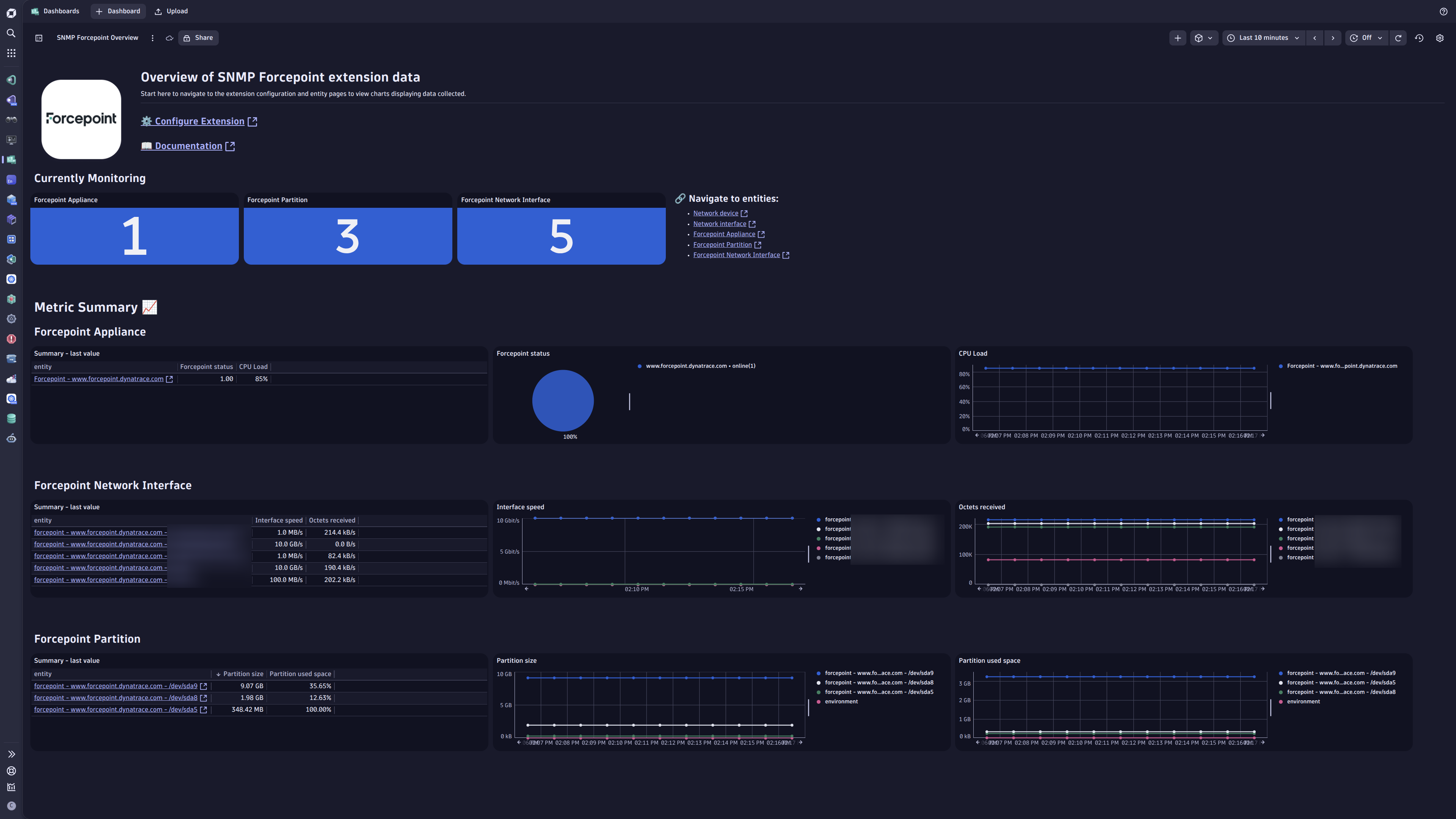
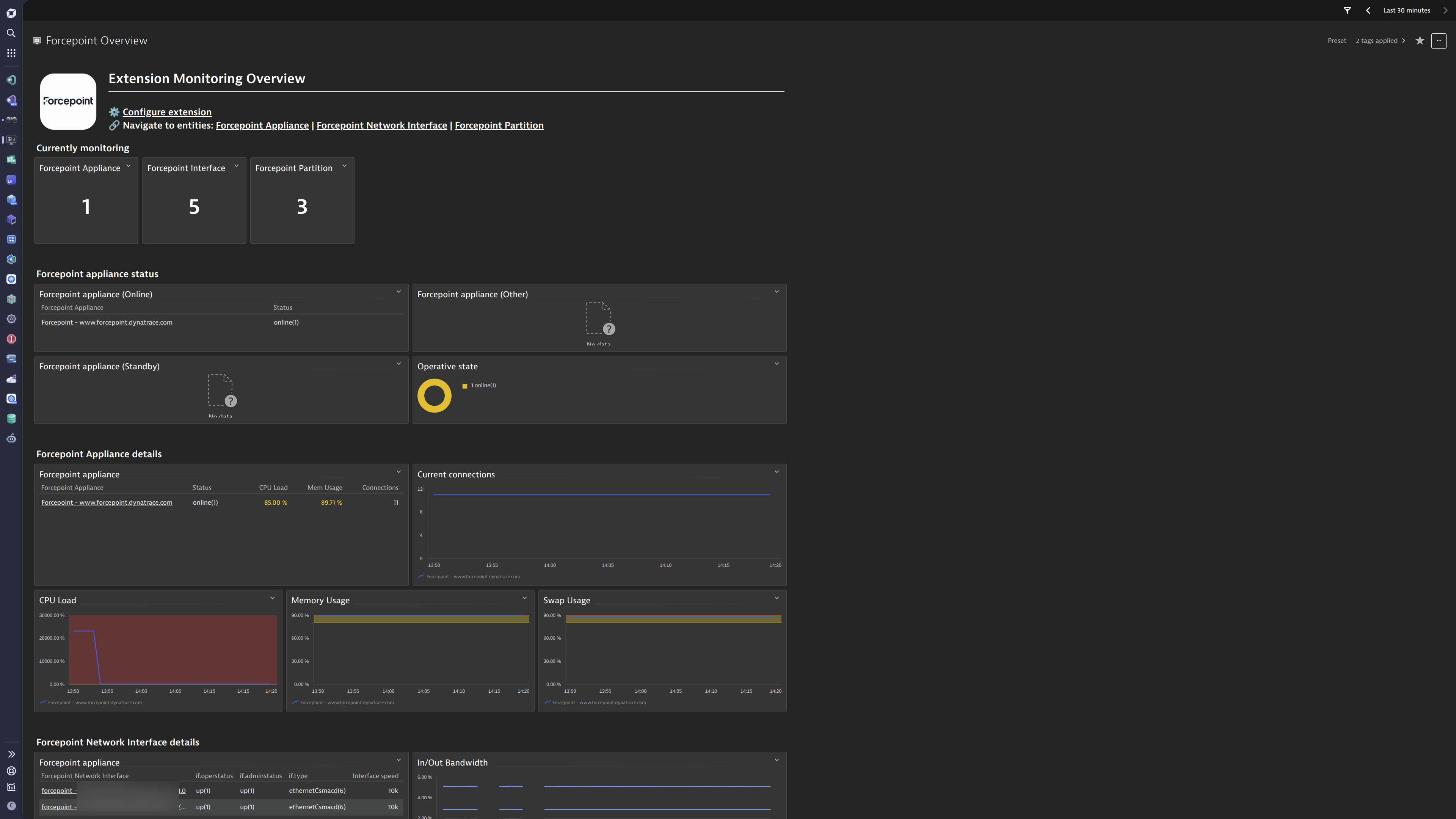
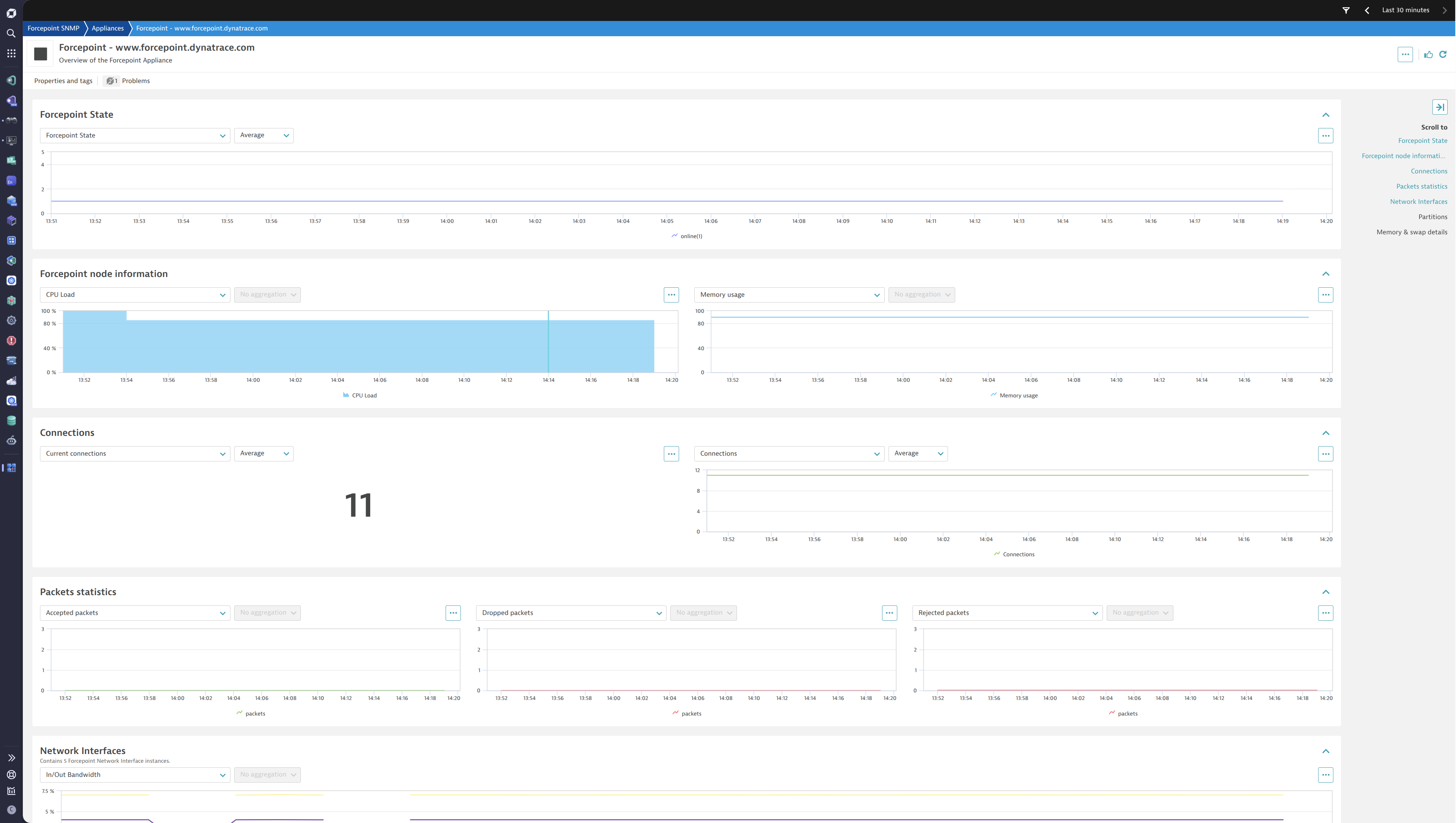
ExtensionThis extension leverages the SNMP protocol to provide a complete solution to monitor Forcepoint Appliances. The complete configuration is provided out of the box.
Below is a complete list of the feature sets provided in this version. To ensure a good fit for your needs, individual feature sets can be activated and deactivated by your administrator during configuration.
| Metric name | Metric key | Description | Unit |
|---|---|---|---|
| - | com.dynatrace.extension.network_device.sysuptime | - | - |
| - | com.dynatrace.extension.network_device.cpu_usage | - | - |
| - | com.dynatrace.extension.network_device.memory_used | - | - |
| - | com.dynatrace.extension.network_device.memory_free | - | - |
| - | com.dynatrace.extension.network_device.if.bytes_in.count | - | - |
| - | com.dynatrace.extension.network_device.if.bytes_out.count | - | - |
| - | com.dynatrace.extension.network_device.if.status | - | - |
| Forcepoint status | snmp.forcepoint.node_oper_state | The operative (clustering) state of the node : unknown(0), online(1), goingOnline(2), lockedOnline(3), goingLockedOnline(4), offline(5), goingOffline(6), lockedOffline(7), goingLockedOffline(8), standby(9), goingStandby(10) | State |
| Metric name | Metric key | Description | Unit |
|---|---|---|---|
| - | snmp.forcepoint.fw_if_accepted_pkts | - | - |
| - | snmp.forcepoint.fw_if_dropped_pkts | - | - |
| - | snmp.forcepoint.fw_if_logged_pkts | - | - |
| - | snmp.forcepoint.fw_if_accounted_pkts | - | - |
| - | snmp.forcepoint.fw_if_rejected_pkts | - | - |
| - | snmp.forcepoint.fw_if_accepted_bytes | - | - |
| - | snmp.forcepoint.fw_if_dropped_bytes | - | - |
| - | snmp.forcepoint.fw_if_logged_bytes | - | - |
| - | snmp.forcepoint.fw_if_accounted_bytes | - | - |
| - | snmp.forcepoint.fw_if_rejected_bytes | - | - |
| - | snmp.forcepoint.fw_if_forwarded_pkts | - | - |
| - | snmp.forcepoint.fw_if_forwarded_bytes | - | - |
| Metric name | Metric key | Description | Unit |
|---|---|---|---|
| Partition size | snmp.forcepoint.partition.fw_size | Total size of the partition | KiloByte |
| Partition used space | snmp.forcepoint.partition.fw_used | Amount of used space of the partition (in kilobytes) | KiloByte |
| Partition free space | snmp.forcepoint.partition.fw_avail | Information about amount of free space on partition (in kilobytes) | KiloByte |
| Metric name | Metric key | Description | Unit |
|---|---|---|---|
| Total physical memory | snmp.forcepoint.fw_mem_bytes_total | Amount of available bytes of physical memory | Byte |
| Used memory | snmp.forcepoint.fw_mem_bytes_used | Amount of memory being in use | Byte |
| Unused memory | snmp.forcepoint.fw_mem_bytes_unused | Amount of unused bytes of physical memory | Byte |
| Memory buffers | snmp.forcepoint.fw_mem_bytes_buffers | Amount of memory used as buffers | Byte |
| Memory cache | snmp.forcepoint.fw_mem_bytes_cached | Amount of memory used as cache | Byte |
| Metric name | Metric key | Description | Unit |
|---|---|---|---|
| - | snmp.forcepoint.fw_cpu_total | - | - |
| - | snmp.forcepoint.fw_cpu_user | - | - |
| - | snmp.forcepoint.fw_cpu_system | - | - |
| - | snmp.forcepoint.fw_cpu_nice | - | - |
| - | snmp.forcepoint.fw_cpu_idle | - | - |
| - | snmp.forcepoint.fw_cpu_io_wait | - | - |
| - | snmp.forcepoint.fw_cpu_hw_irq | - | - |
| Metric name | Metric key | Description | Unit |
|---|---|---|---|
| Total swap space | snmp.forcepoint.fw_swap_bytes_total | Amount of available bytes of swap | Byte |
| Used swap | snmp.forcepoint.fw_swap_bytes_used | Amount of swap being in use | Byte |
| Unused swap | snmp.forcepoint.fw_swap_bytes_unused | Amount of unused bytes of swap | Byte |
| Metric name | Metric key | Description | Unit |
|---|---|---|---|
| CPU Load | snmp.forcepoint.node_cpu_load | The CPU load percentage on the node | Percent |
| Current connections | snmp.forcepoint.fw_conn_number | Number of current connections | Count |
| Accepted packets | snmp.forcepoint.fw_accepted | Number of accepted packets | Count |
| Dropped packets | snmp.forcepoint.fw_dropped | Number of dropped packets | Count |
| Logged packets | snmp.forcepoint.fw_logged | Number of logged packets | Count |
| Accounted packets | snmp.forcepoint.fw_accounted | Number of accounted packets | Count |
| Rejected packets | snmp.forcepoint.fw_rejected | Number of rejected packets | Count |
| Metric name | Metric key | Description | Unit |
|---|---|---|---|
| Interface speed | snmp.forcepoint.interface.if_high_speed | An estimate of the interface's current bandwidth in units of 1,000,000 bits per second. If this object reports a value of n' then the speed of the interface is somewhere in the range of n-500,000' to `n+499,999'. For interfaces which do not vary in bandwidth or for those where no accurate estimation can be made, this object should contain the nominal bandwidth. For a sub-layer which has no concept of bandwidth, this object should be zero. | MegaBitPerSecond |
| Octets received | snmp.forcepoint.interface.if_in_octets.count | The total number of octets received on the interface including framing characters | Count |
| Octets transmitted | snmp.forcepoint.interface.if_out_octets.count | The total number of octets transmitted out of the interface including framing characters | Count |
| Inbound errors | snmp.forcepoint.interface.if_in_errors.count | Number of inbound packets/transmission units with errors | Count |
| - | snmp.forcepoint.interface.if_in_discards.count | - | - |
| Outbound errors | snmp.forcepoint.interface.if_out_errors.count | Number of outbound packets/transmission units with errors | Count |
| Outbound discards | snmp.forcepoint.interface.if_out_discards.count | Number of outbound packets discarded | Count |
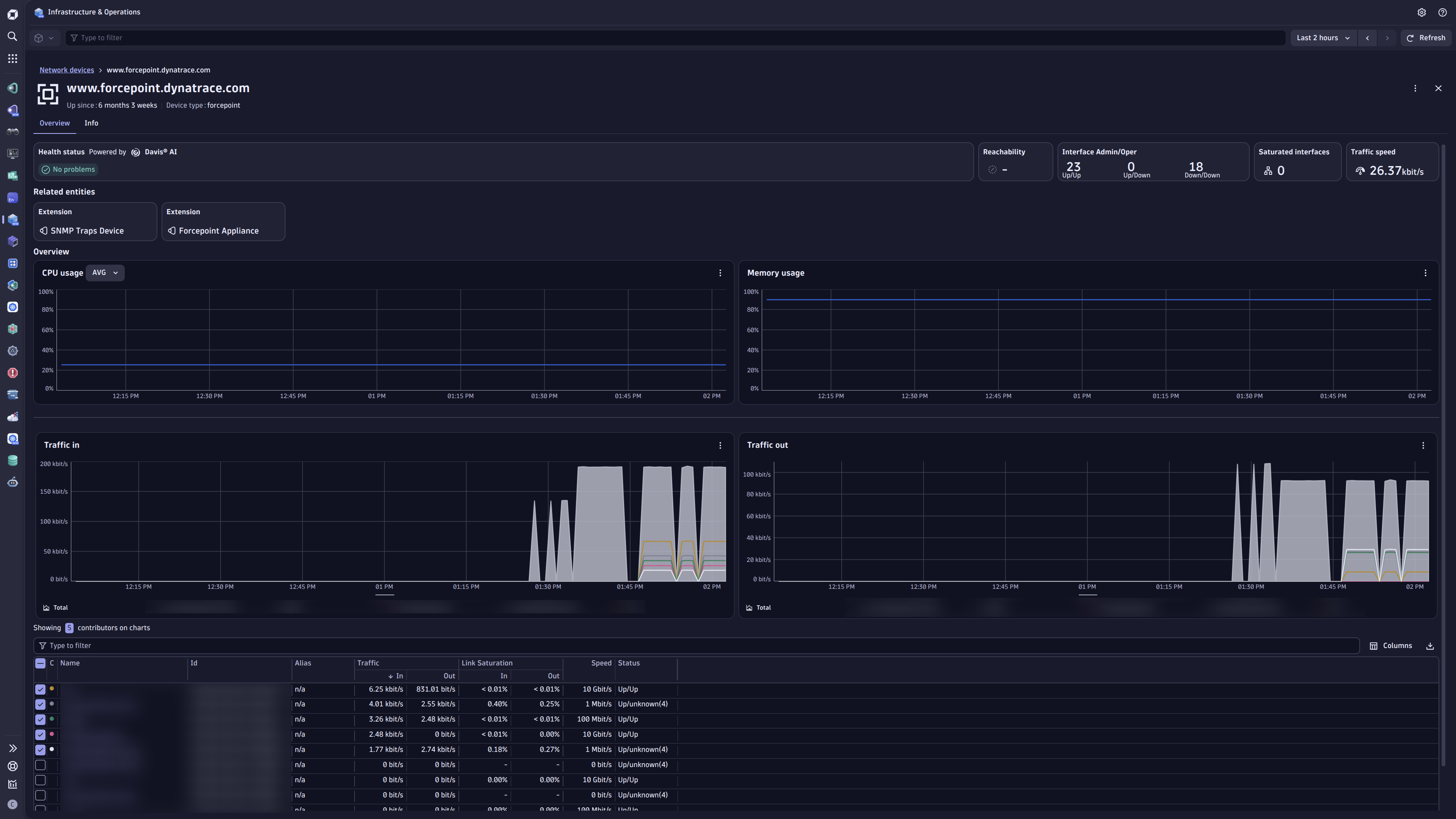
Network devices section in the I&O app.⚠️ Note:
New in this version:

