

























Skip to technology filters Skip to main content
Dynatrace Hub

Extend the platform,
empower your team.

Popular searches:
Home hero bg
Threats & ExploitsThreats & Exploits
Threats & Exploits

Threats & Exploits

Understand, triage, and investigate detection findings and alerts.

App
Free trialDocumentation
  • Product information
  • Release notes

Overview

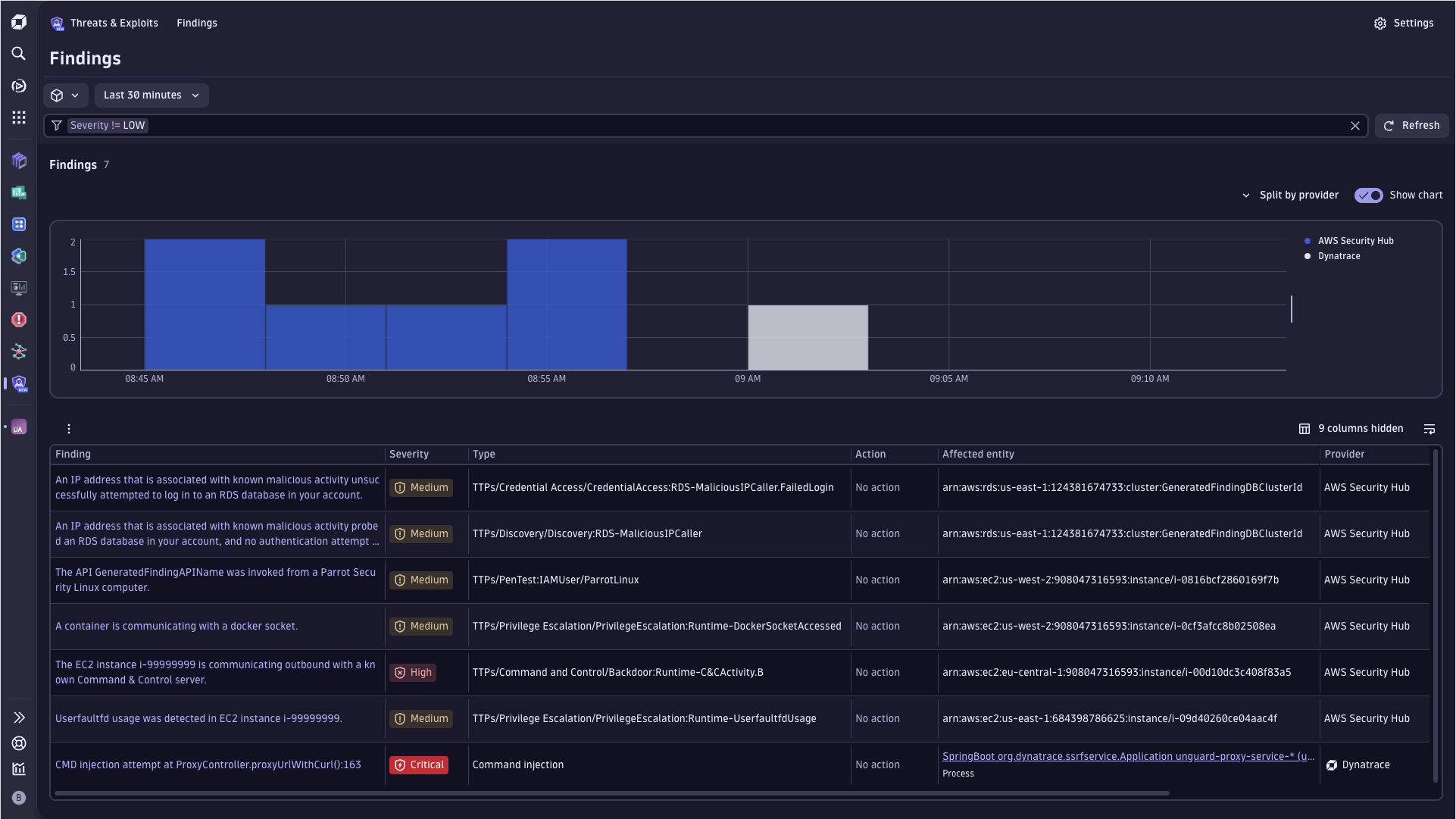
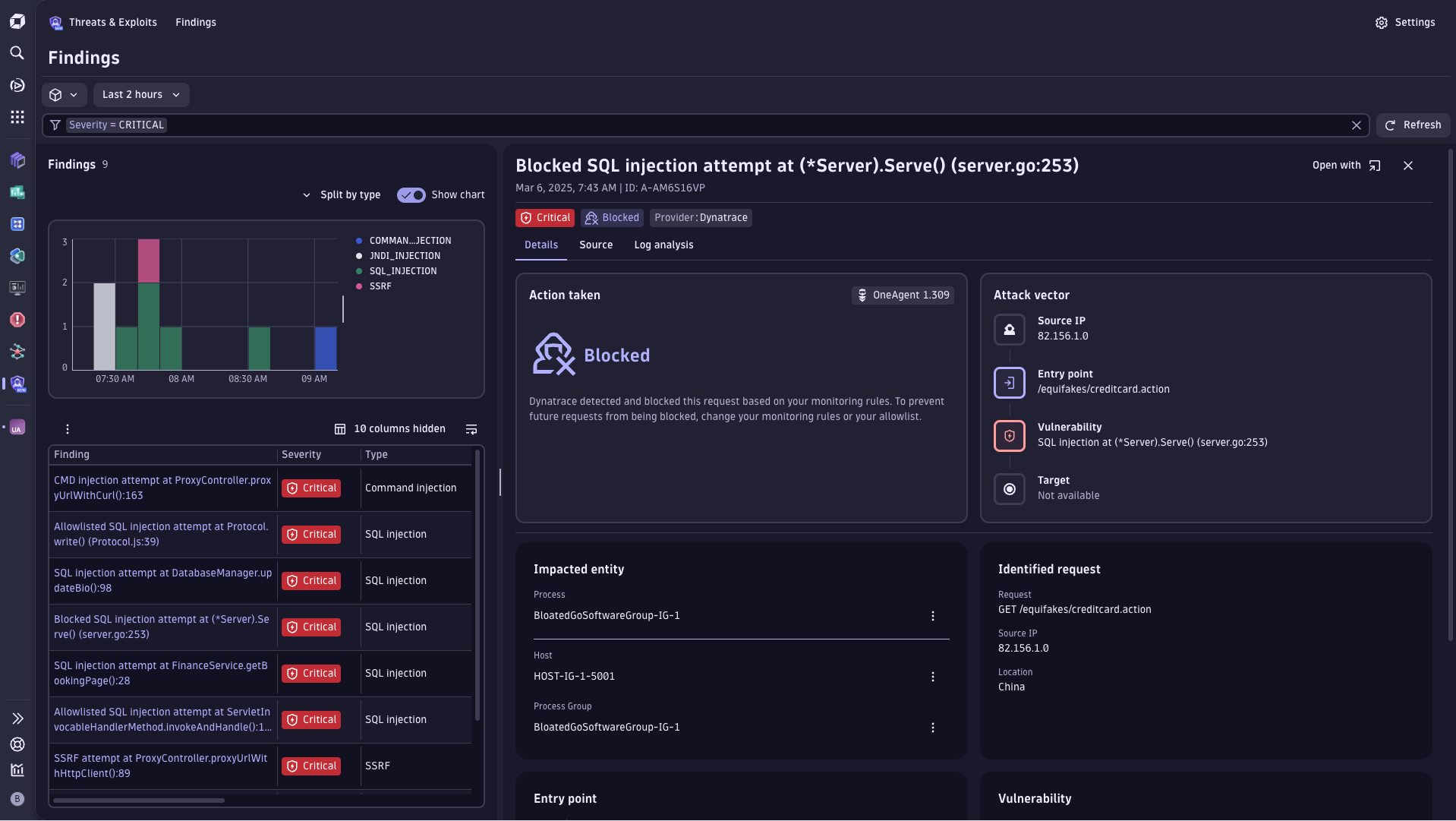
Threats & Exploits streamlines the triage of security findings, offering an up-to-date view of the application security threat landscape enhanced by Dynatrace deep observability. It helps you immediately detect zero-day vulnerabilities and take defensive measures to protect against exploitation.

Dynatrace
Documentation
By Dynatrace
Dynatrace support center
Subscribe to new releases
Copy to clipboard

Full version history

ReleaseDate

Full version history

Feature updates

  • Added "Investigation Guidance" section to replace the "Logs" tab

Full version history

Fixes and maintenance

  • Segment selector is visible again

Full version history

Feature updates

  • Added intent links to “Affected entity” and “Affected Smartscape node” columns
  • Moved segments and timeframe selector to the filter bar line
  • Added affected object and related entity context to conversation starter
  • Added Properties details to “Affected object” and “Related entities” cards
  • Added context value to the Prevalence chart sparkline

Full version history

Feature updates

  • Updated "Affected object" card to provide more insights into the monitored entity
  • Introducing "Related entities" card to give insights into topology
  • Introducing more context with number of vulnerabilities, number of detection findings and number of problems per entity.
  • Added "Affected entity ID" filter and column
  • Added "Affected smartscape node" filter and column
  • Added "Affected smartscape node ID" filter and column
  • Adding new intent for severity and affected entity or affected smartscape node

Full version history

Feature updates

  • Introduced entity type-specific intents to the affected object card and source tab

Fixes and maintenance

  • Enrichment: Send NO_READ cache parameters on refresh
  • Fixed wrong default value for RAP GO settings

Full version history

Fixes and maintenance

  • Fixed deployment issue

Full version history

Feature updates

  • Added IP enrichment feature for actor IP information. For full functionality, the following user permissions are needed:
    • security-intelligence:enrichments:run
    • document:documents:read
    • app-settings:objects:read
    • app-engine:apps:run
  • "Explain with AI" now also gets IP enrichment information to better provide guidance.

Fixes and maintenance

  • Fixed issues with enriching EC2 instances for GuardDuty integration.

Full version history

Feature updates

  • Added 3rd-gen native settings for Runtime Application Protection.
  • Added "Explain with AI" feature to help understand individual findings.

Full version history

Feature updates

  • General: Switching app to new Security Events table. Changed mandatory permissions:
  • Removed: storage:events:read, Added: storage:security.events:read, Updated: context of storage:buckets:read
  • Detection Sources: All currently available "Security events ingest" options are listed.
  • Findings table: Removed icons for provider, product and vendor.
  • Finding details: Introducing the "Actor" card for finding details.

Fixes and maintenance

  • Source tab: Improved rendering of empty arrays, null and undefined
  • Findings table: Switched to finding.type, added backwards compability with detection.type field
  • Findings table: Adjusted "Open with" functionality to improve consistency between apps.
  • Finding details: Improved error messages for 4xx when loading details of a finding.
  • General: Updated app logo

Full version history

Fixes and maintenance

  • App intents now support passing segments and, for the view-detection-finding intent, vulnerability.display_id
  • Segments filter was not triggering a reload of the table.

Full version history

Feature updates

  • Finding table supports server-side sorting for up to 10.000 findings.
  • Added 'View trace' button to 'Attack vector' card.
  • Search functionality added to Source tab.

Fixes and maintenance

  • Improved string array visualization in Source tab.

Full version history

Fixes and maintenance

  • Fixed a permissions issue that prevented users with conditioned permissions to use the app.
  • Changed default sorting to use finding.time.created instead of timestamp

Full version history

Feature updates

Added "What's new" to the help menu

The “What’s new” section provides insights into the features and fixes provided in the individual releases.

Upgrade dependencies for new functionality and performance improvements

Using the latest Strato library version brings more functionality to the app and improved the apps performance

Improved query performance for detail view

Streamlined queries to fetch only what is needed and when it is needed, improved the loading time of the detail view. Especially when reopening findings.

Improved translation of the app

Table and filters are now translatable.

Fixes and maintenance

  • Make table more condensed by adjusted chips.
  • Fixed an issue where info icon above table could not be clicked
  • Fixed an issue where events containing an array of actor.ips containing null not being displayed correctly
  • Deduplicate Entry Point user-controlled input

Full version history

1.0.1

Major Changes

  • Initial release
Dynatrace Hub
Get data into DynatraceBuild your own app
All (811)Log Management and AnalyticsKubernetesAI and LLM ObservabilityInfrastructure ObservabilitySoftware DeliveryApplication ObservabilityApplication SecurityDigital ExperienceBusiness Observability
Filter
Type
Built and maintained by
Deployment model
SaaS
  • SaaS
  • Managed
Partner FinderBecome a partnerDynatrace Developer

Discover recent additions to Dynatrace

Problems logo

Problems

Analyze abnormal system behavior and performance problems detected by Davis AI.

Logs logo

Logs

Explore all your logs without writing a single query.

Security Investigator logo

Security Investigator

Fast and precise forensics for security and logs on Grail data with DQL queries.

Business Flow logo

Business Flow

Track, analyze, and optimize your critical business processes.

Cost & Carbon Optimization logo

Cost & Carbon Optimization

Track, analyze, and optimize your IT carbon footprint and public cloud costs.

Davis Anomaly Detection logo

Davis Anomaly Detection

Detect anomalies in timeseries using the Davis AI

Analyze your data

Understand your data better with deep insights and clear visualizations.

Notebooks logo

Notebooks

Create powerful, data-driven documents for custom analytics and collaboration.

Dashboards logo

Dashboards

Transform complex data into clear visualizations with custom dashboards.

Automate your processes

Turn data and answers into actions, securely, and at scale.

Workflows logo

Workflows

Automate tasks in your IT landscape, remediate problems, and visualize processes

Jira logo

Jira

Create, query, comment, transition, and resolve Jira tickets within workflows.

Slack logo

Slack

Automate Slack messaging for security incidents, attacks, remediation, and more.

Secure your cloud application

See vulnerabilities and attacks in your environment.

Security Overview logo

Security Overview

Get a comprehensive overview of the security of your applications.

Code-Level Vulnerabilities logo

Code-Level Vulnerabilities

Detect vulnerabilities in your code in real time.

Security Posture Management logo

Security Posture Management

Detect, prioritize, and remediate security and compliance findings with SPM.

Threats & Exploits logo

Threats & Exploits

Understand, triage, and investigate detection findings and alerts.

Are you looking for something different?

We have hundreds of apps, extensions, and other technologies to customize your environment

Leverage our newest innovations of Dynatrace Saas

Kick-start your app creation

Kick-start your app creation

Whether you’re a beginner or a pro, Dynatrace Developer has the tools and support you need to create incredible apps with minimal effort.
Go to Dynatrace Developer

Upgrading from Dynatrace Managed to SaaS

Upgrading from Dynatrace Managed to SaaS

Drive innovation, speed, and agility in your organization by seamlessly and securely upgrading.
Learn More
Log Management and Analytics

Log Management and Analytics

Innovate faster and more efficiently with unified log management and log analytics for actionable insights and automation.
Learn more

