





























Kick-start your app creation
Whether you’re a beginner or a pro, Dynatrace Developer has the tools and support you need to create incredible apps with minimal effort.
Go to Dynatrace Developer
 Microsoft SQL Server
Improve the health and performance monitoring of your Microsoft SQL Servers.
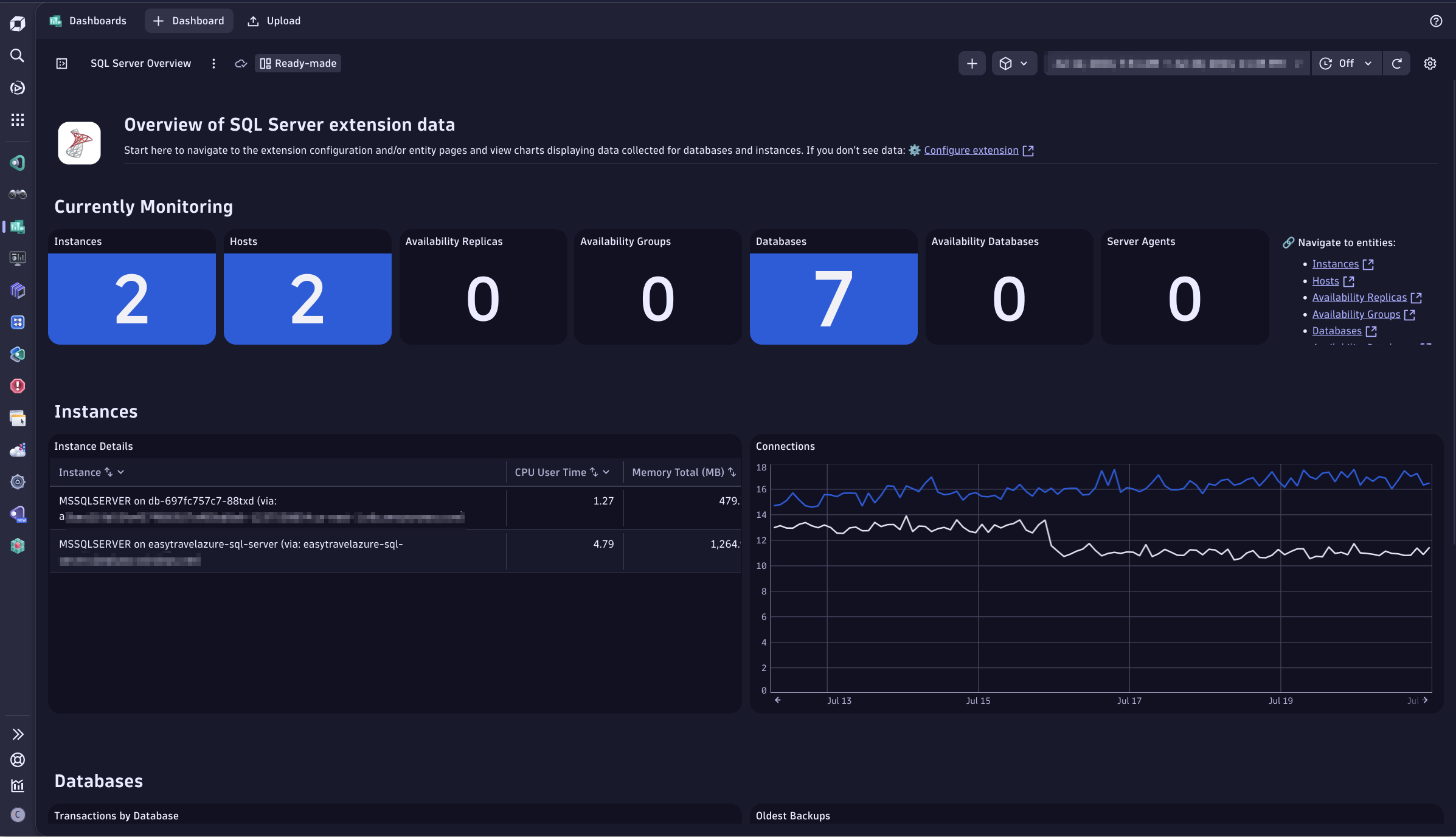
ExtensionMicrosoft SQL Server database monitoring is based on a remote monitoring approach implemented as a Dynatrace ActiveGate extension. The extension queries MS SQL databases for key performance and health metrics, extending your visibility, and allowing DAVIS AI to provide anomaly detection and problem analysis.
For more information on the installation and configuration, please see Microsoft SQL Server extension in the Dynatrace Documentation.
Important note: The extension is reported to work with other types of SQL Server, such as AWS RDS or SQL Server on Linux, but they are not officially supported.
Important note: Other types of replication and HA monitoring, including publisher/subscriber model, are not supported yet.
Any version of SQL Server with active extended support by Microsoft is supported by this extension. Please refer to the official Microsoft documentation about lifecycle dates for SQL Server.
Below is a complete list of the feature sets provided in this version. To ensure a good fit for your needs, individual feature sets can be activated and deactivated by your administrator during configuration.
| Metric name | Metric key | Description | Unit |
|---|---|---|---|
| Database state | sql-server.databases.state | Database state | State |
| Transactions | sql-server.databases.transactions.count | Number of transactions started for the database | Count |
| CPU Count | sql-server.host.cpus | Detected CPU Count | Count |
| Time spent in kernel mode | sql-server.cpu.kernelTime.count | Time spent by all threads in kernel mode | MilliSecond |
| Time spent in user mode | sql-server.cpu.userTime.count | Time spent by all threads in user mode | MilliSecond |
| Physical memory | sql-server.memory.physical | Total amount of physical memory on the machine | KiloByte |
| Virtual memory | sql-server.memory.virtual | Total amount of virtual address space available to the process in user mode | KiloByte |
| Total server memory | sql-server.memory.total | Amount of memory the server has committed using the memory manager | KiloByte |
| Target server memory | sql-server.memory.target | Amount of memory that can be consumed by memory manager | KiloByte |
| Uptime | sql-server.uptime | Time in seconds since instance was last started | Seconds |
| Logins | sql-server.general.logins.count | Number of logins started, excluding pooled connections | Count |
| User connections | sql-server.general.userConnections | Number of users currently connected to SQL Server | Count |
| Processes blocked | sql-server.general.processesBlocked | Number of currently blocked processes | Count |
| Active workers | sql-server.worker.activeWorkers | Number of workers that are actively executing tasks | gauge |
| Max workers | sql-server.worker.maxWorkers | Maximum number of workers that can be active | gauge |
| Worker threads percentage | sql-server.worker.threadsPercent | Percentage of worker threads in use | Percent |
| Metric name | Metric key | Description | Unit |
|---|---|---|---|
| Sessions | sql-server.sessions | Number of active sessions per user | Count |
| Metric name | Metric key | Description | Unit |
|---|---|---|---|
| Synchronization state | sql-server.always-on.db.synchronizationState | Data-movement state | State |
| Synchronization health | sql-server.always-on.db.synchronizationHealth | Intersection of the synchronization state of a database that is joined to the group on the replica and the availability mode of the replica | State |
| Database state | sql-server.always-on.db.state | State of the availability database | State |
| Log send queue size | sql-server.always-on.db.logSendQueueSize | Amount of log records of the primary database not sent to the secondary databases | KibiByte |
| Log send rate | sql-server.always-on.db.logSendRate | Average rate at which primary replica instance sends data | KiloBytePerSecond |
| Redo queue size | sql-server.always-on.db.redoQueueSize | Amount of log records in the log files of the secondary replica that has not yet been redone | KiloByte |
| Redo rate | sql-server.always-on.db.redoRate | Average Rate at which the log records are being redone on a given secondary database | KiloBytePerSecond |
| Filestream send rate | sql-server.always-on.db.filestreamSendRate | The rate at which the filestream files are shipped to the secondary replica | KiloBytePerSecond |
| Automated backup preference | sql-server.always-on.ag.automatedBackupPreference | Preferred location for backups in this availability group | State |
| Primary recovery health | sql-server.always-on.ag.primaryRecoveryHealth | Indicates the recovery health of the primary replica | State |
| Secondary recovery health | sql-server.always-on.ag.secondaryRecoveryHealth | Indicates the recovery health of a secondary replica | State |
| Synchronization health | sql-server.always-on.ag.synchronizationHealth | Reflects a rollup of the synchronization health of all replicas the group | State |
| Availability mode | sql-server.always-on.ar.availabilityMode | The availability mode of the replica | State |
| Failover mode | sql-server.always-on.ar.failoverMode | The failover mode of the replica | State |
| Is replica local | sql-server.always-on.ar.isLocal | Whether the replica is local | State |
| Replica role | sql-server.always-on.ar.role | Current groups role of a local replica or a connected remote replica | State |
| Operational state | sql-server.always-on.ar.operationalState | Current operational state of the replica | State |
| Recovery health | sql-server.always-on.ar.recoveryHealth | Rollup of the database_state column | State |
| Synchronization health | sql-server.always-on.ar.synchronizationHealth | Rollup of the database synchronization state of all joined replicas and the availability mode of the replica | State |
| Connected state | sql-server.always-on.ar.connectedState | Whether a secondary replica is currently connected to the primary replica | State |
| Metric name | Metric key | Description | Unit |
|---|---|---|---|
| - | sql-server.sql.agent.status | - | - |
| Metric name | Metric key | Description | Unit |
|---|---|---|---|
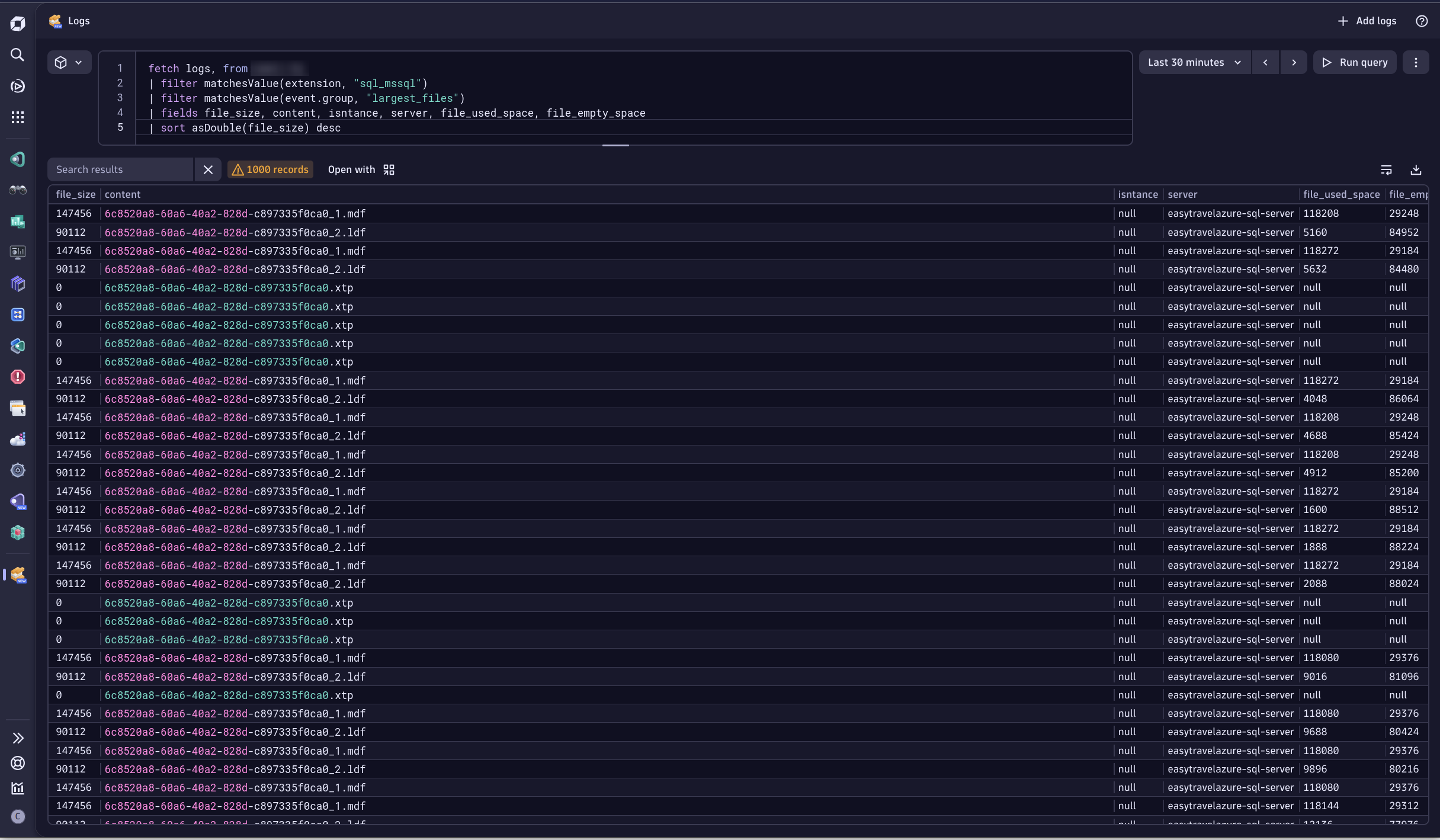
| Database file size | sql-server.databases.file.size | Total size of files of specific types per database | KiloByte |
| Database file used size | sql-server.databases.file.usedSpace | Total size of space used in files of specific types per database | KiloByte |
| Database file empty size | sql-server.databases.file.emptySpace | Total size of empty space in files of specific types per database | KiloByte |
| Metric name | Metric key | Description | Unit |
|---|---|---|---|
| Latch waits | sql-server.latches.waits.count | Number of latch requests that could not be granted immediately | Count |
| Average latch wait time | sql-server.latches.averageWaitTime.count | Average latch wait time for latch requests that had to wait | MilliSecond |
| Metric name | Metric key | Description | Unit |
|---|---|---|---|
| Buffer cache hit | sql-server.buffers.cacheHitRatio | Percentage of pages found in the buffer cache without having to read from disk | Percent |
| Free list stalls | sql-server.buffers.freeListStalls.count | Number of requests that had to wait for a free page | Count |
| Page reads | sql-server.buffers.pageReads.count | Number of physical database page reads that are issued | Count |
| Page writes | sql-server.buffers.pageWrites.count | Number of physical database page writes that are issued | Count |
| Checkpoint pages | sql-server.buffers.checkpointPages.count | Number of pages flushed to disk by a checkpoint or other operations that require all dirty pages to be flushed | Count |
| Page life expectancy | sql-server.buffers.pageLifeExpectancy | Number of seconds a page will stay in the buffer pool without references | Second |
| Connection memory | sql-server.memory.connection | Total amount of dynamic memory the server is using for maintaining connections | KiloByte |
| Memory grants outstanding | sql-server.memory.grantsOutstanding | Number of processes that have successfully acquired a workspace memory grant | Count |
| Memory grants pending | sql-server.memory.grantsPending | Number of processes waiting for a workspace memory grant | Count |
| Metric name | Metric key | Description | Unit |
|---|---|---|---|
| Minutes since last backup | sql-server.databases.backup.age | Number of minutes passed since last backup | Minute |
| Size of the last backup | sql-server.databases.backup.size | Size of the last backup of that type | Byte |
| Metric name | Metric key | Description | Unit |
|---|---|---|---|
| Failed Distributed Transactions | sql-server.databases.failedDistributedTransactions.count | The number of failed distributed transactions | Count |
| - | sql-server.locks.byWaitType | - | - |
| Batch requests | sql-server.sql.batchRequests.count | Number of Transact-SQL command batches received | Count |
| SQL compilations | sql-server.sql.compilations.count | Number of SQL statement compilations | Count |
| SQL re-compilations | sql-server.sql.recompilations.count | Number of SQL statement re-compilations | Count |
| Percent of Elapsed time for Requests wait type | sql-server.locks.elapsedTimeRequestsPercent | Percentage of elapsed time for requests wait type performance counter_name | Percent |
| Metric name | Metric key | Description | Unit |
|---|---|---|---|
| Bytes sent to replica | sql-server.replica.bytesSent.count | Message bytes queued to be sent to replicas | Byte |
| Sends to replica | sql-server.replica.sends.count | Number of messages queued to be sent to replica | Count |
| Bytes sent to transport | sql-server.replica.bytesSentToTransport.count | Dequeued message bytes sent across network to replicas | Byte |
| Sends to transport | sql-server.replica.sendsToTransport.count | Number of messages sent across network to replicas | Count |
| Bytes received from replica | sql-server.replica.bytesReceived.count | Message bytes received from replica | Byte |
| Receives from replica | sql-server.replica.receives.count | Number of messages received from replica | Count |
| Resent messages | sql-server.replica.resentMessages.count | Number of messages that had to be resent to replica | Count |
| Metric name | Metric key | Description | Unit |
|---|---|---|---|
| Log files size | sql-server.databases.log.filesSize | Cumulative size of all the transaction log files in the database | KiloByte |
| Log files used size | sql-server.databases.log.filesUsedSize | The cumulative used size of all the log files in the database | KiloByte |
| Log flush waits | sql-server.databases.log.flushWaits.count | Number of commits waiting for the log flush | Count |
| Log growths | sql-server.databases.log.growths.count | Number of times the transaction log for the database has been expanded | Count |
| Log shrinks | sql-server.databases.log.shrinks.count | Number of log shrinks for this database | Count |
| Log truncations | sql-server.databases.log.truncations.count | Number of times the transaction log has been truncated (in Simple Recovery Model) | Count |
| Percent log used | sql-server.databases.log.percentUsed | Percentage of space in the log that is in use | Percent |
| Metric name | Metric key | Description | Unit |
|---|---|---|---|
| Lock timeouts | sql-server.locks.timeouts.count | Number of lock requests that timed out, including requests for NOWAIT locks | Count |
| Deadlocks | sql-server.locks.deadlocks.count | Number of lock requests that resulted in a deadlock | Count |
| Lock waits | sql-server.locks.waits.count | Number of lock requests that required the caller to wait | Count |
| Lock wait time | sql-server.locks.waitTime.count | Wait time for locks | MilliSecond |
Fixes and Improvements:
sql:sql_server_instance would display a duplicate for a short period of time after ingesting logs. Topology rules have been corrected.Added Worker Metrics to the Default Feature Set
Added Query Performance Metric to the Queries Feature Set
Added @@servername as a New Attribute
In a future update Transaction Logs and Transaction logs FeatureSets will be merged into one.
Product Version Dimension has now been changed to DB Instance Version on SQL Server Instance Entity. This is now a standardized value across Database Extensions.security_context attribute which is entered via the Monitoring Configuration.failed_jobs previously would ingest job failures older than 5 minutes depending on the time of hour. This has been corrected.Transaction Logs featureSet to be removed in a future update. Transaction logs will continue to existSQL Server is unreachable to monitor database availability, based on Uptime metricBug fixes:
Warning:
Bug fixes:
Improvements:
Features:
locks and waits of impacted requests.locks and waits dataWarning:
New Feature:
Adds the SAME_AS relationship between SQL Instances and related Process Group Instances on OneAgent monitored hosts.
Features:
Improvements:
Added default value for availability.replica.instance dimension: MSSQLSERVER.
This enables the SAME AS relationship between the sql:sql_server_instance and sql:sql_server_availability_replica entities based on the equality of their respective attributes: server = ar_server_name and instance = ar_instance_name.
Previously, if the replica was running on an instance that had a default name, the relationshp wasn't being established.
Bug fixes:
sql-server.databases.log.percentUsed.Bug fixes:
SAME_AS relationship from sql:sql_server_availability_replica to sql:sql_server_instance based on the matching ar_server_name -> server and ar_instance_name -> instance attributes.Bug fixes:
sql-server.databases.backup.age. Release 2.5.0 introduced a bug where age of the oldest backup instead of the latest one was retrieved.Bug fixes:
sql-server.databases.backup.age metric. This has now been fixed and the age of the most recent backup is being reported instead.Improvements:
device_type, recovery_model, software_name.backup_type dimension: "Full", "Full copy-only", "Differential", "Transaction log", "File or filegroup", "Differential file", "Partial", "Differential partial".Features:
sys.dm_database_backups view is queried every 5 minutes and a record about each finished backup is ingested as a log. Can be filtered using the backups_azure value for event.group attribute.Improvements:
longest_queries is increased to 120 seconds. Allowing query to have more time to complete and fetch the data about top busiest queries on the target database.Features:
Warning:
Bug fixes:
Warning:
Bug fixes:
Bug fixes:
Arithmetic overflow error / An expression of non-boolean type specified for Database Files feature setImprovements:
New features:
Jobs feature set).Addressed issues:
backup_type dimension now contains full backup type names instead of a single letter.instance dimension changes its meaning to only contains an actual named instance name or MSSQLSERVER by default.hoursSinceBackup metric is removed and replaced by sql-server.databases.backup.age.instance dimension is now retrieved from "InstanceName" server property but only contains an actual named instance name. Defaults to MSSQLSERVER for unnamed instances.server dimension is now retrieved from ServerName but only contains an actual machine or server name, without named instance.instance and server dimensions.
