


























Kick-start your app creation
Whether you’re a beginner or a pro, Dynatrace Developer has the tools and support you need to create incredible apps with minimal effort.
Go to Dynatrace Developer
 IBM Datapower
Enable remote monitoring of your DataPower gateways with this extension.
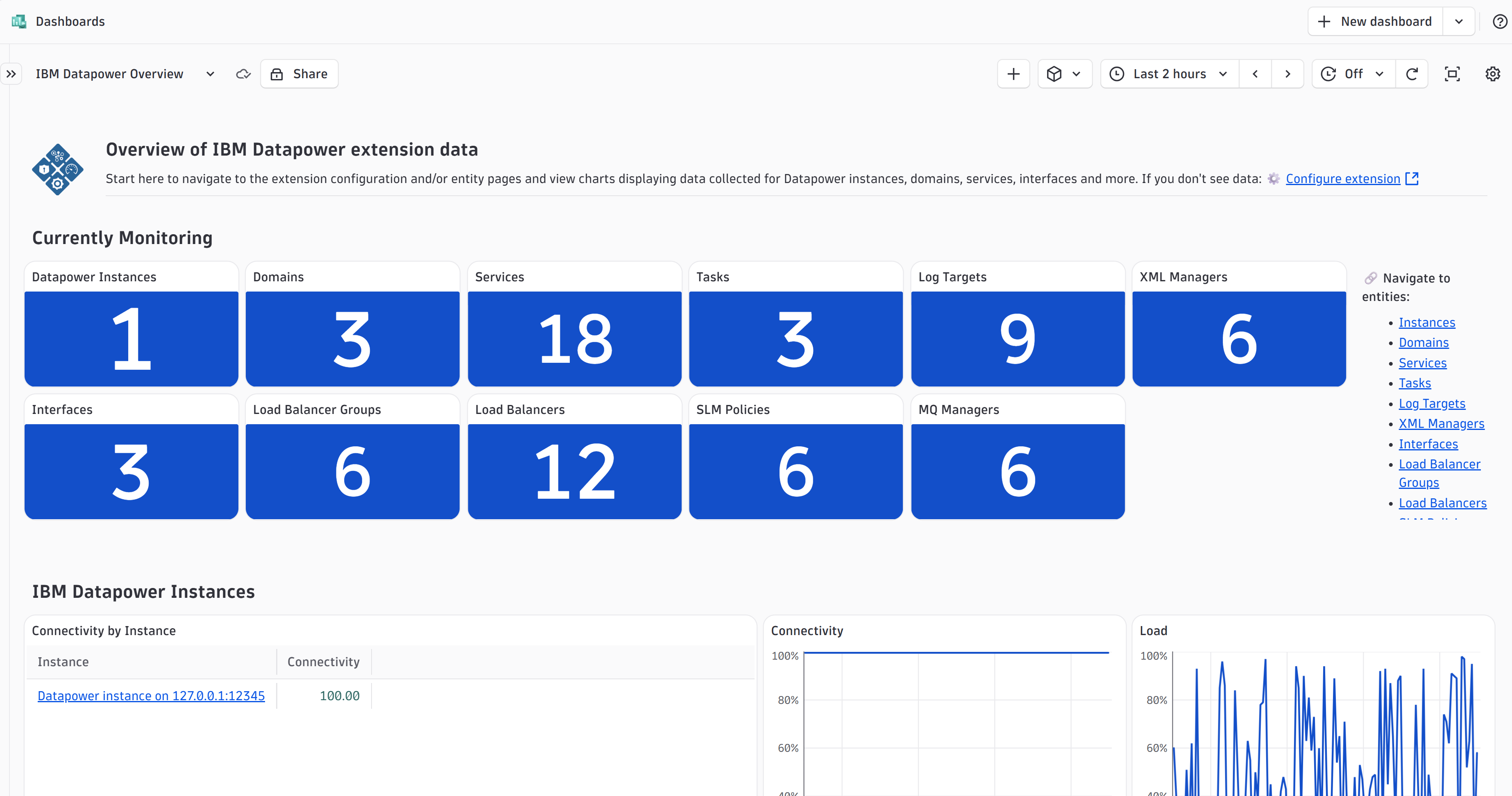
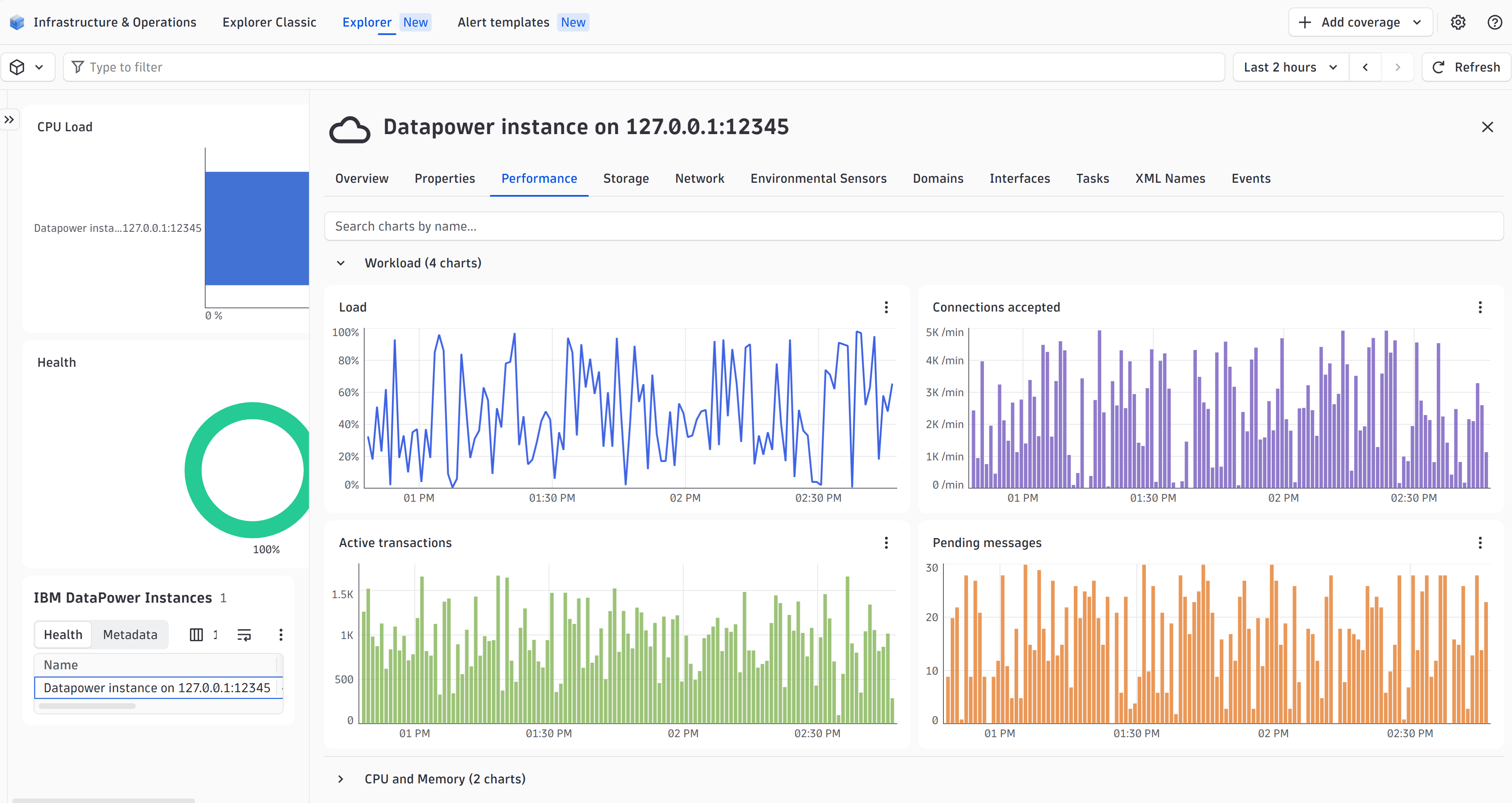
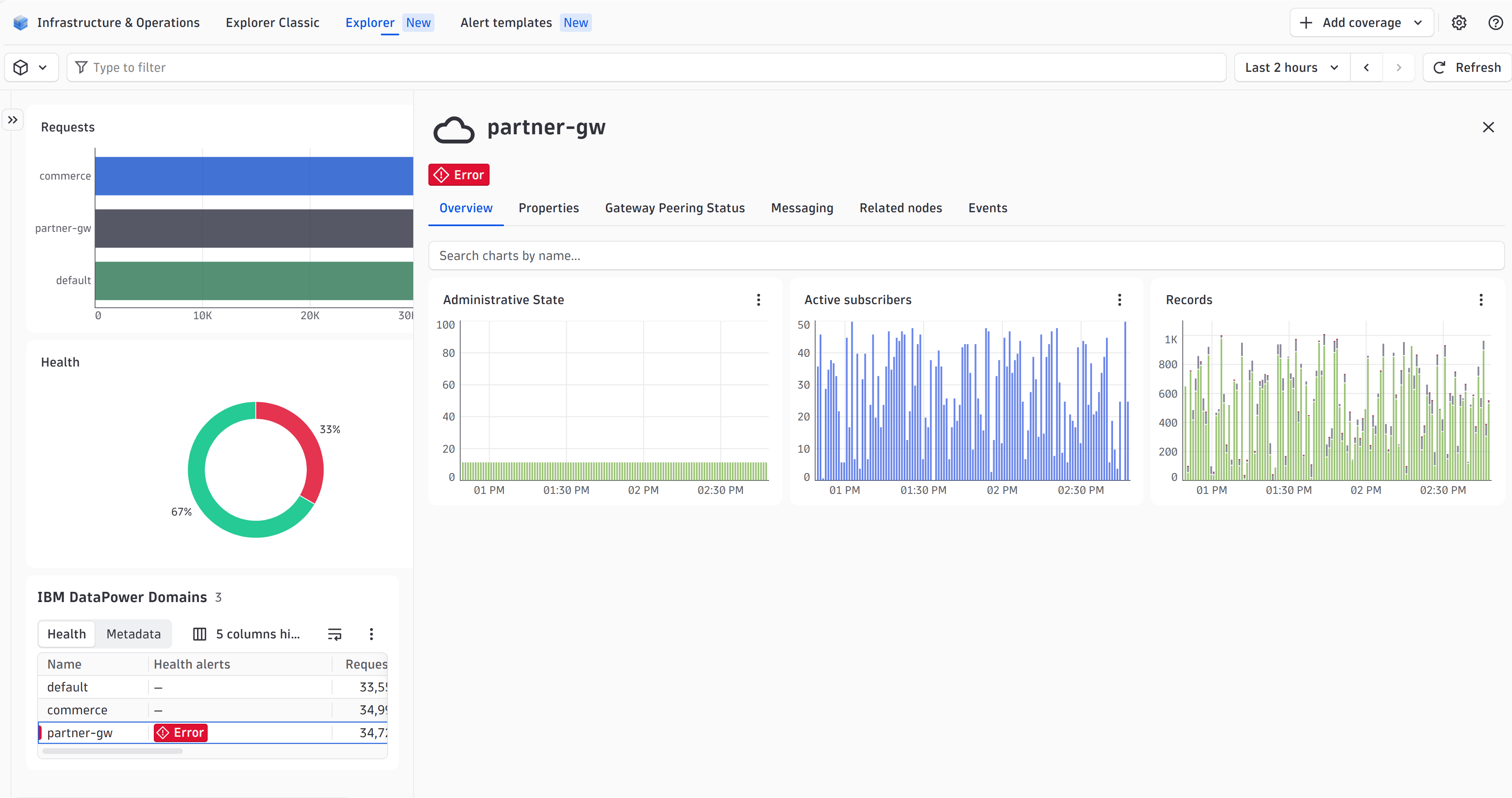
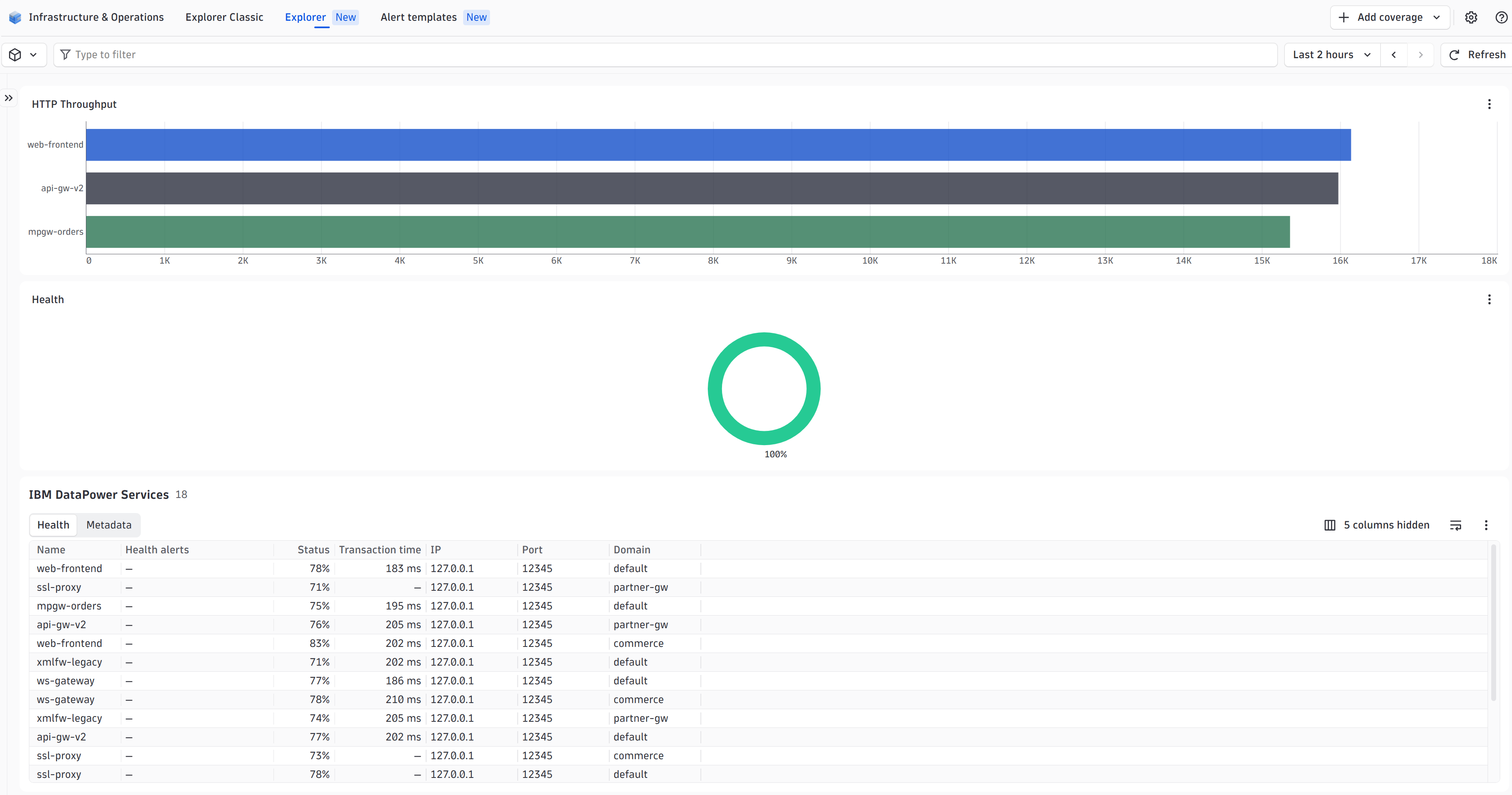
ExtensionDataPower gateways provide mission-critical service/application integration, security, and control. For these devices, Dynatrace offers remote monitoring through the DataPower ActiveGate extension. By ingesting key device data, the extension provides Dynatrace with real-time insight into device health and performance.
Now available in Extensions Framework 2.0, click on Add to environment to get started.
For more information on the installation and configuration, please see IBM Datapower extension in the Dynatrace Documentation.
Below is a complete list of the feature sets provided in this version. To ensure a good fit for your needs, individual feature sets can be activated and deactivated by your administrator during configuration.
| Metric name | Metric key | Description | Unit |
|---|---|---|---|
| Connectivity | IBM.DataPower.connectivity | Percentage of successful connections | Percent |
| Administrative state | IBM.DataPower.adminState | Administrative state of a classes' object | Count |
| Metric name | Metric key | Description | Unit |
|---|---|---|---|
| Load Balancer Group - Administrative state | IBM.DataPower.LoadBalancer.adminState | Administrative state of the load balancer group | Count |
| Load Balancer - Administrative state | IBM.DataPower.LoadBalancer.memberState | Administrative state of the load balancer | Count |
| Load Balancer - Operational state | IBM.DataPower.LoadBalancer.operationalState | Operational state of the load balancer | Count |
| Metric name | Metric key | Description | Unit |
|---|---|---|---|
| Messaging request count total | IBM.DataPower.Messaging.requestCountTotal.count | - | Count |
| Messaging error count total | IBM.DataPower.Messaging.errorCountTotal.count | - | Count |
| Messaging response count total | IBM.DataPower.Messaging.responseCountTotal.count | - | Count |
| Messaging end-to-end average duration | IBM.DataPower.Messaging.e2eAverageDuration | - | MicroSecond |
| Messaging backend average duration | IBM.DataPower.Messaging.backendAverageDuration | - | MicroSecond |
| Messaging DataPower client processing average duration | IBM.DataPower.Messaging.dpClientProcessingAverageDuration | - | MicroSecond |
| Messaging DataPower server processing average duration | IBM.DataPower.Messaging.dpServerProcessingAverageDuration | - | MicroSecond |
| Messaging end-to-end duration measurements | IBM.DataPower.Messaging.e2eDurationMeasurements.count | - | Count |
| Messaging backend duration measurements | IBM.DataPower.Messaging.backendDurationMeasurements.count | - | Count |
| Messaging DataPower client processing duration measurements | IBM.DataPower.Messaging.dpClientProcessingDurationMeasurements.count | - | Count |
| Messaging DataPower server processing duration measurements | IBM.DataPower.Messaging.dpServerProcessingDurationMeasurements.count | - | Count |
| Metric name | Metric key | Description | Unit |
|---|---|---|---|
| Packets received | IBM.DataPower.Interface.receivePackets.count | Number of packets received per interface | Count |
| Bytes received | IBM.DataPower.Interface.receiveBps.count | Number of bytes received per interface | Byte |
| Errors received | IBM.DataPower.Interface.receiveErrors.count | Number of errors received per interface | Count |
| Dropped packages received | IBM.DataPower.Interface.receiveDrops.count | Number of received packages that have been dropped per interface | Count |
| Packets transmitted | IBM.DataPower.Interface.transmitPackets.count | Number of transmitted packages per interface | Count |
| Bytes transmitted | IBM.DataPower.Interface.transmitBps.count | Number of bytes transmitted per interface | Byte |
| Errors transmitted | IBM.DataPower.Interface.transmitErrors.count | Number of errors transmitted per interface | Count |
| Dropped packages transmitted | IBM.DataPower.Interface.transmitDrops.count | Number of transmitted packages that have been dropped per interface | Count |
| Collision count | IBM.DataPower.Interface.collisions.count | Number of collisions per interface | Count |
| Interface status | IBM.DataPower.Interface.status | Current status of the interface | Percent |
| Metric name | Metric key | Description | Unit |
|---|---|---|---|
| Api Security Token Peering | IBM.DataPower.Gateway.apiRateLimitingPeering | - | Percent |
| Api Rate Limiting Peering | IBM.DataPower.Gateway.apiSecurityTokenPeering | - | Percent |
| Api Gateway Peering | IBM.DataPower.Gateway.apiGatewayPeering | - | Percent |
| Api Gatewayscript Peering | IBM.DataPower.Gateway.apiGatewayscriptPeering | - | Percent |
| Api Probe Peering | IBM.DataPower.Gateway.apiProbePeering | - | Percent |
| Api Subscription Peering | IBM.DataPower.Gateway.apiSubscriptionPeering | - | Percent |
| Metric name | Metric key | Description | Unit |
|---|---|---|---|
| Total - RAID | IBM.DataPower.RAID.totalSize | Total RAID Size | KiloByte |
| Free - RAID | IBM.DataPower.RAID.freeSpace | Free RAID Size | KiloByte |
| Metric name | Metric key | Description | Unit |
|---|---|---|---|
| CPU load | IBM.DataPower.cpuload | - | Percent |
| Memory usage | IBM.DataPower.Memory.Usage | - | Percent |
| Memory total | IBM.DataPower.Memory.Total | - | KiloByte |
| Memory used | IBM.DataPower.Memory.Used | - | KiloByte |
| Memory free | IBM.DataPower.Memory.Free | - | KiloByte |
| Memory requested | IBM.DataPower.Memory.Req | - | KiloByte |
| Metric name | Metric key | Description | Unit |
|---|---|---|---|
| Document cache count | IBM.DataPower.XMLManager.documentCacheCount | Number of documents in the cache | Count |
| Document count | IBM.DataPower.XMLManager.documentCount | Number of documents | Count |
| Document cache size | IBM.DataPower.XMLManager.documentCacheSize | - | Count |
| Document byte count | IBM.DataPower.XMLManager.documentByteCount | Number of documents in bytes | KibiByte |
| Document expired count | IBM.DataPower.XMLManager.documentExpiredCount | - | Count |
| Metric name | Metric key | Description | Unit |
|---|---|---|---|
| SLM Policy messages | IBM.DataPower.SLMPolicy.messages | Number of messages processed by the statement | Count |
| SLM Policy errors | IBM.DataPower.SLMPolicy.errors | Number of errors by the statement | Count |
| SLM Policy throttled | IBM.DataPower.SLMPolicy.throttled | - | Count |
| SLM Policy average time | IBM.DataPower.SLMPolicy.timeAverage | - | MilliSecond |
| SLM Policy maximum time | IBM.DataPower.SLMPolicy.timeMaximum | - | MilliSecond |
| SLM Policy minimum time | IBM.DataPower.SLMPolicy.timeMinimum | - | MilliSecond |
| Metric name | Metric key | Description | Unit |
|---|---|---|---|
| Active Subscribers | IBM.DataPower.activeSubscribers | Number of active subscribers | Count |
| Crypto Engine Status | IBM.DataPower.cryptoEngineStatus | - | Percent |
| Records lost | IBM.DataPower.recordsLost.count | - | Count |
| Pending records | IBM.DataPower.pendingRecordsQueue | Number of records pending in queue | Count |
| Complete records | IBM.DataPower.completeRecordsQueue | Number of records completed | Count |
| Pending messages | IBM.DataPower.worklist | - | Count |
| Load | IBM.DataPower.load | - | Percent |
| Connections accepted | IBM.DataPower.connectionsAccepted | Per minute rate of connections accepted | PerMinute |
| Active transactions | IBM.DataPower.activeTransactions | - | Count |
| Uptime | IBM.DataPower.Uptime | Total uptime of the device | Second |
| Metric name | Metric key | Description | Unit |
|---|---|---|---|
| XML name free percent | IBM.DataPower.XMLName.Free | - | Percent |
| XML name used count | IBM.DataPower.XMLName.Used | - | Count |
| XML name maximum | IBM.DataPower.XMLName.Maximum | - | Count |
| Metric name | Metric key | Description | Unit |
|---|---|---|---|
| MQQM received faults | IBM.DataPower.MQQM.receiveFaults | Number of received faults in the MQ queue manager | Count |
| MQQM received messages | IBM.DataPower.MQQM.received | Number of received messages in the MQ queue manager | Count |
| MQQM sent faults | IBM.DataPower.MQQM.sendFaults | Number of sent faults in the MQ queue manager | Count |
| MQQM sent messages | IBM.DataPower.MQQM.sent | Number of sent messages in the MQ queue manager | Count |
| MQQM total connection limit | IBM.DataPower.MQQM.totalConnectionLimit | - | Count |
| MQQM connections | IBM.DataPower.MQQM.totalConnections | Number of connections for the MQ queue manager | Count |
| MQQM active connections | IBM.DataPower.MQQM.totalActiveConnections | Number of active connections for the MQ queue manager | Count |
| MQQM idle connections | IBM.DataPower.MQQM.totalIdleConnections | Number of idle connections for the MQ queue manager | Count |
| MQQM active frontend connections | IBM.DataPower.MQQM.activeFrontendConnections | Number of active frontend connections for the MQ queue manager | Count |
| MQQM active backend connections | IBM.DataPower.MQQM.activeBackendConnections | Number of active backend connections for the MQ queue manager | Count |
| Metric name | Metric key | Description | Unit |
|---|---|---|---|
| Task load | IBM.DataPower.Task.load | - | Percent |
| Task pending messages | IBM.DataPower.Task.workList | - | Count |
| Task CPU usage | IBM.DataPower.Task.CPU | - | Percent |
| Task Memory usage | IBM.DataPower.Task.Memory | - | Percent |
| Task file count | IBM.DataPower.Task.FileCount | - | Count |
| Metric name | Metric key | Description | Unit |
|---|---|---|---|
| TCP established connections | IBM.DataPower.TCP.established | Count of established TCP connections | Count |
| TCP SYN Sent | IBM.DataPower.TCP.synSent | Count of SYN requests sent | Count |
| TCP SYN Received | IBM.DataPower.TCP.synReceived | Count of SYN requests received | Count |
| TCP FIN_WAIT_1 count | IBM.DataPower.TCP.finWait1 | - | Count |
| TCP FIN_WAIT_2 count | IBM.DataPower.TCP.finWait2 | - | Count |
| TCP TIME_WAIT | IBM.DataPower.TCP.timeWait | Count of TIME_WAIT | Count |
| TCP Closed connections | IBM.DataPower.TCP.closed | Number of closed TCP connections | Count |
| TCP CLOSE_WAIT | IBM.DataPower.TCP.closeWait | Count of CLOSE_WAIT | Count |
| TCP LAST_ACK | IBM.DataPower.TCP.lastAck | Count of LAST_ACK | Count |
| TCP Listen | IBM.DataPower.TCP.listen | - | Count |
| TCP Closing | IBM.DataPower.TCP.closing | Number of TCP closing connections | Count |
| Metric name | Metric key | Description | Unit |
|---|---|---|---|
| Web service last response time | IBM.DataPower.WebService.lastResponseTime | - | MilliSecond |
| Web service failed requests | IBM.DataPower.WebService.failedRequests.count | - | Count |
| Web service total requests | IBM.DataPower.WebService.totalRequests.count | - | Count |
| Web service successful requests | IBM.DataPower.WebService.successfulRequests.count | - | Count |
| Web service time | IBM.DataPower.WebService.serviceTime.count | - | MilliSecond |
| Metric name | Metric key | Description | Unit |
|---|---|---|---|
| HTTP Connection requests | IBM.DataPower.XMLManager.Requests | Connection requests to the XML Manager | Count |
| HTTP Connections reused | IBM.DataPower.XMLManager.Reuse | Connection reuses to the XML Manager | Count |
| HTTP Connections created | IBM.DataPower.XMLManager.Create | Connections created to the XML Manager | Count |
| HTTP Connection returns | IBM.DataPower.XMLManager.Return | Connection returns to the XML Manager | Count |
| HTTP Connections offered | IBM.DataPower.XMLManager.Offered | Connections offered for the XML Manager | Count |
| HTTP Connections destroyed | IBM.DataPower.XMLManager.Destroy | Connections destroyed to the XML Manager | Count |
| Metric name | Metric key | Description | Unit |
|---|---|---|---|
| Log events processed | IBM.DataPower.LogTarget.process.count | Total amount of log events processed per log target | Count |
| Log events dropped | IBM.DataPower.LogTarget.drop.count | Total amount of log events dropped per log target | Count |
| Log events pending | IBM.DataPower.LogTarget.pending | Total amount of log events pending per log target | Count |
| Log requested memory | IBM.DataPower.LogTarget.requestedMemory | Requested memory of the log target | Byte |
| Metric name | Metric key | Description | Unit |
|---|---|---|---|
| Free - Encrypted | IBM.DataPower.Disk.freeEncrypted | Free and encrypted disk size | MegaByte |
| Total - Encrypted | IBM.DataPower.Disk.totalEncrypted | Total encrypted disk size | MegaByte |
| Free - Temporary | IBM.DataPower.Disk.freeTemporary | Free temporary disk size | MegaByte |
| Total - Temporary | IBM.DataPower.Disk.totalTemporary | Total temporary disk size | MegaByte |
| Free - Internal | IBM.DataPower.Disk.freeInternal | Free internal disk size | MegaByte |
| Total - Internal | IBM.DataPower.Disk.totalInternal | Total internal disk size | MegaByte |
| Metric name | Metric key | Description | Unit |
|---|---|---|---|
| Stylesheet cache size | IBM.DataPower.XMLManager.stylesheetCacheSize | - | Count |
| Stylesheet cache count | IBM.DataPower.XMLManager.stylesheetCacheCount | - | Count |
| Stylesheet document count | IBM.DataPower.XMLManager.stylesheetDocumentCount | - | Count |
| Stylesheet pending count | IBM.DataPower.XMLManager.stylesheetPendingCount | - | Count |
| Stylesheet bad count | IBM.DataPower.XMLManager.stylesheetBadCount | - | Count |
| Stylesheet duplicate count | IBM.DataPower.XMLManager.stylesheetDuplicateCount | - | Count |
| Stylesheet executions | IBM.DataPower.XMLManager.stylesheetExecutions | - | Count |
| Metric name | Metric key | Description | Unit |
|---|---|---|---|
| Calls per minute | IBM.DataPower.Service.httpTransactionThroughput | - | PerMinute |
| Total transaction time | IBM.DataPower.Service.httpTransactionsTime | Total amount of time used on transactions per service | MilliSecond |
| Service status | IBM.DataPower.Service.status | - | Percent |
| Metric name | Metric key | Description | Unit |
|---|---|---|---|
| Operational state | IBM.DataPower.operationalState | Operational state of a classes' object | Count |
| Administrative state | IBM.DataPower.adminState | Administrative state of a classes' object | Count |
| Metric name | Metric key | Description | Unit |
|---|---|---|---|
| Link Aggregation Status | IBM.DataPower.LinkAggregationStatus | - | Percent |
| Link Aggregation MII Status | IBM.DataPower.LinkAggregationMIIStatus | - | Percent |
| Metric name | Metric key | Description | Unit |
|---|---|---|---|
| Power supply | IBM.DataPower.powerSupply | Current status of the power supply | Percent |
| Case open | IBM.DataPower.caseopen | Indicates if the case is open or not | Percent |
| Check intrusion | IBM.DataPower.checkintrusion | Indicates if check intrusion is active or not | Percent |
| System temperature | IBM.DataPower.systemTemp | - | Count |
| CPU 1 temperature | IBM.DataPower.cpu1Temp | - | Count |
| CPU 2 temperature | IBM.DataPower.cpu2Temp | - | Count |
| CPU 1 RPM | IBM.DataPower.cpu1rpm | - | Count |
| CPU 2 RPM | IBM.DataPower.cpu2rpm | - | Count |
| Chassis 1 RPM | IBM.DataPower.chassis1rpm | - | Count |
| Chassis 2 RPM | IBM.DataPower.chassis2rpm | - | Count |
| Chassis 3 RPM | IBM.DataPower.chassis3rpm | - | Count |
| Volt 5 sensor | IBM.DataPower.volt5 | - | Count |
| Volt 12 sensor | IBM.DataPower.volt12 | - | Count |
| Volt 33 sensor | IBM.DataPower.volt33 | - | Count |
This version requires a minimum Dynatrace version of 1.345.0.
Bugfixes
IBM.DataPower.adminState to monitor domain status.1.338.0 and a minimum EEC version of 1.313.0.port of the configured instance in the ID calculation of the entity in order to properly represent environments where multiple Datapower instances run on the same host.
IBM.DataPower.activeSubscribers is now a default metric and will always be captured.Gateway Peering feature set:
IBM.DataPower.Gateway.apiGatewayPeeringIBM.DataPower.Gateway.apiGatewayscriptPeeringIBM.DataPower.Gateway.apiProbePeeringIBM.DataPower.Gateway.apiSubscriptionPeeringMessaging feature set:
IBM.DataPower.Messaging.requestCountTotal.countIBM.DataPower.Messaging.errorCountTotal.countIBM.DataPower.Messaging.responseCountTotal.countIBM.DataPower.Messaging.e2eAverageDurationIBM.DataPower.Messaging.backendAverageDurationIBM.DataPower.Messaging.dpClientProcessingAverageDurationIBM.DataPower.Messaging.dpServerProcessingAverageDurationIBM.DataPower.Messaging.e2eDurationMeasurements.countIBM.DataPower.Messaging.backendDurationMeasurements.countIBM.DataPower.Messaging.dpClientProcessingDurationMeasurements.countIBM.DataPower.Messaging.dpServerProcessingDurationMeasurements.countport dimension on all metrics1.318.0 or higher.New in this version:
NOTE:
New in this version
EndpointStatuses.Improved in this version
INFO level for easier troubleshootingdt.security_context attributedevice.address now runs only after a specific frequency and not every time we push a metric. This frequency can be modified with the new Hostname resolution frequency configuration parameter, which defaults to every 24 hours.urrllib3 library updated to avoid security riskdevice.address dimension to all ingested metrics.IBM.DataPower.RAID.totalSizeIBM.DataPower.RAID.freeSpaceIBM.DataPower.Gateway.apiRateLimitingPeeringIBM.DataPower.Gateway.apiSecurityTokenPeeringIBM.DataPower.LoadBalancer.adminState was not being linked to any entity.Attention: This version brings breaking changes to existing configurations, meaning you will need to re-create your configurations from scratch when updating them.
New additions:
Add support for python 3.14
Modified the overview dashboard to show interface traffic instead of status, as the status is missing from many datapower installations.
Extension conversion to Extensions Framework 2.0:
All metrics ingested by the new extension are prefixed with IBM.DataPower and drop the builtin:tech prefix. Any older configuration such as metric events or dashboards that use the old metric key will need to be replaced with the new one.

