




























Kick-start your app creation
Whether you’re a beginner or a pro, Dynatrace Developer has the tools and support you need to create incredible apps with minimal effort.
Go to Dynatrace Developer
 HPE Integrated Lights-Out (iLO)
Remotely collect iLO data via the Redfish API.
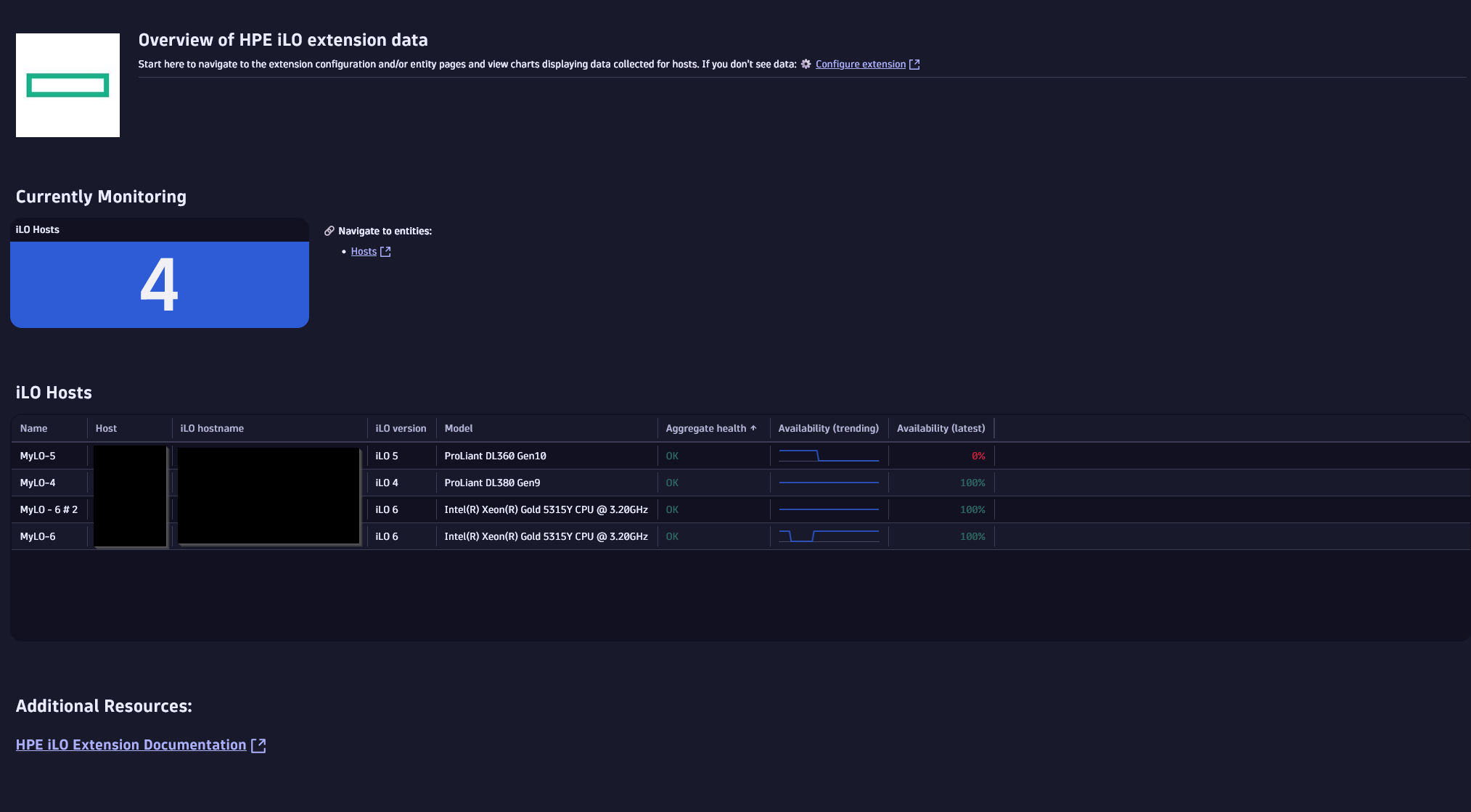
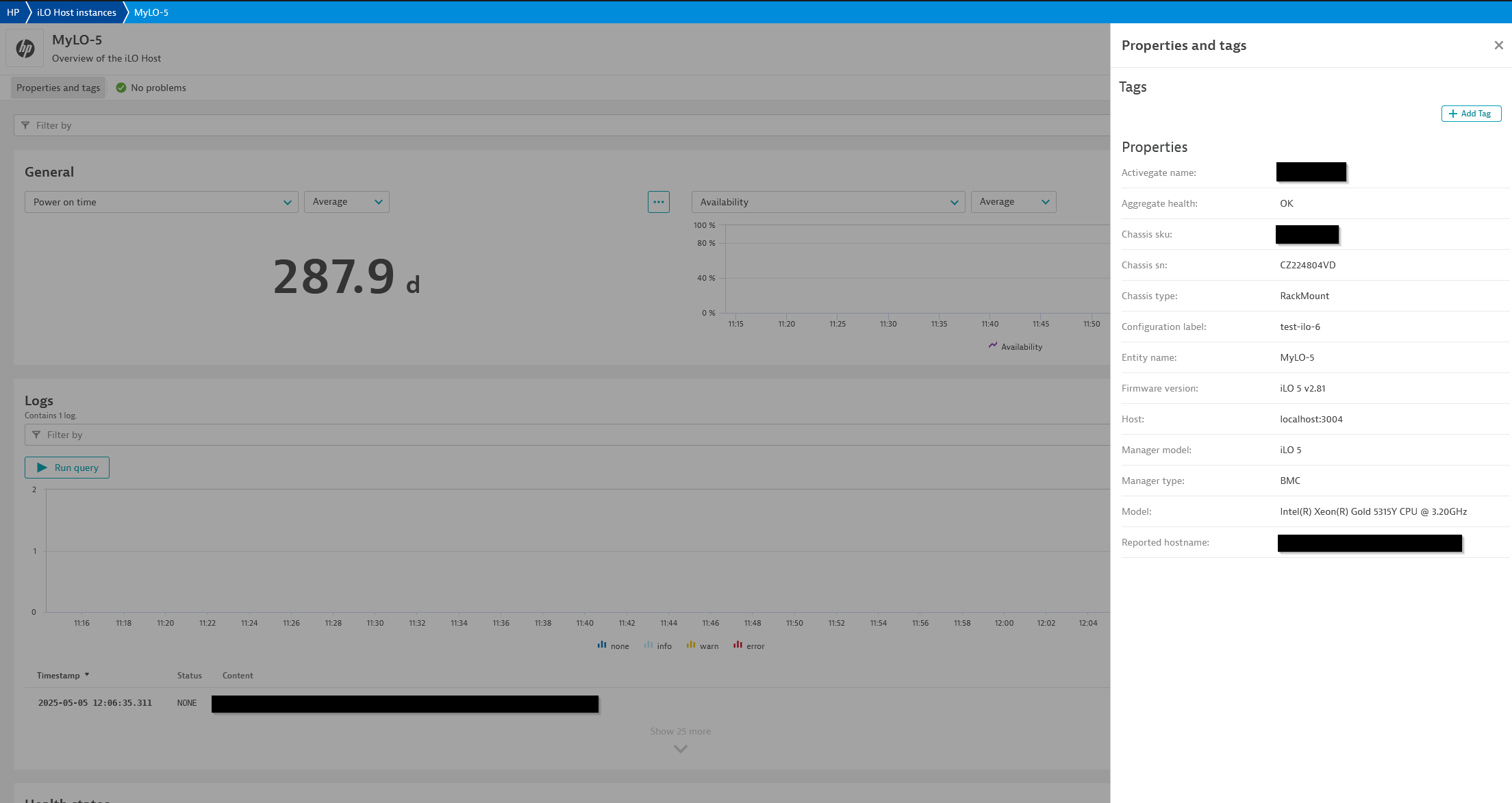
ExtensionIntegrated Lights-Out (iLO) is a proprietary management technology built into HPE products that allows for remote control access to ProLiant servers even without being connected to the main network. The iLO extension allows for remote monitoring of such instances via their Redfish API (first introduced in iLO 4).
For more information on the installation and configuration, please see HPE Integrated Lights-Out (iLO) extension in the Dynatrace Documentation.
iLO 4 was the first version with the Redfish API and as such reports a much smaller amount of data as compared to later versions, primarily limited to instance properties and high-level health statuses.
iLO 6 has been tested to a limited extent but has not been confirmed to have run on a live iLO 6 instance. While safe to use, if you experience issues or feel something is missing reach out to support to help us better cover this latest version.
Below is a complete list of the feature sets provided in this version. To ensure a good fit for your needs, individual feature sets can be activated and deactivated by your administrator during configuration.
| Metric name | Metric key | Description | Unit |
|---|---|---|---|
| Chassis health | hp.ilo.chassis.health | Overall chassis health | State |
| Chassis power supply health | hp.ilo.chassis.power_supply.health | Chassis power supply health | State |
| Chassis temperature health | hp.ilo.chassis.temperature.health | Chassis temperature health | State |
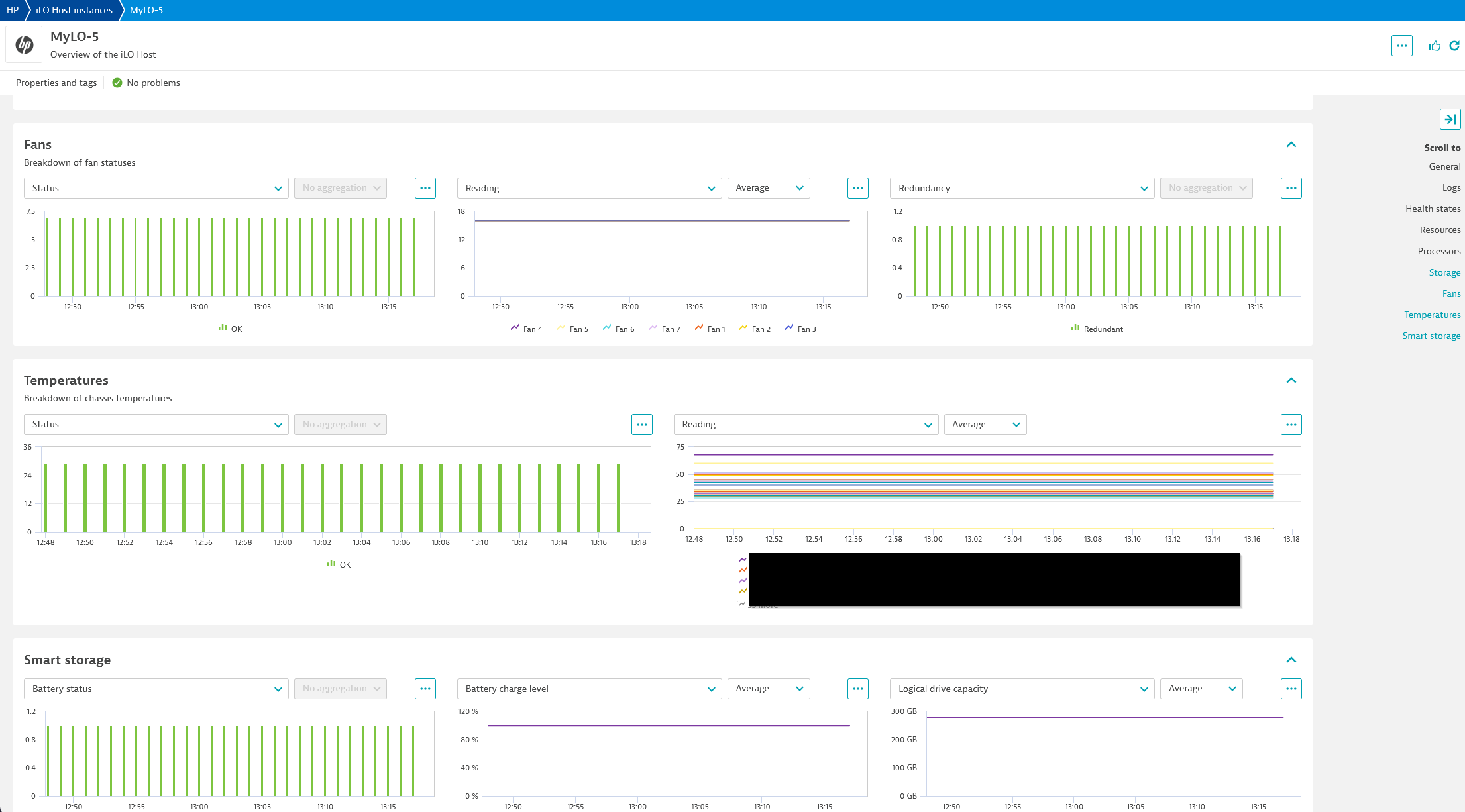
| Chassis temperature reading | hp.ilo.chassis.temperature.reading | Current chassis temperature reading | Count |
| Chassis fan health | hp.ilo.chassis.fan.health | Chassis fan health | State |
| Chassis fan reading | hp.ilo.chassis.fan.reading | Current chassis fan temperature reading | Count |
| Chassis power supply redundancy | hp.ilo.chassis.power_supply_redundancy_health | Indicates whether the chassis power supply is redundant or not | State |
| Chassis smart storage battery health | hp.ilo.chassis.smart_storage_battery.health | Chassis smart storage battery health (iLO 5) | State |
| Chassis smart storage battery charge level | hp.ilo.chassis.smart_storage_battery.charge_level_percent | Chassis smart storage battery charge level (iLO 5) | Percent |
| Metric name | Metric key | Description | Unit |
|---|---|---|---|
| Total system memory | hp.ilo.memory.total_system_memory | Total system memory | GibiByte |
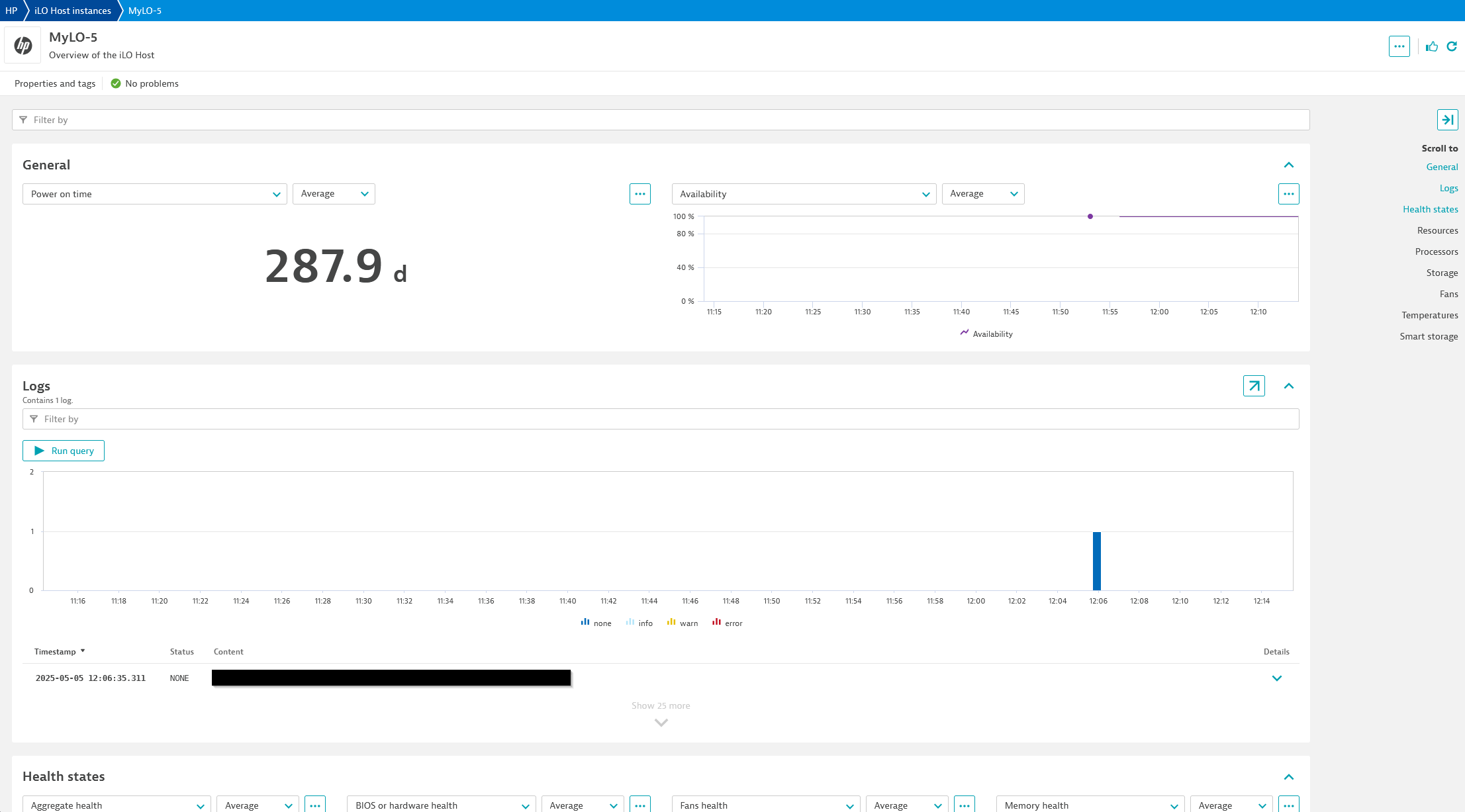
| Power on time | hp.ilo.uptime | Power on time/uptime as reported by the API | Second |
| CPU utilization | hp.ilo.cpu_util | Reported CPU utilization | Percent |
| I/O bus utilization | hp.ilo.io_bus_util | Input/output bus utilization | Percent |
| Memory bus utilization | hp.ilo.memory_bus_util | Memory bus utilization | Percent |
| BIOS or hardware health | hp.ilo.health_status.bios_or_hardware_health | BIOS or hardware health | State |
| Fan health | hp.ilo.health_status.fans | Fan health | State |
| Fans redundancy | hp.ilo.health_status.fans_redundancy | Indicates whether the fans are redundant or not | State |
| Memory health | hp.ilo.health_status.memory | Memory health | State |
| Network health | hp.ilo.health_status.network | Network health | State |
| Power supply health | hp.ilo.health_status.power_supplies | Power supply health | State |
| Power supply redundancy | hp.ilo.health_status.power_supplies_redundancy | Indicates whether power supplies are redundant | State |
| Processor health | hp.ilo.health_status.processors | Overall processor(s) health status | State |
| Temperature health | hp.ilo.health_status.temperatures | Temperature health | State |
| Smart storage battery health | hp.ilo.health_status.smart_storage_battery | Smart storage battery health (iLO 5) | State |
| Smart storage logical drive capacity | hp.ilo.smart_storage.logical_drive.capacity | Smart storage logical drive capacity (iLO 5) | GigaByte |
| Metric name | Metric key | Description | Unit |
|---|---|---|---|
| Availability | hp.ilo.availability | The ability to connect and login to the iLO instance | Percent |
| Aggregate server health | hp.ilo.health_status.aggregate_server_health | Overall health state | State |
| Metric name | Metric key | Description | Unit |
|---|---|---|---|
| Graphical console enabled | hp.ilo.manager.graphical_console_enabled | Indicates whether the graphical console is enabled or not | State |
| Metric name | Metric key | Description | Unit |
|---|---|---|---|
| Processor health | hp.ilo.processor.health | Individual processor health | State |
| Metric name | Metric key | Description | Unit |
|---|---|---|---|
| Drive health | hp.ilo.storage.drive.health | Individual storage drive health | State |
ply:3.11 (CVE-2025-56005).device.address dimension.ℹ️ This version requires ActiveGate version 1.313.0 or higher.

