
Skip to technology filters Skip to main content
Dynatrace Hub

Extend the platform,
empower your team.

Popular searches:
Home hero bg
DQL Cost Analysis AgentDQL Cost Analysis Agent
DQL Cost Analysis Agent

DQL Cost Analysis Agent

Finds costly DQL queries and sends optimization recommendations to their authors

Technology
Free trialDocumentation
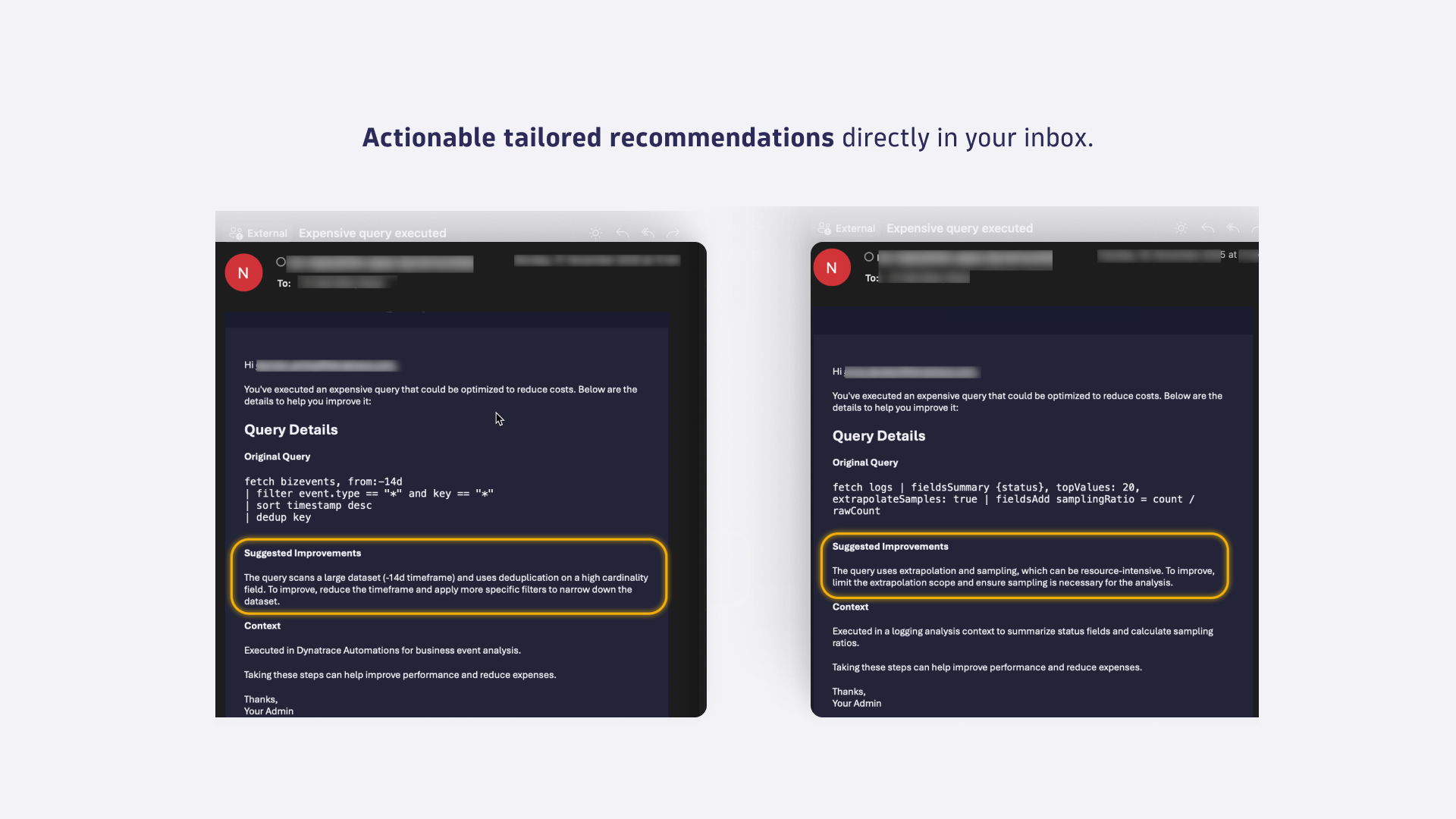
Ready-made agentic workflow that helps you keep your query costs in check.Per-query optimization recommendationsReceive a ranked list of the most expensive queries for your chosen time range the inbox of the query author.
  • Product information

Overview

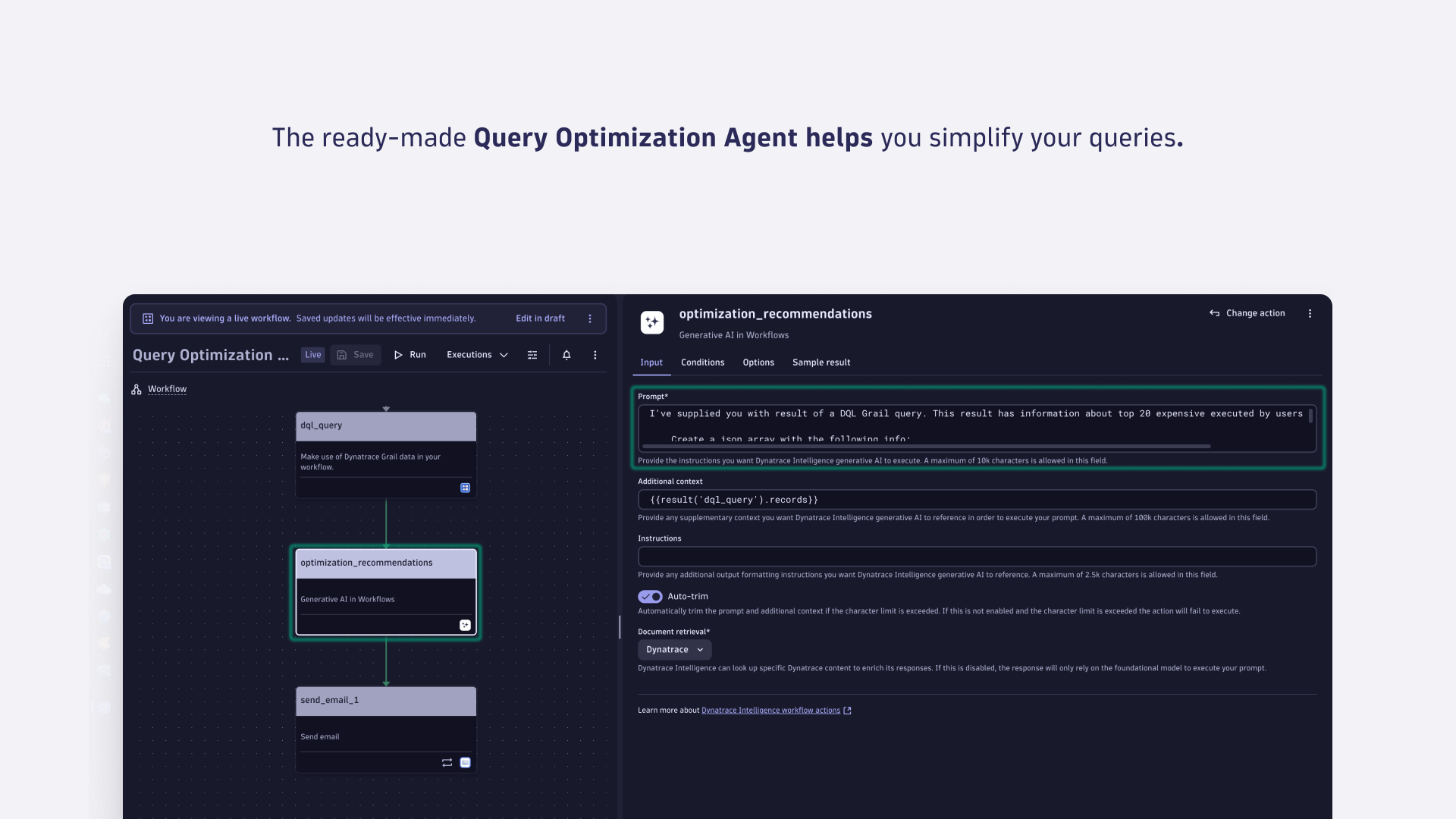
DQL Optimization Agent is a ready-made agentic workflow that helps you keep query costs under control by continuously identifying your most expensive DQL queries.

  • Cost control for budget owners: reduce spend by tackling the highest-cost queries first
  • Prevent cost regressions: run daily/weekly to catch new expensive patterns early
  • Optimize queries: find expensive queries and tune them

How it helps you

You get an automated report that:

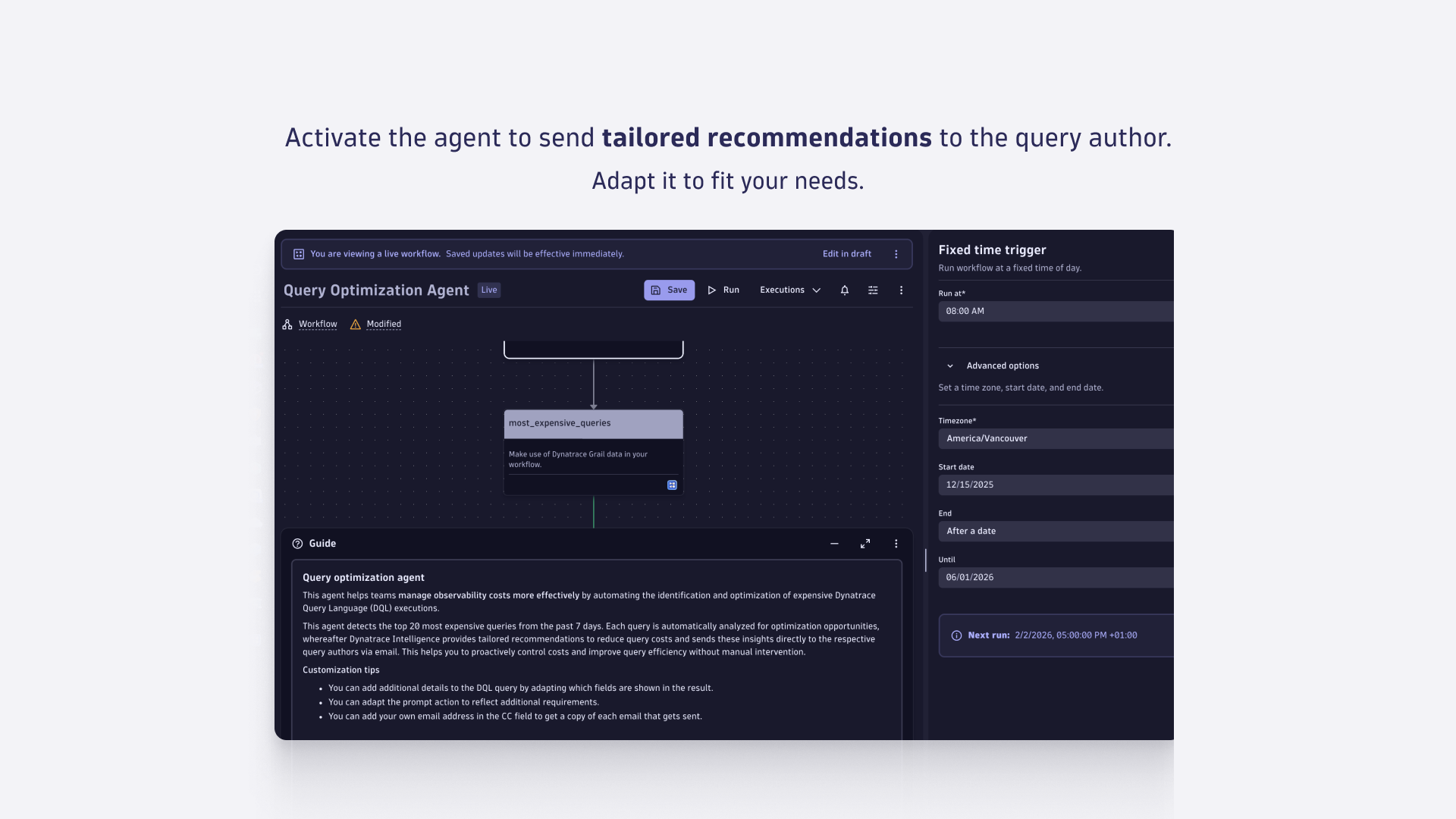
  • Finds the most expensive DQL queries (for example, top 20 from the last 24 hours).
  • Generates actionable optimization recommendations for each query.
  • Emails recommendations directly to the query author (the person who executed the query), so fixes happen where the query is created.

Use cases

  • Reduce query spend by targeting the highest-cost DQL queries first.
  • Optimize dashboards and recurring analysis by improving frequently executed, costly queries.
  • Prevent cost regressions by catching new, expensive query patterns early.
  • Continuous governance for platform admins and budget owners.

Get started

Use the DQL Cost Analysis Agent as a ready-made agentic workflow within the Workflows app.

  1. Open Workflows in Dynatrace and create a new one, then go to the Workflow templates library.
  2. In the template list, select Dynatrace Intelligence on the left, select DQL Optimization Agent, and follow the explanation.
  3. Configure the time window (for example, “last 24 hours”) and the top N queries (for example, 20).
  4. Ensure the workflow can identify the query executor and has email sending configured.
  5. Run once to validate output, then schedule it (daily recommended).

Details

Disclaimer: Please note that this functionality is currently in Preview. Join our Preview "Dynatrace Intelligence Agentic workflows" to be able to use this agentic workflow in your environment.

Dynatrace
Documentation
By Dynatrace
Dynatrace support center
Copy to clipboard

Related to DQL Cost Analysis Agent

Workflows logo

Workflows

Automate tasks in your IT landscape and move towards autonomous operations.

Dynatrace MCP Server logo

Dynatrace MCP Server

Enable your AI agents with high-quality data and real-time production insights.

Dynatrace Assist logo

Dynatrace Assist

Dynatrace Assist: Ask, analyze, and act with Dynatrace Intelligence.

Dynatrace Intelligence for Workflows logo

Dynatrace Intelligence for Workflows

Automate smarter with intelligent detection, forecasting, and custom analysis.

Agentic Workflows logo

Agentic Workflows

Build agentic workflows to automate, orchestrate and govern operations at scale.

More resources

Join the preview

Join the preview

Click here to learn more about our preview.
Read more

Write the future: Create your own agentic workflows

Write the future: Create your own agentic workflows

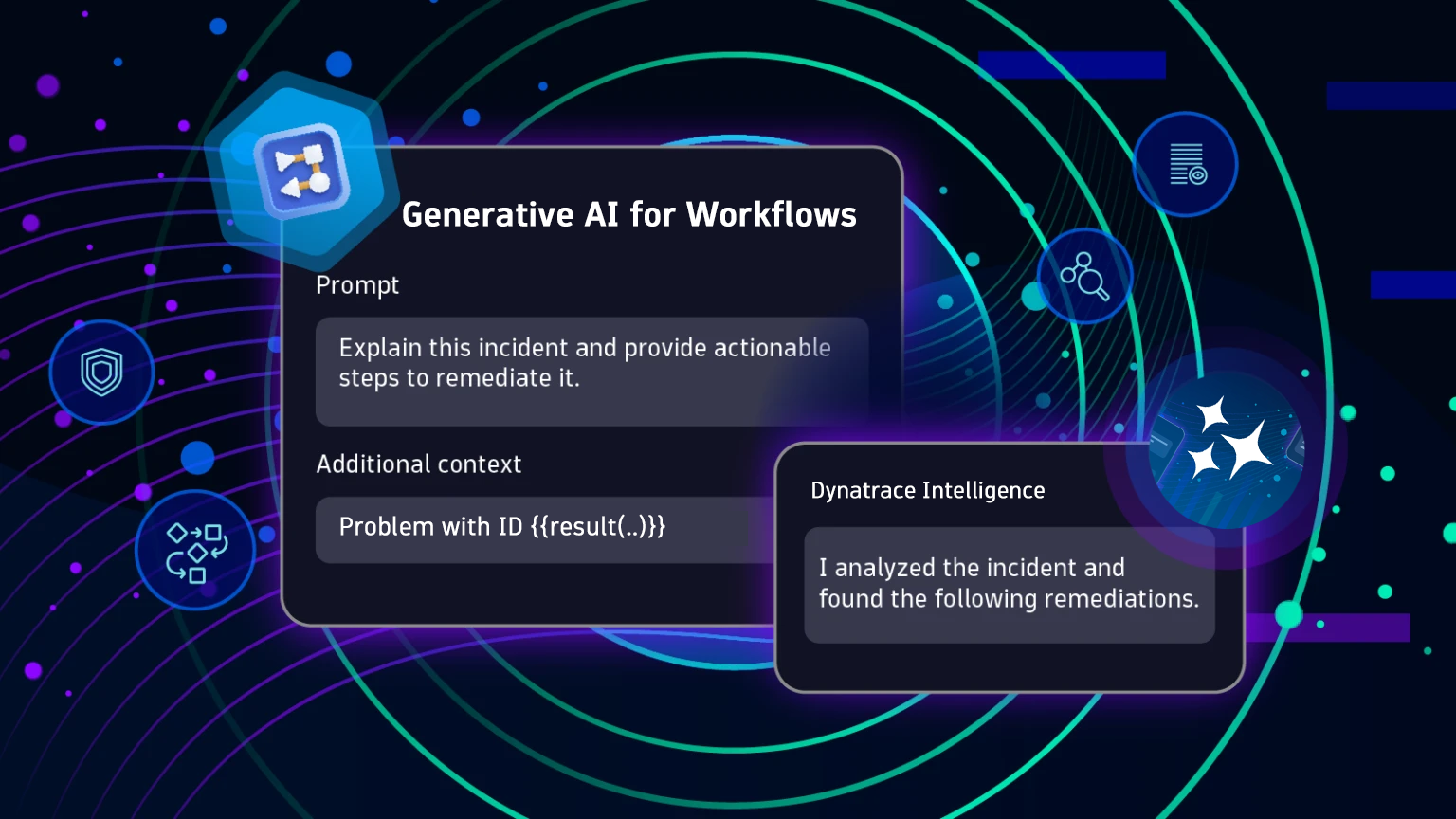
Adding generative AI to your workflow
Read more
Dynatrace Hub
Get data into DynatraceBuild your own app
Dynatrace Intelligence - Agentic Operations SystemThe Dynatrace Agentic AI ecosystem
All (872)Log Management and AnalyticsKubernetesAI and LLM ObservabilityInfrastructure ObservabilitySoftware DeliveryApplication ObservabilityApplication SecurityBusiness ObservabilityDigital Experience
Filter
Type
Built and maintained by
Deployment model
SaaS
  • SaaS
  • Managed
Partner FinderBecome a partnerDynatrace Developer

Discover recent additions to Dynatrace

Problems logo

Problems

Detect, explain and triage problems automatically using Dynatrace Intelligence.

Logs logo

Logs

Explore all your logs without writing a single query.

Investigations logo

Investigations

Fast and precise incident response on Grail data with DQL queries.

Business Flow logo

Business Flow

Track, analyze, and optimize your critical business processes.

Cost & Carbon Optimization logo

Cost & Carbon Optimization

Track, analyze, and optimize your IT carbon footprint and public cloud costs.

Anomaly Detection logo

Anomaly Detection

Detect and alert on anomalies and custom patterns using any DQL time series.

Analyze your data

Understand your data better with deep insights and clear visualizations.

Notebooks logo

Notebooks

Create powerful, data-driven documents for custom analytics and collaboration.

Dashboards logo

Dashboards

Transform complex data into clear visualizations with custom dashboards.

Automate your processes

Turn data and answers into actions, securely, and at scale.

Workflows logo

Workflows

Automate tasks in your IT landscape and move towards autonomous operations.

Jira logo

Jira

Create, query, comment, transition, and resolve Jira tickets within workflows.

Slack logo

Slack

Automate Slack messaging for security incidents, attacks, remediation, and more.

Secure your cloud application

See vulnerabilities and attacks in your environment.

Security Posture Management logo

Security Posture Management

Detect, prioritize, and remediate security and compliance findings with SPM.

Threats & Exploits logo

Threats & Exploits

Understand, triage, and investigate detection findings and alerts.

More resources

Observability for Developers on Cursor logo

Observability for Developers on Cursor

Get Real time Code-Level data directly to your Cursor IDE

GitHub Copilot Coding Agent logo

GitHub Copilot Coding Agent

Automate vulnerability remediation and boost developer productivity

GitHub Copilot Custom Agent logo

GitHub Copilot Custom Agent

Automate your development workflows with specialized agent definitions

Observability for Developer on JetBrains logo

Observability for Developer on JetBrains

Get real-time code-level data directly to your Jetbrains IDE

Pagerduty for Dynatrace Workflows logo

Pagerduty for Dynatrace Workflows

Streamline incident management with automated Pageruty workflows

Cursor IDE logo

Cursor IDE

Boost developer productivity and get real-time, code-level insights into Cursor

Observability for Developers on Windsurf logo

Observability for Developers on Windsurf

Get real-time code-level data directly to your Windsurf IDE

Are you looking for something different?

We have hundreds of apps, extensions, and other technologies to customize your environment

Leverage our newest innovations of Dynatrace Saas

Kick-start your app creation

Kick-start your app creation

Whether you’re a beginner or a pro, Dynatrace Developer has the tools and support you need to create incredible apps with minimal effort.
Go to Dynatrace Developer
Upgrading from Dynatrace Managed to SaaS

Upgrading from Dynatrace Managed to SaaS

Drive innovation, speed, and agility in your organization by seamlessly and securely upgrading.
Learn More
Log Management and Analytics

Log Management and Analytics

Innovate faster and more efficiently with unified log management and log analytics for actionable insights and automation.
Learn more