
























Skip to technology filters Skip to main content
Dynatrace Hub

Extend the platform,
empower your team.

Popular searches:
Home hero bg
Connection Pools: JBossConnection Pools: JBoss
Connection Pools: JBoss

Connection Pools: JBoss

Application server method of pooling and sharing connections to a database.

Extension
Free trialDocumentation
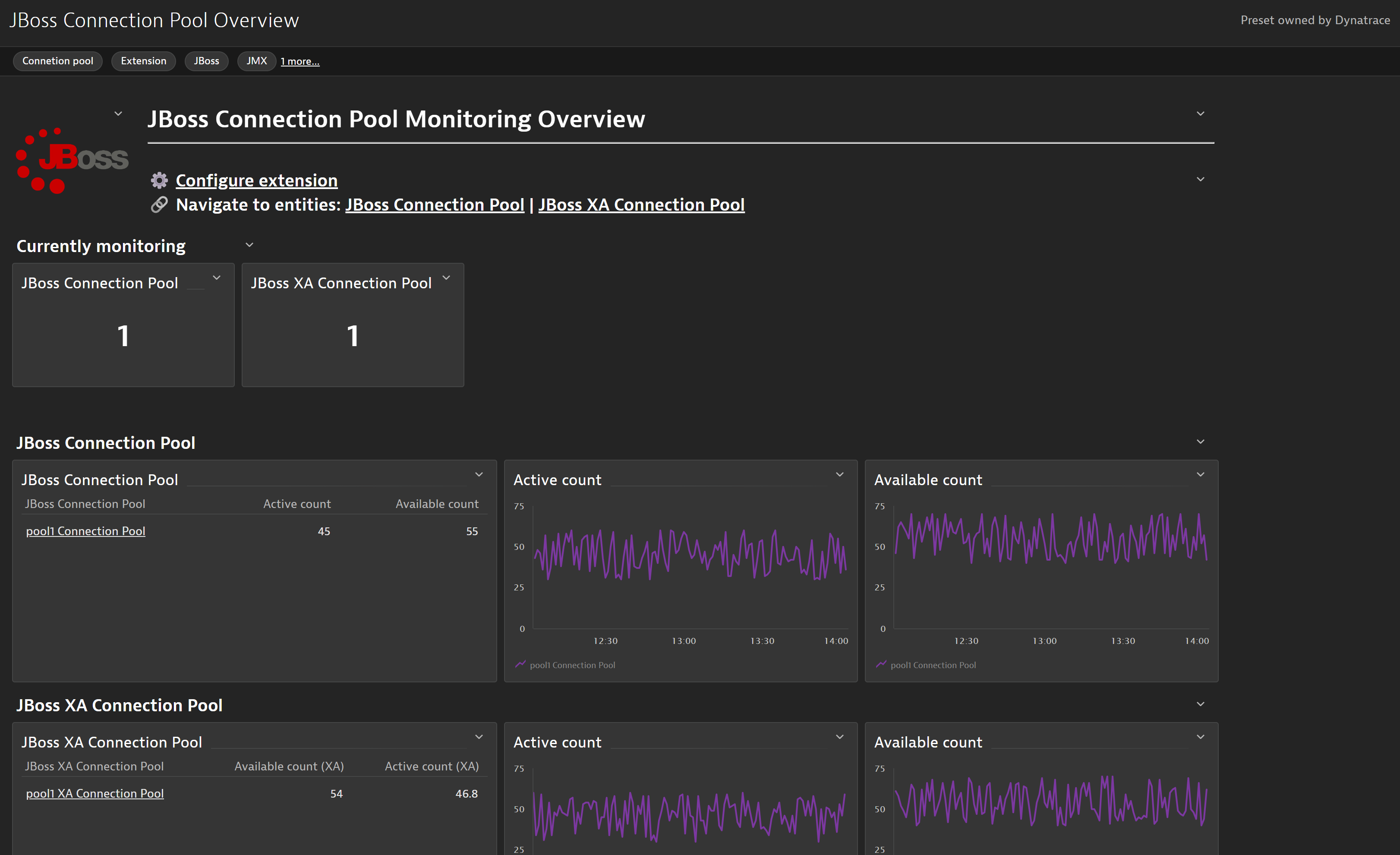
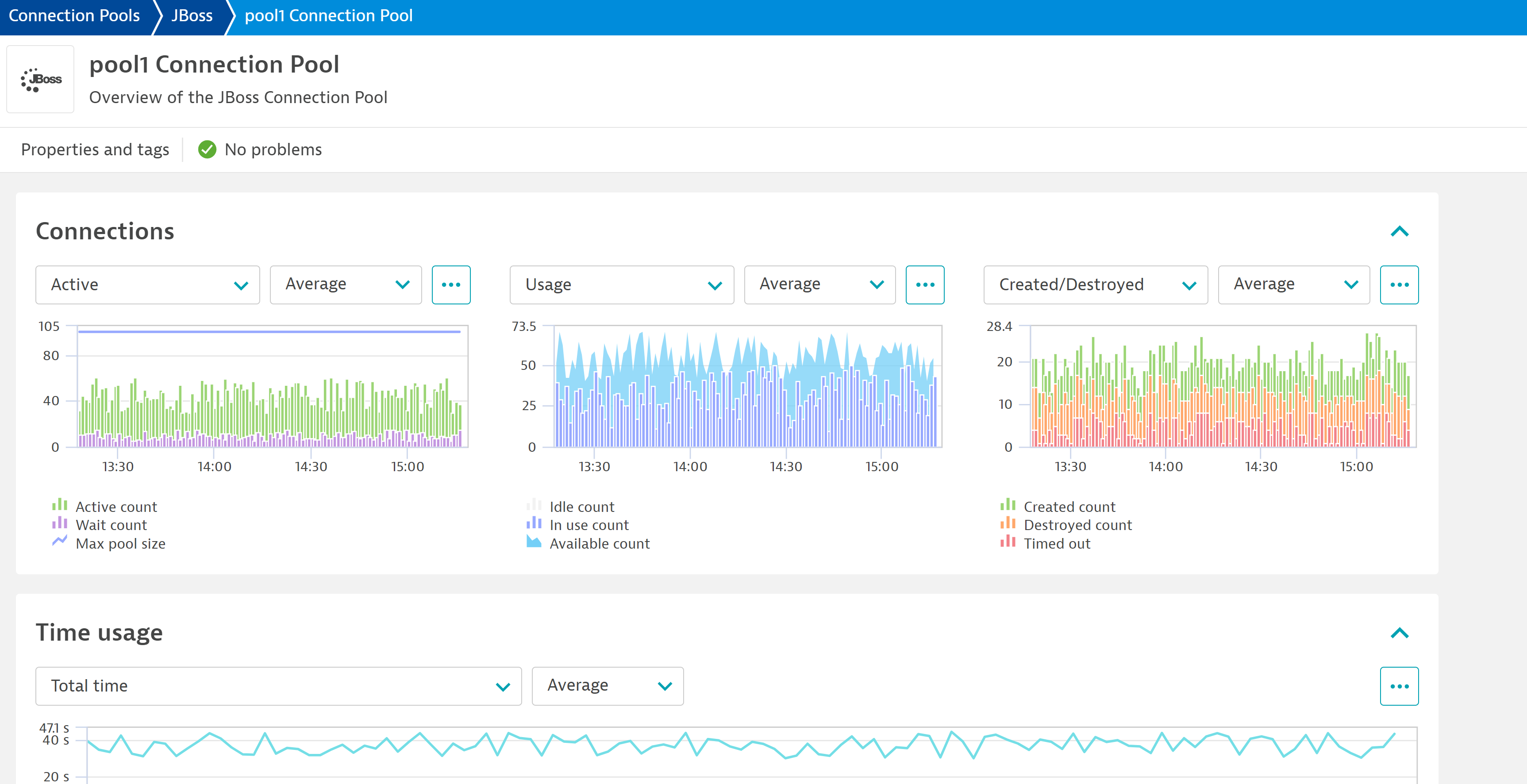
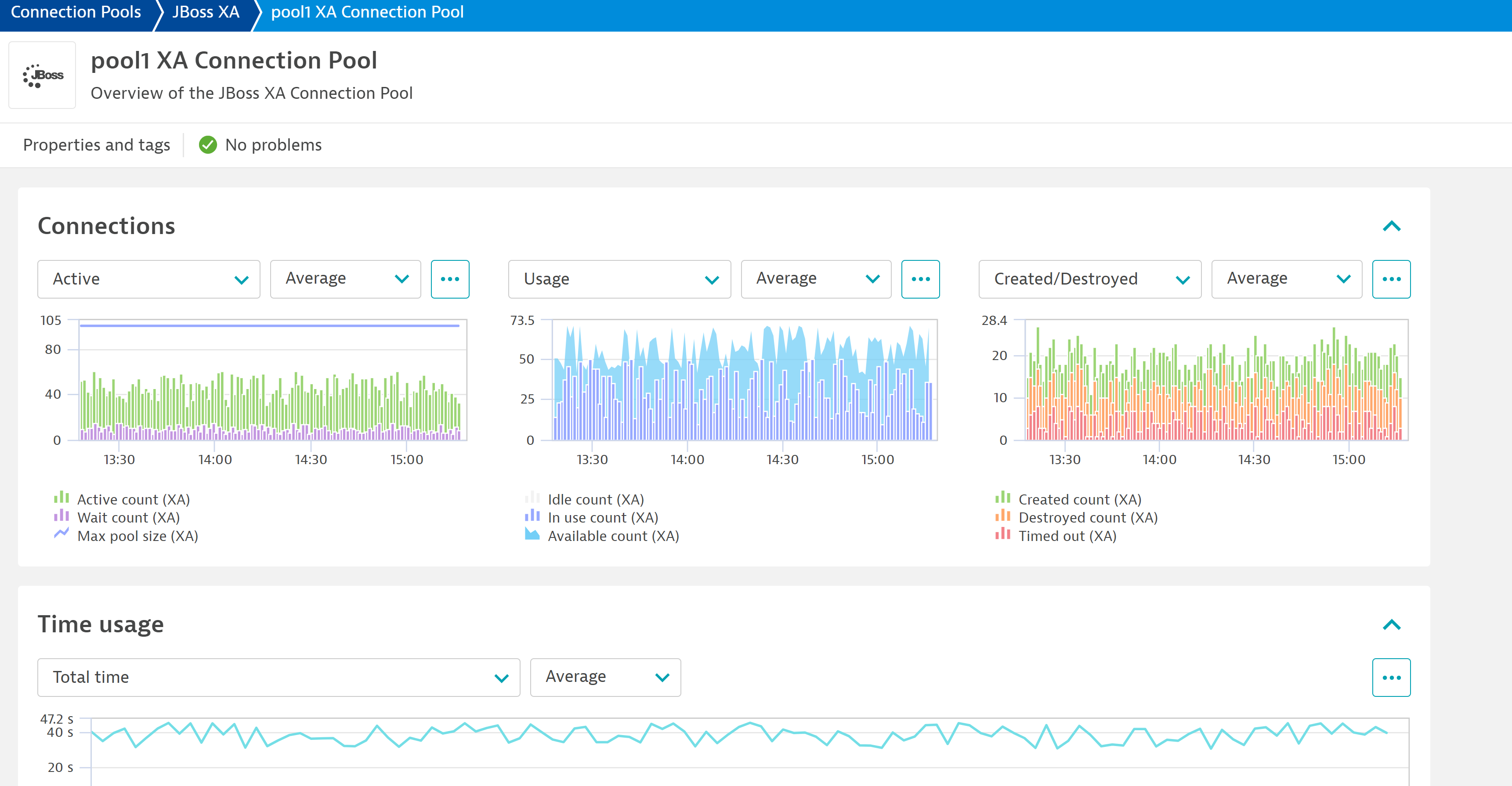
Quickly glance over the status of your JBoss connection pools accross your whole environment with the included dashboard with the extension.Get insights into a specific connection pool thanks to the granularity of the metrics and their segregation into the new generic entities generated by the extension automatically.Get insights into both your normal connection pools and XA connection pools.
  • Product information
  • Release notes

Overview

Several built-in OneAgent extensions provide insight into connection pool performance and issues such as connection leaks. The extensions cover the following technologies: Apache Tomcat, Oracle WebLogic, IBM WebSphere Application Server, IBM WebSphere Liberty, and Red Hat JBoss and Wildfly.

Use cases

  • Collect connection pool performance, usage and availability metrics for JBoss.
  • Identify potential issues with connection pool utilization
  • Monitor both Non-XA and XA Connection Pools

Compatibility information

  • Jboss process that runs on a supported Linux or Windows operating system.
  • Enabled statistics for JBoss EAP 6 / Application Server 7 and later.
  • OneAgent version 1.313+
  • Dynatrace version 1.313+
Dynatrace
DocumentationMore Information
By Dynatrace
Dynatrace support center
Subscribe to new releases
Copy to clipboard

Extension content

Content typeNumber of items included
screen properties
2
screen layout
4
document dashboard
1
list screen layout
2
screen entities lists
2
screen chart groups
10
metric metadata
30
screen injections
4
screen metric tables
2
generic relationship
2
screen actions
4
dashboards
1
generic type
2
metric query
2
screen dql table
2

Feature sets

Below is a complete list of the feature sets provided in this version. To ensure a good fit for your needs, individual feature sets can be activated and deactivated by your administrator during configuration.

Feature setsNumber of metrics included
Metric nameMetric keyDescriptionUnit
Max pool size (XA)jboss.connectionPool.maxPoolSizeXA-Count
Active count (XA)jboss.connectionPool.ActiveCountXA-Count
Available count (XA)jboss.connectionPool.AvailableCountXA-Count
Created count (XA)jboss.connectionPool.CreatedCountXA.count-Count
Destroyed count (XA)jboss.connectionPool.DestroyedCountXA.count-Count
Idle count (XA)jboss.connectionPool.IdleCountXA-Count
In use count (XA)jboss.connectionPool.InUseCountXA-Count
Timed out (XA)jboss.connectionPool.TimedOutXA.count-Count
Wait count (XA)jboss.connectionPool.WaitCountXA.count-Count
Metric nameMetric keyDescriptionUnit
Max pool sizejboss.connectionPool.maxPoolSize-Count
Active countjboss.connectionPool.ActiveCount-Count
Available countjboss.connectionPool.AvailableCount-Count
Created countjboss.connectionPool.CreatedCount.count-Count
Destroyed countjboss.connectionPool.DestroyedCount.count-Count
Idle countjboss.connectionPool.IdleCount-Count
In use countjboss.connectionPool.InUseCount-Count
Timed outjboss.connectionPool.TimedOut.count-Count
Wait countjboss.connectionPool.WaitCount.count-Count
Metric nameMetric keyDescriptionUnit
Total blocking timejboss.connectionPool.TotalBlockingTime.count-MilliSecond
Total creation timejboss.connectionPool.TotalCreationTime.count-MilliSecond
Total pool timejboss.connectionPool.TotalPoolTime.count-MilliSecond
Total get timejboss.connectionPool.TotalGetTime.count-MilliSecond
Total usage timejboss.connectionPool.TotalUsageTime.count-MilliSecond
Metric nameMetric keyDescriptionUnit
Total blocking time (XA)jboss.connectionPool.TotalBlockingTimeXA.count-MilliSecond
Total get time (XA)jboss.connectionPool.TotalGetTimeXA.count-MilliSecond
Total creation time (XA)jboss.connectionPool.TotalCreationTimeXA.count-MilliSecond
Total usage time (XA)jboss.connectionPool.TotalUsageTimeXA.count-MilliSecond
Total pool time (XA)jboss.connectionPool.TotalPoolTimeXA.count-MilliSecond

Full version history

To have more information on how to install the downloaded package, please follow the instructions on this page.
ReleaseDate

Full version history

  • Added gen 3 dashboard and screens

Full version history

  • Added new metrics:
    • func:jboss.connectionPool.currentUsage
    • func:jboss.connectionPool.currentUsageXA
  • Added charts for said metrics
  • Added properties to the JBoss connection pools for host and process
  • Added charts and properties in the lists for JBoss connection pools
    • Added filtering for these properties

Full version history

  • Fixed a bug where charts in Process Group Instances UA screen were not being populated.

Full version history

Fix a bug where Generic Types (Connection Pool and Connection Pool XA) were not being created.

Full version history

EF1.0 conversion to EF2.0:

  • Add JBoss connection pool entity and its relation to the JBoss process
  • Add JBoss XA connection pool entity and its relation to the JBoss process
  • Custom unified analysis screen for JBoss and JBoss XA connection pools
  • Metric chart injection into Process Group Instance screen
  • Overview dashboard for JBoss connection pools
  • Add feature sets to control included metrics
  • All metrics have changed key from the EF1 version. The prefix builtin:tech has been removed. This is a breaking change for any configuration you had which used the metric key, such as metric events.
Dynatrace Hub
Get data into DynatraceBuild your own app
All (811)Log Management and AnalyticsKubernetesAI and LLM ObservabilityInfrastructure ObservabilitySoftware DeliveryApplication ObservabilityApplication SecurityDigital ExperienceBusiness Observability
Filter
Type
Built and maintained by
Deployment model
SaaS
  • SaaS
  • Managed
Partner FinderBecome a partnerDynatrace Developer

Discover recent additions to Dynatrace

Problems logo

Problems

Analyze abnormal system behavior and performance problems detected by Davis AI.

Logs logo

Logs

Explore all your logs without writing a single query.

Security Investigator logo

Security Investigator

Fast and precise forensics for security and logs on Grail data with DQL queries.

Business Flow logo

Business Flow

Track, analyze, and optimize your critical business processes.

Cost & Carbon Optimization logo

Cost & Carbon Optimization

Track, analyze, and optimize your IT carbon footprint and public cloud costs.

Davis Anomaly Detection logo

Davis Anomaly Detection

Detect anomalies in timeseries using the Davis AI

Analyze your data

Understand your data better with deep insights and clear visualizations.

Notebooks logo

Notebooks

Create powerful, data-driven documents for custom analytics and collaboration.

Dashboards logo

Dashboards

Transform complex data into clear visualizations with custom dashboards.

Automate your processes

Turn data and answers into actions, securely, and at scale.

Workflows logo

Workflows

Automate tasks in your IT landscape, remediate problems, and visualize processes

Jira logo

Jira

Create, query, comment, transition, and resolve Jira tickets within workflows.

Slack logo

Slack

Automate Slack messaging for security incidents, attacks, remediation, and more.

Secure your cloud application

See vulnerabilities and attacks in your environment.

Security Overview logo

Security Overview

Get a comprehensive overview of the security of your applications.

Code-Level Vulnerabilities logo

Code-Level Vulnerabilities

Detect vulnerabilities in your code in real time.

Security Posture Management logo

Security Posture Management

Detect, prioritize, and remediate security and compliance findings with SPM.

Threats & Exploits logo

Threats & Exploits

Understand, triage, and investigate detection findings and alerts.

Are you looking for something different?

We have hundreds of apps, extensions, and other technologies to customize your environment

Leverage our newest innovations of Dynatrace Saas

Kick-start your app creation

Kick-start your app creation

Whether you’re a beginner or a pro, Dynatrace Developer has the tools and support you need to create incredible apps with minimal effort.
Go to Dynatrace Developer

Upgrading from Dynatrace Managed to SaaS

Upgrading from Dynatrace Managed to SaaS

Drive innovation, speed, and agility in your organization by seamlessly and securely upgrading.
Learn More
Log Management and Analytics

Log Management and Analytics

Innovate faster and more efficiently with unified log management and log analytics for actionable insights and automation.
Learn more

