

























Kick-start your app creation
Whether you’re a beginner or a pro, Dynatrace Developer has the tools and support you need to create incredible apps with minimal effort.
Go to Dynatrace Developer
 Cisco Firepower
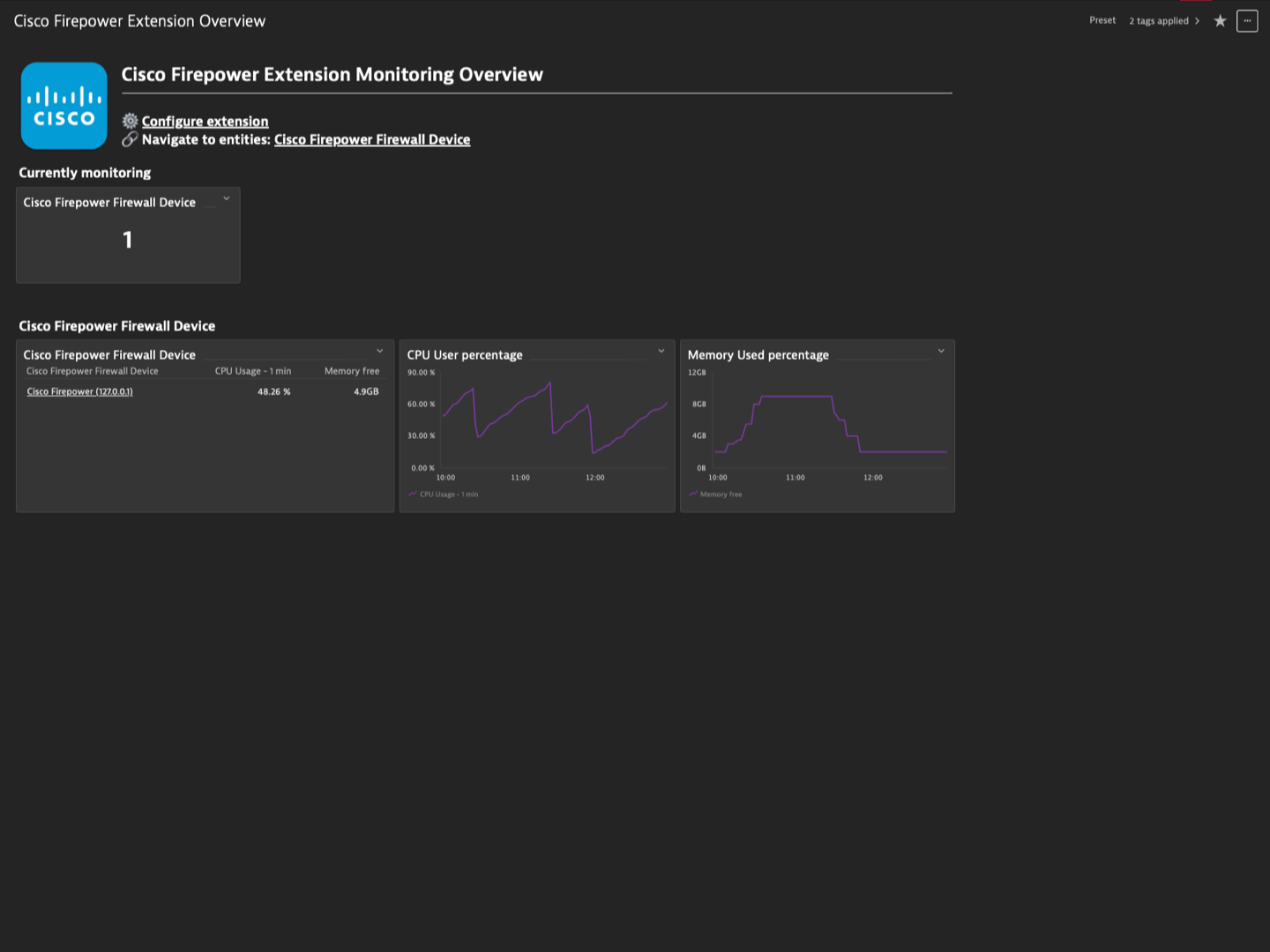
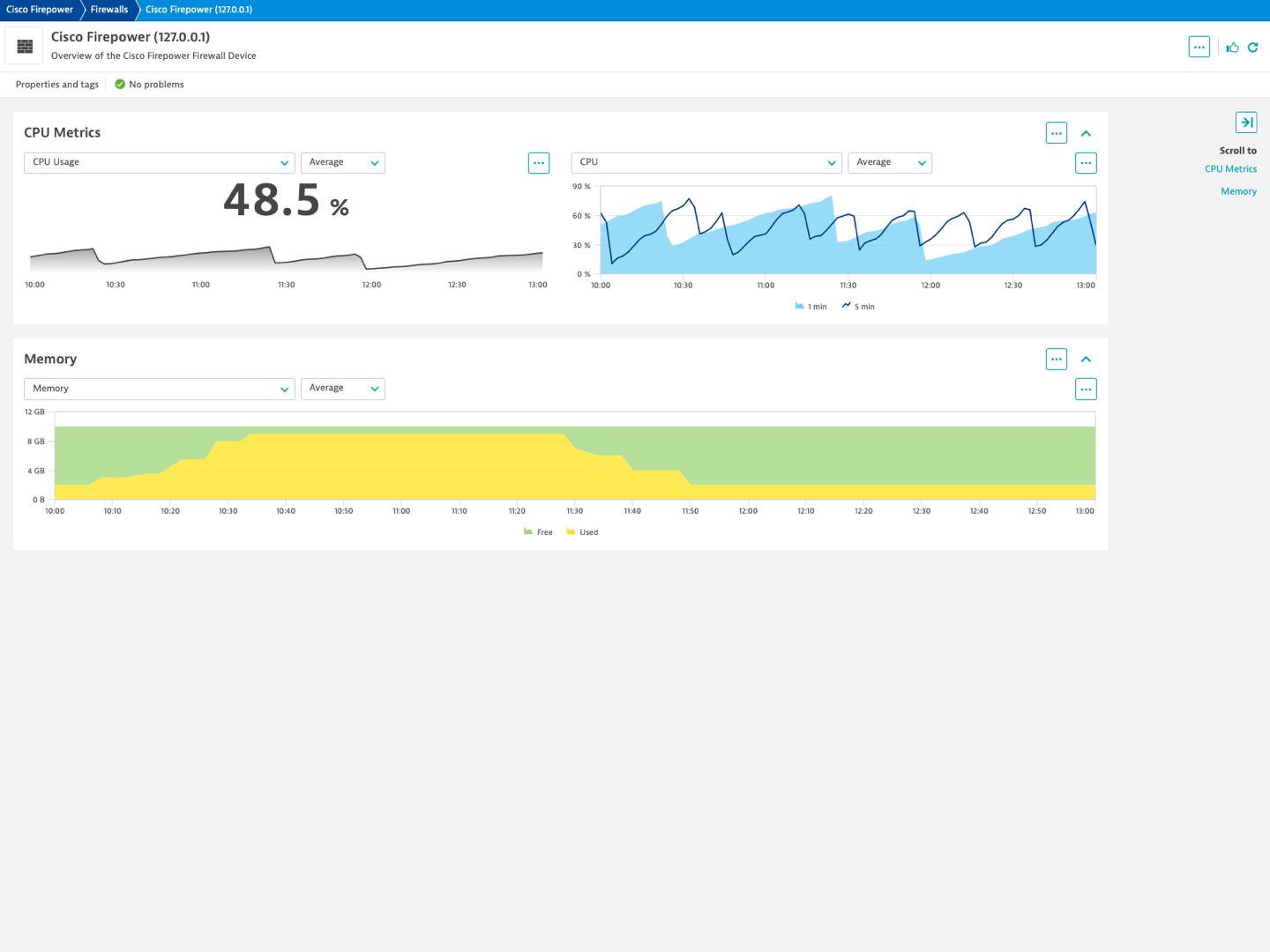
The Cisco Firepower extension uses SNMP to collect metrics from your Cisco Firepower devices. Metric data is collected each minute to track the performance and health of your Firepower devices. Dynatrace's Unified Analysis screens provide at-a-glance access and analysis for your Ops, DevOps and IT Admins.
For more information on the installation and configuration, please see Cisco Firepower extension in the Dynatrace Documentation.
Below is a complete list of the feature sets provided in this version. To ensure a good fit for your needs, individual feature sets can be activated and deactivated by your administrator during configuration.
| Metric name | Metric key | Description | Unit |
|---|---|---|---|
| - | com.dynatrace.extension.network_device.memory_used | - | - |
| - | com.dynatrace.extension.network_device.memory_free | - | - |
| - | com.dynatrace.extension.network_device.sysuptime | - | - |
| - | com.dynatrace.extension.network_device.cpu_usage | - | - |
| - | com.dynatrace.extension.network_device.if.bytes_in.count | - | - |
| - | com.dynatrace.extension.network_device.if.bytes_out.count | - | - |
| - | com.dynatrace.extension.network_device.if.in.errors.count | - | - |
| - | com.dynatrace.extension.network_device.if.in.discards.count | - | - |
| - | com.dynatrace.extension.network_device.if.out.errors.count | - | - |
| - | com.dynatrace.extension.network_device.if.out.discards.count | - | - |
| - | com.dynatrace.extension.network_device.if.status | - | - |
| Metric name | Metric key | Description | Unit |
|---|---|---|---|
| CRAS Active Sessions | snmp.cisco.firepower.asa.cras.num_sessions | The number of currently active sessions. A session is 'active' if it is ready to carry application traffic. | Count |
| Metric name | Metric key | Description | Unit |
|---|---|---|---|
| Fault severity | snmp.cisco.firepower.fault.severity | 0 => 'cleared', 1 => 'info', 2 => 'condition', 3 => 'warning', 4 => 'minor', 5 => 'major', 6 => 'critical' | State |
| Metric name | Metric key | Description | Unit |
|---|---|---|---|
| - | com.dynatrace.extension.network_device.if.in.multicast_pkts.count | - | - |
| - | com.dynatrace.extension.network_device.if.out.multicast_pkts.count | - | - |
| - | com.dynatrace.extension.network_device.if.in.broadcast_pkts.count | - | - |
| - | com.dynatrace.extension.network_device.if.out.broadcast_pkts.count | - | - |
| - | com.dynatrace.extension.network_device.if.in.ucast_pkts.count | - | - |
| - | com.dynatrace.extension.network_device.if.out.ucast_pkts.count | - | - |
| - | com.dynatrace.extension.network_device.if.lastchange | - | - |
| Metric name | Metric key | Description | Unit |
|---|---|---|---|
| HA Status | snmp.cisco.firepower.ha.status | This object contains the current HA status of the resource. | Count |
| Metric name | Metric key | Description | Unit |
|---|---|---|---|
| Declined connections | snmp.cisco.firepower.connections.cufwConnGlobalNumResDeclined | The number of connections which were attempted to be setup but which were declined due to non-availability of required resources. This value is accumulated from the last reboot of the firewall. | Count |
| Active connections | snmp.cisco.firepower.connections.cufwConnGlobalNumActive | The number of connections which are currently active. | Count |
| Connection rate (per 1 minute) | snmp.cisco.firepower.connections.cufwConnGlobalConnSetupRate1 | The averaged number of connections which the firewall establishing per second, averaged over the last 60 seconds. | Count |
| UDP connection rate (per 1 minute) | snmp.cisco.firepower.connections.cufwConnGlobalConnSetupRate1.udp | The averaged number of UDP connections which the firewall establishing per second, averaged over the last 60 seconds. | Count |
| TCP connection rate (per 1 minute) | snmp.cisco.firepower.connections.cufwConnGlobalConnSetupRate1.tcp | The averaged number of TCP connections which the firewall establishing per second, averaged over the last 60 seconds. | Count |
| Metric name | Metric key | Description | Unit |
|---|---|---|---|
| Total amount of memory in kB | snmp.cisco.firepower.cfprSmMonitorMemTotalKb | - | KiloByte |
| Total amount of used memory in kB | snmp.cisco.firepower.cfprSmMonitorMemUsedKb | - | KiloByte |
| Used memory pool | snmp.cisco.firepower.memory.cempMemPoolUsed | Indicates the number of bytes from the memory pool that are currently in use by applications on the physical entity. | Byte |
| Free memory pool | snmp.cisco.firepower.memory.cempMemPoolFree | Indicates the number of bytes from the memory pool that are currently not in use by applications on the physical entity. | Byte |
| Metric name | Metric key | Description | Unit |
|---|---|---|---|
| Interface speed | snmp.cisco.firepower.interface.ifHighSpeed | An estimate of the interface's current bandwidth in units of 1,000,000 bits per second. If this object reports a value of n' then the speed of the interface is somewhere in the range of n-500,000' to `n+499,999'. For interfaces which do not vary in bandwidth or for those where no accurate estimation can be made, this object should contain the nominal bandwidth. For a sub-layer which has no concept of bandwidth, this object should be zero. | MegaBitPerSecond |
| Octets received | snmp.cisco.firepower.interface.ifInOctets.count | The total number of octets received on the interface including framing characters | Count |
| Octets received (high capacity) | snmp.cisco.firepower.interface.ifHCInOctets.count | The total number of octets received on the interface including framing characters. This metric uses a 64-bit counter and should be used for highspeed devices. | Count |
| Octets transmitted | snmp.cisco.firepower.interface.ifOutOctets.count | The total number of octets transmitted out of the interface including framing characters | Count |
| Octets transmitted (high capacity) | snmp.cisco.firepower.interface.ifHCOutOctets.count | The total number of octets transmitted out of the interface including framing characters. This metric uses a 64-bit counter and should be used for highspeed devices. | Count |
| Inbound errors | snmp.cisco.firepower.interface.ifInErrors.count | Number of inbound packets/transmission units with errors | Count |
| Inbound discards | snmp.cisco.firepower.interface.ifInDiscards.count | Number of inbound packets discarded | Count |
| Outbound errors | snmp.cisco.firepower.interface.ifOutErrors.count | Number of outbound packets/transmission units with errors | Count |
| Outbound discards | snmp.cisco.firepower.interface.ifOutDiscards.count | Number of outbound packets discarded | Count |
| Metric name | Metric key | Description | Unit |
|---|---|---|---|
| CPU Usage - 1 min | snmp.cisco.firepower.cpu.total.1min | The overall CPU busy percentage in the last minute. | Percent |
| CPU Usage - 5 min | snmp.cisco.firepower.cpu.total.5min | The overall CPU busy percentage in the last 5 minute period. | Percent |
| Metric name | Metric key | Description | Unit |
|---|---|---|---|
| 1550 (Ethernet) blocks | snmp.cisco.firepower.blocks.ethernet | Used to store Ethernet packets for processing through the threat defense device | Count |
| 80 (TCP intercept) blocks | snmp.cisco.firepower.blocks.tcpintercept | Used in TCP intercept to generate acknowledgment packets and for failover hello messages | Count |
| Metric name | Metric key | Description | Unit |
|---|---|---|---|
| Memory used | snmp.cisco.firepower.memory.used | Indicates the number of bytes from the memory pool that are currently used on the physical entity. | Byte |
| Metric name | Metric key | Description | Unit |
|---|---|---|---|
| Total amount of disk space for the specified file system | snmp.cisco.firepower.disk.cfprSmDiskFileSystemTotalKb | - | KiloByte |
| Used disk space for the specified file system | snmp.cisco.firepower.disk.cfprSmDiskFileSystemUsedKb | - | KiloByte |
This version requires a minimum cluster version of 1.318.
Advanced interfaces feature set:
com.dynatrace.extension.network_device.if.in.multicast_pkts.countcom.dynatrace.extension.network_device.if.out.multicast_pkts.countcom.dynatrace.extension.network_device.if.in.broadcast_pkts.countcom.dynatrace.extension.network_device.if.out.broadcast_pkts.countcom.dynatrace.extension.network_device.if.in.ucast_pkts.countcom.dynatrace.extension.network_device.if.out.ucast_pkts.countcom.dynatrace.extension.network_device.if.lastchangesnmp.cisco.firepower.interface.ifHCInOctets.countsnmp.cisco.firepower.interface.ifHCOutOctets.countlegacy_memory feature set.snmp.cisco.asa.cras.num_sessions metricThis version requires a minimum cluster version of 1.314.0
Metrics in "default" feature set will always be enabled and cannot be disabled. These metrics are mandatory. Take extra caution configuring devices and interfaces for which you are collecting data. Make use of Interface filters to limit the number of interfaces, otherwise, all interfaces on the device will be collected by default.
In case you do not wish to collect interfaces on your device, enter $eq(!) in the "Interface Name" filter field on the Feature Sets screen during configuration.
These metrics introduced into the "default" feature set are per interface and cannot be disabled but can be filtered.
dt.security_context to entitiessnmp.cisco.asa.cras.num_sessions metric and related UA chartInitial release

