























Kick-start your app creation
Whether you’re a beginner or a pro, Dynatrace Developer has the tools and support you need to create incredible apps with minimal effort.
Go to Dynatrace Developer
 Check Point Firewall
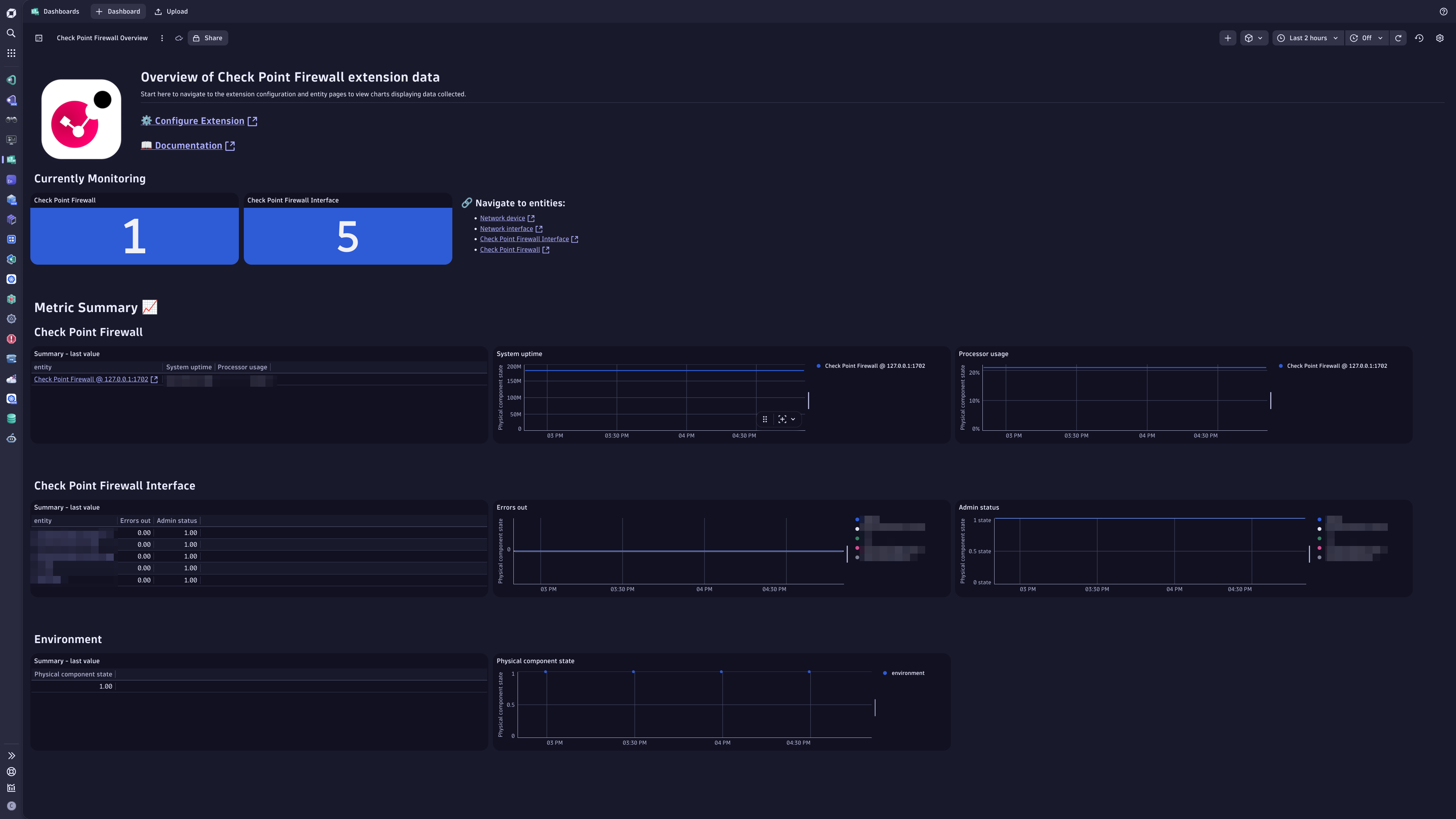
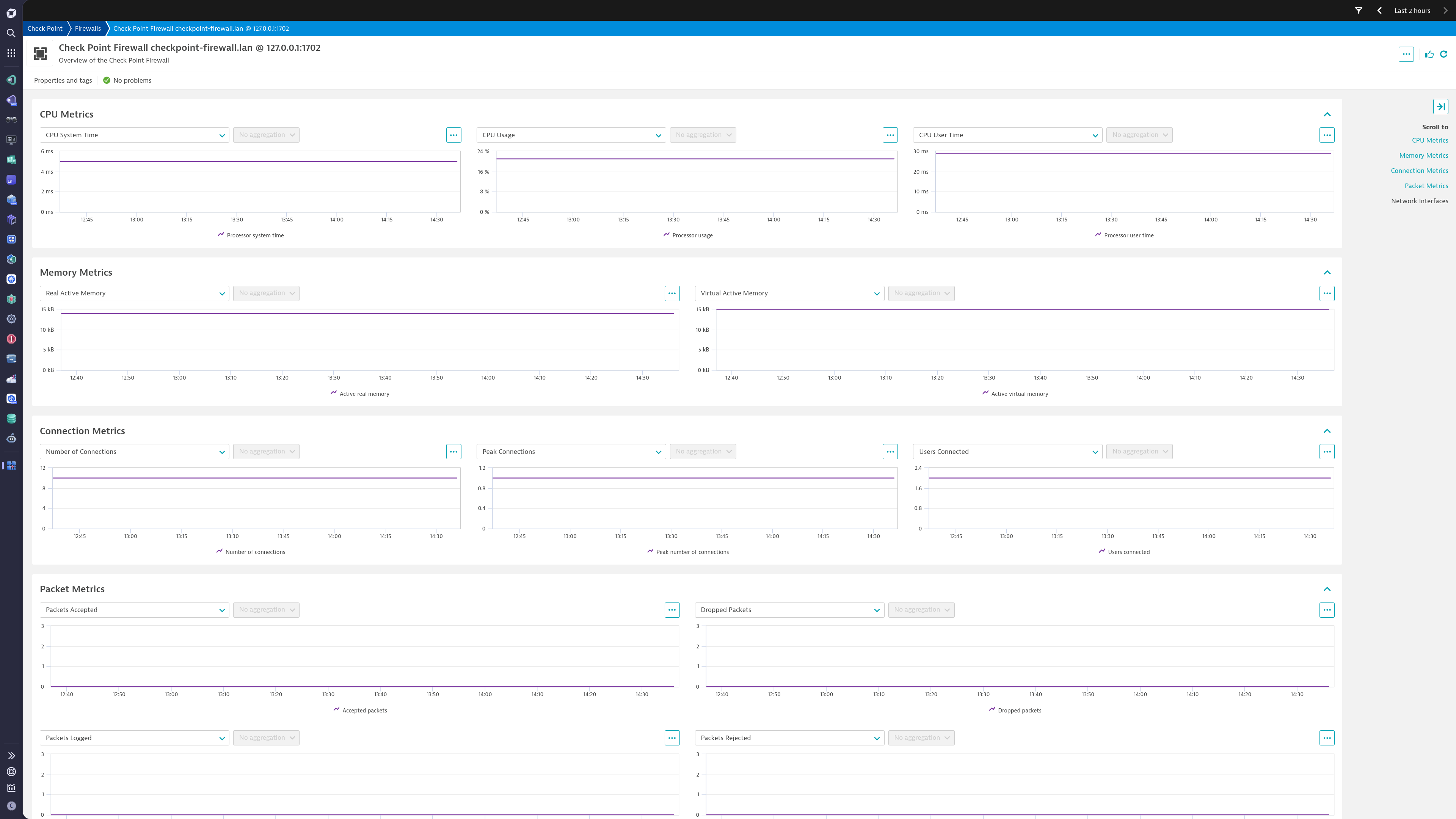
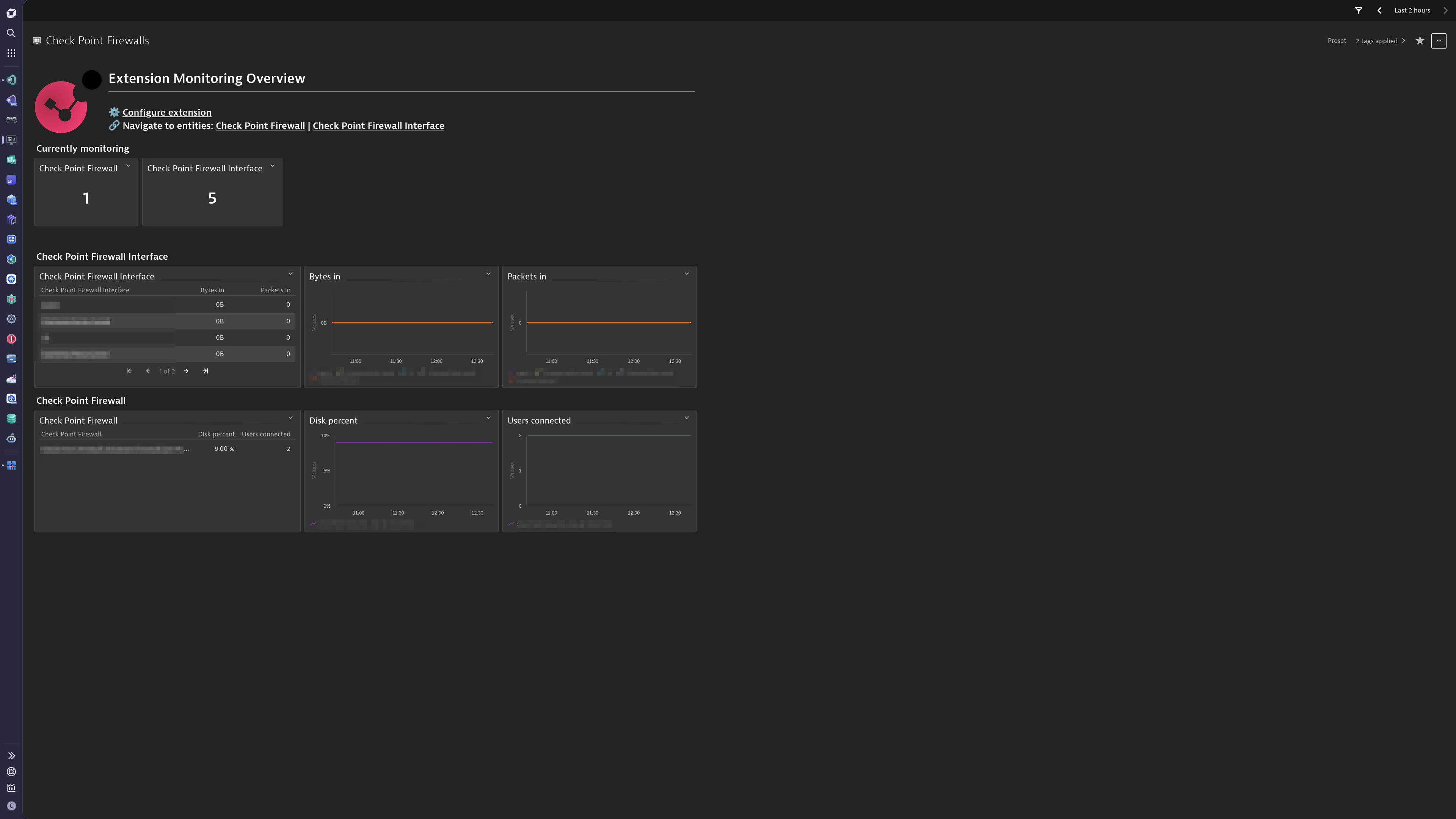
Gain insights into the performance of your Check Point Firewall devices.
ExtensionThis extension leverages the SNMP protocol to provide a complete solution to monitor Check Point Firewall Devices. The complete configuration is provided out-of-the-box.
For more information on the installation and configuration, please see Check Point Firewall extension in the Dynatrace Documentation.
Below is a complete list of the feature sets provided in this version. To ensure a good fit for your needs, individual feature sets can be activated and deactivated by your administrator during configuration.
| Metric name | Metric key | Description | Unit |
|---|---|---|---|
| - | com.dynatrace.extension.network_device.sysuptime | - | - |
| - | com.dynatrace.extension.network_device.cpu_usage | - | - |
| - | com.dynatrace.extension.network_device.memory_used | - | - |
| - | com.dynatrace.extension.network_device.memory_free | - | - |
| - | com.dynatrace.extension.network_device.if.bytes_in.count | - | - |
| - | com.dynatrace.extension.network_device.if.bytes_out.count | - | - |
| - | com.dynatrace.extension.network_device.if.status | - | - |
| - | com.dynatrace.extension.network_device.if.in.errors.count | - | - |
| - | com.dynatrace.extension.network_device.if.in.discards.count | - | - |
| - | com.dynatrace.extension.network_device.if.out.errors.count | - | - |
| - | com.dynatrace.extension.network_device.if.out.discards.count | - | - |
| Metric name | Metric key | Description | Unit |
|---|---|---|---|
| Physical component state | checkpoint.firewall.component.state | A state metric representing the details of physical components. This is used to collect details about the device stack. Value is always 1; use the dimensions to view details. | NotApplicable |
| Metric name | Metric key | Description | Unit |
|---|---|---|---|
| Device entity attributes | checkpoint.firewall.entity_attributes | Constant value of 1 used for reporting entity attributes at a lower frequency | Unspecified |
| Metric name | Metric key | Description | Unit |
|---|---|---|---|
| - | com.dynatrace.extension.network_device.if.in.multicast_pkts.count | - | - |
| - | com.dynatrace.extension.network_device.if.out.multicast_pkts.count | - | - |
| - | com.dynatrace.extension.network_device.if.in.broadcast_pkts.count | - | - |
| - | com.dynatrace.extension.network_device.if.out.broadcast_pkts.count | - | - |
| - | com.dynatrace.extension.network_device.if.in.ucast_pkts.count | - | - |
| - | com.dynatrace.extension.network_device.if.out.ucast_pkts.count | - | - |
| - | com.dynatrace.extension.network_device.if.lastchange | - | - |
| - | com.dynatrace.extension.network_device.if.in.crc_errors.count | - | - |
| Metric name | Metric key | Description | Unit |
|---|---|---|---|
| Disk percent | checkpoint.firewall.disk.percent | Percent of free space | Percent |
| Users connected | checkpoint.firewall.users.connected | Number of connected users | Count |
| Accepted packets | checkpoint.firewall.packets.accepted.count | Accepted packets | Count |
| Dropped packets | checkpoint.firewall.packets.dropped.count | Dropped packets | Count |
| Logged packets | checkpoint.firewall.packets.logged.count | Logged packets | Count |
| Rejected packets | checkpoint.firewall.packets.rejected.count | Rejected packets | Count |
| Number of connections | checkpoint.firewall.connections | Number of connections | Count |
| Peak number of connections | checkpoint.firewall.connections.peak | Peak number of connections | Count |
| Active real memory | checkpoint.firewall.memory.active.real | Active real memory | Byte |
| Active virtual memory | checkpoint.firewall.memory.active.virtual | Active virtual memory | Byte |
| Free real memory | checkpoint.firewall.memory.free.real | Free real memory | Byte |
| Processor system time | checkpoint.firewall.cpu.time.system | Processor system time | MilliSecond |
| Processor usage | checkpoint.firewall.cpu.usage | Processor usage | Percent |
| Processor user time | checkpoint.firewall.cpu.time.user | Processor user time | MilliSecond |
| System uptime | checkpoint.firewall.sysuptime | The system up time since boot, in system ticks (hundredths of a second) | Count |
| Metric name | Metric key | Description | Unit |
|---|---|---|---|
| Bytes in | checkpoint.firewall.if.bytes.in.count | Number of octets received on the interface | Byte |
| Packets in | checkpoint.firewall.if.packets.in.count | Number of packets received on the interface | Count |
| Bytes out | checkpoint.firewall.if.bytes.out.count | Number of octets sent on the interface | Byte |
| Packets out | checkpoint.firewall.if.packets.out.count | Number of packets sent on the interface | Count |
| Errors in | checkpoint.firewall.if.errors.in.count | Number of packets with errors received on the interface | Count |
| Errors out | checkpoint.firewall.if.errors.out.count | Number of packets with errors sent on the interface | Count |
| Oper status | checkpoint.firewall.if.status.oper | Current operational state | State |
| Admin status | checkpoint.firewall.if.status.admin | Desired state of interface | State |
| Speed | checkpoint.firewall.if.speed | Estimate of interface's current bandwidth | BitPerSecond |
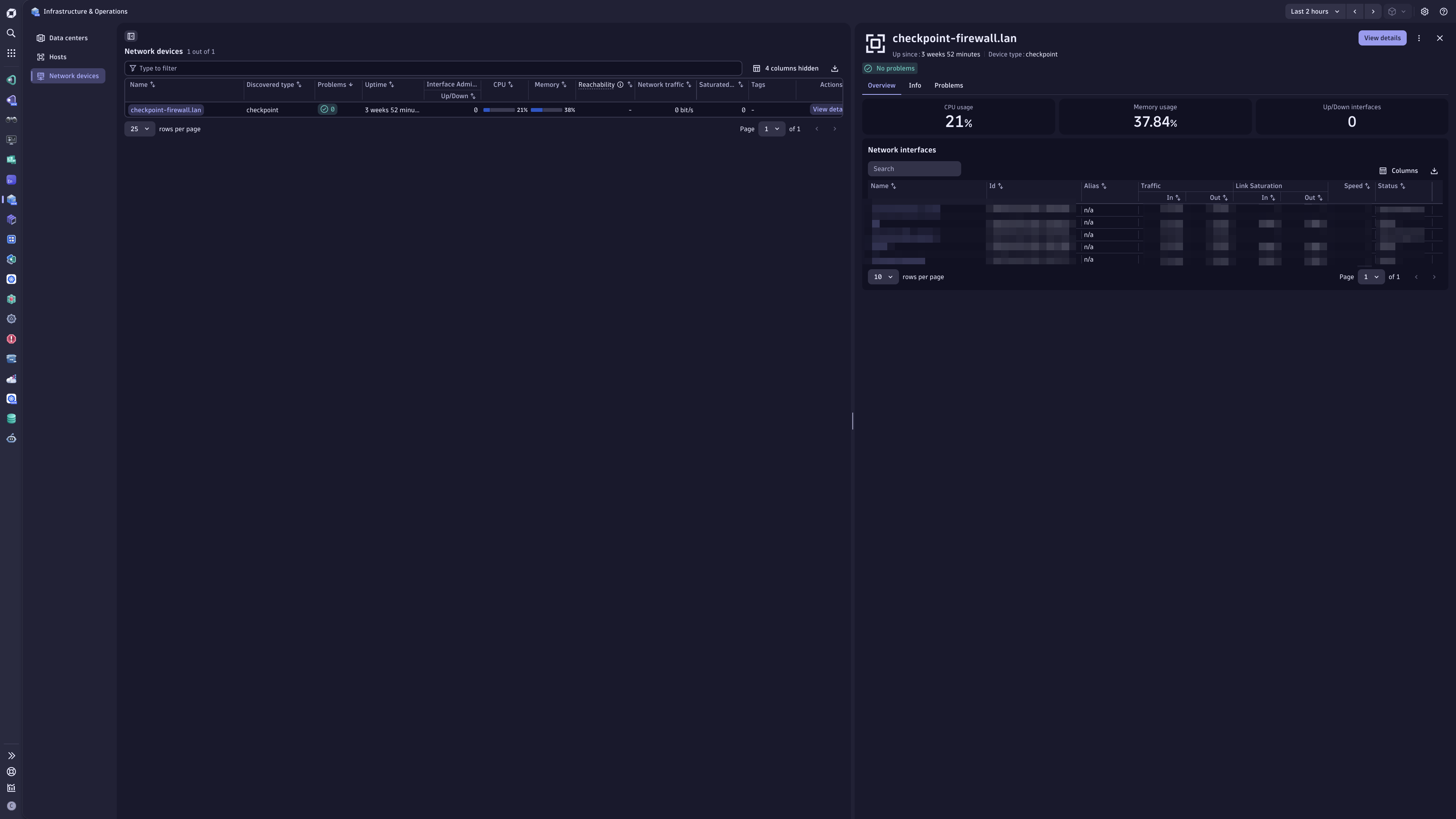
Network devices section in the I&O app.sys.name and mac.address dimensions are required on all network metrics and filtered for empty values. This caused unnecessary stress on topology engine.
Updated source rule for checkpoint:firewall to use checkpoint.firewall.entity_attributes for consistent entity naming.
Advanced interfaces feature set:
com.dynatrace.extension.network_device.if.in.multicast_pkts.countcom.dynatrace.extension.network_device.if.out.multicast_pkts.countcom.dynatrace.extension.network_device.if.in.broadcast_pkts.countcom.dynatrace.extension.network_device.if.out.broadcast_pkts.countcom.dynatrace.extension.network_device.if.in.ucast_pkts.countcom.dynatrace.extension.network_device.if.out.ucast_pkts.countcom.dynatrace.extension.network_device.if.lastchangecom.dynatrace.extension.network_device.if.in.errors.countcom.dynatrace.extension.network_device.if.in.discards.countcom.dynatrace.extension.network_device.if.out.errors.countcom.dynatrace.extension.network_device.if.out.discards.countcheckpoint.firewall.entity_attributes to a new Entity attributes feature set.checkpoint.firewall.component.state to a new Stack info feature set.Make sure to toggle these new feature sets on in your configurations if you are using those metrics and properties, as they are no longer captured by default.
⚠️ Note:
New in this version:
Improved in this version:
checkpoint.firewall.memory.active.real and checkpoint.firewall.memory.active.virtual metric values with 64-bit OID alternatives.
com.dynatrace.extension.network_device.memory_used and com.dynatrace.extension.network_device.memory_freenow use 64-bit OIDs as well.New in this version:
checkpoint.firewall.memory.free.real).Improved in this version:
if.name dimension across the Generic Network Interface and Check Point Interface metrics.New in this version
Improved in this version
Metrics in "default" feature set will always be enabled and cannot be disabled. These metrics are mandatory. Take extra caution configuring devices and interfaces for which you are collecting data. Make use of Interface filters to limit the number of interfaces, otherwise, all interfaces on the device will be collected by default.
In case you do not wish to collect interfaces on your device, enter $eq(!) in the "Interface Name" filter field on the Feature Sets screen during configuration.

