




























Kick-start your app creation
Whether you’re a beginner or a pro, Dynatrace Developer has the tools and support you need to create incredible apps with minimal effort.
Go to Dynatrace Developer
 Microsoft IIS
Flexible and secure web server for hosting with Windows Server.
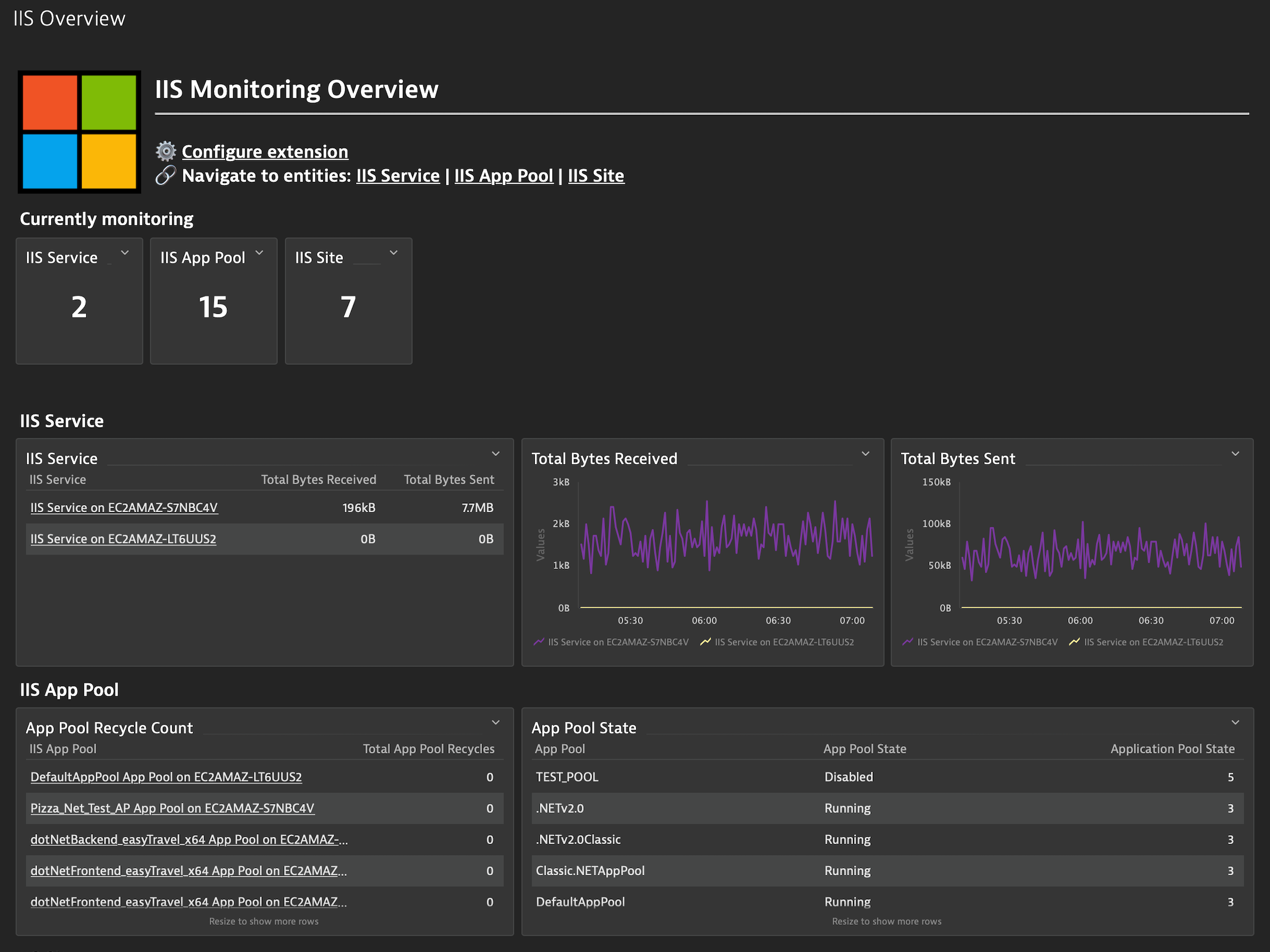
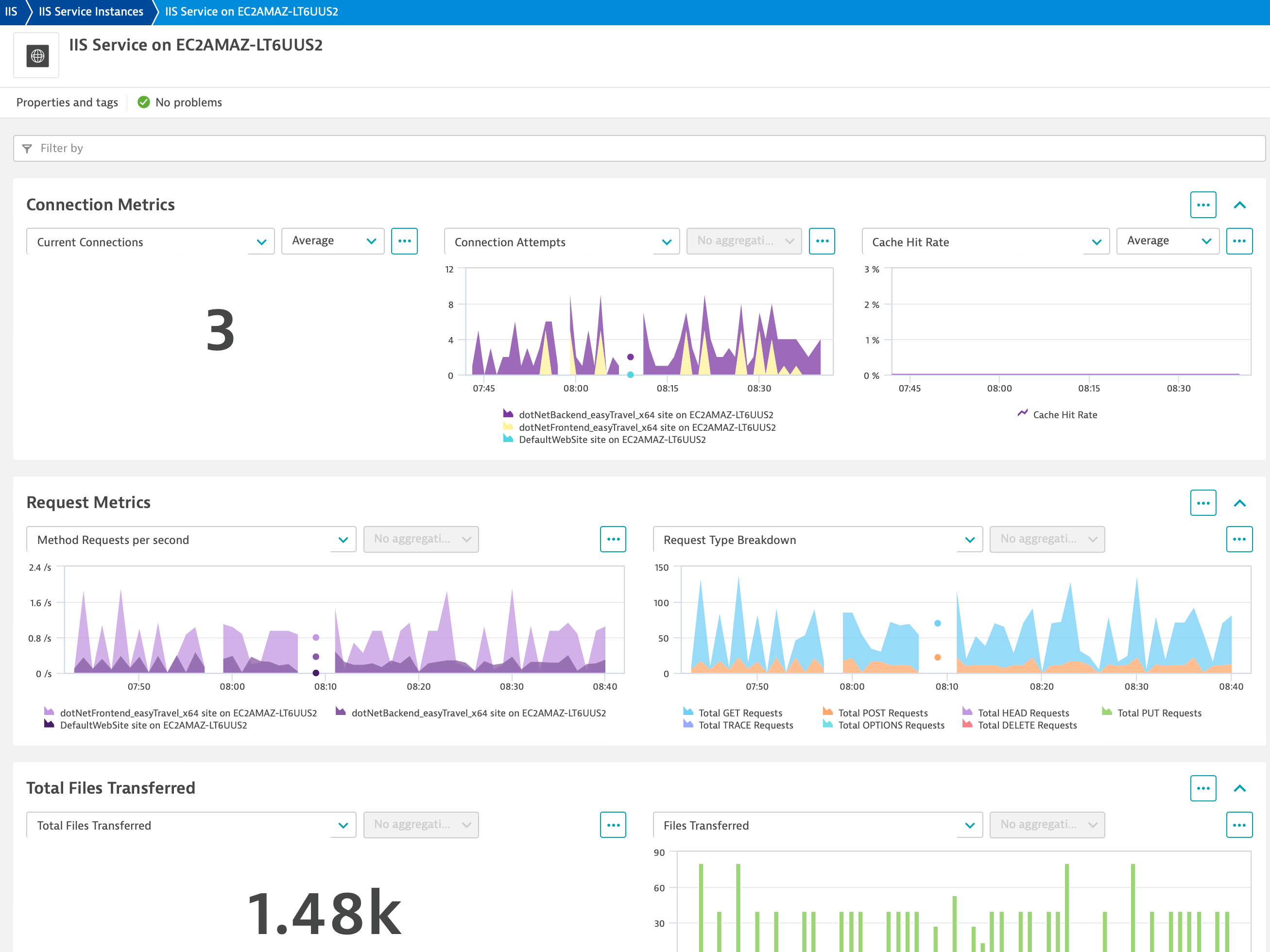
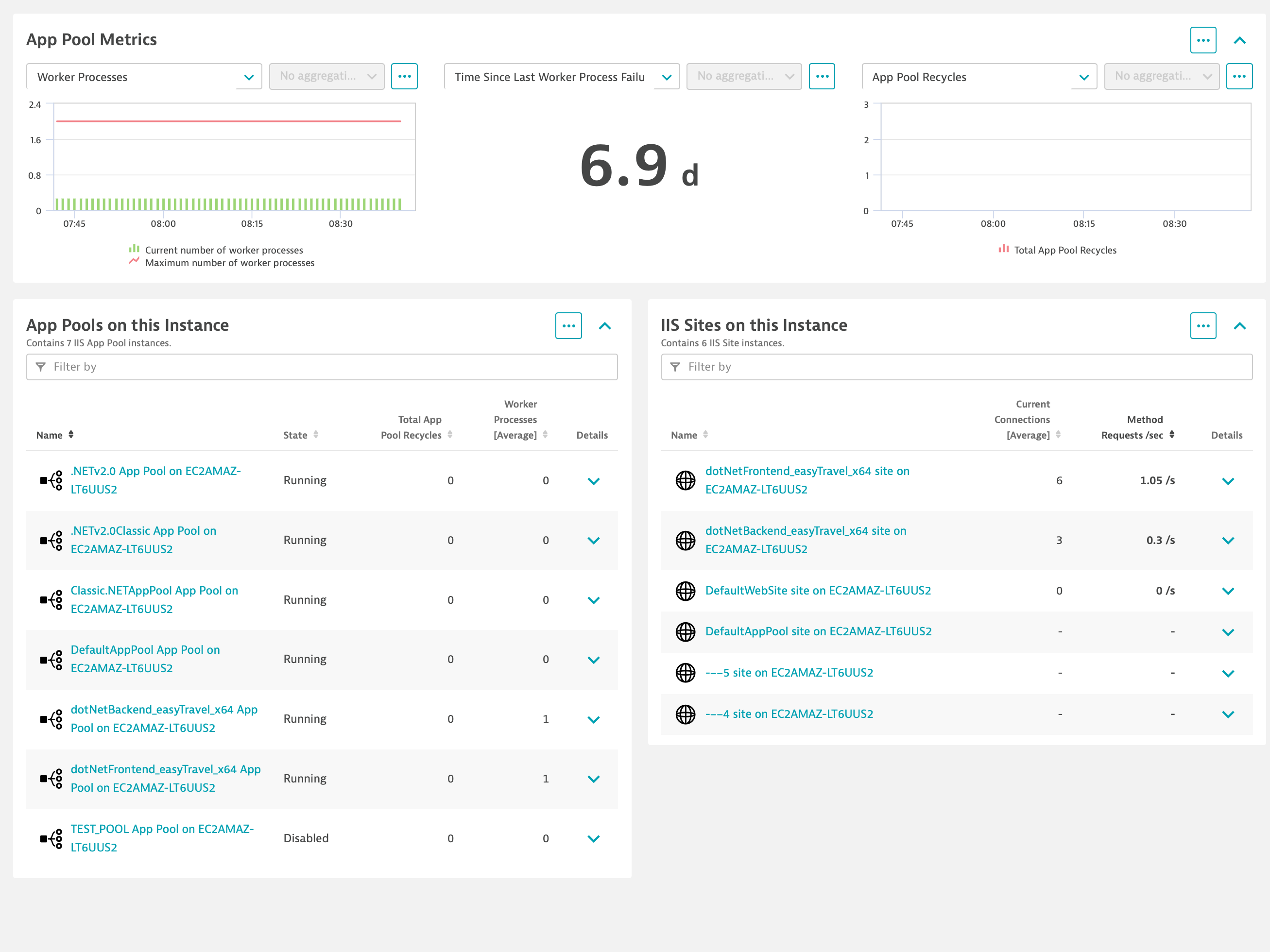
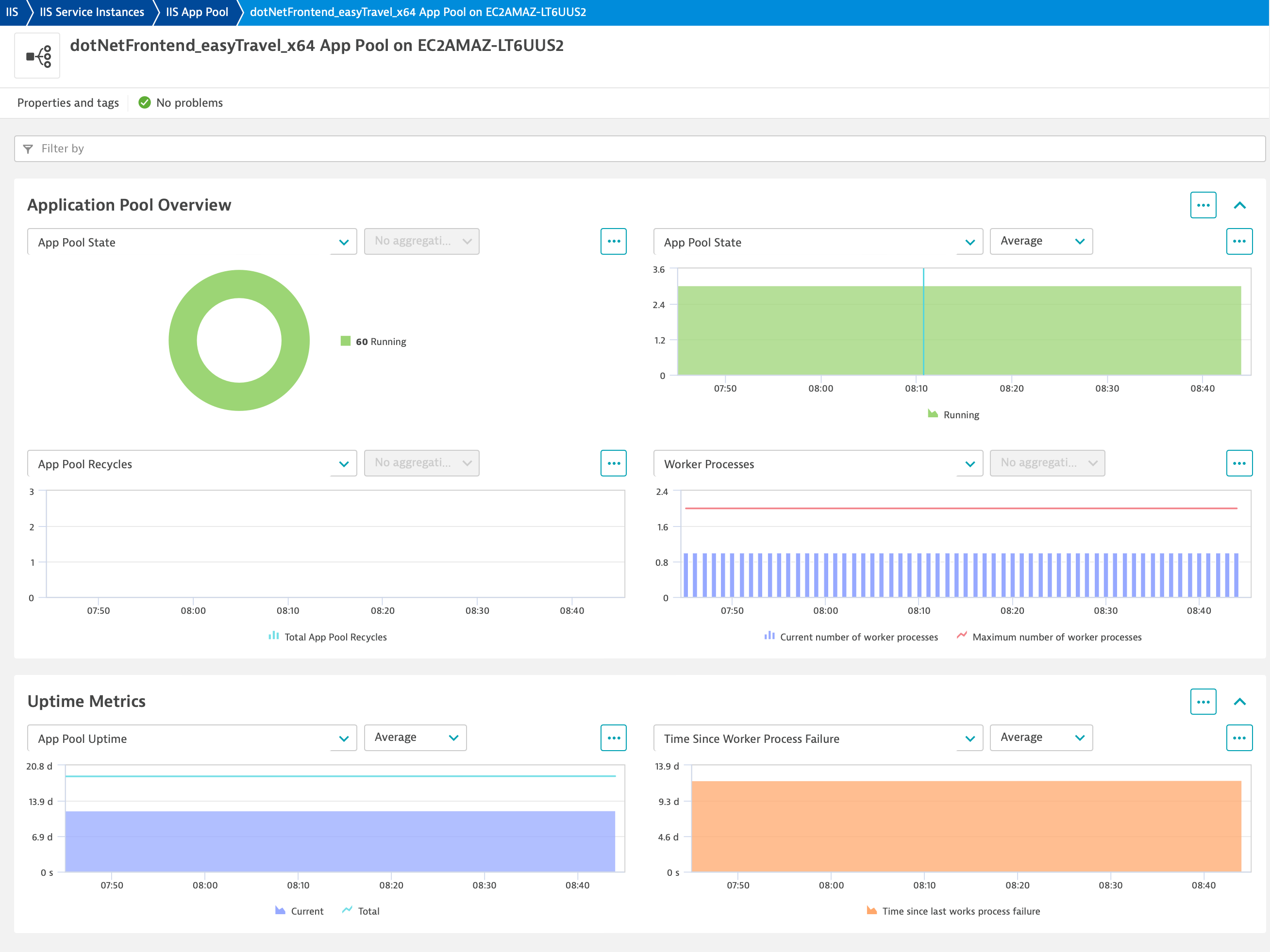
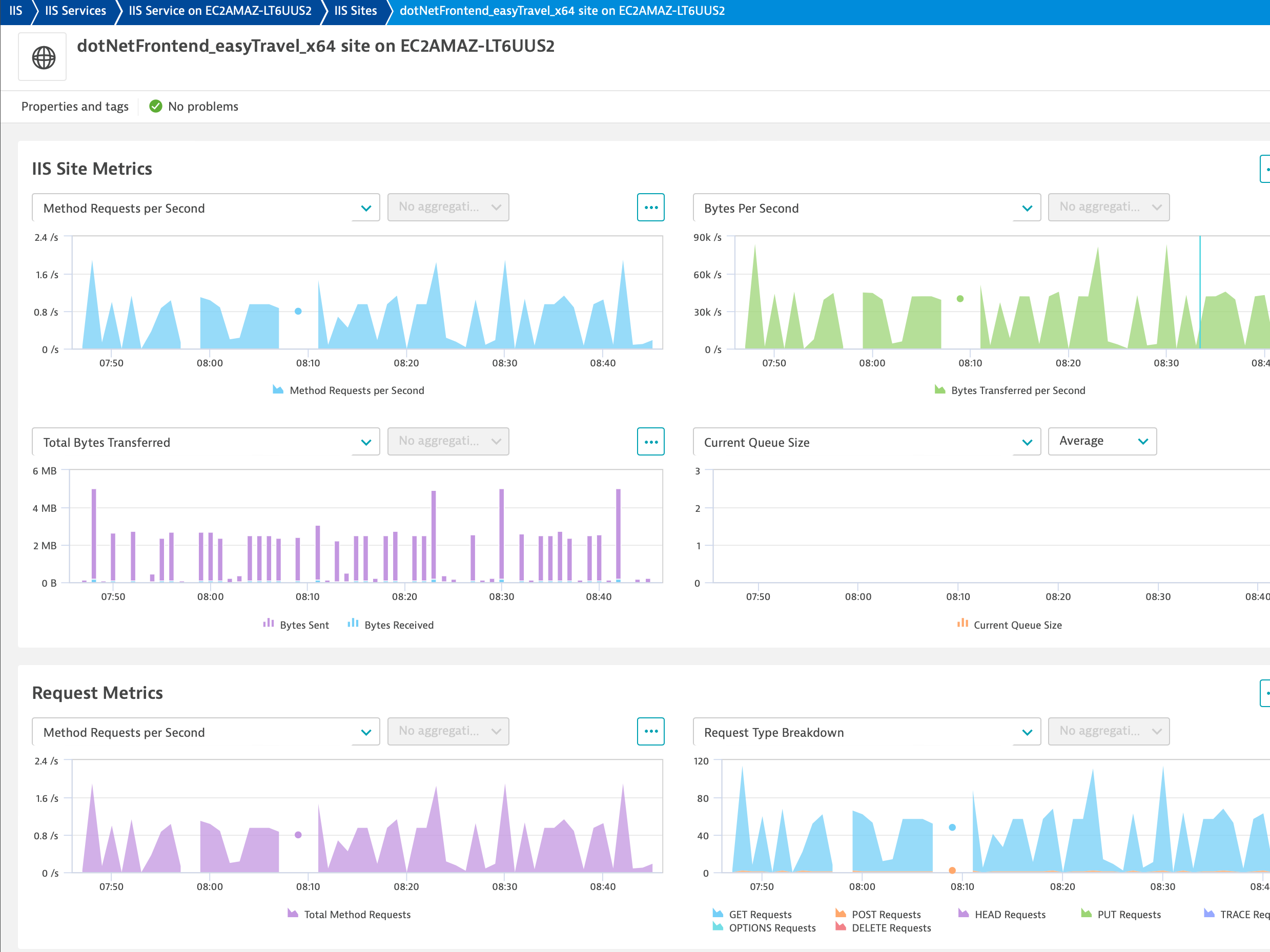
ExtensionWith Dynatrace you will get observability for IIS without touching any code through auto-instrumentation.
More information is available here.
For more information on the installation and configuration, please see Microsoft IIS extension in the Dynatrace Documentation.
Below is a complete list of the feature sets provided in this version. To ensure a good fit for your needs, individual feature sets can be activated and deactivated by your administrator during configuration.
| Metric name | Metric key | Description | Unit |
|---|---|---|---|
| Total Bytes Sent | iis.total.bytes.sent.count | The number of data bytes that have been sent by the Web service (since service startup). | Byte |
| Total Bytes Received | iis.total.bytes.received.count | The number of data bytes that have been receivPed by the Web service (since service startup). | Byte |
| Total Bytes Transferred | iis.total.bytes.transferred.count | Total bytes either received or sent by the Web service (since service startup). | Byte |
| Total GET Requests | iis.total.get.requests.count | The number of HTTP requests using the GET method (since service startup). Get requests are the most common HTTP request. | Count |
| Total POST Requests | iis.total.post.requests.count | The number of HTTP requests using the POST method (since service startup). | Count |
| Total Method Requests | iis.total.method.requests.count | The number of all HTTP requests (since service startup). | Count |
| Total Method Requests per Second | iis.method.requests.persec | The rate HTTP requests are received. | PerSecond |
| Current Connections | iis.current.connections.gauge | Current Connections is the current number of connections established with the Web service. | Count |
| Service Uptime | iis.service.uptime | The length of time the Web Service has been running. | Second |
| Total Files Received | iis.total.files.received.count | The total number of files received by the Web service (since service startup). | Count |
| Total Files Sent | iis.total.files.sent.count | The total number of files sent by the Web service (since service startup). | Count |
| Total Connection Attempts (All instances) | iis.total.connectionAttempts.allInstances.count | Total Connection Attempts is the number of connections that have been attempted using the Web service (since service startup). This counter is for all instances listed. | Count |
| Total App Pool Uptime | iis.total.applicationPool.uptime | The length of time, in seconds, that the application pool has been running since Windows Process Activation Service (WAS) started. | Second |
| Current number of worker processes | iis.current.workerProcesses | The current number of worker processes that are running in the application pool. | Count |
| Maximum number of worker processes | iis.maximum.workerProcesses | The maximum number of worker processes that have been created for the application pool since Windows Process Activation Service (WAS) started. | Count |
| Total App Pool Recycles | iis.total.applicationPool.recycles.count | The number of times that the application pool has been recycled since Windows Process Activation Service (WAS) started. | Count |
| Current Application Pool Uptime | iis.current.applicationPool.uptime | The length of time, in seconds, that the application pool has been running since it was started. | Second |
| Time Since Last Worker Process Failure | iis.timeSinceLast.workerProcess.failure | The length of time, in seconds, since the last worker process failure occurred for the application pool. | Second |
| Recent Worker Process Failures | iis.APPPOOLWAS.RecentWorkerProcessFailures | The number of times that worker processes for the application pool failed during the rapid-fail protection interval. | Count |
| Total Worker Process Failures | iis.APPPOOLWAS.TotalWorkerProcessFailures | The number of times that worker processes have crashed since the application pool was started. | Count |
| Total Worker Process Ping Failures | iis.APPPOOLWAS.TotalWorkerProcessPingFailures | The number of times that Windows Process Activation Service (WAS) did not receive a response to ping messages sent to a worker process. | Count |
| Total Worker Process Shutdown Failures | iis.APPPOOLWAS.TotalWorkerProcessShutdownFailures | The number of times that Windows Process Activation Service (WAS) failed to shut down a worker process. | Count |
| Total Worker Process Startup Failures | iis.APPPOOLWAS.TotalWorkerProcessStartupFailures | The number of times that Windows Process Activation Service (WAS) failed to start a worker process. | Count |
| Cache Hit Rate | iis.cache.hitRate | Rate of cache hits for the queue | Percent |
| Current Queue Size | iis.current.queue.size | Number of requests in the queue | Count |
| Arrival rate | iis.HTTPServiceRequestQueues.ArrivalRate | Rate at which requests are arriving in the queue | PerSecond |
| Max age of requests in queue | iis.HTTPServiceRequestQueues.MaxQueueItemAge | Age of the oldest request in the queue | Second |
| Rejected requests | iis.HTTPServiceRequestQueues.RejectedRequests | Total number of requests rejected from the queue | Count |
| Rejected request rate | iis.HTTPServiceRequestQueues.RejectionRate | Rate at which requests are rejected from the queue | PerSecond |
| Application Pool State | iis.current.applicationPool.state | State metric for Application Pools. State is expressed in the 'App Pool' dimension. (1 - Uninitialized, 2 - Initialized, 3 - Running, 4 - Disabling, 5 - Disabled, 6 - Shutdown Pending, 7 - Delete Pending). | Unspecified |
| Metric name | Metric key | Description | Unit |
|---|---|---|---|
| Byte total per second | iis.W3SVC_WebService.BytesTotalPersec | Bytes Total/sec is the sum of Bytes Sent/sec and Bytes Received/sec. This is the total rate of bytes transferred by the Web service. | Byte |
| Connection attempts per second | iis.W3SVC_WebService.ConnectionAttemptsPersec | The rate that connections to the Web service are being attempted. | PerSecond |
| Current anonymous users | iis.W3SVC_WebService.CurrentAnonymousUsers | The number of users who currently have an anonymous connection using the Web service. | Count |
| Current Connections | iis.current.connections.gauge | Current Connections is the current number of connections established with the Web service. | Count |
| Current non-anonymous users | iis.W3SVC_WebService.CurrentNonAnonymousUsers | The number of users who currently have a non-anonymous connection using the Web service. | Count |
| Metric name | Metric key | Description | Unit |
|---|---|---|---|
| Active listener channels | iis.WASW3WP.ActiveListenerChannels | Number of currently active listener channels in the worker process. | Count |
| Active protocol handlers | iis.WASW3WP.ActiveProtocolHandlers | Number of currently active protocol handlers in the worker process. | Count |
| Health ping reply latency | iis.WASW3WP.HealthPingReplyLatency | Time, in 100 nanosecond increments, taken by worker process to reply to last health ping. | NanoSecond |
| Metric name | Metric key | Description | Unit |
|---|---|---|---|
| Active requests | iis.W3SVCW3WP.ActiveRequests | Current number of requests being processed by the worker process. | Count |
| Active thread count | iis.W3SVCW3WP.ActiveThreadsCount | Number of threads actively processing requests in the worker process. | Count |
| Current file cache memory usage | iis.W3SVCW3WP.CurrentFileCacheMemoryUsage | Current number of bytes used by user-mode file cache. | Byte |
| Current files cached | iis.W3SVCW3WP.CurrentFilesCached | Current number of files whose contents are present in user-mode cache. | Count |
| Current metadata cached | iis.W3SVCW3WP.CurrentMetadataCached | Number of metadata information blocks currently present in user-mode cache. | Count |
| Current URIs cached | iis.W3SVCW3WP.CurrentURIsCached | URI information blocks currently in the user-mode cache. | Count |
| File cache misses per second | iis.W3SVCW3WP.FileCacheMissesPersec | Rate of unsuccessful lookups in file cache during last sample interval. | PerSecond |
| Maximum thread count | iis.W3SVCW3WP.MaximumThreadsCount | Maximum number of threads to which the thread pool can grow as needed. | Count |
| Metadata cache misses per second | iis.W3SVCW3WP.MetadataCacheMissesPersec | Rate of unsuccessful lookups in metadata cache during last sample interval. | PerSecond |
| Output cache current memory usage | iis.W3SVCW3WP.OutputCacheCurrentMemoryUsage | Current number of bytes used by output cache. | Byte |
| Output cache misses per second | iis.W3SVCW3WP.OutputCacheMissesPersec | Rate of unsuccessful lookups in output cache during last sample interval. | PerSecond |
| Requests per second | iis.W3SVCW3WP.RequestsPerSec | HTTP requests/sec being processed by the worker process. | PerSecond |
| Total threads | iis.W3SVCW3WP.TotalThreads | Total number of threads available to process requests in the worker process. | Count |
| Metric name | Metric key | Description | Unit |
|---|---|---|---|
| File cache hits | iis.W3SVC_WebServiceCache.FileCacheHits.count | Total number of successful lookups in the user-mode file cache (since service startup). | Count |
| Kernel URI cache hits | iis.W3SVC_WebServiceCache.KernelURICacheHits.count | Total number of successful lookups in the kernel URI cache (since service startup). | Count |
| Output cache current hits percent | iis.W3SVC_WebServiceCache.OutputCacheCurrentHitsPercent | Output Cache current hit ratio. Calculated as (H)/(H+M) where H and M represent Hits and Misses in previous sample interval respectively. | Percent |
| Metric name | Metric key | Description | Unit |
|---|---|---|---|
| Total HEAD Requests | iis.total.head.requests.count | The number of HTTP requests using the HEAD method (since service startup). Head requests generally indicate a client is querying the state of a document they already have to see if it needs to be refreshed. | Count |
| Total PUT Requests | iis.total.put.requests.count | The number of HTTP requests using the PUT method (since service startup). | Count |
| Total DELETE Requests | iis.total.delete.requests.count | The number of HTTP requests using the DELETE method (since service startup). Delete requests are generally used for file removals. | Count |
| Total OPTIONS Requests | iis.total.options.requests.count | The number of HTTP requests using the OPTIONS method (since service startup). | Count |
| Total TRACE Requests | iis.total.trace.requests.count | The number of HTTP requests using the TRACE method (since service startup). Trace requests allow the client to see what is being received at the end of the request chain and use the information for diagnostic purposes. | Count |
| Metric name | Metric key | Description | Unit |
|---|---|---|---|
| All requests | iis.HTTPServiceUrlGroups.AllRequests.count | Total number of HTTP requests made for this site | Count |
| Bytes received rate | iis.HTTPServiceUrlGroups.BytesReceivedRate | Rate of received data by HTTP service for this site | PerSecond |
| Bytes sent rate | iis.HTTPServiceUrlGroups.BytesSentRate | Rate of sending data by HTTP service for this site | PerSecond |
| Bytes transferred rate | iis.HTTPServiceUrlGroups.BytesTransferredRate | Rate of total bytes transferred (sent and received) by HTTP service for this site | PerSecond |
| Connection attempts rate | iis.HTTPServiceUrlGroups.ConnectionAttempts | Rate at which connection attempts are being made for this site | PerSecond |
| Current connections | iis.HTTPServiceUrlGroups.CurrentConnections | Number of current connections established for this site | Count |
| GET requests per second | iis.HTTPServiceUrlGroups.GetRequests | Rate at which GET method requests are made for this site | PerSecond |
| HEAD requests per second | iis.HTTPServiceUrlGroups.HeadRequests | Rate at which HEAD method requests are made for this site | PerSecond |
| Max connections | iis.HTTPServiceUrlGroups.MaxConnections | Maximum number of concurrent connections established for this site | Count |
This version raises the minimum cluster version to 1.323.
requiredDimensions to topology.Note this version requires OneAgent v313 or higher
Changes:
dt.security_context added to entitiesv1.1.1

