























Kick-start your app creation
Whether you’re a beginner or a pro, Dynatrace Developer has the tools and support you need to create incredible apps with minimal effort.
Go to Dynatrace Developer
 MongoDB (local or remote monitoring)
Monitor your MongoDB servers either locally or remotely!
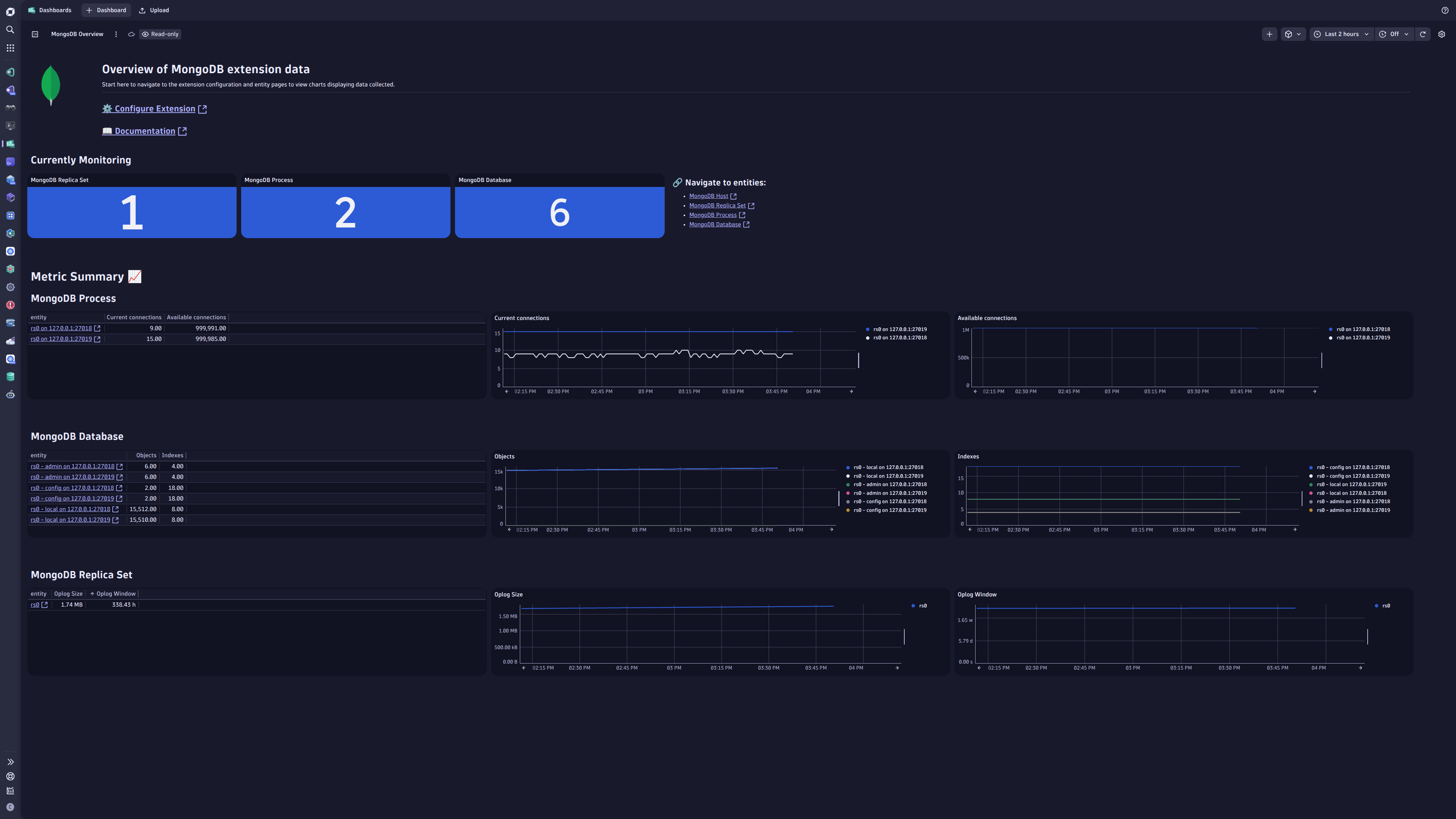
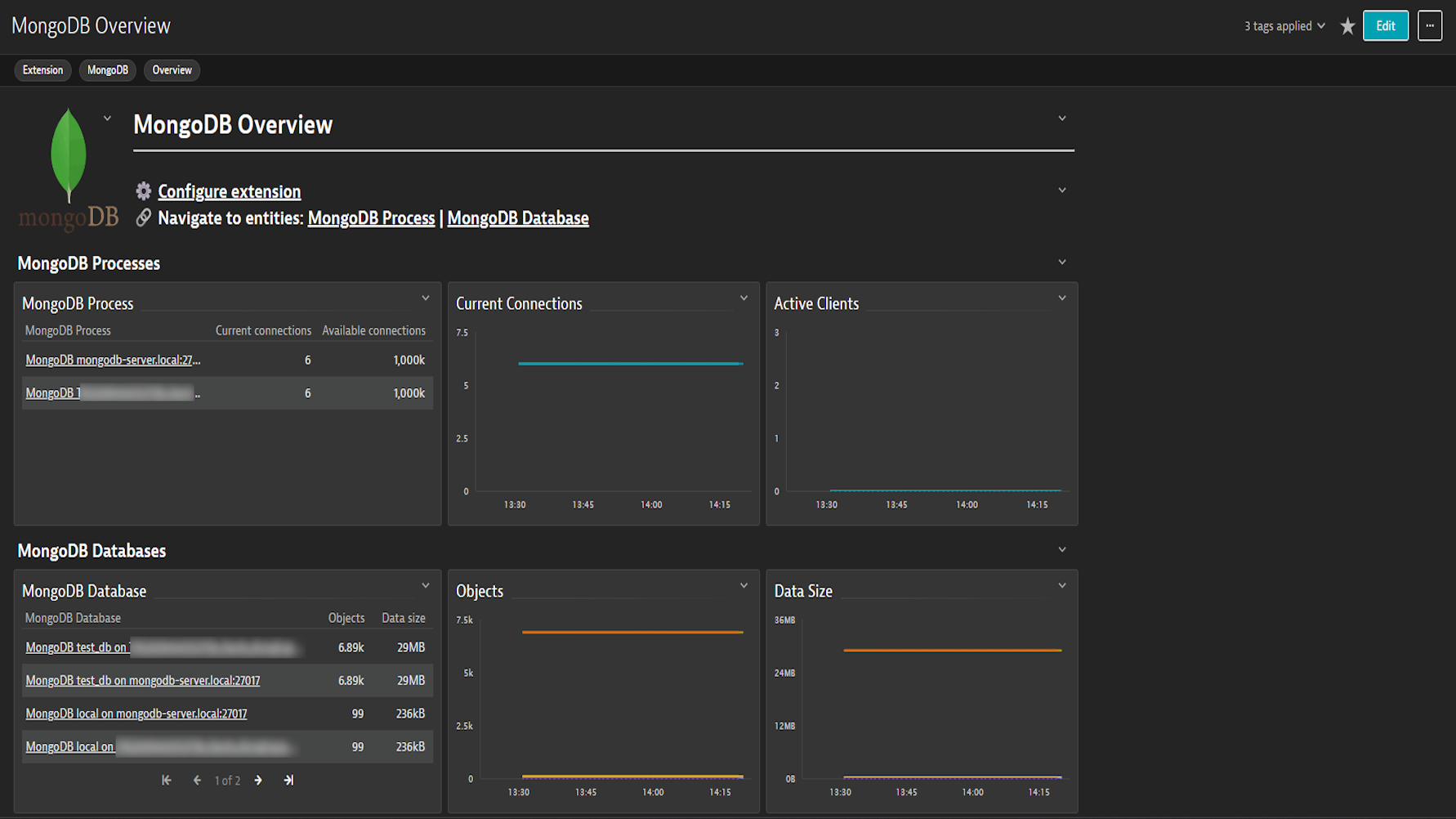
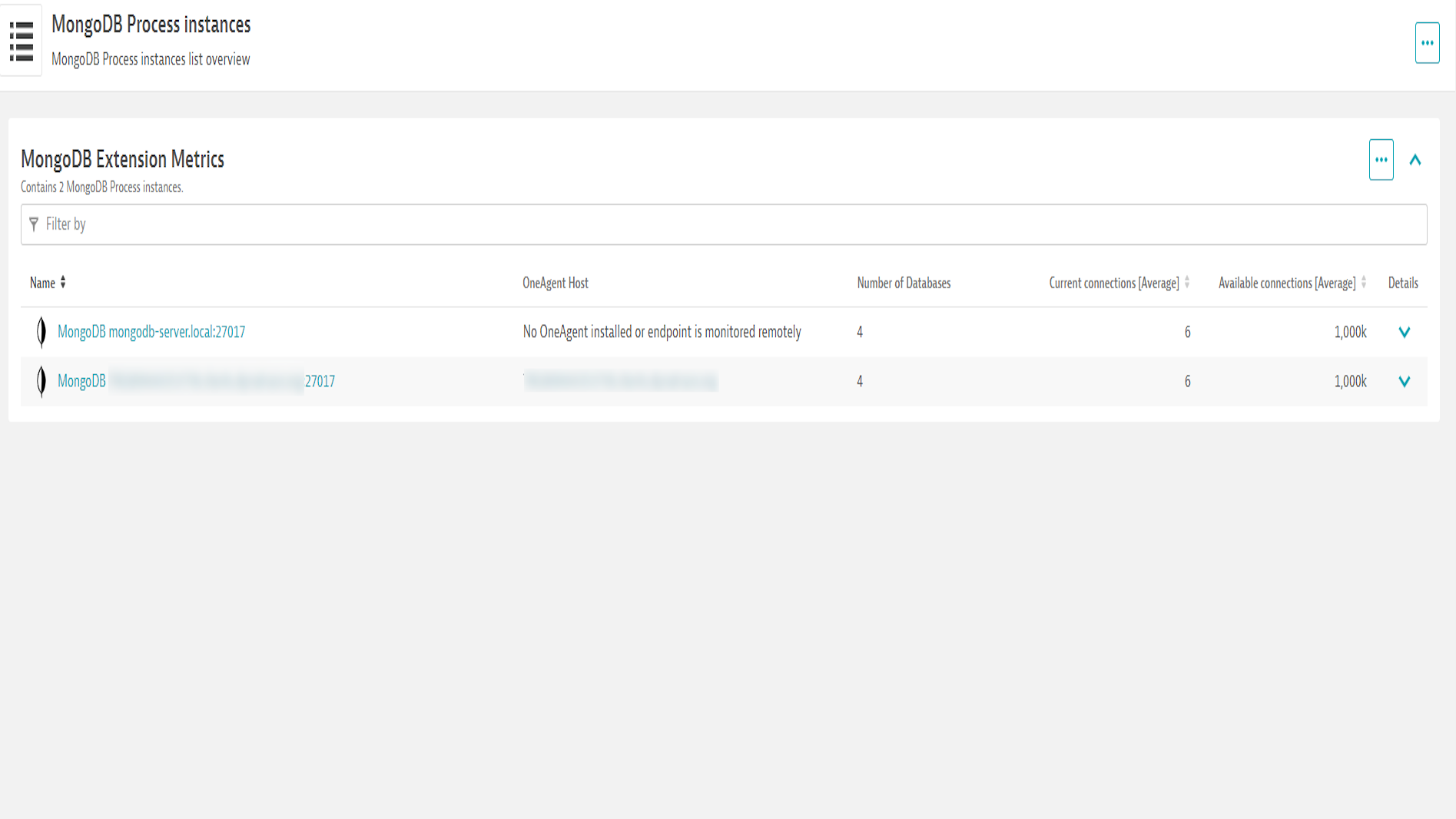
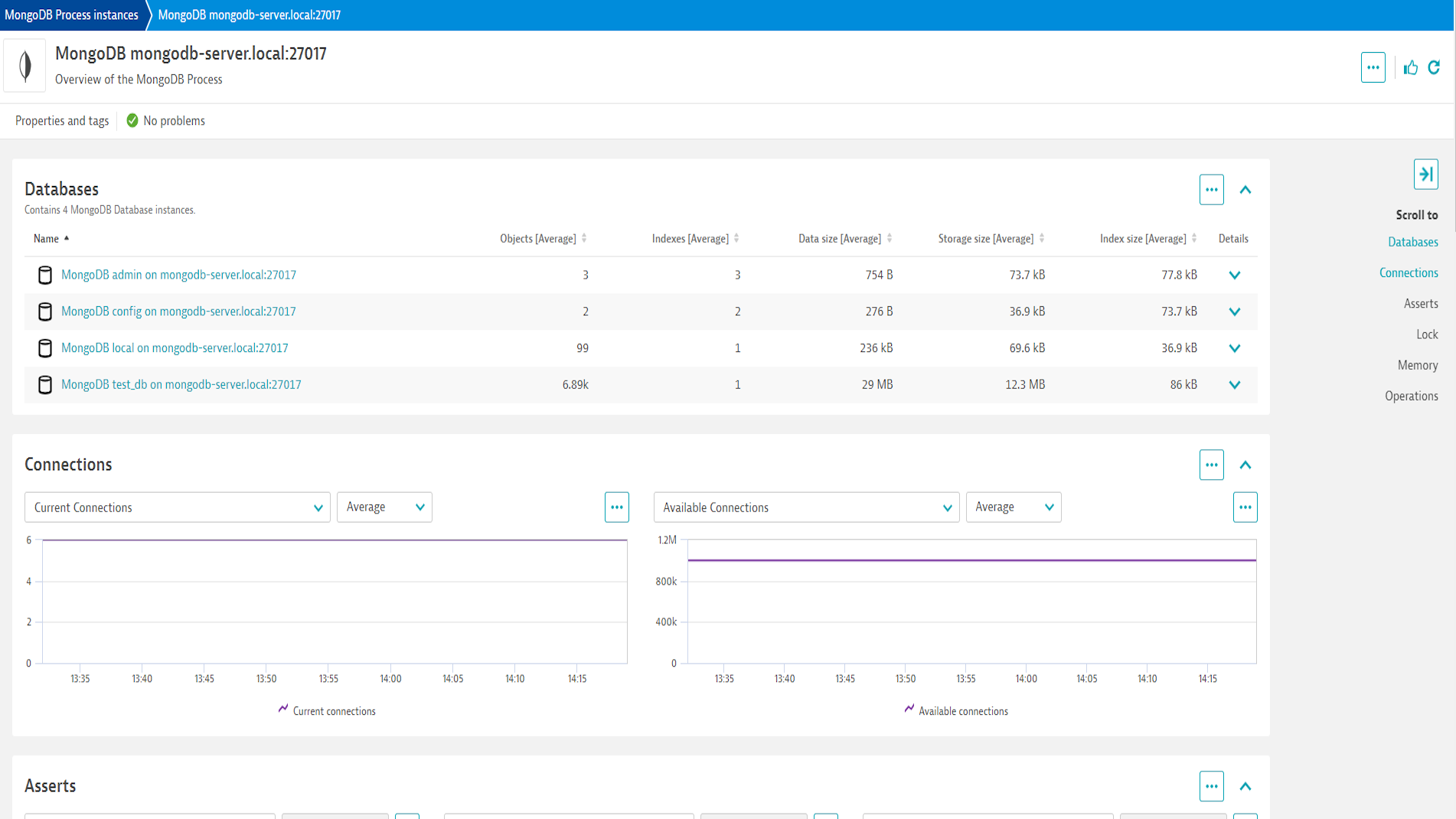
ExtensionThe MongoDB Extension connects to your MongoDB servers either remotely and locally.
Collective batch of data is gathered every minute by this extension and sent to the Dynatrace platform for detailed analysis.
This is intended for users, who:
This enables you to:
For more information on the installation and configuration, please see MongoDB (local or remote monitoring) extension in the Dynatrace Documentation.
Below is a complete list of the feature sets provided in this version. To ensure a good fit for your needs, individual feature sets can be activated and deactivated by your administrator during configuration.
| Metric name | Metric key | Description | Unit |
|---|---|---|---|
| Cache - Pages Requested | mongodb.cache.pages_requested | Number of pages reqeusted from the cache | Count |
| Cache - Pages Read | mongodb.cache.pages_read | Number of pages read into the cache | Count |
| Metric name | Metric key | Description | Unit |
|---|---|---|---|
| Current connections | mongodb.current_connections | - | Count |
| Available connections | mongodb.available_connections | - | Count |
| Insert operations | mongodb.insert_operations2.count | - | Count |
| Query operations | mongodb.query_operations2.count | - | Count |
| Update operations | mongodb.update_operations2.count | - | Count |
| Delete operations | mongodb.delete_operations2.count | - | Count |
| Getmore operations | mongodb.getmore_operations2.count | - | Count |
| Command operations | mongodb.command_operations2.count | - | Count |
| Resident memory | mongodb.resident_memory | - | MegaByte |
| Virtual memory | mongodb.virtual_memory | - | MegaByte |
| Current queue | mongodb.current_queue | - | Count |
| Active clients | mongodb.active_clients | - | Count |
| Regular asserts | mongodb.regular_asserts2.count | - | Count |
| Warning asserts | mongodb.warning_asserts2.count | - | Count |
| Message asserts | mongodb.message_asserts2.count | - | Count |
| User asserts | mongodb.user_asserts2.count | - | Count |
| Rollover asserts | mongodb.rollover_asserts2.count | - | Count |
| Page Faults | mongodb.page_faults | The total number of page faults | Count |
| Uptime | mongodb.uptime | The number of seconds that the MongoDB process has been active. | Second |
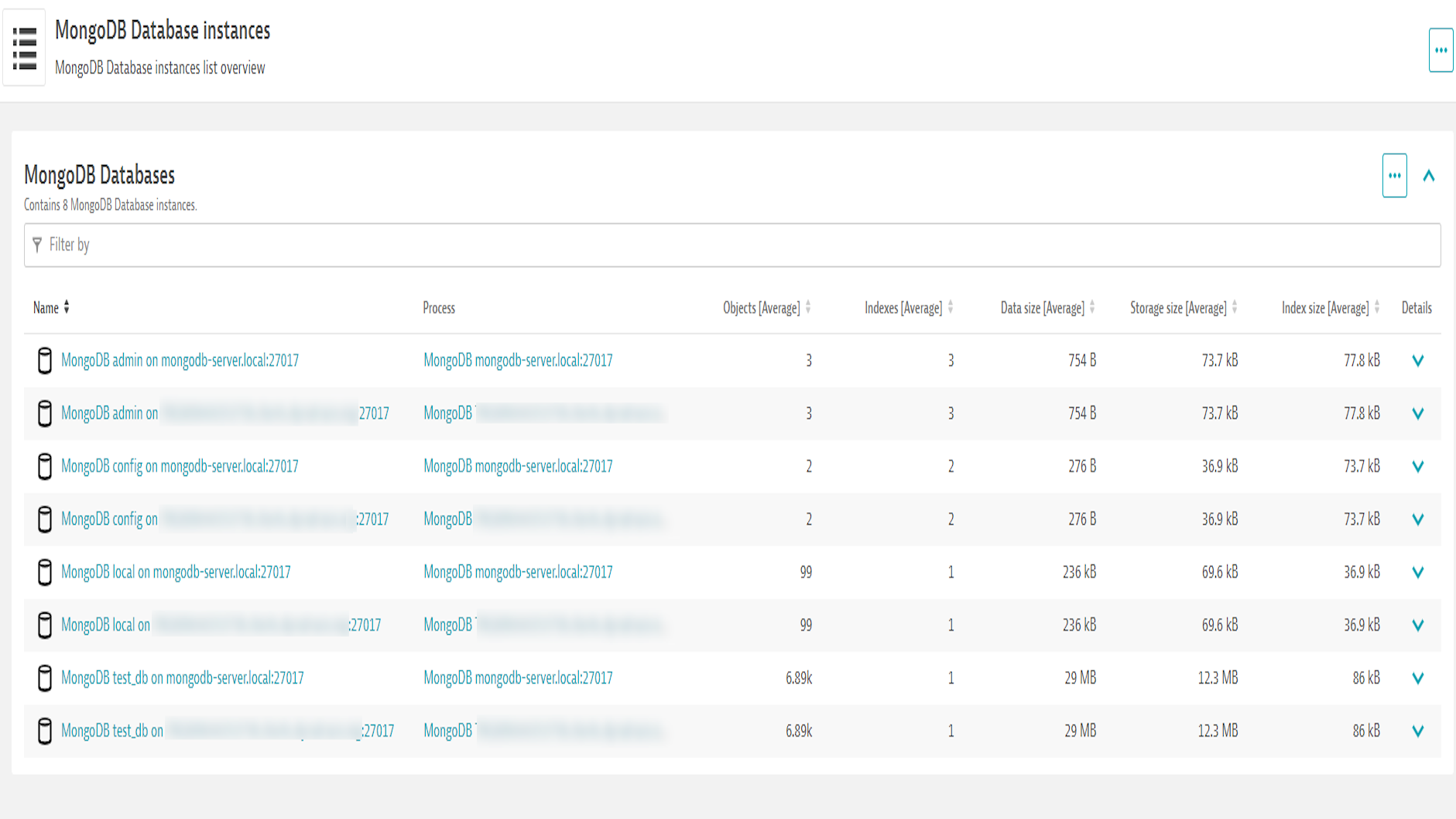
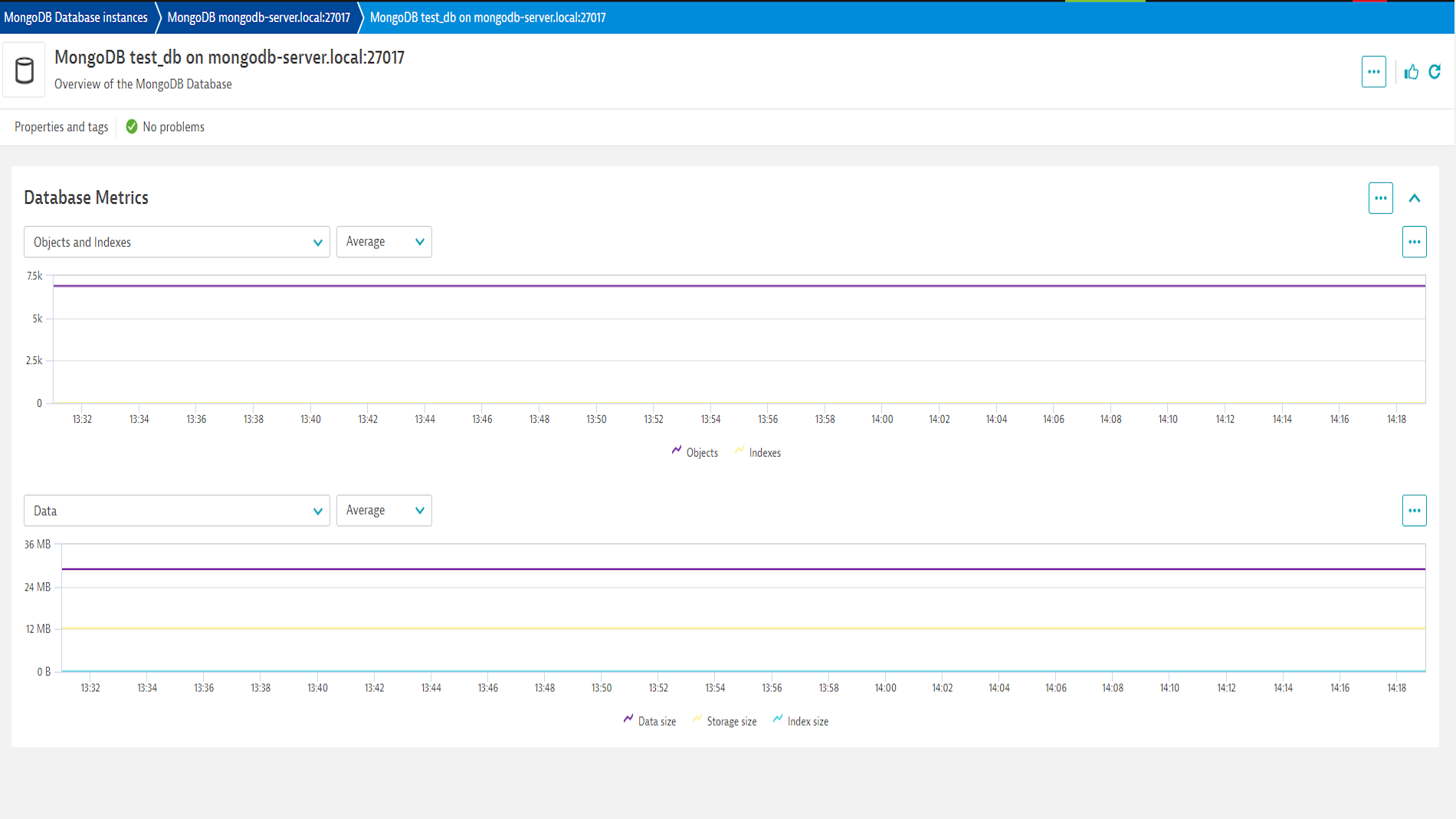
| Objects | mongodb.db.objects | - | Count |
| Indexes | mongodb.db.indexes | - | Count |
| Data size | mongodb.db.db_data_size | - | Byte |
| Storage size | mongodb.db.db_storage_size | - | Byte |
| Index size | mongodb.db.db_index_size | - | Byte |
| Metric name | Metric key | Description | Unit |
|---|---|---|---|
| Replica Set - Oplog Size | mongodb.rs.oplog_size | The range between the earliest and latest oplog entires | Byte |
| Replica Set - Oplog Window | mongodb.rs.oplog_window | The time window covered by the oplog (Replication headroom) | Second |
| Metric name | Metric key | Description | Unit |
|---|---|---|---|
| Locks - Current Global Queue | mongodb.locks.global_current_queue | The number of operations queued because of a lock. | Count |
| Locks - Global Total Time | mongodb.locks.global_total_time | The time, in microseconds, since the database last started and created the globalLock. This is roughly equivalent to total server uptime. | MicroSecond |
| Locks - Current Global Acquired Locks | mongodb.locks.global_acquire | Number of times the lock was acquired in the specified mode. | Count |
| Locks - Current Global Aqcuired Waits | mongodb.locks.global_acquire_wait | Number of times the lock acquisitions encountered waits because the locks were held in a conflicting mode. | Count |
| Locks - Global Time Acquired (Microseconds) | mongodb.locks.global_time_acquire | Cumulative wait time in microseconds for the lock acquisitions. | MicroSecond |
| Locks - Current Global Deadlocks | mongodb.locks.global_deadlocks | Number of times the lock acquisitions encountered deadlocks. | Count |
What's New:
.count metrics to have count unitNOTE:
Improved in this version:
New in this version
mongodb.page_faults)
The total number of page faults (as Count)mongodb.uptime)
The number of seconds that the MongoDB process has been active. (as Second)mongodb.cache.pages_requested)
Number of pages reqeusted from the cache (as Count)mongodb.cache.pages_read)
Number of pages read into the cache (as Count)mongodb.locks.global_current_queue)
The number of operations queued because of a lock. (as Count)mongodb.locks.global_total_time)
The time, in microseconds, since the database last started and created the globalLock. This is roughly equivalent to total server uptime. (as MicroSecond)mongodb.locks.global_acquire)
Number of times the lock was acquired in the specified mode. (as Count)mongodb.locks.global_deadlocks)
Number of times the lock acquisitions encountered deadlocks. (as Count)mongodb.locks.global_acquire_wait)
Number of times the lock acquisitions encountered waits because the locks were held in a conflicting mode. (as Count)mongodb.locks.global_time_acquire)
Cumulative wait time in microseconds for the lock acquisitions. (as MicroSecond)mongodb.rs.oplog_size)
The range between the earliest and latest oplog entires (as Byte)mongodb.rs.oplog_window)
The time window covered by the oplog (Replication headroom) (as Second)MONGODB-X509⚠️ BREAKING CHANGE ⚠️
Upgrading existing monitoring configurations from previous versions to this version will not be possible and will require recreating those monitoring configurations. New monitoring configurations will not be affected.
In this version:

