




















Skip to technology filters Skip to main content
Dynatrace Hub

Extend the platform,
empower your team.

Popular searches:
Home hero bg
Veritas NetbackupVeritas Netbackup
Veritas Netbackup

Veritas Netbackup

Remotely monitor your Veritas NetBackup Jobs and Storage

Extension
Free trialDocumentation
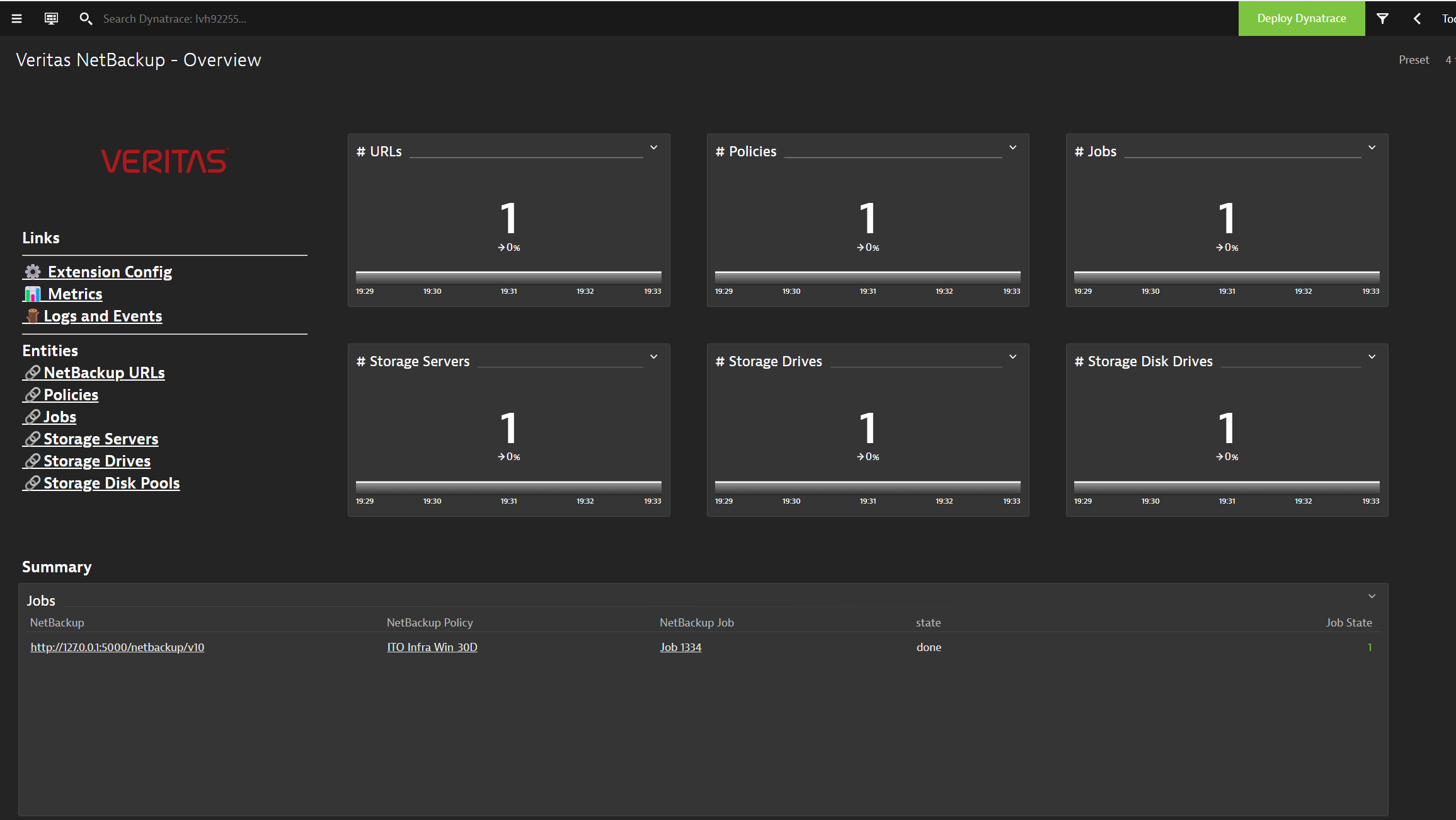
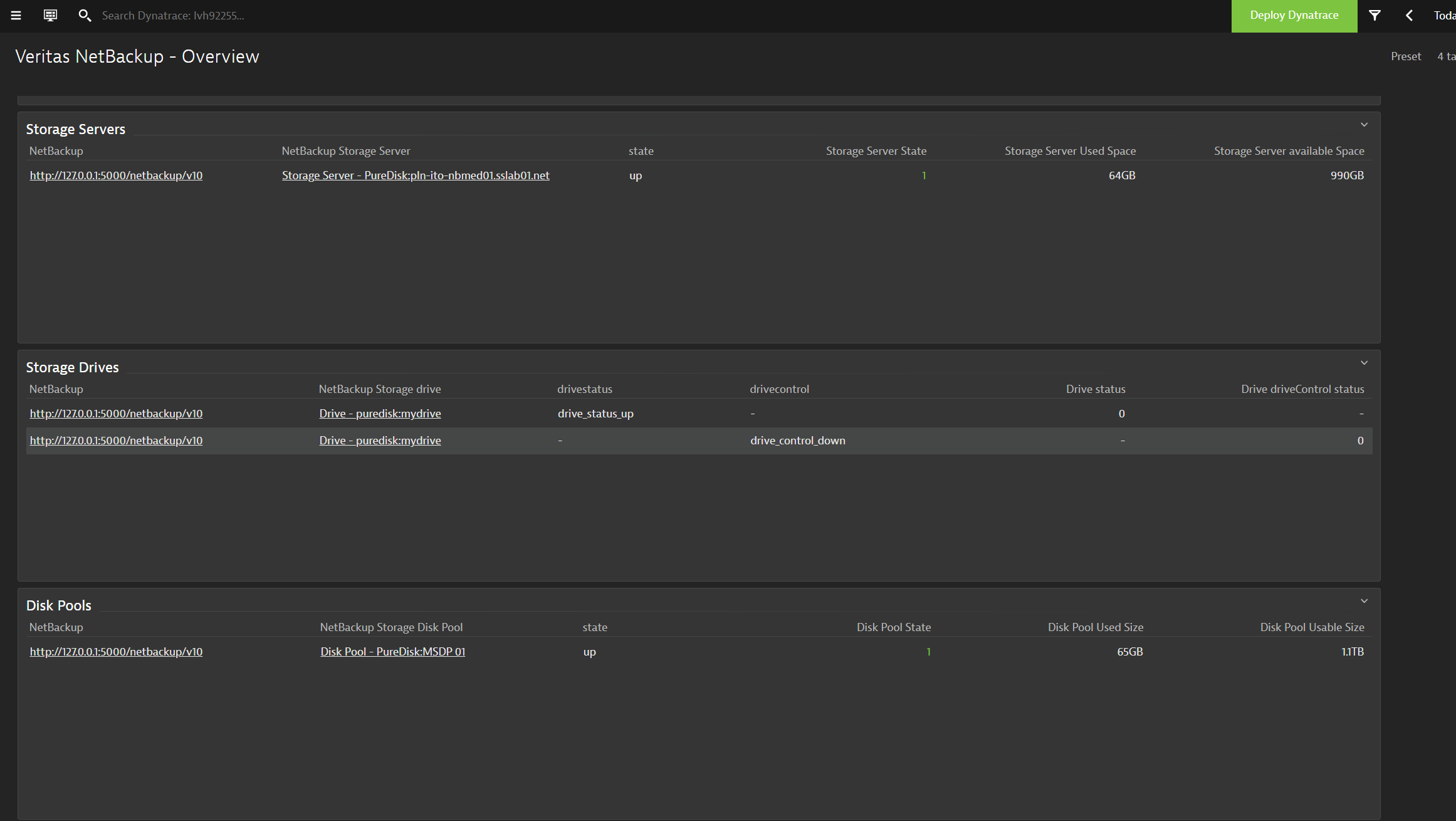
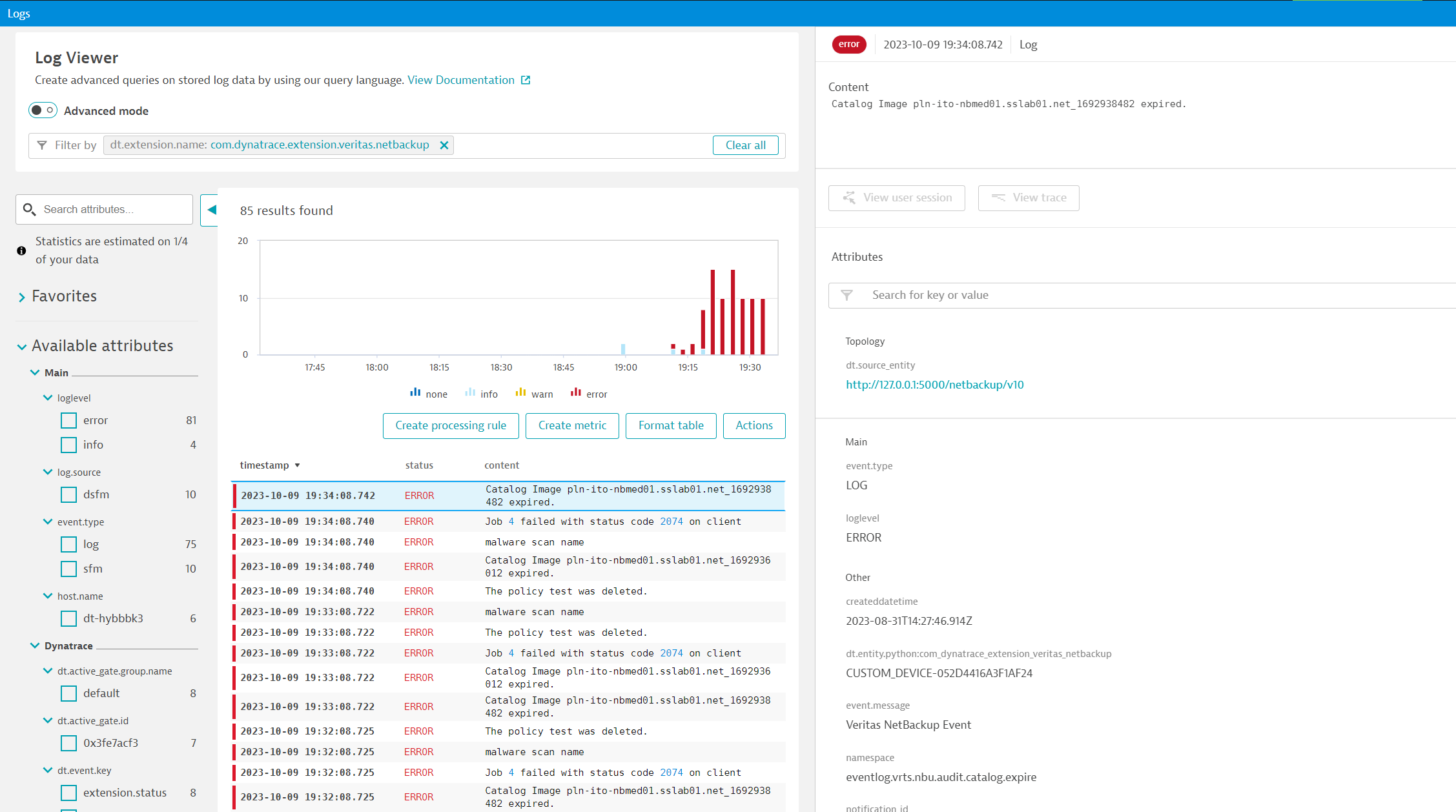
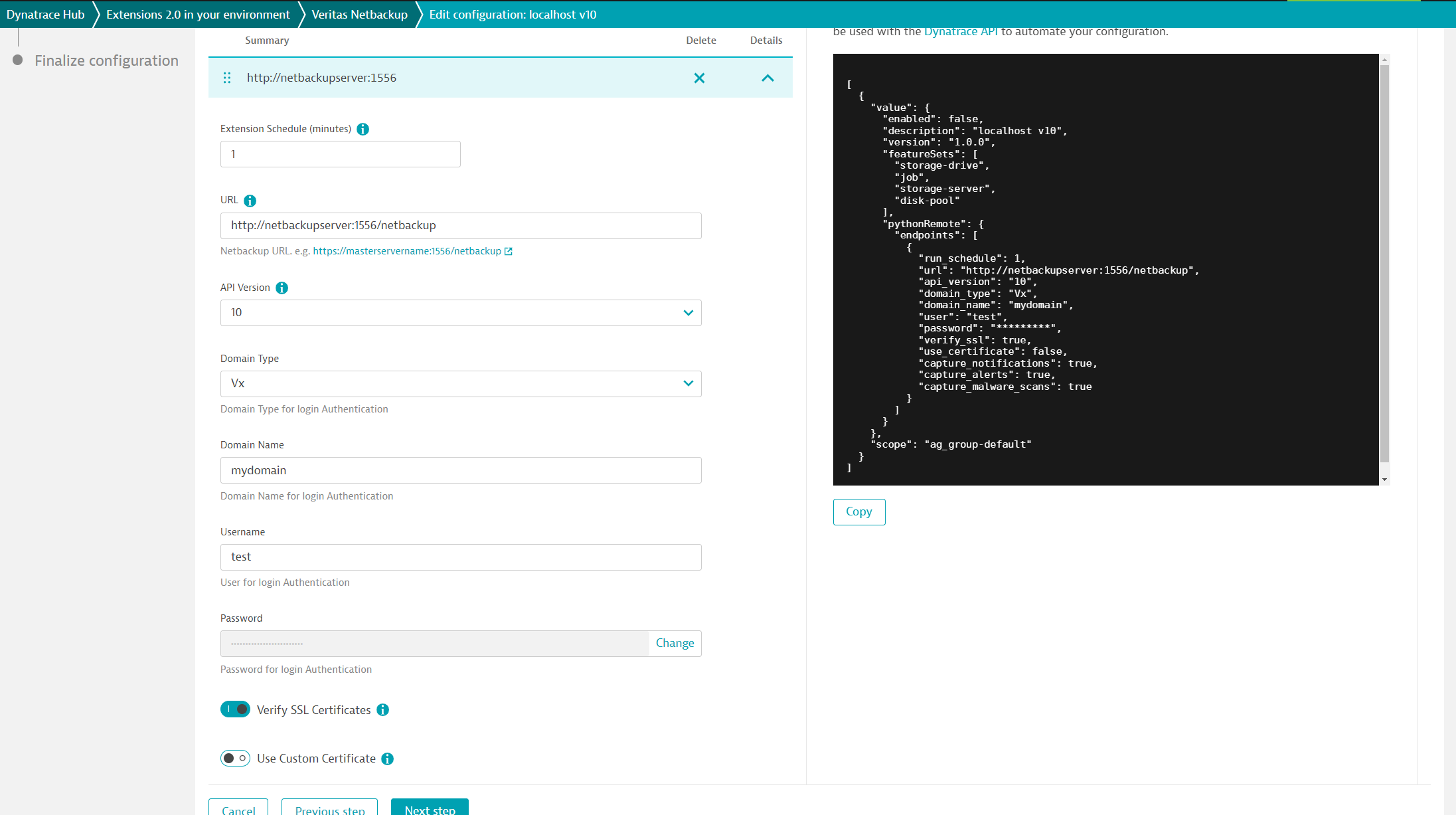
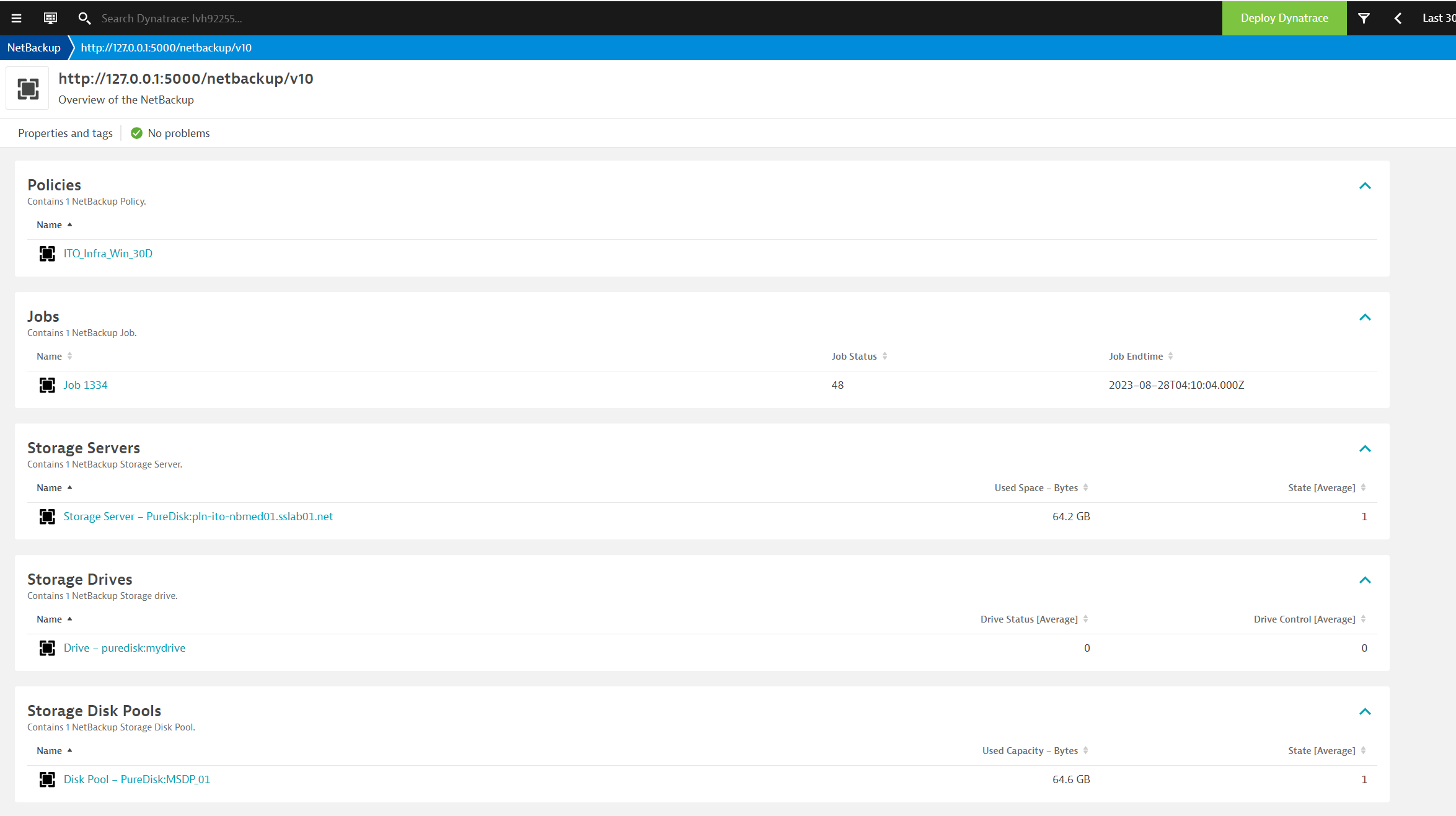
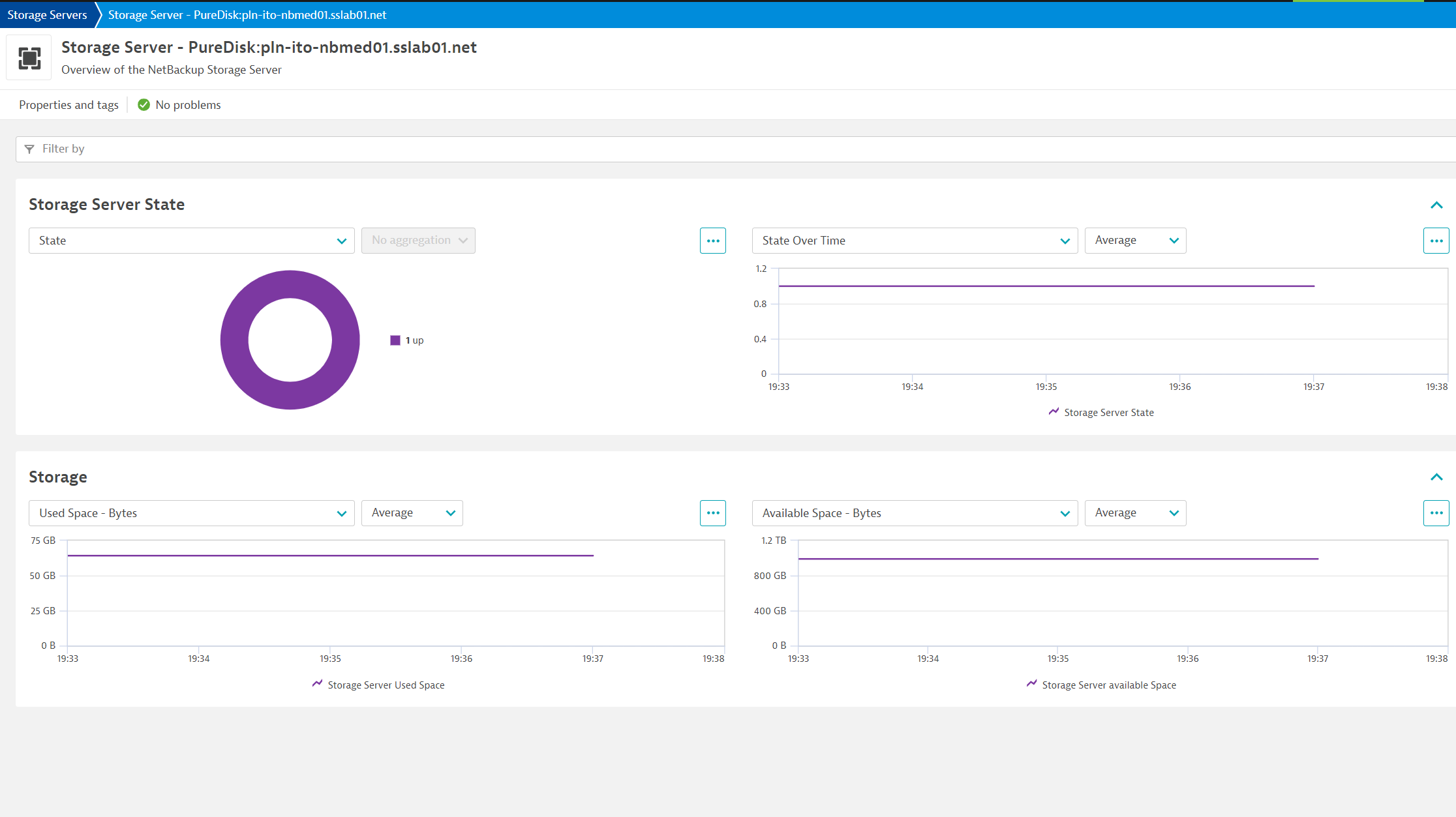
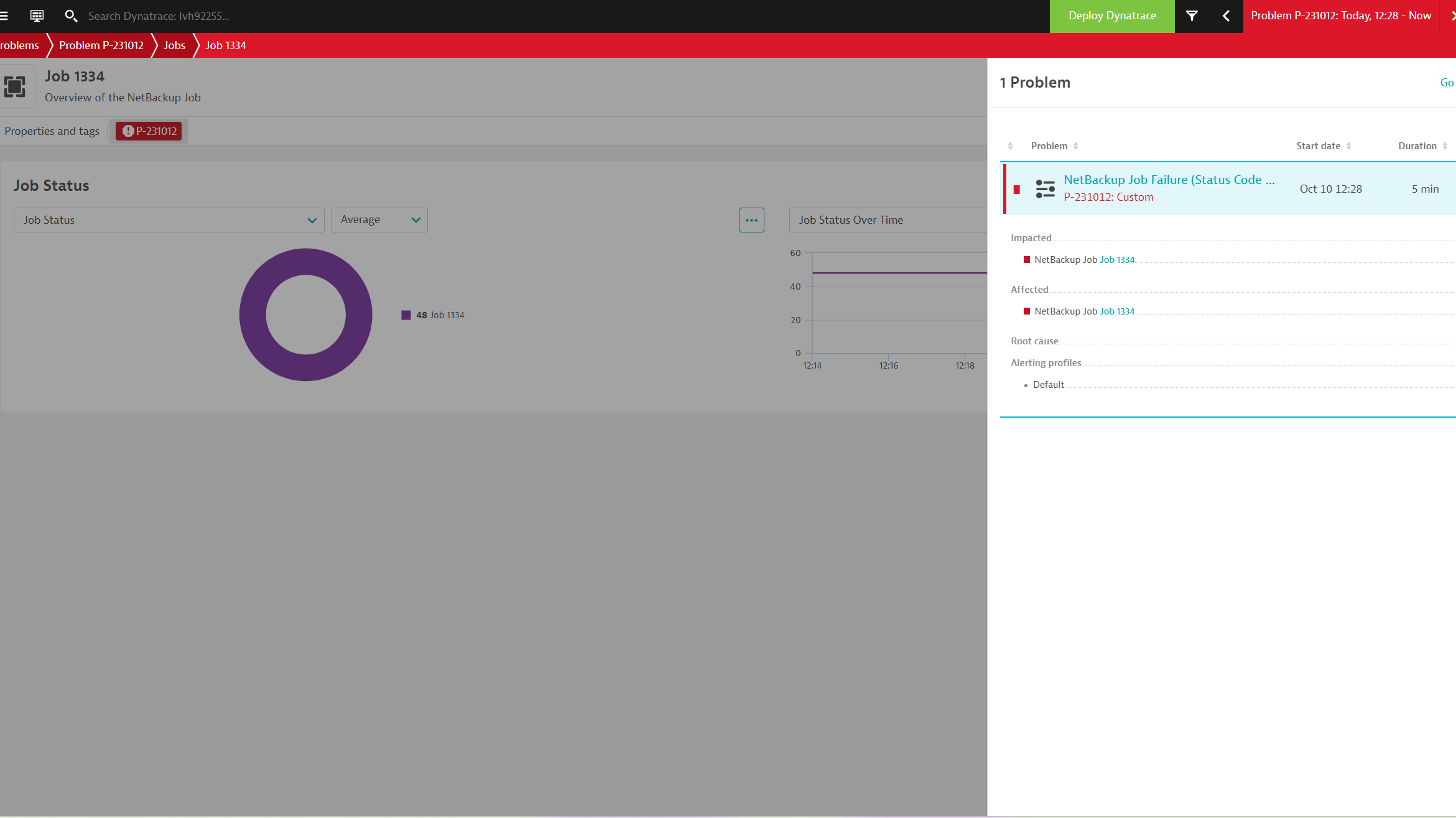
Dashboard overviewDashboard summary tablesAlerts and Event log notificationsExtension configurationNetBackup unified analysis screenNetBackup storage statusProblem raised from a Job status code
  • Product information
  • Release notes

Overview

This extension gather metrics and events through the Veritas NetBackup APIs. Every minute the extension polls NetBackup for Events, Jobs and Storage data.

Use cases

This extension enables insights into the overall health, status and capacity of NetBackup.

  • Notifications for critical events within your infrastructure and storage
  • Monitor job executions and detect failing jobs

Compatibility information

  • NetBackup 9.x
  • NetBackup 10.x
Dynatrace
Documentation
By Dynatrace
Dynatrace support center
Subscribe to new releases
Copy to clipboard

Extension content

Content typeNumber of items included
screen layout
6
screen chart groups
14
metric metadata
10
screen dql table
6
screen logs cards
2
alerts
1
generic type
6
document dashboard
1
screen entities lists
6
dashboards
1
generic relationship
6

Feature sets

Below is a complete list of the feature sets provided in this version. To ensure a good fit for your needs, individual feature sets can be activated and deactivated by your administrator during configuration.

Feature setsNumber of metrics included
Metric nameMetric keyDescriptionUnit
Drive driveControl statusveritas.netbackup.storage.drive.driveControlState of the driveControlCount
Drive statusveritas.netbackup.storage.drive.driveStatusState of the storage driveCount
Metric nameMetric keyDescriptionUnit
Storage Server Used Spaceveritas.netbackup.storage.server.usedSpaceBytesUsed space of the storage server in bytesByte
Storage Server available Spaceveritas.netbackup.storage.server.availableSpaceBytesAvailable space of the storage server in bytesByte
Storage Server Stateveritas.netbackup.storage.server.stateThe State of the storage serverCount
Metric nameMetric keyDescriptionUnit
Disk Pool Usable Sizeveritas.netbackup.storage.disk_pool.usableSizeBytesUsable size of the disk-pool in bytesByte
Disk Pool Used Sizeveritas.netbackup.storage.disk_pool.usedCapacityBytesUsed size of the disk-pool in bytesByte
Disk Pool Stateveritas.netbackup.storage.disk_pool.stateState of the disk poolCount
Metric nameMetric keyDescriptionUnit
Connectivityveritas.netbackup.connectivityNetbackup successful connection percentagePercent
Metric nameMetric keyDescriptionUnit
Job Statusveritas.netbackup.job.statusThe Netbackup status code of the job. Status code 0 is successful.Count

Full version history

To have more information on how to install the downloaded package, please follow the instructions on this page.
ReleaseDate

Full version history

⚠️ IMPORTANT NOTE:

This version requires a minimum Dynatrace and EEC version of 1.313

🚀 Improved in this version:

  • Status reported per endpoint

Full version history

  • Add platform dashboard
  • Add dt.security_context to entities
  • Add Unified Analysis Screens for Platform Apps

Full version history

  • Adds device.address dimension to ingested metrics

Full version history

  • Include jobs with status code of 1 (partial success) as a failure when filtering
  • Collect the jobType dimension for job status metrics

Full version history

  • Extract the server name from the URL
  • Add job status as a dimension
  • Report a general connectivity metric
  • General entity naming and attribute improvements

Full version history

  • Update the query to fetch jobs: endTime ge <CURRENT_TIME - SCHEDULE>
  • Fix status reporting for Drive control status

Full version history

  • Support for custom extension schedules
  • Option to only ingest failed job data
  • Add entity type to collected metrics for tags and management zone rules

Full version history

  • Support for connecting through internal network proxies
  • Report job status code metric instead of job state
  • Metric event for raising problems on failed jobs (status code > 0)

Full version history

No release notes

Dynatrace Hub
Get data into DynatraceBuild your own app
All (811)Log Management and AnalyticsKubernetesAI and LLM ObservabilityInfrastructure ObservabilitySoftware DeliveryApplication ObservabilityApplication SecurityDigital ExperienceBusiness Observability
Filter
Type
Built and maintained by
Deployment model
SaaS
  • SaaS
  • Managed
Partner FinderBecome a partnerDynatrace Developer

Discover recent additions to Dynatrace

Problems logo

Problems

Analyze abnormal system behavior and performance problems detected by Davis AI.

Logs logo

Logs

Explore all your logs without writing a single query.

Security Investigator logo

Security Investigator

Fast and precise forensics for security and logs on Grail data with DQL queries.

Business Flow logo

Business Flow

Track, analyze, and optimize your critical business processes.

Cost & Carbon Optimization logo

Cost & Carbon Optimization

Track, analyze, and optimize your IT carbon footprint and public cloud costs.

Davis Anomaly Detection logo

Davis Anomaly Detection

Detect anomalies in timeseries using the Davis AI

Analyze your data

Understand your data better with deep insights and clear visualizations.

Notebooks logo

Notebooks

Create powerful, data-driven documents for custom analytics and collaboration.

Dashboards logo

Dashboards

Transform complex data into clear visualizations with custom dashboards.

Automate your processes

Turn data and answers into actions, securely, and at scale.

Workflows logo

Workflows

Automate tasks in your IT landscape, remediate problems, and visualize processes

Jira logo

Jira

Create, query, comment, transition, and resolve Jira tickets within workflows.

Slack logo

Slack

Automate Slack messaging for security incidents, attacks, remediation, and more.

Secure your cloud application

See vulnerabilities and attacks in your environment.

Security Overview logo

Security Overview

Get a comprehensive overview of the security of your applications.

Code-Level Vulnerabilities logo

Code-Level Vulnerabilities

Detect vulnerabilities in your code in real time.

Security Posture Management logo

Security Posture Management

Detect, prioritize, and remediate security and compliance findings with SPM.

Threats & Exploits logo

Threats & Exploits

Understand, triage, and investigate detection findings and alerts.

Are you looking for something different?

We have hundreds of apps, extensions, and other technologies to customize your environment

Leverage our newest innovations of Dynatrace Saas

Kick-start your app creation

Kick-start your app creation

Whether you’re a beginner or a pro, Dynatrace Developer has the tools and support you need to create incredible apps with minimal effort.
Go to Dynatrace Developer
Upgrading from Dynatrace Managed to SaaS

Upgrading from Dynatrace Managed to SaaS

Drive innovation, speed, and agility in your organization by seamlessly and securely upgrading.
Learn More
Log Management and Analytics

Log Management and Analytics

Innovate faster and more efficiently with unified log management and log analytics for actionable insights and automation.
Learn more

