






















Kick-start your app creation
Whether you’re a beginner or a pro, Dynatrace Developer has the tools and support you need to create incredible apps with minimal effort.
Go to Dynatrace Developer
 Smartscape
Interactively explore and analyze topology and relationships in digital systems.
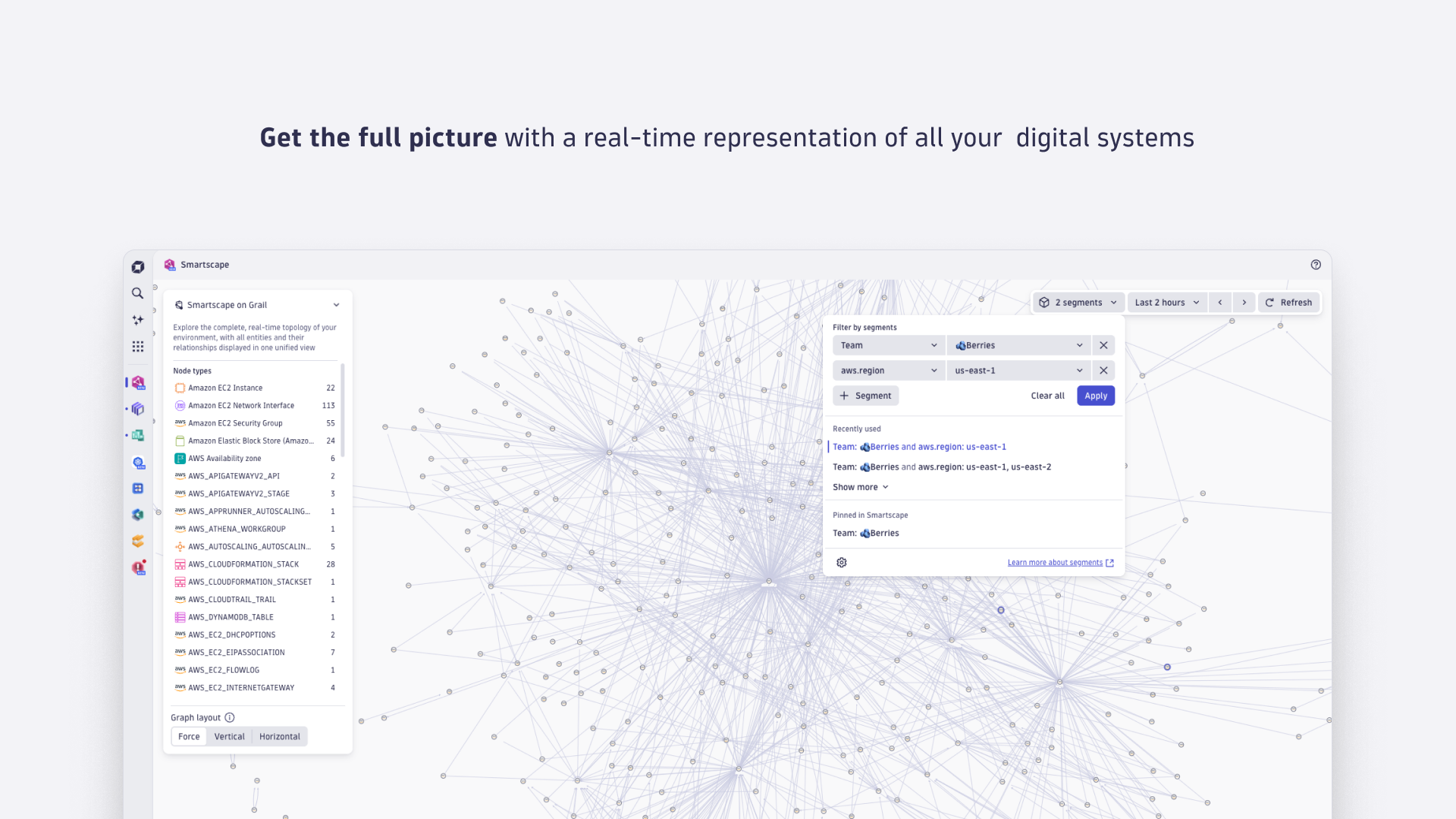
AppThe Smartscape app provides a real-time, interactive topology of your IT environment, enabling you to analyze dependencies, relationships, and patterns across your entire technology stack. Designed for analyzing modern, multicloud, and AI-driven systems, it helps teams quickly understand and act on complex IT environments with minimal manual effort.
Explore powerful visual analytics with features like:
Real-time topology mapping: Automatically discovers and maps all entities (services, hosts, containers, cloud resources, etc.) and their relationships across cloud, on-premises, and hybrid environments.
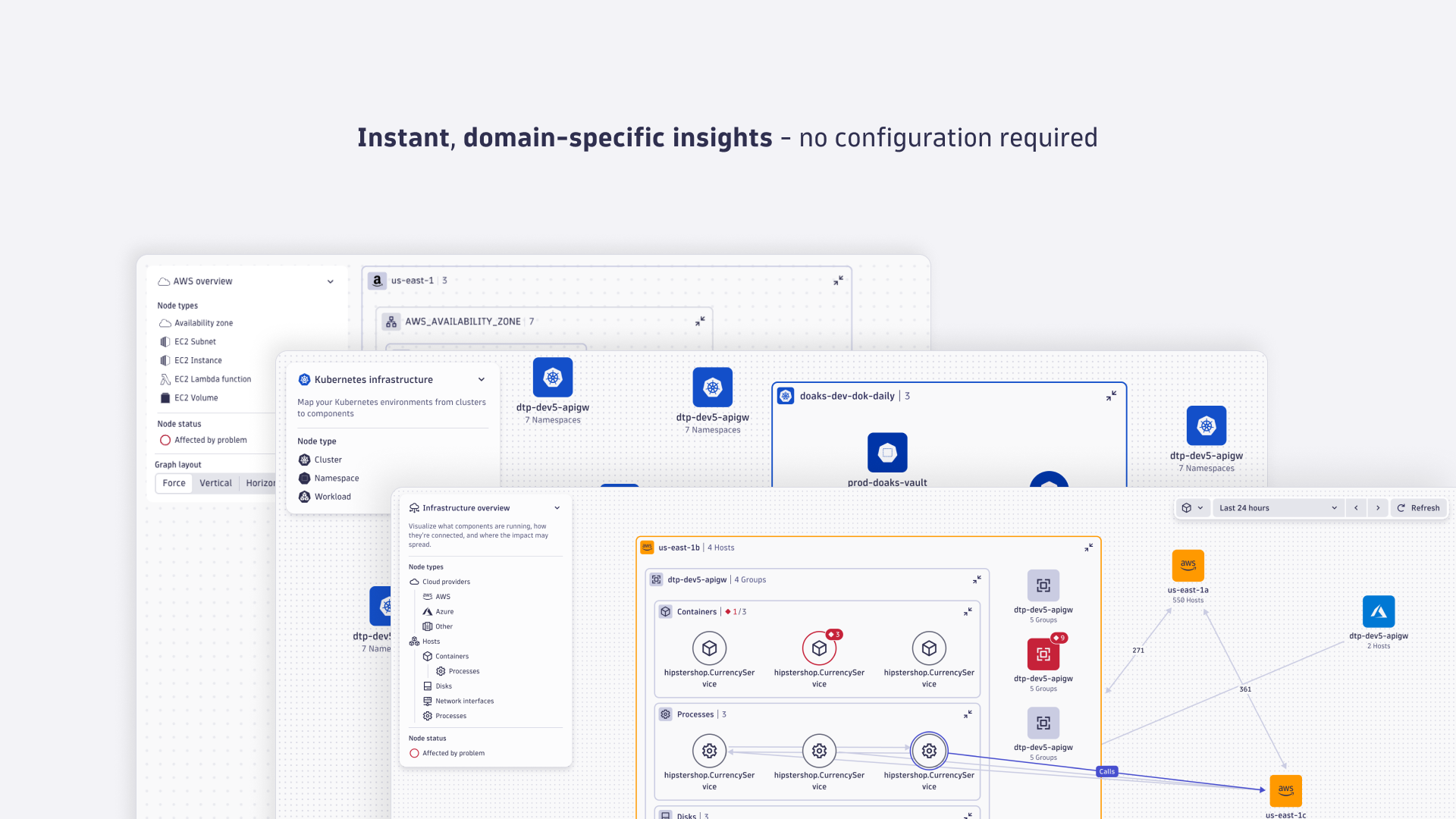
Domain-specific views: Pre-built views for clouds, Kubernetes, services, and more, tailored for domain-specific use cases.
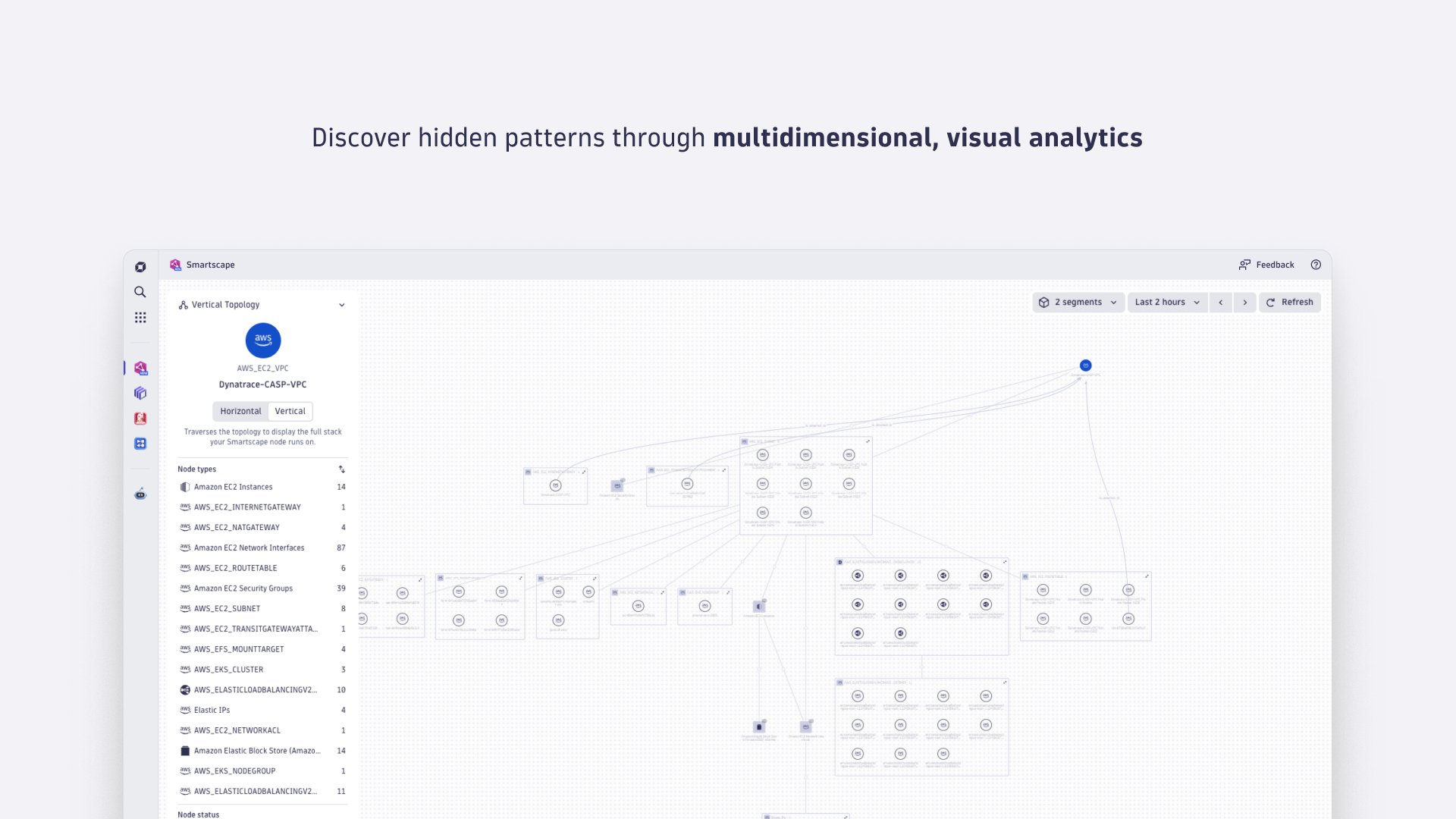
Multidimensional analysis: Use different perspectives like horizontal, vertical, or force view to identify clusters, hidden dependencies, or to analyze end-to-end workflows.
Seamless integration with other apps: Access Smartscape directly from other Dynatrace Apps (for example, Problems, Kubernetes, Clouds) for in-context exploration.
Apply your context: Filter views using segments based on cloud tags to focus on critical applications, specific teams, environments, or business units.
The Smartscape app is pre-installed and immediately accessible as part of your Dynatrace SaaS environment. Leverage our ready-made Smartscape views to effortlessly navigate your environments, no additional configuration needed.

Transform complex data into clear visualizations with custom dashboards.

Action based on answers with deterministic insights and agentic operations.
Dynatrace's data lakehouse providing unified storage for any type of data.

Fast and precise incident response on Grail data with DQL queries.

Create powerful, data-driven documents for custom analytics and collaboration.

Detect, explain and triage problems automatically using Dynatrace Intelligence.
Summary
This release expands the detail panel with three new tabs — Events, Annotations, and Edges — so problem context and related topology are available without leaving the app. Filters are now enabled across all topology views, letting you narrow the graph by node type, edge type, or problem state directly from the view.
Changes
This release adds a details panel to the topology graph. Selecting a node opens a side panel with its properties, metrics, and active problems; selecting an edge opens a panel showing both endpoints and the relationship type. Topology views can now be opened in a new tab. Call chain views now let you stop a traversal whenever you have the context you need.
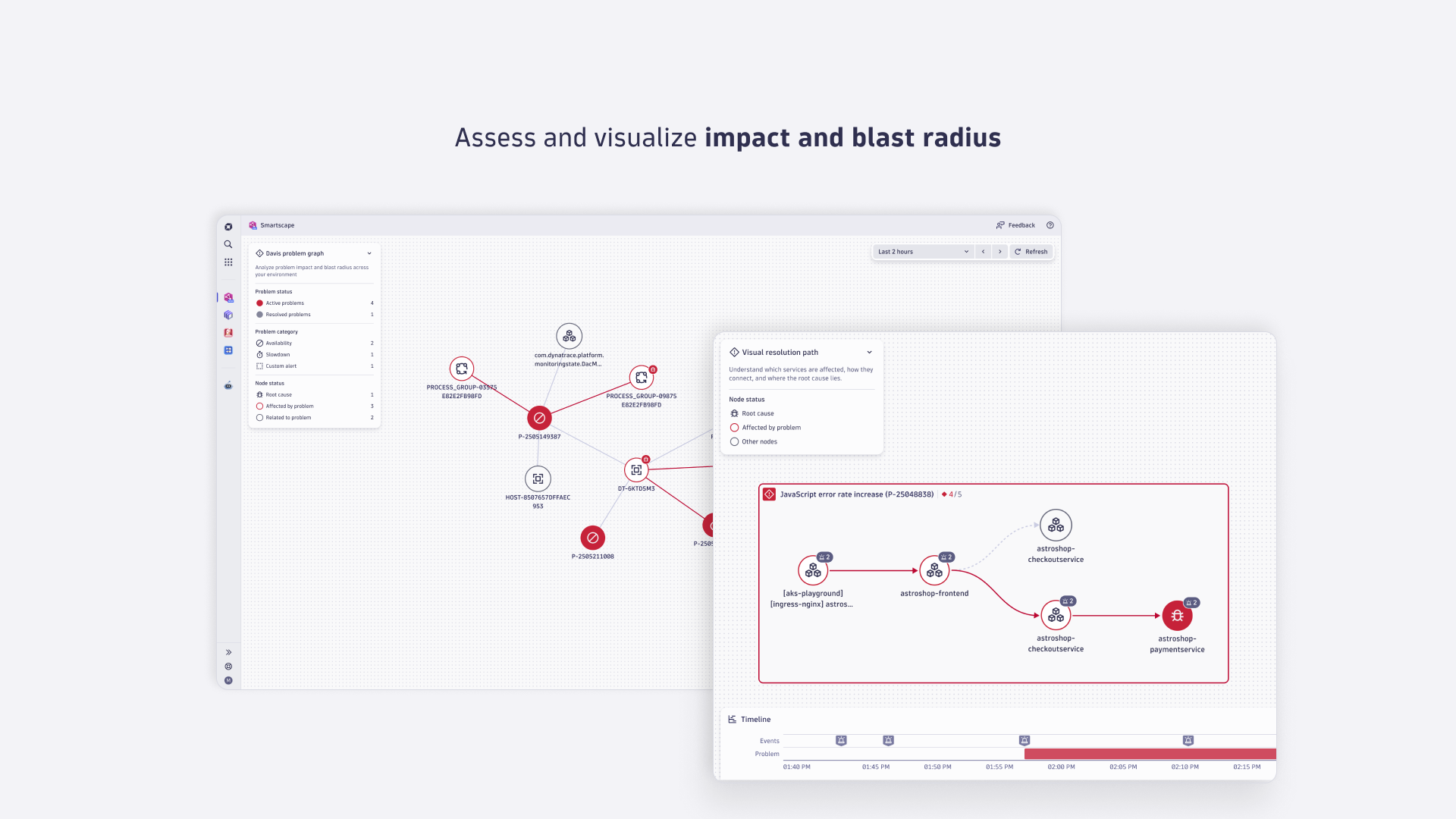
This release adds two new ways to explore topology. Downstream and upstream views follow a node's call chain across multiple hops — every node it calls, and every node that calls it, level after level, from any node. A new Problem topology mode surfaces the active problems a node is the root cause of, is affected by, or is related to. The topology mode selector now describes each mode with an icon and tooltip, alongside filter, legend, and loading-state fixes.
The node and edge limit warning moves out of the bottom-left corner and into a button in the graph toolbar. Opening it shows how many nodes and edges the view is displaying, whether a limit was hit, and when the data was last fetched. Filter field suggestions no longer miss fields such as k8s.object, the browser tab title now carries the entity or problem name, and the Explain problem action works with Dynatrace Assist's agentic mode. The rest is legend polish and fixes.
k8s.object in Kubernetes views. Typing a field name now searches all node fields.This release lets you filter on a specific subkey of a record-typed field, such as tags — including nested subkeys — with autosuggestions drawn from the values present in your data. The legend and topology panels are reworked into a controls section and a node list section that collapse independently, with renamed topology modes. It also fixes empty-string filtering, blank-name entities, and special characters in shared URLs.
tags:aws[dt_cloudcost_clustername] — matching that subkey's value directly instead of the whole stringified record, including nested subkeys such as tags:k8s[objName][nestedField]. Typing field[ suggests the subkeys observed in your data at each level.This release adds a dedicated AI Observability view for your generative AI entities and brings frontend applications into the service dependency graph, so you can trace call paths from user-facing apps down to the services behind them. A new "Hide unconnected nodes" toggle cuts visual noise across views, the legend gains problem indicators and per-category quick actions, and an initial-load error-handling issue is fixed.
This release adds databases as nodes in the service dependency graph and extends the node tooltip with primary Grail fields and per-metric actions. Filtering now supports array- and object-typed fields, and several filtering, selection, layout, and rendering issues are fixed.
This release builds on the filtering introduced in 1.341.0. Filters now support OR conditions and nested groups, autocomplete values, cover all primitive field types, and apply with a keyboard shortcut. Edge tooltips gain inline actions, problem-view edges now point the right way, and several layout, selection, and node-cap issues are fixed.
event.status = CLOSED to return no results.This release launches three new Smartscape capabilities: ad-hoc filtering, the new "All" topology view, and new AWS and Kubernetes views. The AWS, Kubernetes, and Azure views now load the most important entities first. The rest of the release improves performance on large views and fixes group expansion and Services view limits.
Locate specific nodes across any Smartscape view. A new search field lets you jump to nodes by name or ID, and the legend is now interactive — expand any entity type and navigate to its nodes directly, without typing a query. The rest of the release is polish and bug fixes around tooltips, layout switching, and selection state.
This update adds a new Azure topology view built on the newly released Azure cloud monitoring. Flat Smartscape views are also refined to surface more relevant connections and load the most important entities first, so key parts of your environment are easier to understand at a glance. You can now invert layout directions in horizontal and vertical graph layouts, and node selection is preserved more reliably when using view isolation.
This update improves how you work with the Problem Graph by making it easier to focus on relevant nodes and manage navigation. It also polishes the UI with clearer labeling and more consistent isolation behavior across page refreshes. Additionally, it reduces visual noise by preventing duplicate Davis problems from showing up in the graph and annotations.
This release adds sidebar navigation to make switching between Smartscape views faster and more predictable. It also improves responsiveness across views by removing the background dot grid and refining edge data fetching in flat views. Several Visual Resolution Path updates improve icon clarity and problem details, and we fixed a few workflow issues around shared links and search.
Show other nodes for smaller VRPs to surface more context by default.event.id property.event.id.event.id.This release improves Smartscape reliability and consistency across navigation and UI surfaces. URLs are updated to be more robust and easier to share, while tooltips and legends better reflect Grail data and standardized naming. It also introduces clearer empty states and error pages, along with targeted fixes in VRP and notifications to reduce disruption during analysis.
Note: This release includes a breaking change to the URL pattern/structure.
SERVICE icons in the VRP edge tooltip.This release improves how you discover Smartscape updates, adds more control to the visual resolution path view, and aligns terminology and legends across views. It also refines isolation-related labeling, limit notifications, and permission error handling. Internal properties are no longer exposed in tooltips, and QUERY_GONE errors are now handled correctly for more robust behavior.
QUERY_GONE errors are now correctly handled.This release makes Smartscape views easier to find, navigate, and understand. Global search now includes Smartscape views, in-context views are more flexible to open, and node type labels are more consistent across the app. We also expanded drilldown support for dt.smartscape.* fields, refined the Dynatrace Intelligence icon, and fixed several issues affecting subtitles and problem drilldowns.
dt.smartscape.* pattern.display_id was used but not found.This release fixes an issue in the "view problem" drilldown that could cause an infinite query loop when a display_id is supplied but not found. The fix prevents the loop and improves drilldown reliability when navigating to problem details.
display_id is used but not found.The Smartscape app provides a real-time, interactive topology of your IT environment, enabling you to analyze dependencies, relationships, and patterns across your entire technology stack. Designed for analyzing modern, multi-cloud, and AI-driven systems, it helps teams quickly understand and act on complex IT environments with minimal manual effort.
Start exploring immediately with ready-made Smartscape views:
Smartscape on Grail - explore all dependencies across your IT systems end-to-end.
AWS EC2 Overview – Spot resource relationships and cloud health.
Kubernetes Overview – Understand cluster dynamics and workload distribution.
Infrastructure Overview – Gain clarity on hosts, processes, and connectivity.
Service Dependencies Graph – Trace service-to-service interactions for impact analysis.
Problems Graph – Visualize issues in context for faster root-cause resolution.

