


























Skip to technology filters Skip to main content
Dynatrace Hub

Extend the platform,
empower your team.

Popular searches:
Home hero bg
Remote Unix Monitoring 2.0Remote Unix Monitoring 2.0
Remote Unix Monitoring 2.0

Remote Unix Monitoring 2.0

Extension that remotely collects Unix OS data by executing commands via SSH.

Extension
Free trialDocumentation
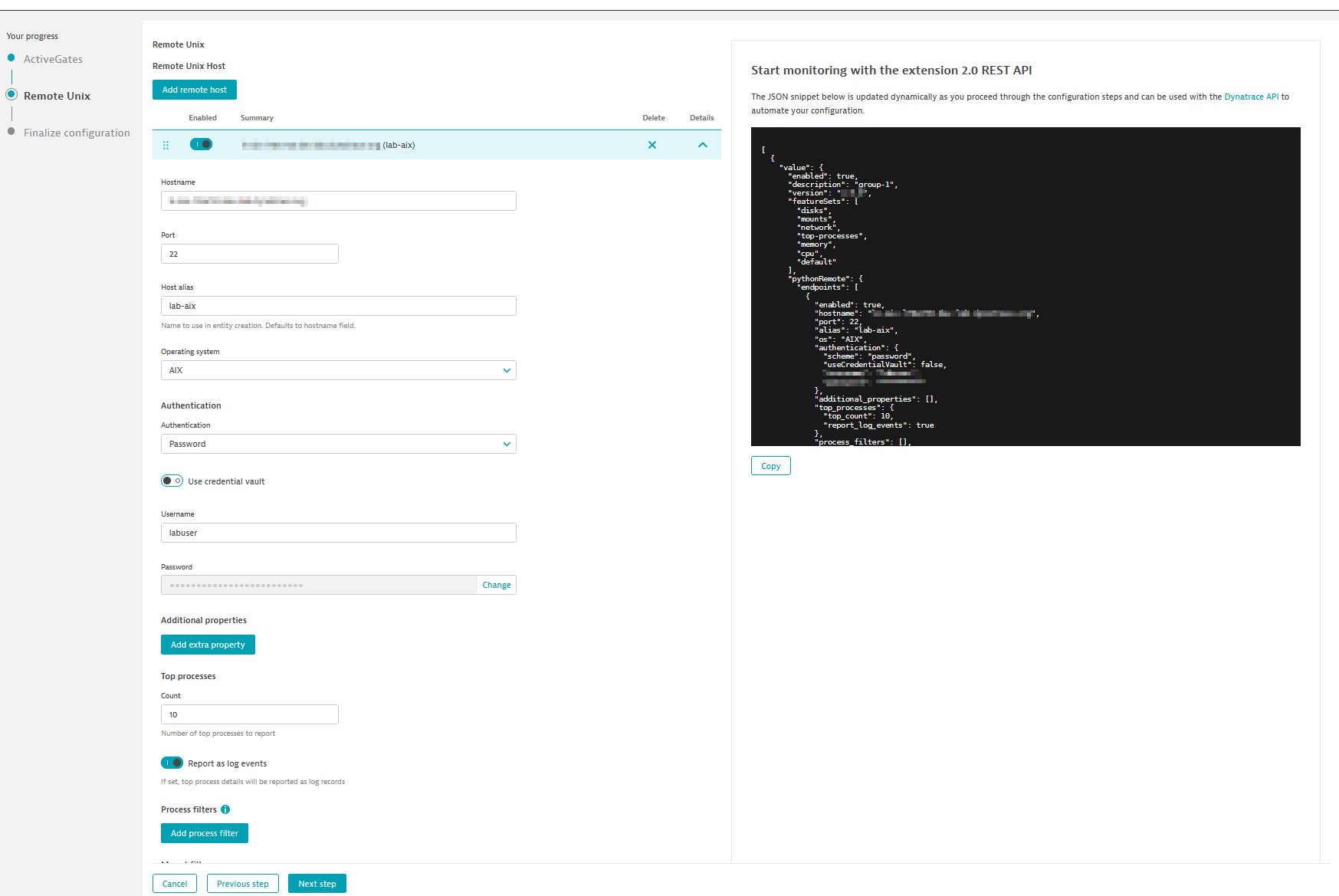
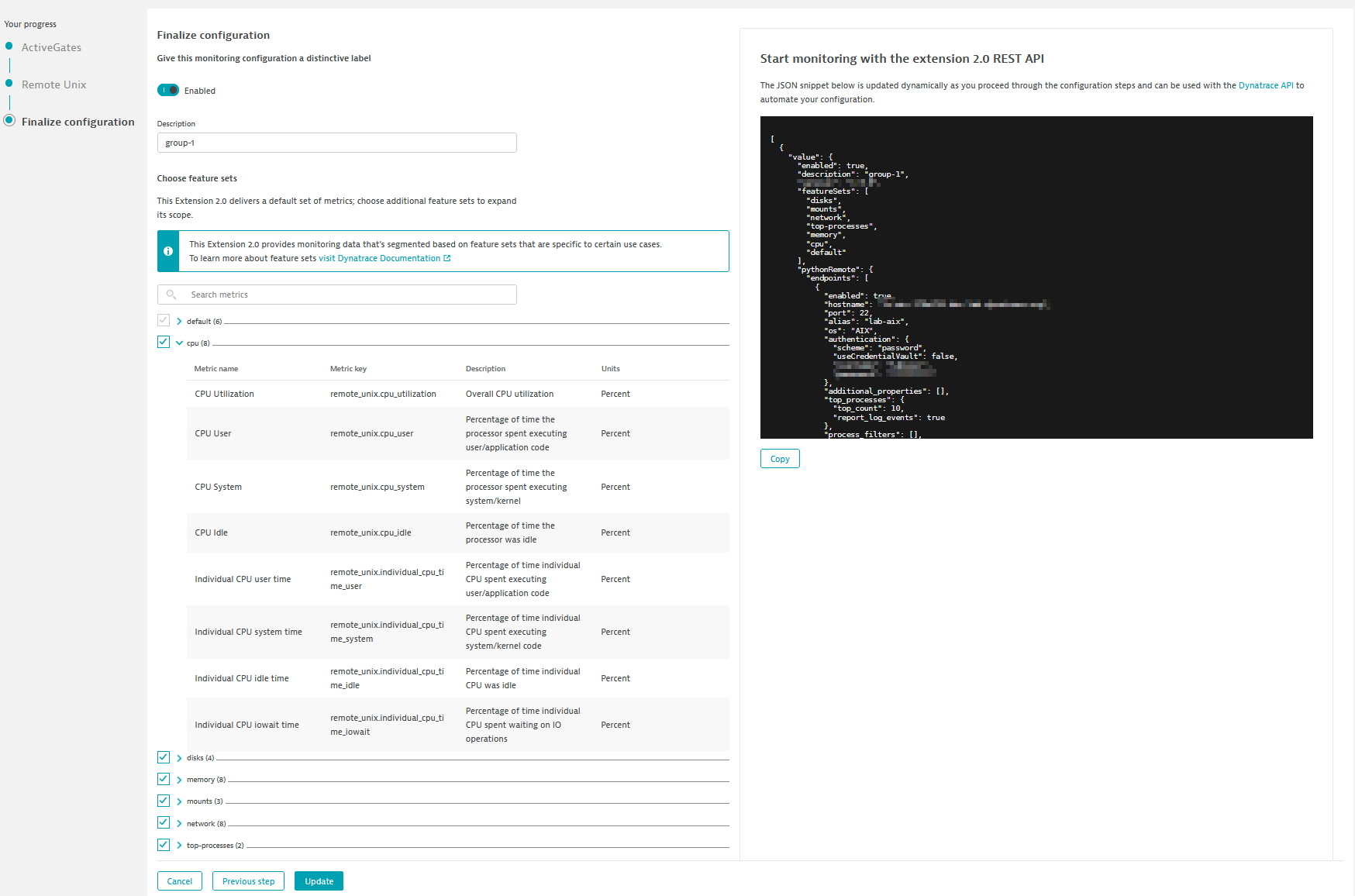
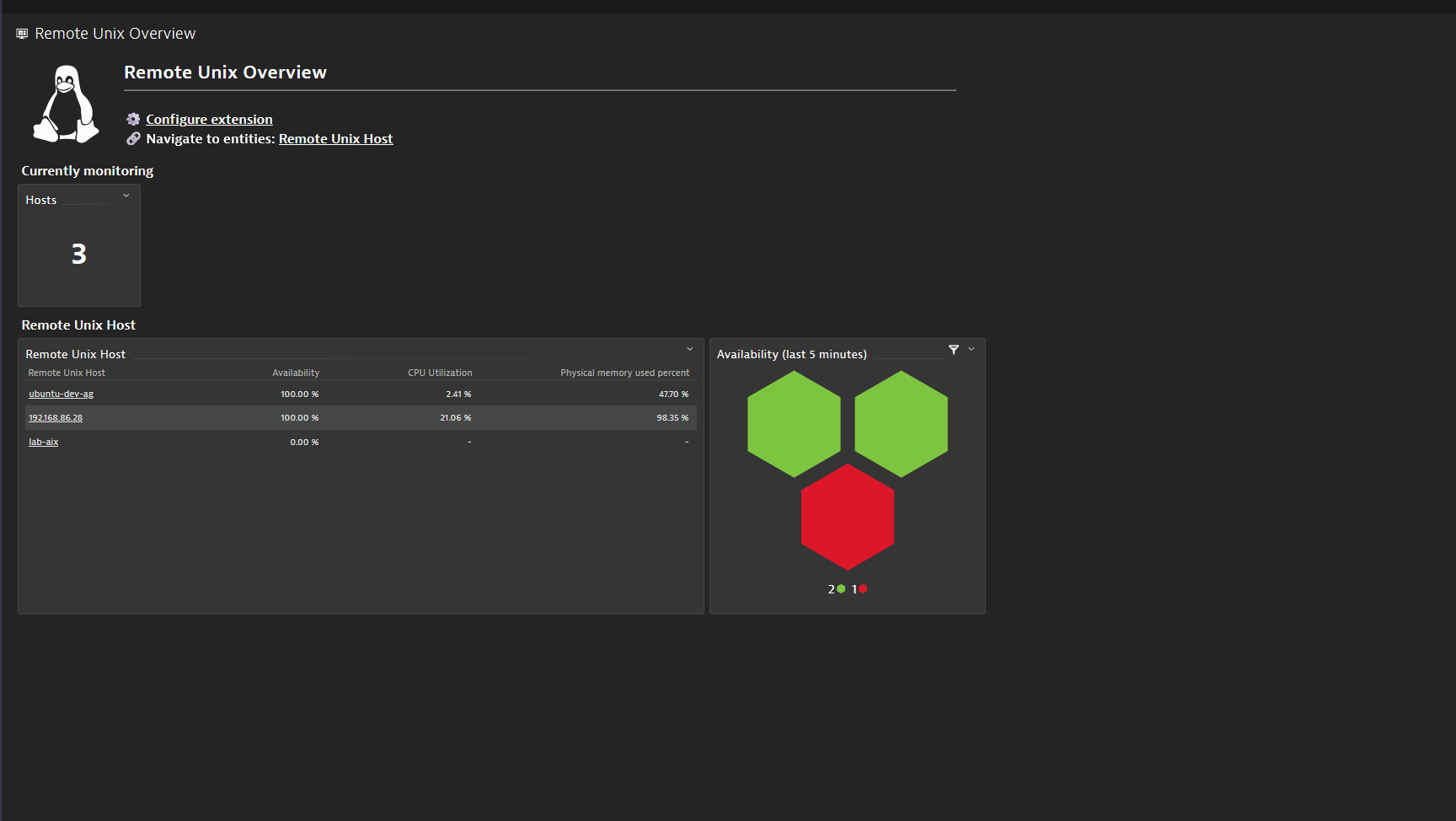
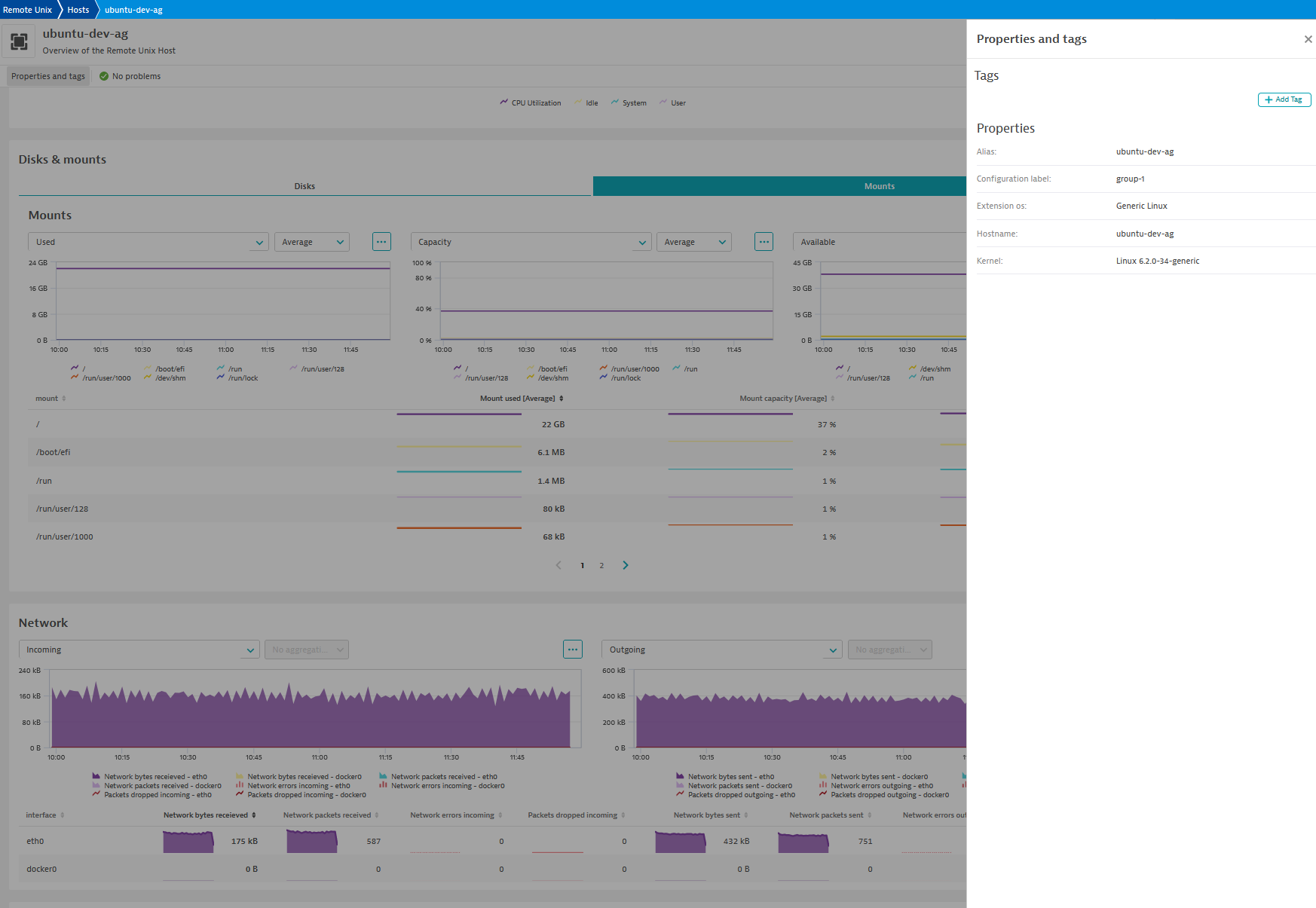
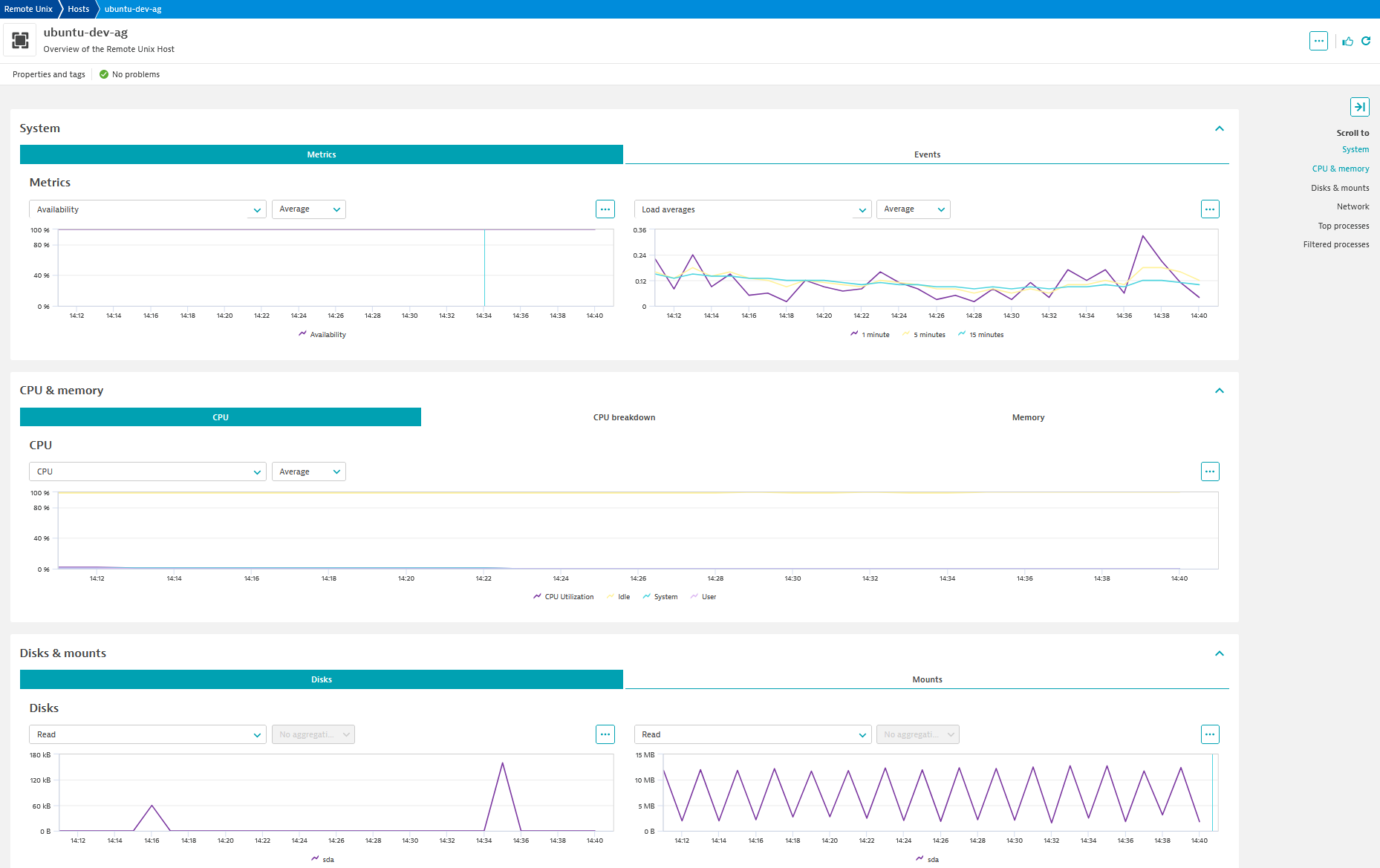
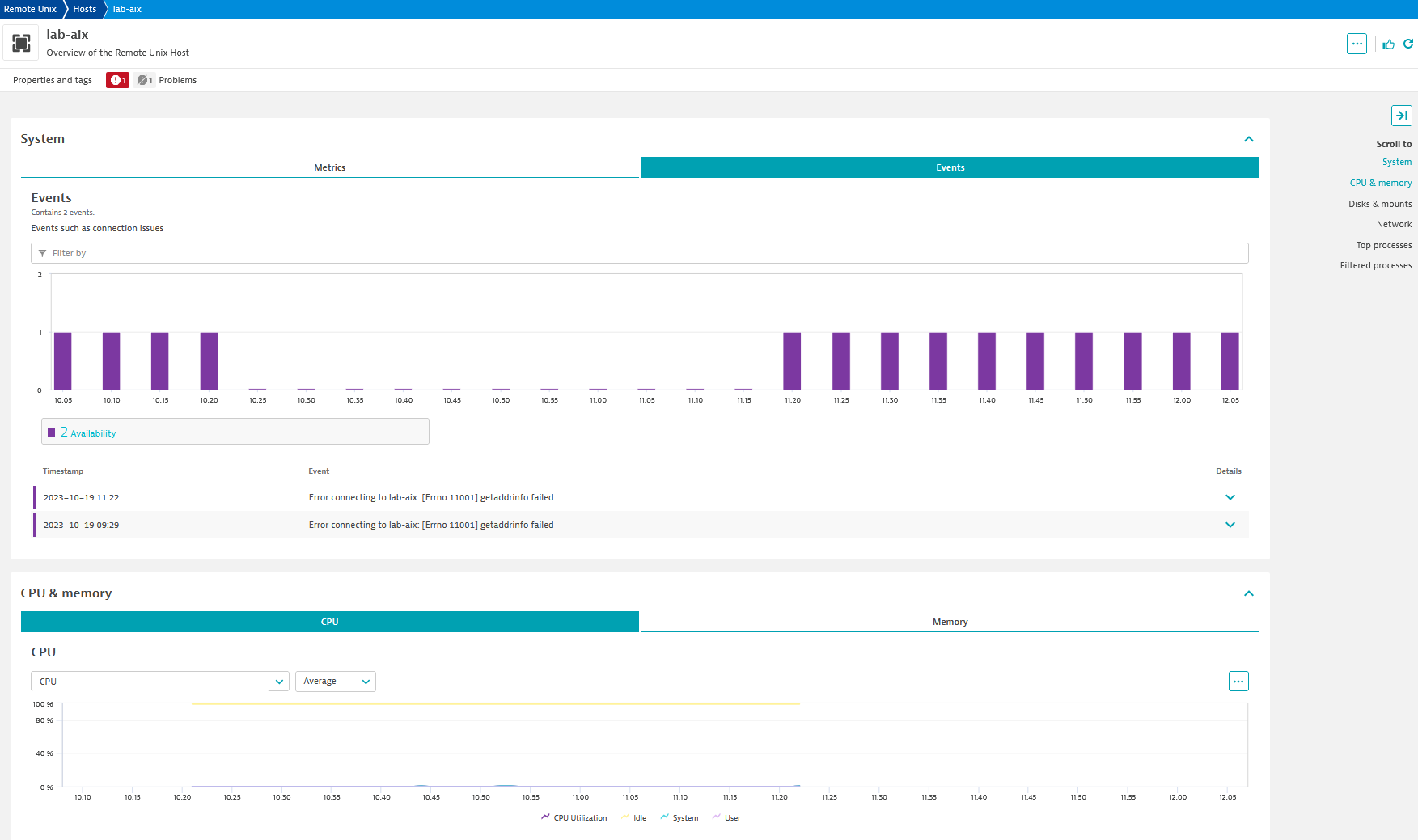
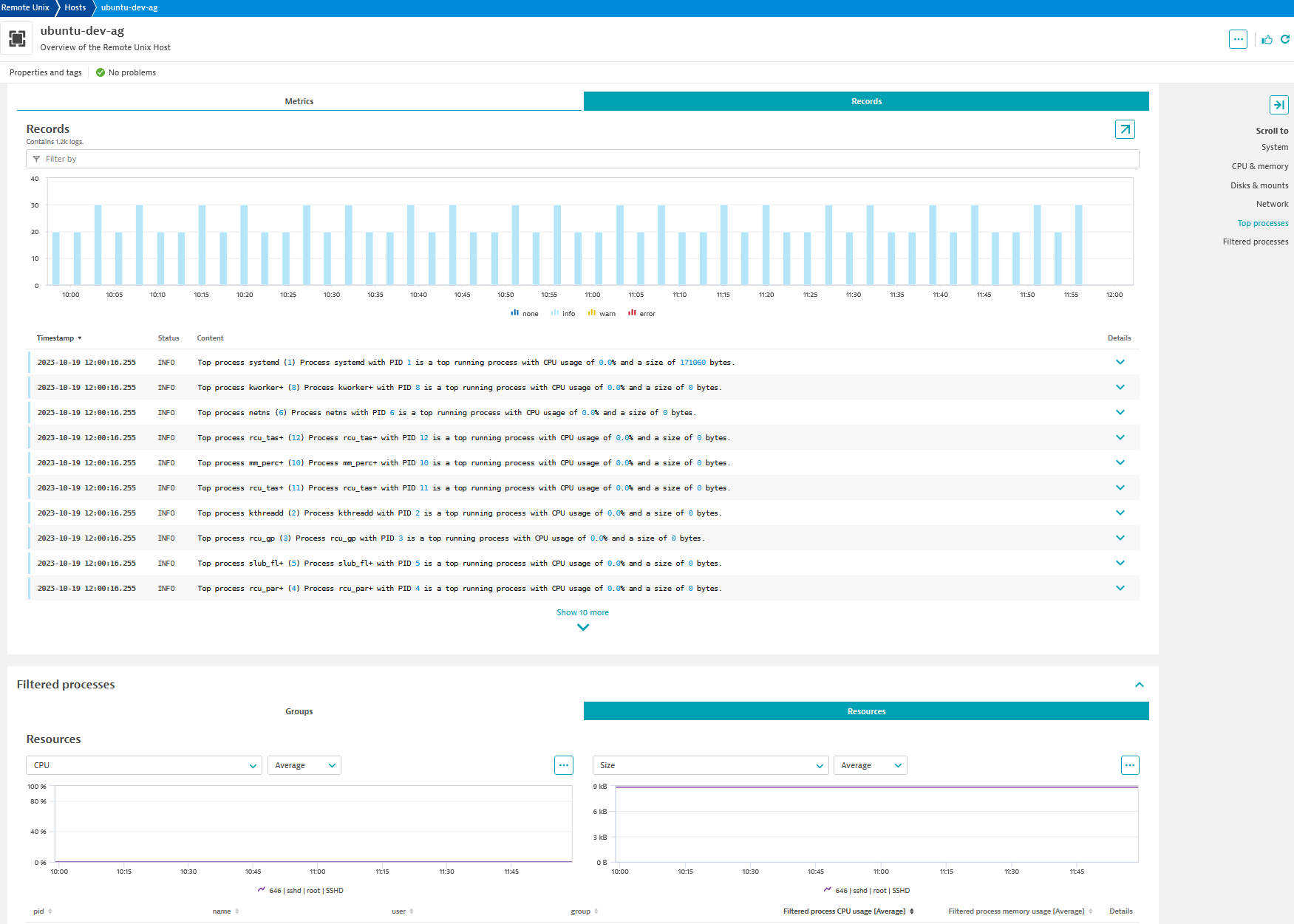
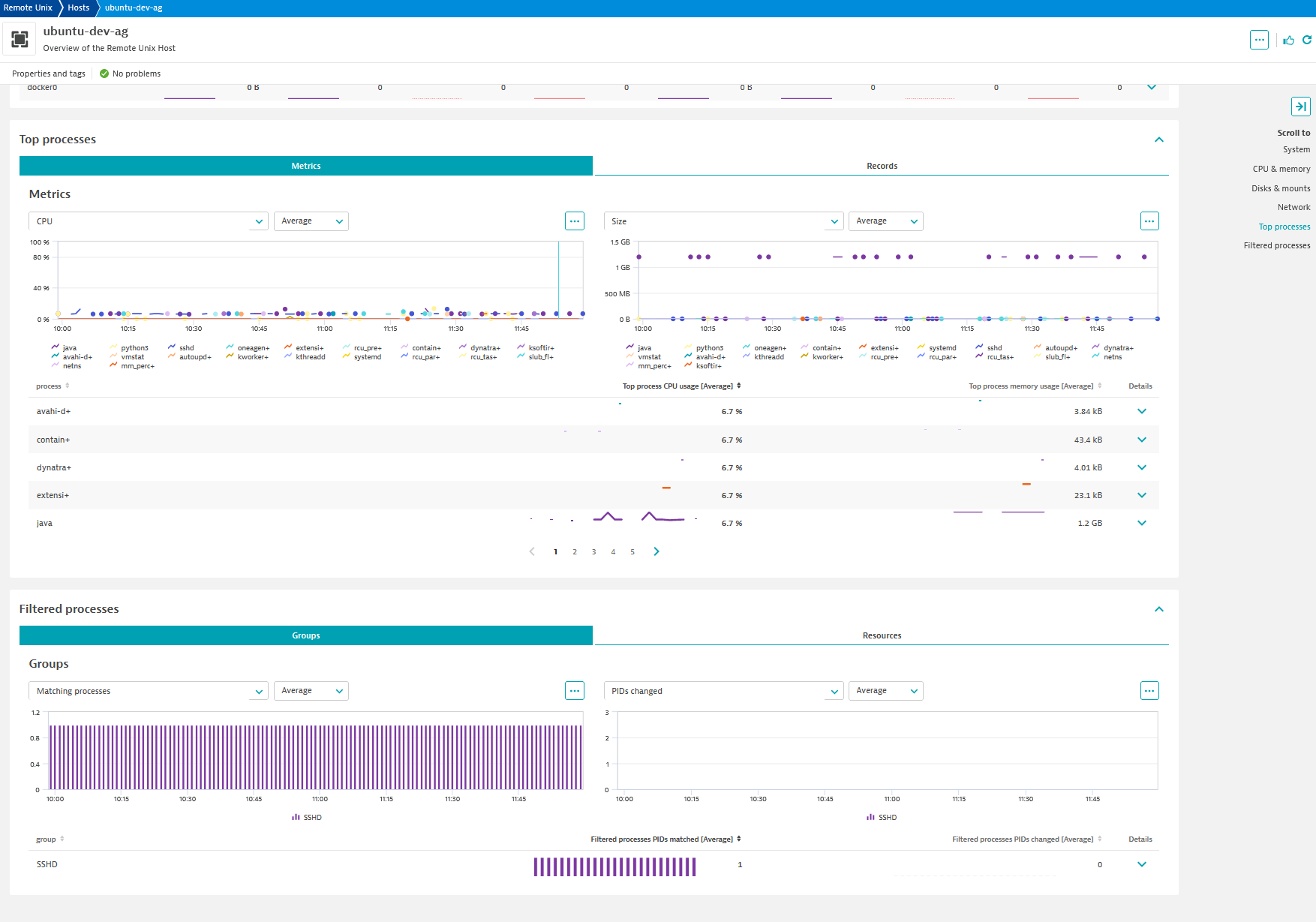
A monitoring configuration example.The feature sets page of the configuration screens.The included overview dashboard.The remote Unix host view showing the collected properties.Top view of the Unix host screen showing cpu and memory metrics.A screen showing connection error events displayed.The process view showing top process log records.The process metrics on a remote Unix screen.
  • Product information
  • Release notes

Overview

Overview

Unix/Linux is often used to run critical applications. A OneAgent is the best way to monitor such systems, however this is not always possible. Legacy unsupported versions or agreements with vendors may prevent you from installing a OneAgent on these important hosts. In these cases you can use the Remote Unix Monitoring extension to collect valuable telemetry on your hosts and the applications they are running. It works by connecting to your Unix/Linux hosts over SSH and running commands.

Use cases

  • Monitor and alert on important host metrics
  • Monitor the availability and resource usage of your key processes and applications
  • Identify host availability issues

Compatibility information

The following OSs are explicitly supported and can be selected in the configuration:

  • AIX
  • Centos
  • FreeBSD
  • HP-UX
  • MacOS
  • Oracle Linux
  • Red Hat Enterprise Linux (RHEL)
  • Solaris
  • Suse

Many other distributions such as Ubuntu can be monitored by selecting 'Debian Linux.'

As a goal of this extension is to provide visibility into systems that cannot be monitored by a OneAgent it does not have the same support policy as other areas of Dynatrace where we support what the vendor supports. Rather we try to support as many distributions as possible regardless of their support status to the best of our ability.

Dynatrace
Documentation
By Dynatrace
Dynatrace support center
Subscribe to new releases
Copy to clipboard

Extension content

Content typeNumber of items included
screen logs cards
2
screen properties
1
screen layout
4
document dashboard
1
screen chart groups
6
list screen layout
2
screen events cards
2
screen entities lists
3
screen dql table
12
metric metadata
51
generic relationship
1
dashboards
1
screen metric tables
11
generic type
2

Feature sets

Below is a complete list of the feature sets provided in this version. To ensure a good fit for your needs, individual feature sets can be activated and deactivated by your administrator during configuration.

Feature setsNumber of metrics included
Metric nameMetric keyDescriptionUnit
Mount usedremote_unix.mount_usedMount space in useByte
Mount capacityremote_unix.mount_capacityOverall capacity of the mountPercent
Mount availableremote_unix.mount_availableMount space availableByte
Metric nameMetric keyDescriptionUnit
CPU Utilizationremote_unix.cpu_utilizationOverall CPU utilizationPercent
CPU Userremote_unix.cpu_userPercentage of time the processor spent executing user/application codePercent
CPU Systemremote_unix.cpu_systemPercentage of time the processor spent executing system/kernelPercent
CPU Idleremote_unix.cpu_idlePercentage of time the processor was idlePercent
Individual CPU user timeremote_unix.individual_cpu_time_userPercentage of time individual CPU spent executing user/application codePercent
Individual CPU system timeremote_unix.individual_cpu_time_systemPercentage of time individual CPU spent executing system/kernel codePercent
Individual CPU idle timeremote_unix.individual_cpu_time_idlePercentage of time individual CPU was idlePercent
Individual CPU iowait timeremote_unix.individual_cpu_time_iowaitPercentage of time individual CPU spent waiting on IO operationsPercent
Metric nameMetric keyDescriptionUnit
Zpool sizeremote_unix.zpool_sizeZpool total sizeByte
Zpool allocatedremote_unix.zpool_allocatedZpool space allocatedByte
Zpool freeremote_unix.zpool_freeZpool space freeByte
Zpool capacityremote_unix.zpool_capacityZpool used percentPercent
Metric nameMetric keyDescriptionUnit
Disk latency (average)remote_unix.disk_average_latencyDisk latency (average)MilliSecond
Metric nameMetric keyDescriptionUnit
Network bytes receievedremote_unix.network_bytes_received_countNetwork traffic (in bytes) incoming per interfaceByte
Network packets receivedremote_unix.packets_received_countNetwork traffic (in Packets) incoming per interfaceCount
Network errors incomingremote_unix.network_errors_incoming_countNetwork errors on incoming traffic per interfaceCount
Packets dropped incomingremote_unix.packets_dropped_incoming_countIncoming packets dropped per interfaceCount
Network bytes sentremote_unix.network_bytes_sent_countOutbound network traffic (in bytes) per interfaceByte
Network packets sentremote_unix.packets_sent_countOutbound network traffic (in packets) per interfaceCount
Network errors outgoingremote_unix.network_errors_outgoing_countNetwork errors on outgoing traffic per interfaceCount
Packets dropped outgoingremote_unix.packets_dropped_outgoing_countOutgoing packets dropped per interfaceCount
Metric nameMetric keyDescriptionUnit
Availabilityremote_unix.availabilityAvailability of host based on initial SSH connectionPercent
Waiting processesremote_unix.waiting_processesNumber of processes waiting for processor timeCount
User countremote_unix.usersNumber of users on the systemCount
Load average (1 min)remote_unix.load_avg_1_minOne minute load averageCount
Load average (5 min)remote_unix.load_avg_5_minFive minute load averageCount
Load average (15 min)remote_unix.load_avg_15_min15 minute load averageCount
Metric nameMetric keyDescriptionUnit
Top process CPU usageremote_unix.top_process_cpuCPU usage of a 'top' resource consuming detected processPercent
Top process memory usageremote_unix.top_process_sizeMemory usage of a 'top' resource consuming detected processByte
Metric nameMetric keyDescriptionUnit
Paged inremote_unix.paged_inMemory pages swapped in from diskPerSecond
Paged outremote_unix.paged_outMemory pages swapped to diskPerSecond
Physical memory freeremote_unix.physical_memory_freeAmount of memory free as seen by OSByte
Physical memory used percentremote_unix.physical_memory_used_percentPercentage of memory used as seen by OSPercent
Swap freeremote_unix.swap_freeAmount of swap space freeByte
Swap totalremote_unix.swap_totalTotal swap space available on systemByte
Swap used percentremote_unix.swap_used_percentPercentage of available swap space in usePercent
Swap used percentremote_unix.swap_free_percentPercentage of available swap space not in usePercent
Metric nameMetric keyDescriptionUnit
Disk readremote_unix.disk_read_countAmount of data read from diskByte
Disk writeremote_unix.disk_write_countAmount of data written to diskByte
Disk read operationsremote_unix.disk_read_opsReads from diskPerSecond
Disk write operationsremote_unix.disk_write_opsWrites to diskPerSecond
Bytes per transferremote_unix.bytes_per_transferBytes per transferByte
Disk transfersremote_unix.transfersDisk transfersCount

Full version history

To have more information on how to install the downloaded package, please follow the instructions on this page.
ReleaseDate

Full version history

⚠️ NOTE: This version requires a minimum Dynatrace and ActiveGate version of 1.313.0 or later

🚀 Improved in this version:

  • Dynatrace Error codes (DECs) are now present in errors to assist in troubleshooting.
  • Statuses are reported per endpoint.

Full version history

Minimum ActiveGate version is 1.309

Features

  • The credential vault can now be used for key based authentication
  • Creation of an availability error event on connection issues can now be disabled in advanced settings

Improvements

  • The use of a timeout prefix on all commands is now configurable and disabled by default
    • Rare setups were found where this prefix caused the extension to hang
    • It can still be enabled as a fail-safe for systems which do not have the hang issue, however there have been no cases where this functionality was required to resolve an issue

Full version history

NOTE: This release requires a minimum ActiveGate version of 1.309.0 or later.

New in this version:

  • dt.security_context is attached to entities.
  • A New Dynatrace Dashboard has been added for use in the latest Dynatrace.

Full version history

Requires ActiveGate 1.279+

Improvements

  • Fastcheck changed from ssh login and command test to simple tcp check
    • Faster and not affected by issues such as bad credentials
  • pgrep filters for user now use the "effective" user
  • device.address added to all metrics
  • Several improvements to prevent rare cases where commands would 'hang' indefinitely
    • Includes 'timeout' prefix to all commands (where available)
  • Logging improvements

Fixes

  • AIX: skip filesystems such as /aha which will not have data when reporting mounts
  • AIX: fix issue that prevented some properties from being reported
  • AIX: fix issue that would prevent some process filters from matching
  • Avoid issue where same filesystem could be reported multiple times
  • Handle newly identified vmstat outputs
  • Fix issue that prevented 'Availability event' from being reported

Features

  • Configurable frequency
  • Platform updates for compatibility with IO app

Full version history

Changes

  • Configuration option to only collect local mounts
  • Longer connection timeouts allowed when using persisted connection
  • More connection debugging options available
  • Reclaimable memory now considered for AIX memory metrics
  • 'Do not merge' property set on availability event when unable to connect
  • Detection of hangs when reading from standard output

Fixes

  • df output now correctly reports sizes using base 2 interpretation of command output on Solaris and AIX (e.g. 1K = 1024 bytes instead of 1000 bytes as in base 10). This will result in a slight increase in the values of absolute metrics though the percentage will stay the same. Note that despite this, the Dynatrace UI still uses base 10 for the units so while the number of bytes will be the same you may see different numbers because the UI would show Gigabytes while the df command outputs Gibibytes.

Full version history

  • considers buffer and cache space in reporting available memory on some older Unix distributions
  • handles reporting of values with the largest units (E, Z, and Y)
  • fix bug in reporting of MacOS disk transfers metric
  • adds missing metric metadata for some MacOS-specific metrics

Full version history

  • Corrects issue in build process that would prevent the previous 2.2.7 version from running on old ActiveGate OSs (e.g. RHEL 7.9)

Full version history

  • Sets source entity metadata for all metrics to work with management zones

Full version history

  • Default the optional remote host group value to "default"
    • Primarily to ensure metric tables/charts/selectors will not break when not set

Full version history

  • Fixes bug in AIX where certain output of the 'df' command could cause processing of mount data to break
  • Increases filtered process pattern length limit to 1000

Full version history

  • New Solaris Z Pools feature set
  • Scalability-focused features
    • Monitoring configuration-wide 'default' authentication possible
    • Configuration available for a 'remote host group' entity to help with organizing remote unix entities
    • Raises endpoint limit to 500
    • Must use the new Task bucket size configuration to break the endpoints into smaller assignable task units
  • Fix for issue on AIX where memory metric absolute values were incorrectly scaled to be larger than their actual values (did not affect 'percentage' based metrics)

Full version history

  • Fix issue for some distributions that would result in missing data for the disk-level "bytes written" metric

Full version history

  • New 'extended-disk' feature set
    • Supported for most 'standard' Debian based Linux distributions
    • Includes an additional run of iostat with the 'extended' option to report latency
  • Attempts to include IP addresses and a detected hostname property
    • Restore behavior present in original 1.0 extension

Full version history

  • Fix issue where configured key path may not have properly been used for authentication

Full version history

  • Fix bug with how failures in the fastcheck would be reported in some scenarios

Full version history

  • Initial public release
Dynatrace Hub
Get data into DynatraceBuild your own app
All (811)Log Management and AnalyticsKubernetesAI and LLM ObservabilityInfrastructure ObservabilitySoftware DeliveryApplication ObservabilityApplication SecurityDigital ExperienceBusiness Observability
Filter
Type
Built and maintained by
Deployment model
SaaS
  • SaaS
  • Managed
Partner FinderBecome a partnerDynatrace Developer

Discover recent additions to Dynatrace

Problems logo

Problems

Analyze abnormal system behavior and performance problems detected by Davis AI.

Logs logo

Logs

Explore all your logs without writing a single query.

Security Investigator logo

Security Investigator

Fast and precise forensics for security and logs on Grail data with DQL queries.

Business Flow logo

Business Flow

Track, analyze, and optimize your critical business processes.

Cost & Carbon Optimization logo

Cost & Carbon Optimization

Track, analyze, and optimize your IT carbon footprint and public cloud costs.

Davis Anomaly Detection logo

Davis Anomaly Detection

Detect anomalies in timeseries using the Davis AI

Analyze your data

Understand your data better with deep insights and clear visualizations.

Notebooks logo

Notebooks

Create powerful, data-driven documents for custom analytics and collaboration.

Dashboards logo

Dashboards

Transform complex data into clear visualizations with custom dashboards.

Automate your processes

Turn data and answers into actions, securely, and at scale.

Workflows logo

Workflows

Automate tasks in your IT landscape, remediate problems, and visualize processes

Jira logo

Jira

Create, query, comment, transition, and resolve Jira tickets within workflows.

Slack logo

Slack

Automate Slack messaging for security incidents, attacks, remediation, and more.

Secure your cloud application

See vulnerabilities and attacks in your environment.

Security Overview logo

Security Overview

Get a comprehensive overview of the security of your applications.

Code-Level Vulnerabilities logo

Code-Level Vulnerabilities

Detect vulnerabilities in your code in real time.

Security Posture Management logo

Security Posture Management

Detect, prioritize, and remediate security and compliance findings with SPM.

Threats & Exploits logo

Threats & Exploits

Understand, triage, and investigate detection findings and alerts.

Are you looking for something different?

We have hundreds of apps, extensions, and other technologies to customize your environment

Leverage our newest innovations of Dynatrace Saas

Kick-start your app creation

Kick-start your app creation

Whether you’re a beginner or a pro, Dynatrace Developer has the tools and support you need to create incredible apps with minimal effort.
Go to Dynatrace Developer

Upgrading from Dynatrace Managed to SaaS

Upgrading from Dynatrace Managed to SaaS

Drive innovation, speed, and agility in your organization by seamlessly and securely upgrading.
Learn More
Log Management and Analytics

Log Management and Analytics

Innovate faster and more efficiently with unified log management and log analytics for actionable insights and automation.
Learn more

