




















Skip to technology filters Skip to main content
Dynatrace Hub

Extend the platform,
empower your team.

Popular searches:
Home hero bg
Redis (2.0)Redis (2.0)
Redis (2.0)

Redis (2.0)

Collect important additional data for your Redis instances.

Extension
Free trialDocumentation
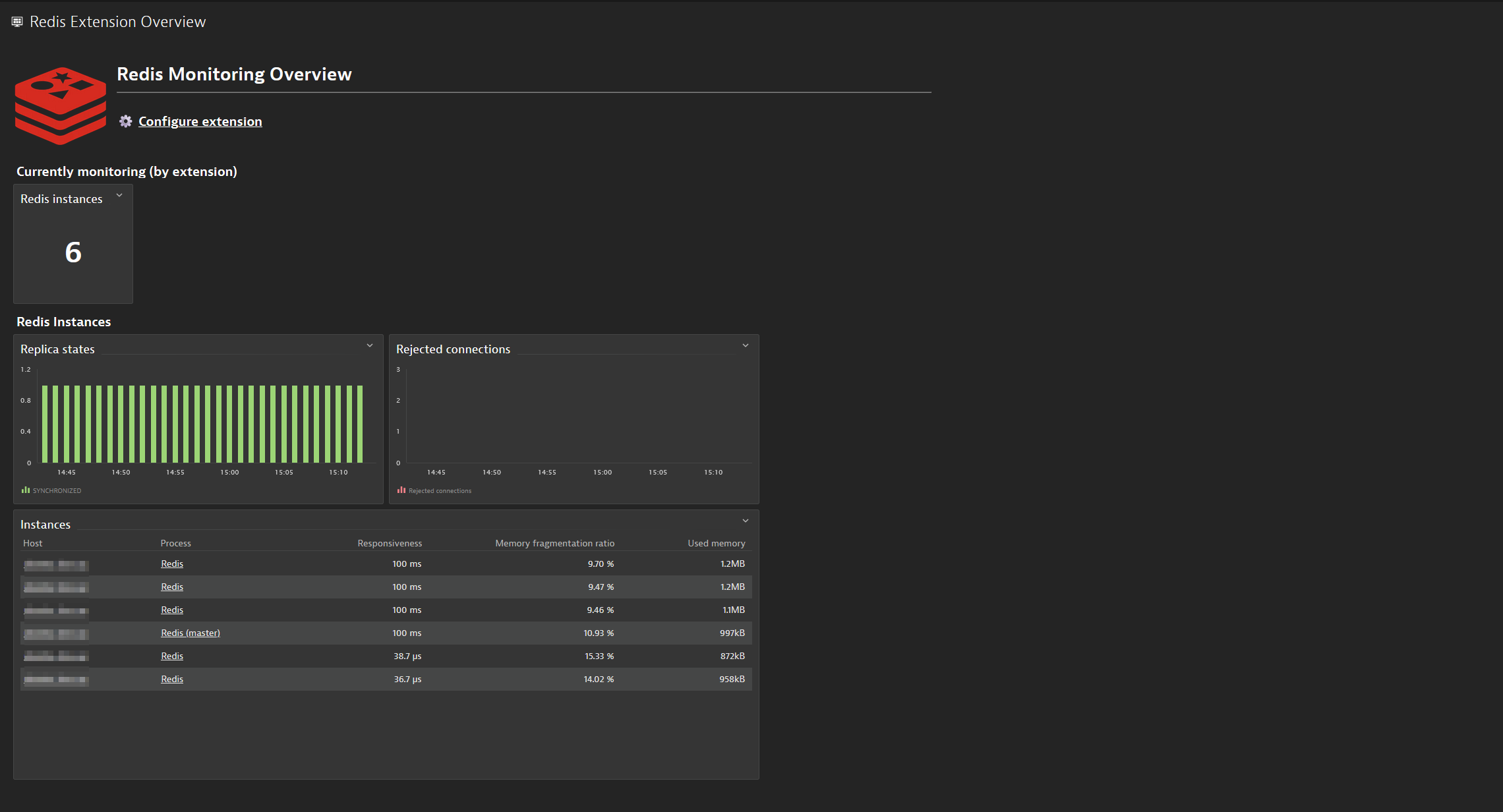
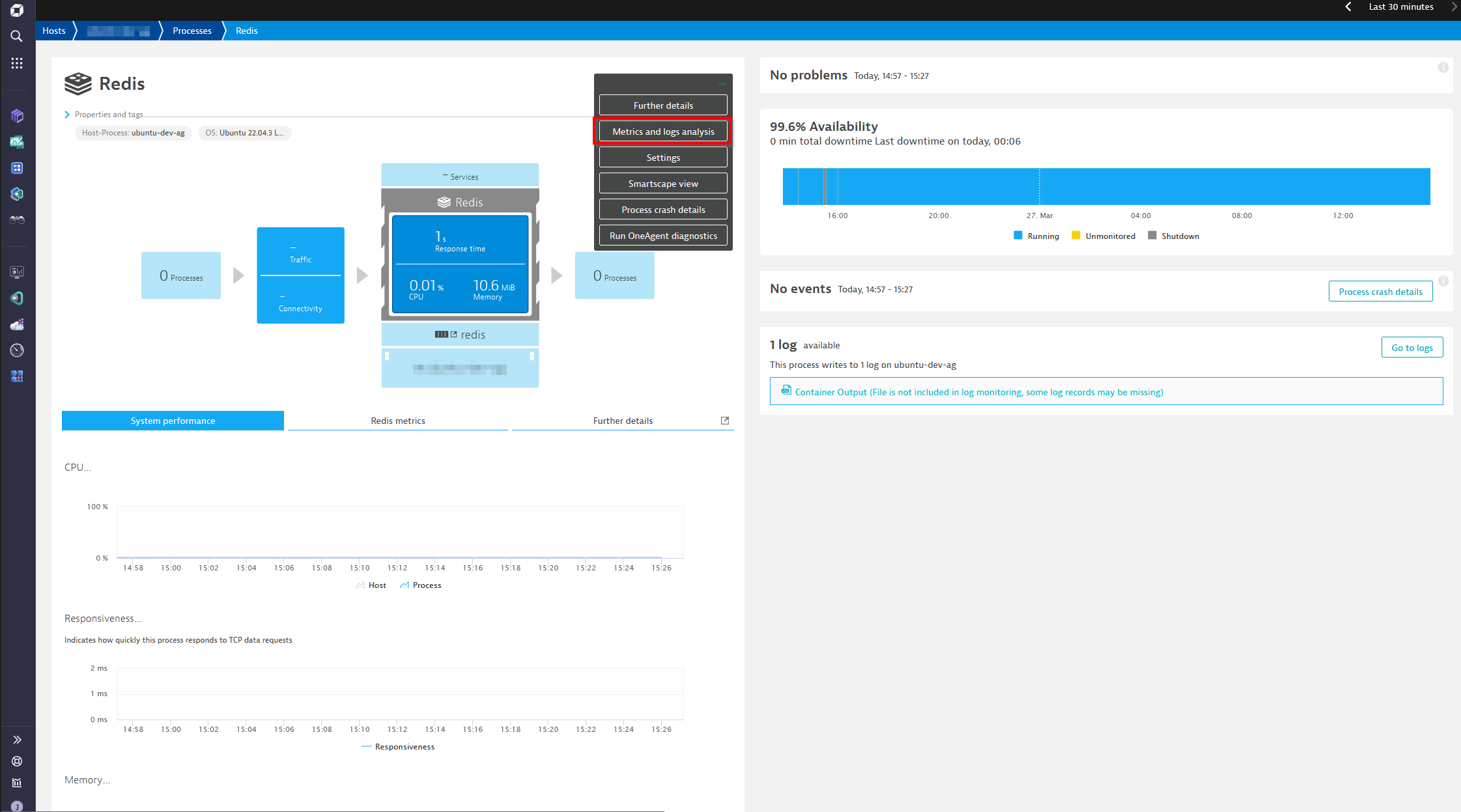
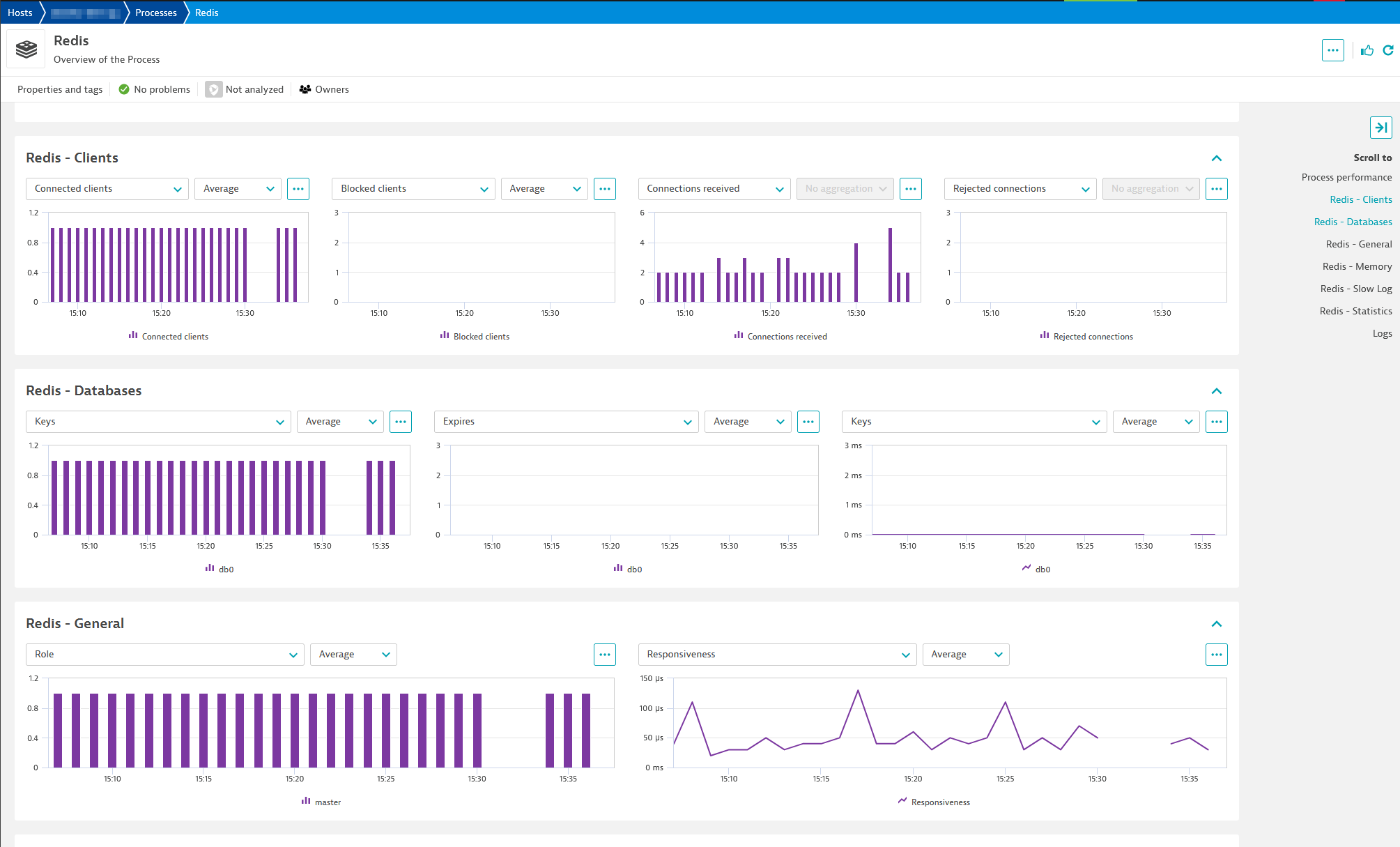
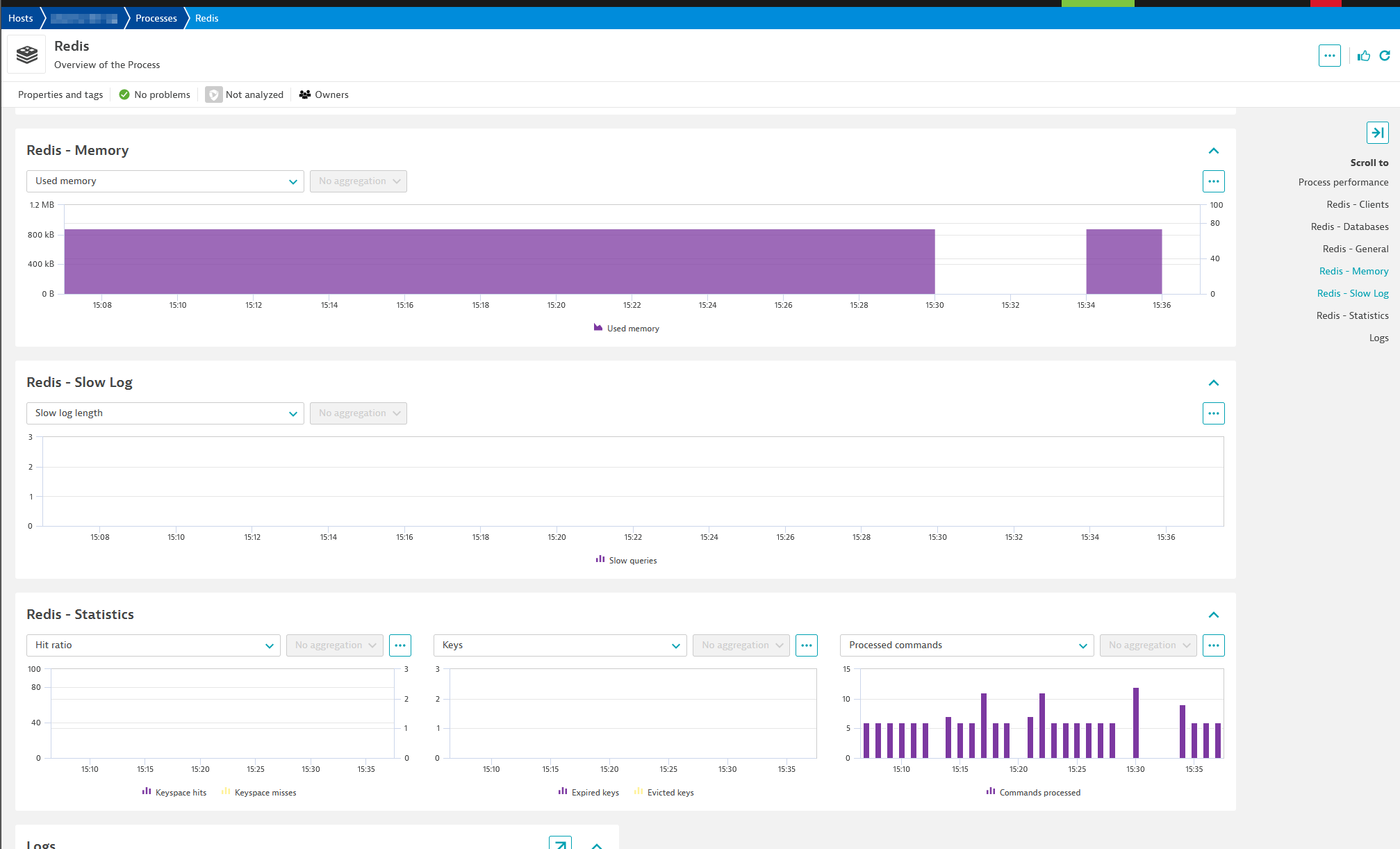
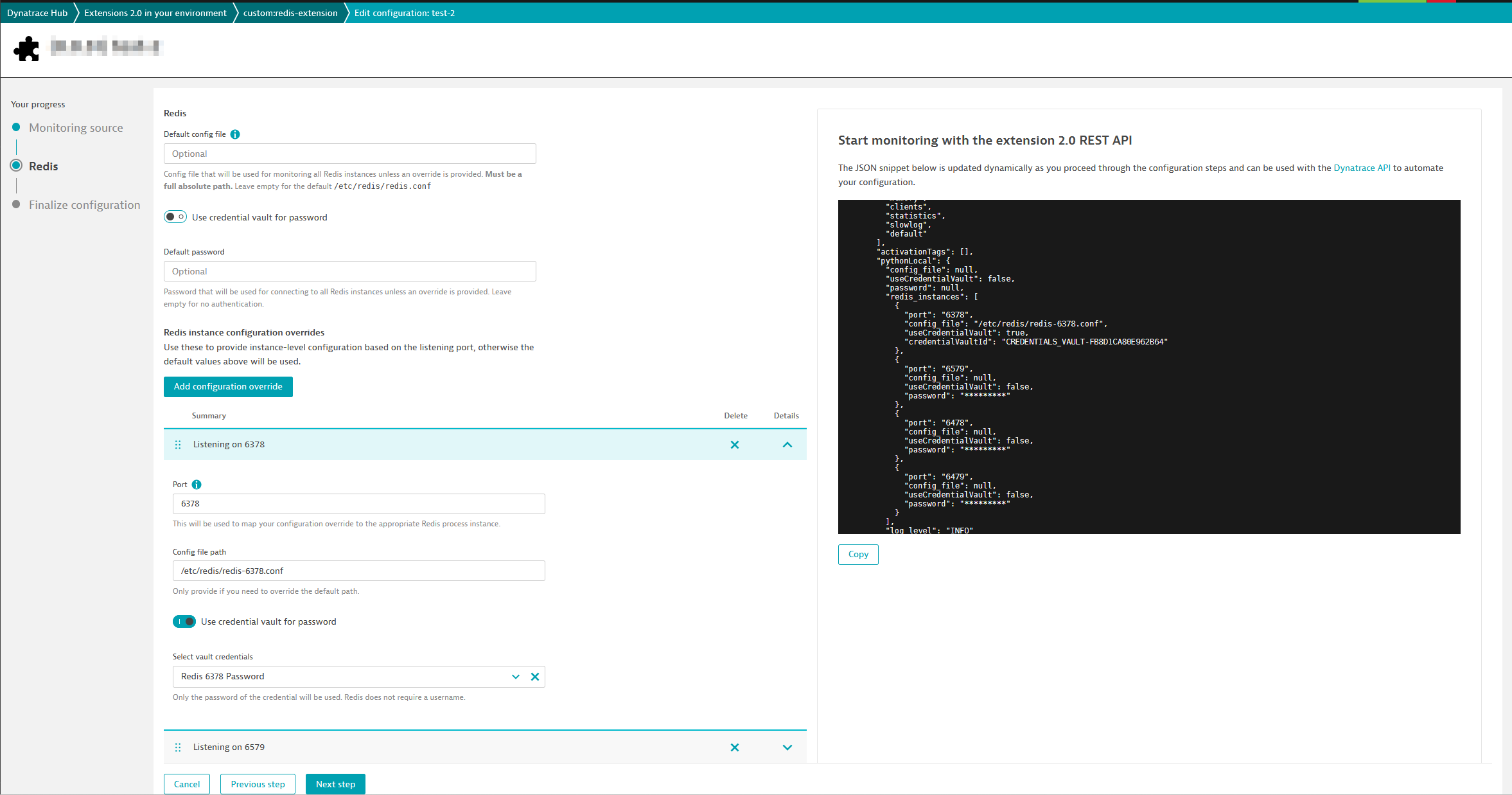
The overview dashboard for the Redis extension including a link to the configuration screen and some high-level Redis metrics.A view of the classic Redis process group instance page, highlighting the Metrics and logs analysis button used to access the Unified Analysis screen with the Redis metrics.A screen showing several Redis metrics including client, database, and general information.A screen showing several Redis metrics including memory, slowlog, and statistics information.An example configuration showing several overrides including usage of the credential vault and a custom configuration file path.
  • Product information
  • Release notes

Overview

Redis is an open-source, in-memory, key-value database (or "data structure server") with optional durability. Redis is commonly used as a database, cache, queue, and message broker (publish and subscribe). Out of the box, Dynatrace monitors the standard Redis process level metrics. Using this extension you can collect additional Redis metrics including response time, memory fragmentation, cache hit ratio, cache usage, number of connections, hits, misses, and more.

Use cases

  • Monitor for critical issues such as unsynchronized replicas or synchronization tasks taking longer than expected
  • Identify memory related issues such as excessive memory fragmentation or keys being evicted due to memory limits being reached
  • Detect if clients are being rejected due to the maxclients limit
  • Identify if there is an increasing number of queries exceeding their specified execution times (reported in the slow log)

Compatibility information

Requirements and limitations

  • Redis Server 2.8 or higher
  • Linux OS
  • Redis must listen on localhost. Binding between localhost and the Redis port is required.

Docker support

  • Redis docker image version 5.0.0+
Dynatrace
Documentation
By Dynatrace
Dynatrace support center
Subscribe to new releases
Copy to clipboard

Extension content

Content typeNumber of items included
alerts
2
metric metadata
23
screen injections
16
screen chart groups
16
document dashboard
1
dashboards
1

Feature sets

Below is a complete list of the feature sets provided in this version. To ensure a good fit for your needs, individual feature sets can be activated and deactivated by your administrator during configuration.

Feature setsNumber of metrics included
Metric nameMetric keyDescriptionUnit
Keysredis.keysThe number of keys in the selected database.Count
Expiresredis.expiresThe number of keys that have the TTL parameter.Count
Average time-to-liveredis.avg_ttlThe estimated average TTL of keys on the server.MilliSecond
Metric nameMetric keyDescriptionUnit
Roleredis.roleThe role of the Redis instance (e.g. master, slave, or sentinel)State
Responsivenessredis.responsivenessThe time elapsed while the Redis server responds to INFO requests. Redis typically responds within milliseconds.MilliSecond
Metric nameMetric keyDescriptionUnit
Slow queriesredis.slowlog_len.countThe number of queries added in the Redis slow log.Count
Metric nameMetric keyDescriptionUnit
Keyspace hitsredis.keyspace_hits.countNumber of successful key lookups in the main dictionary.Count
Keyspace missesredis.keyspace_misses.countNumber of failed key lookups.Count
Evicted keysredis.evicted_keys.countNumber of keys removed from cache to free up memory for new itemsCount
Expired keysredis.expired_keys.countNumber of key expiration events.Count
Commands processedredis.total_commands_processed.countNumber of commands processed by Redis.Count
Cache hit ratioredis.hit_ratioThe percentage of key lookups in the main dictionary that were successful.Percent
Metric nameMetric keyDescriptionUnit
Connected clientsredis.connected_clientsNumber of client connections (excluding connections from replicas).Count
Blocked clientsredis.blocked_clientsThe number of blocked clientsCount
Connections receivedredis.total_connections_received.countNumber of connections accepted by the server.Count
Rejected connectionsredis.rejected_connections.countThe number of connections rejected because of the maxclients limit.Count
Metric nameMetric keyDescriptionUnit
Used memoryredis.used_memoryThe amount of memory in-useByte
Max memoryredis.maxmemoryThe maximum memory allowed in Redis cache.Byte
Memory fragmentation ratioredis.mem_fragmentation_ratioThe ratio of memory used by the operating system compared to the amount of memory allocated by Redis.Percent
Memory usageredis.memory_usageThe percentage of utilized Redis memory. This metric is visible only when the Redis maxmemory parameter is configured.Percent
Metric nameMetric keyDescriptionUnit
Connected replicasredis.connected_replicasNumber of connected replicas. This metric is visible for the master and those replicas that are connected to other replicas.Count
Last master interaction timeredis.master_last_io_seconds_agoTime since interaction with the masterSecond

Full version history

To have more information on how to install the downloaded package, please follow the instructions on this page.
ReleaseDate

Full version history

Minimum OneAgent version is 1.314.0

Features

  • Support for client-side certificate based authentication

Full version history

Changes

  • Improved error handling (Dynatrace Error Codes) and Endpoint Statuses.

Full version history

Minimum Dynatrace version now 1.314!

Changes

  • Included platform dashboard
  • Metrics displayed for process group instance in Infrastructure & Operations App

Full version history

Features

  • TLS/SSL support
  • Parsing of redis configuration file to automatically retrieve and use password for default user

Full version history

  • Fixes bug that prevented redis.hit_ratio from being reported.

Full version history

  • Fix bug in snapshot processing that could prevent some intervals from collecting data
  • Correct data type of top-level password to be an encrypted secret

Full version history

  • Correct logic in parsing of snapshot file to avoid breaking in some scenarios

Full version history

  • detect and handle sentinel processes more cleanly
  • attempt to connect without a password if scenario detected where a password was provided but is not needed

Full version history

  • Initial 2.0 release
Dynatrace Hub
Get data into DynatraceBuild your own app
All (811)Log Management and AnalyticsKubernetesAI and LLM ObservabilityInfrastructure ObservabilitySoftware DeliveryApplication ObservabilityApplication SecurityDigital ExperienceBusiness Observability
Filter
Type
Built and maintained by
Deployment model
SaaS
  • SaaS
  • Managed
Partner FinderBecome a partnerDynatrace Developer

Discover recent additions to Dynatrace

Problems logo

Problems

Analyze abnormal system behavior and performance problems detected by Davis AI.

Logs logo

Logs

Explore all your logs without writing a single query.

Security Investigator logo

Security Investigator

Fast and precise forensics for security and logs on Grail data with DQL queries.

Business Flow logo

Business Flow

Track, analyze, and optimize your critical business processes.

Cost & Carbon Optimization logo

Cost & Carbon Optimization

Track, analyze, and optimize your IT carbon footprint and public cloud costs.

Davis Anomaly Detection logo

Davis Anomaly Detection

Detect anomalies in timeseries using the Davis AI

Analyze your data

Understand your data better with deep insights and clear visualizations.

Notebooks logo

Notebooks

Create powerful, data-driven documents for custom analytics and collaboration.

Dashboards logo

Dashboards

Transform complex data into clear visualizations with custom dashboards.

Automate your processes

Turn data and answers into actions, securely, and at scale.

Workflows logo

Workflows

Automate tasks in your IT landscape, remediate problems, and visualize processes

Jira logo

Jira

Create, query, comment, transition, and resolve Jira tickets within workflows.

Slack logo

Slack

Automate Slack messaging for security incidents, attacks, remediation, and more.

Secure your cloud application

See vulnerabilities and attacks in your environment.

Security Overview logo

Security Overview

Get a comprehensive overview of the security of your applications.

Code-Level Vulnerabilities logo

Code-Level Vulnerabilities

Detect vulnerabilities in your code in real time.

Security Posture Management logo

Security Posture Management

Detect, prioritize, and remediate security and compliance findings with SPM.

Threats & Exploits logo

Threats & Exploits

Understand, triage, and investigate detection findings and alerts.

Are you looking for something different?

We have hundreds of apps, extensions, and other technologies to customize your environment

Leverage our newest innovations of Dynatrace Saas

Kick-start your app creation

Kick-start your app creation

Whether you’re a beginner or a pro, Dynatrace Developer has the tools and support you need to create incredible apps with minimal effort.
Go to Dynatrace Developer

Upgrading from Dynatrace Managed to SaaS

Upgrading from Dynatrace Managed to SaaS

Drive innovation, speed, and agility in your organization by seamlessly and securely upgrading.
Learn More
Log Management and Analytics

Log Management and Analytics

Innovate faster and more efficiently with unified log management and log analytics for actionable insights and automation.
Learn more

