

























Kick-start your app creation
Whether you’re a beginner or a pro, Dynatrace Developer has the tools and support you need to create incredible apps with minimal effort.
Go to Dynatrace Developer
 Qdrant
Vector databases, represented by Qdrant, play a pivotal role as semantic caches within modern Large Language Model (LLM) service frameworks. These semantic caches are essential for reducing latency in frequently accessed user prompts, optimizing overall costs associated with cloud-based pre-trained model services. Monitoring the efficiency and memory utilization of the cache is crucial for optimal resource allocation, while its adaptability to dynamic contexts serves as a measure of its ability to respond accurately to evolving conversation dynamics.
Additionally, considerations of cache warm-up times contribute to expediting the availability of cached information. In the domain of vector databases, the performance of queries and indexing speed becomes crucial, directly influencing the system's effectiveness in handling similarity searches. Factors like scalability, accuracy of vector representations, and storage efficiency play critical roles in managing expanding datasets proficiently.
Moreover, performance metrics related to updates, deletions, and query throughput further impact the overall effectiveness of these systems in delivering real-time and accurate responses in natural language processing and similarity search applications. Achieving an optimal balance across these Key Performance Indicators (KPIs) ensures that both semantic LLM caches and vector databases, such as Qdrant, achieve peak performance across diverse use cases.
In summary, vector databases, exemplified by Qdrant, aim to address performance-related challenges, enhance operational efficiency, and contribute to a more seamless and responsive experience in various natural language processing applications.
The most common Qdrant deployment is to run the vector database cache within a Kubernetes workload.
Dynatrace automatically collects Prometheus metrics from any pods that are annotated with a metrics.dynatrace.com/scrape property set to true in the pod definition.
See below a Qdrant Kubernetes deployment specification that automatically exposes Qdrant metrics to your Dynatrace environment:
apiVersion: apps/v1
kind: Deployment
metadata:
  name: qdrant
spec:
  replicas: 1
  selector:
    matchLabels:
      app: qdrant
  template:
    metadata:
      labels:
        app: qdrant
      annotations:
        metrics.dynatrace.com/scrape: "true"
        metrics.dynatrace.com/port: "6333"
        metrics.dynatrace.com/path: "/metrics"
    spec:
      containers:
      - name: qdrant
        image: qdrant/qdrant:latest
        ports:
        - containerPort: 6333
        - containerPort: 6334
        resources:
          limits:
            memory: "2Gi"
          requests:
            memory: "1Gi"
        volumeMounts:
        - name: qdrant-data
          mountPath: /qdrant/storage:z
      volumes:
      - name: qdrant-data
        persistentVolumeClaim:
          claimName: qdrant-pvc
This functionality applies to all pods across your entire Kubernetes cluster, regardless of whether the pod is running in a namespace that matches the Dynakube's namespace selector.
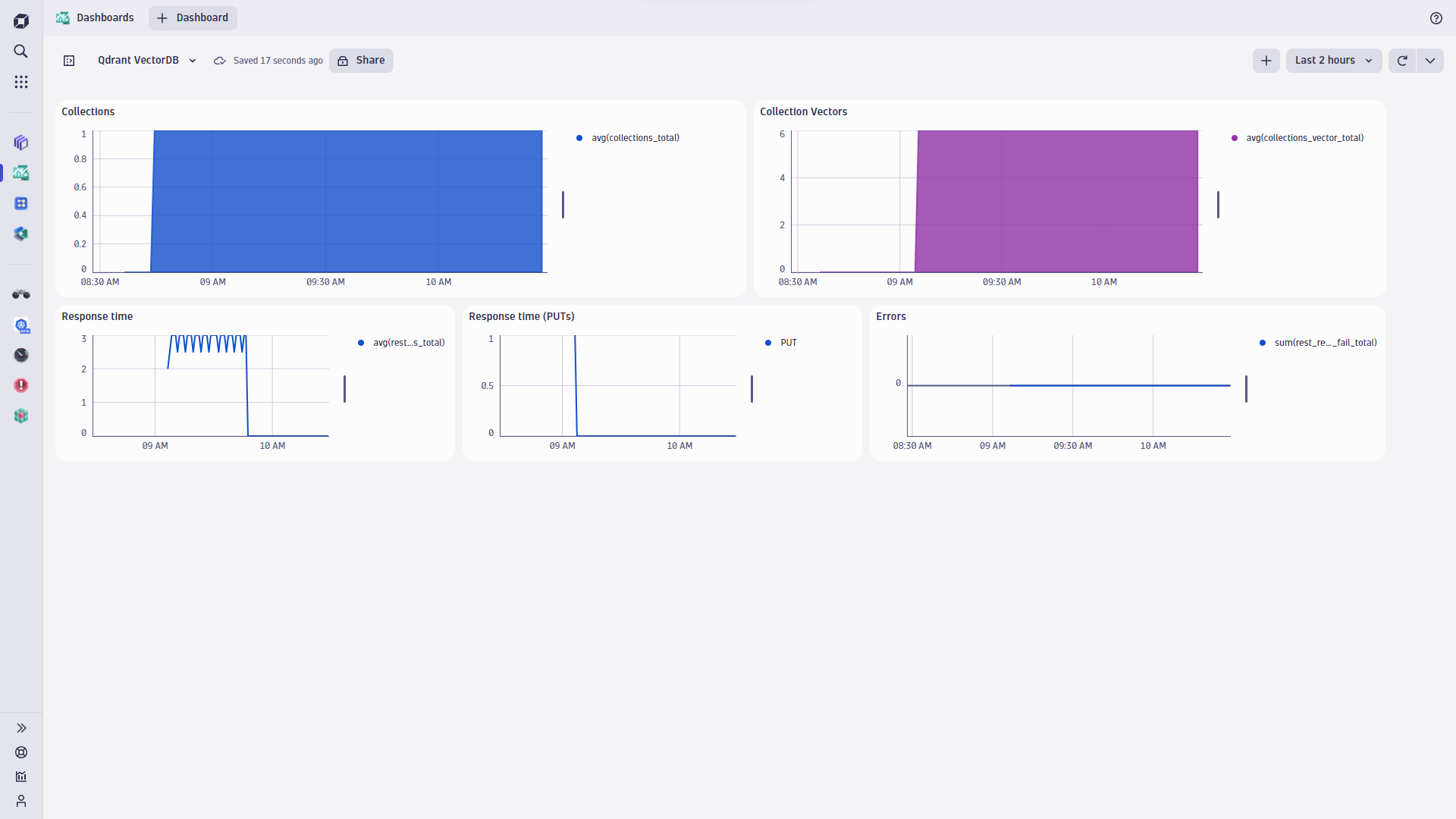
Qdrant exposes Prometheus-compatible metrics for monitoring at port 6333 under the path /metrics.
A standard Prometheus setup can be used to visualize metrics on various dashboards in your Dynatrace environment.
Qdrant metrics are then used to measure request latencies as well as to measure the number of collections and stored vectors.

