
























Kick-start your app creation
Whether you’re a beginner or a pro, Dynatrace Developer has the tools and support you need to create incredible apps with minimal effort.
Go to Dynatrace Developer
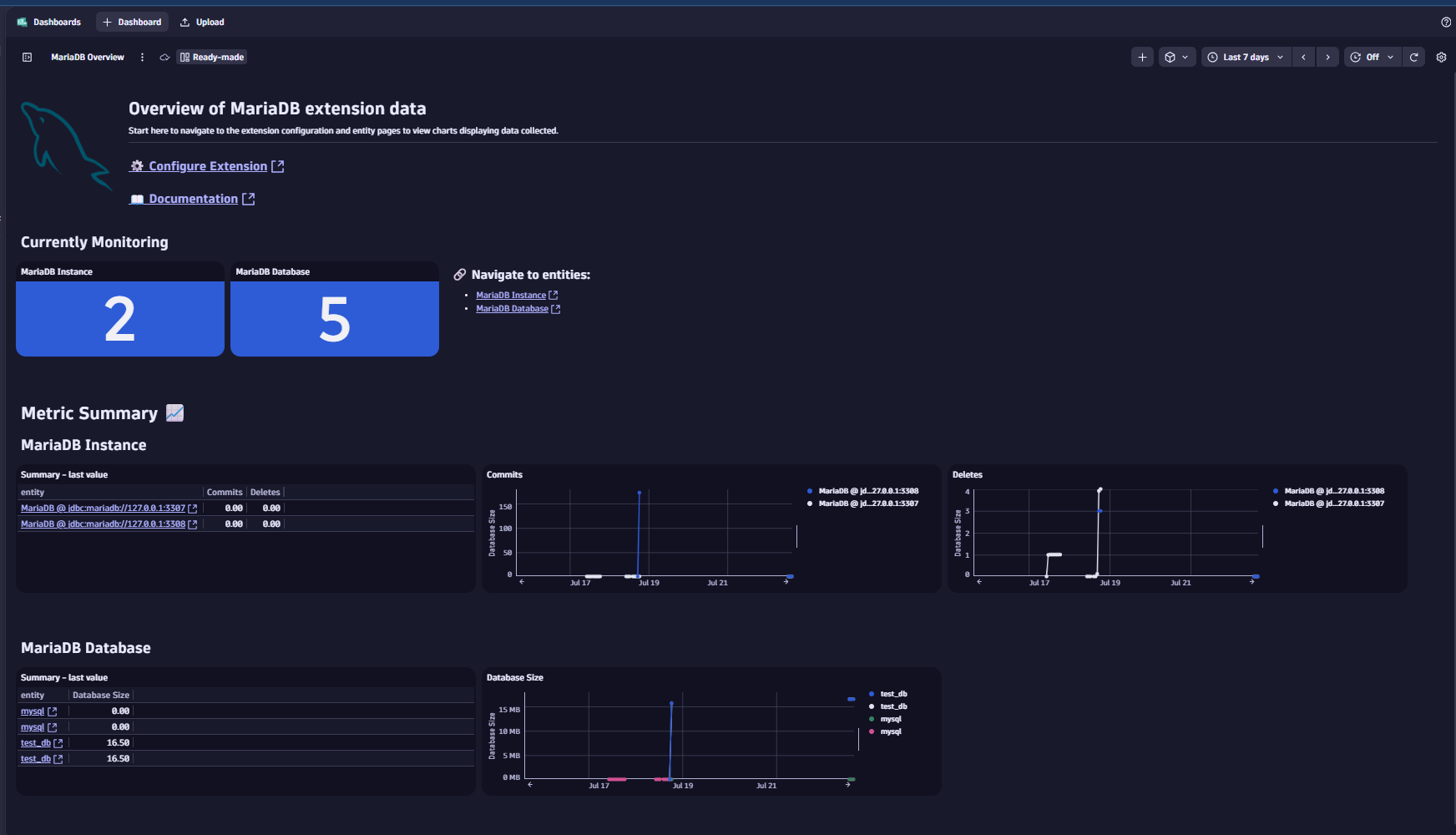
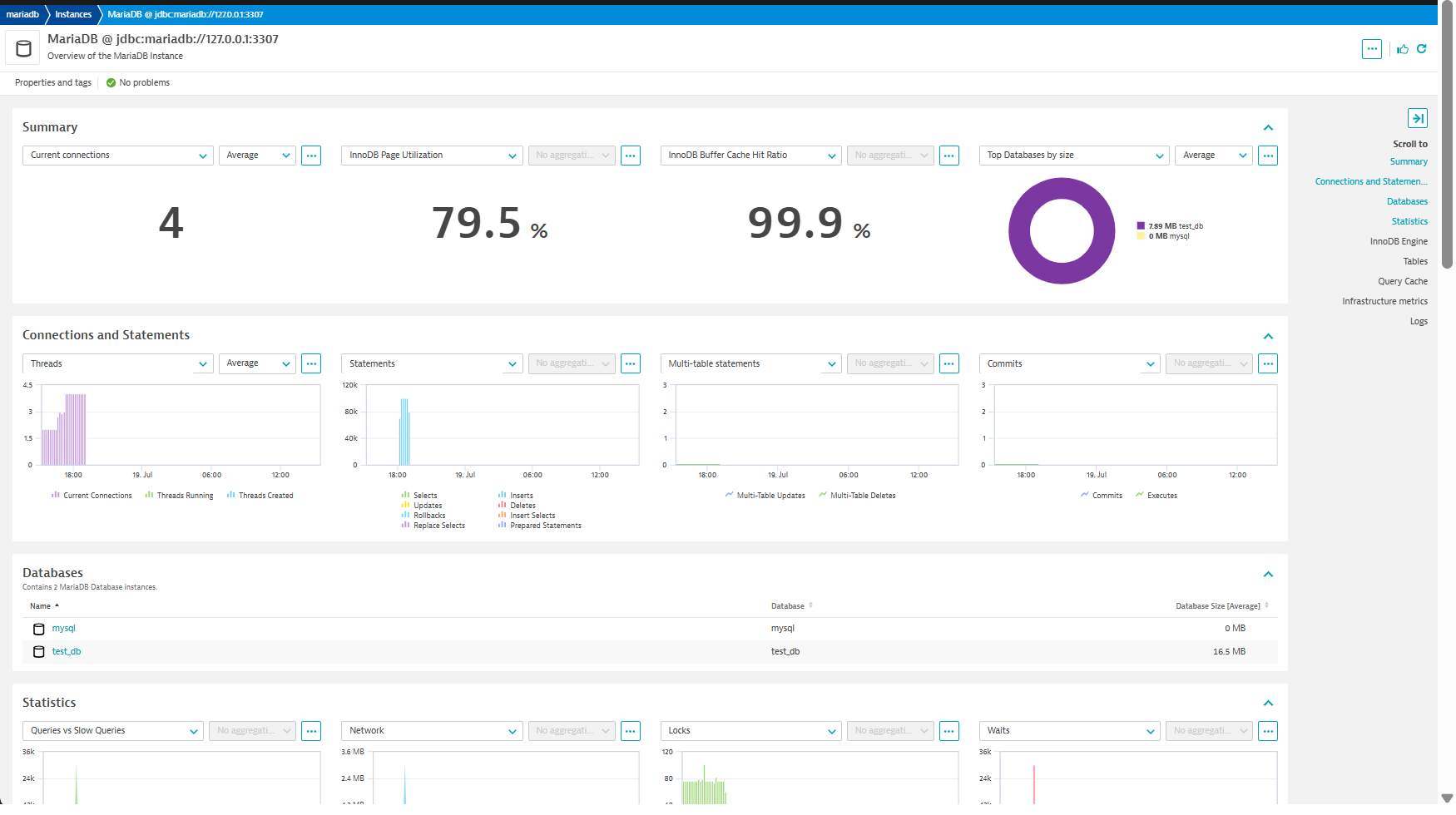
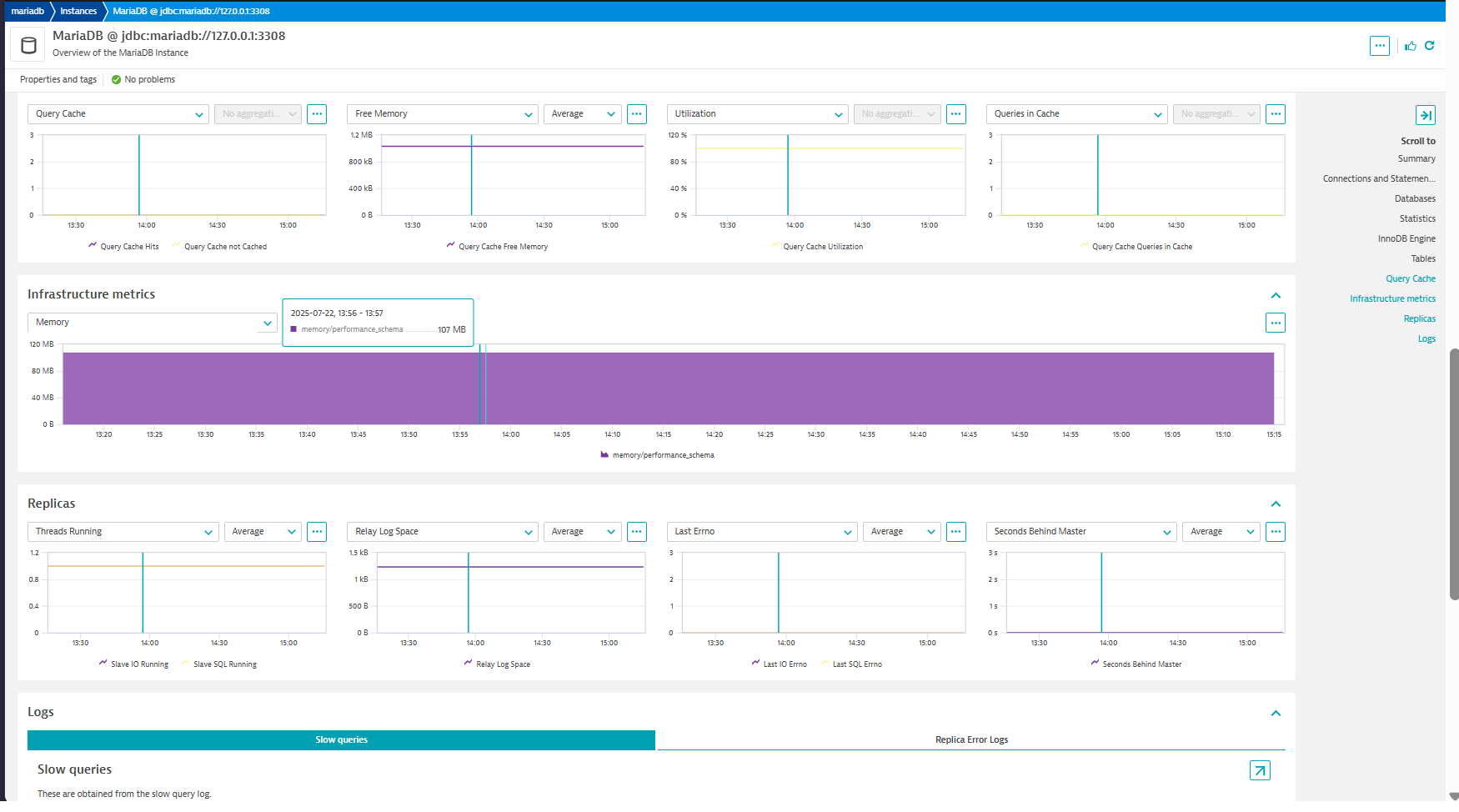
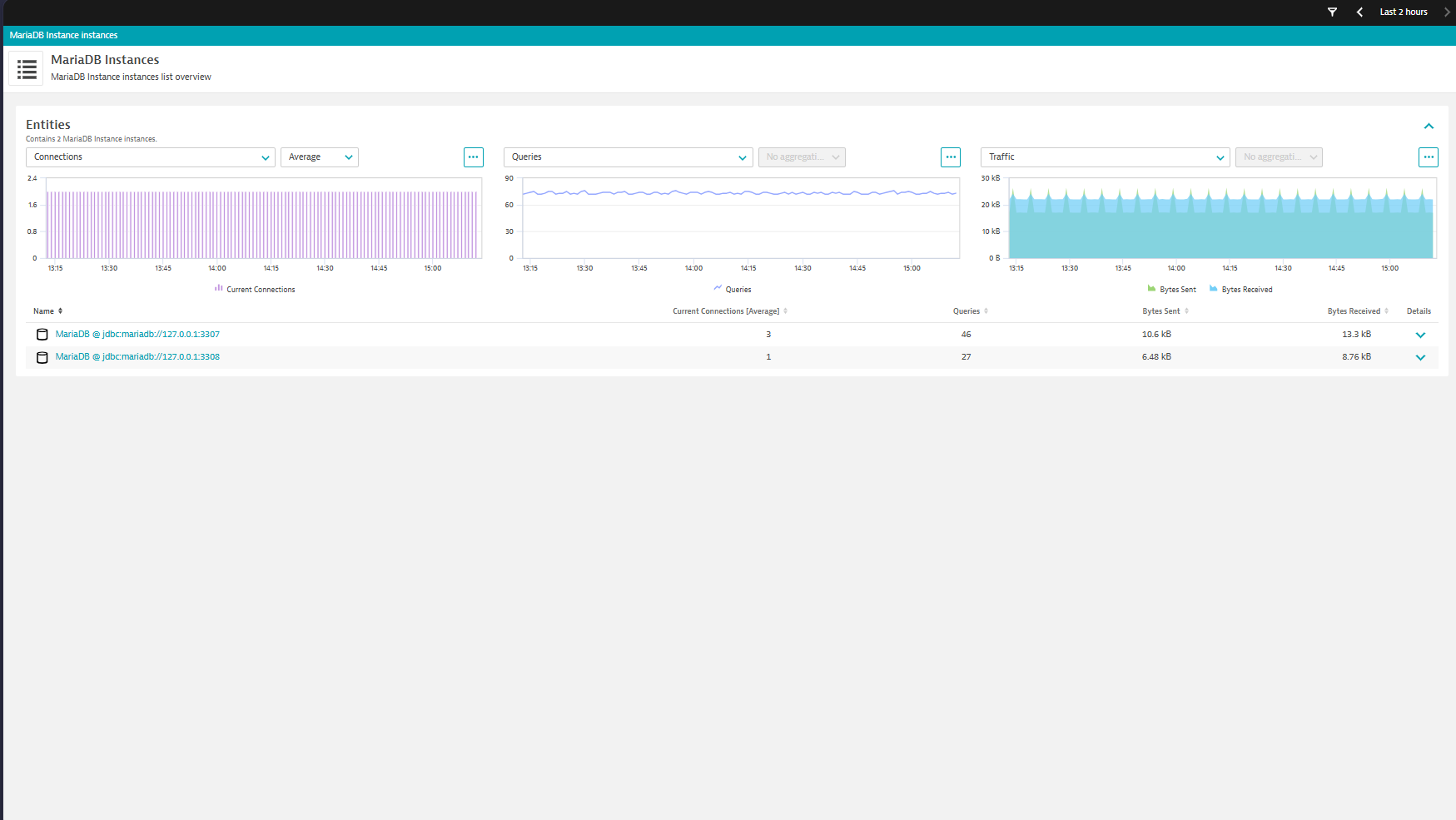
 MariaDB
Remotely monitor your MariaDB instances, collect key KPIs & slow queries details
ExtensionActiveGate installed with version 1.295+
MariaDB JDBC Driver downloaded from here
Download the Java 8+ platform independent connector, and copy the jar file to this directory on all ActiveGates in your desired group
Windows : C:\ProgramData\dynatrace\remotepluginmodule\agent\conf\userdata\libs
Linux : /var/lib/dynatrace/remotepluginmodule/agent/conf/userdata/libs
Ensure dtuserag user has read access to driver
Add custom_code_jdbc_allowed=true to extensionsuser.conf:
Restart EEC service
Ensure you have the performance schema activated and enabled for the MariaDB instances you will be monitoring
Create a user that is identified by a native password, customize the username and password as you please
CREATE USER 'dynatrace'@'%' IDENTIFIED BY 'password';
Give the user the permissions:
GRANT SELECT ON performance_schema.* TO 'dynatrace'@'%';
GRANT PROCESS ON *.* TO 'dynatrace'@'%';
GRANT SHOW DATABASES ON *.* TO 'dynatrace'@'%';
GRANT SELECT ON sys.x$memory_global_by_current_bytes TO 'dynatrace'@'%';
GRANT SLAVE MONITOR ON *.* TO 'dynatrace'@'%';
NOTE: Due to a MariaDB limitation, to calculate database sizes you MUST grant SELECT permissions on the individual databases where you want to collect size from.
This applies to top_queries feature set which retrieves data from performance_schema.events_statements_summary_by_digest:
Enable the necessary statement instruments - this tells MariaDB to track all statements:
UPDATE performance_schema.setup_instruments
SET ENABLED = 'YES', TIMED = 'YES'
WHERE NAME LIKE 'statement/%';
Enable the consumers - this tells MariaDB where to store the tracked statements:
UPDATE performance_schema.setup_consumers
SET ENABLED = 'YES'
WHERE NAME IN ('events_statements_history', 'events_statements_summary_by_digest');
Note for AWS RDS: While the above commands work, the most robust way to enable this on RDS is to create a custom Parameter Group. In the parameter group, set performance_schema to 1 and ensure the consumer settings are enabled. This ensures the configuration persists across restarts and instance modifications. Turn on the Performance Schema for Amazon RDS for MariaDB or MySQL - Amazon Relational Database Service
For more information on the installation and configuration, please see MariaDB extension in the Dynatrace Documentation.
global_status and global_status_extended feature sets: MariaDB 10.5.2+
replicas and replica_error_logs feature sets: MariaDB 11.6+
Below is a complete list of the feature sets provided in this version. To ensure a good fit for your needs, individual feature sets can be activated and deactivated by your administrator during configuration.
| Metric name | Metric key | Description | Unit |
|---|---|---|---|
| Waits IO | mariadb.waits.waits_io.count | The number of times that the server has waited for an I/O operation to complete. | Count |
| Waits IO Time | mariadb.waits.waits_io_time.count | The total time the server has waited for I/O operations to complete. | MilliSecond |
| Waits Sync | mariadb.waits.waits_sync.count | The number of times that the server has waited for a synchronization operation to complete. | Count |
| Waits Sync Time | mariadb.waits.waits_sync_time.count | The total time the server has waited for synchronization operations to complete. | MilliSecond |
| Metric name | Metric key | Description | Unit |
|---|---|---|---|
| Commits | mariadb.statements.commit.count | The number of COMMIT statements executed by this server | Count |
| Deletes | mariadb.statements.delete.count | The number of DELETE statements executed by this server | Count |
| Multi-Table Deletes | mariadb.statements.delete_multi.count | The number of multi-table DELETE statements executed by this server | Count |
| Inserts | mariadb.statements.insert.count | The number of INSERT statements executed by this server | Count |
| Selects | mariadb.statements.select.count | The number of SELECT statements executed by this server | Count |
| Updates | mariadb.statements.update.count | The number of UPDATE statements executed by this server | Count |
| Executes | mariadb.statements.execute.count | The number of EXECUTE statements executed by this server | Count |
| Multi-Table Updates | mariadb.statements.update_multi.count | The number of multi-table UPDATE statements executed by this server | Count |
| Bytes Sent | mariadb.statements.bytes_sent.count | The number of bytes sent to all clients | Byte |
| Bytes Received | mariadb.statements.bytes_received.count | The number of bytes received from all clients | Byte |
| Rollbacks | mariadb.statements.rollback.count | The number of ROLLBACK statements executed by this server | Count |
| Insert Selects | mariadb.statements.insert_select.count | The number of insert-select statements executed by this server | Count |
| Replace Selects | mariadb.statements.replace_select.count | The number of replace-select statements executed by this server | Count |
| Prepared Statements | mariadb.statements.prepared_stmt_count.count | The current number of prepared statements | Count |
| Metric name | Metric key | Description | Unit |
|---|---|---|---|
| Slave IO Running | mariadb.replica.slave_io_running | Whether the replica I/O thread is running and connected (Yes - 1), running but not connected to a primary (Connecting - 2) or not running (No - 0). | State |
| Slave SQL Running | mariadb.replica.slave_sql_running | Whether the SQL thread is running and connected (Yes - 1), running but not connected to a primary (Connecting - 2) or not running (No - 0). | State |
| Relay Log Space | mariadb.replica.relay_log_space | Total size of all relay log files combined. | Byte |
| Last IO Errno | mariadb.replica.last_io_errno | Error code of the most recent error that caused the I/O thread to stop (also recorded in the replica's error log). 0 means no error. RESET SLAVE or RESET MASTER will reset this value. | Unspecified |
| Last SQL Errno | mariadb.replica.last_sql_errno | Error code of the most recent error that caused the SQL thread to stop (also recorded in the replica's error log). 0 means no error. RESET SLAVE or RESET MASTER will reset this value. | Unspecified |
| Seconds Behind Master | mariadb.replica.seconds_behind_master | Difference between the timestamp logged on the master for the event that the replica is currently processing, and the current timestamp on the replica. Zero if the replica is not currently processing an event. | Second |
| Read Master Log Position | mariadb.replica.read_master_log_pos | Position up to which the I/O thread has read in the current primary binary log file. | Count |
| Exec Master Log Position | mariadb.replica.exec_master_log_pos | Position up to which the SQL thread has processed in the current master binary log file. | Count |
| Metric name | Metric key | Description | Unit |
|---|---|---|---|
| Query Cache Queries in Cache | mariadb.global_status.qcache_queries_in_cache.count | The number of queries registered in the query cache. | Count |
| Query Cache Free Blocks | mariadb.global_status.qcache_free_blocks | The number of free memory blocks in the query cache. | Count |
| Query Cache Total Blocks | mariadb.global_status.qcache_total_blocks | The total number of blocks in the query cache. | Count |
| Created Temporary Tables | mariadb.global_status.created_tmp_tables.count | The number of internal temporary tables created by the server while executing statements. You can compare the number of internal on-disk temporary tables created to the total number of internal temporary tables created by comparing Created_tmp_disk_tables and Created_tmp_tables values. | Count |
| Created Temporary Disk Tables | mariadb.global_status.created_tmp_disk_tables.count | The number of internal on-disk temporary tables created by the server while executing statements. You can compare the number of internal on-disk temporary tables created to the total number of internal temporary tables created by comparing Created_tmp_disk_tables and Created_tmp_tables values. | Count |
| Innodb Buffer Pool Size | mariadb.global_status.innodb_buffer_pool_size | The size in bytes of the buffer pool, the memory area where InnoDB caches table and index data. | Byte |
| Metric name | Metric key | Description | Unit |
|---|---|---|---|
| Database Size | mariadb.databases.size | The size of the Database | MegaByte |
| Metric name | Metric key | Description | Unit |
|---|---|---|---|
| Queries | mariadb.global_status.queries.count | The number of statements executed by the server. This variable includes statements executed within stored programs, unlike the Questions variable. It does not count COM_PING or COM_STATISTICS commands. | Count |
| Slow Queries | mariadb.global_status.slow_queries.count | The number of queries that have taken more than long_query_time seconds. This counter increments regardless of whether the slow query log is enabled. For information about that log, see Section 5.4.5, The Slow Query Log. | Count |
| Table Locks Waited | mariadb.global_status.table_locks_waited.count | The number of times that a request for a table lock could not be granted immediately and a wait was needed. If this is high and you have performance problems, you should first optimize your queries, and then either split your table or tables or use replication. | Count |
| Table Locks Immediate | mariadb.global_status.table_locks_immediate.count | The number of times that a request for a table lock could be granted immediately. | Count |
| Current Connections | mariadb.global_status.current_connections | The number of currently open connections. | Count |
| Threads Running | mariadb.global_status.threads_running | The number of threads that are not sleeping. | Count |
| Threads Created | mariadb.global_status.threads_created | The number of threads created to handle connections. If Threads_created is big, you may want to increase the thread_cache_size value. The cache miss rate can be calculated as Threads_created/Connections. | Count |
| Innodb Buffer Pool Pages Data | mariadb.global_status.innodb_buffer_pool_pages_data | The number of pages in the InnoDB buffer pool containing data. The number includes both dirty and clean pages. When using compressed tables, the reported Innodb_buffer_pool_pages_data value may be larger than Innodb_buffer_pool_pages_total | Count |
| Innodb Buffer Pool Pages Dirty | mariadb.global_status.innodb_buffer_pool_pages_dirty | The current number of dirty pages in the InnoDB buffer pool. | Count |
| Innodb Buffer Pool Pages Free | mariadb.global_status.innodb_buffer_pool_pages_free | The number of free pages in the InnoDB buffer pool. | Count |
| Innodb Buffer Pool Pages Total | mariadb.global_status.innodb_buffer_pool_pages_total | The total size of the InnoDB buffer pool, in pages. When using compressed tables, the reported Innodb_buffer_pool_pages_data value may be larger than Innodb_buffer_pool_pages_total | Count |
| Innodb Data Reads | mariadb.global_status.innodb_data_reads.count | The total number of data reads (OS file reads). | Count |
| Innodb Data Writes | mariadb.global_status.innodb_data_writes.count | The total number of data writes. | Count |
| Innodb Data Read | mariadb.global_status.innodb_data_read.count | The total amount of data read from files. | Byte |
| Innodb Data Written | mariadb.global_status.innodb_data_written.count | The total amount of data written. | Byte |
| Innodb Buffer Pool Reads | mariadb.global_status.innodb_buffer_pool_reads | The number of logical reads that InnoDB could not satisfy from the buffer pool, and had to read directly from disk. | Count |
| Innodb Buffer Pool Read Requests | mariadb.global_status.innodb_buffer_pool_read_requests | The number of logical read requests. | Count |
| Availability | mariadb.global_status.availability | Whether or not a connection can be made to the database | Percent |
| Status | mariadb.global_status.status | A status of AVAILABLE is returned if we can query the database | State |
| Uptime | mariadb.global_status.uptime | The time in seconds that the mariadb server has been running since it was started. | Second |
| Handler Rollback | mariadb.global_status.handler_rollback.count | The number of requests for a storage engine to perform a rollback operation. | Count |
| Innodb Log Waits | mariadb.global_status.innodb_log_waits.count | The number of times that the log buffer was too small and a wait was required for it to be flushed before continuing. | Count |
| Innodb Row Lock Current Waits | mariadb.global_status.innodb_row_lock_current_waits | The number of row locks currently waited for by operations on InnoDB tables. | Count |
| Innodb Row Lock Time (Avg) | mariadb.global_status.innodb_row_lock_time_avg | The average time to acquire a row lock for InnoDB tables | MilliSecond |
| Innodb Row Lock Waits | mariadb.global_status.innodb_row_lock_waits.count | The number of times operations on InnoDB tables had to wait for a row lock. | Count |
| Opened Tables | mariadb.global_status.opened_tables.count | The number of tables that have been opened. If Opened_tables is big, your table_open_cache value is probably too small. | Count |
| Open Files | mariadb.global_status.open_files | The number of files that are open. This count includes regular files opened by the server. It does not include other types of files such as sockets or pipes. Also, the count does not include files that storage engines open using their own internal functions rather than asking the server level to do so. | Count |
| Open Tables | mariadb.global_status.open_tables | The number of tables that are open. | Count |
| Query Cache Free Memory | mariadb.global_status.qcache_free_memory | The amount of free memory for the query cache. | Byte |
| Query Cache Hits | mariadb.global_status.qcache_hits.count | The number of query cache hits. | Count |
| Query Cache not Cached | mariadb.global_status.qcache_not_cached.count | The number of noncached queries (not cacheable, or not cached due to the query_cache_type setting). | Count |
| Aborted Clients | mariadb.global_status.aborted_clients.count | The number of connections that were aborted because the client died without closing the connection properly. | Count |
| Aborted Connects | mariadb.global_status.aborted_connects.count | The number of failed attempts to connect to the MySQL server. | Count |
| Connection Errors Max Connections | mariadb.global_status.connection_errors_max_connections.count | The number of connections refused because the server max_connections limit was reached. | Count |
| Max Used Connections | mariadb.global_status.max_used_connections | The maximum number of connections that have been in use simultaneously since the server started. | Count |
| Questions | mariadb.global_status.questions.count | The number of statements executed by the server. This includes only statements sent to the server by clients and not statements executed within stored programs, unlike the Queries variable. This variable does not count COM_PING, COM_STATISTICS, COM_STMT_PREPARE, COM_STMT_CLOSE, or COM_STMT_RESET commands. | Count |
| Metric name | Metric key | Description | Unit |
|---|---|---|---|
| Memory | mariadb.infrastructure.memory | The amount of memory used per each code area. | Byte |
🪲 Fixed in this version:
✨ New in this version:
InnoDB Page Utilization, InnoDB Buffer Cache Hit Ratio and Top Databases by size charts, which caused them to stop displaying in the Databases app.
