




























Kick-start your app creation
Whether you’re a beginner or a pro, Dynatrace Developer has the tools and support you need to create incredible apps with minimal effort.
Go to Dynatrace Developer
 InterSystems IRIS (Remote)
2.0 remote extension that collects data from the InterSystems IRIS APIs.
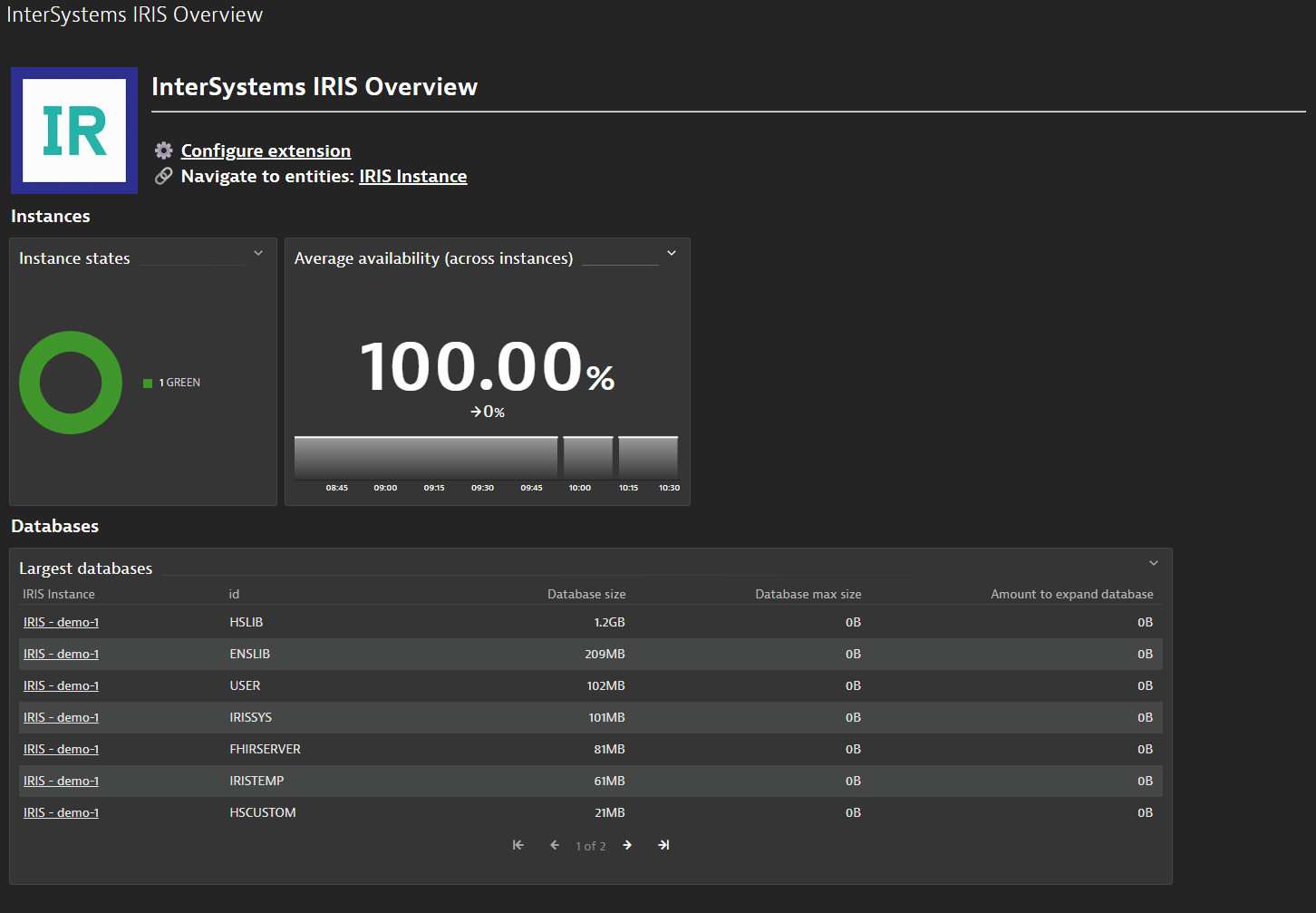
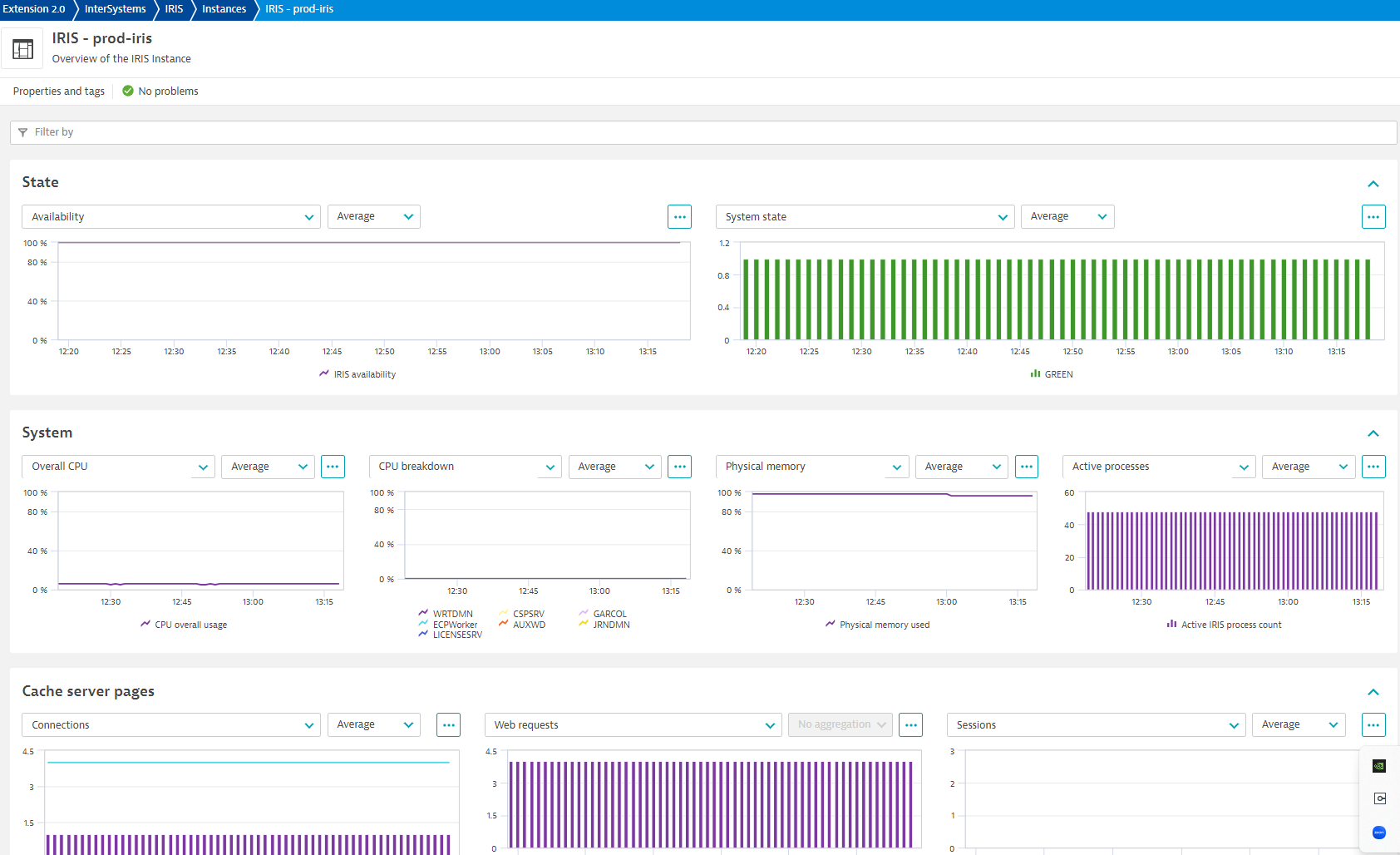
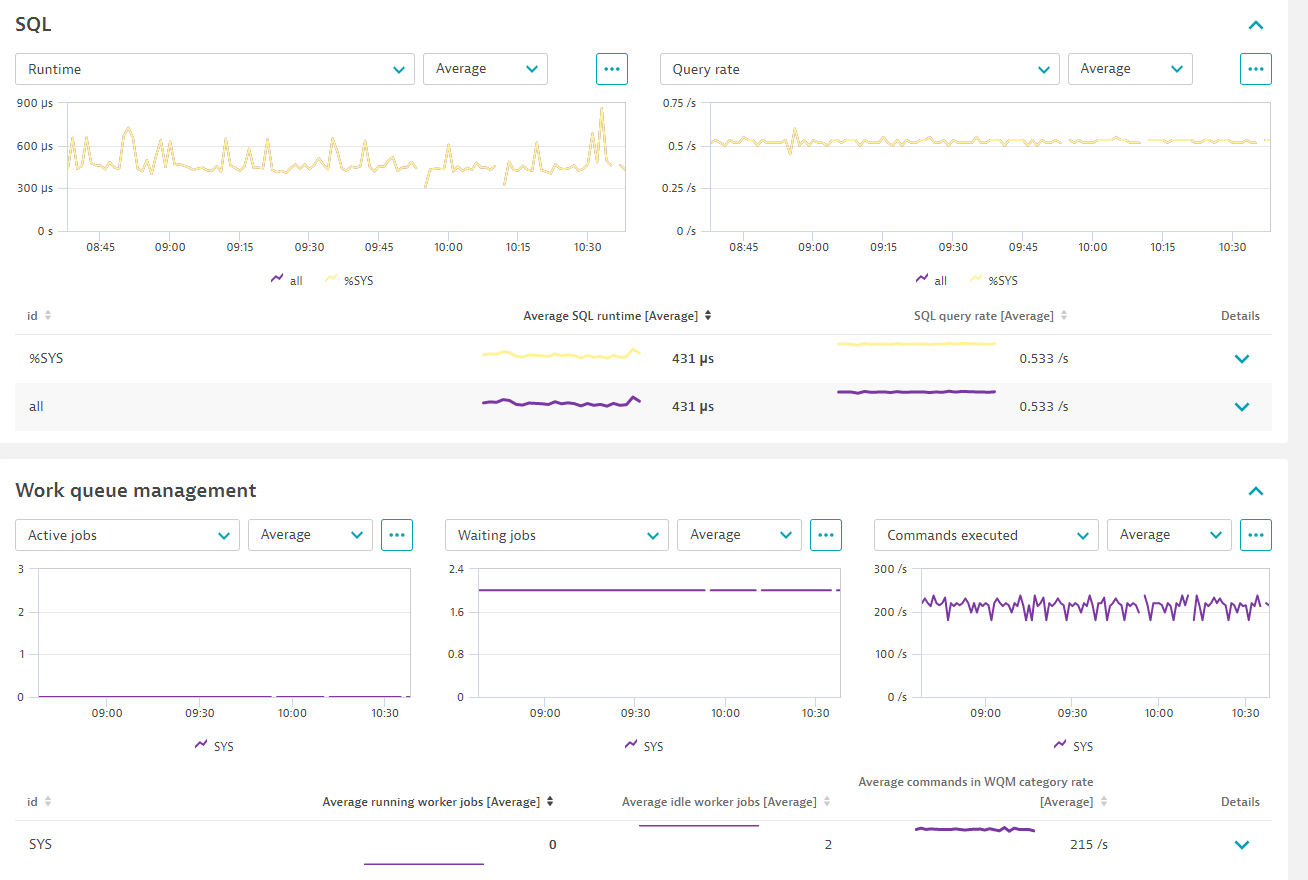
ExtensionGain insights into the performance of your InterSystems IRIS instances. View metrics and events in context with your OneAgent collected data in the Dynatrace UI. Make use of powerful charting and dashboarding features. Allow Dynatrace causation engine to generate baselines and alert you when anomalies are detected in designated metrics.
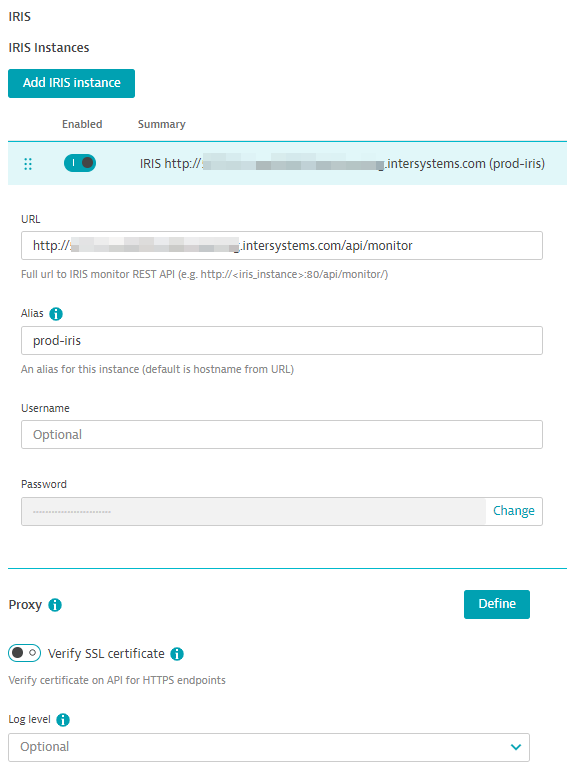
For more information in the installation and configuration, please see InterSystems IRIS extension in the Dynatrace documentation.
For more information on the installation and configuration, please see InterSystems IRIS (Remote) extension in the Dynatrace Documentation.
Connects to and collects data from the InterSystems IRIS REST API.
Below is a complete list of the feature sets provided in this version. To ensure a good fit for your needs, individual feature sets can be activated and deactivated by your administrator during configuration.
| Metric name | Metric key | Description | Unit |
|---|---|---|---|
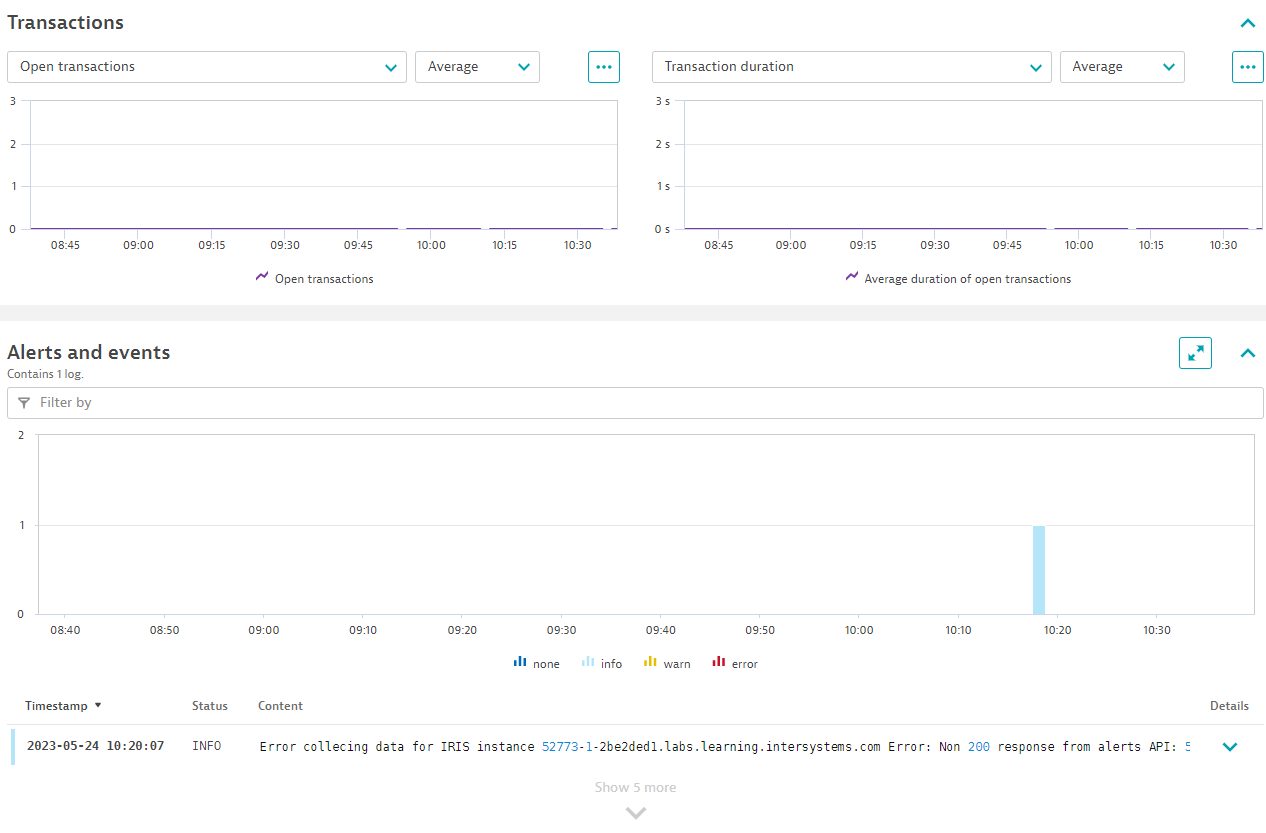
| Alerts posted to messages log | iris_system_alerts.count | The number of alerts posted to the messages log | Count |
| New system alerts available | iris_system_alerts_new | Whether new alerts are available on the /api/monitor/alerts endpoint | Count |
| Metric name | Metric key | Description | Unit |
|---|---|---|---|
| DB buffers written in current cycle and also prior | iris_wd_buffer_redirty | Number of database buffers the write daemon wrote during the most recent cycle that were also written in prior cycle | Count |
| DB buffers written in recent cycle | iris_wd_buffer_write | Number of database buffers the write daemon wrote during its most recent cycle | Count |
| Write daemon cycle completion time | iris_wd_cycle_time | Amount of time the most recent write daemon cycle took to complete | MilliSecond |
| Processes holding global buffers | iris_wd_proc_in_global | Number of processes actively holding global buffers at start of the most recent write daemon cycle | Count |
| Size of database buffers written in recent cycle | iris_wd_size_write | Size of database buffers the write daemon wrote during its most recent cycle | KiloByte |
| Write daemon inactive time before cycle | iris_wd_sleep | Amount of time that the write daemon was inactive before its most recent cycle began | MilliSecond |
| In-memory buffers used | iris_wd_temp_queue | Number of in-memory buffers the write daemon used at the start of its most recent cycle | Count |
| In-memory buffers written | iris_wd_temp_write | Number of in-memory buffers the write daemon wrote during its most recent cycle | Count |
| Time writing to WIJ file | iris_wdwij_time | Amount of time the write daemon spent writing to the WIJ file during its most recent cycle | MilliSecond |
| Time writing buffers to DBs | iris_wd_write_time | Amount of time the write daemon spent writing buffers to databases during its most recent cycle | MilliSecond |
| Metric name | Metric key | Description | Unit |
|---|---|---|---|
| Journal block write rate | iris_jrn_block_per_sec | Journal blocks written to disk per second | PerSecond |
| Journal entries per second | iris_jrn_entry_per_sec | Journal entries per second | PerSecond |
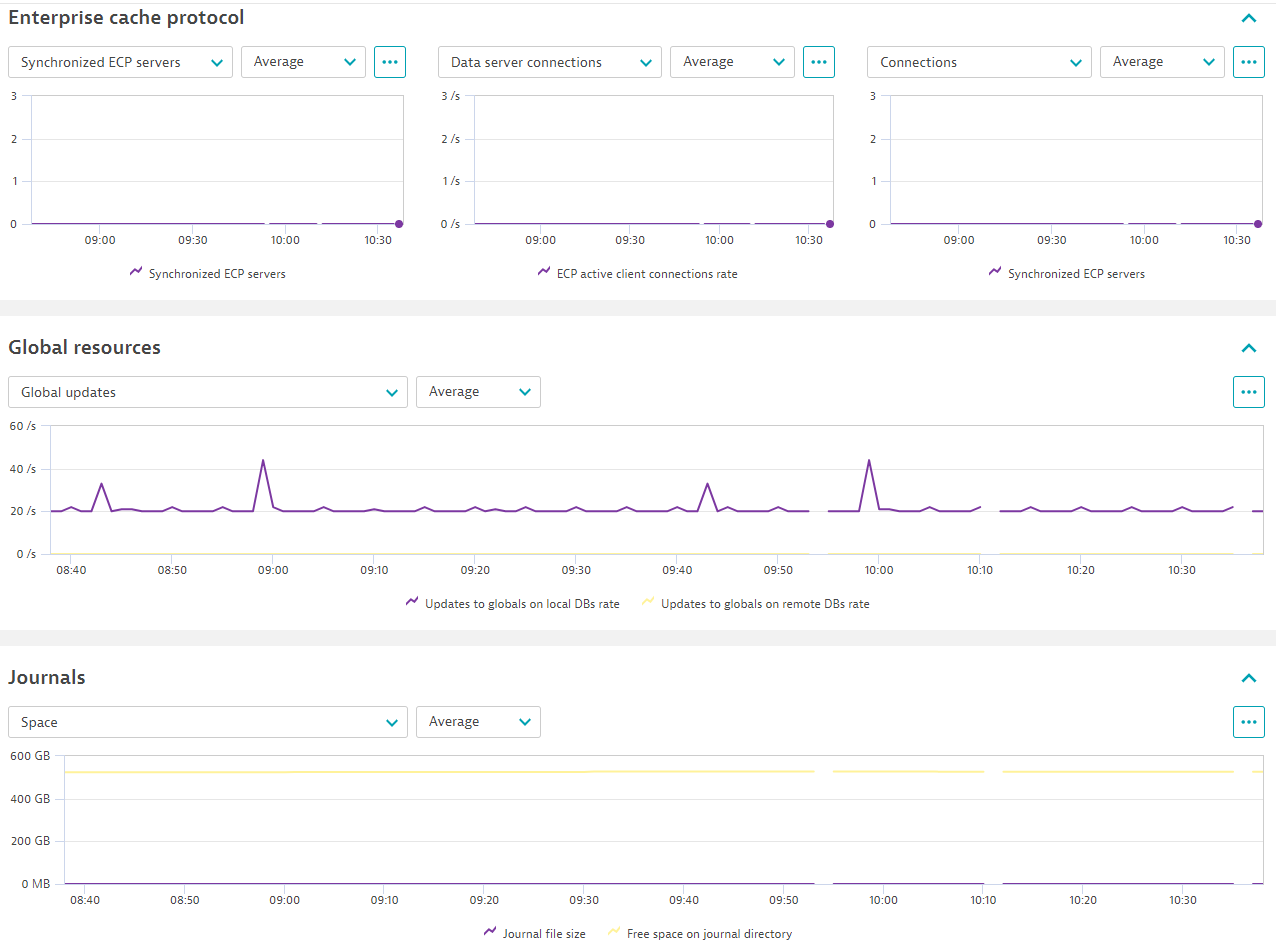
| Free space on journal directory | iris_jrn_free_space | Free space available on each journal directory's storage volume, in megabytes | MegaByte |
| Journal file size | iris_jrn_size | Current size of each journal file, in megabytes | MegaByte |
| Metric name | Metric key | Description | Unit |
|---|---|---|---|
| Amount to expand database | iris_db_expansion_size_mb | Amount by which to expand database | MegaByte |
| Free space | iris_db_free_space | Free space available in database (updated once per day) | MegaByte |
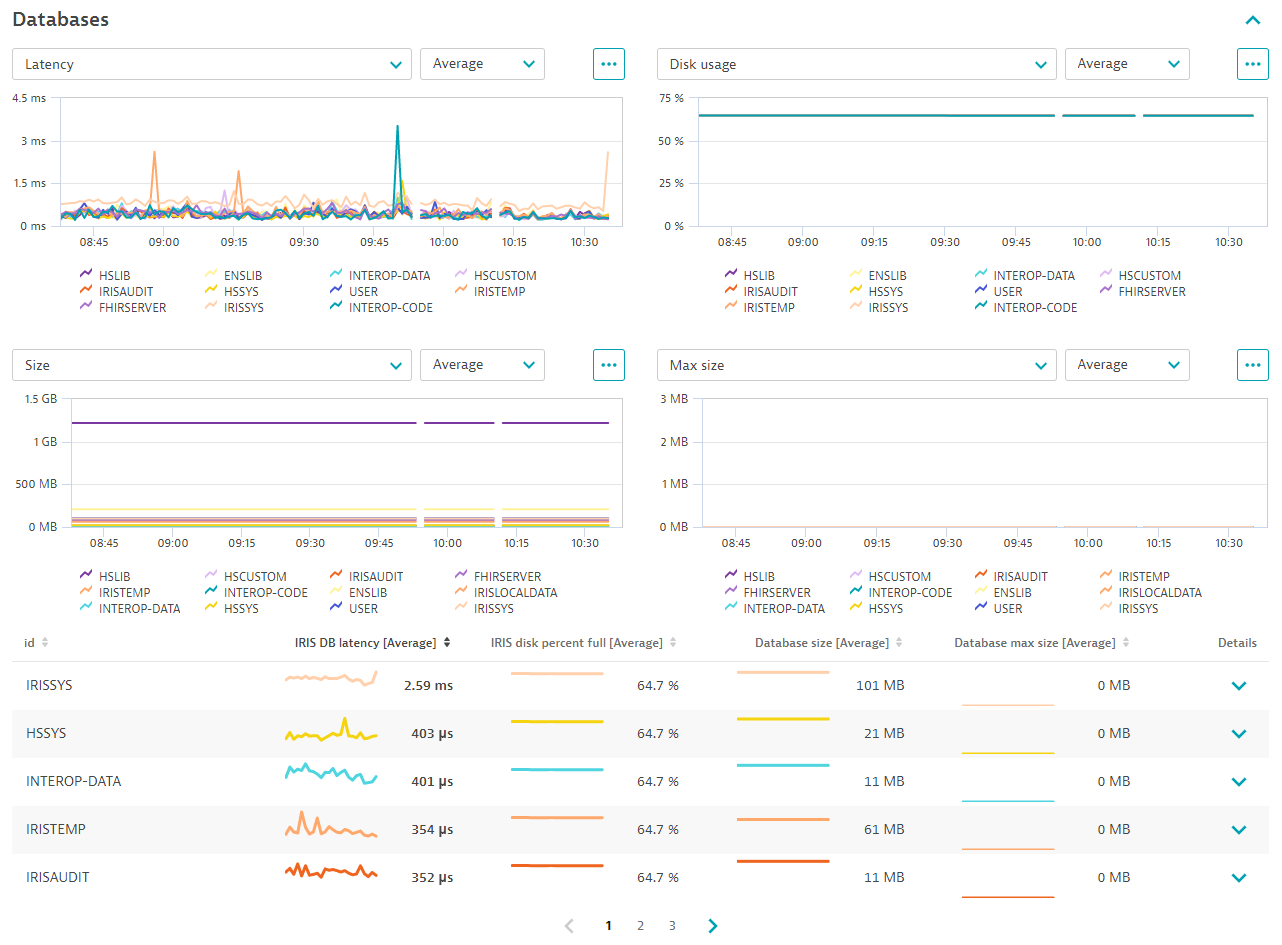
| IRIS DB latency | iris_db_latency | Amount of time to complete a random read from database | MilliSecond |
| Database max size | iris_db_max_size_mb | Maximum size to which database can grow | MegaByte |
| Database size | iris_db_size_mb | Size of database | MegaByte |
| Database directory space free | iris_directory_space | Free space available on the database directory’s storage volume | MegaByte |
| IRIS disk percent full | iris_disk_percent_full | Percent of space filled on the database directory’s storage volume | Percent |
| Metric name | Metric key | Description | Unit |
|---|---|---|---|
| IRIS availability | iris_availability | The availability of the configured API as seen by the extension | Percent |
| CPU percent used | iris_cpu_pct | Percent of CPU usage by InterSystems IRIS process type | Percent |
| CPU overall usage | iris_cpu_usage | Percent of CPU usage for all programs on the operating system | Percent |
| Physical memory used | iris_phys_mem_percent_used | Percent of physical memory (RAM) currently in use | Percent |
| Percent used of max page file space | iris_page_space_percent_used | Percent of maximum allocated page file space used | Percent |
| Physical database blocks read from disk rate | iris_phys_reads_per_sec | Physical database blocks read from disk per second | PerSecond |
| Physical database blocks written to disk rate | iris_phys_writes_per_sec | Physical database blocks written to disk per second | PerSecond |
| Active IRIS process count | iris_process_count.gauge | Total number of active InterSystems IRIS processes | Count |
| System state | iris_system_state | Current reported system state (GREEN, RED, YELLOW, or HUNG) | Count |
| Open transactions | iris_trans_open_count.gauge | Number of open transactions on the current instance | Count |
| Average duration of open transactions | iris_trans_open_secs | Average duration of open transactions on the current instance | Second |
| Longest open transaction duration | iris_trans_open_secs_max | Duration of longest currently open transaction on the current instance | Second |
| IRIS cache efficiency | iris_cache_efficiency | Ratio of global references to physical reads and writes, as a percent | Percent |
| Metric name | Metric key | Description | Unit |
|---|---|---|---|
| Asiezes on routine resource rate | iris_rtn_a_seize_per_sec | Number of Aseizes on the routine resource per second | PerSecond |
| Routine calls to globals on remote DBs rate | iris_rtn_call_local_per_sec | Number of local routine calls per second to globals located on remote databases per second | PerSecond |
| Routine call memory misses rate | iris_rtn_call_miss_per_sec | Number of routines calls not found in memory per second | PerSecond |
| Remote routine calls rate | iris_rtn_call_remote_per_sec | Number of remote routine calls per second | PerSecond |
| Routines locally loaded or saved to disk rate | iris_rtn_load_per_sec | Number of routines locally loaded from or saved to disk per second | PerSecond |
| Routines remotely loaded or saved to disk rate | iris_rtn_load_rem_per_sec | Number of routines remotely loaded from or saved to disk per second | PerSecond |
| Seizes on the routine resource rate | iris_rtn_seize_per_sec | Number of seizes on the routine resource per second | PerSecond |
| Metric name | Metric key | Description | Unit |
|---|---|---|---|
| WIJ physical block writes per second | iris_wij_writes_per_sec | WIJ physical block writes per second | Count |
| Metric name | Metric key | Description | Unit |
|---|---|---|---|
| Asiezes on object resource rate | iris_obj_a_seize_per_sec | Number of Aseizes on the object resource per second | PerSecond |
| Objects deleted rate | iris_obj_del_per_sec | Number of objects deleted per second | PerSecond |
| Objects referenced rate | iris_obj_hit_per_sec | Number of object references per second, in process memory | PerSecond |
| Objects loaded from disk rate | iris_obj_load_per_sec | Number of objects loaded from disk per second, not in shared memory | PerSecond |
| Object references not found in mem rate | iris_obj_miss_per_sec | Number of object references not found in memory per second | PerSecond |
| Initialized objects rate | iris_obj_new_per_sec | Number of objects initialized per second | PerSecond |
| Siezes on object resource rate | iris_obj_seize_per_sec | Number of seizes on the object resource per second | PerSecond |
| Metric name | Metric key | Description | Unit |
|---|---|---|---|
| Current ECP active client connections | iris_ecp_conn | Total number of active client connections on this ECP application server | Count |
| Max client connections from this ECP app server | iris_ecp_conn_max | Maximum active client connections from this ECP application server | Count |
| Synchronized ECP servers | iris_ecp_connections | Number of servers synchronized when this ECP application server synchronizes with its configured ECP data servers | Count |
| ECP server latency | iris_ecp_latency | Latency between the ECP application server and the ECP data server | MilliSecond |
| ECP active client connections rate | iris_ecps_conn | Total active client connections to this ECP data server per second | PerSecond |
| Max client connections to this ECP data server | iris_ecps_conn_max | Maximum active client connections to this ECP data server | Count |
| Metric name | Metric key | Description | Unit |
|---|---|---|---|
| Aseizes on global resource rate | iris_glo_a_seize_per_sec | Number of Aseizes on the global resource per second | PerSecond |
| Nseizes on global resource rate | iris_glo_n_seize_per_sec | Number of Nseizes on the global resource per second | PerSecond |
| Refs to globals on local DBs rate | iris_glo_ref_per_sec | Number of references to globals located on local databases per second | PerSecond |
| Refs to globals on remote DBs rate | iris_glo_ref_rem_per_sec | Number of references to globals located on remote databases per second | PerSecond |
| Seizes on global resource rate | iris_glo_seize_per_sec | Number of seizes on the global resource per second | PerSecond |
| Updates to globals on local DBs rate | iris_glo_update_per_sec | Number of updates (SET and KILL commands) to globals located on local databases per second | PerSecond |
| Updates to globals on remote DBs rate | iris_glo_update_rem_per_sec | Number of updates (SET and KILL commands) to globals located on remote databases per second | PerSecond |
| Metric name | Metric key | Description | Unit |
|---|---|---|---|
| Time to collect iris_db sensors | iris_sam_get_db_sensors_seconds | Amount of time it took to collect iris_db* sensors | Second |
| Time to collect iris_jrn sensors | iris_sam_get_jrn_sensors_seconds | Amount of time it took to collect iris_jrn* sensors | Second |
| Time to collect iris_sql sensors | iris_sam_get_sql_sensors_seconds | Amount of time it took to collect iris_sql* sensors | Second |
| Time to collect iris_wqm sensors | iris_sam_get_wqm_sensors_seconds | Amount of time it took to collect iris_wqm* sensors | Second |
| Metric name | Metric key | Description | Unit |
|---|---|---|---|
| SQL statements executing | iris_sql_active_queries | The number of SQL statements currently executing | Count |
| 95th percentile elapsed time for sql executing | iris_sql_active_queries_95_percentile | For the current set of active SQL statements, the 95th percentile elapsed time since a statement began executing | Second |
| 99th percentile elapsed time for sql executing | iris_sql_active_queries_99_percentile | For the current set of active SQL statements, the 99th percentile elapsed time since a statement began executing | Second |
| Number of ObjectScript commands performing SQL rate | iris_sql_commands_per_second | Average number of ObjectScript commands executed to perform SQL queries, per second | PerSecond |
| Average SQL runtime | iris_sql_queries_avg_runtime | Average SQL statement runtime | Second |
| SQL runtime standard deviation | iris_sql_queries_avg_runtime_std_dev | Standard deviation of the average SQL statement runtime | Second |
| SQL query rate | iris_sql_queries_per_second | Average number of SQL statements, per second | PerSecond |
| Metric name | Metric key | Description | Unit |
|---|---|---|---|
| Licenses not in use | iris_license_available | Number of licenses not currently in use | Count |
| Licenses in use | iris_license_consumed | Number of licenses currently in use | Count |
| Licenses percent used | iris_license_percent_used | Percent of licenses currently in use | Percent |
| Metric name | Metric key | Description | Unit |
|---|---|---|---|
| Average running worker jobs | iris_wqm_active_worker_jobs | Average number of worker jobs running logic that are not blocked | Count |
| Average commands in WQM category rate | iris_wqm_commands_per_sec | Average number of commands executed in this Work Queue Management category, per second | PerSecond |
| Average global references in WQM category rate | iris_wqm_globals_per_sec | Average number of global references run in this Work Queue Management category, per second | PerSecond |
| Max active workers since last log entry | iris_wqm_max_active_worker_jobs | Maximum number of active workers since the last log entry was recorded | Count |
| Max entries in MQM queue since last log | iris_wqm_max_work_queue_depth | Maximum number of entries in the queue of this Work Queue Management category since the last log | Count |
| Average idle worker jobs | iris_wqm_waiting_worker_jobs | Average number of idle worker jobs waiting for a group to connect to and do work for | Count |
| Metric name | Metric key | Description | Unit |
|---|---|---|---|
| Web requests | iris_csp_activity.count | Number of web requests served by the Web Gateway Server | Count |
| Current web server gateway connections | iris_csp_actual_connections | Number of current connections to this server by the Web Gateway Server | Count |
| Current connections processing a request | iris_csp_in_use_connections | Number of current connections to this server by the Web Gateway Server that are processing a web request | Count |
| Connections reserved for state-aware apps | iris_csp_private_connections | Number of current connections to this server by the Web Gateway Server that are reserved for state-aware applications (Preserve mode 1) | Count |
| Web gateway server latency | iris_csp_gateway_latency | Amount of time to obtain a response from the Web Gateway Server when fetching iris_csp_ metrics | MilliSecond |
| Active web sessions | iris_csp_sessions | Number of currently active web session IDs on this server | Count |
⚠️ NOTICE: This version of the extension requires a minimum Dynatrace and EEC version of 1.313
✨ New in this version:
⚠️ NOTICE: This version requires a minimum Dynatrace Cluster version of 1.310
✨New in this version:
dt.security_context as an attribute to iris:instance entitiesdevice.address dimension to ingested metrics
