























Kick-start your app creation
Whether you’re a beginner or a pro, Dynatrace Developer has the tools and support you need to create incredible apps with minimal effort.
Go to Dynatrace Developer
 IBM i
IBM iCollect performance data from your IBM i Hosts via this Remote extension.
ExtensionDynatrace offers remote monitoring of IBM i hosts via this ActiveGate extension.
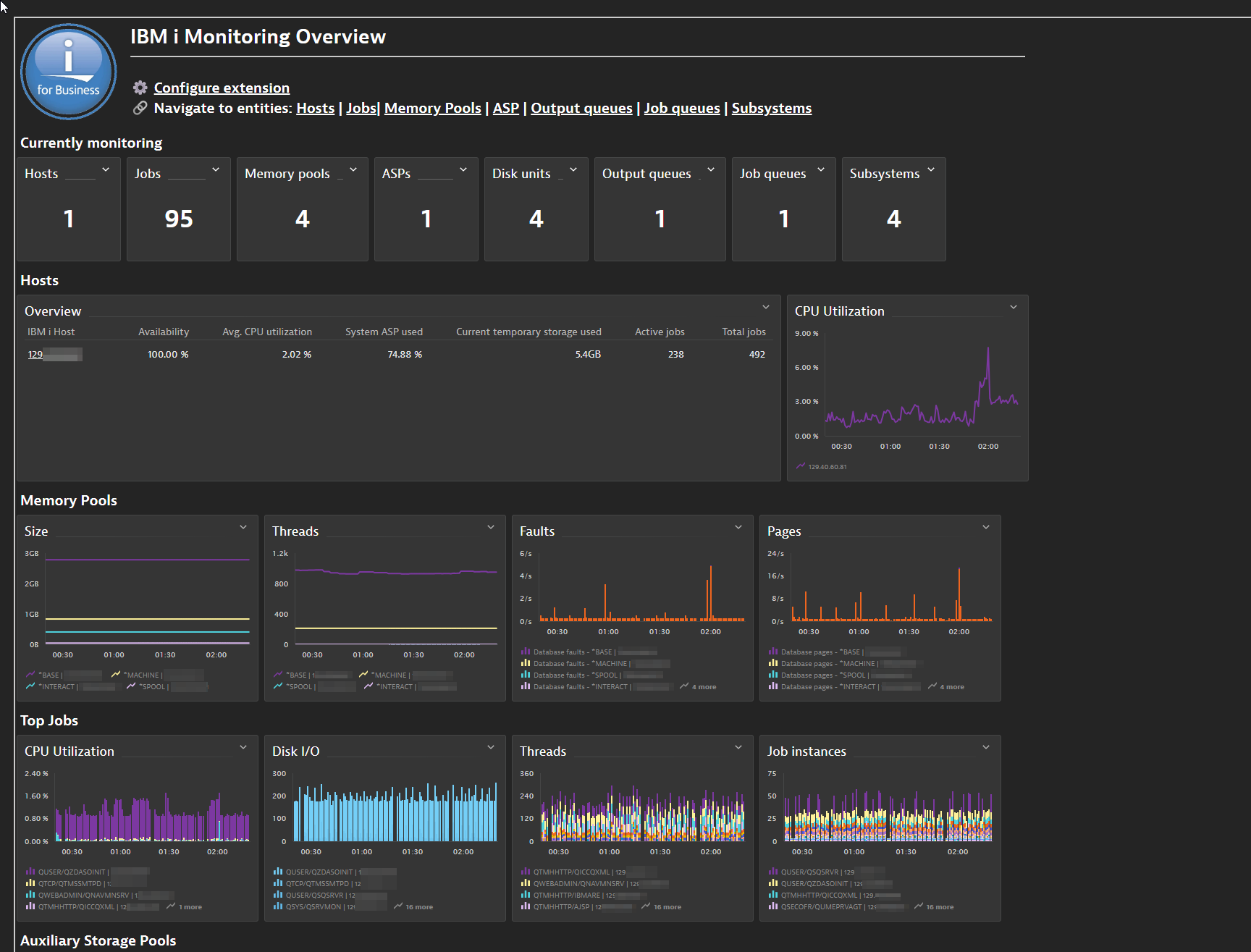
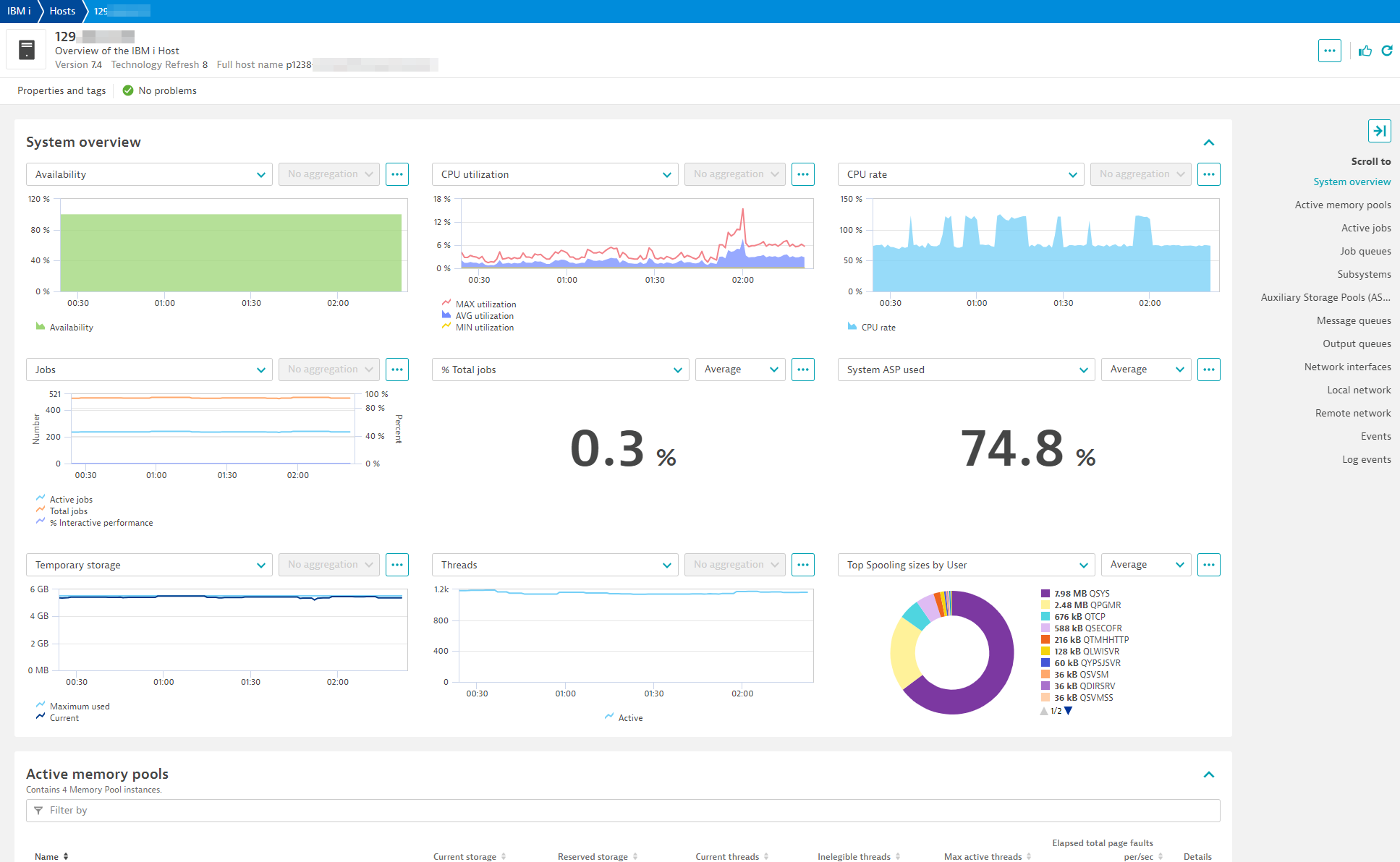
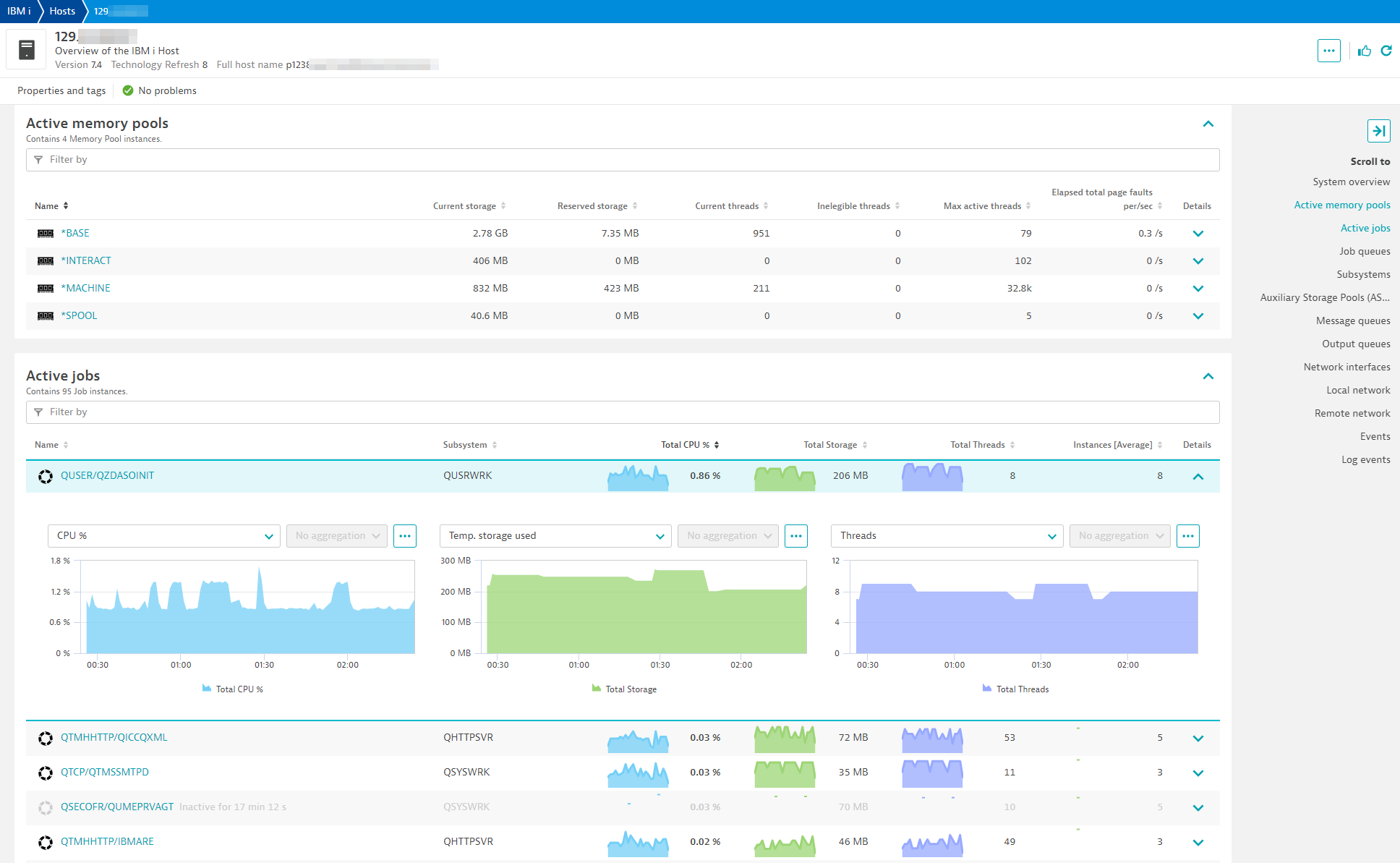
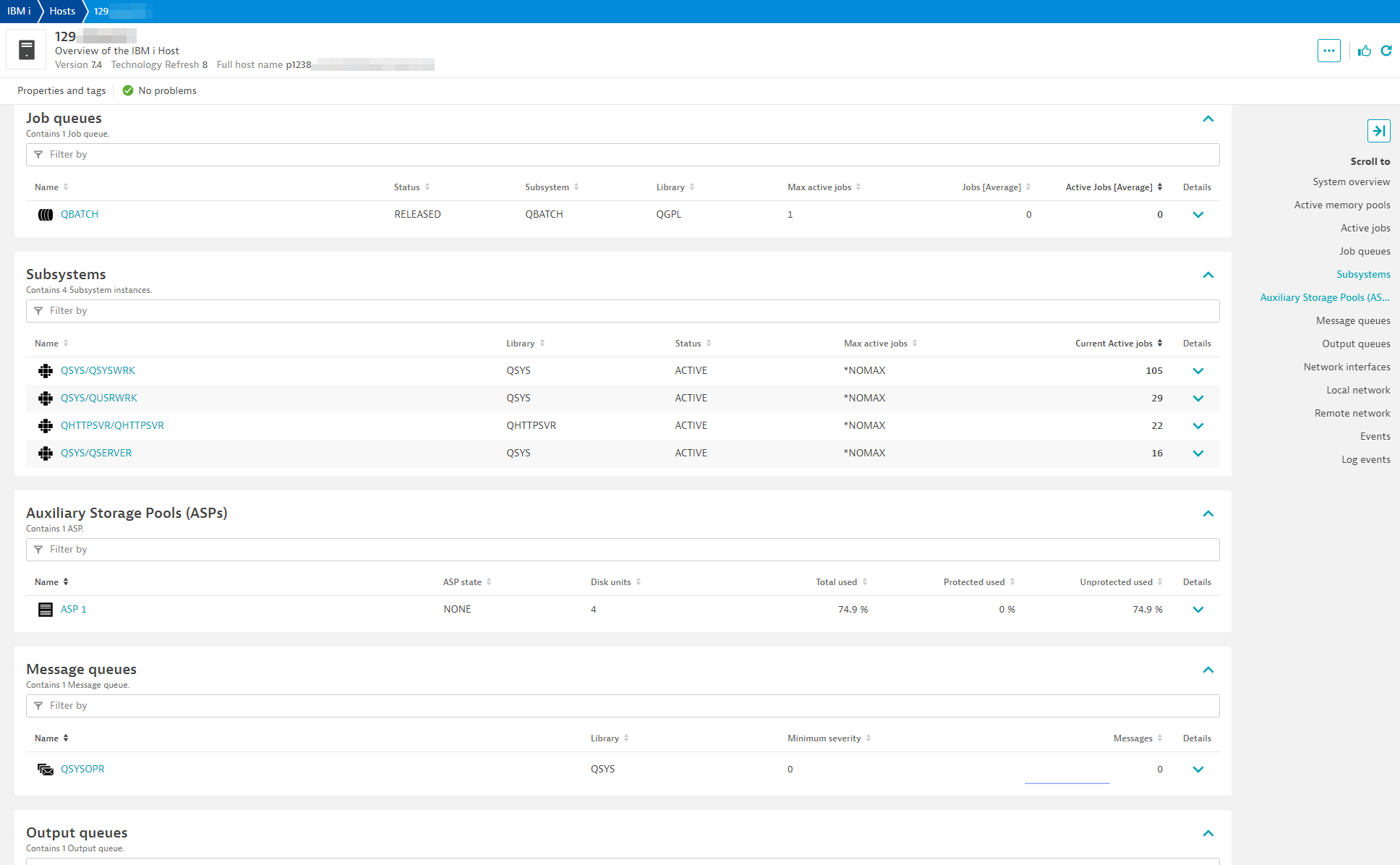
The ingested data provides Dynatrace with real-time visibility into host performance through interactive visualization tools, dashboards, unified analysis and events. When combined with OneAgent monitoring, you gain the ability to understand how IBM i interacts with the other components in your stack.
For more information on the installation and configuration, please see IBM i extension in the Dynatrace Documentation.
For Linux ActiveGates:
Below is a complete list of the feature sets provided in this version. To ensure a good fit for your needs, individual feature sets can be activated and deactivated by your administrator during configuration.
| Metric name | Metric key | Description | Unit |
|---|---|---|---|
| Idle time | ibm_i.network.idle_time | The length of time, in seconds, since the last activity on this connection. | Second |
| Bytes sent | ibm_i.network.bytes_sent_count | The number of bytes sent to the remote host. | Byte |
| Bytes received | ibm_i.network.bytes_received_count | The number of bytes received from the remote host. | Byte |
| Round trip time | ibm_i.network.round_trip_time | The smoothed round-trip time interval in milliseconds. This is a measure of the time required for a segment on the connection to arrive at its destination, to be processed, and to return an acknowledgment to the client. Contains null if PROTOCOL is UDP. | MilliSecond |
| Round trip variance | ibm_i.network.round_trip_variance | The variance in milliseconds from the previous round-trip time. Contains null if PROTOCOL is UDP | MilliSecond |
| Retransmissions | ibm_i.network.retransmissions_count | The number of times the local system retransmitted a segment because an acknowledgement was not received. This is a count of all segments resent during the entire time the connection has been active. Contains null if PROTOCOL is UDP. | Count |
| TCP connections established | ibm_i.network.tcp_connections_currently_established | The number of TCP connections for which the current state is either ESTABLISHED or CLOSE-WAIT. Contains null if PROTOCOL is UDP. | Count |
| Metric name | Metric key | Description | Unit |
|---|---|---|---|
| Total jobs | ibm_i.system.total_jobs | The total number of user and system jobs that are currently in the system. | Count |
| Active jobs | ibm_i.system.active_jobs | The number of jobs active in the system (jobs that have been started, but have not yet ended), including both user and system jobs. | Count |
| Percentage total jobs | ibm_i.system.percentage_total_jobs | The percentage of current total jobs over maximum jobs allowed. | Percent |
| % Interactive performance | ibm_i.system.interactive_jobs | The percentage of interactive performance assigned to this logical partition. This value is a percentage of the total interactive performance available to the entire physical system. | Percent |
| System ASP used | ibm_i.system.system_asp_used | The percentage of the system storage pool (ASP number 1) currently in use. | Percent |
| Maximum temporary storage used | ibm_i.system.maximum_temporary_storage_used | The largest amount of storage, in megabytes, used for temporary objects at any one time since the last IPL. | MegaByte |
| Current temporary storage used | ibm_i.system.current_temporary_storage | The current amount of storage, in megabytes, in use for temporary objects. | MegaByte |
| Active threads | ibm_i.system.active_threads | The number of initial and secondary threads in the system (threads that have been started, but have not yet ended), including both user and system threads. | Count |
| Metric name | Metric key | Description | Unit |
|---|---|---|---|
| CPU rate | ibm_i.system.cpu_rate | The average CPU rate expressed as a percentage where 100% indicates the processor is running at its nominal frequency. A value above or below 100% indicates how much the processor has been slowed down (throttled) or speeded up (turbo) relative to the nominal frequency for the processor model. | Percent |
| Avg. CPU utilization | ibm_i.system.avg_cpu_utilization | The average CPU utilization for all the active processors in 15 seconds elapsed time. | Percent |
| Min. CPU utilization | ibm_i.system.min_cpu_utilization | The CPU utilization of the processor that reported the minimum amount of CPU utilization in 15 seconds elapsed time. | Percent |
| Max. CPU utilization | ibm_i.system.max_cpu_utilization | The CPU utilization of the processor that reported the maximum amount of CPU utilization in 15 seconds elapsed time. | Percent |
| Metric name | Metric key | Description | Unit |
|---|---|---|---|
| Active jobs | ibm_i.subsystem.current_active_jobs | The number of jobs currently active in the subsystem. This number includes held jobs but excludes jobs that are disconnected or suspended because of a transfer secondary job or a transfer group job. If STATUS is INACTIVE, returns 0. | Count |
| Metric name | Metric key | Description | Unit |
|---|---|---|---|
| Total size | ibm_i.output_queue.spooled_file.total_size | The size of the spooled file. | Byte |
| Total pages | ibm_i.output_queue.spooled_file.total_pages | The total number of pages in the file. | Count |
| Remaining copies | ibm_i.output_queue.spooled_file.total_remaining_copies | The number of copies remaining to print. | Count |
| Metric name | Metric key | Description | Unit |
|---|---|---|---|
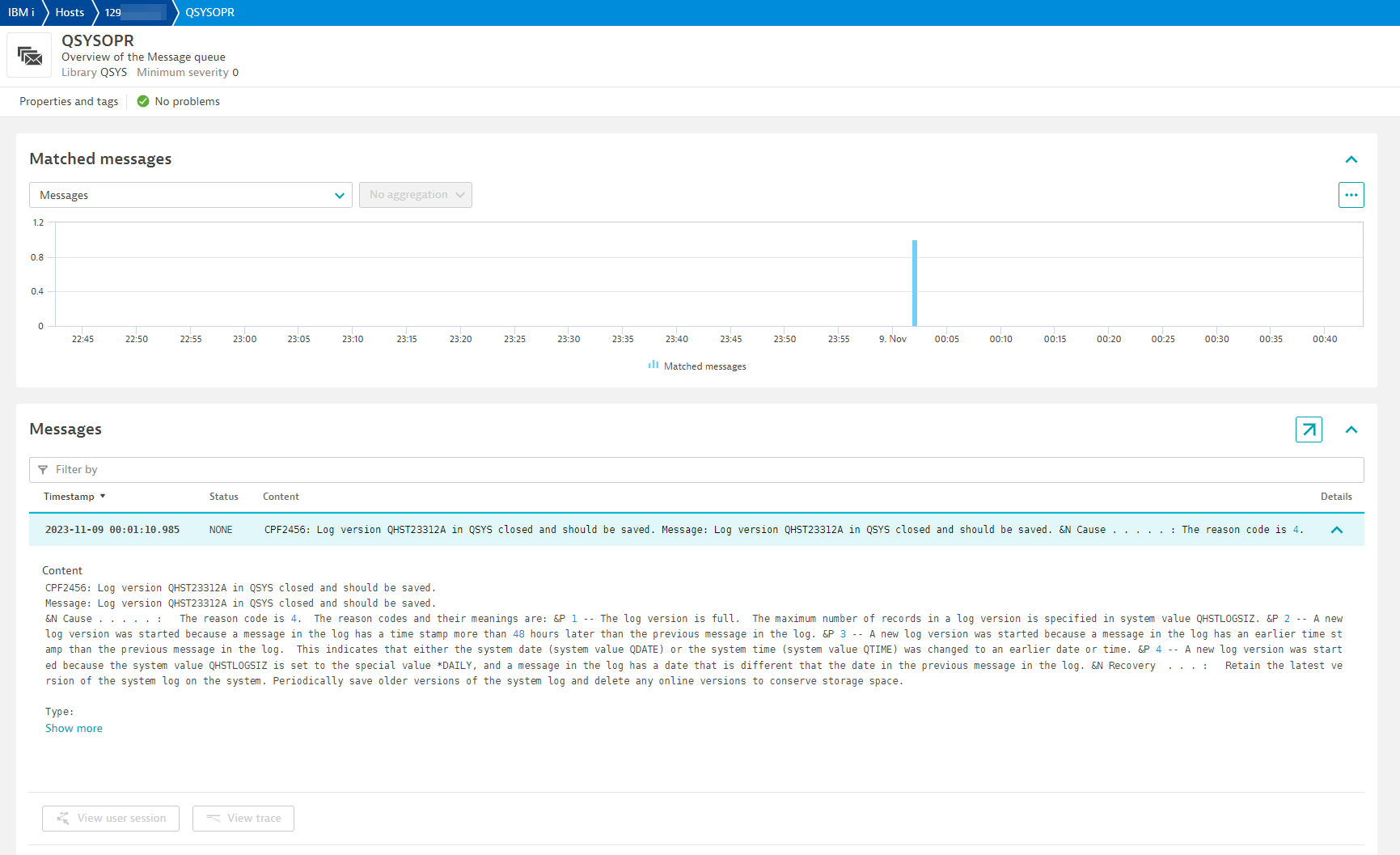
| Matched messages | ibm_i.message_queue.matched_messages | Number of messages that are in queue that match severity, message IDs and message types (if configured). | Count |
| Metric name | Metric key | Description | Unit |
|---|---|---|---|
| Total size | ibm_i.spooling.total_size | Sum size of all spooled files by user. | KiloByte |
| Metric name | Metric key | Description | Unit |
|---|---|---|---|
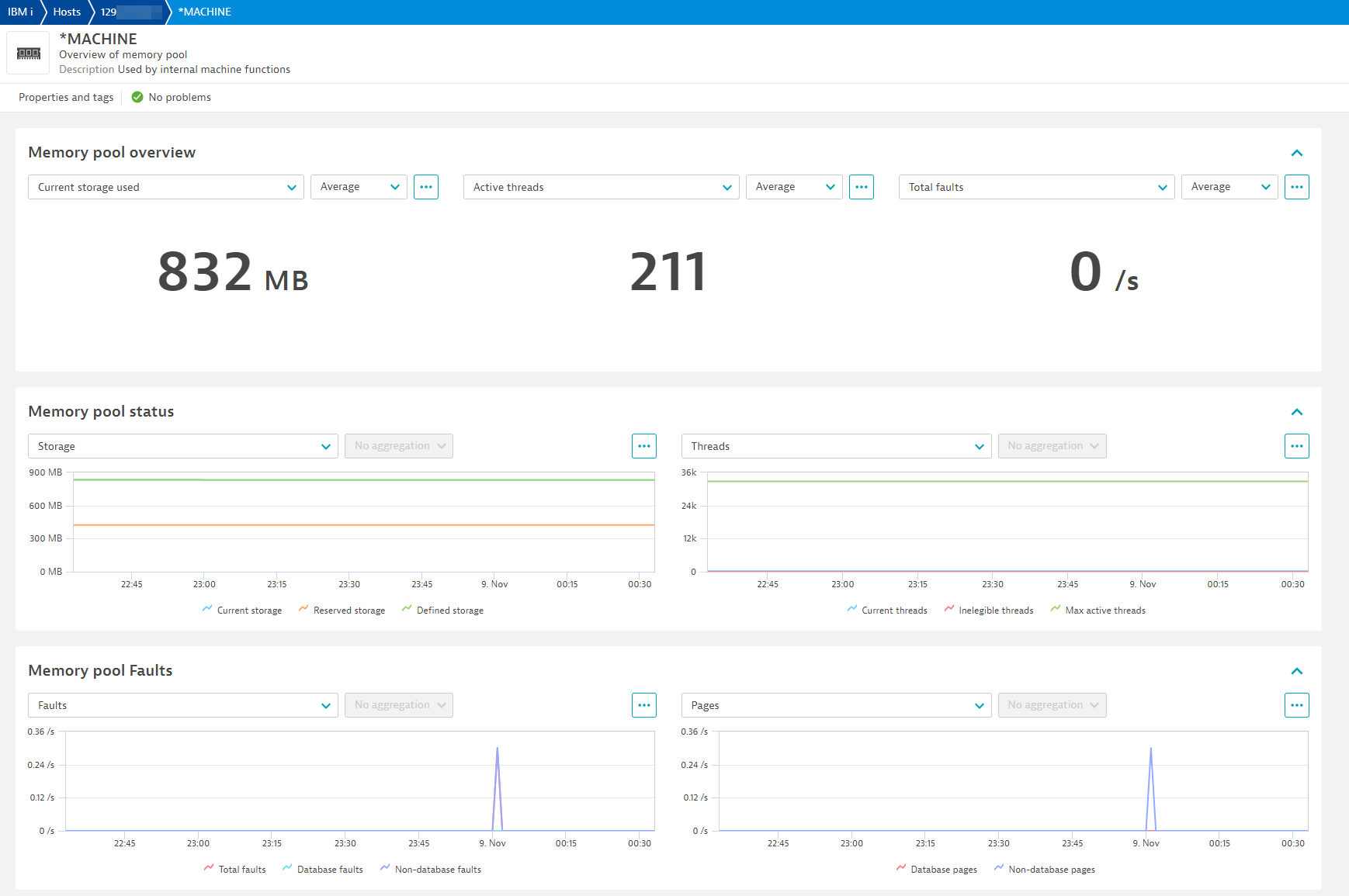
| Current size | ibm_i.memory_pool.current_size | The amount of main storage, in megabytes, in the pool. | MegaByte |
| Reserved size | ibm_i.memory_pool.reserved_size | The amount of storage, in megabytes, in the pool reserved for system use (for example, for save/restore operations). | MegaByte |
| Defined size | ibm_i.memory_pool.defined_size | The size of the pool, in megabytes, as defined in the shared pool, subsystem description, or system value QMCHPOOL. Contains the null value for a pool without a defined size. | MegaByte |
| Max active threads | ibm_i.memory_pool.maximum_active_threads | The maximum number of threads that can be active in the pool at any one time. | Count |
| Current threads | ibm_i.memory_pool.current_threads | The number of threads currently using the pool. | Count |
| Ineligible threads | ibm_i.memory_pool.current_ineligible_threads | The number of ineligible threads in the pool. Ineligible threads are threads that are ready to run but the memory pool activity level is at its maximum. | Count |
| Database faults | ibm_i.memory_pool.database_faults | The rate, in page faults per second, of database page faults against pages containing either database access paths or data. | PerSecond |
| Non-database faults | ibm_i.memory_pool.non_database_faults | The rate, in page faults per second, of nondatabase page faults against pages other than those designated as database pages. | PerSecond |
| Total faults | ibm_i.memory_pool.total_faults | The rate, in page faults per second, of database faults and non-database faults. | PerSecond |
| Database pages | ibm_i.memory_pool.database_pages | The rate, in pages per second, at which database pages are brought into the storage pool. | PerSecond |
| Non-database pages | ibm_i.memory_pool.non_database_pages | The rate in pages per second at which nondatabase pages are brought into the storage pool. | PerSecond |
| Metric name | Metric key | Description | Unit |
|---|---|---|---|
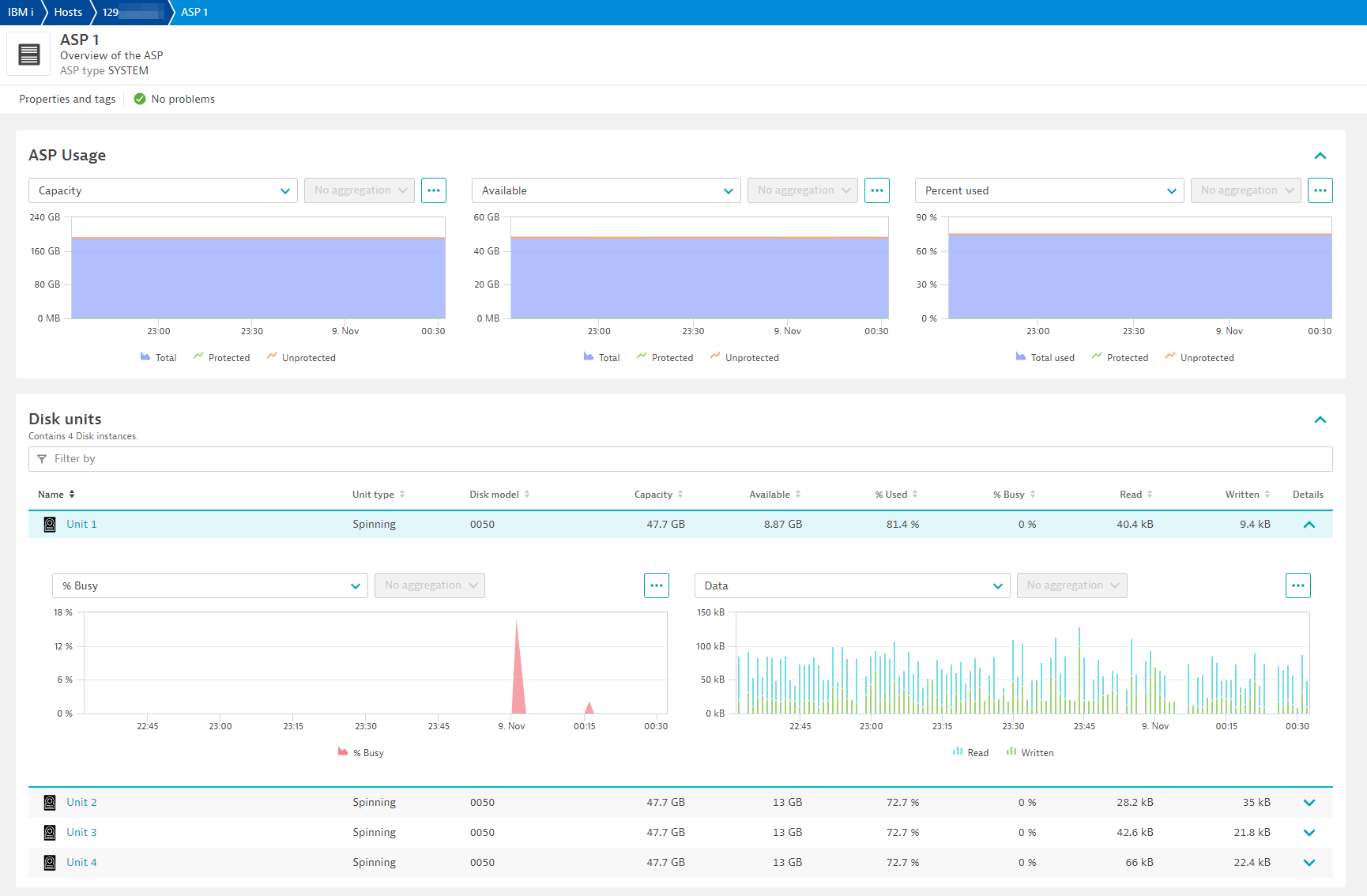
| Total capacity | ibm_i.asp.total_capacity | The total number of used and unused megabytes in the ASP. A special value of -2 is returned if the size of this field is exceeded. Contains the null value if the capacity cannot be determined. | MegaByte |
| Capacity available | ibm_i.asp.total_capacity_available | The total number of unused megabytes in the ASP. A special value of -2 is returned if the value was too big to return. Contains the null value if the capacity cannot be determined. | MegaByte |
| Percent ASP used | ibm_i.asp.percentage_asp_used | Percentage of ASP space used against total capacity. | Percent |
| Protected capacity | ibm_i.asp.protected_capacity | The total number of used and unused megabytes in the ASP that are protected by mirroring or device parity. A special value of -2 is returned if the value was too big to return. Contains the null value if the capacity cannot be determined. | MegaByte |
| Protected capacity available | ibm_i.asp.protected_capacity_available | The number of unused megabytes in the ASP that are protected by mirroring or device parity. A special value of -2 is returned if the value was too big to return. Contains the null value if the capacity cannot be determined. | MegaByte |
| Percent protected ASP used | ibm_i.asp.percentage_protected_asp_used | Percentage of protected ASP space used against protected total capacity. | Percent |
| Unprotected capacity | ibm_i.asp.unprotected_capacity | The total number of used and unused megabytes in the ASP that are not protected by mirroring or device parity. A special value of -2 is returned if the value was too big to return. Contains the null value if the capacity cannot be determined. | MegaByte |
| Unprotected capacity available | ibm_i.asp.unprotected_capacity_available | The number of unused megabytes in the ASP that are not protected by mirroring or device parity. A special value of -2 is returned if the value was too big to return. Contains the null value if the capacity cannot be determined. | MegaByte |
| Unprotected ASP used | ibm_i.asp.percentage_unprotected_asp_used | Percentage of unprotected ASP space used against unprotected total capacity. | Percent |
| Metric name | Metric key | Description | Unit |
|---|---|---|---|
| Total size | ibm_i.output_queue.total_size | The total size of spooled files in this output queue. | KiloByte |
| Metric name | Metric key | Description | Unit |
|---|---|---|---|
| Interface status | ibm_i.interface.status | A counter of 1 for every network interface that is on host. Used for returning all metadata about an interface. | Unspecified |
| Metric name | Metric key | Description | Unit |
|---|---|---|---|
| Unit capacity | ibm_i.disk.unit_storage_capacity | Storage capacity for configured units. | Byte |
| Unit space available | ibm_i.disk.unit_space_available | Space available on the unit for use. | Byte |
| Unit percent used | ibm_i.disk.percent_used | The percentage that the disk unit has been consumed. | Percent |
| SSD power-on days | ibm_i.disk.ssd_power_on_days | The number of days that the SSD device has been active in a system. Contains the null value if this disk is not SSD or if the information is not available. | Count |
| SSD life remaining | ibm_i.disk.ssd_life_remaining | The percentage of the lifetime remaining for the SSD device. This estimates the percentage of usable function remaining for the drive before it should be replaced. Calculations for this percentage include more than just the number of bytes written and supported. Contains the null value if this disk is not SSD or if the information is not available. | Percent |
| I/O requests | ibm_i.disk.io_requests | The average number of I/O requests for read and write operations that occurred per second during the elapsed time. | PerSecond |
| Avg I/O request size | ibm_i.disk.request_size | The average size of an I/O request in KB during the elapsed time. | KiloByte |
| Avg read requests | ibm_i.disk.read_requests | The average number of requests per second to transfer data from the disk unit during the elapsed time. | PerSecond |
| Avg write requests | ibm_i.disk.write_requests | The average number of requests per second to transfer data to the disk unit during the elapsed time. | PerSecond |
| Avg data read | ibm_i.disk.data_read | The average amount of data, in KB, transferred from the disk unit, per request, during the elapsed time. | KiloByte |
| Avg data written | ibm_i.disk.data_written | The average amount of data, in KB, transferred to the disk unit, per request, during the elapsed time. | KiloByte |
| Percent busy | ibm_i.disk.percent_busy | The estimated percentage of time the disk unit is being used during the elapsed time. | Percent |
| Metric name | Metric key | Description | Unit |
|---|---|---|---|
| Matched messages | ibm_i.history_log.matched_messages | Number of messages in History log that matched severity, message IDs and message types (if configured). | Count |
| Metric name | Metric key | Description | Unit |
|---|---|---|---|
| Number of files | ibm_i.output_queue.number_of_files | The total number of spooled or printer files currently on this output queue. | Count |
| Number of writers | ibm_i.output_queue.number_of_writers | The number of printer writers that have been started to this output queue. | Count |
| Total size | ibm_i.output_queue.total_size | The total size of spooled files in this output queue. | KiloByte |
| Metric name | Metric key | Description | Unit |
|---|---|---|---|
| Number of jobs | ibm_i.job_queue.number_of_jobs | The number of jobs in the queue. | Count |
| Active jobs | ibm_i.job_queue.active_jobs | The current number of jobs that are active that came through this job queue entry. Contains the null value if this job queue is not associated with an active subsystem | Count |
| Held jobs | ibm_i.job_queue.held_jobs | The current number of jobs that are in *HELD status. | Count |
| Released jobs | ibm_i.job_queue.released_jobs | The current number of jobs that are in *RELEASED status. | Count |
| Scheduled jobs | ibm_i.job_queue.scheduled_jobs | The current number of jobs that are in *SCHEDULED status. | Count |
| Metric name | Metric key | Description | Unit |
|---|---|---|---|
| Availability | ibm_i.system.availability | Percentage of time this host was available or reachable from this extension | Percent |
| Metric name | Metric key | Description | Unit |
|---|---|---|---|
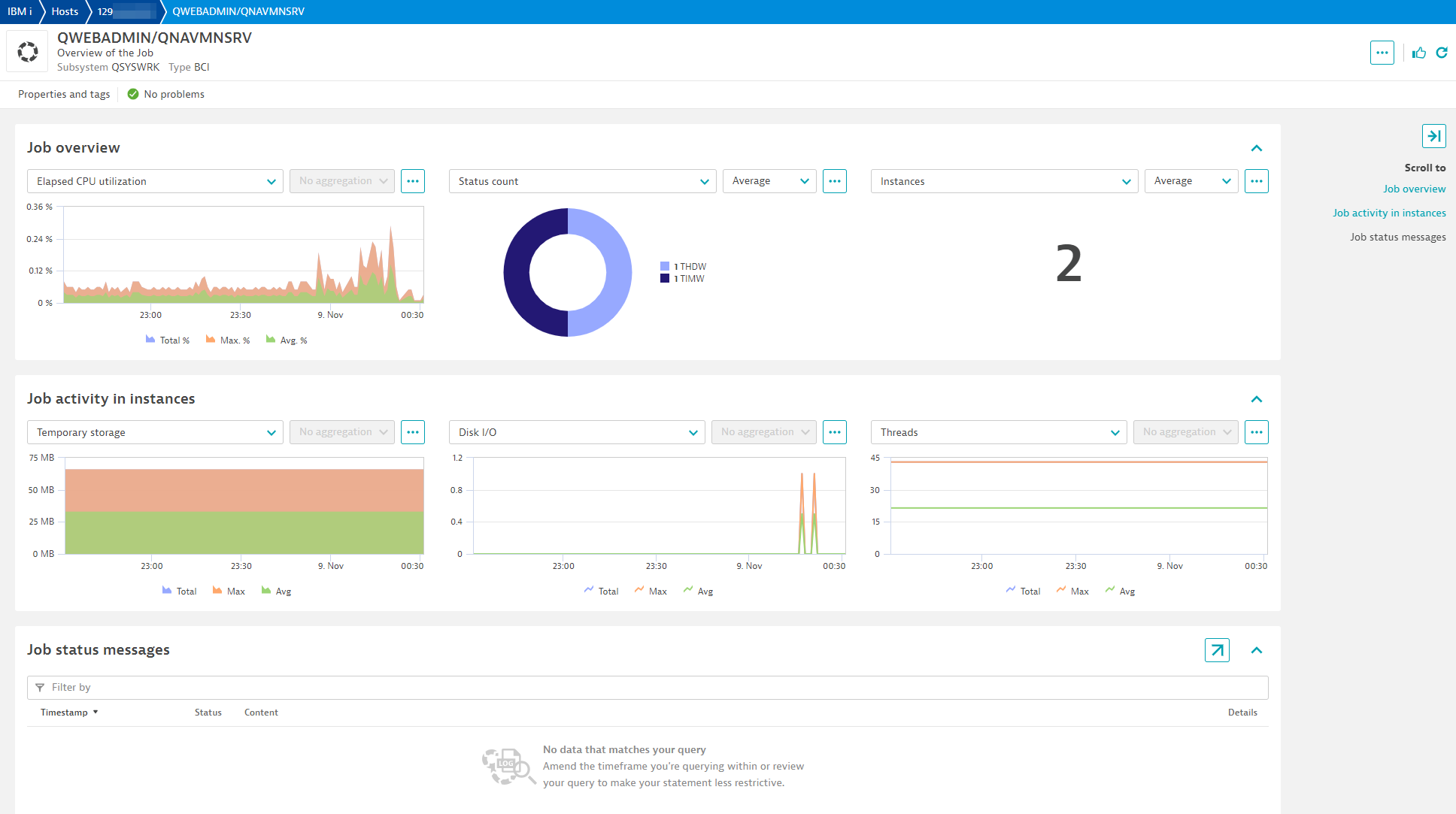
| Threads | ibm_i.job.threads_cnt | The number of active threads in the job. | Count |
| Temporary storage | ibm_i.job.temporary_storage_used | The amount of temporary storage, in megabytes, that is currently allocated to this job. | MegaByte |
| Total disk I/O | ibm_i.job.disk_io | The number of disk I/O operations performed by the job during the measurement time interval. This is the sum of the asynchronous and synchronous disk I/O. | Count |
| CPU percentage | ibm_i.job.cpu_percentage | The percent of processing unit time attributed to this job during the measurement time interval. | Percent |
| Response time | ibm_i.job.response_time | The total response time over the measurement time interval, in seconds. ONLY available to interactive jobs. | Second |
| Instances | ibm_i.job.instances | Number of job instances (or job numbers) running under a user and job name. This number can indicate if too few instances or too many instances are running for a specific process. | Count |
| Status count | ibm_i.job.status_cnt | A count of job status for each job. This will visualize how many job instances are in different status. If an event for status was configured to trigger during endpoint configuration, event will contain the specific job number. | Count |
Remote address could not be resolvedconnection errors⚠️New entities for Jobs will be created as internal IDs have changed. They will have the same name so any alerting rules you previously created will continue to work just fine. However, you may see duplicate job entities for a few hours. ⚠️

