




























Kick-start your app creation
Whether you’re a beginner or a pro, Dynatrace Developer has the tools and support you need to create incredible apps with minimal effort.
Go to Dynatrace Developer
 HAProxy
Monitor HAProxy Load balancer using socket or HTTP connections remotely.
ExtensionThe HAProxy extension runs remotely from your ActiveGate. It is configurable to use Socket mode or HTTP mode. Every minute, data is collected from your HAProxy server and sent to Dynatrace.
For more information on the installation and configuration, please see HAProxy extension in the Dynatrace Documentation.
haproxy.stats), socket mode must be used instead of HTTP mode.
socket port is different than the HTTP port..stats. require the use of socket mode. Else, the Info feature set includes metrics that can be retrieved using HTTP mode.Below is a complete list of the feature sets provided in this version. To ensure a good fit for your needs, individual feature sets can be activated and deactivated by your administrator during configuration.
| Metric name | Metric key | Description | Unit |
|---|---|---|---|
| Sessions rate | haproxy.stats.rate | Number of sessions per second | PerSecond |
| Sessions rate max | haproxy.stats.rate_max | Max number of sessions per second | PerSecond |
| Metric name | Metric key | Description | Unit |
|---|---|---|---|
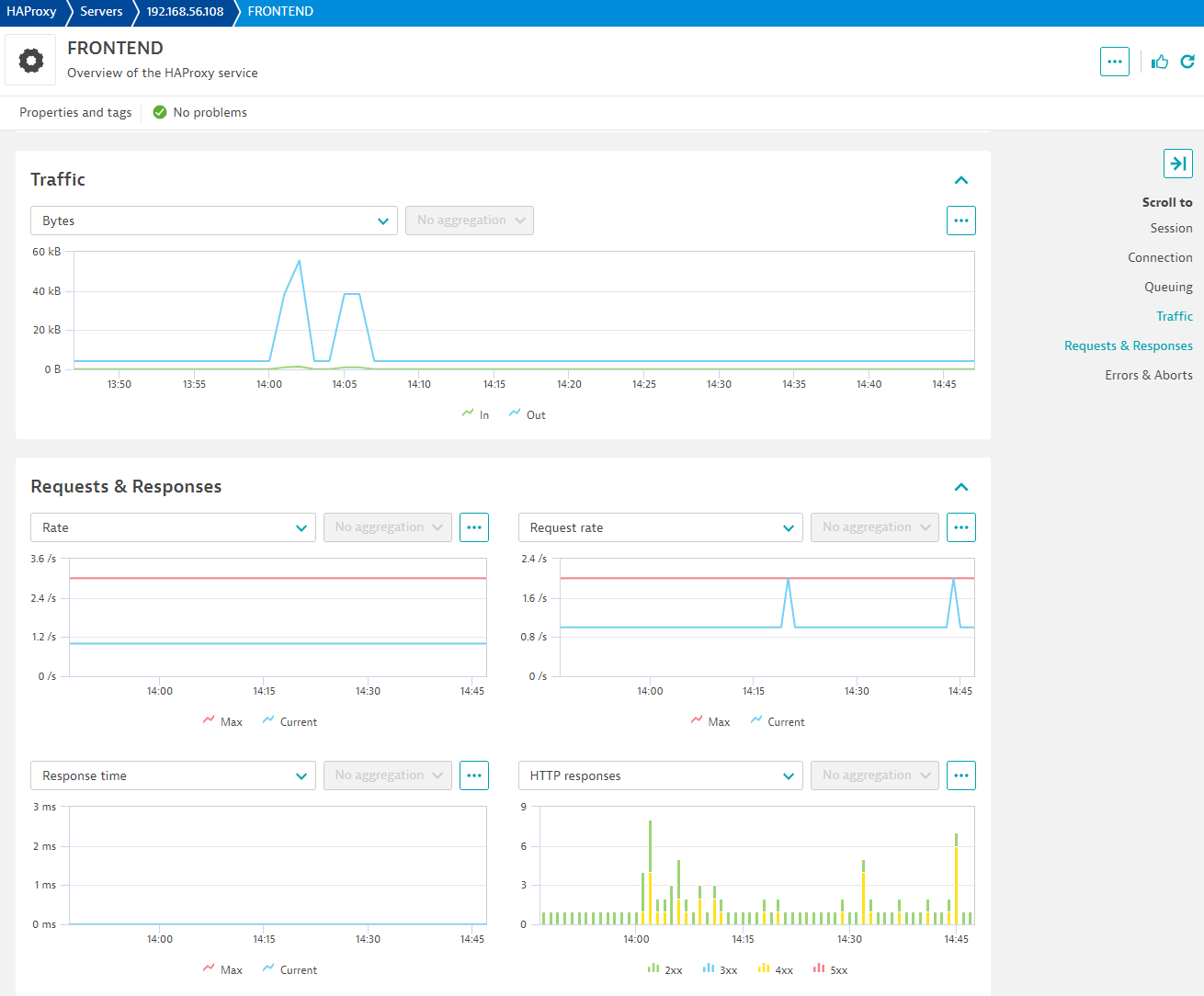
| Bytes in | haproxy.stats.bytes_in | Incoming bytes transferred | Byte |
| Bytes out | haproxy.stats.bytes_out | Outgoing bytes transferred | Byte |
| Metric name | Metric key | Description | Unit |
|---|---|---|---|
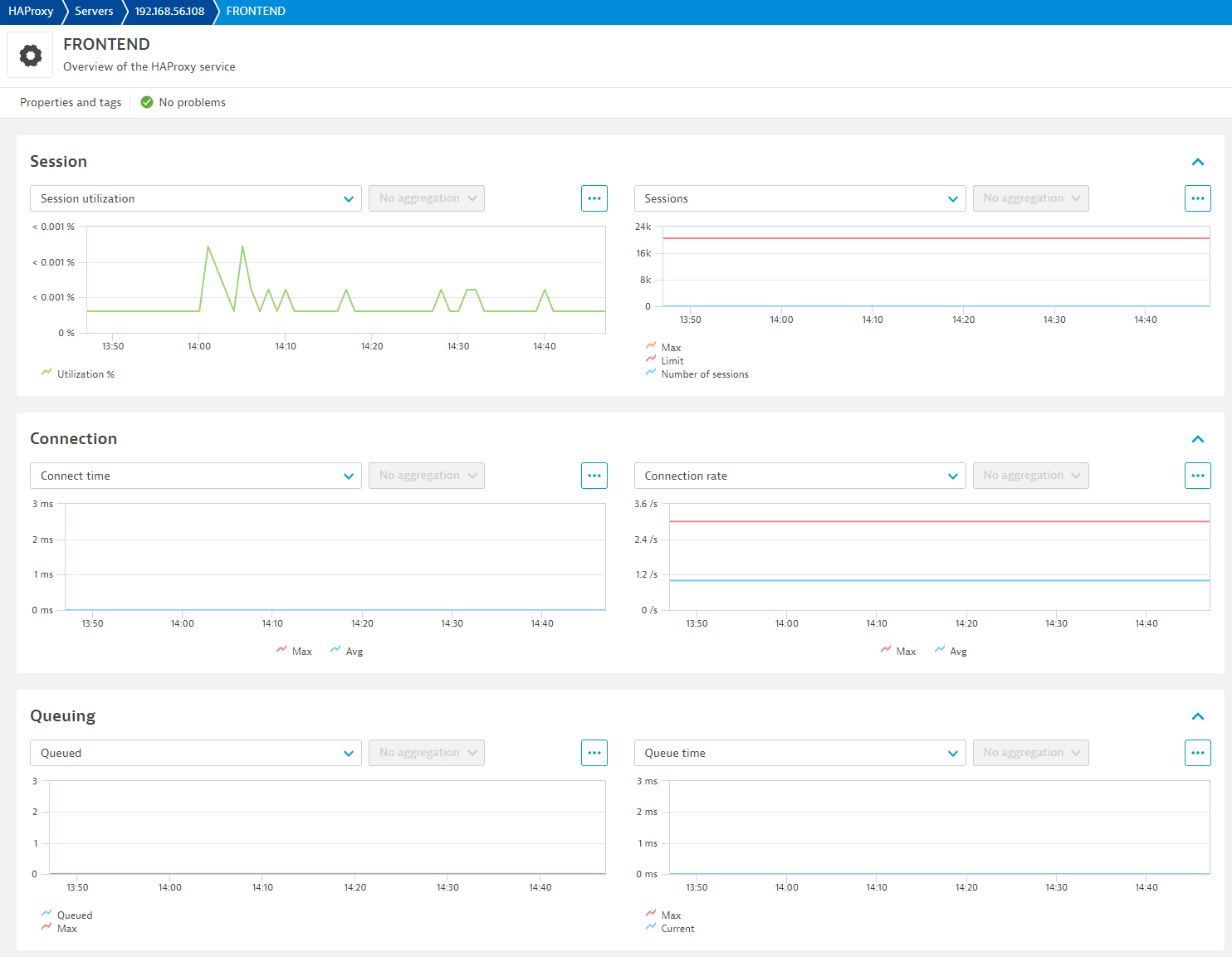
| Sessions | haproxy.stats.sessions | Current number of sessions. | Count |
| Sessions limit | haproxy.stats.sessions_limit | Configured number of sessions limit. | Count |
| Session utilization % | haproxy.stats.session_utilization | Percent of sessions used over limit | Percent |
| Sessions max | haproxy.stats.sessions_max | Max number of sessions. | Count |
| Metric name | Metric key | Description | Unit |
|---|---|---|---|
| Active jobs | haproxy.info.active_jobs | Number of jobs returned by show info command. | Count |
| Active listeners | haproxy.info.active_listeners | Number of active listeners | Count |
| Number of active peers | haproxy.info.active_peers | Number of active peers | Count |
| Busy polling | haproxy.info.busy_polling | Number of busy polling | Count |
| Output rate | haproxy.info.bytes_out_rate | Average bytes output rate | Byte |
| Bytes out total | haproxy.info.bytes_out_total | Number of bytes sent out | Byte |
| Compressed bits in | haproxy.info.compress_bits_in | Incoming compressed data in bits per second | BitPerSecond |
| Compressed bits out | haproxy.info.compress_bits_out | Outgoing compressed data in bits per second | BitPerSecond |
| Compressed bit rate | haproxy.info.compress_bits_rate_limit | Rate limit of compressed data in bits per second | BitPerSecond |
| Connected peers | haproxy.info.connected_peers | Number of connected peers. | Count |
| Connection rate limit | haproxy.info.connection_rate_limit | Rate limit of connections. | Count |
| Connections total | haproxy.info.connections_total | Number of total connections | Count |
| Backend SSL sessions rate | haproxy.info.current_backend_ssl_key_rate | Key rate of SSL backend sessions. | Count |
| Current connections | haproxy.info.current_connections | Number of current connections | Count |
| Frontend SSL sessions rate | haproxy.info.current_frontend_ssl_key_rate | Key rate of SSL frontend sessions. | Count |
| Current SSL connections | haproxy.info.current_ssl_connections | Number of current SSL connections | Count |
| SSL Requests | haproxy.info.current_ssl_rate | Rate of SSL requests. | Count |
| Current tasks | haproxy.info.current_tasks | Number of current tasks | Count |
| Dropped logs | haproxy.info.dropped_logs | Number of dropped logs | Count |
| Failed resolutions | haproxy.info.failed_resolutions | Number of failed resolutions | Count |
| Percent frontend SSL reuse | haproxy.info.frontend_ssl_reuse | Rate of reuse of SSL frontend sessions | Percent |
| Hard max connections | haproxy.info.hard_max_connections | Maximum hard connections | Count |
| Percentage idle time | haproxy.info.idle_time_percent | Percentage idle time | Percent |
| SSL requests limit | haproxy.info.limit_ssl_rate | Rate limit of SSL requests. | Count |
| Max Backend SSL sessions rate | haproxy.info.max_backend_ssl_key_rate | Maximum key rate of SSL backend sessions. | Count |
| Max connection rate | haproxy.info.max_connection_rate | Maximum rate of connections | Count |
| Max connections | haproxy.info.max_connections | Highest value of connections | Count |
| Max frontend SSL key sessions | haproxy.info.max_frontend_ssl_key_rate | Maximum Frontend SSL key rate | Count |
| Memory max bytes | haproxy.info.max_memory_bytes | Maximum number of memory used | Byte |
| Max pipes used | haproxy.info.max_pipes | Maximum number of pipes used | Count |
| Max session rate | haproxy.info.max_session_rate | Maximum rate of sessions | Count |
| Max sockets used | haproxy.info.max_sockets | Maximum number of sockets used | Count |
| Max SSL connections | haproxy.info.max_ssl_connections | Maximum number of SSL connections | Count |
| Max SSL requests rate | haproxy.info.max_ssl_rate | Maximum rate of SSL requests. | Count |
| Pipes free | haproxy.info.pipes_free | Number of free pipes | Count |
| Pipes used | haproxy.info.pipes_used | Number of pipes used | Count |
| Pool allocated bytes | haproxy.info.pool_allocated_bytes | Number of bytes allocated to pool | Byte |
| Pool total failures | haproxy.info.pool_failures_total | Number of total pool failures | Count |
| Pool used bytes | haproxy.info.pool_used_bytes | Number of bytes used by pool | Byte |
| Process number | haproxy.info.process_num | Process number returned by show info command. | Count |
| Processes | haproxy.info.processes | Number of processes returned by show info command. | Count |
| Requests total | haproxy.info.requests_total | Number of total requests | Count |
| Session rate | haproxy.info.session_rate | Number of sessions per second | PerSecond |
| Session rate limit | haproxy.info.session_rate_limit | Rate limit of sessions | Count |
| Total bytes spliced out | haproxy.info.spliced_bytes_out_total | Total number of bytes emitted by current worker process through a kernel pipe since started | Count |
| SSL cache lookups | haproxy.info.ssl_cache_lookups_total | Total number of SSL session ID lookups in the SSL session cache on this worker since started | Count |
| SSL cache misses | haproxy.info.ssl_cache_misses_total | Total number of SSL session ID lookups that didn't find a session in the SSL session cache on this worker since started | Count |
| SSL connections | haproxy.info.ssl_connections_total | Total number of SSL endpoints on this worker process since started (front+back) | Count |
| Threads | haproxy.info.threads | Number of started threads | Count |
| Unstoppable jobs | haproxy.info.unstoppable_jobs | Current number of unstoppable jobs on the current worker process (master connections) | Count |
| Uptime | haproxy.info.uptime | Current uptime returned by show info command. | Second |
| Metric name | Metric key | Description | Unit |
|---|---|---|---|
| Request rate | haproxy.stats.request_rate | HTTP requests per second | PerSecond |
| Request rate max | haproxy.stats.request_rate_max | Max number of requests per second observed | PerSecond |
| Metric name | Metric key | Description | Unit |
|---|---|---|---|
| Response time | haproxy.stats.response_time | Average response time in ms | MilliSecond |
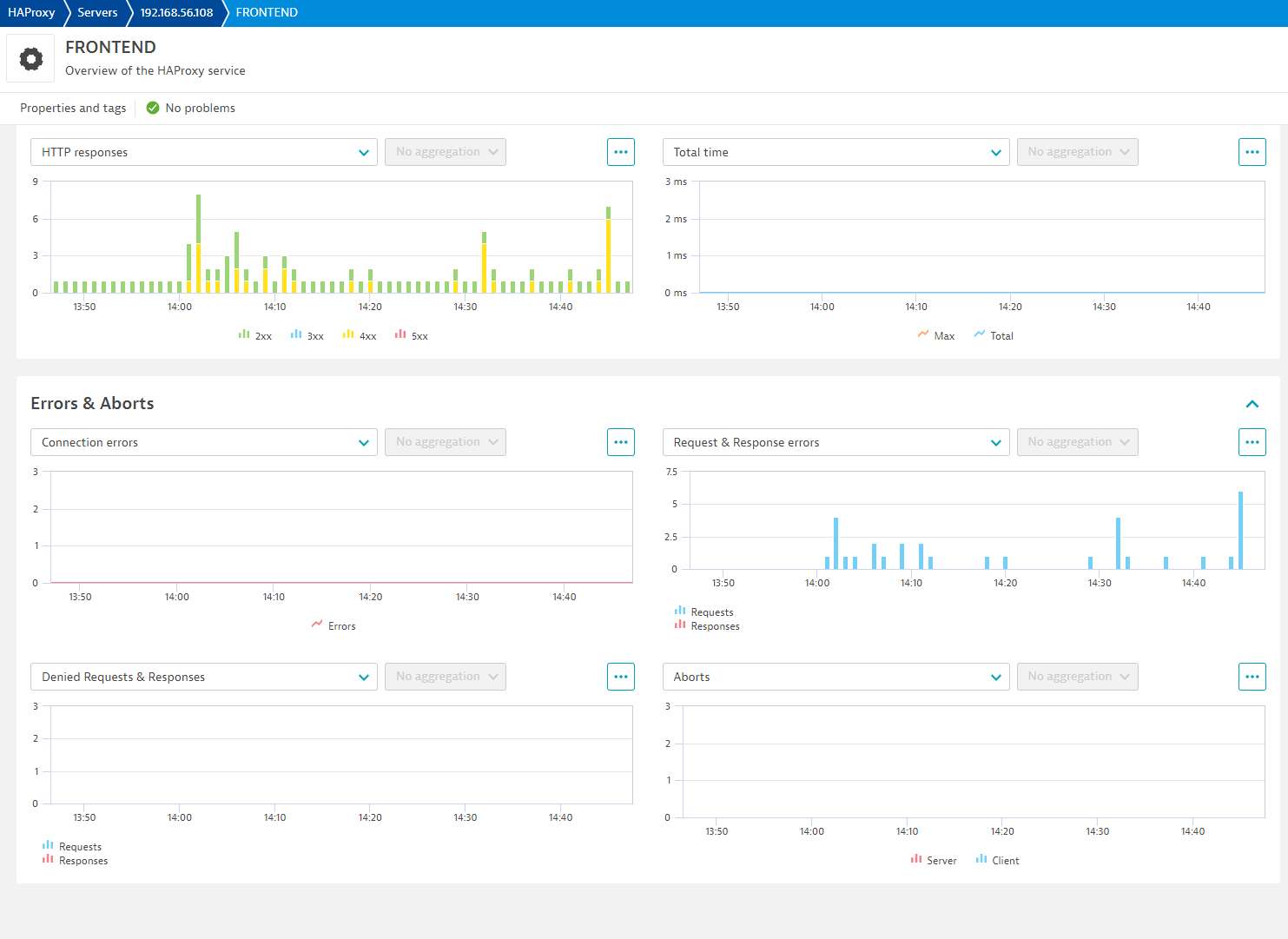
| Total time | haproxy.stats.total_time | Average total session time in ms. | MilliSecond |
| Response time max | haproxy.stats.response_time_max | Maximum value of response time | MilliSecond |
| Total time max | haproxy.stats.total_time_max | Maximum total time in ms. | MilliSecond |
| Metric name | Metric key | Description | Unit |
|---|---|---|---|
| Availability | haproxy.server.availability | Connectivity from ActiveGate to HAProxy server. This value reflects availability from this extension view. | Percent |
| Metric name | Metric key | Description | Unit |
|---|---|---|---|
| Connect time | haproxy.stats.connect_time | Average connect time in ms. | MilliSecond |
| Connect time max | haproxy.stats.connect_time_max | Max connection time in ms. | MilliSecond |
| Connection rate | haproxy.stats.connection_rate | Number of connections per second | PerSecond |
| Connection rate max | haproxy.stats.connection_rate_max | Max number of connections per second. | PerSecond |
| Metric name | Metric key | Description | Unit |
|---|---|---|---|
| Queued requests | haproxy.stats.queued | Current queued requests. For the backend this reports the number queued without a server assigned. | Count |
| Queued requests max | haproxy.stats.queued_max | Maximum number of queued requests in minute | Count |
| Queue time | haproxy.stats.queue_time | Average queue time in ms over the 1024 last requests. | MilliSecond |
| Queued time max | haproxy.stats.queue_time_max | Maximum queue time | MilliSecond |
| Metric name | Metric key | Description | Unit |
|---|---|---|---|
| HTTP 2xx responses | haproxy.stats.http_2xx_responses | Number of 2xx http responses | Count |
| HTTP 3xx responses | haproxy.stats.http_3xx_responses | Number of 3xx http responses | Count |
| HTTP 4xx responses | haproxy.stats.http_4xx_responses | Number of 4xx http responses | Count |
| HTTP 5xx responses | haproxy.stats.http_5xx_responses | Number of 5xx http responses | Count |
| Metric name | Metric key | Description | Unit |
|---|---|---|---|
| Denied requests | haproxy.stats.denied_requests | Number of requests denied | Count |
| Denied responses | haproxy.stats.denied_responses | Number of denied responses | Count |
| Error requests | haproxy.stats.error_requests | Number of error requests | Count |
| Error responses | haproxy.stats.error_responses | Number of error responses | Count |
| Connection errors | haproxy.stats.connection_errors | Number of requests that encountered an error connecting to backend server | Count |
| Metric name | Metric key | Description | Unit |
|---|---|---|---|
| Client aborts | haproxy.stats.client_aborts | Number of data transfers aborted by client | Count |
| Server aborts | haproxy.stats.server_aborts | Number of data transfers aborted by server. | Count |
New in this version

