




















Skip to technology filters Skip to main content
Dynatrace Hub

Extend the platform,
empower your team.

Popular searches:
Home hero bg
Explore Business EventsExplore Business Events
Explore Business Events

Explore Business Events

Discover and get started with business events.

App
Free trialDocumentation
Explore business events
  • Product information
  • Release notes

Overview

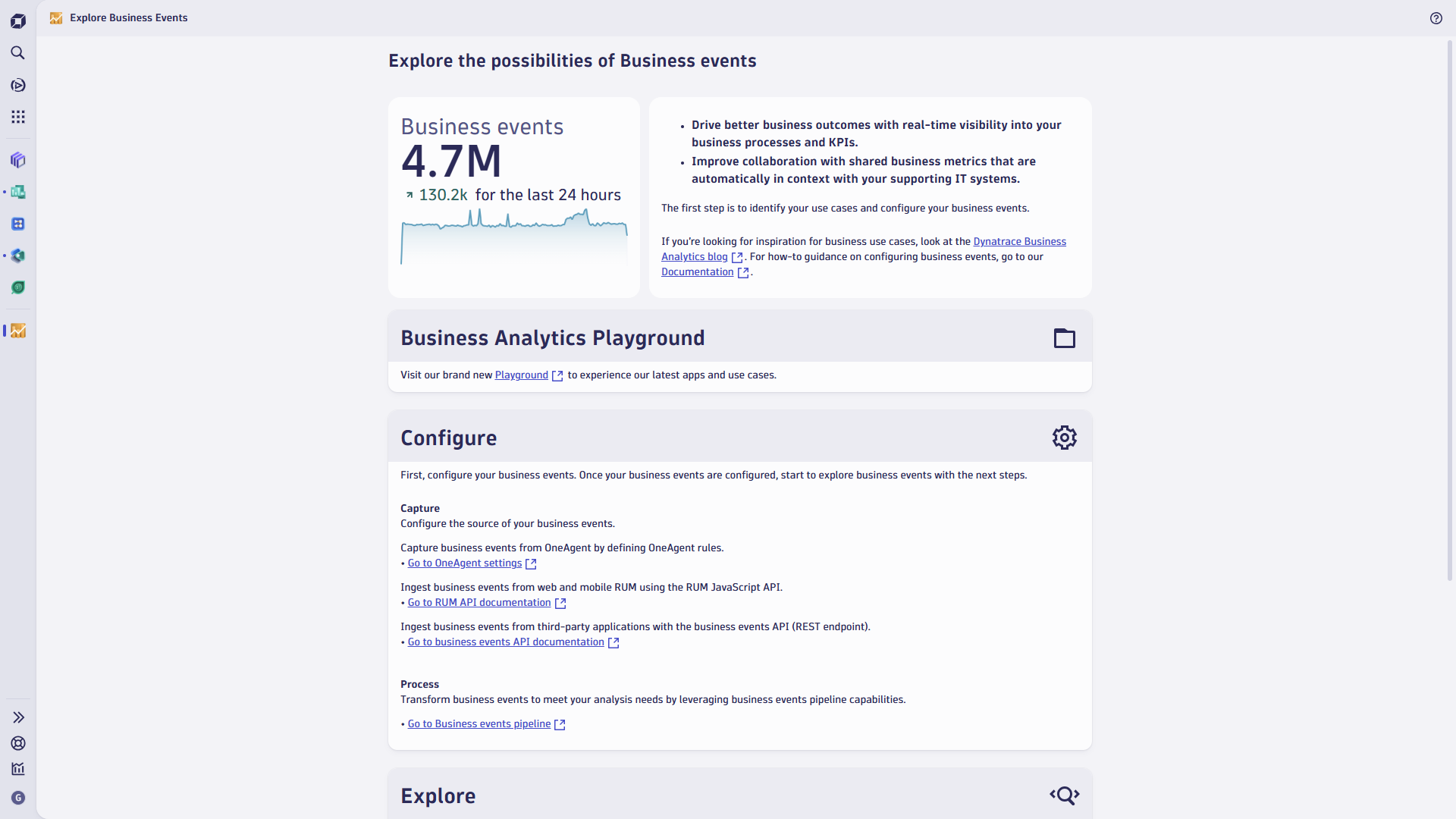
The Explore Business Events app connects you with blog posts, documentation, and other resources to help you understand some of the ways business events are used to address business analytics use cases. Once you’ve defined your use case, the How to get started section of the page steps you through configuration and initial analysis.

Get started

Open the Explore Business Events app.

Details

Blog posts supplement our documentation with real-world examples, inspirational use cases, and how-to guides. Dynatrace One support and the Dynatrace Community help answer your questions and are great places to collaborate. Business analytics value is driven by well-defined use cases, and these resources will help to clarify your goals.

Once you’ve defined your use case, you’ll configure the sources of your business events and how these events should be processed and stored. Dynatrace Query Language (DQL) is used to query and analyze your events, in the Notebooks app or the Logs and event viewer. Custom dashboards transform complex data from your queries into easy-to-understand visualizations.

Dynatrace
Documentation
By Dynatrace
Dynatrace support center
Subscribe to new releases
Copy to clipboard

Full version history

ReleaseDate

Full version history

Improvements

  • Tiles now provide improved user guidance when data is missing, permissions are missing, or when applications need to be installed.

Full version history

Improvements

  • Application layout has been improved to maintain consistent sizing of content after load or refresh.

Full version history

Improvements:

  • The “Ingest business event” action in Workflows has been enhanced to support Business event generation through custom DQL in addition to JSON. Creating a workflow step using the "Ingest business event" action now lets you select from JSON or DQL. Selecting DQL allows you to set a default event provider, event type, event category, and provide a DQL query to provide attributes to be associated with the business event. A business event is generated for each result produced by the DQL query. If the DQL result includes values for event provider, type, or category, these override the values provided in the action. Values from other workflow steps can be passed to the DQL statement using the {{variable}} notation. This new DQL action is helpful to generate Business events from aggregated data sources across Grail.

Bug fixes:

  • Users can now use Expressions in the Business event data when using DQL. The use of expressions (using the {{…}} notation) allows you to use data from other steps, or call system functions (e.g. time/date functions), making the "Ingest business event" feature more dynamic. Refer to the Workflows documentation here for more information on Expressions.
  • Users whose Workflows relied on the older version of the “Ingest business event” action can now successfully ingest data from the “Business event data (JSON)” field using the updated action.

Full version history

Improvements:

  • The “Ingest business event” action in Workflows has been enhanced to support Business event generation through custom DQL in addition to JSON. Creating a workflow step using the Ingest business event action now lets you select from JSON or DQL. Selecting DQL allows you to set a default event provider, event type, event category, and provide a DQL query to provide attributes to be associated with the business event. A business event is generated for each result produced by the DQL query. If the DQL result includes values for event provider, type, or category, these override the values provided in the action. Values from other workflow steps can be passed to the DQL statement using the {{variable}} notation. This new DQL action is helpful to generate Business events from aggregated data sources across Grail.

Full version history

Improvements:

  • The Explore Business Events user interface has been redesigned to showcase more Business Analytics capabilities and streamline the presentation of information throughout the app. Users are now presented with key metrics from installed apps or guided to install them from appropriate locations when not installed. Users who do not have the required permissions are now guided to relevant resources to resolve access issues. Links to additional apps, settings, DQL intents, and documentation have been improved to simplify user navigation and experience.

Full version history

Improvements

  • OpenPipeline configuration links now open in the latest Settings interface (instead of the classic interface) to improve the usability of configuring Business events.

Full version history

Minor improvements and updates.

Full version history

Minor improvements & updates.

Full version history

Minor improvements & updates.

Full version history

Enhancements

  • Minor improvements & updates.

Full version history

Enhancements

  • Minor improvements & updates.

Full version history

Improvements:

  • Added new content for Dynatrace Playground
  • Added advanced tracking capabilities

Full version history

Minor improvements & updates

Full version history

Minor improvements

Full version history

Minor improvements

Full version history

Improvements

  • Introduced support for segments
  • All links to settings point now to their corresponding app on the platform

Full version history

Maintenance

Updates on certain dependencies for security reasons.

Full version history

Minor improvements

Full version history

Minor improvements

Full version history

  • New KPI representing ingested business events
  • Help button

Full version history

No release notes

Full version history

No release notes

Full version history

No release notes

Full version history

No release notes

Full version history

No release notes

Full version history

No release notes

Full version history

No release notes

Full version history

No release notes

Full version history

No release notes

Full version history

No release notes

Full version history

Minor bugfixes.

Full version history

No release notes

Dynatrace Hub
Get data into DynatraceBuild your own app
All (811)Log Management and AnalyticsKubernetesAI and LLM ObservabilityInfrastructure ObservabilitySoftware DeliveryApplication ObservabilityApplication SecurityDigital ExperienceBusiness Observability
Filter
Type
Built and maintained by
Deployment model
SaaS
  • SaaS
  • Managed
Partner FinderBecome a partnerDynatrace Developer

Discover recent additions to Dynatrace

Problems logo

Problems

Analyze abnormal system behavior and performance problems detected by Davis AI.

Logs logo

Logs

Explore all your logs without writing a single query.

Security Investigator logo

Security Investigator

Fast and precise forensics for security and logs on Grail data with DQL queries.

Business Flow logo

Business Flow

Track, analyze, and optimize your critical business processes.

Cost & Carbon Optimization logo

Cost & Carbon Optimization

Track, analyze, and optimize your IT carbon footprint and public cloud costs.

Davis Anomaly Detection logo

Davis Anomaly Detection

Detect anomalies in timeseries using the Davis AI

Analyze your data

Understand your data better with deep insights and clear visualizations.

Notebooks logo

Notebooks

Create powerful, data-driven documents for custom analytics and collaboration.

Dashboards logo

Dashboards

Transform complex data into clear visualizations with custom dashboards.

Automate your processes

Turn data and answers into actions, securely, and at scale.

Workflows logo

Workflows

Automate tasks in your IT landscape, remediate problems, and visualize processes

Jira logo

Jira

Create, query, comment, transition, and resolve Jira tickets within workflows.

Slack logo

Slack

Automate Slack messaging for security incidents, attacks, remediation, and more.

Secure your cloud application

See vulnerabilities and attacks in your environment.

Security Overview logo

Security Overview

Get a comprehensive overview of the security of your applications.

Code-Level Vulnerabilities logo

Code-Level Vulnerabilities

Detect vulnerabilities in your code in real time.

Security Posture Management logo

Security Posture Management

Detect, prioritize, and remediate security and compliance findings with SPM.

Threats & Exploits logo

Threats & Exploits

Understand, triage, and investigate detection findings and alerts.

Are you looking for something different?

We have hundreds of apps, extensions, and other technologies to customize your environment

Leverage our newest innovations of Dynatrace Saas

Kick-start your app creation

Kick-start your app creation

Whether you’re a beginner or a pro, Dynatrace Developer has the tools and support you need to create incredible apps with minimal effort.
Go to Dynatrace Developer

Upgrading from Dynatrace Managed to SaaS

Upgrading from Dynatrace Managed to SaaS

Drive innovation, speed, and agility in your organization by seamlessly and securely upgrading.
Learn More
Log Management and Analytics

Log Management and Analytics

Innovate faster and more efficiently with unified log management and log analytics for actionable insights and automation.
Learn more

