





















Skip to technology filters Skip to main content
Dynatrace Hub

Extend the platform,
empower your team.

Popular searches:
Home hero bg
Cribl via OpenTelemetryCribl via OpenTelemetry
Cribl via OpenTelemetry

Cribl via OpenTelemetry

Ingest telemetry data, including traces, logs & metrics using Cribl Stream™

Technology by Cribl
Documentation
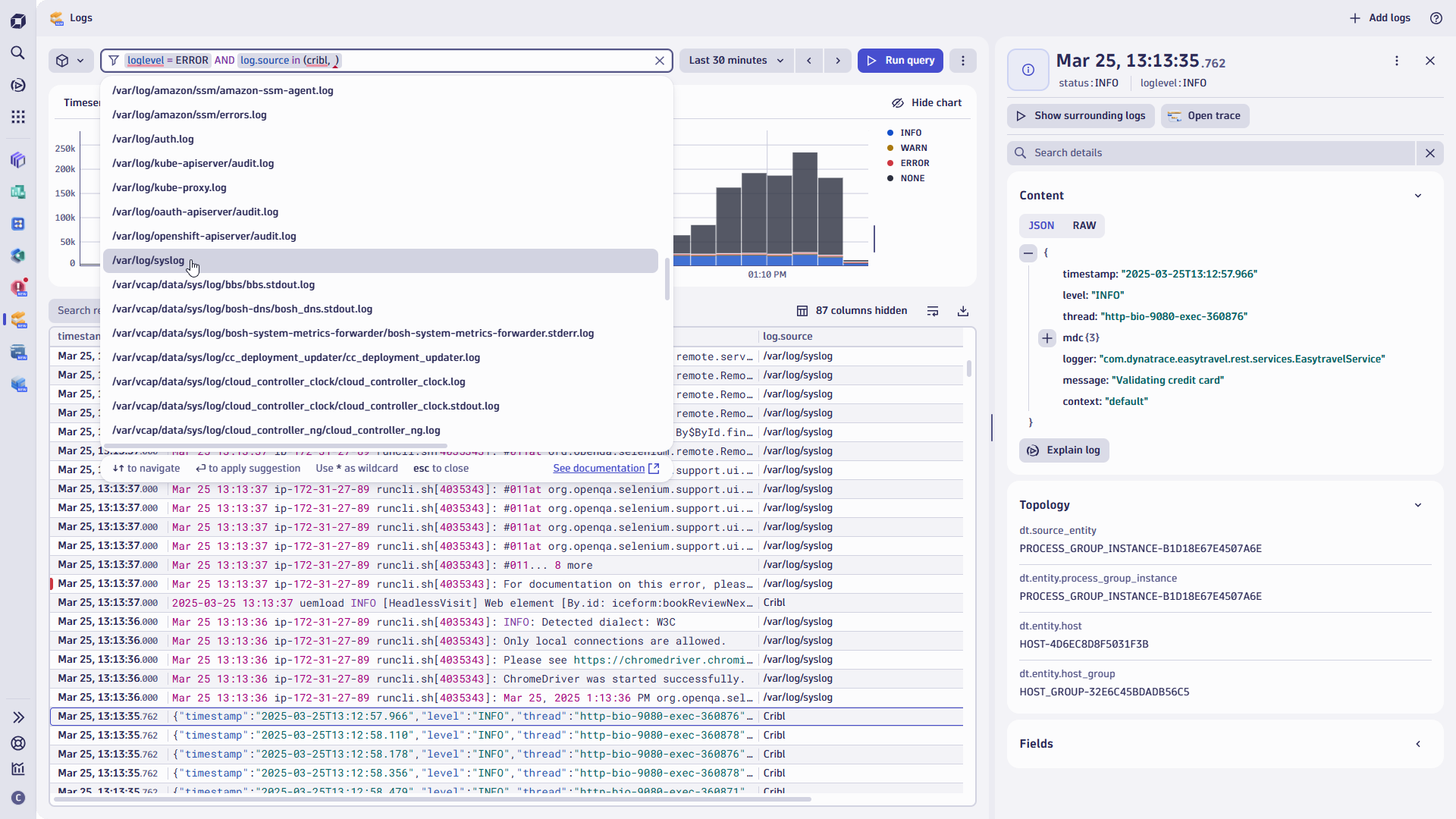
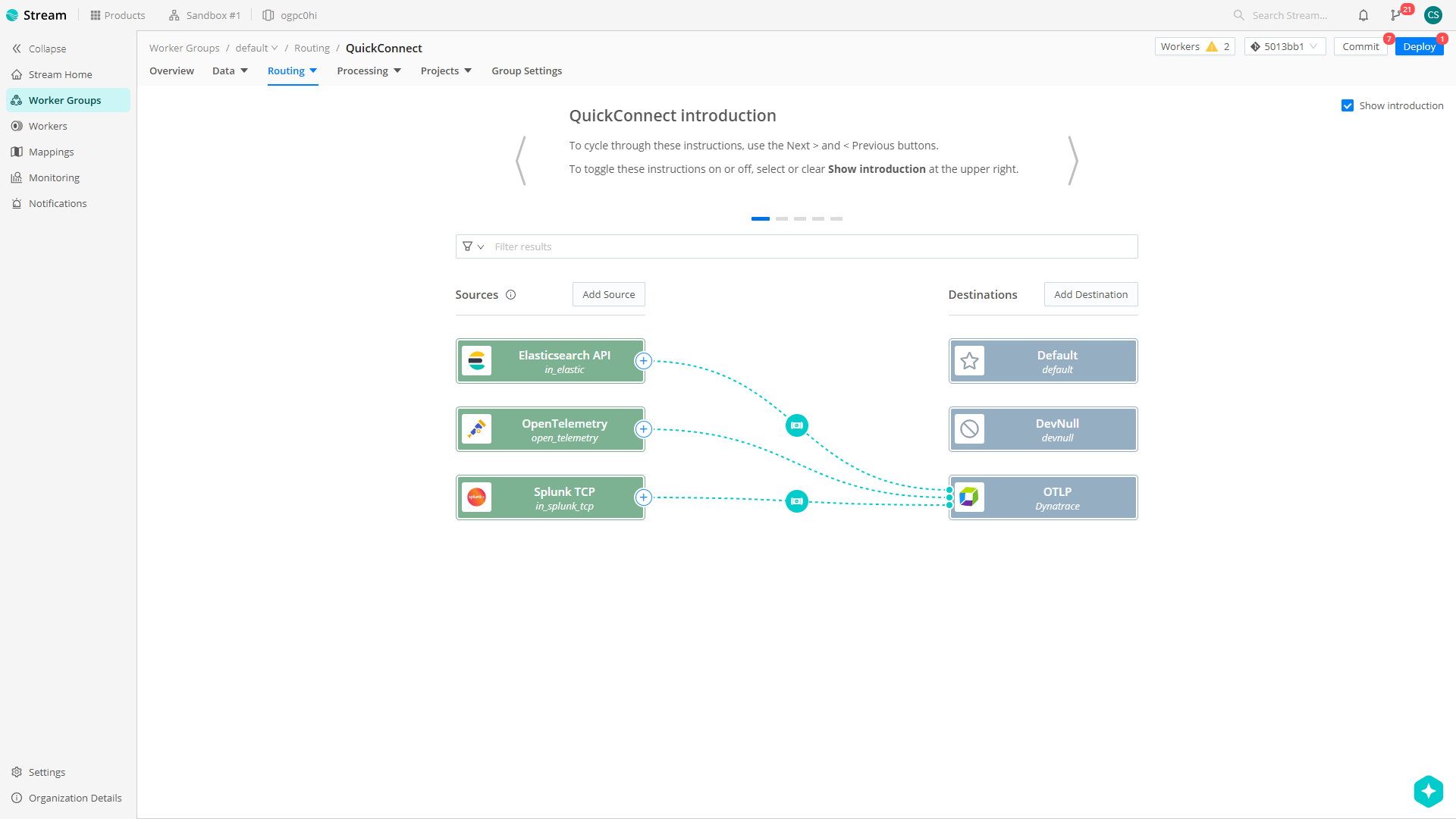
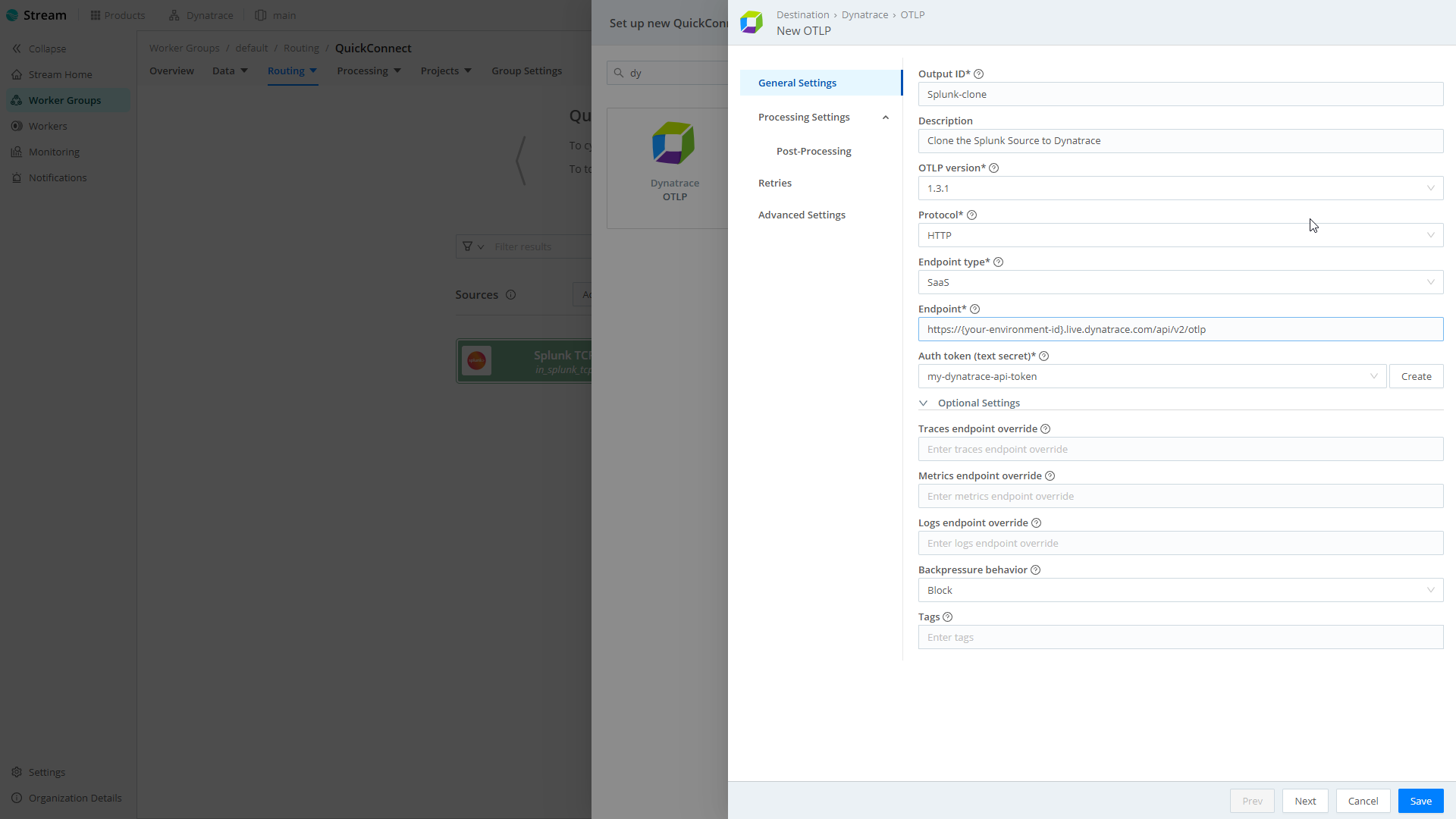
Explore logs using the Dynatrace logs app. Take action and filter by selecting relevant fields directly in the filter bar or the elements from the results below directly. This allows you to quickly filter in and filter out entities.You can create a new QuickConnect destination for Dynatrace within your Cribl Stream Worker Group Routing settings. This will allow you to pipe or selectively route your sources to Dynatrace.Configuring a new QuickConnect destination is simple and fast forward. The Cribl product documentation provides all the required information.
  • Product information

Overview

Cribl Stream acts as a central observability forwarding pipeline, collecting data from various sources such as Splunk, ElasticSearch and OpenTelemetry, to route it to Dynatrace for true end-to-end observability leveraging the OpenTelemetry Protrocol (OTLP).

This integration supports multiple Dynatrace endpoint types, including SaaS, Environment ActiveGate, providing flexibility for different scenarios.

The Cribl Stream OTLP Destination leverages the standardized OpenTelemetry Protocol (OTLP) to transmit data to Dynatrace.

Key features include:

  • Multiple Endpoint Support: Connect to Dynatrace SaaS or ActiveGate
  • Secure Authentication: Uses Dynatrace API tokens for secure data transmission
  • Persistent Queue: Buffer data during connectivity issues to prevent data loss
  • Custom HTTP Paths: Override default endpoint paths for specialized configurations
  • Forwarding Logs, Metrics, and Traces

Get started

Setting up a direct integration of telemetry data via Cribl Stream OTLP Destination takes just a few simple steps:

  1. Get API key to ingest telemetry data.

    • Generate new token with appropriate scope. Refer to Dynatrace documentation for details.
  2. Configure Cribl Stream OTLP Destination.

    • In Cribl Stream, navigate to Data > Destinations and add a new Dynatrace OTLP destination
    • Configure your Dynatrace endpoint (SaaS or ActiveGate)
    • Provide your Dynatrace environment ID and API access token
  3. Route your telemetry data.

    • Create routes in Cribl Stream to direct your telemetry data to the Dynatrace OTLP Destination
    • Deploy your configuration to start sending data
  4. Process incoming data with Dynatrace OpenPipeline

  • Enrich and contextualize data
  • Extract metrics, or create business events from logs, metrics and traces

Please consult the linked Cribl product documentation for additional configuration details.

Details

The Cribl Stream OTLP Destination provides a robust solution for sending telemetry data to Dynatrace, leveraging the standardized OpenTelemetry Protocol. This integration is ideal for organizations that need to send comprehensive observability data, including traces, metrics, and logs, to Dynatrace.

Cribl
Documentation
By the partner
Contact CriblRequest support
Copy to clipboard

Related to Cribl via OpenTelemetry

Dashboards logo

Dashboards

Transform complex data into clear visualizations with custom dashboards.

Distributed Tracing logo

Distributed Tracing

Analyze and slice distributed traces by any attribute and from any source.

Logs logo

Logs

Explore all your logs without writing a single query.

Dynatrace Hub
Get data into DynatraceBuild your own app
All (811)Log Management and AnalyticsKubernetesAI and LLM ObservabilityInfrastructure ObservabilitySoftware DeliveryApplication ObservabilityApplication SecurityDigital ExperienceBusiness Observability
Filter
Type
Built and maintained by
Deployment model
SaaS
  • SaaS
  • Managed
Partner FinderBecome a partnerDynatrace Developer

Discover recent additions to Dynatrace

Problems logo

Problems

Analyze abnormal system behavior and performance problems detected by Davis AI.

Logs logo

Logs

Explore all your logs without writing a single query.

Security Investigator logo

Security Investigator

Fast and precise forensics for security and logs on Grail data with DQL queries.

Business Flow logo

Business Flow

Track, analyze, and optimize your critical business processes.

Cost & Carbon Optimization logo

Cost & Carbon Optimization

Track, analyze, and optimize your IT carbon footprint and public cloud costs.

Davis Anomaly Detection logo

Davis Anomaly Detection

Detect anomalies in timeseries using the Davis AI

Analyze your data

Understand your data better with deep insights and clear visualizations.

Notebooks logo

Notebooks

Create powerful, data-driven documents for custom analytics and collaboration.

Dashboards logo

Dashboards

Transform complex data into clear visualizations with custom dashboards.

Automate your processes

Turn data and answers into actions, securely, and at scale.

Workflows logo

Workflows

Automate tasks in your IT landscape, remediate problems, and visualize processes

Jira logo

Jira

Create, query, comment, transition, and resolve Jira tickets within workflows.

Slack logo

Slack

Automate Slack messaging for security incidents, attacks, remediation, and more.

Secure your cloud application

See vulnerabilities and attacks in your environment.

Security Overview logo

Security Overview

Get a comprehensive overview of the security of your applications.

Code-Level Vulnerabilities logo

Code-Level Vulnerabilities

Detect vulnerabilities in your code in real time.

Security Posture Management logo

Security Posture Management

Detect, prioritize, and remediate security and compliance findings with SPM.

Threats & Exploits logo

Threats & Exploits

Understand, triage, and investigate detection findings and alerts.

Are you looking for something different?

We have hundreds of apps, extensions, and other technologies to customize your environment

Leverage our newest innovations of Dynatrace Saas

Kick-start your app creation

Kick-start your app creation

Whether you’re a beginner or a pro, Dynatrace Developer has the tools and support you need to create incredible apps with minimal effort.
Go to Dynatrace Developer
Upgrading from Dynatrace Managed to SaaS

Upgrading from Dynatrace Managed to SaaS

Drive innovation, speed, and agility in your organization by seamlessly and securely upgrading.
Learn More
Log Management and Analytics

Log Management and Analytics

Innovate faster and more efficiently with unified log management and log analytics for actionable insights and automation.
Learn more

