




















Skip to technology filters Skip to main content
Dynatrace Hub

Extend the platform,
empower your team.

Popular searches:
Home hero bg
Control-M Jobs v2Control-M Jobs v2
Control-M Jobs v2

Control-M Jobs v2

Monitor your Control-M jobs execution status.

Extension
Free trialDocumentation
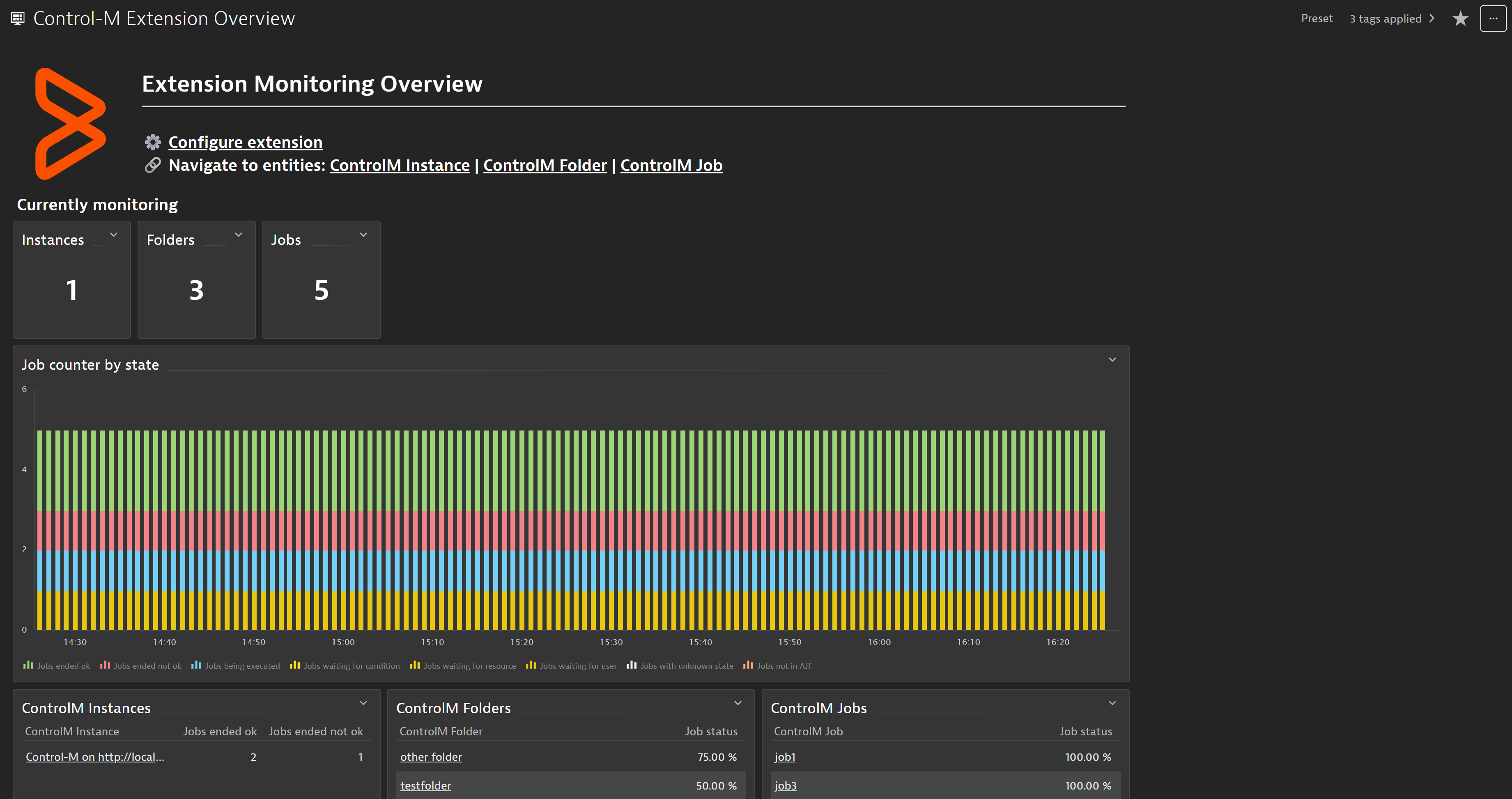
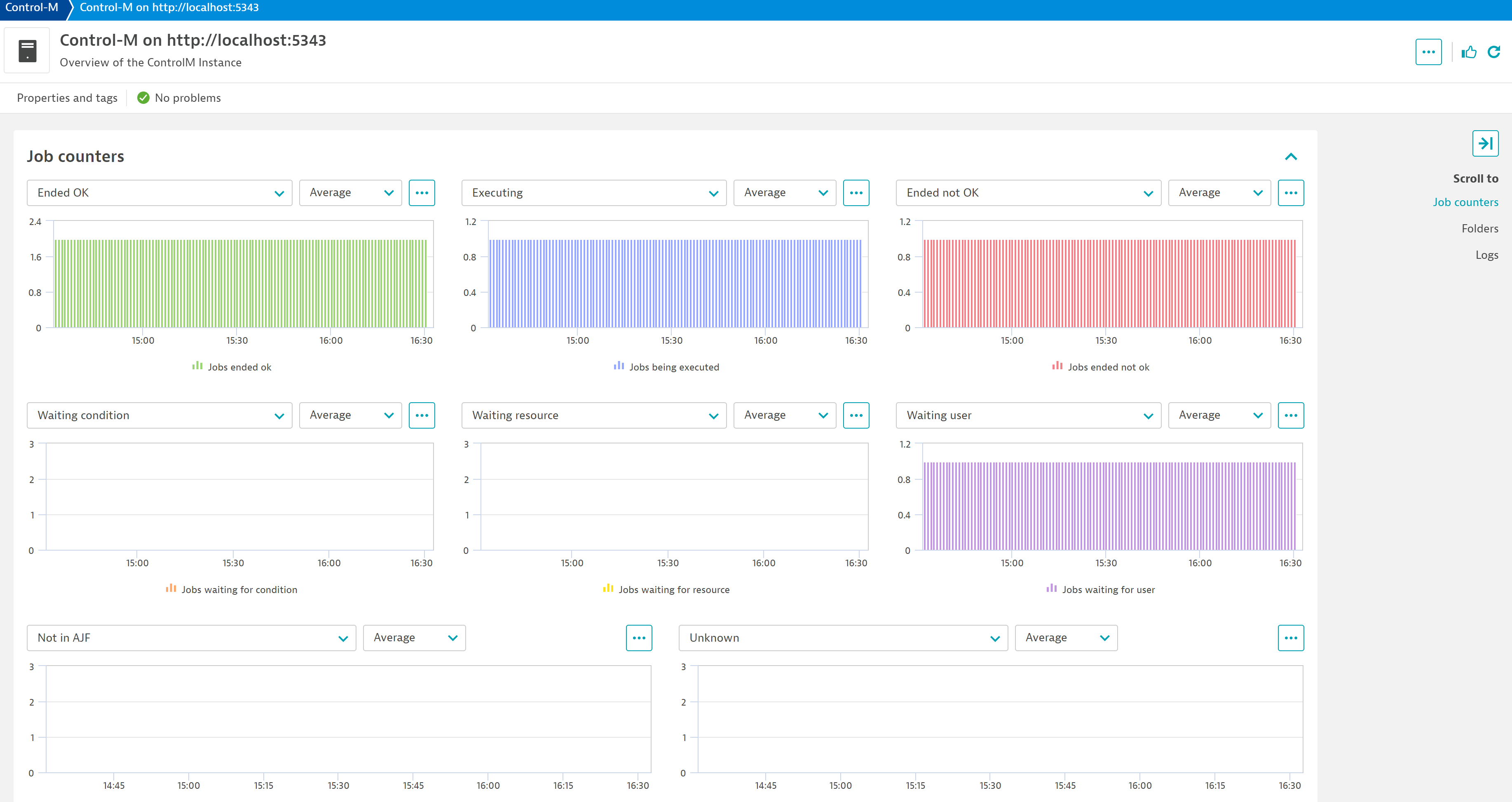
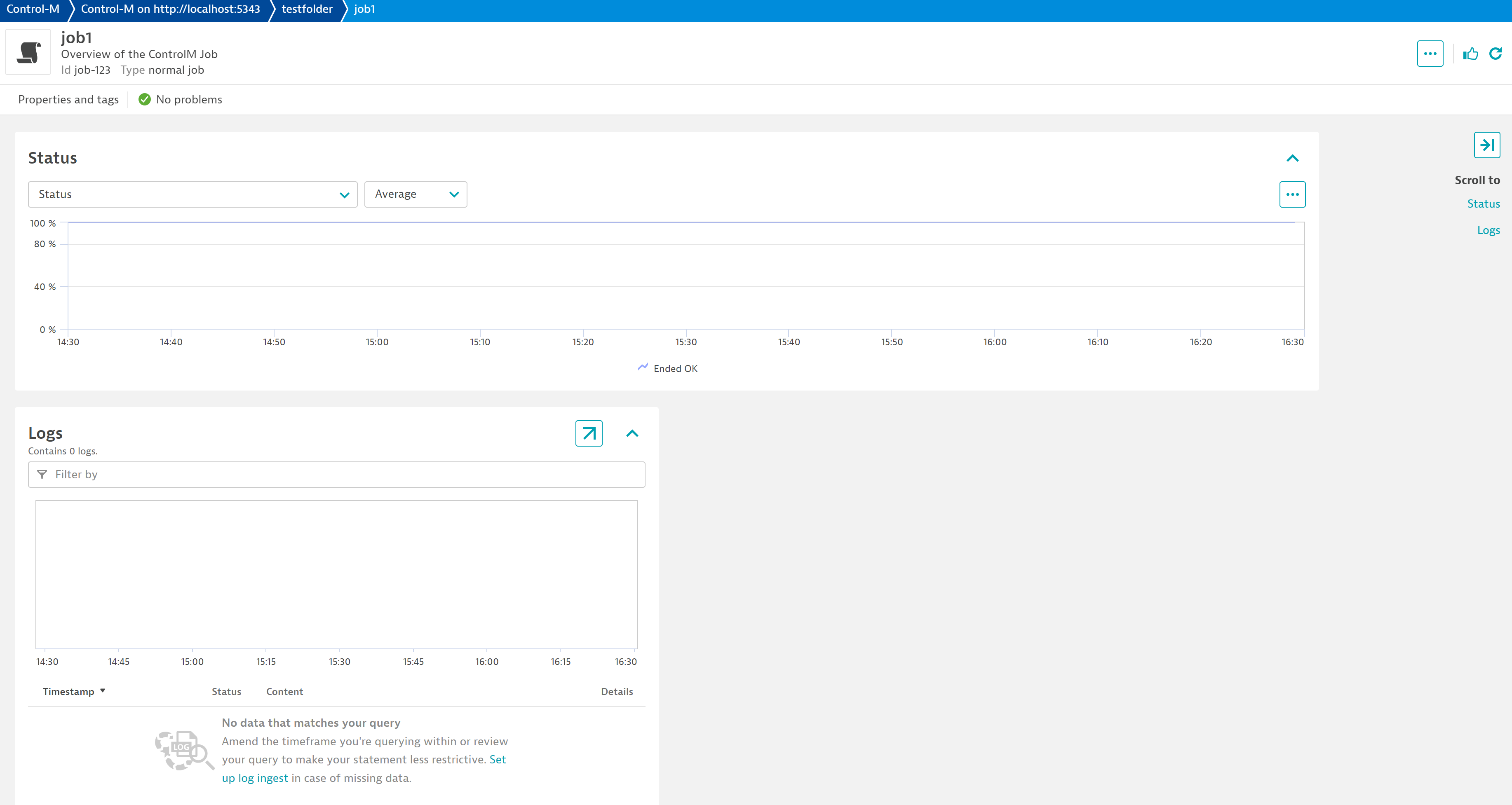
Get a general overview of your Control-M environment and a quick entry to all the related entities through the dashboard included with the extensionKeep track of all the jobs being run on your Control-M instance with the Unified Analysis screens created specifically for this extensionMonitor the status of each individual job and the logs it has produced on the last run to quickly diagnose any issue
  • Product information
  • Release notes

Overview

Control-M enables you to automate the scheduling and processing of your business workflows across various platforms and applications.

Monitor, understand and troubleshoot these business-critical assets with the Control-M extension.

Dynatrace
Documentation
By Dynatrace
Dynatrace support center
Subscribe to new releases
Copy to clipboard

Extension content

Content typeNumber of items included
screen layout
6
screen properties
2
list screen layout
3
document dashboard
1
screen chart groups
6
screen entities lists
5
screen actions
6
generic relationship
2
dashboards
1
generic type
3
metric metadata
11
screen dql table
2
screen logs cards
6

Feature sets

Below is a complete list of the feature sets provided in this version. To ensure a good fit for your needs, individual feature sets can be activated and deactivated by your administrator during configuration.

Feature setsNumber of metrics included
Metric nameMetric keyDescriptionUnit
Job number of runscontrolm.job.number_of_runsNumber of runs that a job has individually had.Count
Metric nameMetric keyDescriptionUnit
Job statuscontrolm.job.statusMetric that indicates the current status of each job. A value of 100 equals a job that ended correctly, a value of 0 indicates a job that ended incorrectly, was not found in AJF or has an unknown state. A value of 50 indicates a job in the middle of execution. A value of 25 indicates a job that is waiting.Percent
Metric nameMetric keyDescriptionUnit
Jobs waiting for conditioncontrolm.job_counters.wait_conditionNumber of jobs with state "Waiting For Condition"Count
Jobs ended okcontrolm.job_counters.ended_okNumber of jobs with state "Ended OK"Count
Jobs being executedcontrolm.job_counters.executingNumber of jobs with state "Executing"Count
Jobs waiting for resourcecontrolm.job_counters.wait_resourceNumber of jobs with state "Waiting For Resource"Count
Jobs waiting for usercontrolm.job_counters.wait_userNumber of jobs with state "Wait User"Count
Jobs waiting for hostcontrolm.job_counters.wait_hostNumber of jobs with state "Waiting For Host"Count
Jobs ended not okcontrolm.job_counters.ended_not_okNumber of jobs with state "Ended Not OK"Count
Jobs with unknown statecontrolm.job_counters.unknownNumber of jobs with an unknown stateCount
Jobs not in AJFcontrolm.job_counters.not_in_ajfNumber of jobs with state "Not In AJF(Active Job File)"Count

Full version history

To have more information on how to install the downloaded package, please follow the instructions on this page.
ReleaseDate

Full version history

  • Add credential vault support for username and password
  • Add new filtering parameters to use on the API call: host, host group, application and subapplication.
  • Fix bug with invalid metric lines when parsing special characters

Full version history

🚀 Improved in this version:

  • Added description, cyclic and number of runs as dimensions for all individual jon metrics
  • Added device.address dimension to all metrics as the IP corresponding to the configured hostname, when possible

✨ New in this version:

  • Add support for the dt.security_context attribute
  • Add new platform dashboard
  • Add platform screens
  • Added new metric controlm.job.number_of_runs to monitor the number of runs for each job
  • Added log ingestion for each job individually to track their metadata, start and end times
    • This new feature will be disabled by default as it will potentially heavily incur on the DDU consumption of the extension. It can be enabled by turning the Monitor start and end times as logs switch during configuration on.

🐛 Fixed in this version:

  • Turning on the Debug flag now properly changes the log level
  • The extension does not capture folders as jobs anymore

Full version history

New features:

  • Added a new folder name filter. Kept the original client side folder filter, but added a new filter that is query side filtering. Use this when your payloads are above the 10,000 object size limit.

Full version history

  • Fixed a bug where filtering for jobs and folders would not work correctly

Full version history

  • Fixed a bug where filtering was not working properly when only folder filtering rules where set.

Full version history

New features:

  • Log capture for job executions is now optional based on a new configuration parameter. It defaults to False if not set.
  • New parameter to configure how many threads the extension will spin up to capture the job's logs, if enabled. It defaults to 5 if not set.
  • Order Date is now captured for every job, if available, as a dimension of the job status metric and as a property of the job entity.

Full version history

  • Fixed an issue where the status WAIT HOST was not recognized and stopped the execution of the extension, creating missing data.
  • Added a new metric for counting WAIT HOST status jobs
  • Added chart for said metric to the job's screen

Full version history

  • Fixed a bug that prevented metrics from coming in

Full version history

  • Required minimum version increased to 1.289 for both the ActiveGate and the Dynatrace cluster
  • Error events generated by the extension now get attached to the corresponding Control-M job entity instead of to the environment
  • The extension now avoids querying every single job for its log on the first execution and gets only the latest ones
  • Aded a new server parameter that filters API results by its value
  • The extension now iterates through multiple paginated results when the amount of jobs returned by the API is greater than 10000

Full version history

  • Adapted the extension to use cases where all folders in a Control-M instance have the same ID to report all folders correctly.

Full version history

  • Fixed a broken link in the built-in dashboard.
  • Fixed a bug where monitoring the first execution of a job would break the extension.
  • Fixed a bug where the resource consumption of the ActiveGate running the extension would increase to unreasonable numbers based on the amount of jobs monitored.

Full version history

Converted extension to EF2.0:

  • Added a new metric to monitor individual job status
    • controlm.job.status
  • Added feature sets to control metric ingestion
  • Added custom topology for Control-M instances, folders and jobs and their relevant relationships
  • Added UA screens for each one of the entities
  • Added log monitoring for individual job run logs
  • Added overview dashboard
  • Added filtering in the configuration to filter out jobs/folders
Dynatrace Hub
Get data into DynatraceBuild your own app
All (811)Log Management and AnalyticsKubernetesAI and LLM ObservabilityInfrastructure ObservabilitySoftware DeliveryApplication ObservabilityApplication SecurityDigital ExperienceBusiness Observability
Filter
Type
Built and maintained by
Deployment model
SaaS
  • SaaS
  • Managed
Partner FinderBecome a partnerDynatrace Developer

Discover recent additions to Dynatrace

Problems logo

Problems

Analyze abnormal system behavior and performance problems detected by Davis AI.

Logs logo

Logs

Explore all your logs without writing a single query.

Security Investigator logo

Security Investigator

Fast and precise forensics for security and logs on Grail data with DQL queries.

Business Flow logo

Business Flow

Track, analyze, and optimize your critical business processes.

Cost & Carbon Optimization logo

Cost & Carbon Optimization

Track, analyze, and optimize your IT carbon footprint and public cloud costs.

Davis Anomaly Detection logo

Davis Anomaly Detection

Detect anomalies in timeseries using the Davis AI

Analyze your data

Understand your data better with deep insights and clear visualizations.

Notebooks logo

Notebooks

Create powerful, data-driven documents for custom analytics and collaboration.

Dashboards logo

Dashboards

Transform complex data into clear visualizations with custom dashboards.

Automate your processes

Turn data and answers into actions, securely, and at scale.

Workflows logo

Workflows

Automate tasks in your IT landscape, remediate problems, and visualize processes

Jira logo

Jira

Create, query, comment, transition, and resolve Jira tickets within workflows.

Slack logo

Slack

Automate Slack messaging for security incidents, attacks, remediation, and more.

Secure your cloud application

See vulnerabilities and attacks in your environment.

Security Overview logo

Security Overview

Get a comprehensive overview of the security of your applications.

Code-Level Vulnerabilities logo

Code-Level Vulnerabilities

Detect vulnerabilities in your code in real time.

Security Posture Management logo

Security Posture Management

Detect, prioritize, and remediate security and compliance findings with SPM.

Threats & Exploits logo

Threats & Exploits

Understand, triage, and investigate detection findings and alerts.

Are you looking for something different?

We have hundreds of apps, extensions, and other technologies to customize your environment

Leverage our newest innovations of Dynatrace Saas

Kick-start your app creation

Kick-start your app creation

Whether you’re a beginner or a pro, Dynatrace Developer has the tools and support you need to create incredible apps with minimal effort.
Go to Dynatrace Developer

Upgrading from Dynatrace Managed to SaaS

Upgrading from Dynatrace Managed to SaaS

Drive innovation, speed, and agility in your organization by seamlessly and securely upgrading.
Learn More
Log Management and Analytics

Log Management and Analytics

Innovate faster and more efficiently with unified log management and log analytics for actionable insights and automation.
Learn more

