




























Kick-start your app creation
Whether you’re a beginner or a pro, Dynatrace Developer has the tools and support you need to create incredible apps with minimal effort.
Go to Dynatrace Developer
 Tomcat (JMX)
JMX monitoring of Tomcat connection and thread pools, and web request activity.
ExtensionApache Tomcat is an open-source web server developed by the Apache Software Foundation (ASF) and one of the most popular servlet containers available today. It’s an incredibly lightweight, flexible and extremely stable platform to build on. The OneAgent will allow you to trace activity on and through your Tomcat applications. Using this JMX extension you'll be able to collect additional key performance data to identify issues and optimize your Tomcat configurations.
For more information on the installation and configuration, please see Tomcat (JMX) extension in the Dynatrace Documentation.
The following Mbeans are used for collecting data. If you not seeing metrics check that the following Mbeans exist using the tool of your choice (e.g. JConsole).
Catalina:type=DataSource,name=*,class=*,context=*,host=* or Catalina:type=DataSource,name=*,class=*Catalina:type=ThreadPool,name=*Catalina:type=GlobalRequestProcessor,name=*For connection pools specifically, this extension only supports the standard Tomcat connection pooling implementation with Mbeans under the Catalina domain. It is not uncommon for a different pooling implementation to be used and in these cases you may need to create your own custom JMX extension to collect similar data (if it is available via JMX). You should consult your implementation's documentation or review available Mbeans in your Tomcat process to get started with this.
Below is a complete list of the feature sets provided in this version. To ensure a good fit for your needs, individual feature sets can be activated and deactivated by your administrator during configuration.
| Metric name | Metric key | Description | Unit |
|---|---|---|---|
| Bytes recieved | tomcat.bytesReceived.count | Bytes recieved | Byte |
| Bytes sent | tomcat.bytesSent.count | Bytes sent | Byte |
| Request count | tomcat.requestCount.count | Request count | Count |
| Error count | tomcat.errorCount.count | Error count | Count |
| Request processing time | tomcat.processingTime.count | Request processing time | MilliSecond |
| Metric name | Metric key | Description | Unit |
|---|---|---|---|
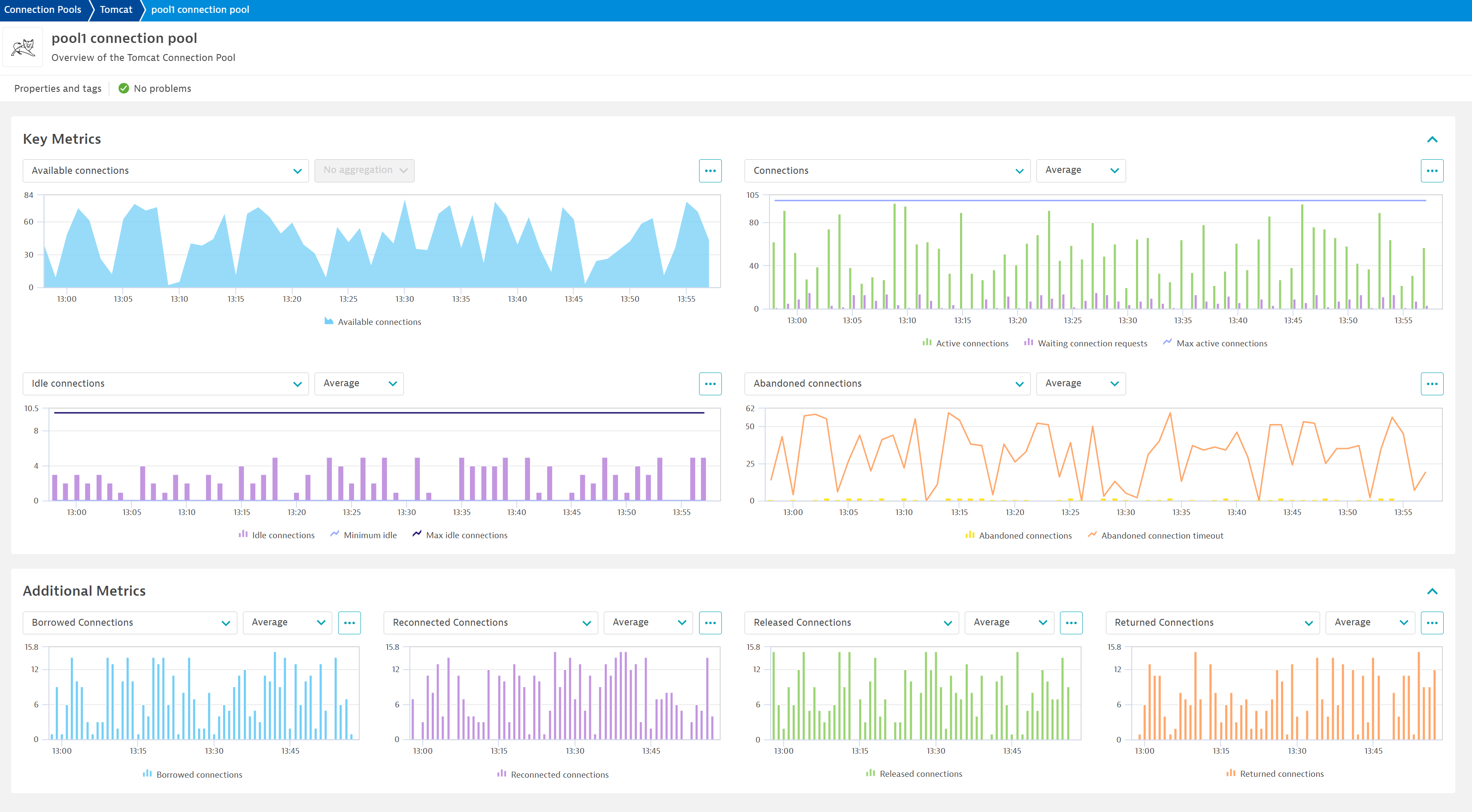
| Active connections | tomcat.connectionPool.activeConnections | Currently used connections | Count |
| Created connections | tomcat.connectionPool.createdConnections | Number of connections created | Count |
| Idle connections | tomcat.connectionPool.idleConnections | Number of open but unused connections | Count |
| Waiting connections | tomcat.connectionPool.numWaiters | Currently waiting connections | Count |
| Abandoned connections | tomcat.connectionPool.removeAbandoned | Number of connections that have not been properly released | Count |
| Abandoned connection timeout | tomcat.connectionPool.removeAbandonedTimeout | Timeout before an abandoned connection can be removed | Second |
| Waiting connection requests | tomcat.connectionPool.waitCount | Number of connection requests currently waiting | Count |
| Metric name | Metric key | Description | Unit |
|---|---|---|---|
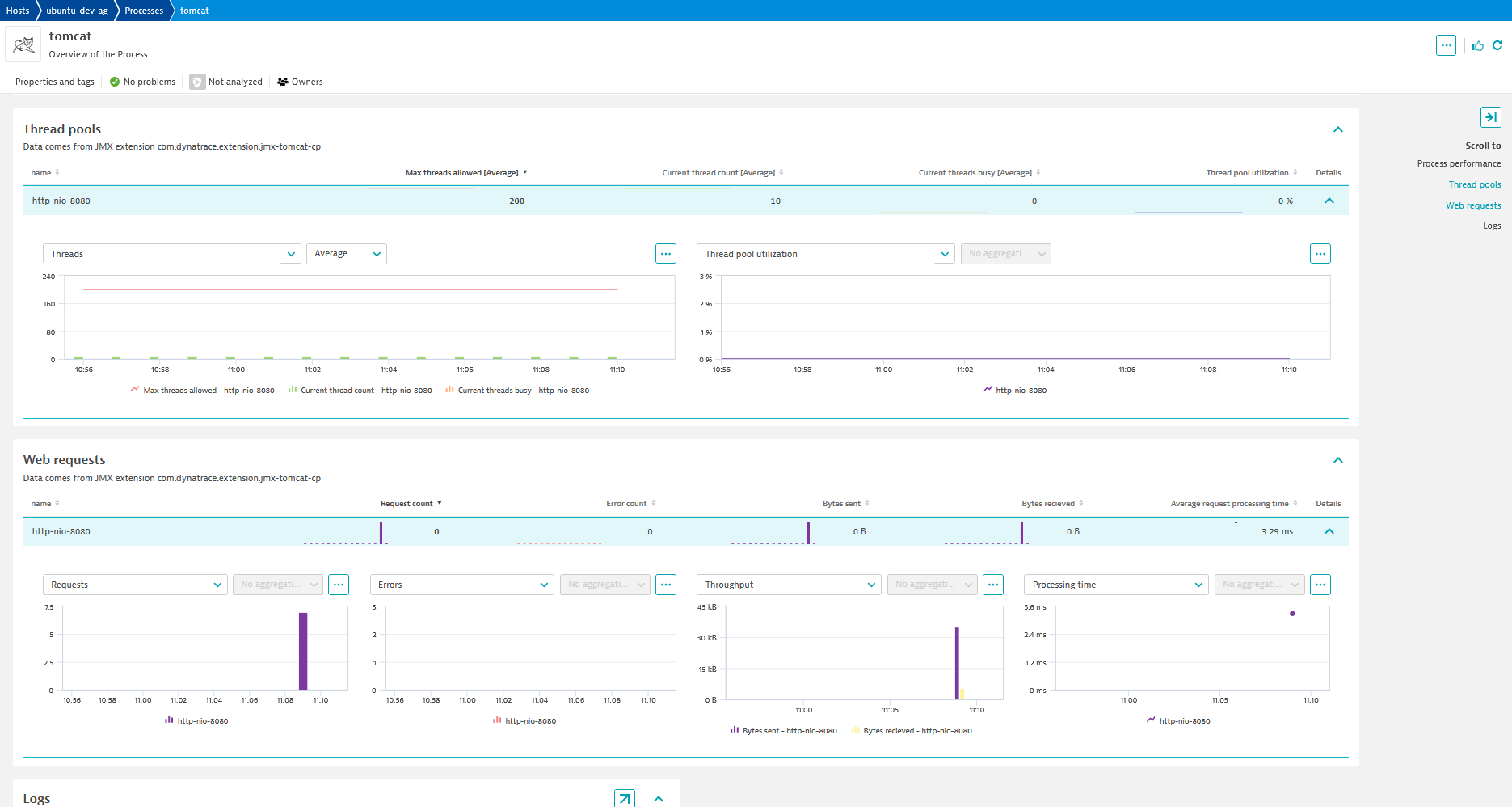
| Current thread count | tomcat.threadPool.currentThreadCount | Current thread count | Count |
| Current threads busy | tomcat.threadPool.currentThreadsBusy | Current threads busy | Count |
| Max threads allowed | tomcat.threadPool.maxThreads | Max threads allowed | Count |
| Metric name | Metric key | Description | Unit |
|---|---|---|---|
| Stuck thread count | tomcat.stuckThreads | Stuck thread count | Count |
| Metric name | Metric key | Description | Unit |
|---|---|---|---|
| Max total connections | tomcat.connectionPool.maxTotal | Maximum total amount of connections | Count |
| Max active connections | tomcat.connectionPool.maxActive | Maximum amount of active connections allowed concurrently | Count |
| Max idle connections | tomcat.connectionPool.maxIdle | The maximum number of connections that should be kept in the pool at all times | Count |
| Max wait time | tomcat.connectionPool.maxWait | The maximum number of milliseconds that the pool will wait (when there are no available connections) for a connection to be returned before throwing an exception | Millisecond |
| Minimum idle | tomcat.connectionPool.minIdle | The minimum number of established connections that should be kept in the pool at all times | Count |
| Metric name | Metric key | Description | Unit |
|---|---|---|---|
| Borrowed connections | tomcat.connectionPool.borrowedConnections | - | Count |
| Reconnected connections | tomcat.connectionPool.reconnectedConnections | - | Count |
| Released connections | tomcat.connectionPool.releasedConnections | - | Count |
| Returned connections | tomcat.connectionPool.returnedConnections | - | Count |
New in this version:
Solved a bug where the name dimension was not being ingested correctly, which prevented custom topology entities from being created.
EF1 to EF2 Tomcat Connection Pool conversion:

