

























Skip to technology filters Skip to main content
Dynatrace Hub

Extend the platform,
empower your team.

Popular searches:
Home hero bg
Citrix DaaS & Virtual Apps and DesktopsCitrix DaaS & Virtual Apps and Desktops
Citrix DaaS & Virtual Apps and Desktops

Citrix DaaS & Virtual Apps and Desktops

Gain insight into your Citrix DaaS & Virtual Apps and Desktops environments

Extension
Free trialDocumentation
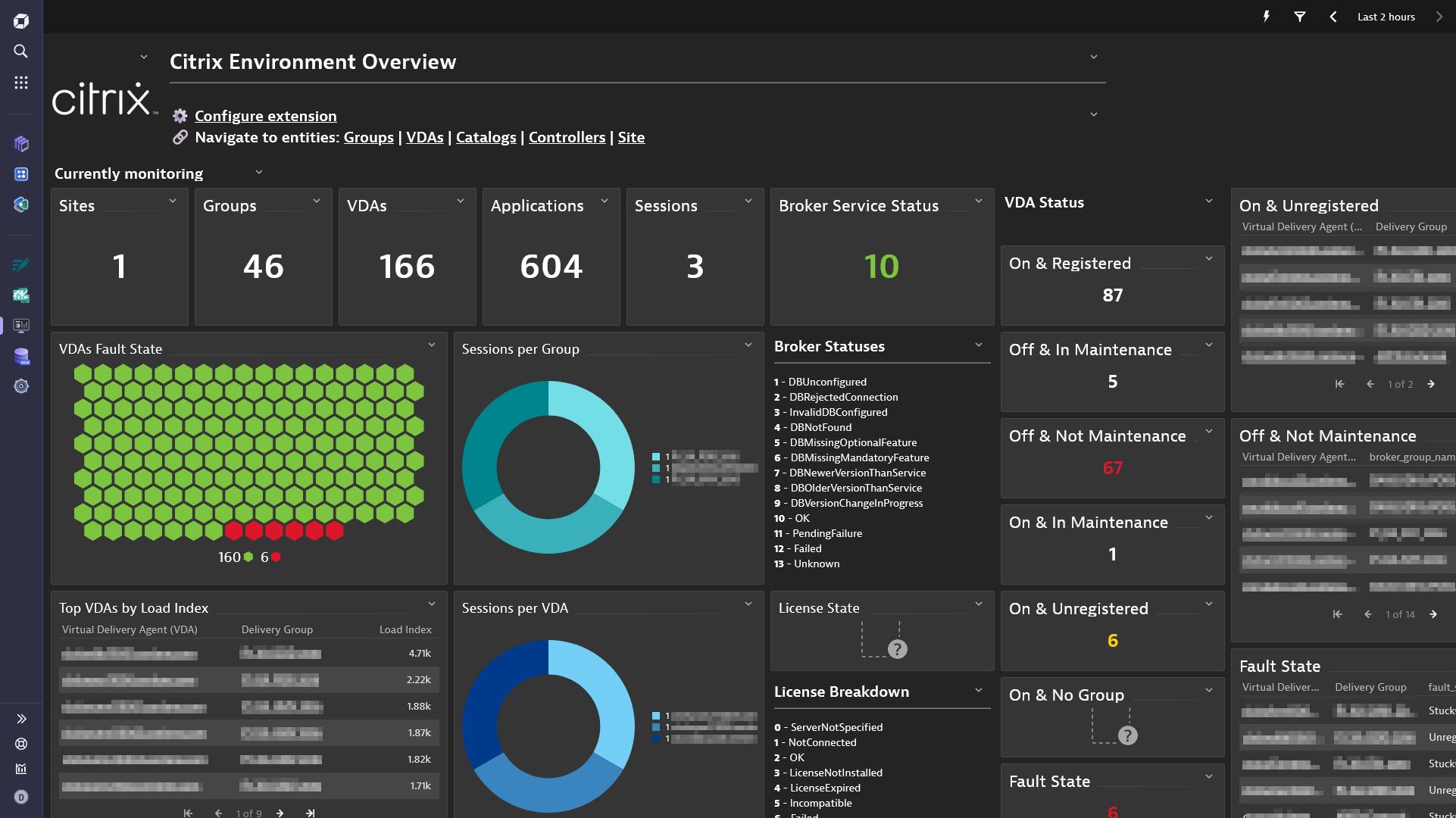
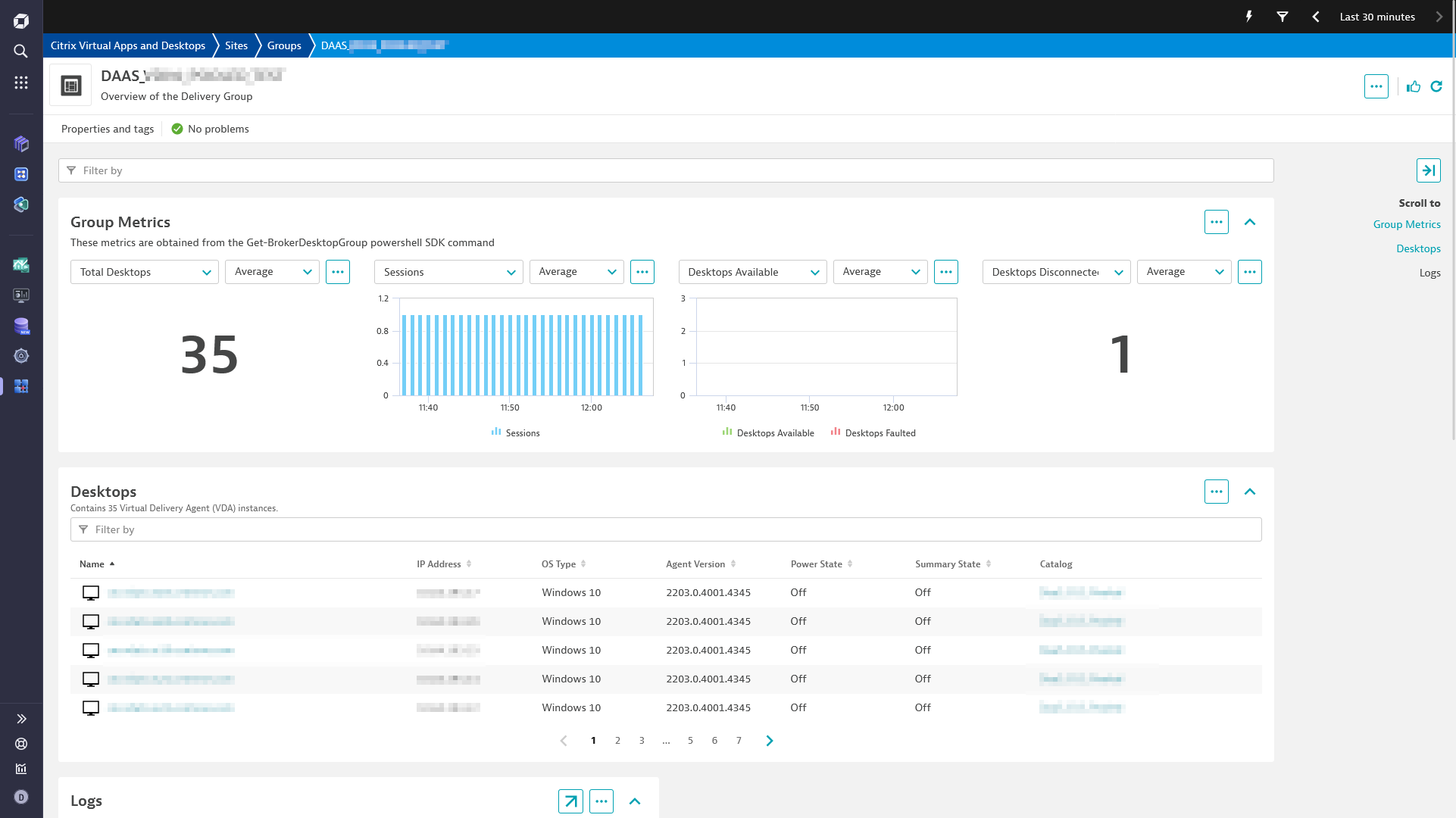
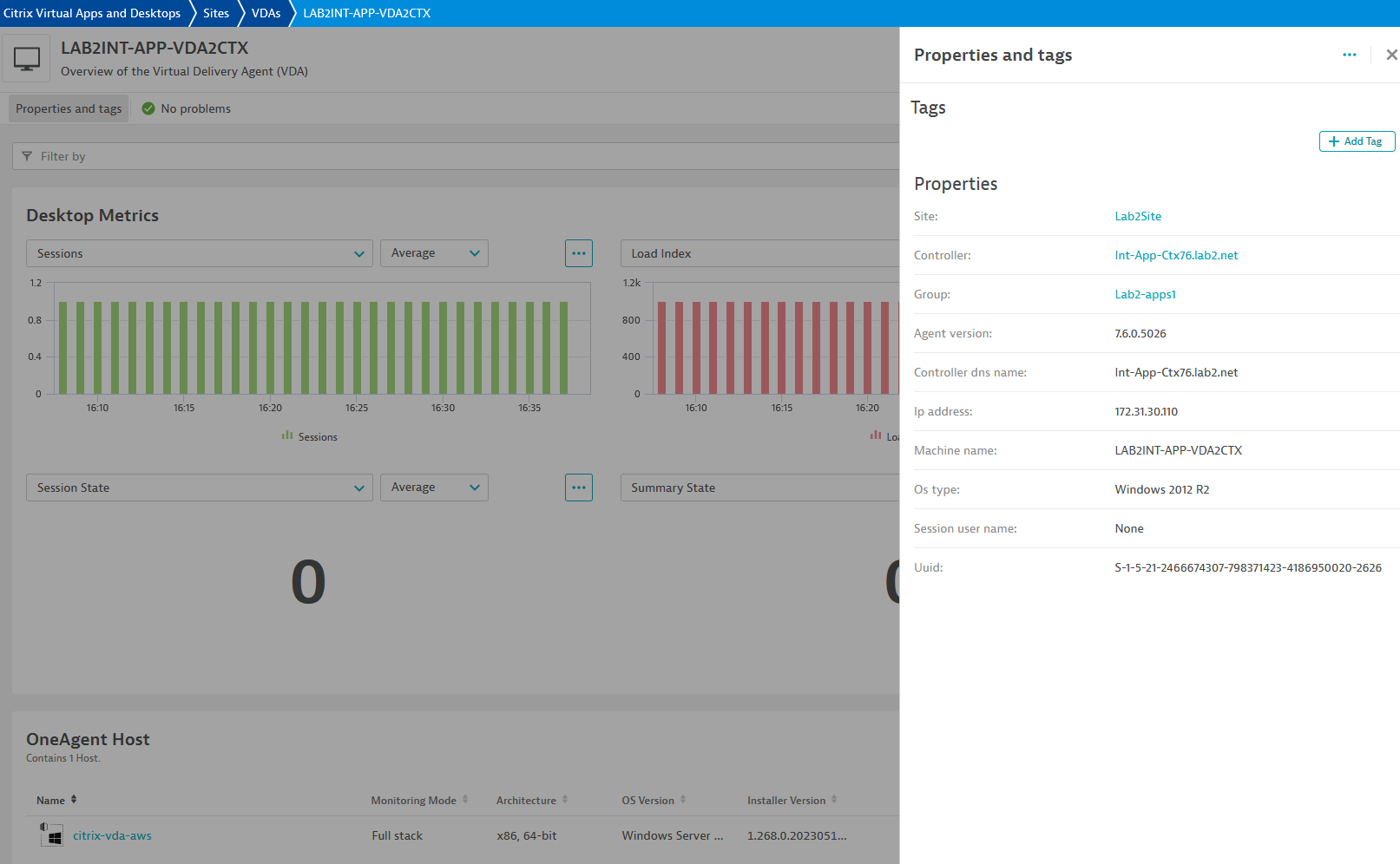
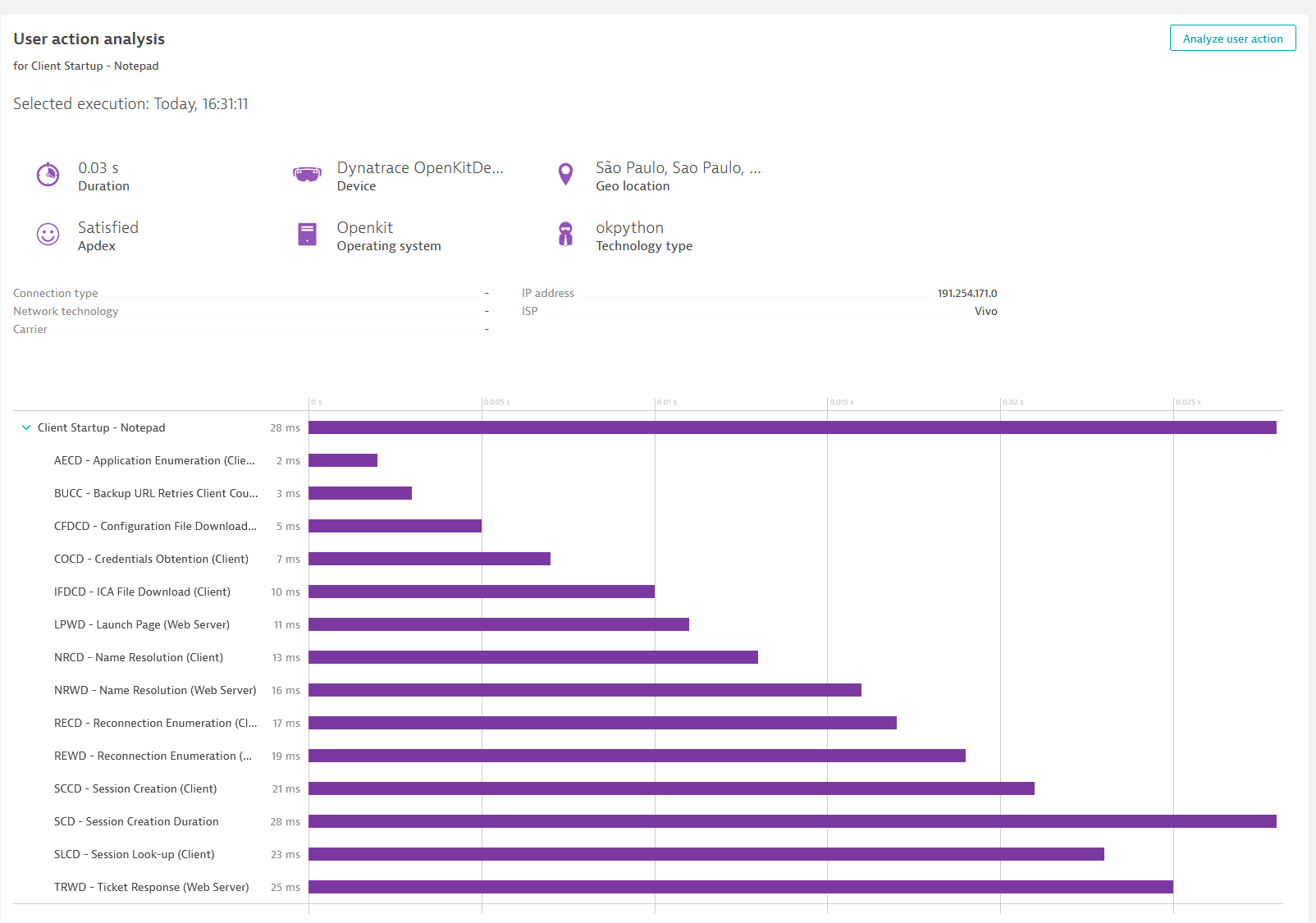
Citrix Overview DashboardCitrix Group OverviewDesktop PropertiesCitrix Waterfall
  • Product information
  • Release notes

Overview

The all-in-one Citrix DaaS & Citrix Virtual Apps and Desktops extensions allows you to monitor your Citrix environments.

You can choose to have a holistic view of your Citrix site, monitor individual Virtual Delivery Agent (Citrix VDA) equipped machines or both.

The extension can be deployed from an OneAgent or an ActiveGate.

Use cases

  • This extension has multiple options to monitor your Citrix DaaS & Virtual Apps and Desktops environment depending on if your deployment, as well as the data you are looking to monitor.
  • As mentioned in the getting started section (see this section for more details on the deployment options), you can deploy this extension either locally (using OneAgent), or remotely (using ActiveGate).
  • More specifically, there are multiple deployment methods depending on your needs:
    • Monitor individual user sessions by monitoring Citrix VDAs.
    • Monitor your entire Citrix environment using the Citrix Powershell SDK.
    • Monitor your Citrix Environment using the Citrix Rest API.
    • In a Managed environment, connect to a local Delivery Controller via the Rest API.

Compatibility information

  • To use the REST API option on On-premise/Managed , the minimum required version is Citrix Virtual Apps and Desktops 7 2209.
Dynatrace
DocumentationMore Information
By Dynatrace
Dynatrace support center
Subscribe to new releases
Copy to clipboard

Extension content

Content typeNumber of items included
metric metadata
39
screen chart groups
12
screen properties
1
list screen layout
6
document dashboard
1
screen entities lists
14
screen dql table
8
generic type
6
dashboards
1
screen logs cards
10
generic relationship
9
list screen filters
1
screen layout
12

Feature sets

Below is a complete list of the feature sets provided in this version. To ensure a good fit for your needs, individual feature sets can be activated and deactivated by your administrator during configuration.

Feature setsNumber of metrics included
Metric nameMetric keyDescriptionUnit
Session Statecitrix.broker_desktop.session_stateValid values are null, Other, PreparingSession, Connected, Active, Disconnected, Reconnecting, NonBrokeredSession, and Unknown. Session properties are always null for multi-session machines.State
Power Statecitrix.broker_desktop.power_stateGets machines with a specific power state. Valid values are Unmanaged (0), Unknown (1), Unavailable (2), Off (3), On (4), Suspended (5), TurningOn (6), TurningOff (7), Suspending (8), and Resuming (9).State
Registration Statecitrix.broker_desktop.registration_stateGets machines in a specific registration state. Valid values are Unregistered (0), Initializing (1), Registered (2), and AgentError (3).State
Summary Statecitrix.broker_desktop.summary_stateIndicates the overall state of the desktop associated with the machine. The overall state is a result of other more specific states such as session state, registration state and power state. Possible values: Off (0), Unregistered (1), Available (2), Disconnected (3), InUse (4), Preparing (5).State
In Maintenance Modecitrix.broker_desktop.in_maintenance_modeDenotes if the machine is in maintenance mode.State
Sessionscitrix.broker_desktop.sessionsCount of number of sessions on the machine.Count
Fault Statecitrix.broker_desktop.fault_stateSummary state of any current fault state of the machine. Can be one of the following: (0) None - No fault; machine is healthy. (1) FailedToStart - Last power-on operation for machine failed. (2) StuckOnBoot - Machine does not seem to have booted following power on. (3) Unregistered - Machine has failed to register within expected period, or its registration has been rejected. (4) MaxCapacity - Machine is reporting itself at maximum capacity.State
Load Indexcitrix.broker_desktop.load_indexGives current effective load index for multi-session machinesPercent
Load Indexes "Gives the last reported individual load indexes that were used in the calculation of the LoadIndex value. Note that the LoadIndex value may have been subsequently adjusted due to session brokering operations. This value is only set for multi-session machines"citrix.broker_desktop.load_indexes-Percent
Metric nameMetric keyDescriptionUnit
Desktops Availablecitrix.broker_group.desktops_availableThe number of machines in the delivery group in state Available; this is the number of machines with no sessions present.Count
Desktops Faultedcitrix.broker_group.desktops_faultedThe number of machines in the delivery group whose FaultState is not None.Count
Desktops Preparingcitrix.broker_group.desktops_preparingThe number of machines in the delivery group whose PvD disk image is being prepared.Count
Desktops Unregisteredcitrix.broker_group.desktops_unregisteredThe number of machines in the delivery group that are currently unregistered.Count
Desktops In Usecitrix.broker_group.desktops_in_useThe number of machines in the delivery group in state InUse; this is the number of machines with at least one session present.Count
Desktops Disconnectedcitrix.broker_group.desktops_disconnectedThe number of disconnected sessions present on machines in the delivery group.Count
Desktops Totalcitrix.broker_group.total_desktopsTotal number of machines in the delivery group.Count
Desktops Never Registeredcitrix.broker_group.desktops_never_registeredThe number of machines in the delivery group that have never registered with the current siteCount
Sessionscitrix.broker_group.sessionsThe total number of user sessions currently running on all of the machines in the delivery group.Count
Applicationscitrix.broker_group.total_applicationsTotal number of applications associated with the delivery group.Count
Application Groupscitrix.broker_group.total_application_groupsTotal number of application groups associated with the delivery group.Count
Metric nameMetric keyDescriptionUnit
Assignedcitrix.broker_catalog.assignedThe number of assigned machines (machines that have been assigned to a user/users or a client name/address).Count
Availablecitrix.broker_catalog.availableThe number of available machines (those not in any delivery group).Count
Available Unassignedcitrix.broker_catalog.available_unassignedThe number of available machines (those not in any delivery group) that are not assigned to users.Count
Unassignedcitrix.broker_catalog.unassignedThe number of unassigned machines (machines not assigned to users).Count
Usedcitrix.broker_catalog.usedThe number of machines in the catalog that are in a delivery group.Count
Metric nameMetric keyDescriptionUnit
Active Sessionscitrix.broker_site.licensed_sessions_activeThe count of active licensed sessionsCount
Unique Userscitrix.broker_site.total_unique_license_usersThe total count of license usersCount
License Modelcitrix.broker_site.license_modelThe licensing model in use. Values can be 0 - 'Concurrent' or 1 - 'UserDevice'State
Broker Service Statuscitrix.broker_site.service_statusEnables the status of the Broker Service on the controller to be determined. If the service has multiple data stores it will return the overall state as an aggregate of all the data store states. 1 - DBUnconfigured 2 - DBRejectedConnection 3 - InvalidDBConfigured 4 - DBNotFound 5 - DBMissingOptionalFeature 6 - DBMissingMandatoryFeature 7 - DBNewerVersionThanService 8 - DBOlderVersionThanService 9 - DBVersionChangeInProgress 10 - OK 11 - PendingFailure 12 - Failed 13 - UnknownState
Metric nameMetric keyDescriptionUnit
VDAs Registeredcitrix.broker_controller.desktops_registeredThe number of VDA machines registered with the Broker service on the controllerCount
Licensing Server Statecitrix.broker_controller.licensing_server_stateThe licensing server state currently in effect in the Broker service on the controller ServerNotSpecified (0), NotConnected (1), OK (2), LicenseNotInstalled (3), LicenseExpired (4), Incompatible (5), Failed (6)State
Statecitrix.broker_controller.stateThe state of the Broker service on the controller (0) Failed, (1) Off, (2) On, (3) Active.State
Licensing Server Last Event Timecitrix.broker_controller.last_licensing_server_timeTime at which the last significant licensing server event was reportedSecond
Active Servicescitrix.broker_controller.active_servicesThe Broker site services active on the controllerSecond

Full version history

To have more information on how to install the downloaded package, please follow the instructions on this page.
ReleaseDate

Full version history

Version 2.1.2

  • Fix an issue where the machine metrics could stop being reported for very large DAAS environments

Full version history

Version 2.1.1

Features

  • Users can now choose the frequency for Machines data collection, default is 5 minutes
  • DAAS Machine reporting now uses a 1000 VDAs pagination, and metrics are reported as it is obtained, reducing the memory usage of the extension.

Breaking changes

  • Machine data used to be reported every minute repeating, even though the data was collected every 5 minutes. The data now will be collected and reported at the chosen frequency, default is 5 minutes

Full version history

Version 2.0.27

  • Fix an issue where the feature sets were not respected when running in DAAS mode.

Full version history

Version 2.0.26

  • Fix an issue where negative durations were sometimes reported for certain user actions

Full version history

  • New Platform/Gen3 dashboard bundled with extension
  • Added DQL support for Platform/Gen3 screens
  • Enriched entities with dt.security_context attribute

Full version history

Verison 2.0.23

🐛 Bugfixes

  • Fix an issue where VDA mode would throw an exception while the OA was in maintenance mode.

🚀 New features

  • Add an optional Beacon Endpoint parameter for VDA mode, for cases where the OneAgent does not connect to an Activegate.

Full version history

Version 2.0.21

🐛Bugfixes

  • The current monitoring tiles on the default dashboard will always show current data (last 30 minutes)

Full version history

🐛Bugfixes

  • Fix an incompatibility with OneAgent 1.307 where a file cannot be read.

Full version history

Version 2.0.19

🐛 Bugfixes

  • Fix an issue where the load index format changed and VDA metrics could not be retrieved

Full version history

Version 2.0.18

🐛Bugfixes

  • Add the source entity for metrics so that they can be used in management zones

Full version history

Version 2.0.17

⚠️Breaking Change

  • The field Temp folder in Powershell SDK mode is mandatory starting with OneAgent 1.303 and extension version 2.0.17 due to permission changes in the extension framework folders.

🐛 Fixes

  • Fix an issue where metric metadata was not present for local VDA metrics in Powershell SDK mode.

Full version history

Version 2.0.15

  • Fix an issue where the token could not be retrieved when using the REST API for an onprem citrix install

Full version history

Version 2.0.13

  • Fix an issue where the fastcheck would timeout under certain situations on Powershell SDK mode
  • Add more verbose log messages during fastcheck

Full version history

Version 2.0.12

  • Fix an issue where the extension would timeout in Powershell SDK mode when trying to find a suitable folder.

Full version history

Version 2.0.11

  • Fix an issue with the unique user id calculation for RUM data
  • Fix an issue where applications with backslashes on folder names were not ingested
  • Fix a broken link in the extension dashboard

Full version history

Version 2.0.9

Bug Fixes

  • Fix an issue where pagination was not used when retrieving data from the API
  • Fix an issue where machines without hypervisor connections caused an exception

Features

  • Added entity citrix:hypervisor
  • Added metric citrix.hypervisor.fault_state
  • Added metric citrix.application.num_associated_delivery_groups
  • Added dimensions hypervisor_id and hypervisor_name to the VDAs
  • Added a CALLS relationship between the VDA and the Hypervisor

Full version history

Version 2.0.8

Improvements

  • Lower the minDynatraceVersion to 1.285
  • Rename all occurrences of group or desktop group to delivery group
  • Sort sessions per group in descending order
  • Add filtering to the list of desktops in the Delivery Group, Site, and Controller screens
  • Add filtering to the list of desktops in the VDA list screen
  • Add the hypervisor connection information to the VDAs
  • Add a tile for the Enabled Delivery Groups to the dashboard
  • Add spark lines to all tiles that show a single value
  • Add VDA table tiles for "On & In Maintenance" and "Unknown Power State"

Bug Fixes

  • Fix the total count of applications tile
  • Fix the load index percentage to be a percentage instead of 0 to 10000
  • Fix the load index unit
  • Fix the VDA chart to include all metrics

Full version history

Version 2.0.5

New Features

Citrix DAAS Support

The extension can now remotely monitor Citrix DAAS, or a managed Citrix installation via the Citrix REST API.

Note: Monitoring configurations must be recreated because the extension can now optionally run from an Activegate.

Bug Fixes

  • Fix several dashboard tiles values

Improvements

  • Add new tiles to the overview dashboard with detailed machine status
  • Add the summary_state dimension to VDAs
  • Add the in_maintenance_mode attribute to VDAs
  • Add filtering to the list of VDAs in the Delivery Group screen

Full version history

Version 1.3.1

Fixes

  • Fix the dashboard count for VDAs, VDAs in use, Application and Sessions
  • Fix the relationship query for the OneAgent when using Powershell SDK mode
  • Fix an issue where the VDA name was concatenated with the domain name without any separators

New features

  • Added the following dimensions to all VDA metrics:

    • in_maintenance_mode
    • session_support
    • power_state
    • session_state
    • registration_state
    • fault_state
  • Added new tiles to the dashboard:

    • Sessions per VDA
    • On & Registered VDAs
    • Off & In Maintenance VDAs
    • Off & Not Maintenance VDAs
    • On & In Maintenance VDAs
    • On & Unregistered VDAs (total and table)
    • On & No Group VDAs (total and table)

Full version history

Version 1.3.0

  • Fix an issue where the relationship between the VDA and the HOST entity was not correctly mapped for Powershell SDK mode.

Full version history

Version 1.2.3

  • Fix an issue where the Web Request Tracer URL was incorrectly encoded

Full version history

Version 1.2.2

  • Fix an issue with the openkit client where beacon events didn't have a correct lifespan under some circumstances

Full version history

Version 1.2.1

  • Use the latest version of openkit with bugfixes

Full version history

Version 1.2.0

  • Fix an issue where Web Request Tracers were not being reported due to timing differences
  • Adds Network Latency measurements as Web Request Tracers
  • Adds the option to DEBUG log messages for the OpenKit client
  • Fix an issue where users were not identified for every ICA Latency Measurements

Full version history

Version 1.1.17

  • Fix an issue where user sessions were being tagged as anonymous even when an username was present

Full version history

Version 1.1.16

  • Update the description for the metric Licensing Server State
  • Report the actual state values (instead of 1) for the metrics:
    • citrix.broker_desktop.summary_state
    • citrix.broker_desktop.power_state
    • citrix.broker_desktop.session_state
    • citrix.broker_desktop.registration_state
    • citrix.broker_desktop.fault_state

Full version history

Version 1.1.15

  • Report web request tracers for ICA latency measurements, allowing the list of top hosts to be seen on the frontend application page

Full version history

Version 1.1.13

  • Attempt to find a suitable temp folder before running in Powershell SDK mode
  • Always report the Hostname property for ICA Latency actions in VDA mode

Full version history

Version 1.1.6

  • Fix an issue where the thread ID could have a value higher than what openkit allows

Full version history

Version 1.1.5

  • VDA - Fix the technology type
  • VDA - Fix an issue where the beacon start time was incorrectly calculated sometimes

Full version history

Version 1.1.4

  • VDA - Fix an issue where actions sometimes were not reported if the machine timezone was too far from UTC

Full version history

Version 1.1.3

  • Fix an issue where logs could not be reported if they were over 1MB in size
  • Fix an issue where errors were not reported if the user did not have permissions to run the powershell command

Full version history

Version 1.1.2

  • Add support for sending detailed data as logs

Full version history

Version 1.0.6

  • Remove the whoami.exe command from the fastcheck for SDK mode

Full version history

Version 1.0.5

  • Log files are now unique per user configured
  • Give extra details when fastcheck fails for SDK mode

Full version history

Version 1.0.4

  • Reduce the cardinality of Citrix VDA metrics to support very large environments
  • Removes the session_user_name dimension for VDA metrics

Full version history

Version 1.0.3

  • Fix an issue where VDAs with different timezones were not reporting beacon correctly
Dynatrace Hub
Get data into DynatraceBuild your own app
All (811)Log Management and AnalyticsKubernetesAI and LLM ObservabilityInfrastructure ObservabilitySoftware DeliveryApplication ObservabilityApplication SecurityDigital ExperienceBusiness Observability
Filter
Type
Built and maintained by
Deployment model
SaaS
  • SaaS
  • Managed
Partner FinderBecome a partnerDynatrace Developer

Discover recent additions to Dynatrace

Problems logo

Problems

Analyze abnormal system behavior and performance problems detected by Davis AI.

Logs logo

Logs

Explore all your logs without writing a single query.

Security Investigator logo

Security Investigator

Fast and precise forensics for security and logs on Grail data with DQL queries.

Business Flow logo

Business Flow

Track, analyze, and optimize your critical business processes.

Cost & Carbon Optimization logo

Cost & Carbon Optimization

Track, analyze, and optimize your IT carbon footprint and public cloud costs.

Davis Anomaly Detection logo

Davis Anomaly Detection

Detect anomalies in timeseries using the Davis AI

Analyze your data

Understand your data better with deep insights and clear visualizations.

Notebooks logo

Notebooks

Create powerful, data-driven documents for custom analytics and collaboration.

Dashboards logo

Dashboards

Transform complex data into clear visualizations with custom dashboards.

Automate your processes

Turn data and answers into actions, securely, and at scale.

Workflows logo

Workflows

Automate tasks in your IT landscape, remediate problems, and visualize processes

Jira logo

Jira

Create, query, comment, transition, and resolve Jira tickets within workflows.

Slack logo

Slack

Automate Slack messaging for security incidents, attacks, remediation, and more.

Secure your cloud application

See vulnerabilities and attacks in your environment.

Security Overview logo

Security Overview

Get a comprehensive overview of the security of your applications.

Code-Level Vulnerabilities logo

Code-Level Vulnerabilities

Detect vulnerabilities in your code in real time.

Security Posture Management logo

Security Posture Management

Detect, prioritize, and remediate security and compliance findings with SPM.

Threats & Exploits logo

Threats & Exploits

Understand, triage, and investigate detection findings and alerts.

Are you looking for something different?

We have hundreds of apps, extensions, and other technologies to customize your environment

Leverage our newest innovations of Dynatrace Saas

Kick-start your app creation

Kick-start your app creation

Whether you’re a beginner or a pro, Dynatrace Developer has the tools and support you need to create incredible apps with minimal effort.
Go to Dynatrace Developer
Upgrading from Dynatrace Managed to SaaS

Upgrading from Dynatrace Managed to SaaS

Drive innovation, speed, and agility in your organization by seamlessly and securely upgrading.
Learn More
Log Management and Analytics

Log Management and Analytics

Innovate faster and more efficiently with unified log management and log analytics for actionable insights and automation.
Learn more

