Skip to technology filters Skip to main content
Dynatrace Hub

Extend the platform,
empower your team.

Popular searches:
Home hero bg
ServicesServices
Services

Services

Maintain centralized control over service health, performance, and resources.

App
Try in PlaygroundDocumentation
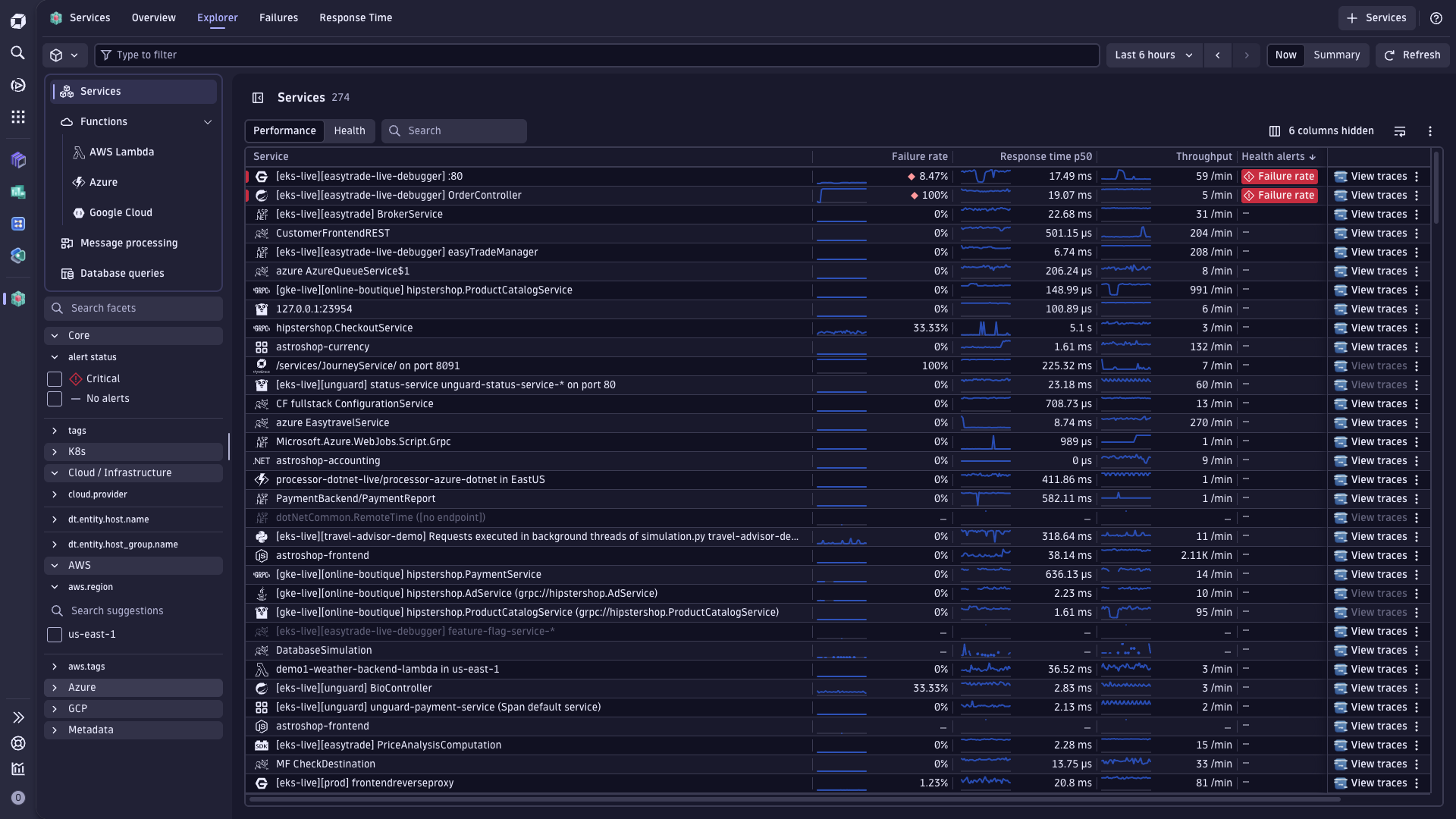
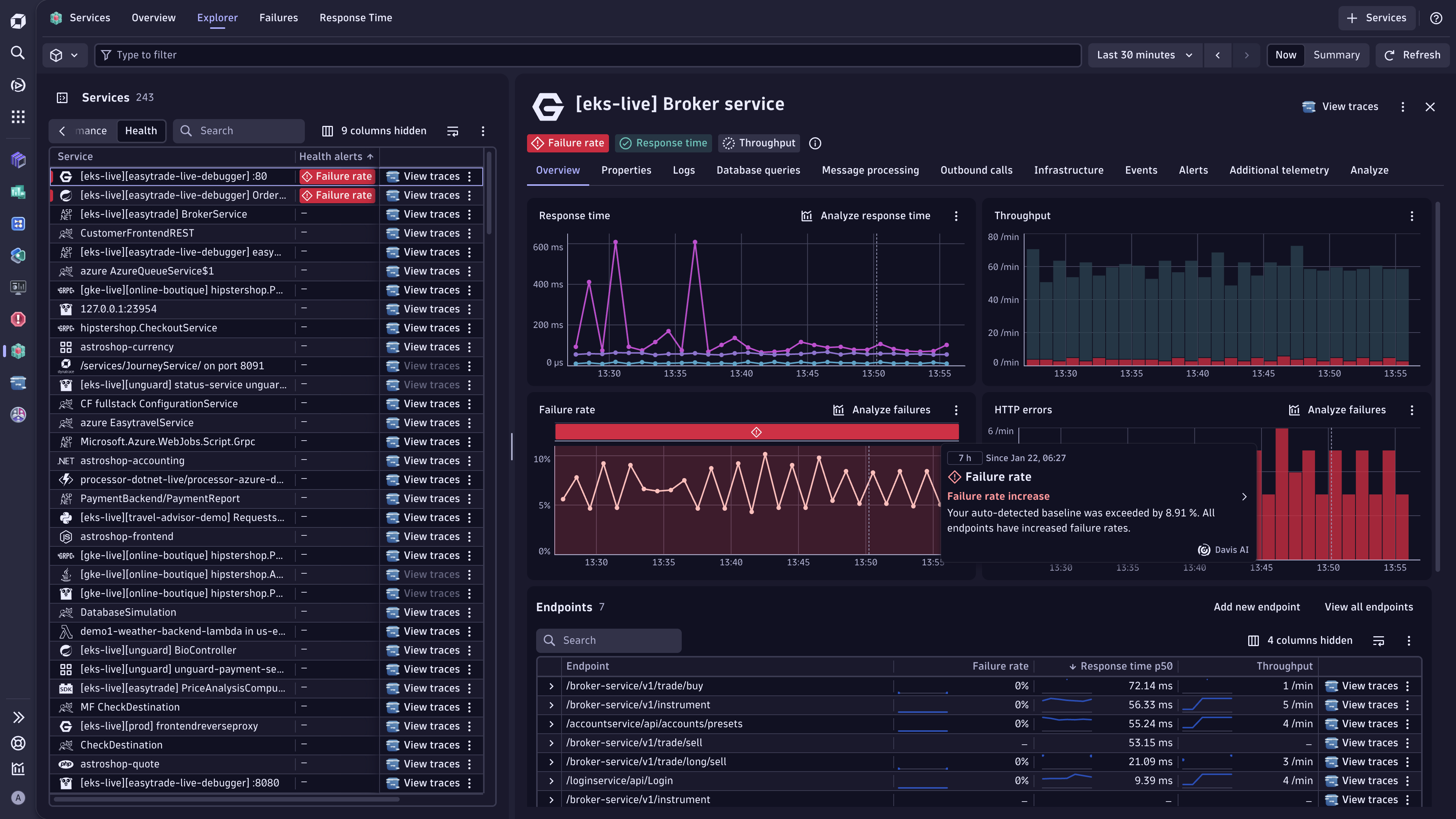
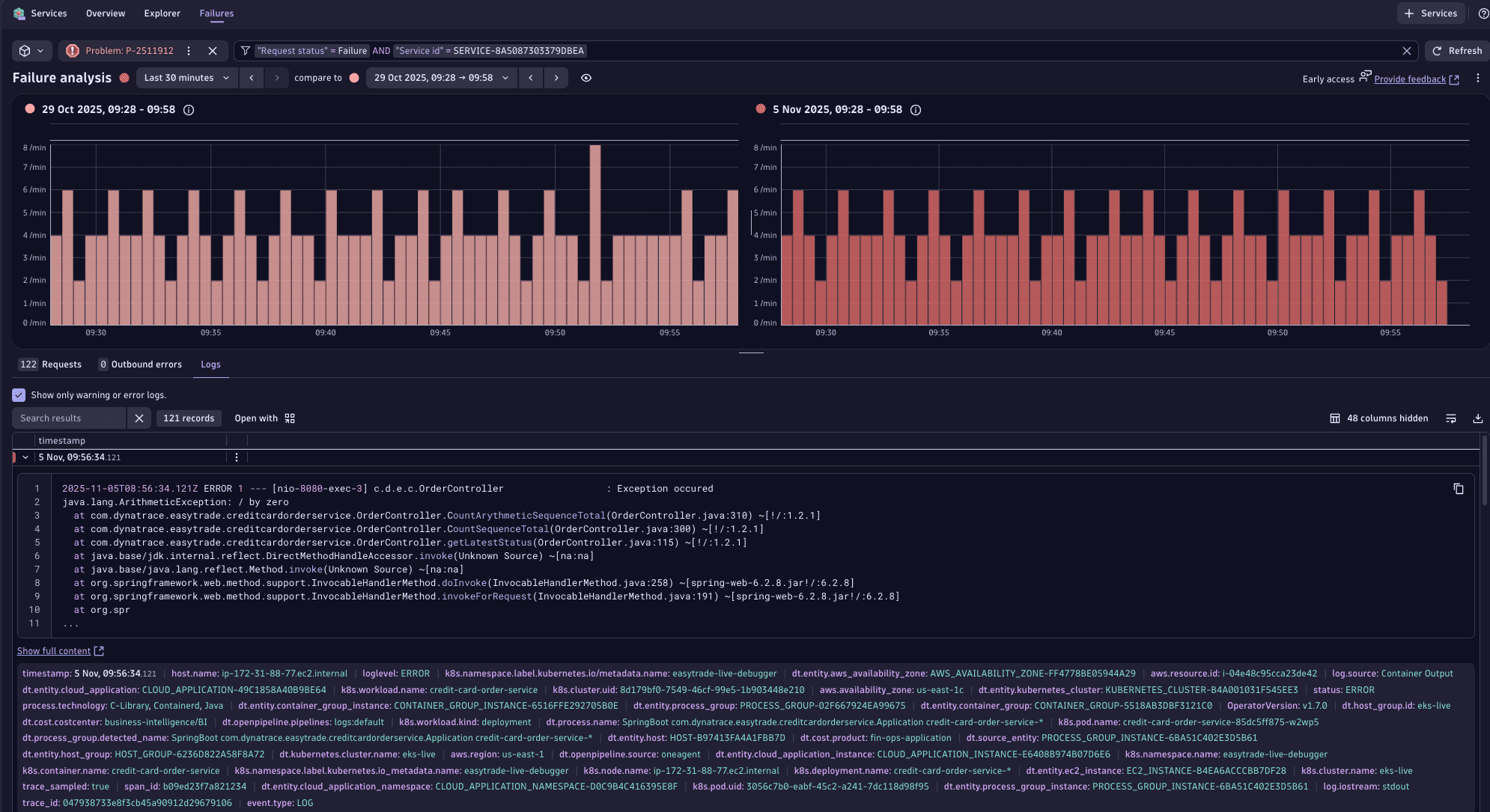
View the real-time performance of all your services. Locate specific services using powerful filters.Easily manage the health and performance of your services with unique contextual information from automatically detected team and environment attribute tags.Utilize Davis AI automatic root cause analysis to quickly surface and pinpoint the source of issues with your application services, accelerating the analysis process.Failure analysis comparing timeframes
  • Product information
  • Release notes

Overview

The Services app revolutionizes application service observability, offering real-time monitoring of service health and performance across hybrid cloud environments. Leveraging Dynatrace Smartscape automated topology mapping and Davis AI, the Services app provides critical dependency visibility and anomaly detection. With automated analysis tools like response time hotspots and service flow, the app delivers actionable insights for optimizing performance and enhancing customer experiences. This application enables efficient management of business health in today's dynamic digital landscape.

Use cases

  • Manage the health and performance of your services and get real-time visibility into their health in a centralized location. Leverage metrics, endpoint performance, logs, events, and underlying topology data to drive decisions.
  • Easily locate any service you want using enhanced search and filtering capabilities.

Get started

This app has an integrated onboarding flow that guides you through all the required steps to get started.

Dynatrace
Documentation
By Dynatrace
Dynatrace support center
Subscribe to new releases
Copy to clipboard

Related to Services

OneAgent logo

OneAgent

The simplest way to capture all observation signals automatically and in context

Clouds logo

Clouds

Unified cloud observability and governance platform.

OpenTelemetry logo

OpenTelemetry

Ingest and analyze OTel traces & metrics, set health alerts & view in context

Infrastructure & Operations logo

Infrastructure & Operations

Detailed hosts, VMs, process, and network insights across the entire environment

Ownership logo

Ownership

Enables the import of and access to ownership information of entities.

Logs logo

Logs

Explore all your logs without writing a single query.

Full version history

ReleaseDate

Full version history

1.30.1

Patch Changes

Temporarily remove 'Create alert' action for response time, failure rate and throughput charts.

Full version history

1.30.0

Minor Changes

  • Failure Analysis: Improved layout for outbound calls.

Patch Changes

  • Failure Analysis: Improved loading performance for initial screen.
  • Extended read permission to cover all segments scopes.

Full version history

1.28.2

Minor Changes

  • Aligned service filters with semantic dictionary.
  • Make micro chart visibility configurable.
  • Added Open with action button to Failure analysis chart and outbound calls.
  • Added outbound calls for messages in Failure analysis.
  • Make dt.filter required for view-failure-analysis intent.

  • Improved layout in Failure analysis page

Patch Changes

  • Fixed the comparison timeframe in Failure Analysis tab not automatically adapting to main timeframe changes.
  • Disabled compare mode if in initial state without problem context.
  • Improved the columns for outbound rpc calls.
  • Fix K8s label filter suggestions.

Full version history

1.24.0

Minor Changes

  • Improved empty state for Additional telemetry tab.
  • Failure Analysis: Added query meta info for outgoing calls.

Full version history

1.23.1

Minor Changes

  • Timeframe remains when navigating between tabs.

Full version history

1.22.1

Minor Changes

  • Significant acceleration in opening single service
  • Improved logs experience.
  • Added process state to infrastructure view.

Patch Changes

  • Multiple small bug fixes

Full version history

1.20.1

Patch Changes

  • Hide GCP filters in case there is no GCP function.

1.20.0

Minor Changes

  • Added Health micro guide.
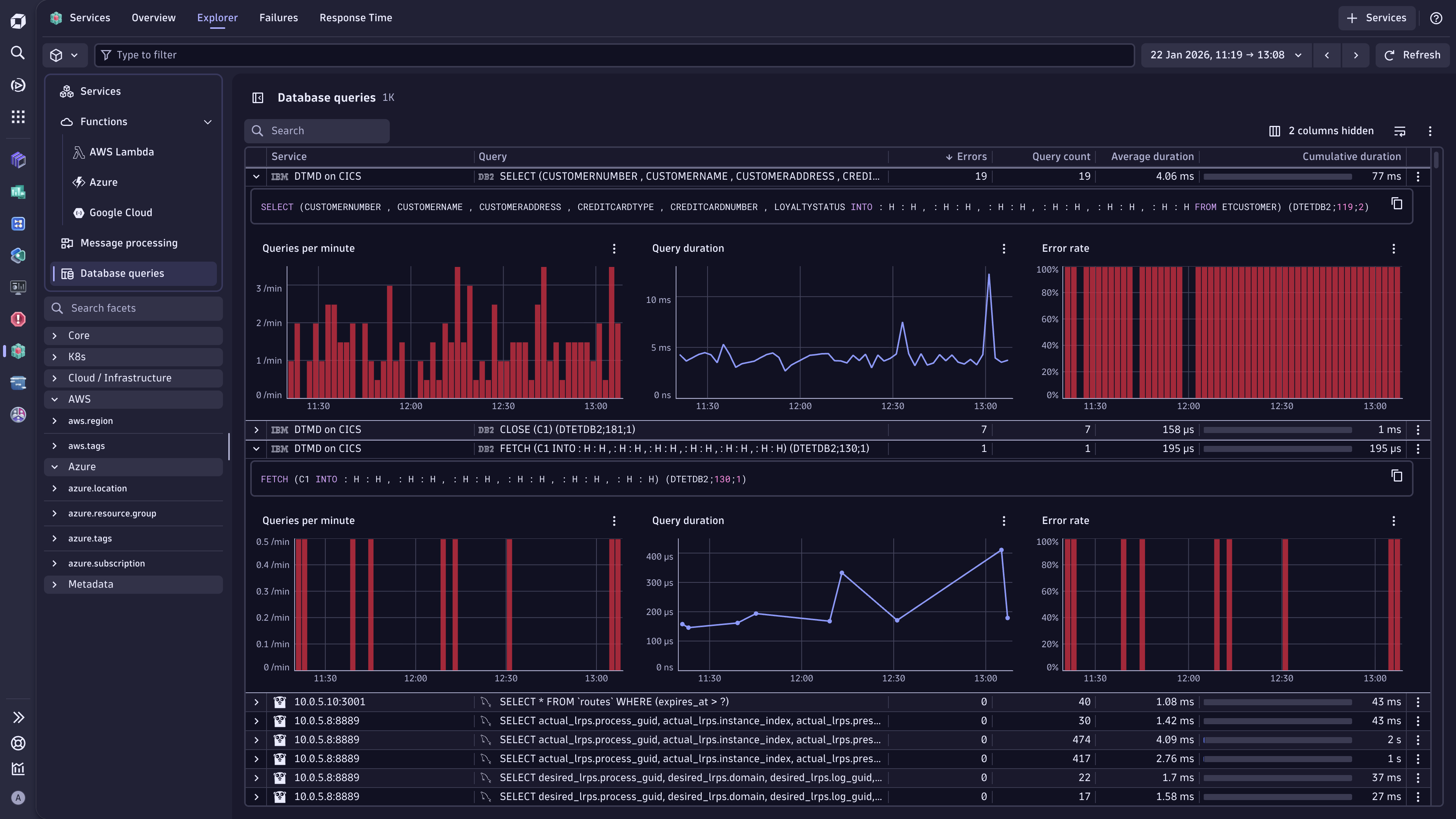
  • Added 4xx and 5xx https error columns to the explorer and endpoints table.

Patch Changes

  • Fixed table search in failure analysis.
  • Added download button to Failure analysis table.

1.19.0

Minor Changes

  • Hide info events in the Health indicators.

Full version history

1.18.1

Patch Changes

  • Fix links to related services.

1.18.0

Minor Changes

  • Show process events and custom events in events tab.
  • Link to new Outlier analysis.

Full version history

1.18.0

Minor Changes

  • Show process events and custom events in events tab.
  • Link to new Outlier analysis.

Patch Changes

  • Moved 'View trace' cell action to row action.
  • Fixed filter suggestions for Security Context.

Full version history

1.17.1

Patch Changes

  • Changed all links in Services App to the new Failure Analysis.

Full version history

1.17.0

Minor Changes

  • Release of Failure analysis.

Full version history

1.16.1

Patch Changes

  • Minor improvments

Full version history

1.15.3

Patch Changes

  • Fix service intent.

Full version history

1.10.2

Patch Changes

  • Fix broken "Open with" drilldown for charts.

Full version history

1.10.1

Patch Changes

  • Display only active health alerts in live timeframe.

Full version history

1.10.0

Minor Changes

  • Improved health alerts for endpoints.
  • Added AWS version filter.

Patch Changes

  • Smaller improvements and bug fixes.

Full version history

1.9.0

Minor Changes

  • Added security context as filter and property in the info tab.
  • Added timeframe to drilldowns.

Full version history

1.8.0

Minor Changes

  • Added Google Cloud Project filter.
  • Added Azure Subscription filter.
  • Made details tab header sticky.

Patch Changes

  • Fixed Azure monitoring integration filter.
  • Fixed missing software technologies on services.
  • Fixed missing micro chart in endpoint table.

Full version history

1.7.2

  • Smaller bug fixes

1.7.0

Minor Changes

  • Added CloudWatch integration filter.
  • Added Kubernetes workload and namespace label filter.
  • Show related logs for Azure web apps.
  • Added support for segments in intents.
  • Show GCP project in Info tab.

Patch Changes

  • Removes a need for settings:read permission to read Health Alerts monitoring status.
  • Escape special characters in filters.
  • Persists selected tab.

1.6.0

  • Added support for timeframe in intents.
  • Handling of classic Queue Listener services.

Full version history

1.5.1

Patch Changes

  • Fixed missing service filter in the endpoint table.

Full version history

1.5.0

Minor Changes

  • Applications now link to the experience vitals app

Patch Changes

  • Improved performance of infrastructure tab

  • Set default sorting for tables in the details view

  • Other smaller bug fixes and tweaks.

Full version history

1.4.1

Patch Changes

  • Improved message for missing permissions
  • Added timeframe selection on info tab

1.4.0

Minor Changes

  • Improved support of Amazon Lambda Functions
  • Hide Endpoints table for bucket services
  • Performance perspective is now the default perspective
  • Perspectives are now shown more prominently directly above the table

Patch Changes

  • Allow partial name filtering for process groups

Full version history

1.3.0

Minor Changes

  • Unified Web and Mobile apps into one table

Patch Changes

  • Fixed broken link to classic Distributed traces app
  • Added AWS P99 response time to table
  • Added Response time analysis drilldown to endpoints
  • Added missing Mesh metrics

Full version history

1.2.2

  • First release
Dynatrace Hub
Get data into DynatraceBuild your own app
All (811)Log Management and AnalyticsKubernetesAI and LLM ObservabilityInfrastructure ObservabilitySoftware DeliveryApplication ObservabilityApplication SecurityDigital ExperienceBusiness Observability
Filter
Type
Built and maintained by
Deployment model
SaaS
  • SaaS
  • Managed
Partner FinderBecome a partnerDynatrace Developer

Discover recent additions to Dynatrace

Problems logo

Problems

Analyze abnormal system behavior and performance problems detected by Davis AI.

Logs logo

Logs

Explore all your logs without writing a single query.

Security Investigator logo

Security Investigator

Fast and precise forensics for security and logs on Grail data with DQL queries.

Business Flow logo

Business Flow

Track, analyze, and optimize your critical business processes.

Cost & Carbon Optimization logo

Cost & Carbon Optimization

Track, analyze, and optimize your IT carbon footprint and public cloud costs.

Davis Anomaly Detection logo

Davis Anomaly Detection

Detect anomalies in timeseries using the Davis AI

Analyze your data

Understand your data better with deep insights and clear visualizations.

Notebooks logo

Notebooks

Create powerful, data-driven documents for custom analytics and collaboration.

Dashboards logo

Dashboards

Transform complex data into clear visualizations with custom dashboards.

Automate your processes

Turn data and answers into actions, securely, and at scale.

Workflows logo

Workflows

Automate tasks in your IT landscape, remediate problems, and visualize processes

Jira logo

Jira

Create, query, comment, transition, and resolve Jira tickets within workflows.

Slack logo

Slack

Automate Slack messaging for security incidents, attacks, remediation, and more.

Secure your cloud application

See vulnerabilities and attacks in your environment.

Security Overview logo

Security Overview

Get a comprehensive overview of the security of your applications.

Code-Level Vulnerabilities logo

Code-Level Vulnerabilities

Detect vulnerabilities in your code in real time.

Security Posture Management logo

Security Posture Management

Detect, prioritize, and remediate security and compliance findings with SPM.

Threats & Exploits logo

Threats & Exploits

Understand, triage, and investigate detection findings and alerts.

Are you looking for something different?

We have hundreds of apps, extensions, and other technologies to customize your environment

Leverage our newest innovations of Dynatrace Saas

Kick-start your app creation

Kick-start your app creation

Whether you’re a beginner or a pro, Dynatrace Developer has the tools and support you need to create incredible apps with minimal effort.
Go to Dynatrace Developer
Upgrading from Dynatrace Managed to SaaS

Upgrading from Dynatrace Managed to SaaS

Drive innovation, speed, and agility in your organization by seamlessly and securely upgrading.
Learn More
Log Management and Analytics

Log Management and Analytics

Innovate faster and more efficiently with unified log management and log analytics for actionable insights and automation.
Learn more