

Skip to technology filters Skip to main content
Dynatrace Hub

Extend the platform,
empower your team.

Popular searches:
Home hero bg
Gatling for load testing metricsGatling for load testing metrics
Gatling for load testing metrics

Gatling for load testing metrics

Correlate load test metrics with Dynatrace data to diagnose performance issues.

Technology by Gatling
Documentation
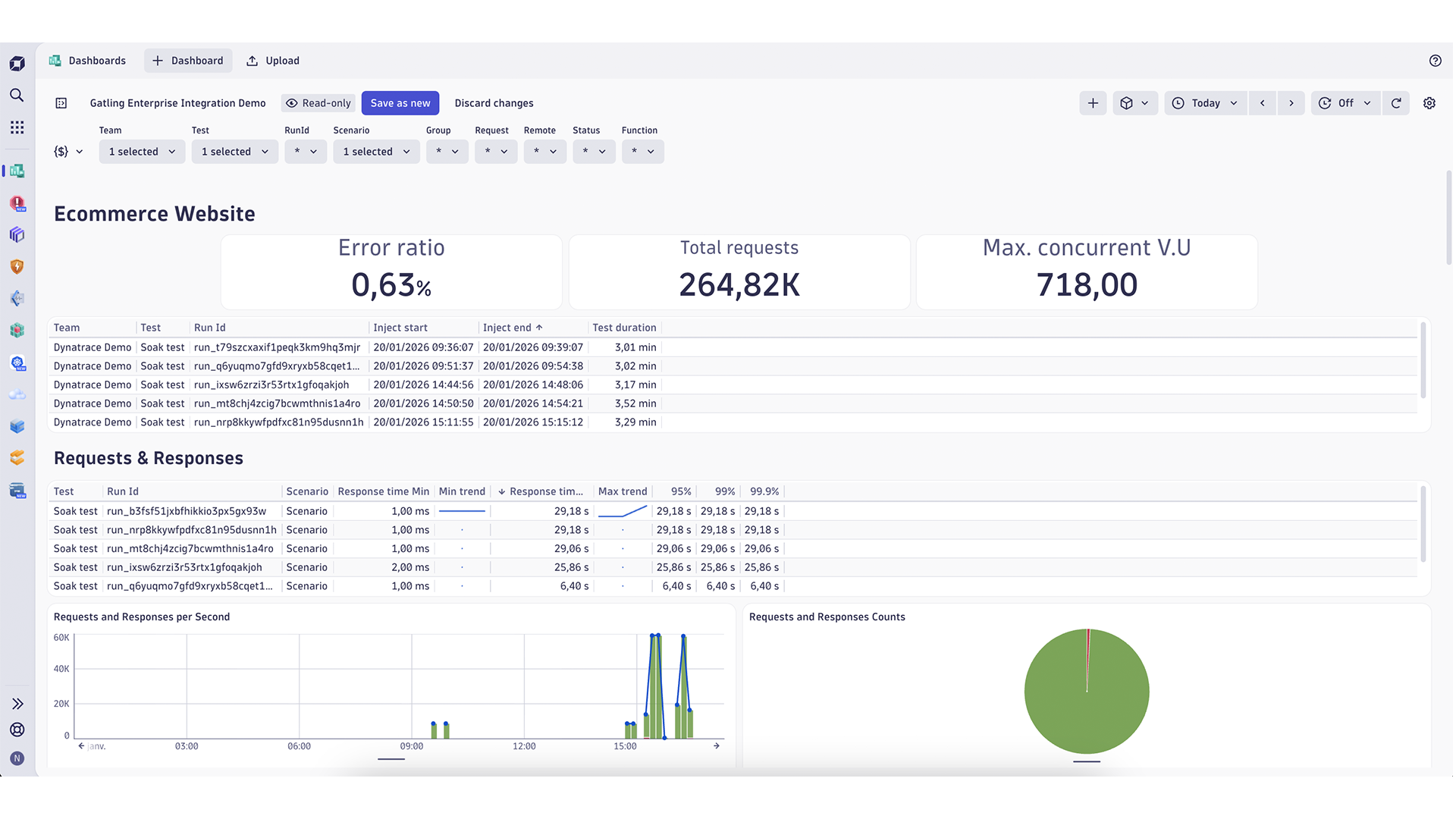
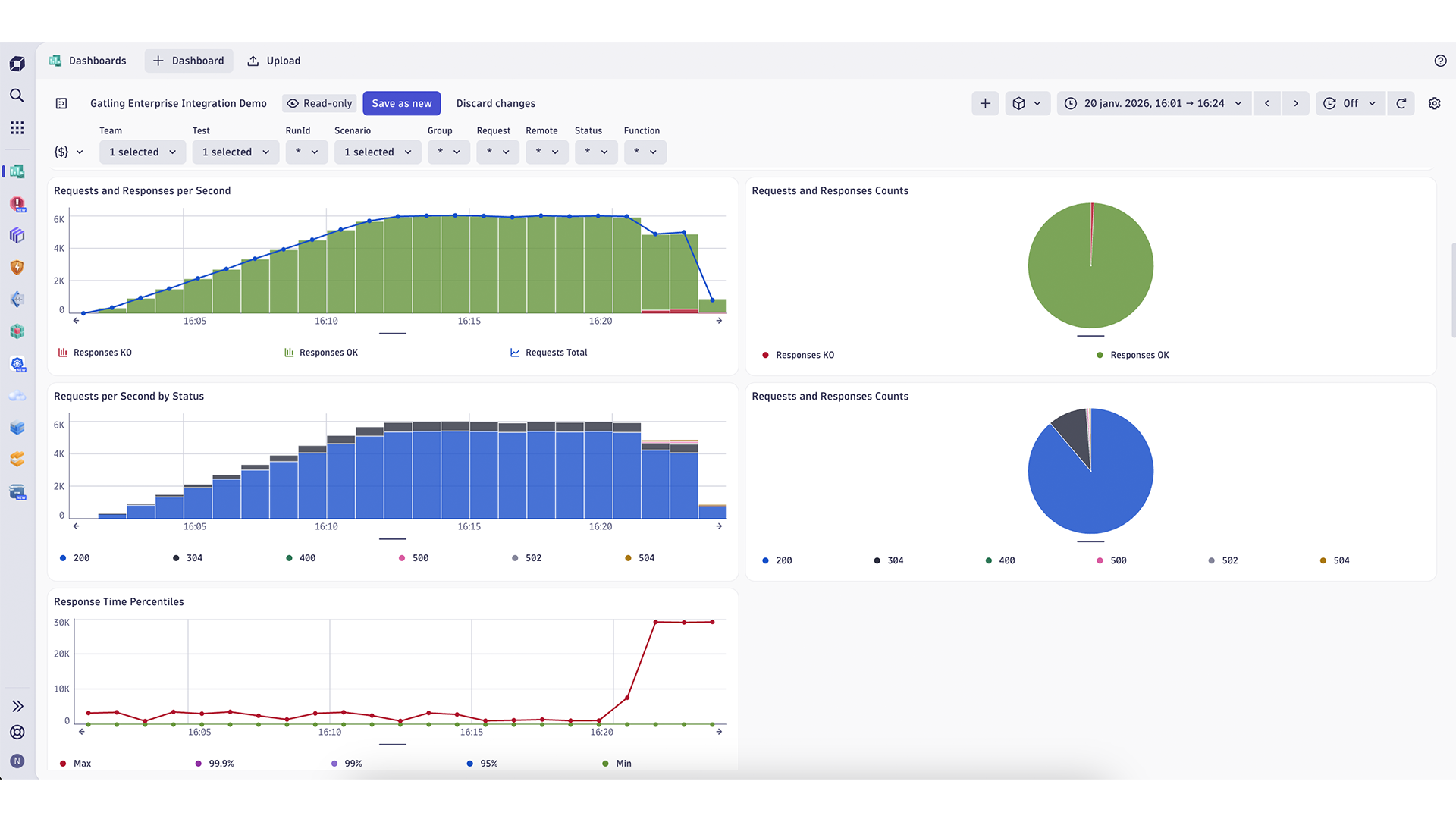
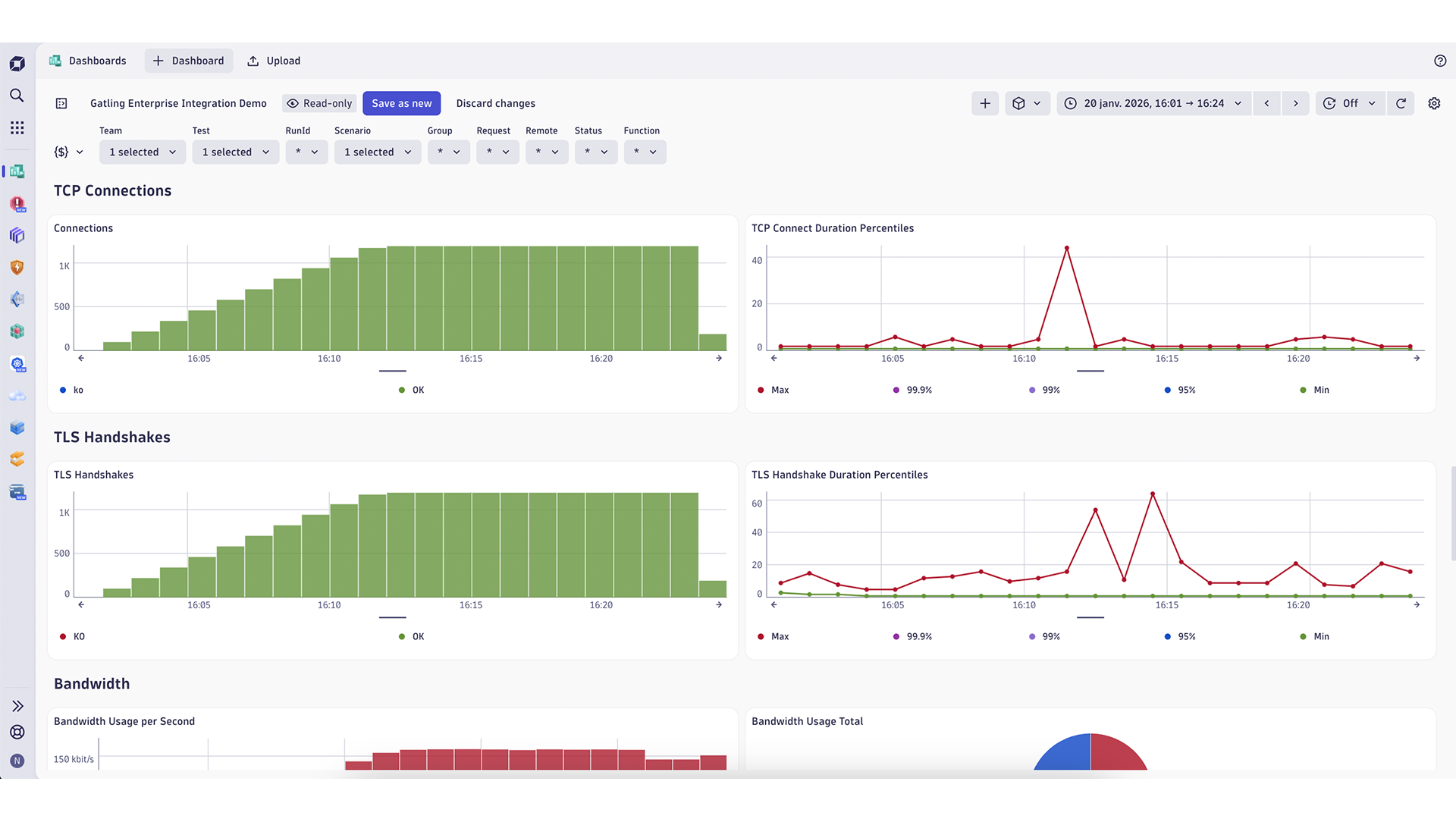
Screenshot of a Dynatrace Dashboard with Gatling metricsScreenshot of a Dynatrace Dashboard with Gatling metricsScreenshot of a Dynatrace Dashboard with Gatling metrics
  • Product information

Overview

The Gatling x Dynatrace integration lets you stream load testing metrics from Gatling Enterprise Edition directly into Dynatrace, so you can analyze system behavior under controlled, repeatable traffic. Instead of reviewing performance tests and production telemetry in isolation, you correlate them in a single observability platform. This allows you to understand why performance degrades, not just that it degrades. With Gatling and Dynatrace together, you turn load testing into a diagnostic signal inside your observability strategy.

What you can do

  • Visualize Gatling load test metrics alongside infrastructure KPIs
  • Correlate response times, errors, and throughput with traces and logs
  • Reproduce production issues under controlled load to isolate bottlenecks
  • Compare performance behavior across test runs, environments, and releases

Use cases

  • Reproducible performance investigations: Replay the same workload and correlate Gatling metrics with Dynatrace telemetry to diagnose regressions and incidents.
  • Bottleneck attribution across layers: Identify whether latency inflation originates at the application, dependency, network, or infrastructure layer.
  • Regression detection across releases: Track performance drift by comparing identical load tests across builds using Dynatrace dashboards.
  • Capacity planning and scaling validation: Ramp traffic while monitoring autoscaling behavior, queue depth, and saturation signals in Dynatrace.
  • SLO verification under load: Validate latency and error budgets under realistic traffic mixes before production releases.

Get started

Prerequisites

  • Gatling Enterprise Edition account
  • Dynatrace environment
  • Dynatrace API token with: metrics.ingest and events.ingest
  • Gatling Private Locations with network access to Dynatrace

Installation overview

  1. Create a Dynatrace API token with required permissions
  2. Identify your Dynatrace environment ID
  3. Configure your Gatling Control Plane with Dynatrace credentials
  4. Run a load test: metrics and events automatically appear in Dynatrace

Once enabled, Gatling will push metrics and events to Dynatrace for every test run.

Details

Metrics sent to Dynatrace

Gatling Enterprise Edition pushes detailed load testing metrics, including:

  • Virtual users (started, concurrent, stopped)
  • Request and response counts
  • Response time percentiles (p95, p99, p99.9)
  • Error rates and response codes
  • TCP and TLS connection metrics
  • Bandwidth usage

These metrics can be filtered and aggregated using dimensions such as test name, scenario, request, run ID, and load generator.

Events sent to Dynatrace

Gatling generates custom information events for:

  • Load test start
  • Load test end

Each event includes metadata such as:

  • Test name
  • Run ID
  • Team
  • Injection phase

This makes it easy to align test execution windows with performance behavior in Dynatrace timelines.

Gatling
Documentation
By the partner
Request support
Request information
Copy to clipboard

Related to Gatling for load testing metrics

Dashboards logo

Dashboards

Transform complex data into clear visualizations with custom dashboards.

More resources

Documentation

Documentation

Read more about the Dynatrace integration for Gatling
Read more

Observability and Load Testing

Observability and Load Testing

How Gatling complements observability platforms with controlled load testing
Learn more
Dynatrace Hub
Get data into DynatraceBuild your own app
Dynatrace Intelligence - Agentic Operations SystemThe Dynatrace Agentic AI ecosystem
All (872)Log Management and AnalyticsKubernetesAI and LLM ObservabilityInfrastructure ObservabilitySoftware DeliveryApplication ObservabilityApplication SecurityBusiness ObservabilityDigital Experience
Filter
Type
Built and maintained by
Deployment model
SaaS
  • SaaS
  • Managed
Partner FinderBecome a partnerDynatrace Developer

Discover recent additions to Dynatrace

Problems logo

Problems

Detect, explain and triage problems automatically using Dynatrace Intelligence.

Logs logo

Logs

Explore all your logs without writing a single query.

Investigations logo

Investigations

Fast and precise incident response on Grail data with DQL queries.

Business Flow logo

Business Flow

Track, analyze, and optimize your critical business processes.

Cost & Carbon Optimization logo

Cost & Carbon Optimization

Track, analyze, and optimize your IT carbon footprint and public cloud costs.

Anomaly Detection logo

Anomaly Detection

Detect and alert on anomalies and custom patterns using any DQL time series.

Analyze your data

Understand your data better with deep insights and clear visualizations.

Notebooks logo

Notebooks

Create powerful, data-driven documents for custom analytics and collaboration.

Dashboards logo

Dashboards

Transform complex data into clear visualizations with custom dashboards.

Automate your processes

Turn data and answers into actions, securely, and at scale.

Workflows logo

Workflows

Automate tasks in your IT landscape and move towards autonomous operations.

Jira logo

Jira

Create, query, comment, transition, and resolve Jira tickets within workflows.

Slack logo

Slack

Automate Slack messaging for security incidents, attacks, remediation, and more.

Secure your cloud application

See vulnerabilities and attacks in your environment.

Security Posture Management logo

Security Posture Management

Detect, prioritize, and remediate security and compliance findings with SPM.

Threats & Exploits logo

Threats & Exploits

Understand, triage, and investigate detection findings and alerts.

More resources

Observability for Developers on Cursor logo

Observability for Developers on Cursor

Get Real time Code-Level data directly to your Cursor IDE

GitHub Copilot Coding Agent logo

GitHub Copilot Coding Agent

Automate vulnerability remediation and boost developer productivity

GitHub Copilot Custom Agent logo

GitHub Copilot Custom Agent

Automate your development workflows with specialized agent definitions

Observability for Developer on JetBrains logo

Observability for Developer on JetBrains

Get real-time code-level data directly to your Jetbrains IDE

Pagerduty for Dynatrace Workflows logo

Pagerduty for Dynatrace Workflows

Streamline incident management with automated Pageruty workflows

Cursor IDE logo

Cursor IDE

Boost developer productivity and get real-time, code-level insights into Cursor

Observability for Developers on Windsurf logo

Observability for Developers on Windsurf

Get real-time code-level data directly to your Windsurf IDE

Are you looking for something different?

We have hundreds of apps, extensions, and other technologies to customize your environment

Leverage our newest innovations of Dynatrace Saas

Kick-start your app creation

Kick-start your app creation

Whether you’re a beginner or a pro, Dynatrace Developer has the tools and support you need to create incredible apps with minimal effort.
Go to Dynatrace Developer
Upgrading from Dynatrace Managed to SaaS

Upgrading from Dynatrace Managed to SaaS

Drive innovation, speed, and agility in your organization by seamlessly and securely upgrading.
Learn More
Log Management and Analytics

Log Management and Analytics

Innovate faster and more efficiently with unified log management and log analytics for actionable insights and automation.
Learn more