

The next-generation Dynatrace® Real User Monitoring (RUM) experience, powered by Grail® and DQL, delivers unified, actionable insights across modern web and mobile applications. By extending cloud native observability to the frontend, Dynatrace unifies user experience data with backend intelligence, enabling teams to optimize performance, shorten troubleshooting cycles, and improve business outcomes, while preserving strict enterprise-grade privacy standards.
Why RUM matters more than ever
As the frontend becomes the primary point of customer engagement, real user monitoring is a critical link between IT performance and business outcomes. The ways users interact with web and mobile apps have evolved, driven by single-page applications (SPAs), asynchronous rendering, and nonlinear navigation. These changes have increased the demand for RUM solutions that can keep pace with modern architectures and deliver actionable insights.
Teams face growing challenges:
- Limited visibility into user journeys across SPAs and mobile applications
- Fragmented analysis between frontend telemetry and backend execution
- Slow troubleshooting when context is missing or spread across tools
- Increased pressure to capture meaningful data while maintaining strict privacy standards
Modern frameworks and libraries introduce new patterns and constraints, making it harder to understand user behavior and optimize experiences using legacy tools. Teams require solutions that not only keep pace with evolving architectures but also empower them to act quickly and confidently on user experience data.
Reinventing RUM for modern application experiences
The new Dynatrace RUM experience was purpose-built to address these challenges and futureproof RUM use cases. By leveraging unified, end-to-end observability with deep business context, Dynatrace introduces a streamlined, modern approach to understanding frontend performance and user behavior. Advanced analytics and intuitive, purpose-built workflows are layered on a foundation that aligns with how today’s teams operate.
With this new RUM experience, teams can:
- Understand modern application behavior with new frontend signals: Gain deeper visibility into how users interact with single-page and mobile applications, leveraging new data models and behavioral signals.
- Improve user experience with out-of-the-box insights and intuitive practitioner workflows: Access immediate, actionable insights through purpose-built apps and dashboards designed for common practitioner tasks.
- Extend insights with advanced analytics and built-in privacy controls: Perform deeper analysis, maintain responsible long-term data retention, and ensure privacy and compliance with flexible data access and built-in controls.
Together, these capabilities empower teams to optimize performance, resolve complaints, analyze user behavior, and accelerate DevOps workflows—collaborating more effectively and acting faster on real user impact.
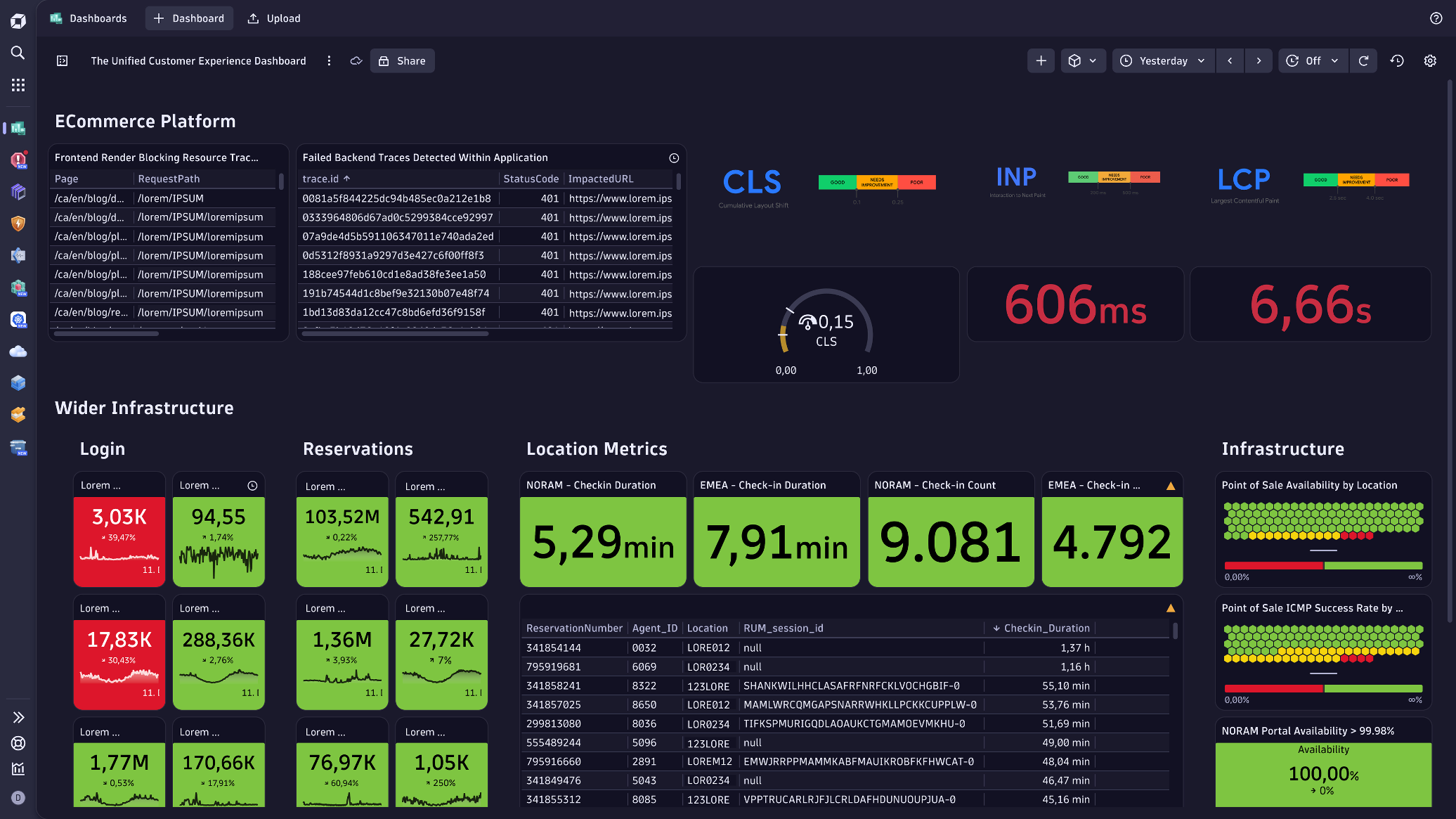
Understand modern application behavior with new frontend signals
The ability to capture and analyze new frontend signals that reflect how modern applications behave in production gives teams a more accurate view of how users move through single-page and mobile applications—without additional instrumentation.
Industry standards such as Core Web Vitals, along with mobile-specific performance signals coupled with enhancements for troubleshooting: application not responding (ANR) and symbolication, provide a consistent way to assess application health and troubleshoot issues across platforms. The new RUM data model captures events that reflect how modern applications behave in production, including:
- Background requests: Network calls initiated by an application without direct user interaction, typically to fetch or update data in the background to maintain app functionality and user experience.
- User interactions: Events such as clicks, taps, scrolls, or keypresses that reflect how users engage with an application and provide behavioral insights without necessarily invoking a backend request.
- Soft navigation: As modern web applications often don’t perform a full-page load when navigating, soft navigation helps analyze the user’s path through the application from one view to the next.
Improve user experience faster with out-of-the-box insights and intuitive practitioner workflows
The new RUM experience delivers immediate value through redesigned, task-oriented experiences built around common practitioner workflows. Out-of-the-box apps and dashboards make RUM data easier to understand and act on from the start.
Pre-built dashboards surface industry-standard performance metrics such as Core Web Vitals and key mobile signals, giving teams a clear and consistent view of frontend health. Unified dashboards bring frontend and backend data into a single view, making it easier to trace request errors to their underlying exceptions, monitor customer experience over time, and understand how performance issues impact business outcomes.
Purpose-built apps include:
Experience Vitals: Quickly identify which requests or assets are contributing to slowdowns, using redesigned waterfall analysis and industry standards like Core Web Vitals. DevOps teams can define custom alerts and integrate them into existing workflows.

Error Inspector: Group and prioritize errors, presenting critical context in one place. Session details are shown alongside stack traces, making it easier to assess impact and resolve problems quickly. Integration with Jira accelerates issue tracking and accountability.

Users & Sessions: Ground investigations in real user session data. Support teams can quickly find and analyze individual sessions, reducing guesswork and time to resolution. Product owners can identify friction points, validate reported issues, and improve user journeys based on actual behavior.
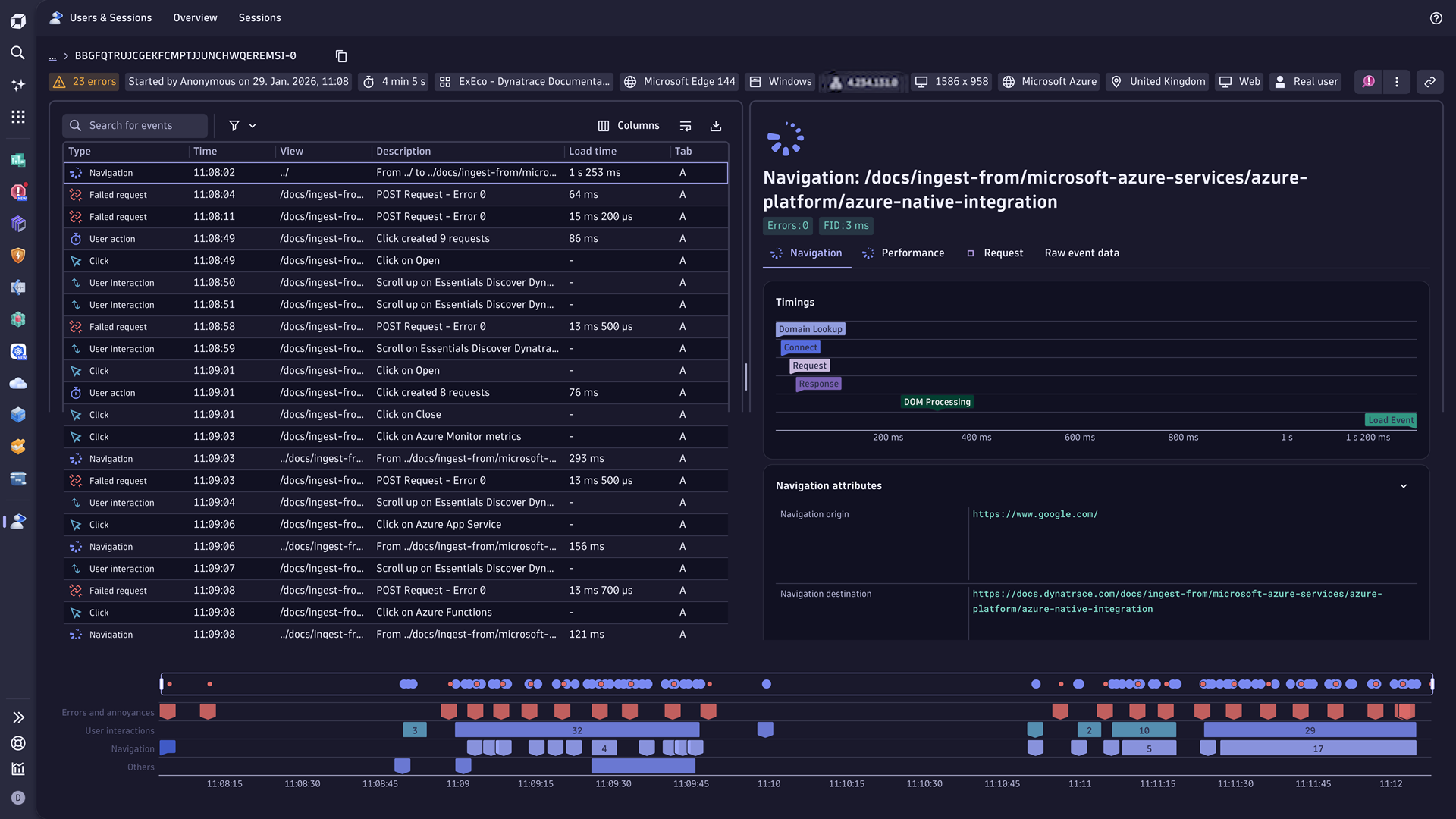
These capabilities help teams:
- Optimize frontend availability and performance
- Troubleshoot issues faster with clear, end-to-end context
- Resolve customer complaints using real session data
“UWM is deeply committed to site reliability engineering to deliver the best possible client experience. With the new RUM experience, we gain unprecedented, actionable insights into user interactions, empowering our SRE teams to optimize performance.”
Gavin Wallis, Observability Architect, United Wholesale Mortgage
Extend insights with advanced analytics and built-in privacy controls
While out-of-the-box experiences address the most common workflows, some scenarios require a deeper dive. The new RUM experience provides flexible access to all frontend data through a unified data model, enabling teams to explore real user behavior with greater context and precision.
- Custom dashboards and collaborative Notebooks: Correlate frontend behavior with backend performance, analyze experience trends over time, and connect user experience directly to business outcomes such as conversion or revenue impact.
- Dynatrace Query Language (DQL): Explore and connect data, with Dynatrace Intelligence available to help with query generation and data interpretation.
- Privacy and compliance: Built-in privacy and permission controls support responsible data use. Extended data retention (public preview) allows deep investigations, compliance support, and historical trend analysis.
Getting started with the new RUM experience
The new RUM experience is now generally available, with all apps and features available by default on DPS SaaS tenants with version 330 or higher. You can allow data ingestion to the Dynatrace 3rd-generation platform for individual frontends or whole environments. (Classic data capture isn’t impacted.)
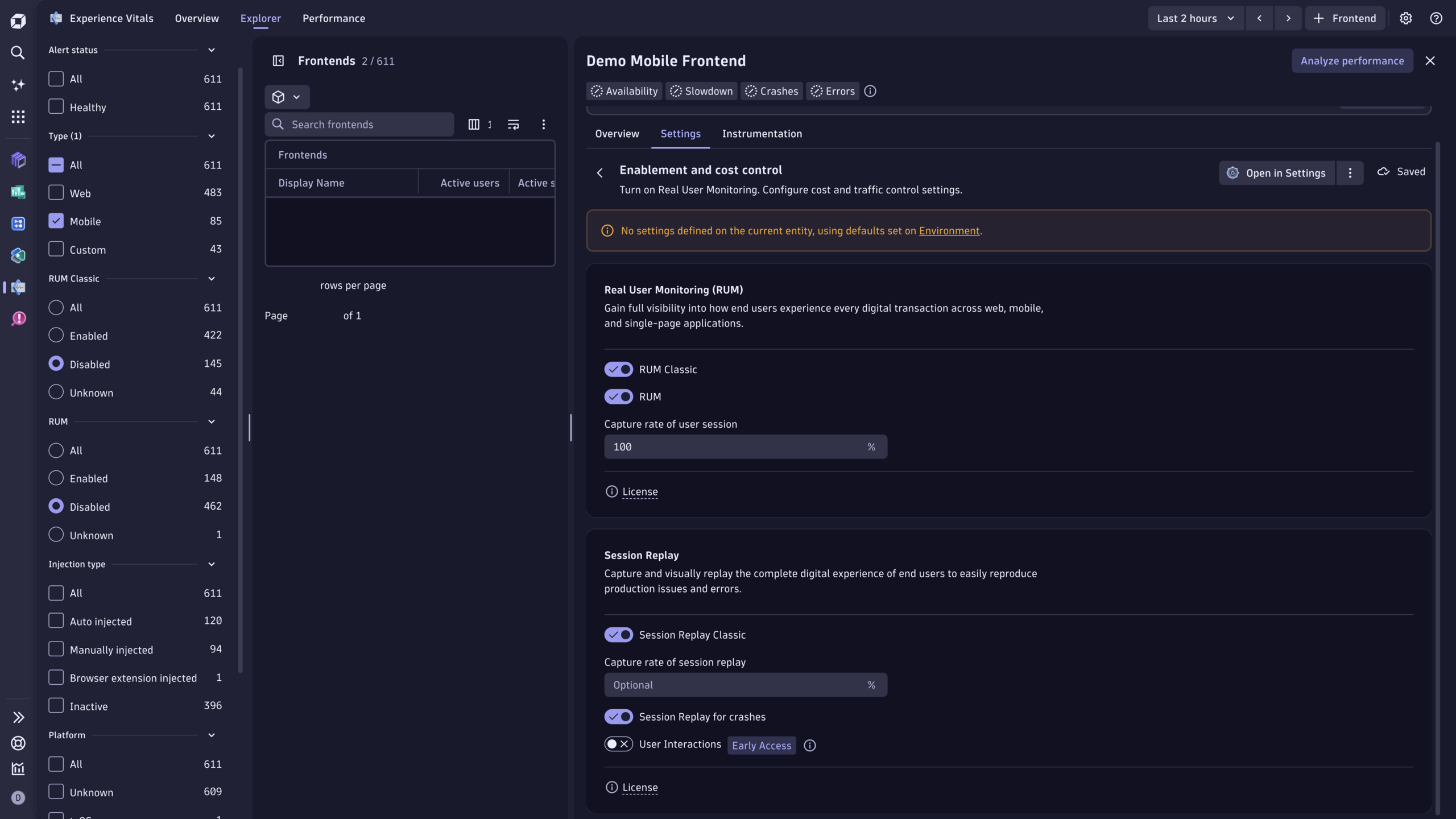
Dynatrace RUM setup guides
- For web application setup, follow these steps. If you use automatic injection, the new configuration will be applied within 5 minutes. If you insert the RUM JavaScript manually, you might need to update the snippet, depending on the snippet format you’re using.
- For mobile app setup, follow these steps to set up the new RUM experience.
- For web frontends at the environment level, follow these steps.



Looking for answers?
Start a new discussion or ask for help in our Q&A forum.
Go to forum