

Managing sensitive data in log files is getting even easier with Dynatrace. Our new Sensitive Data Center unifies privacy request workflow, data cleanup, and the new Sensitive Data Scanner to help you streamline working with sensitive data in Dynatrace. It allows teams to respond to data subject rights with confidence, remove records safely when required, and proactively discover and govern sensitive data ingested into Grail®. Sensitive Data Scanner will be available in a limited preview release by the end of 2025.
Handle sensitive data throughout your growing data ecosystem
Organizations face increasing pressure to demonstrate responsible practices for managing sensitive data while maintaining efficient operations and minimizing downtime. In addition to meeting end users’ data subject rights requests, such as the export or deletion of personal data, organizations must take proactive steps to prevent unnecessary exposure and storage of sensitive information. Achieving these objectives is challenging, especially with fragmented tools, siloed teams, and manual processes. As telemetry volumes increase, these inefficiencies lead to slower response times, higher operational overhead, and increased compliance risks.
Streamline privacy operations in Dynatrace with the Sensitive Data Center
The Sensitive Data Center brings privacy operations and sensitive data management together in a single app on the Dynatrace platform and complements existing privacy controls with an additional layer of control. Aligning scanning, cleanup, and data subject rights workflows with where your data resides helps teams reduce manual work and improve accuracy, all in a transparent process where every scan, cleanup, and request is logged and auditable, supporting your regulatory obligations with clarity and control.
Continuously scan for unintentionally ingested sensitive data in Logs on Grail
Imagine a service administrator who suspects that sensitive data might have been unintentionally ingested in their observability data. They need a quick way to confirm whether it happened and, if so, where the sensitive data resides and what type of sensitive data is affected—ideally without having to build custom scripts or pull engineers off priority work. The Sensitive Data Scanner is a new module in the Sensitive Data Center that helps you discover sensitive data at the time of ingestion, allowing you to govern it more effectively in three steps:
- Configure the scanner
- Review the scan results
- Mitigate any potential findings
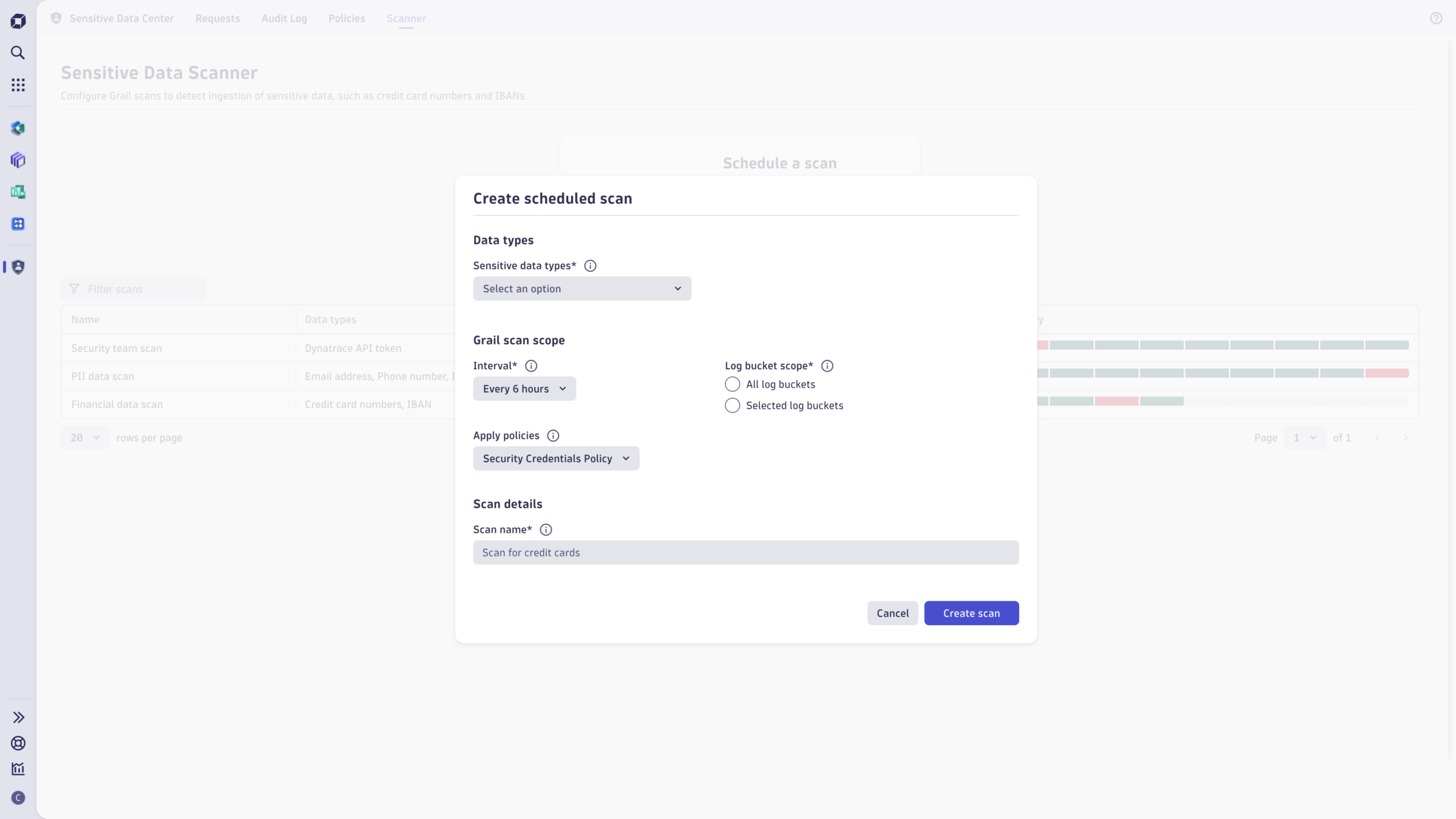
Configure scans in the Sensitive Data Scanner
The setup is straightforward. You can choose to monitor specific buckets or the entire environment. Select the sensitive data type or types from built-in rules such as email, credit card, or IP address. You can set up several fine-grained scans with different scopes to accommodate different scan areas. A scan runs at a defined cadence every 6, 12, or 24 hours, depending on your compliance needs, and alerts you when data matching the selected criteria is found.
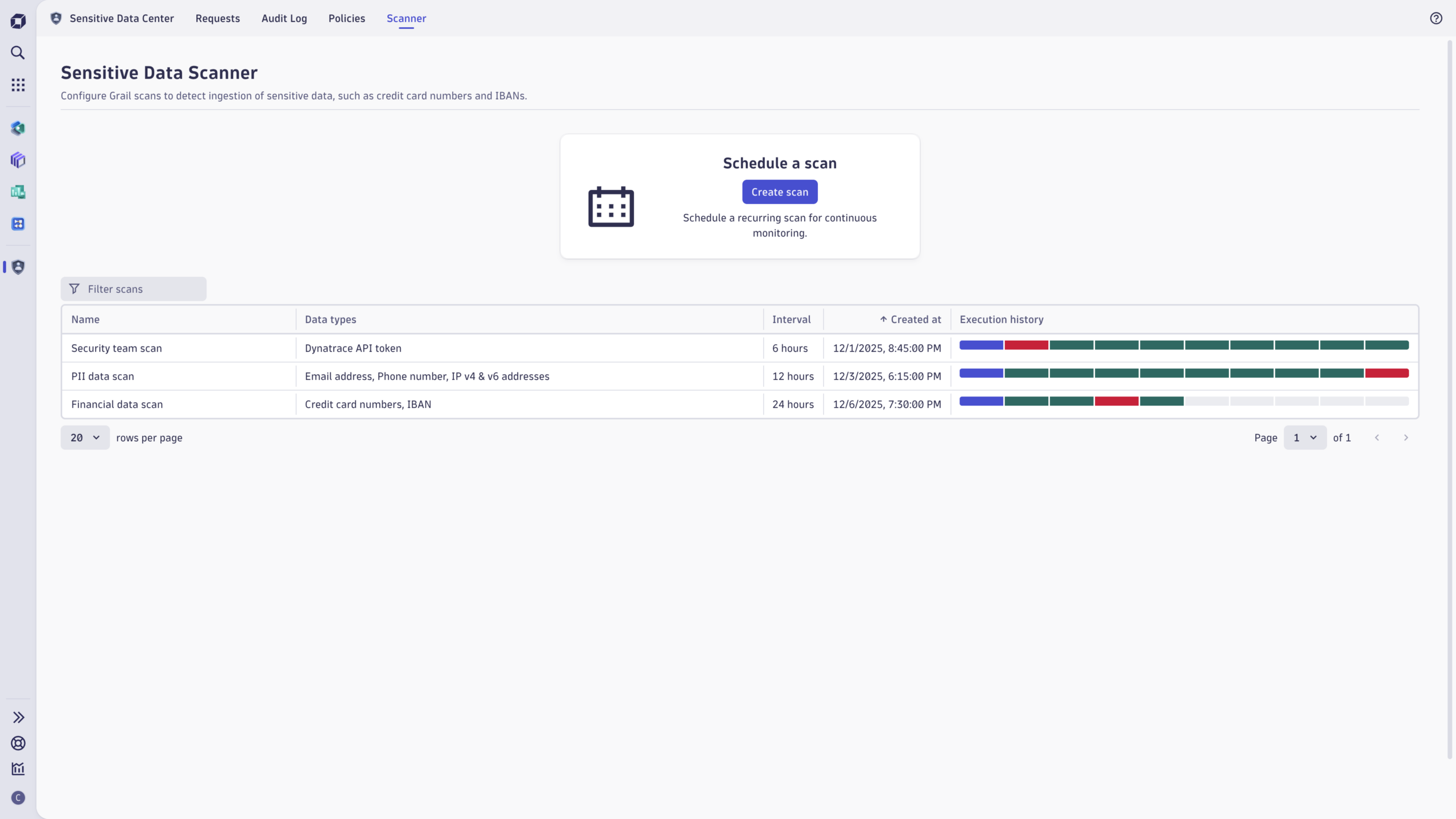
Review scan results
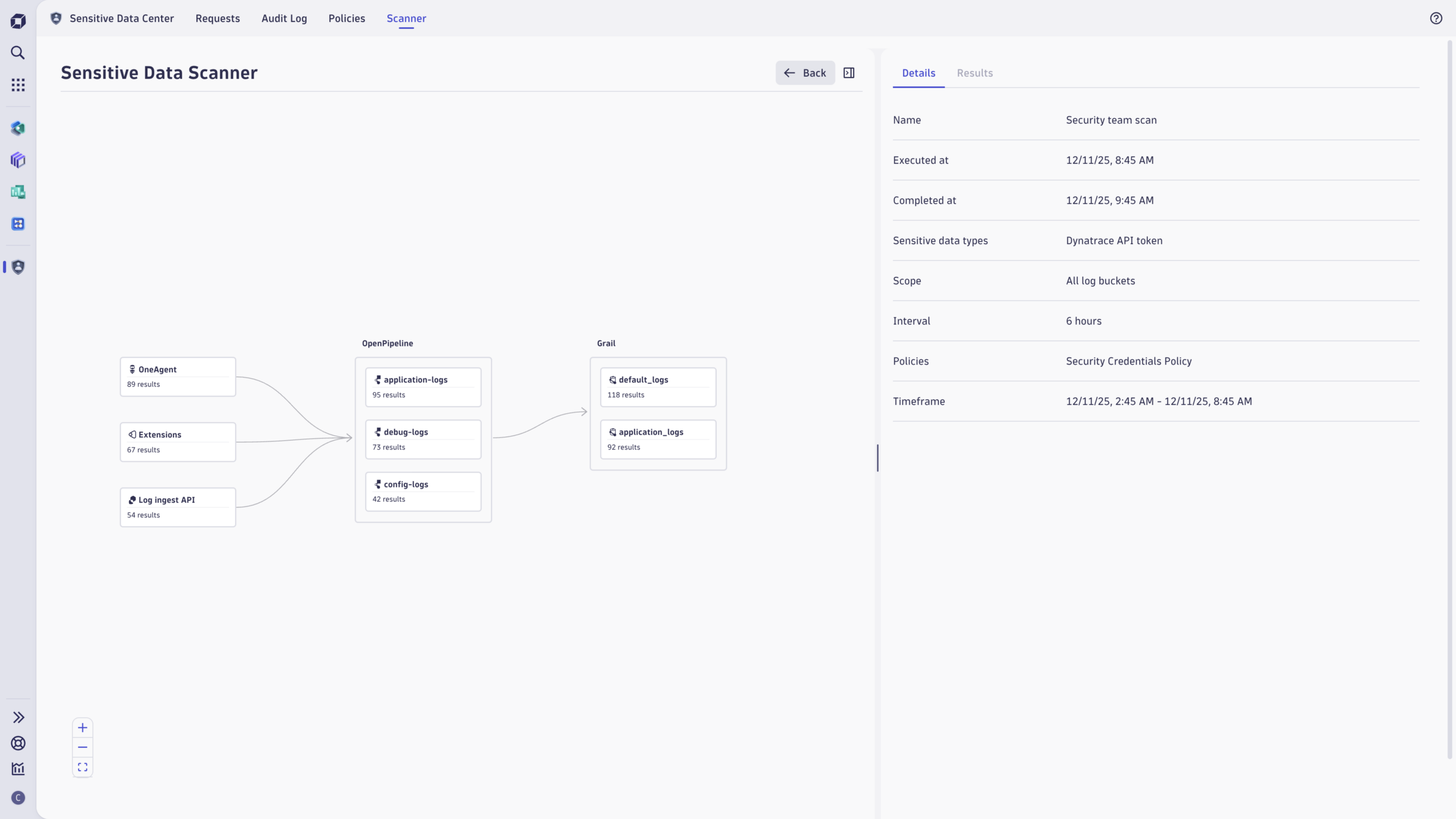
A dashboard provides a clear overview of scan statuses and highlights when sensitive data is found. From there, you can drill down into a specific scan to review detailed findings and understand exactly what was detected.
You can review the results and examine the data flow from ingestion to the storage location.
Mitigate potential findings
With these results, you can immediately take action. You can configure or adjust masking rules to prevent similar data from being ingested in the future, change access to stored data, update retention periods, or utilize the cleanup functionality to delete the data as needed.
Sensitive Data Scanner preview
The Sensitive Data Scanner will be available in a preview release by the end of 2025. As we gather feedback, we will continue to refine the experience and expand coverage, allowing teams to move confidently from identification to action within the same app.
Act decisively with precise, auditable cleanup
Data cleanup is available directly within the Sensitive Data Center, allowing you to take action when your organization’s regulatory obligations or policies require the removal of data.
The “Cleanup data” workflow in Sensitive Data Center allows you to easily locate, review, and delete an entire time frame of data, as well as any selected individual records that contain sensitive data defined in your DQL search query. To improve accuracy and minimize the risk of accidentally deleting data, you can also select a reviewer who will review and approve deletion requests before the data is deleted. Learn more about deleting data in Grail.
Efficiently locate, export, and delete end users’ personal data
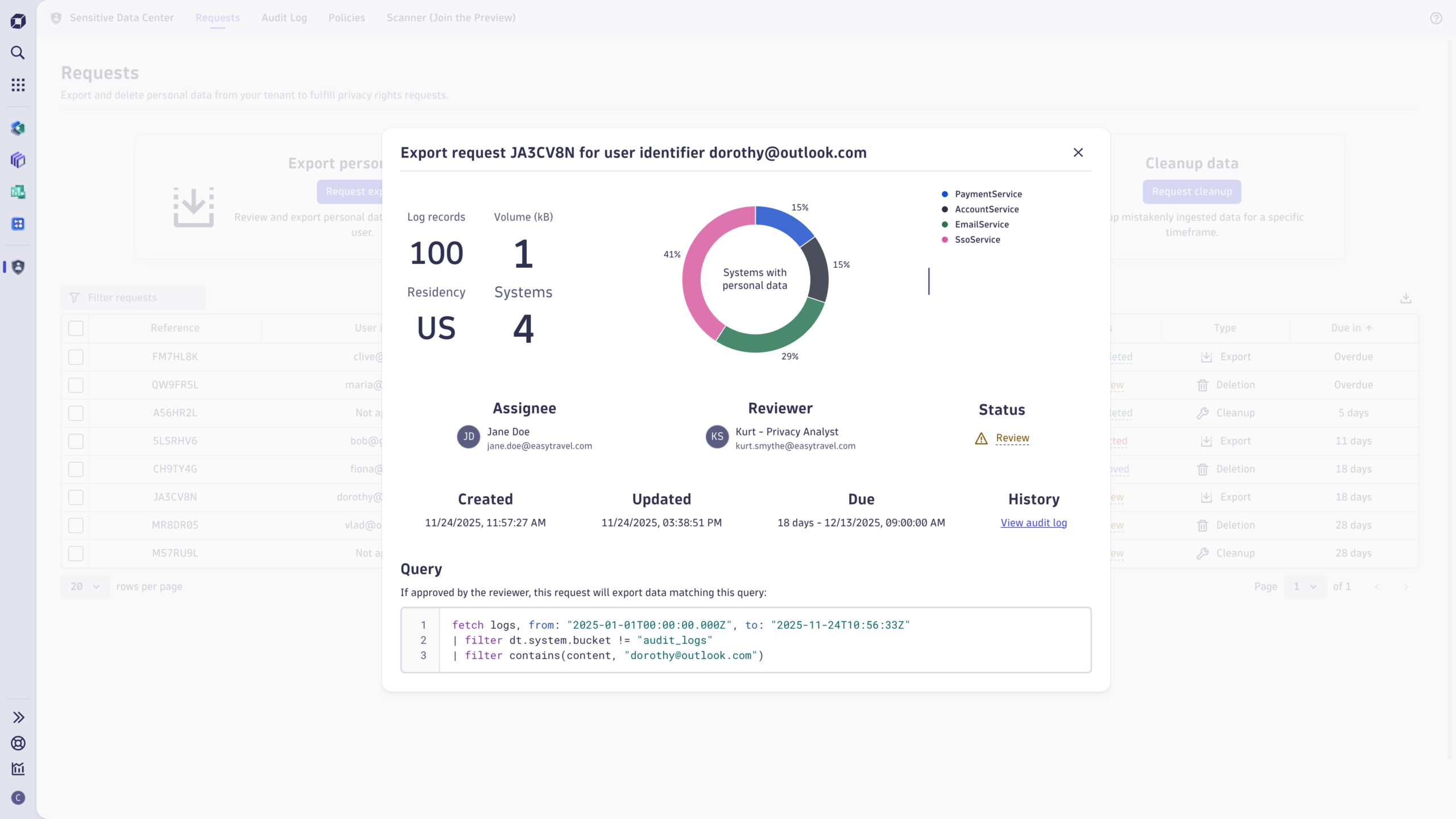
Let’s walk through another common scenario. The services administrator, ensuring Dynatrace is operating smoothly, receives an urgent request from the privacy legal team: “Please locate, compile, and delete all personal data associated with this email address in Dynatrace as part of our end-user’s right to be forgotten.” Privacy requests in the Sensitive Data Center offer an end-to-end experience for managing data subject rights requests within the Dynatrace platform, allowing for quick, compliant, and efficient handling of sensitive data.
Dynatrace empowers you with a ready-made solution for submitting, tracking, and verifying the status of requests. With a user interface designed for compliance needs, you can efficiently manage data export and deletion requests. A dashboard summarizes key details, including the request reference, status, and due date alignment.
Together, scanning and cleanup ensure that only the sensitive data you intend to process is stored in Logs on Grail, while privacy requests provide the workflows and approvals necessary to comply with user privacy rights for lawfully processed personal data.
Try Sensitive Data Center in the Dynatrace Playground.
This blog may contain forward-looking statements about our product plans, upcoming features, and anticipated improvements. These statements are for informational purposes only and are not promises or guarantees. The development, release, and timing of any features or functionality described remain at the sole discretion of Dynatrace LLC and may be modified, delayed, or canceled without notice. We encourage readers to make decisions based on the product’s current capabilities and features.



Looking for answers?
Start a new discussion or ask for help in our Q&A forum.
Go to forum