

Dynatrace integrates with Qualys to help DevSecOps teams reduce alert fatigue by unifying and deduplicating vulnerability findings, contextualizing findings with runtime entities, and offering smarter prioritization, automation, and remediation.
What is Qualys host scanning?
Qualys is a leading provider of vulnerability management solutions. Qualys Enterprise TruRisk platform offers a range of products, including Vulnerability Management, Detection, & Response (VMDR), which helps detect and prioritize vulnerabilities for remediation on hosts.
Host monitoring has been a best practice in security hygiene for decades and is required by various compliance standards. If your organization is already applying all the best practices for host scanning, you may still be wondering how to improve the prioritization of detected vulnerabilities.
Challenges in managing host vulnerabilities
Imagine you periodically run scans of hosts in your environments: production hosts, development hosts, etc. Each scan discovers hundreds or even thousands of vulnerabilities. Your goal is to minimize the risk by fixing the most critical vulnerabilities first.
Even with a simple strategy like this, your DevSecOps teams might still struggle to handle all the vulnerabilities. Your MTTR (Mean Time to Remediation) is increasing, and your management is not happy about it.
In addition, while focusing on critical vulnerabilities, are you sure you’re prioritizing the top risk for your organization? That approach is a good start; however, some top-risk vulnerabilities might not be critical in severity; they’re the ones that directly impact your critical production applications and services. Even if it is a high-severity vulnerability, you may want to address it before a critical vulnerability because it affects your production environment.
What can you do? Is there a way to further improve vulnerability prioritization?
The answer is yes; you need to consider additional runtime context and focus on production risk in addition to severity.
You may want to have a robust deduplication mechanism in place and visibility into the top risks. And you might also benefit from tracking the fixes and posture drifts, increasing security coverage, and reducing the number of risks over time.
Dynatrace as a runtime security platform
The Dynatrace platform offers native Runtime Vulnerability Analytics that detect vulnerabilities in your running applications and services, helping keep your application’s security risk low. This complements the host scanning and provides a complete picture of the security risks.
As an observability platform, Dynatrace also monitors the infrastructure on which your apps and services run. Hosts are one such infrastructure entity. Dynatrace knows whether a host is connected to the internet, how much traffic flows through it, whether production applications are running on that host, and how those applications are connected to other hosts and services in your organization.
With Dynatrace OpenPipeline® as the data ingest engine and Grail® as the unified data lakehouse, it is possible to ingest security findings from third-party products to bring security context to operational personas.
DevSecOps teams can simultaneously benefit from ingested and contextualized security findings using Dynatrace as a security platform, gaining ultimate visibility into all risks in one place, prioritizing based on production risks, and improving their security posture.
Qualys integration in work
Dynatrace integrates with Qualys to connect host vulnerability findings with runtime application context, allowing smarter vulnerability prioritization and better visibility into your security risks from the perspective of your runtime environment.
Here is how this integration works, and how it allows you to achieve your goals in several simple steps:
Step 1: Ingest and unify
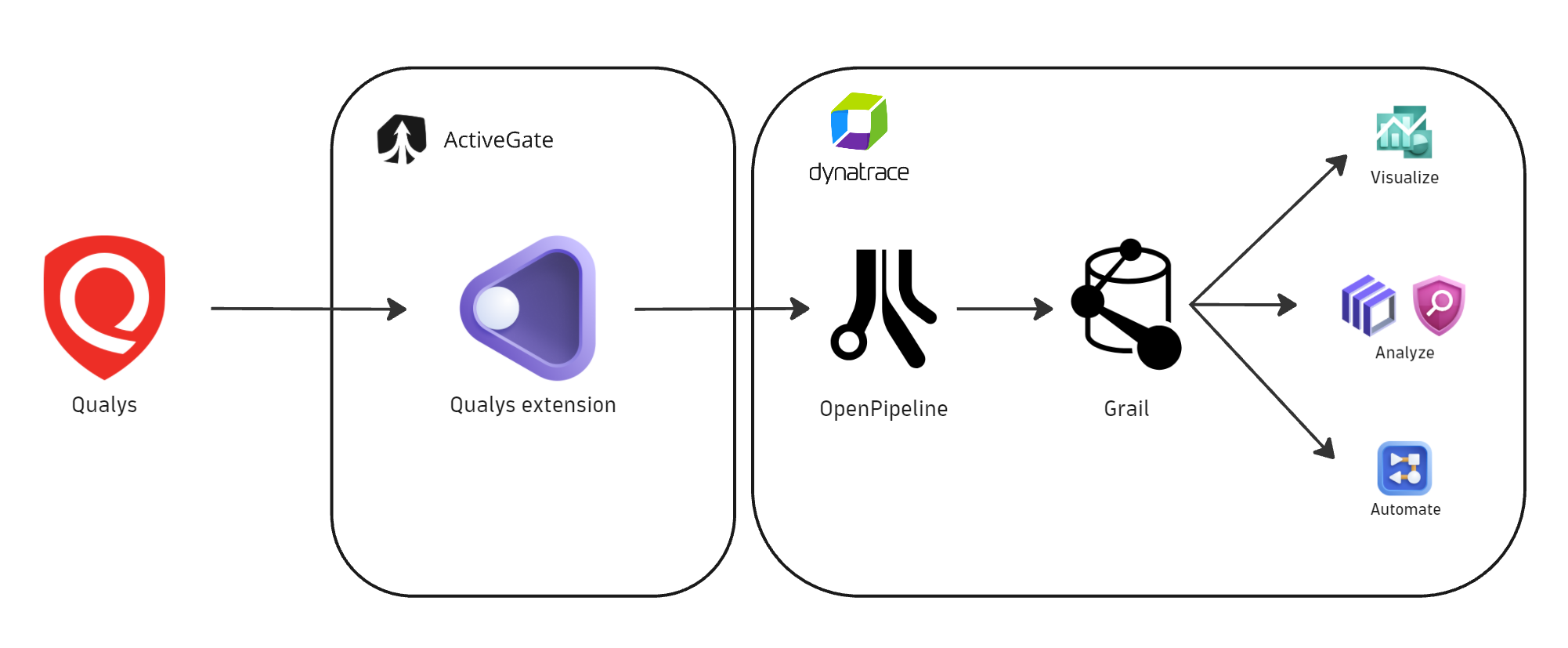
Dynatrace delivers this integration as an extension that allows granular control over the data flow between Qualys and the Dynatrace platform.
Leveraging OpenPipeline, Qualys vulnerability findings and activity logs are pushed to Dynatrace and stored in Grail, where they’re mapped to semantic conventions that make them available in a unified schema for further analysis.
Step 2: Deduplicate and visualize
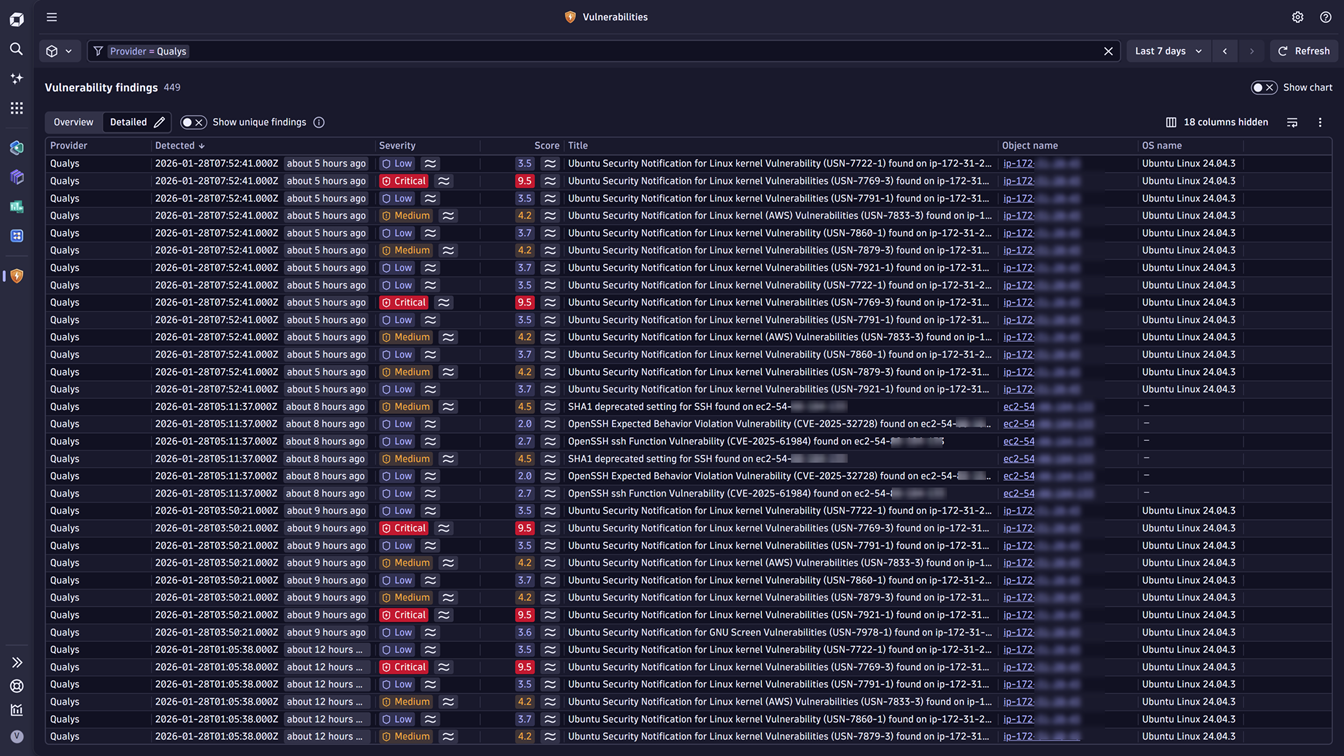
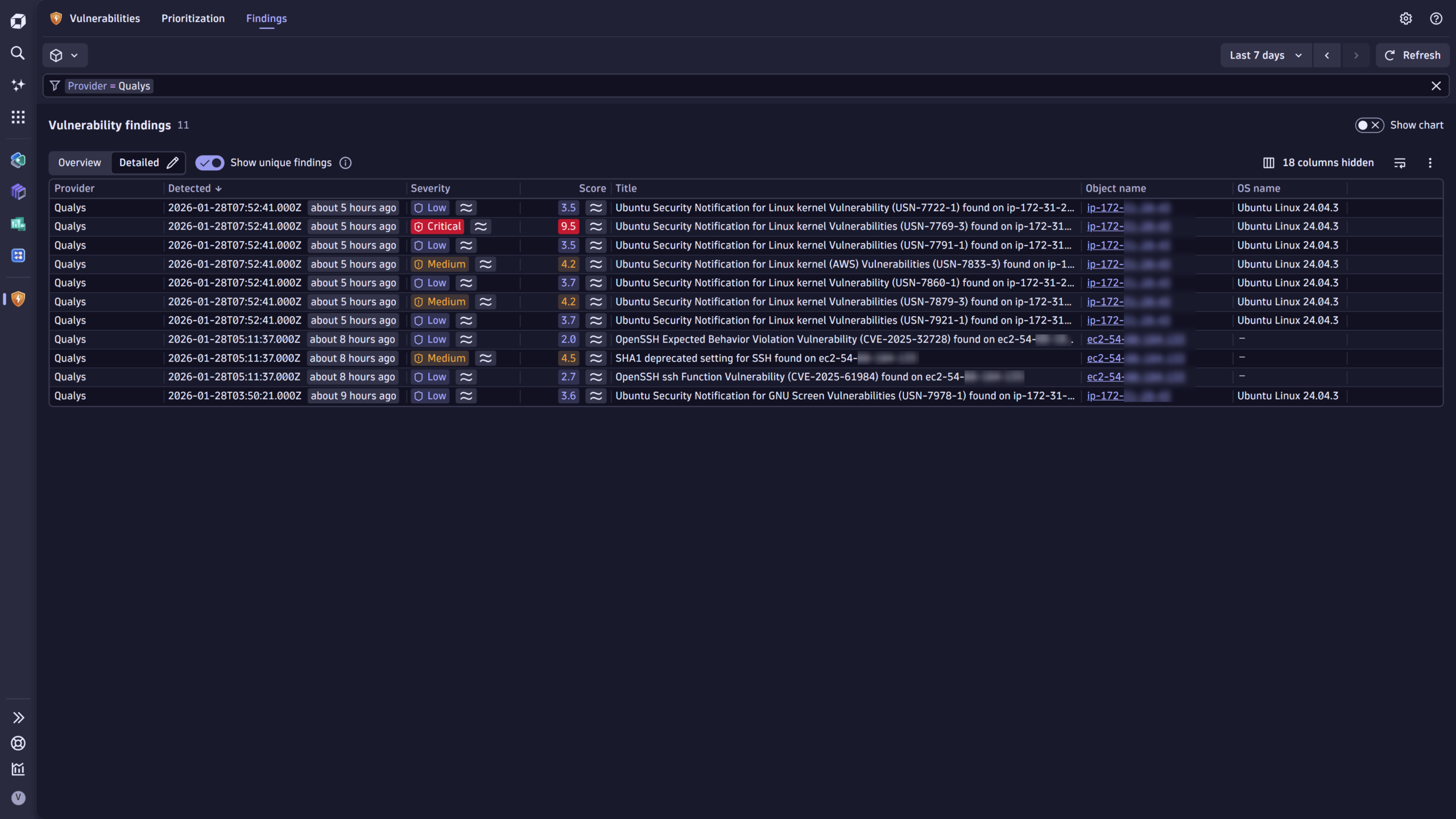
As soon as Qualys vulnerability findings are in Grail, you can view them in the Vulnerabilities app as individual findings or, using deduplication logic, as a focused list of unique findings. In this way, hundreds of findings reported repeatedly by each executed scan are deduplicated and become tens of vulnerabilities instead.
Here’s what it might look like before deduplication:
And here is what it looks like after applying the deduplication filter:
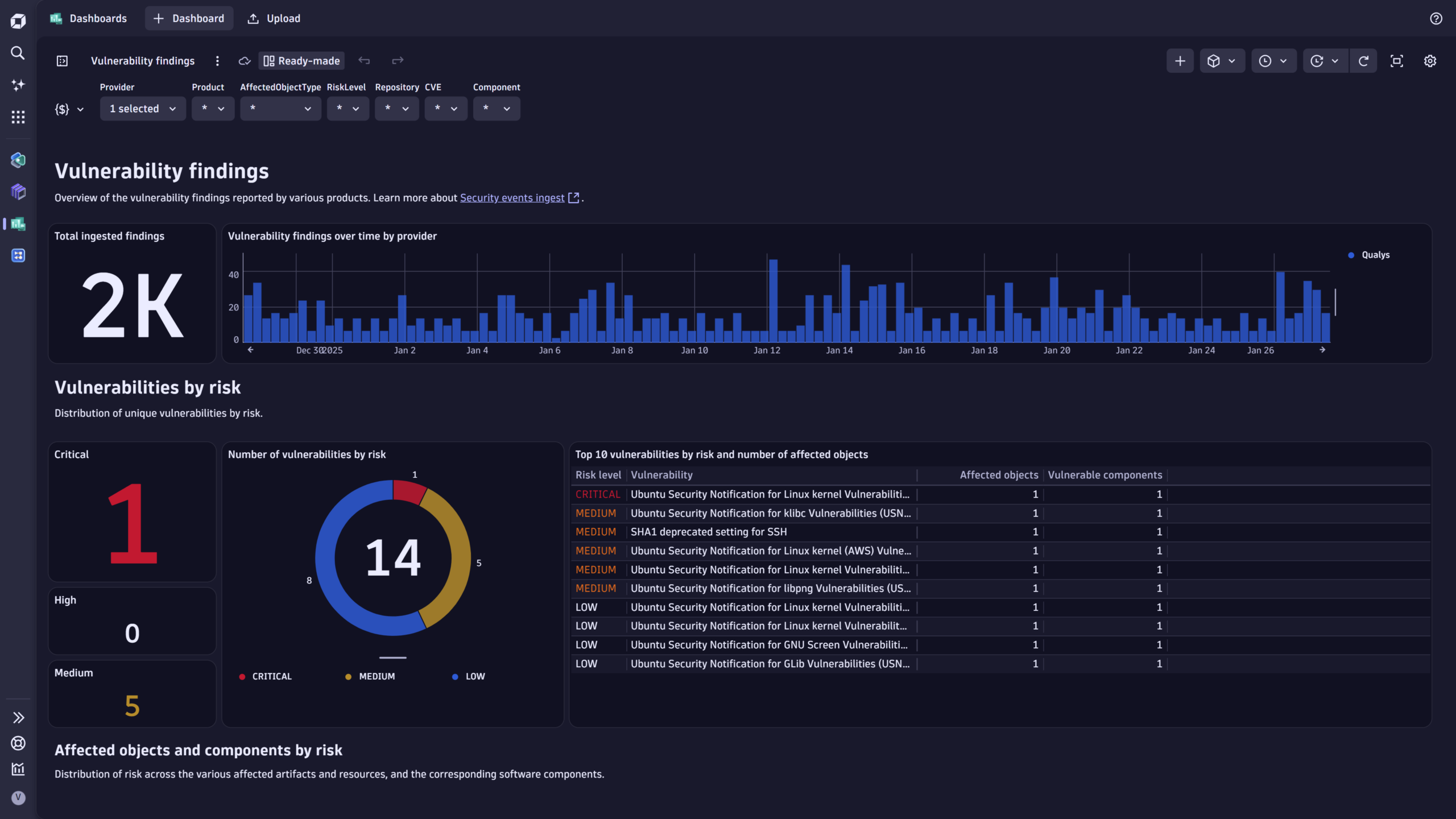
The Qualys integration also includes several ready-made dashboards that help you deduplicate and display vulnerability findings in a summarized view.
Step 3: Enrich and prioritize
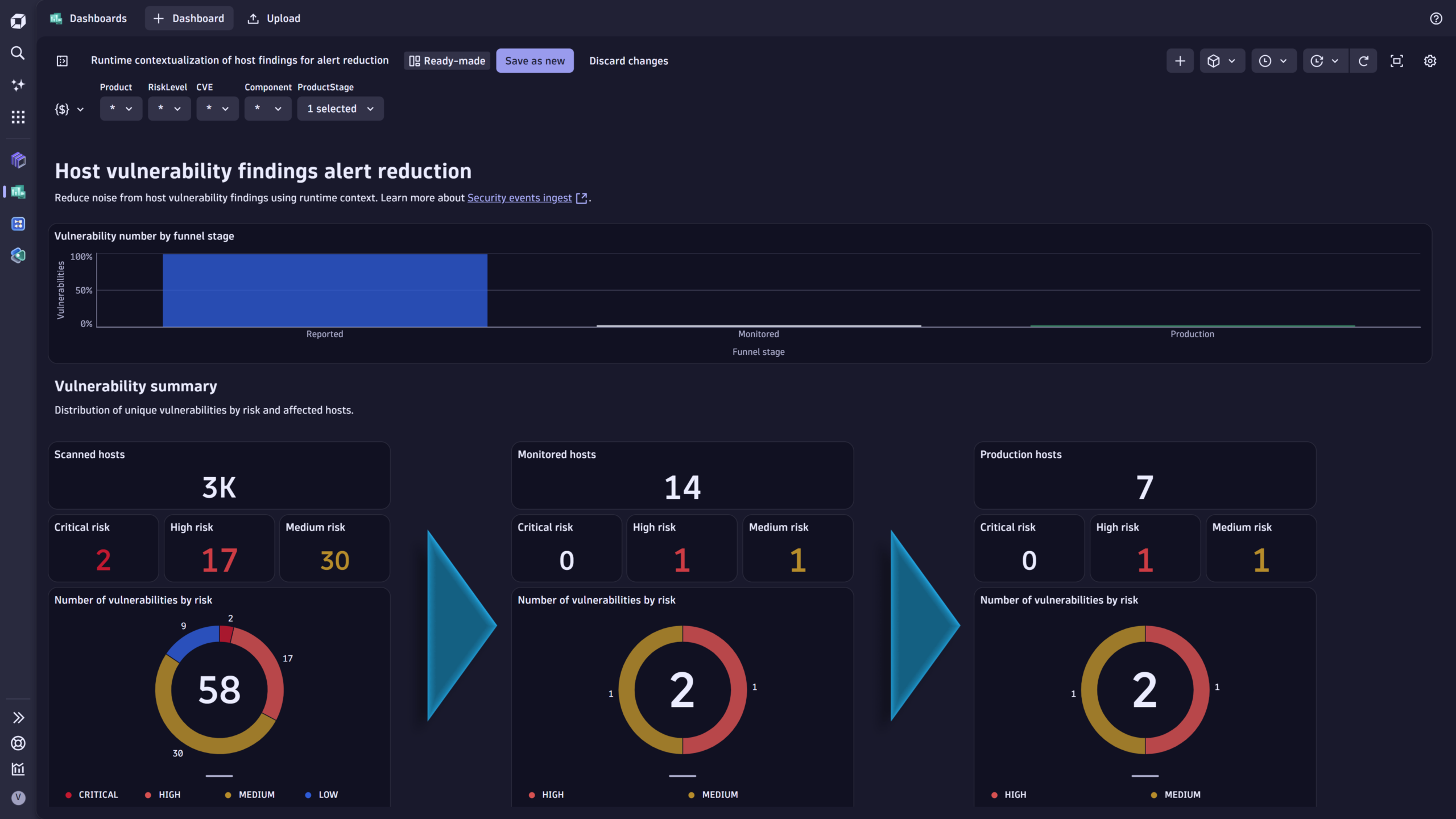
The next step is to use the Dynatrace runtime context to further prioritize the vulnerabilities.
In this sample dashboard, which is also shipped with the integration, we first filter the ingested vulnerability findings for monitored hosts and then add the production application-level filter.
This filtering approach focuses on runtime impact and helps reduce the number of vulnerabilities to address.
Step 4: Communicate and remediate
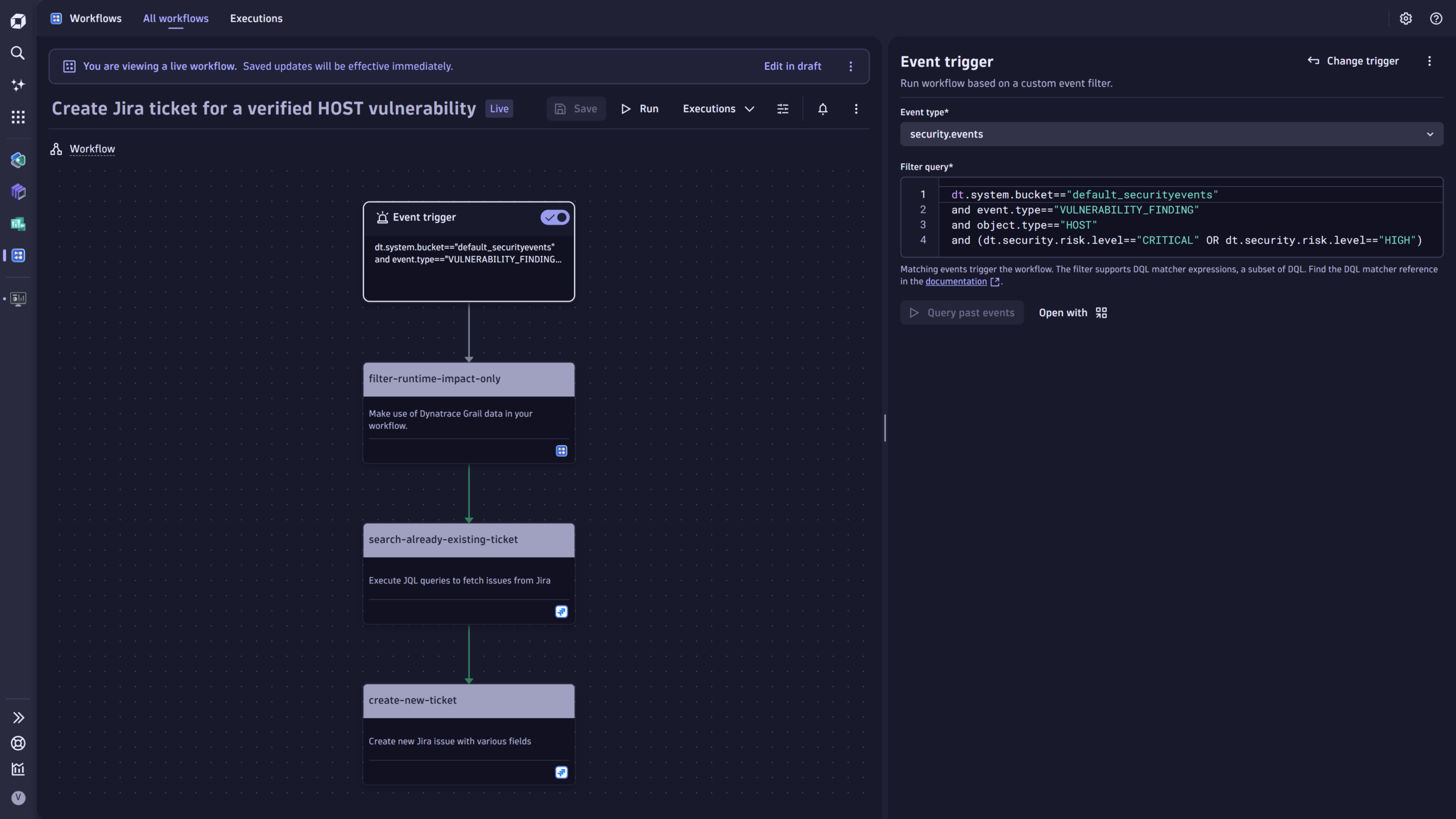
With Dynatrace native automation capabilities represented in the Workflows app, you can operationalize the vulnerability findings by notifying relevant stakeholders and creating work tickets for remediation.
Step 5: Track improvement
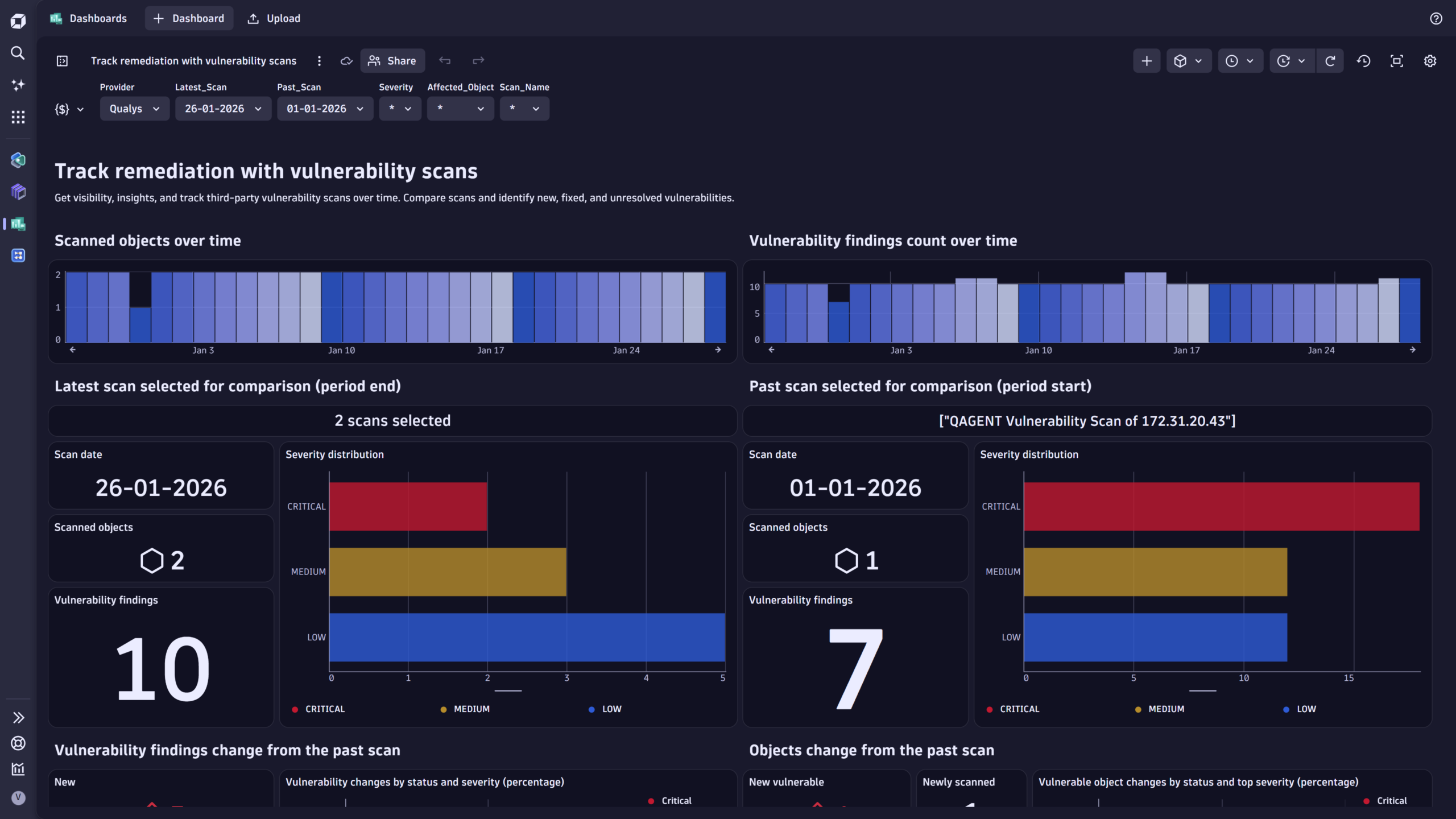
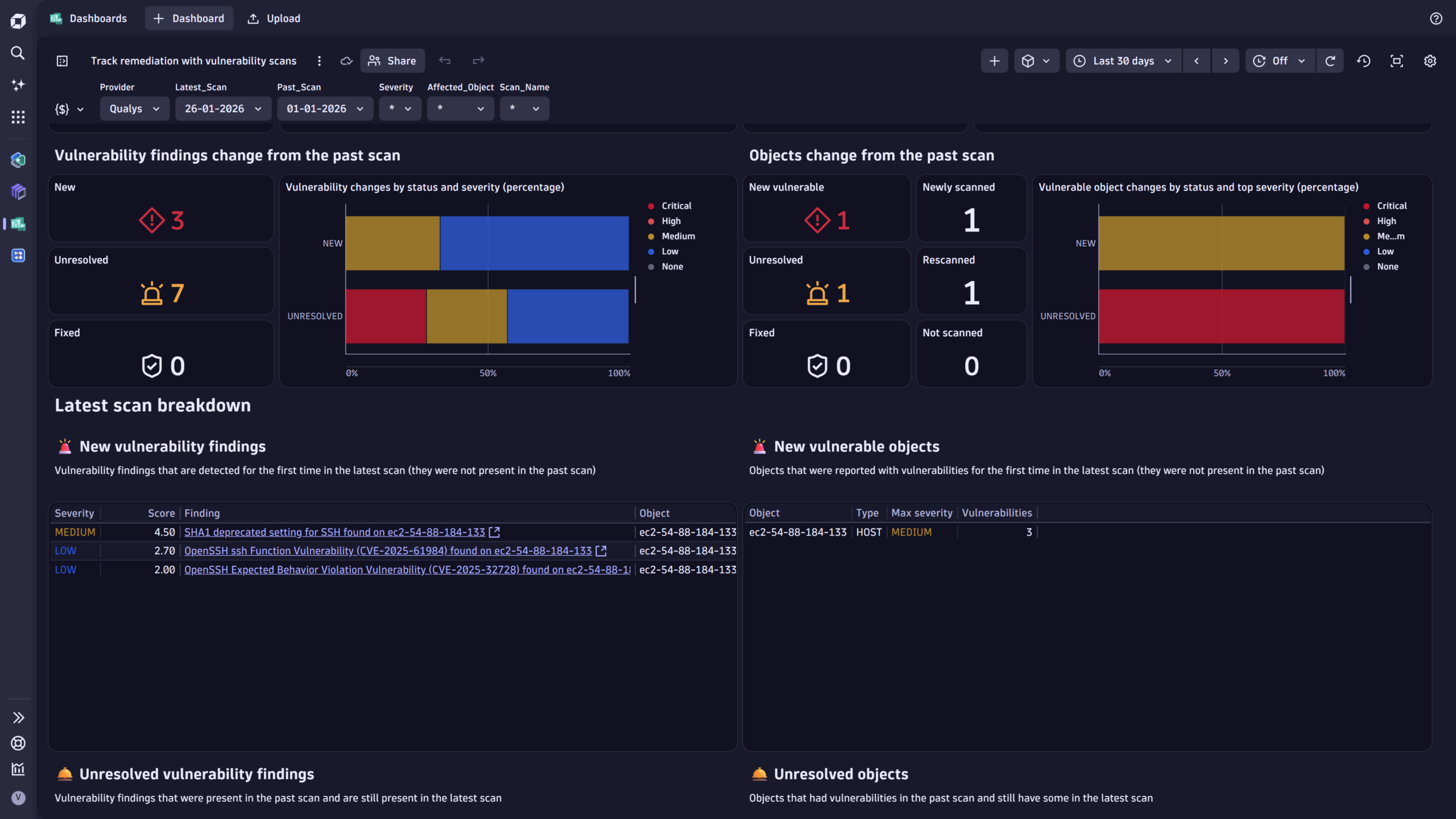
Whether remediation is applied or new vulnerabilities are identified, you can easily monitor changes across scans to see which vulnerabilities are new, unresolved, or fixed.
Here is a dashboard we provide with the integration that helps achieve this goal:
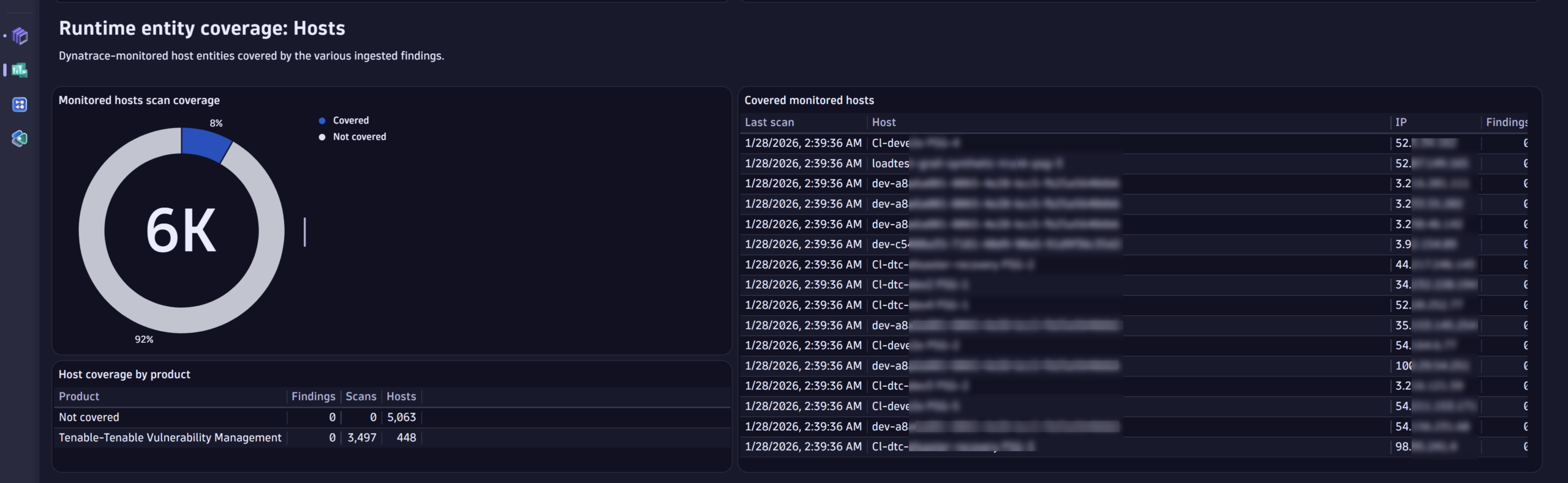
Step 6: Increase security coverage
Finally, Dynatrace also helps you to understand whether you’ve covered all important hosts in your environment with vulnerability scans. This security observability is fueled by monitored host entities and Qualys ingested findings.
Here is a snippet from the security coverage dashboard shipped with the integration:
What’s next
The Dynatrace platform helps reduce noise from vulnerability scanning and provides runtime insights to efficiently prioritize remediation efforts.
Follow our updates and news about additional integrations and learn about which products from your security stack we already cover.
If you don’t find support for your product or tool, feel free to contact us in our Community channel.
Get started
To learn more about the Qualys integration and how to set it up, read our documentation for ingesting Qualys vulnerability findings, scanning events, and auditing logs.




Looking for answers?
Start a new discussion or ask for help in our Q&A forum.
Go to forum