


All
0 Results filtered by:

We couldn't find any results
You can search all listings, or try a different spelling or keyword. Still nothing? Dynatrace makes it easy to create custom apps.
 Generic network device
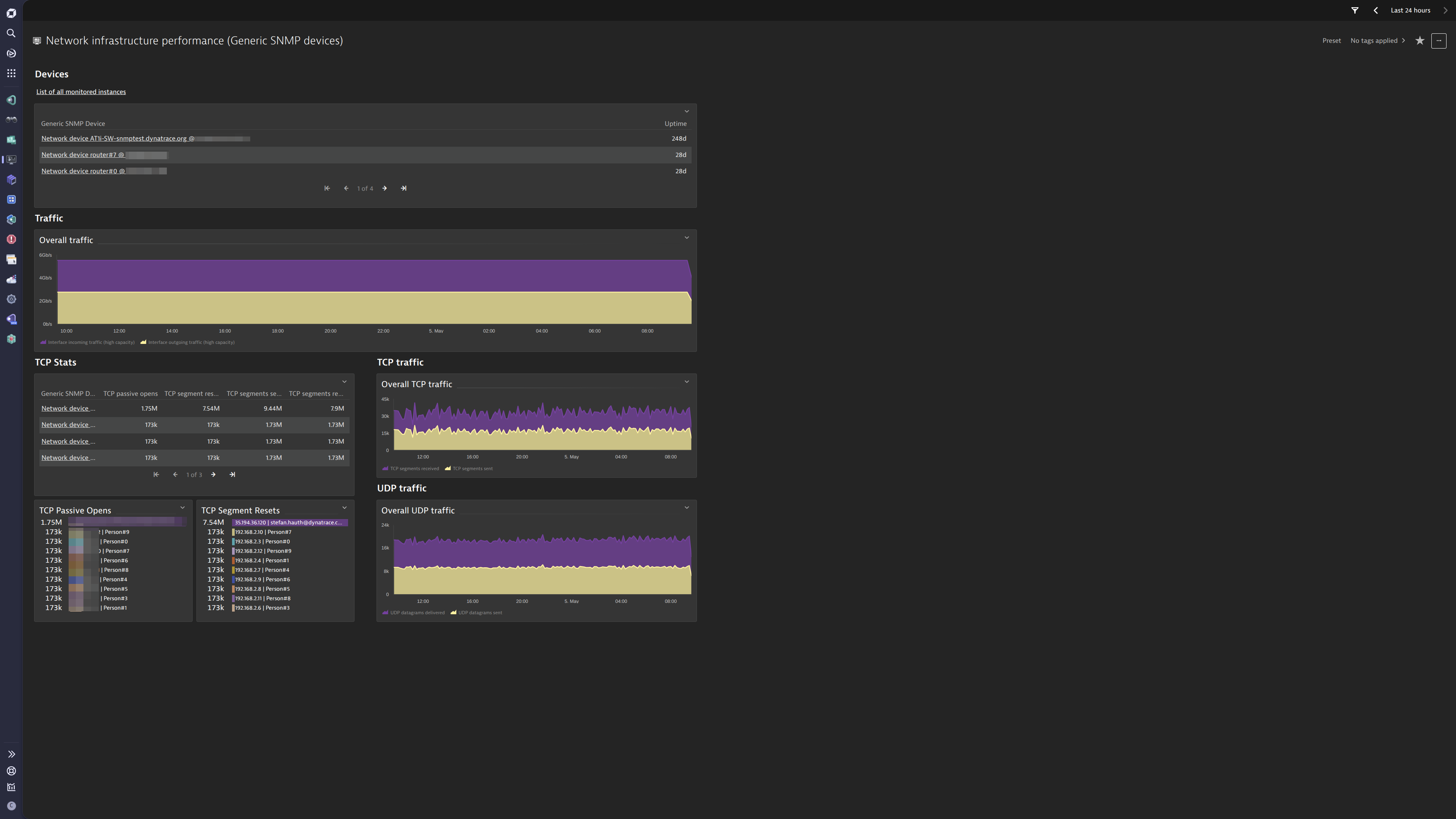
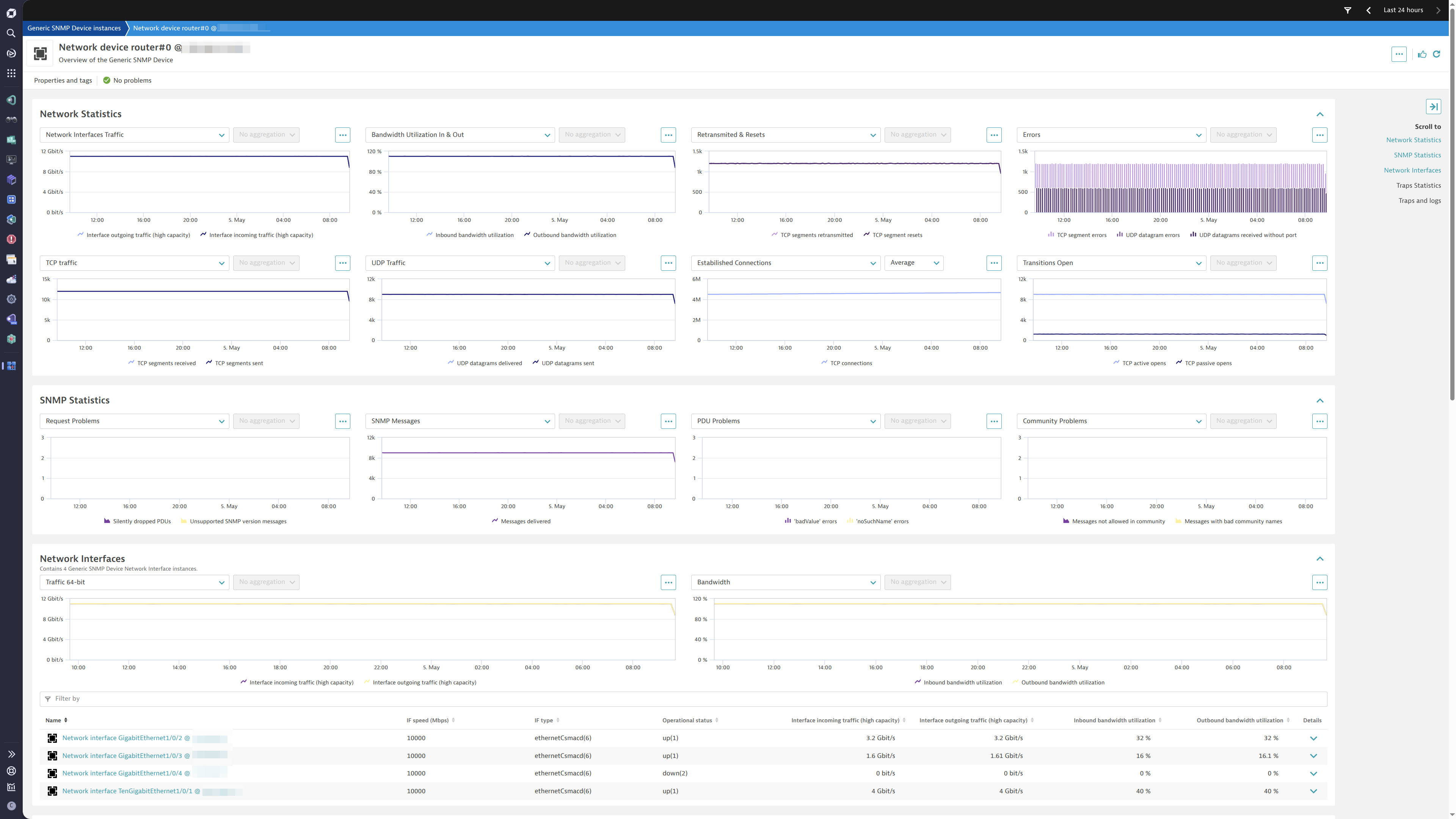
Gain insights into the performance of your network devices.
ExtensionThis extension leverages the SNMP protocol to provide a complete solution to monitor network infrastructure. The complete configuration is provided out-of-the-box.
Below is a complete list of the feature sets provided in this version. To ensure a good fit for your needs, individual feature sets can be activated and deactivated by your administrator during configuration.
| Metric name | Metric key | Description | Unit |
|---|---|---|---|
| Time since the last re-start | com.dynatrace.extension.snmp-generic-device.sys.uptime | The time (in hundredths of a second) since the network management portion of the system was last re-initialized | Unspecified |
| - | com.dynatrace.extension.network_device.sysuptime | - | - |
| - | com.dynatrace.extension.network_device.if.bytes_in.count | - | - |
| - | com.dynatrace.extension.network_device.if.bytes_out.count | - | - |
| - | com.dynatrace.extension.network_device.if.status | - | - |
| - | com.dynatrace.extension.network_device.if.in.errors.count | - | - |
| - | com.dynatrace.extension.network_device.if.in.discards.count | - | - |
| - | com.dynatrace.extension.network_device.if.out.errors.count | - | - |
| - | com.dynatrace.extension.network_device.if.out.discards.count | - | - |
| Metric name | Metric key | Description | Unit |
|---|---|---|---|
| Octets received | com.dynatrace.extension.snmp-generic-device.if.in.octets.count | The total number of octets received on the interface including framing characters | Count |
| Octets transmitted | com.dynatrace.extension.snmp-generic-device.if.out.octets.count | The total number of octets transmitted out of the interface including framing characters | Count |
| Metric name | Metric key | Description | Unit |
|---|---|---|---|
| Messages delivered | com.dynatrace.extension.snmp-generic-device.snmp.in.pkts.count | Total number of messages delivered from the transport service | Count |
| Messages passed | com.dynatrace.extension.snmp-generic-device.snmp.out.pkts.count | Total number of messages passed to the transport service | Count |
| Silently dropped PDUs | com.dynatrace.extension.snmp-generic-device.snmp.silentdrops.count | Number of silently dropped PDUs due to the large reply size | Count |
| Proxy dropped PDUs | com.dynatrace.extension.snmp-generic-device.drops.proxy.count | Number of silently dropped PDUs due to the other than a time-out | Count |
| Unsupported SNMP version messages | com.dynatrace.extension.snmp-generic-device.in.bad.versions.count | Total number of messages delivered with an unsupported SNMP version | Count |
| Messages with bad community names | com.dynatrace.extension.snmp-generic-device.in.bad.community.names.count | Number of messages with an unknown SNMP community | Count |
| Messages not allowed in community | com.dynatrace.extension.snmp-generic-device.in.bad.community.uses.count | Number of messages not allowed for the used SNMP community | Count |
| 'noSuchName' errors | com.dynatrace.extension.snmp-generic-device.in.nosuchnames.count | Number of PDUs delivered PDUs with 'noSuchName' error | Count |
| 'badValue' errors | com.dynatrace.extension.snmp-generic-device.in.bad.values.count | Number of PDUs delivered with 'badValue' error | Count |
| Traps processed | com.dynatrace.extension.snmp-generic-device.snmp.in.traps.count | Total number of SNMP Trap PDUs accepted and processed | Count |
| Traps generated | com.dynatrace.extension.snmp-generic-device.snmp.out.traps.count | Total number of SNMP Trap PDUs generated | Count |
| Metric name | Metric key | Description | Unit |
|---|---|---|---|
| - | com.dynatrace.extension.network_device.if.in.multicast_pkts.count | - | - |
| - | com.dynatrace.extension.network_device.if.out.multicast_pkts.count | - | - |
| - | com.dynatrace.extension.network_device.if.in.broadcast_pkts.count | - | - |
| - | com.dynatrace.extension.network_device.if.out.broadcast_pkts.count | - | - |
| - | com.dynatrace.extension.network_device.if.in.ucast_pkts.count | - | - |
| - | com.dynatrace.extension.network_device.if.out.ucast_pkts.count | - | - |
| - | com.dynatrace.extension.network_device.if.lastchange | - | - |
| Metric name | Metric key | Description | Unit |
|---|---|---|---|
| TCP active opens | com.dynatrace.extension.snmp-generic-device.tcp.activeopens.count | Number of transitions of TCP connections from CLOSED to SYN-SENT | Count |
| TCP passive opens | com.dynatrace.extension.snmp-generic-device.tcp.passiveopens.count | Number of transitions of TCP connections from CLOSED to SYN-RCVD | Count |
| TCP failed attempts | com.dynatrace.extension.snmp-generic-device.tcp.attemptfails.count | Number of transitions of TCP connections from SYN-SENT/SYN-RCVD to CLOSED and from SYN-RCVD to LISTEN | Count |
| TCP resets | com.dynatrace.extension.snmp-generic-device.tcp.estab.resets.count | Number of transitions of TCP connections from ESTABLISHED/CLOSE-WAIT to CLOSED | Count |
| TCP connections | com.dynatrace.extension.snmp-generic-device.tcp.curr.estab | Number of TCP connections in the ESTABLISHED/CLOSE-WAIT state | Count |
| TCP segments received | com.dynatrace.extension.snmp-generic-device.tcp.hc.in.segs.count | Total number of segments received (including errors) | Count |
| TCP segments sent | com.dynatrace.extension.snmp-generic-device.tcp.hc.out.segs.count | Total number of segments sent (excluding retransmissions) | Count |
| TCP segments retransmitted | com.dynatrace.extension.snmp-generic-device.tcp.retrans.segs.count | Total number of segments retransmitted | Count |
| TCP segment errors | com.dynatrace.extension.snmp-generic-device.tcp.in.errs.count | Total number of segments received in error | Count |
| TCP segment resets | com.dynatrace.extension.snmp-generic-device.tcp.out.rsts.count | Number of TCP segments sent containing the RST flag | Count |
| UDP datagrams received | com.dynatrace.extension.snmp-generic-device.udp.hc.in.datagrams.count | Total number of UDP datagrams received | Count |
| UDP datagrams received without port | com.dynatrace.extension.snmp-generic-device.udp.noports.count | Number of received UDP datagrams (no application at the destination port) | Count |
| UDP datagram errors | com.dynatrace.extension.snmp-generic-device.udp.in.errors.count | Number of received and not delivered UDP datagrams (other than no application at the destination port) | Count |
| UDP datagrams sent | com.dynatrace.extension.snmp-generic-device.udp.hc.out.datagrams.count | Total number of UDP datagrams sent | Count |
| Metric name | Metric key | Description | Unit |
|---|---|---|---|
| Last interface status change | com.dynatrace.extension.snmp-generic-device.if.lastchange | Value of 'sysUpTime' when the interface entered its current state | Count |
| Interface speed | com.dynatrace.extension.snmp-generic-device.if.highspeed | Speed of the network interface in MegaBits per second. | MegaBitPerSecond |
| Inbound errors | com.dynatrace.extension.snmp-generic-device.if.in.errors.count | Number of inbound packets/transmission units with errors | Count |
| Inbound discards | com.dynatrace.extension.snmp-generic-device.if.in.discards.count | Number of inbound packets discarded | Count |
| Outbound errors | com.dynatrace.extension.snmp-generic-device.if.out.errors.count | Number of outbound packets/transmission units with errors | Count |
| Outbound discards | com.dynatrace.extension.snmp-generic-device.if.out.discards.count | Number of outbound packets discarded | Count |
| Metric name | Metric key | Description | Unit |
|---|---|---|---|
| Octets received (high capacity) | com.dynatrace.extension.snmp-generic-device.if.hc.in.octets.count | The total number of octets received on the interface including framing characters. This metric uses 64 bit counter and should be used for highspeed devices. | Count |
| Octets transmitted (high capacity) | com.dynatrace.extension.snmp-generic-device.if.hc.out.octets.count | The total number of octets transmitted out of the interface including framing characters. This metric uses 64 bit counter and should be used for highspeed devices. | Count |
Advanced interfaces feature set:
com.dynatrace.extension.network_device.if.in.multicast_pkts.countcom.dynatrace.extension.network_device.if.out.multicast_pkts.countcom.dynatrace.extension.network_device.if.in.broadcast_pkts.countcom.dynatrace.extension.network_device.if.out.broadcast_pkts.countcom.dynatrace.extension.network_device.if.in.ucast_pkts.countcom.dynatrace.extension.network_device.if.out.ucast_pkts.count🐛 Bug fixes:
Advanced interfaces feature set:
com.dynatrace.extension.network_device.if.lastchangenetwork:interface entities which would be disconnected from the rest of the topologyMetrics in "default" feature set will always be enabled and cannot be disabled. These metrics are mandatory. Take extra caution configuring devices and interfaces for which you are collecting data. Make use of Interface filters to limit the number of interfaces, otherwise, all interfaces on the device will be collected by default.
In case you do not wish to collect interfaces on your device, enter $eq(!) in the "Interface Name" filter field on the Feature Sets screen during configuration.
Device screen - added filtering for list of network interfaces.
Interval for sending the data is changed from 5 minutes to 1 minute.
Dashboard improvements - tile with errors contains a links to device screens.
No release notes