


Enterprise automation rarely fails because teams lack ideas. It fails because scaling automation safely is challenging, and conventional workflows often remain static after they ship, while systems and conditions continue to evolve.
The new update to Dynatrace Workflows helps teams accelerate their innovation loop and run automation like production software. Five improvements make it easier to iterate and operate at scale: workflow drafts, sub-workflows, approval requests, persistent execution data, and real-time notifications. Together, they support safer change, reusable standards, built-in governance, and data-driven refinement.
The innovation loop in enterprise automation
The innovation loop is a repeatable cycle for quickly and safely improving enterprise automation that treats workflows as living systems that evolve with your environment, self-improving as systems, teams, and requirements change, rather than remaining static:
- Teams start by designing or updating a workflow and validating it safely before it goes live.
- Next, they standardize the parts that work into reusable building blocks so future workflows are faster to create and more consistent.
- Then they add governance where it matters, such as approval checkpoints for high-impact actions, so speed does not bypass policy.
- After execution, they observe what actually happened using execution records and signals, including errors, latency, and outcomes, to understand reliability and impact.
- Finally, they refine the workflow based on those findings by tuning logic, tightening controls, improving reuse, and adjusting notifications.
The result is a compounding impact: faster delivery over time, fewer incidents at scale, automation that integrates changing circumstances, and greater organizational trust, as transparency, auditability, and tight feedback loops back improvements.
How Dynatrace Workflows accelerates the innovation loop
Dynatrace Workflows helps you accelerate your innovation loop with powerful new features designed for adaptability, collaboration, transparency, and control. Each feature is designed to empower teams to safely iterate on automation in dynamic enterprise environments.
Faster iteration with safer testing and experimentation with workflow drafts
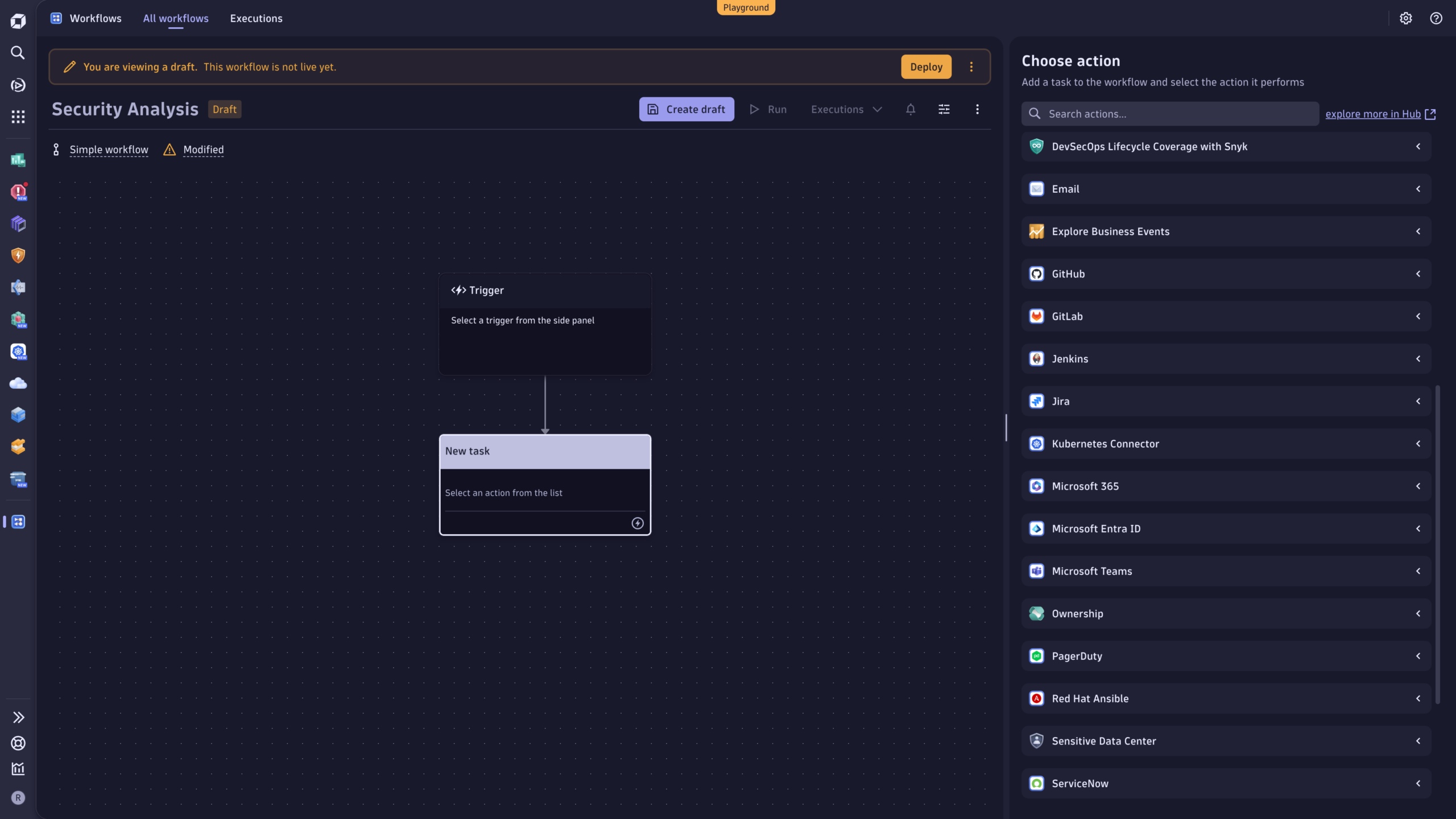
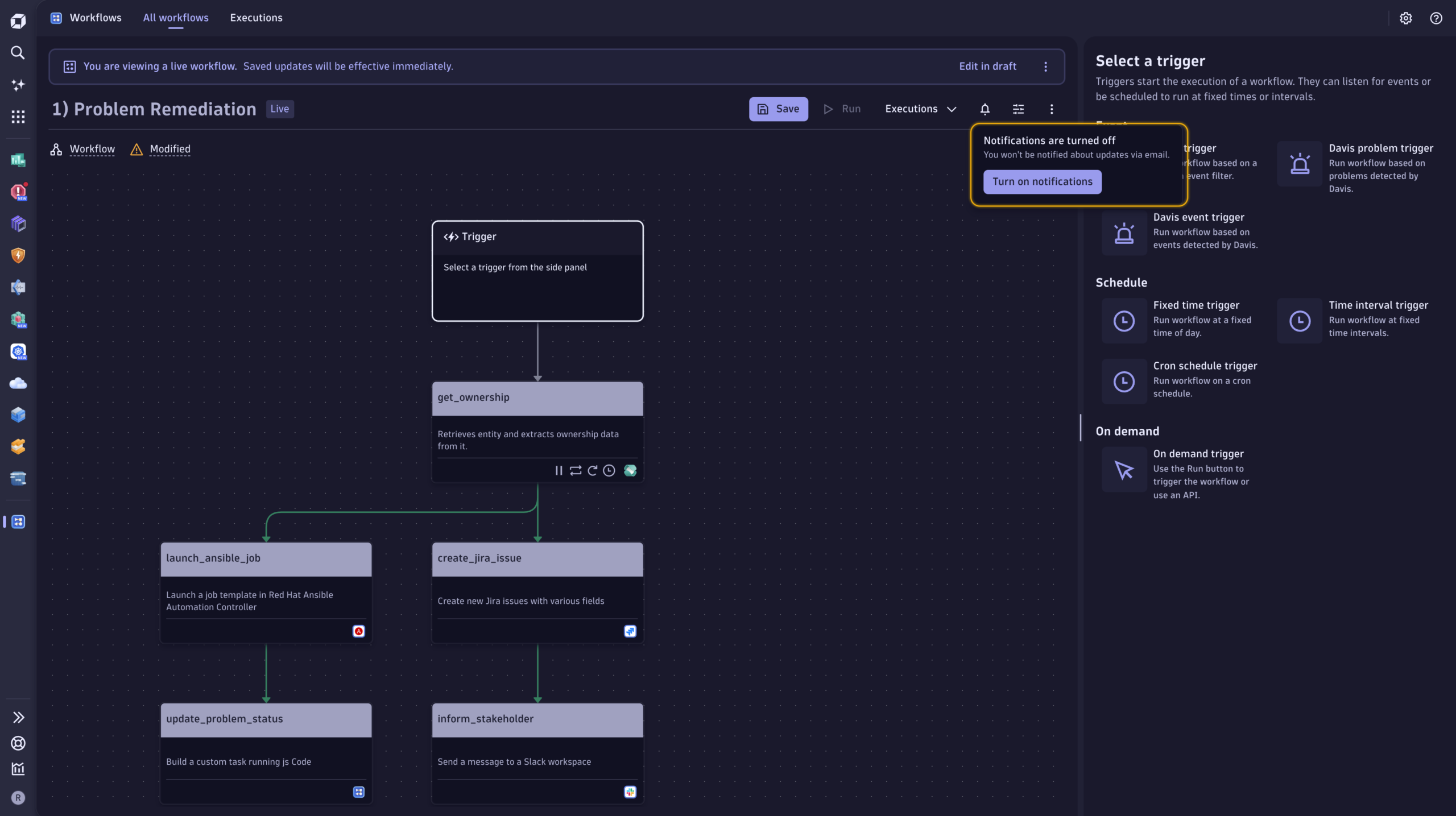
The new workflow drafts feature allows teams to create, edit, and refine workflows in a draft state, allowing them to validate logic and configuration without triggering live automation. Workflows that remain in draft mode don’t consume workflow hours.
Workflow drafts support the first step of the innovation loop: iterate safely. Teams can make changes, review them with peers, and confirm the workflow is ready before anything runs in production.
Key benefits
- Reduce risk by testing configuration changes without production impact.
- Allow faster iteration and cleaner change management.
- Improve collaboration during the design and review stages.
- Control costs with included workflow-hour consumption for draft-only workflows.
Standardize reusable blocks for reliability and speed with sub-workflows
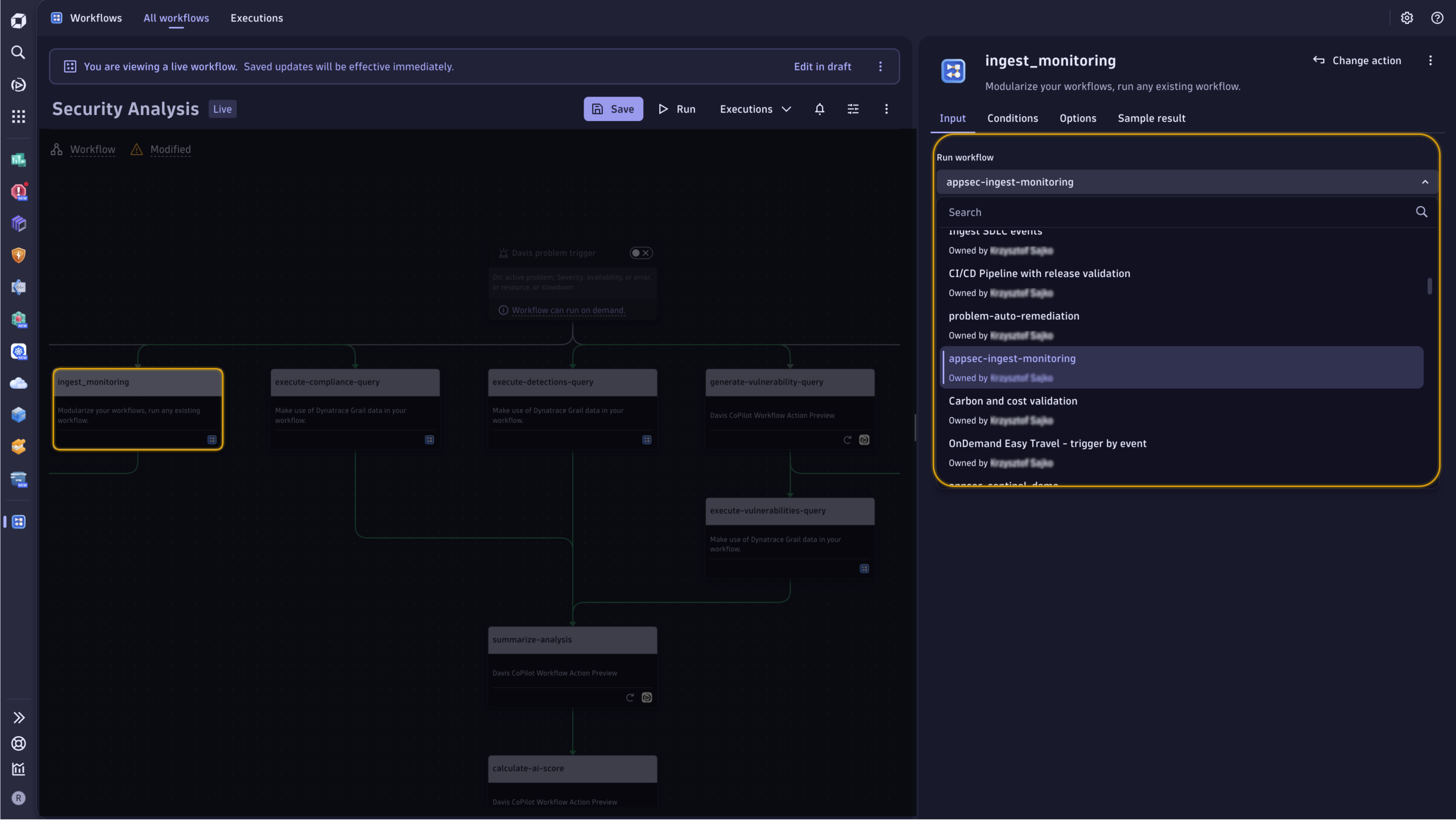
Sub-workflows allow a workflow to be executed as a task inside another workflow, so teams can package repeated logic into reusable sub-workflows and compose larger automations from consistent building blocks.
This supports the “standardize” step of the innovation loop. When teams standardize and reuse proven components, automation becomes more consistent, easier to maintain, and quicker to expand across teams and environments.
Key benefits
- Enhance reliability and consistency by reusing proven workflow components.
- Speed up delivery by composing workflows from standard blocks.
- Simplify maintenance by updating shared logic in a single location.
- Keep complex automations understandable by breaking them down into smaller, manageable units.
Example use cases
- Notification workflows: Automatically send notifications based on incident severity or timing.
- Data processing workflows: Run filter/transform/store stages as distinct sub-workflows, processing large datasets in stages.
- Incident response workflows: Automate repetitive tasks as reusable steps, such as creating tickets, logging incidents, notifying stakeholders, and triggering remediation steps.
Supervised human-in-the-loop control where it matters with approval requests
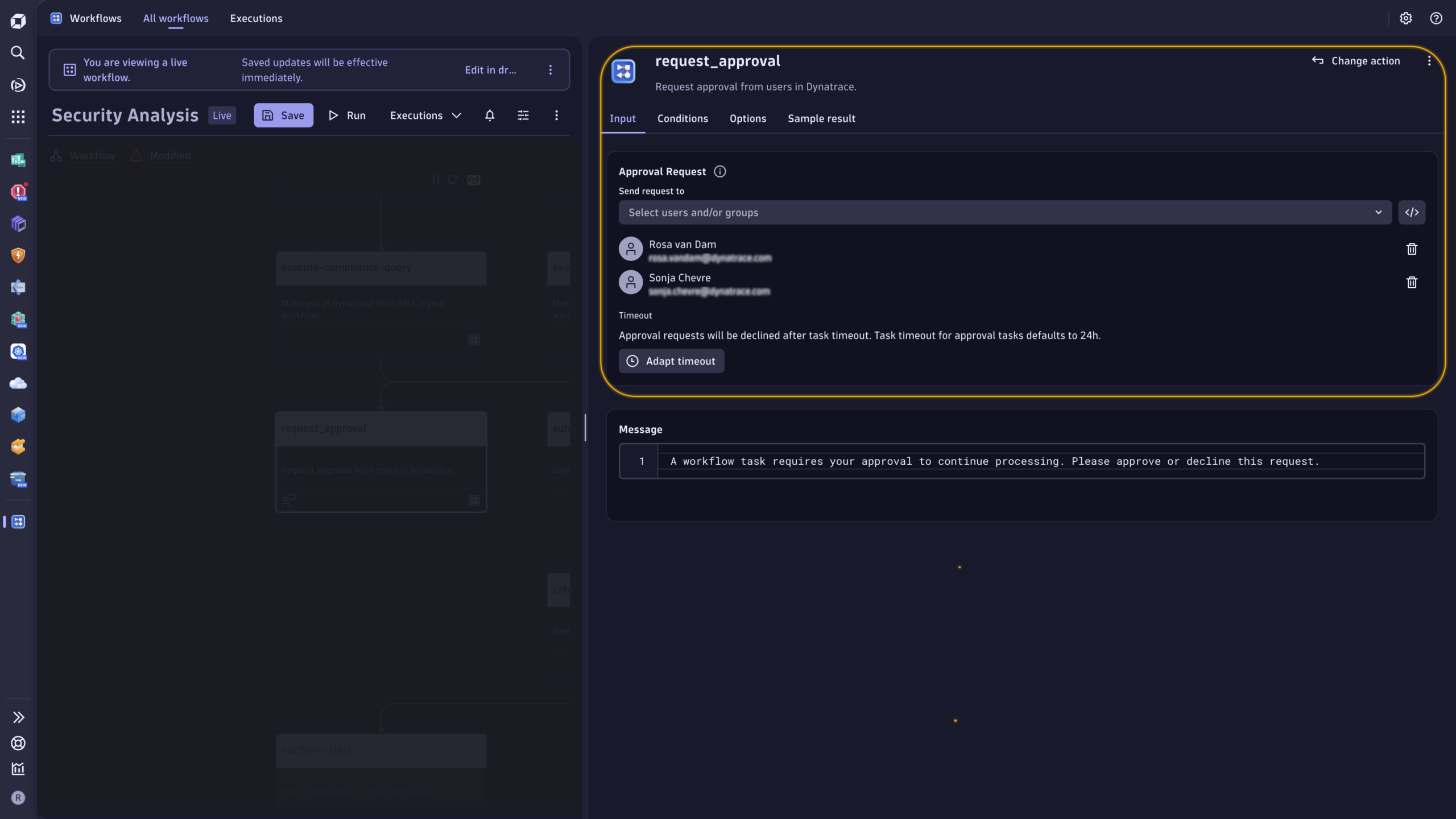
With Dynatrace Workflows, you can now insert an approval request into a workflow and pause execution until a human reviews and approves the next step.
This feature supports the “governance” step in the innovation loop. Approvals turn your workflows into supervised autonomous operations. This allows the automation of more processes while ensuring strict compliance with enterprise requirements for governance, risk management, and accountability, particularly for high-impact actions.
Key benefits
- Add explicit human control at high-risk decision points.
- Reduce errors in sensitive operations (changes, remediations, escalations).
- Ensure compliance with organizational standards.
- Increase trust in automation across security, ops, and platform teams.
- Minimize operational risks.
End-to-end visibility with an audit trail and persistent execution data
Dynatrace Workflows now persists workflow execution data in DQL. All workflow activities are recorded as system events in the dt.system.events table, creating a queryable execution record for tasks, states, and outcomes as a comprehensive audit trail.
Persisting execution data supports the “observe” step of the innovation loop. When workflow execution is captured as data, teams can troubleshoot failures, provide transparency, prove what happened, and improve automation based on evidence rather than anecdotes.
Key benefits
- Provide an audit trail for enterprise traceability and review.
- Monitor workflow health and reliability through execution outcomes.
- Speed up troubleshooting by pinpointing where failures occur.
- Optimize automation using DQL-driven actionable insights (error rates, trends, hotspots, and more)
Example: Workflow health overview
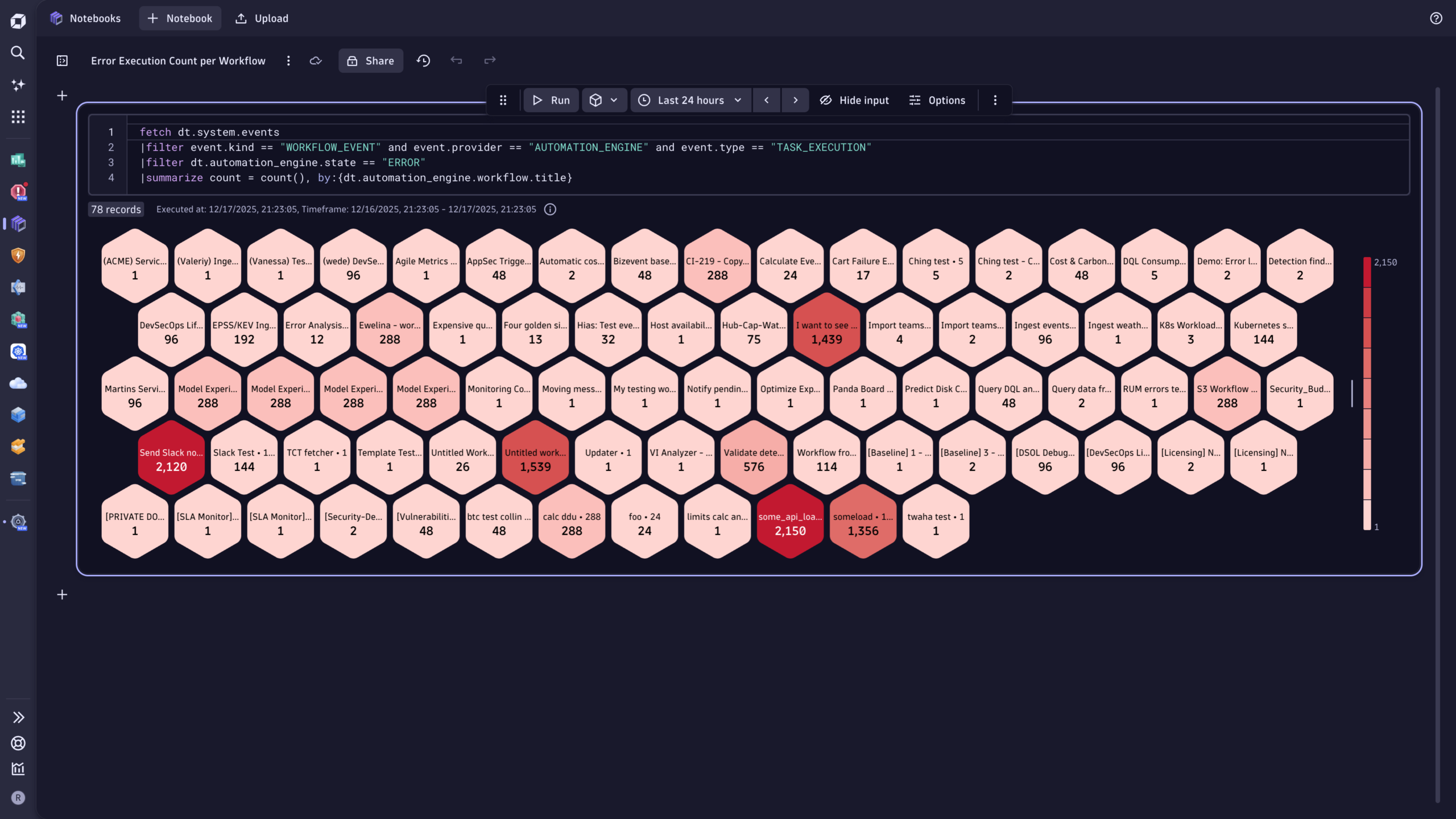
This example demonstrates how to use execution data to support users in identifying those workflows that need improvement.
The following DQL query…
fetch dt.system.events
| filter event.kind == "WORKFLOW_EVENT" and event.provider == "AUTOMATION_ENGINE" and event.type =="TASK_EXECUTION"
| filter dt.automation_engine.state == "ERROR"
| summarize count = count() , by:{dt.automation_engine.workflow.title}
…counts task execution errors per workflow. Using a honeycomb visualization, it displays error distribution by workflow and provides visibility into those workflows that fail too often.
Instant alerts for failures and workflow changes with real-time notifications
Easily set up and customize real-time notifications by email for all workflow errors or changes made by others, ensuring you’re always informed.
These real-time notifications support the “respond and refine” step of the innovation loop. Proactive alerting allows you to manage workflows effectively, minimize disruptions, and maintain seamless operations.
Key benefits
- Get immediate visibility into failures to address potential issues before they escalate.
- Detect workflow changes early to reduce drift and surprises.
- Improve operational coordination across teams that share workflows
- Ensure uninterrupted operations with timely, actionable alerts.
Empower your team: Build smarter, safer, and scalable workflows today
Scaling automation today is hard, changes are risky to test, automation becomes outdated and buggy as soon as one part of the organization makes changes, and when something inevitably breaks, you’re left hunting for answers across scattered logs and screenshots. But it doesn’t need to be like this.
Are you ready to make things easier, run your workflows like production software, and accelerate your innovation loop? Here’s how you get started:
- Explore our documentation to learn more about these features.
- Join the Dynatrace Community to connect with other users and share your insights in the Workflow and AutomationEngine feedback channel.

Looking for answers?
Start a new discussion or ask for help in our Q&A forum.
Go to forum