

Dynatrace integrates with SonarQube to ingest vulnerability findings, quality metrics, and audit logs, helping DevSecOps teams reduce alert noise and focus remediation efforts on what truly matters in production. Dynatrace unifies and enriches the ingested findings with runtime context, allowing teams to visualize, prioritize, and efficiently automate remediation of security issues.
DevSecOps teams often operate with fragmented tools and data, as code and dependencies are analyzed during coding and at build time, while runtime risks typically surface later in production. Without a unified, contextualized view, teams face alert fatigue and misaligned priorities, focusing on issues that might not impact customer-facing services while potentially overlooking those that do.
SonarQube provides in-depth, integrated code quality and security analysis within CI pipelines across a wide range of programming languages, which is essential for early detection of code issues and vulnerabilities. With its in-depth analysis of code issues and tight integration with development tools, SonarQube provides all the necessary information for addressing and remedying discovered issues.
Nevertheless, should dev teams fix all discovered issues? How can they determine which vulnerabilities to prioritize? Additional context is required to prioritize remediation efforts intelligently and efficiently.
Dynatrace puts your security and quality findings into context
Dynatrace provides deep insights into application runtime, offering a detailed view of application performance and the runtime impact of potential issues.
The Dynatrace integration with SonarQube Cloud and SonarQube Server unifies and contextualizes security and quality findings across the SDLC. Ingested findings can be uniformly prioritized across tools and environments. Remediation efforts are automatically orchestrated to notify relevant stakeholders and trigger remediation processes. Additionally, during processing, findings can be mapped to monitored runtime entities to evaluate their impact on production environments.
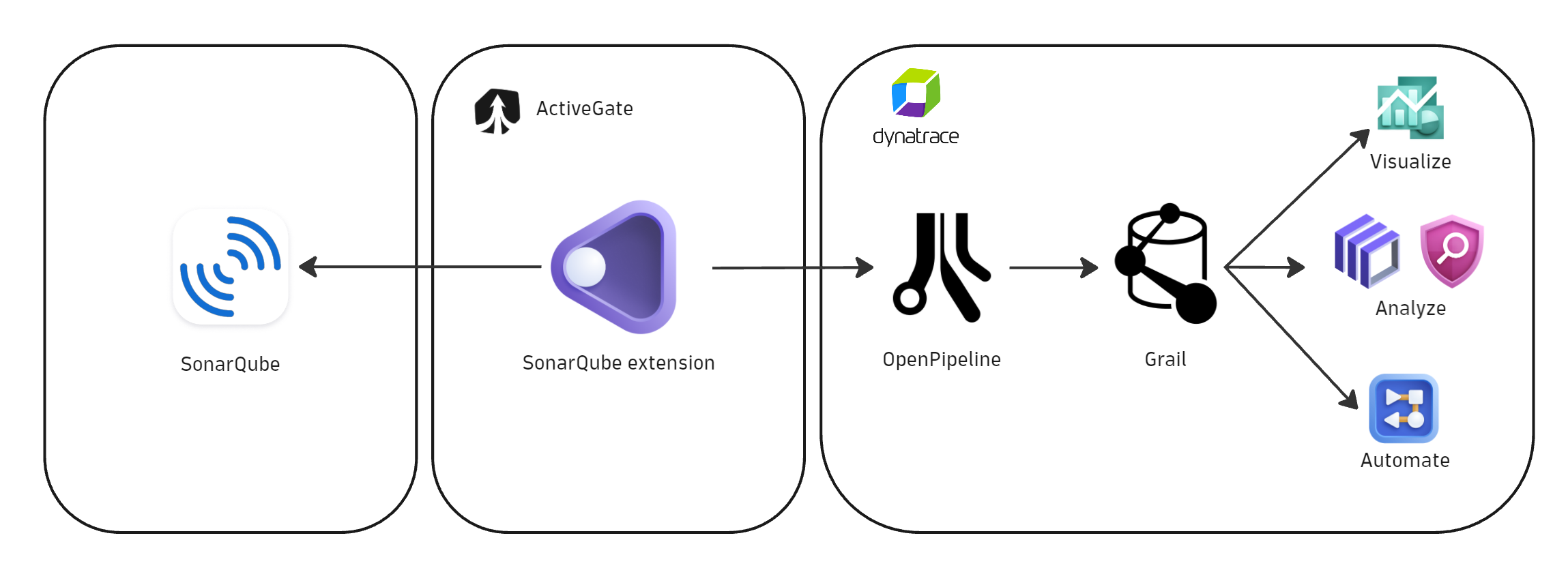
Dynatrace delivers SonarQube integration as an extension that allows granular control over the data flow between SonarQube and the Dynatrace® platform.
SonarQube security and quality findings, alongside the audit logs, are ingested via OpenPipeline®, transformed into a unified Dynatrace semantic dictionary data format, and stored in Dynatrace Grail®. From there, teams can leverage Dynatrace-native applications, such as Dashboards, Notebooks, Site Reliability Guardian, Workflows, and Security Investigator, to visualize, process, and automate remediation of the issues with precision—reducing noise and focusing on vulnerabilities that truly impact running applications.
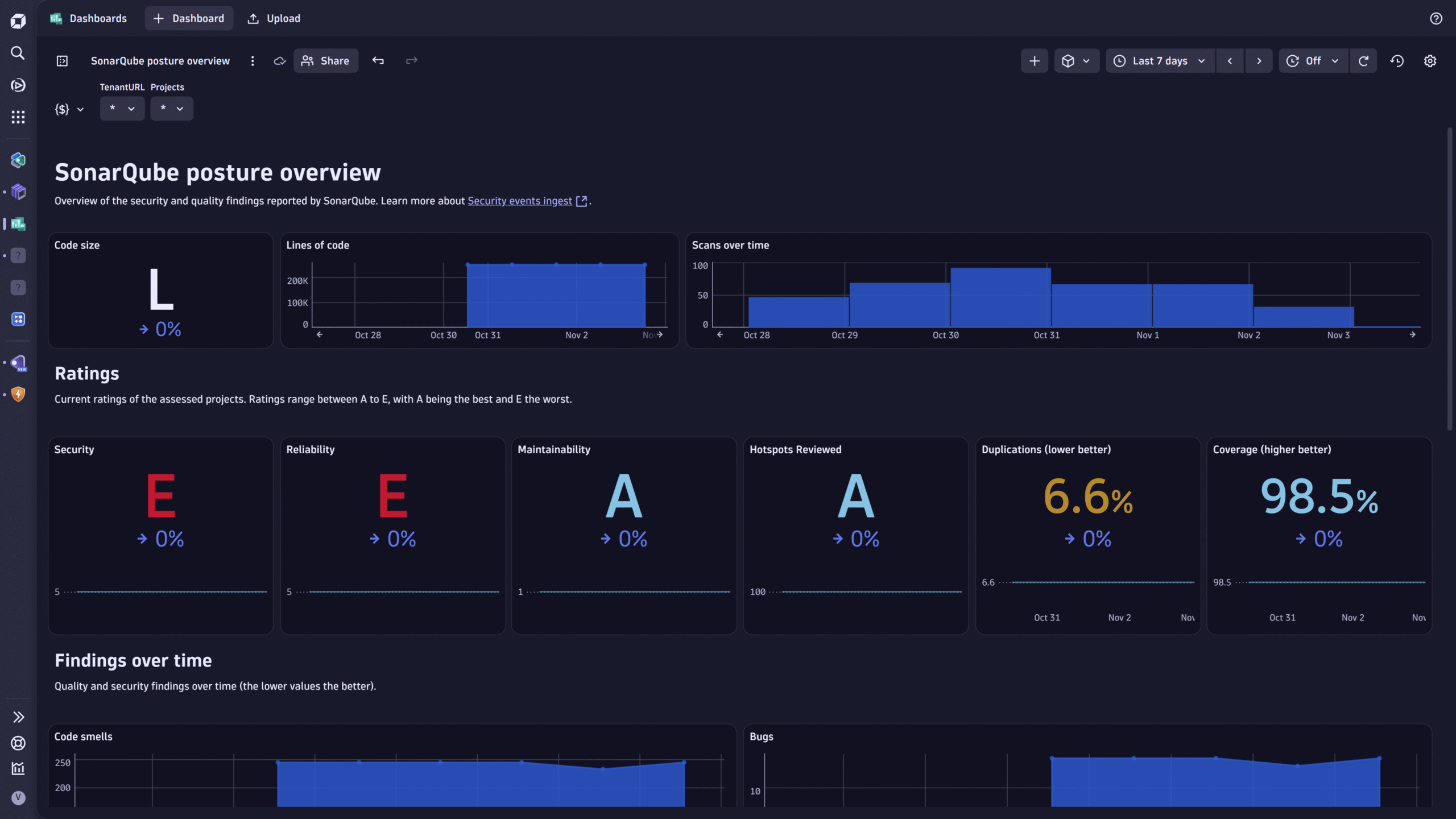
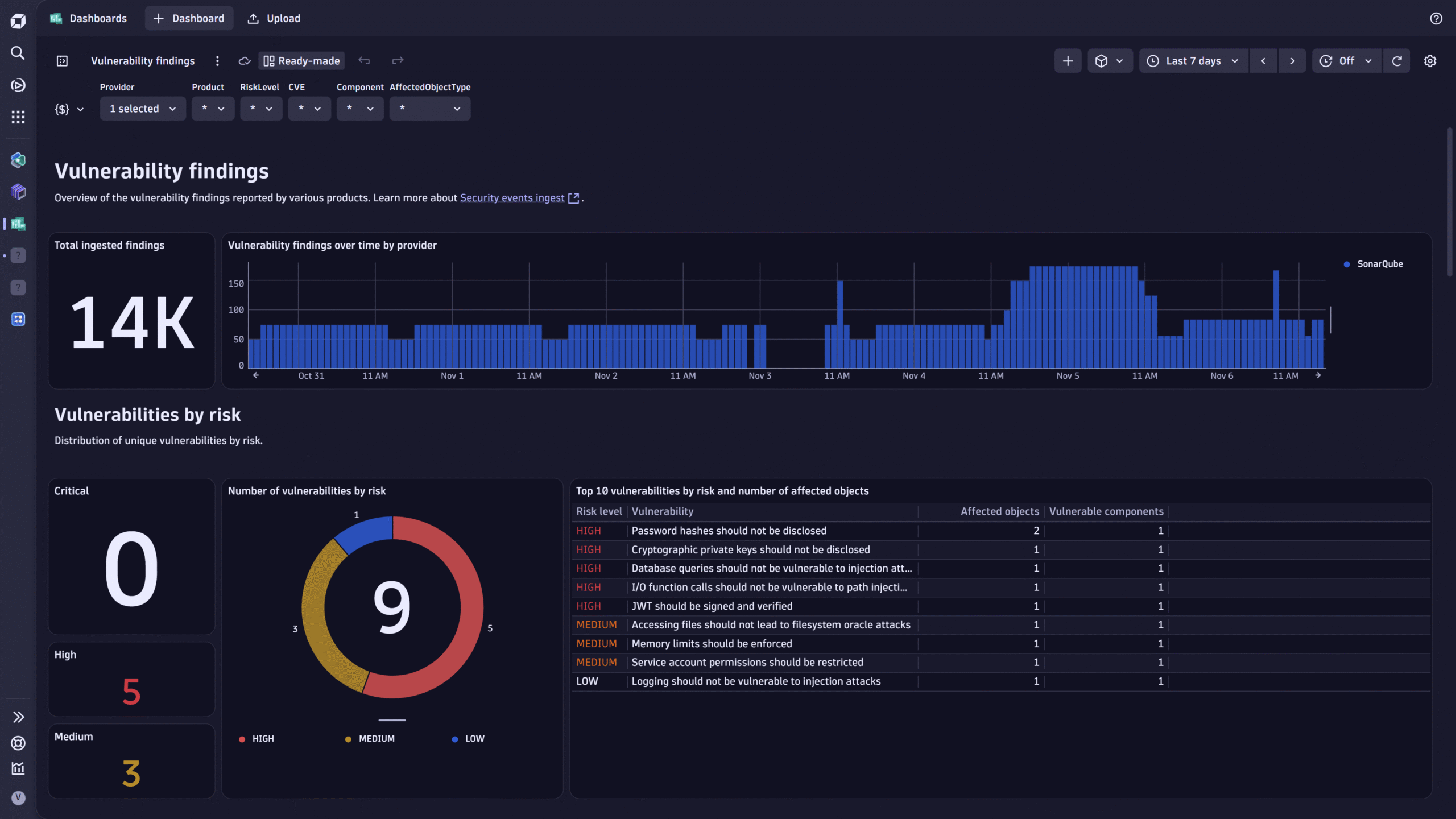
Users can use ready-made dashboards delivered with the integration to visualize and analyze the findings.
What’s next
We’ll continue to streamline the operationalization of third-party findings, such as those from SonarQube, across native Dynatrace® Apps. Our goal is to surface externally ingested findings more broadly so teams can triage and remediate them from a single platform.
Get started today
Visit our documentation for security events ingestion to explore the full range of Dynatrace platform integrations with various DevSecOps security products.
For full details on the prerequisites and steps for setting up the SonarQube integration, please refer to Ingest SonarQube security and quality events, metrics, and audit logs.



Looking for answers?
Start a new discussion or ask for help in our Q&A forum.
Go to forum