

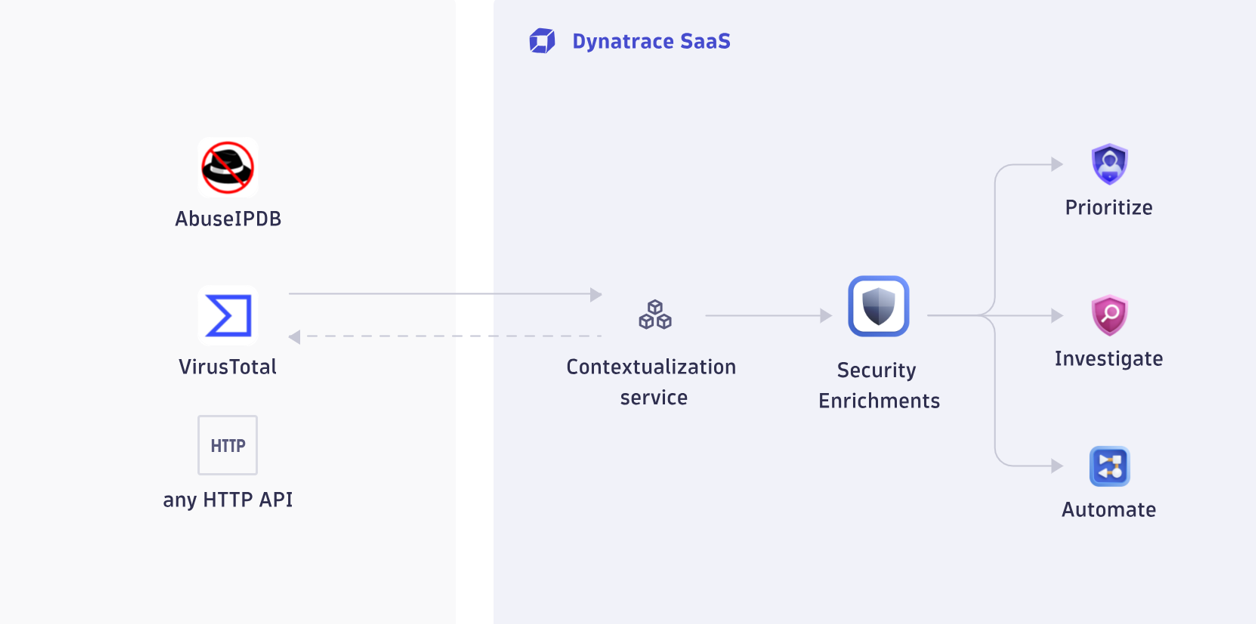
Dynatrace Security Enrichment gives security teams one place to connect commercial, open source, and proprietary threat intelligence (TI) sources and use them to enrich IP addresses across Dynatrace Investigations, Threats & Exploits, and Workflows. Instead of building and maintaining a separate connector for each TI provider, you configure an HTTP-based connection, normalize the response, and reuse that context across the platform. This can support faster triage and more consistent decisions, and reduce integration overhead, for teams that rely on both third-party feeds and internal intelligence.
Why security teams need flexible threat intelligence enrichment
How can you distinguish between yet another false positive and a real threat when the context your team needs resides in a different tool for each investigation?
Threat intelligence sources rarely live in one place. Your team might rely on commercial feeds for reputation data, open sources for additional signal, and internal services for the context that matters most to your business. An internal IP reputation database or customer-IP registry can be just as important as any external feed.
That fragmentation slows down every investigation. Analysts move between browser tabs, scripts, and disconnected tools just to answer basic questions about an IP address. Each source returns a different response pattern, which makes it harder to apply consistent triage logic across teams and workflows. The more enrichment sources you depend on, the more operational overhead you create.
At the same time, security teams are under pressure to automate triage without losing control. That means you need flexible enrichment that can keep up with new providers, internal intelligence, and changing workflows without forcing you to build a new connector every time.
One unified experience to operationalize intelligence sources
Dynatrace Security Enrichment gives you a flexible, native way to connect to any HTTP-based threat intelligence API and use its results directly in the Dynatrace Platform. This includes commercial services, open source feeds, and proprietary internal APIs.
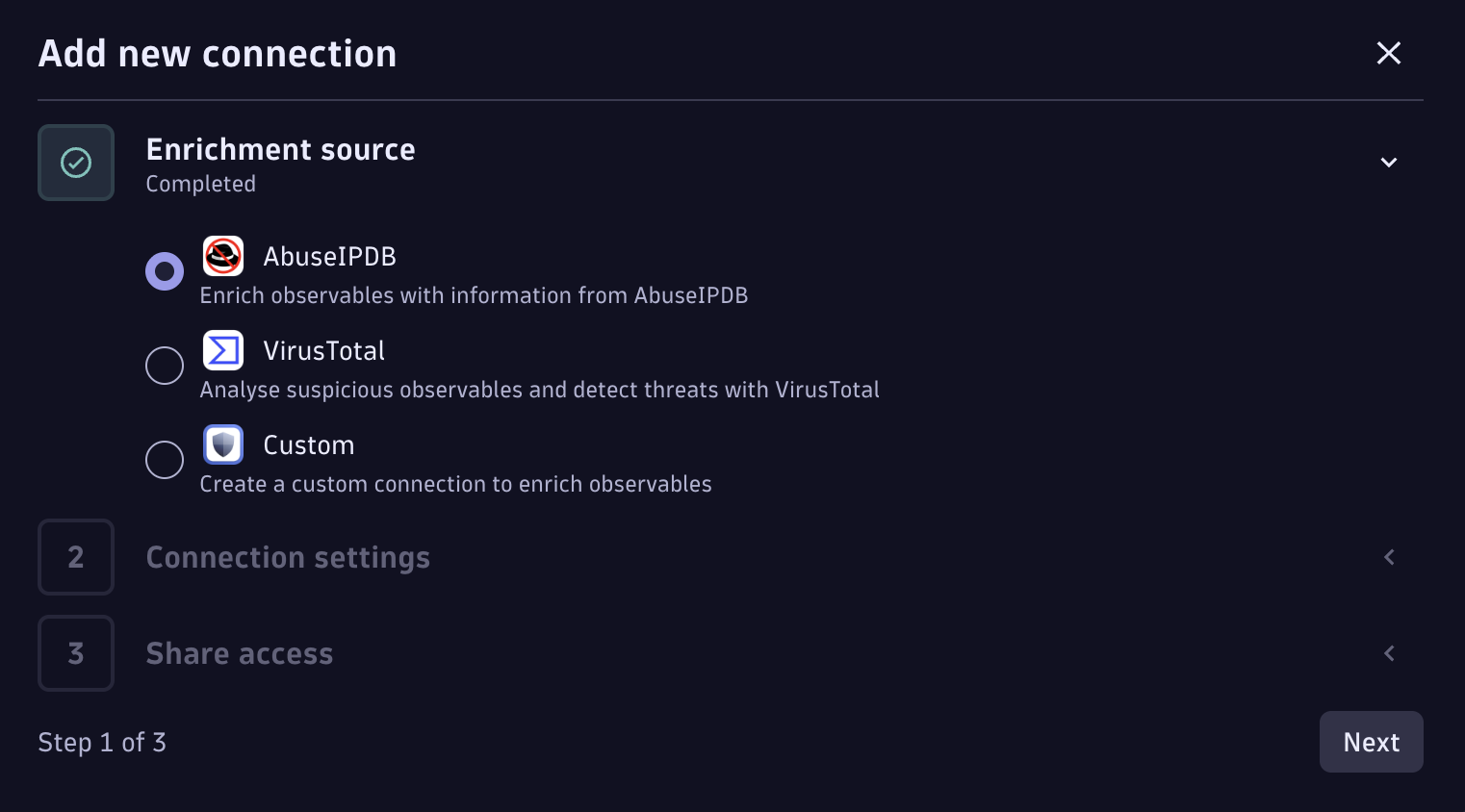
Start in minutes with vendor blueprints.
Pre-configured templates for popular providers like AbuseIPDB and VirusTotal handle the setup for you. Add your API key, and the enrichment configuration is set.
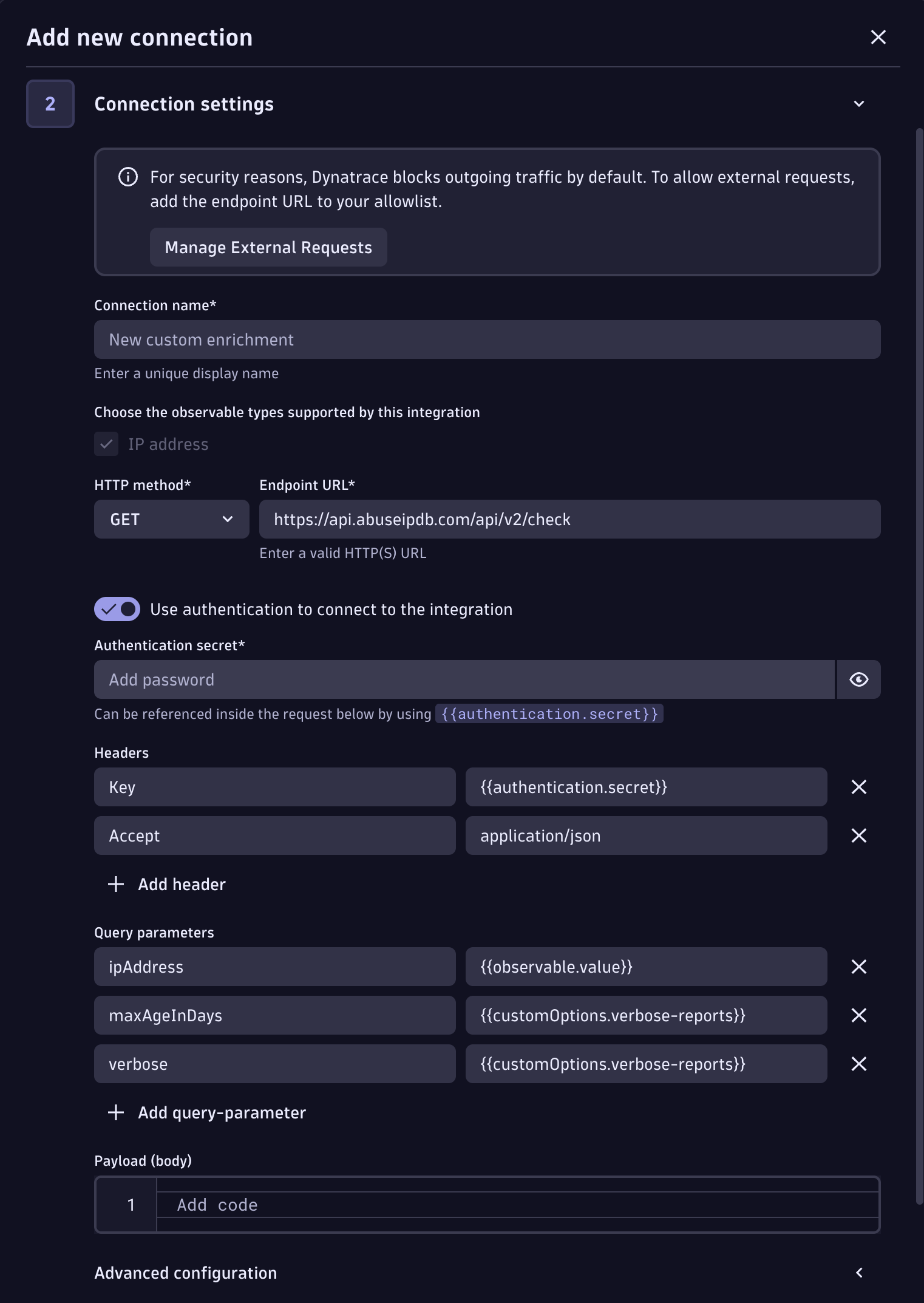
Connect any other source just as easily.
Whether it’s a niche commercial provider, an OSINT platform like MISP, or your team’s own internal reputation service — if it has an HTTP API that returns JSON, you can connect it. No coding, no custom integration development. Just point, configure, and go.
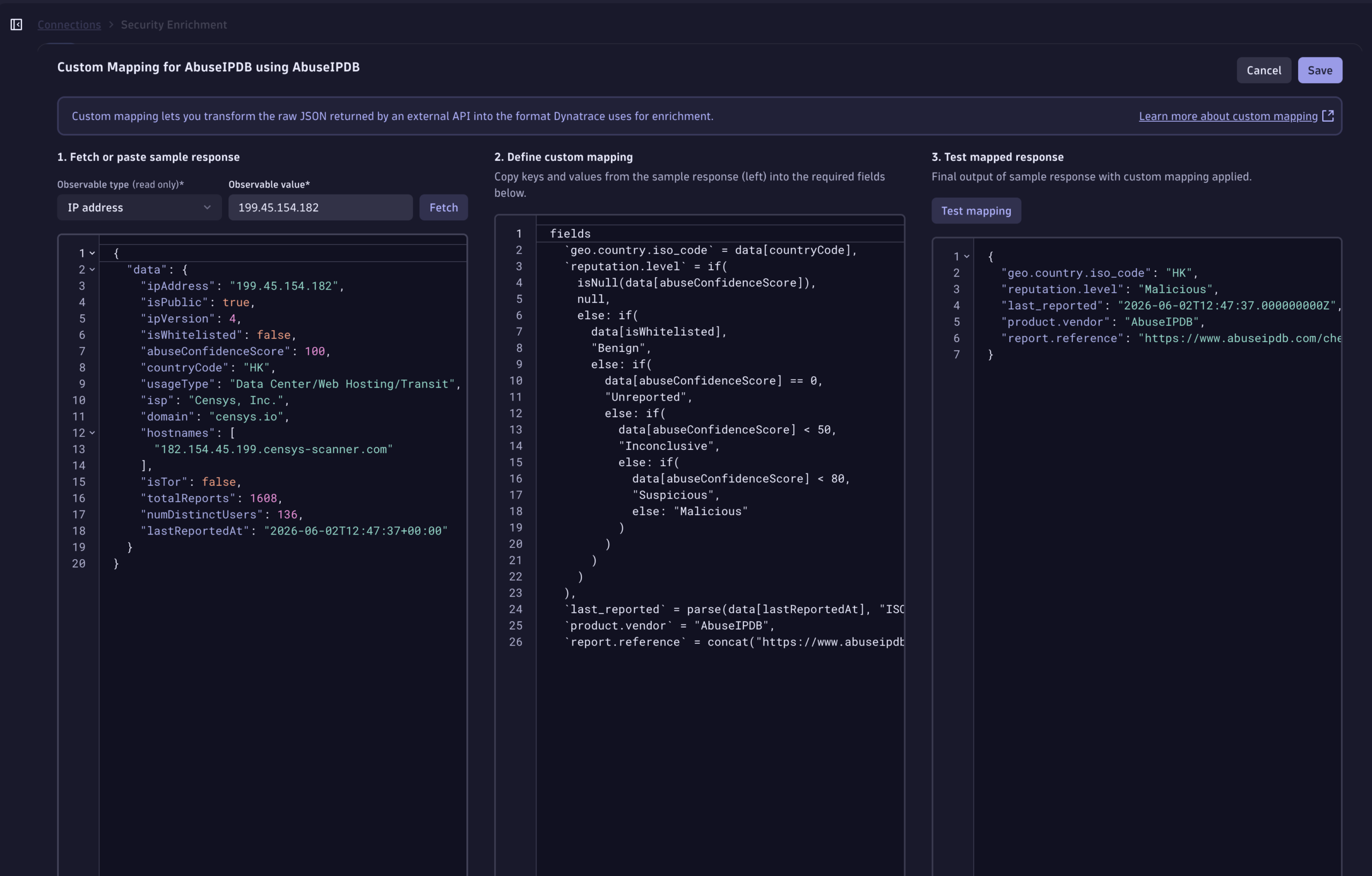
See consistent results across every source.
Each security intelligence source vendor returns different field names, different scoring models, and different response structures. Dynatrace Security Enrichment normalizes all of this — using the same query language your team already knows from Dynatrace — into a unified view with consistent reputation levels, geolocation data, recency indicators, and source references. Triage logic and automation that works for one source works for every source you add afterward.
From manual lookups to automated responses
This is where Security Enrichment changes the operational model — not just the tooling.
Consider a team that maintains its own internal IP reputation database, built from years of telemetry and asset context that no external vendor can provide. Today, when an analyst encounters a suspicious IP during an investigation, they open a separate tool, query that database manually, and paste the result back into their case notes. Multiply that by every investigation, every analyst, and every day.
With Security Enrichment, that internal system becomes a native enrichment source. The analyst selects an IP in their investigation and sees the internal reputation score right alongside commercial intelligence and geolocation — in one consistent view that persists as case evidence. No context switching, no manual lookups, no data siloed in a browser tab.
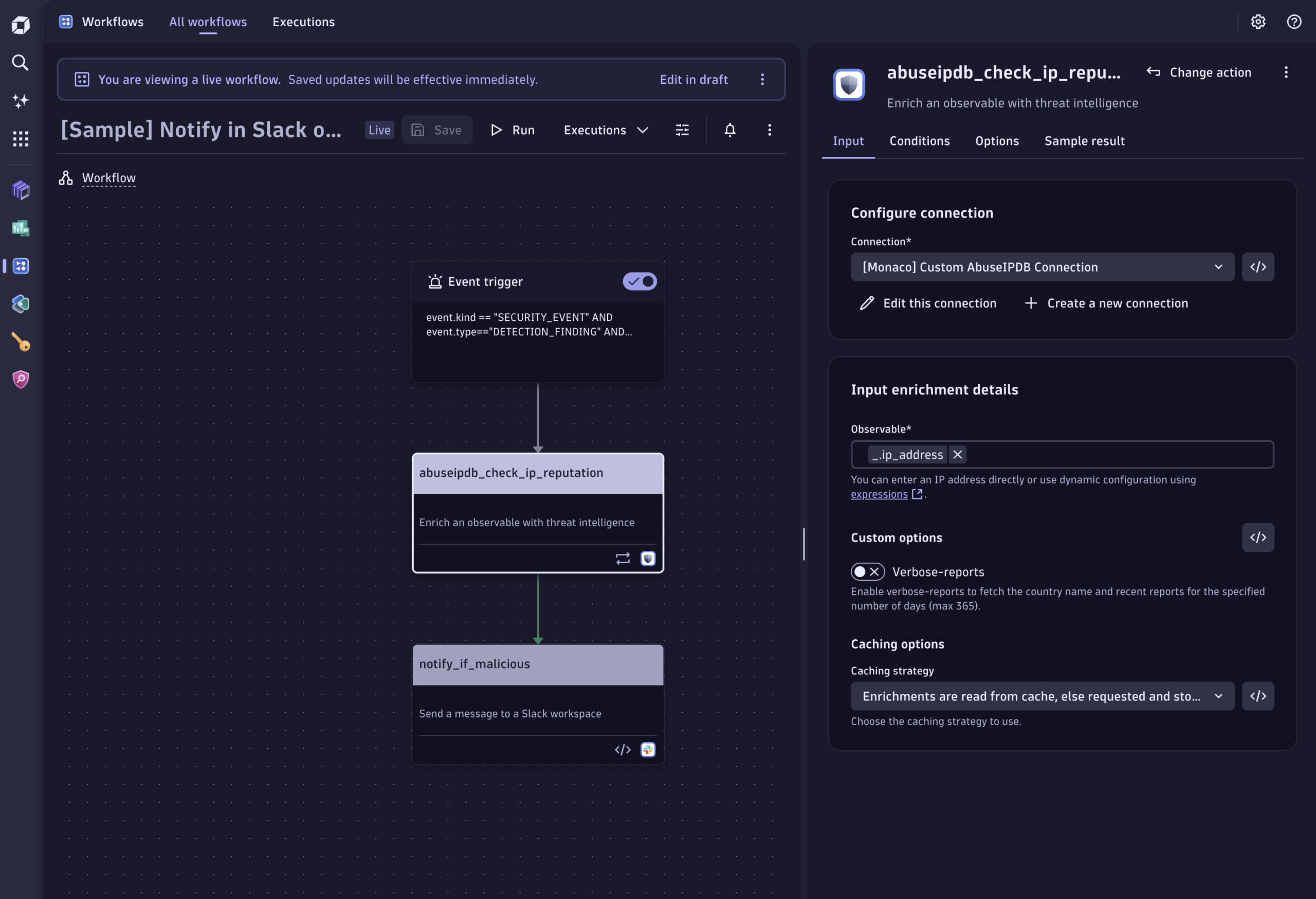
The same connection also powers automated workflows. Teams use the enrichment action in Dynatrace Workflows to build automated triage patterns like:
- Multi-source consensus. Enrich against several sources in parallel and only escalate when multiple providers agree an indicator is malicious — dramatically reducing false positives from any single feed.
- Automatic suppression of known-good traffic. Auto-resolve findings involving IPs your internal systems have classified as benign, with a full audit trail — so analysts focus on the alerts that actually need attention.
- Pre-enriched cases from the start. Automatically enrich every new investigation case the moment it opens, and page the on-call responder when a recently flagged malicious IP appears — so no one opens a case cold.
Because enrichment, detections, investigations, and automation all live on one platform, your team can run these patterns without sending alerts to a separate orchestrator, without maintaining duplicate configurations, and without the drift that comes from stitching together tools that weren’t designed to work together.
What’s next
We’re evolving Security Enrichment to cover a broader set of observables relevant to investigations. We’re also exploring ways to make integrations more adaptable based on user needs. Over time, we aim to further incorporate threat intelligence to inform investigations and support more proactive detection.
Get started
You can get started with Security Enrichment directly from the Dynatrace Hub and create your first connections in just a few clicks.
If you’re already using the standalone AbuseIPDB or VirusTotal apps, matching blueprints are available to help streamline the transition. With those standalone apps removed in June 2026, now is a good time to see what other threat intelligence you can incorporate.




Looking for answers?
Start a new discussion or ask for help in our Q&A forum.
Go to forum