



In today’s fast-paced development environments, security vulnerabilities can be a major bottleneck, slowing down releases and increasing risks. Traditional approaches to addressing vulnerabilities often involve manual triaging and prioritization, high development efforts, and downtime, which can hinder developer productivity, delay critical fixes, and risk production apps.
The value of automation and agentic AI
The Dynatrace® AI-powered observability and security platform, with its remote Model Context Protocol (MCP) server, revolutionizes this process by integrating observability context into automation and agentic AI-driven workflows. By connecting Dynatrace with GitHub Copilot coding agent, organizations can achieve prioritized and automated vulnerability remediation that not only streamlines security but also maintains system performance and developer efficiency.
Both developers and site reliability engineers (SREs) benefit from this agentic AI collaboration, bringing actionable runtime insights from Dynatrace directly into GitHub and efficiently automating vulnerability remediation.
Automated security remediation with smart runtime verification use case
GitHub Dependabot proactively alerts developers when known vulnerabilities are detected in their projects’ dependencies, helping teams stay secure and compliant. As organizations and projects scale, prioritizing and addressing the alerts becomes a challenge: deciding which vulnerabilities matter most in a given context and streamlining the path to remediation.
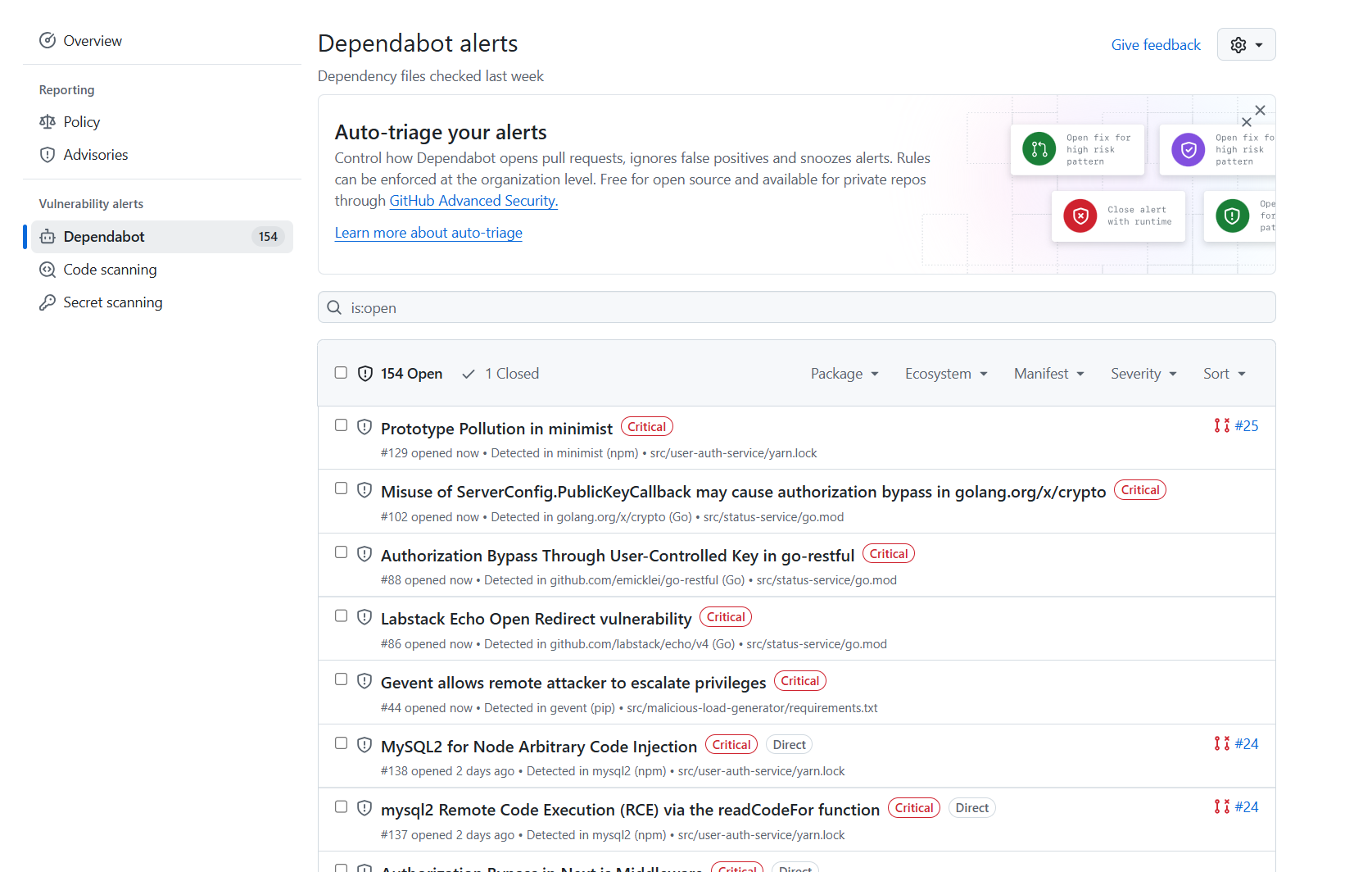
Let’s dig deeper into two different scenarios, where Dynatrace can help to improve remediation by automating developer tasks and prioritizing work based on impact.
To optimize remediation efforts and minimize release delays, it’s essential to prioritize vulnerabilities based on their actual impact on production applications.
Dynatrace providing context for automating the remediation of GitHub Dependabot alerts
In a typical environment, when streamlining vulnerability remediation, you might utilize GitHub Actions workflows to regularly poll Dependabot. Once a new alert is detected, the workflow creates a new issue and assigns it to the GitHub Copilot coding agent.
To fully understand the problem and its impact, GitHub Copilot coding agent queries Dynatrace—using the remote MCP server—to get additional runtime data. Dynatrace confirms that the vulnerable library is loaded, and that its own Runtime Vulnerability Analytics (RVA) identifies the same issue and verifies the impact by highlighting if the vulnerable function is used in live environments and if it’s exploitable.
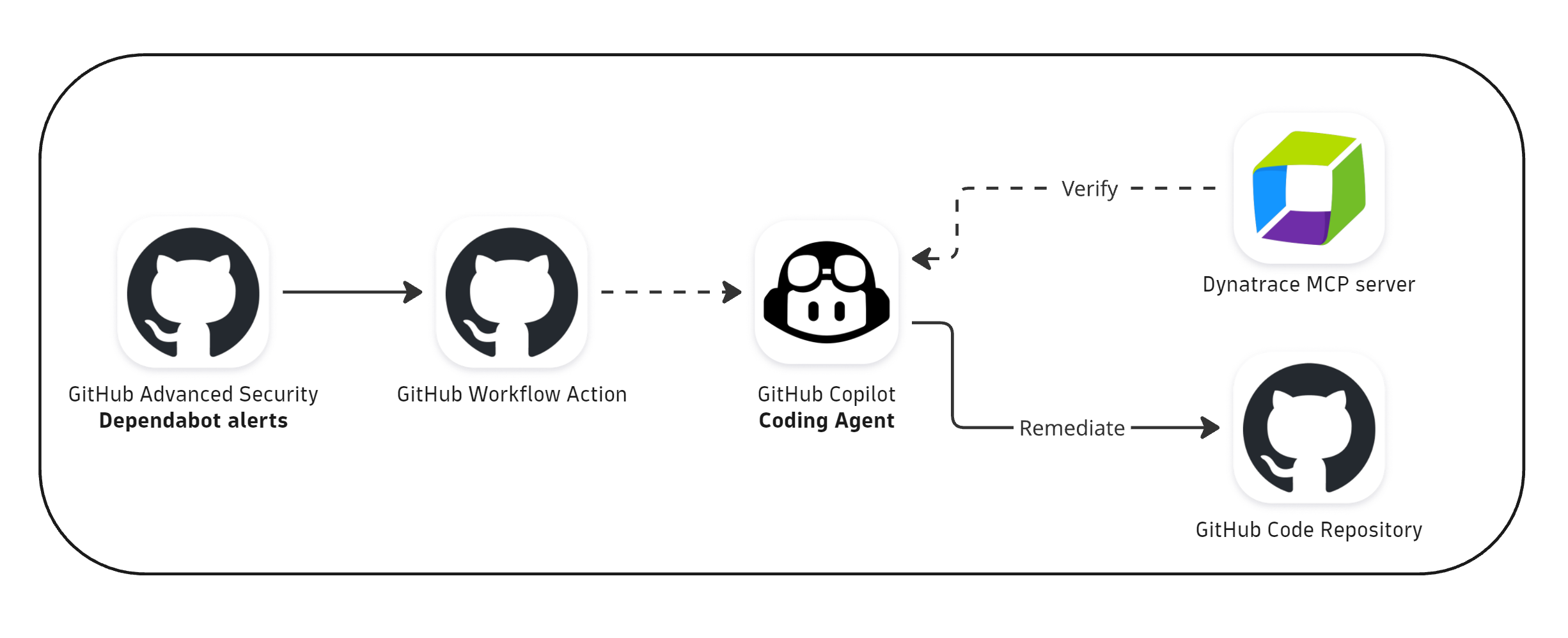
Equipped with the additional context, the coding agent generates a code-level fix. To remediate and prevent insecure code, the fix is added as a pull request to the GitHub repository, awaiting developer review to ensure human oversight.
Once the change is approved and the fix deployed, Dynatrace continuously monitors the environment, verifying the remediation and ensuring the issue is resolved without introducing new problems.
Automate and orchestrate security findings from GitHub Dependabot with Dynatrace Workflows
Unifying and contextualizing vulnerability findings across different tools helps apply prioritization and centralize automation for real-time runtime validation and fix deployment, supporting SREs to minimize potential disruptions to their services.
With the Dynatrace integration for GitHub Advanced Security, you can continuously forward GitHub Dependabot alerts to Dynatrace. Once ingested, Dynatrace uses its capabilities for further analysis, including an RVA verification that provides a contextual understanding of the potential impact on the monitored environment.
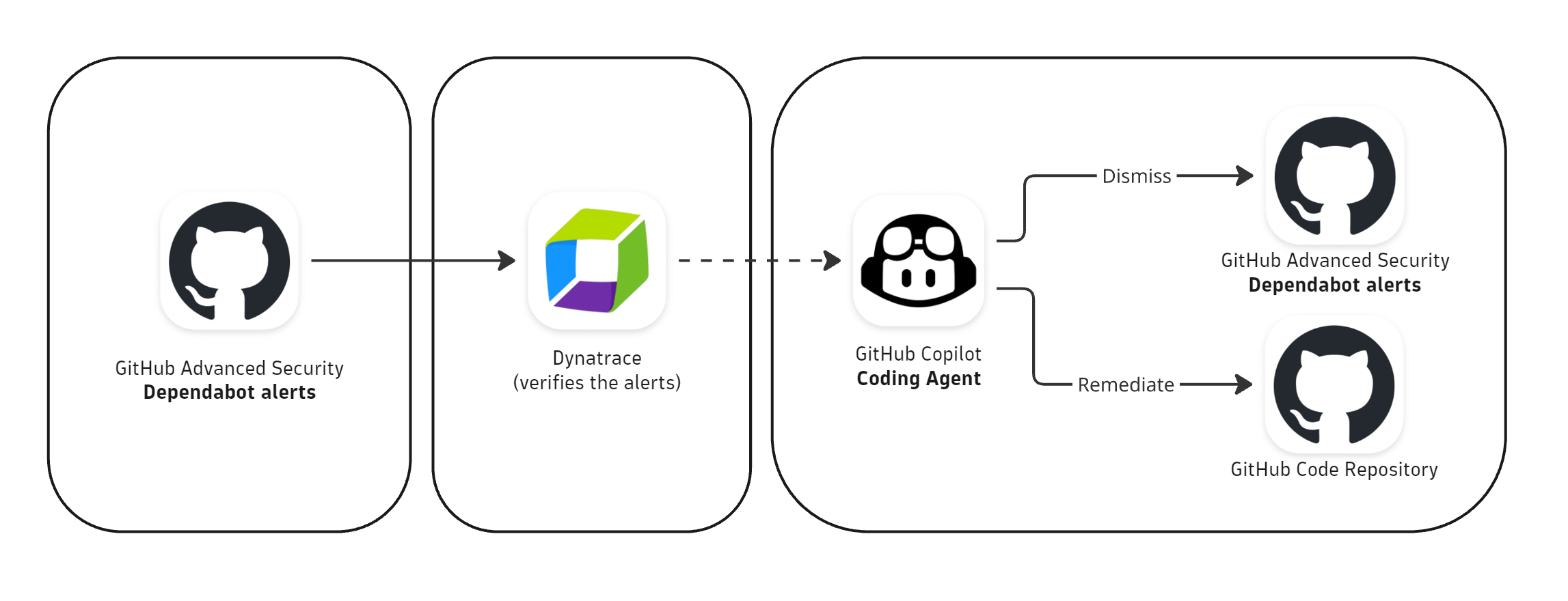
The workflow creates a new GitHub issue, including a comprehensive summary of alerts with their confirmation status.
GitHub Copilot Coding Agent automatically picks up the issue and submits the proposed fix for verified alerts as a pull request for a developer to review. This ensures the remediation process remains transparent and allows for human oversight before deployment. Once the pull request is approved and merged, the alert is remediated and the code is secured.
Automated end-to-end security remediation
These two scenarios exemplify how organizations can shift from reactive to proactive security management, automating repetitive tasks and providing actionable insights for developers.
The relationship between Dynatrace and GitHub demonstrates the power of agentic AI in modern software development, where runtime data drives decision-making and empowers coding agents to apply fixes to code environments—all in a standardized way, applying enterprise guardrails.
Reduce your mean time to resolution (MTTR), enhance developer productivity, and ensure robust system security by automating security remediation—all without sacrificing performance or uptime.
The benefits of the coding agent are further amplified with the GitHub announcement of introducing custom agents. Dynatrace has just launched its first custom agent, which seamlessly integrates Dynatrace’s observability and security capabilities into GitHub Copilot, empowering teams to maintain operational excellence, ensure application reliability, and uphold security compliance across the entire software development lifecycle (SDLC).
This allows teams to streamline incident response, perform root cause analysis, validate deployments, triage production errors, and many more use cases—all directly within their GitHub repository workflows.
By delivering real-time insights and actionable data from production environments, Dynatrace extends GitHub’s reach into production, effectively closing the SDLC. Stay tuned for our upcoming blog, where we’ll dive deeper into the powerful capabilities of Dynatrace’s custom agent for GitHub Copilot.
Ready to transform your security workflows?
Explore how Dynatrace can integrate seamlessly into your development landscape using our remote MCP Server and read through our walkthrough documentation.
Sign up for the preview and experience how real-time production context makes your organization more efficient.

Looking for answers?
Start a new discussion or ask for help in our Q&A forum.
Go to forum