

Segments allow you to scope your Dynatrace experience to your specific context with one click. Focus only on what’s relevant by segmenting data based on the context of an application, hyper-scaler region, Kubernetes cluster or namespace, or other relevant criteria. Whether viewing a dashboard or troubleshooting production issues across different Dynatrace® Apps, you only see what you're responsible for.
When you’re navigating petabytes of observability data, looking for relevant information can become frustrating. That’s why we launched Dynatrace segments: a powerful yet simple way to focus on the data that’s important for your specific use cases.
In this blog post, you’ll find out how segments can be easily applied to help you work more efficiently, whether you’re troubleshooting problems, monitoring SLOs, or investigating security threats.
Work smarter in Dynatrace with segments
Think of segments as smart global filters. Segments are:
- Multidimensional: Combine and multi-select different data segments, such as region, team, service, or environment, and apply them instantly.
- Dynamic: Segments automatically adapt as your systems evolve, like when new services are added, new Kubernetes clusters are created, or team responsibilities change.
- Globally available: Selected segments persist as you move through Dynatrace Apps, so you can drill into data without reapplying filters.
- Secure and compliant by design: Segments are fully governed by existing access management policies, ensuring you only see the data they’re authorized to view. Any data outside those permissions is automatically filtered out, independently of which segment is selected.
- Built for scale: Segments are purpose-built for the demands of dynamic, cloud native environments and scale effortlessly to petabyte-level data volumes.
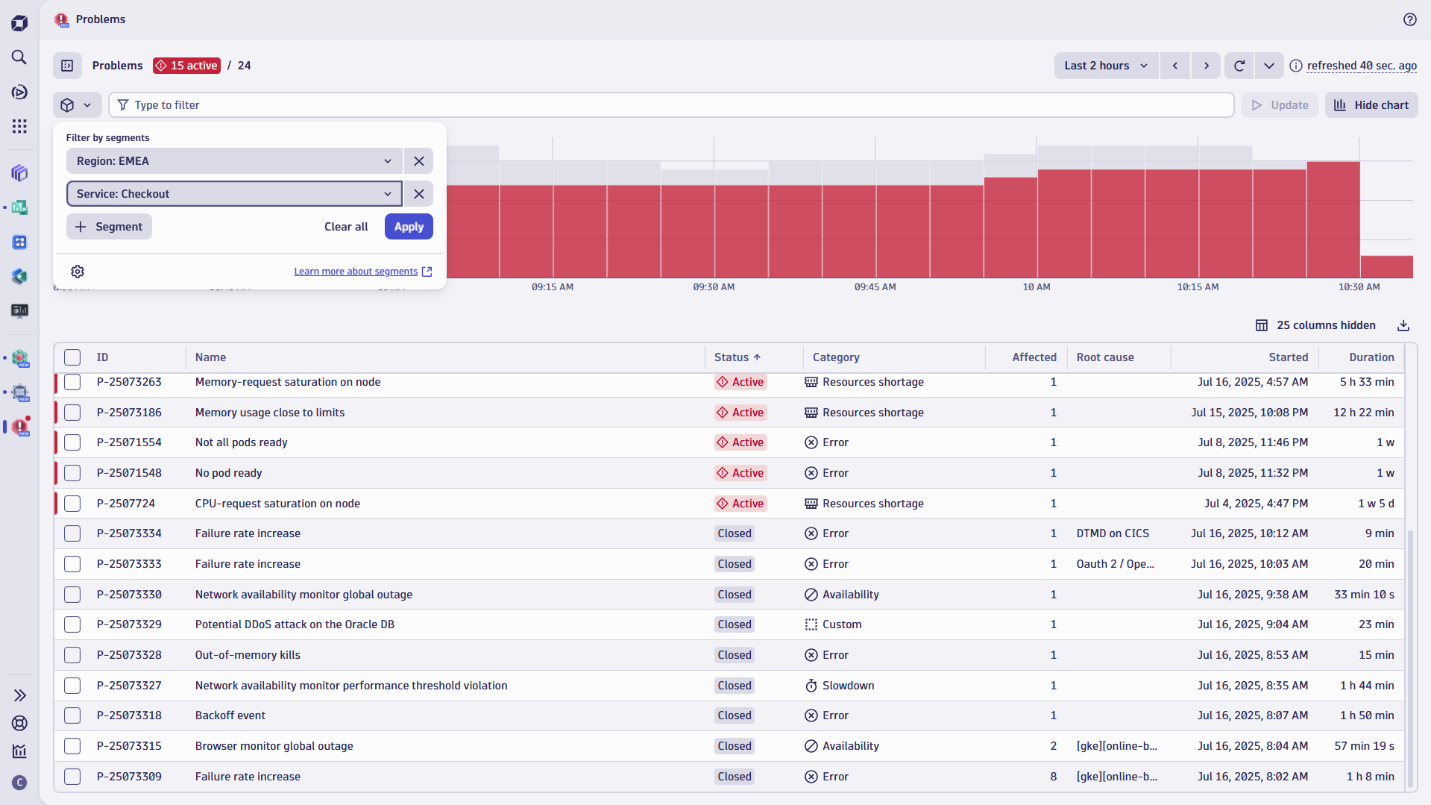
Segments promote self-service data access
Segments can be centrally managed and rolled out to provide a consistent, organization-wide view of data. At the same time, any user can create and share their own segments, whether within their own teams or across the organization.
Building segments doesn’t require complex logic, and upcoming ready-made segments will make getting started even easier. You can define segments around specific entities, such as services or hosts, to automatically include all relevant signals across data types. Alternatively, you can select specific data types individually and apply basic filtering.
However, segments also offer great flexibility for power users who want to create highly granular, dynamic filters based on attributes, tags, or specific field values, leveraging the full power of Dynatrace Query Language (DQL).
Applying segments is seamless and consistent across the platform. You can select segments directly from the top of any app or dashboard. For quicker access, the selector remembers your recently used segments, and you can pin frequently used segments to your menu. For more granularity, simply combine segments with other filters like the filter bar or dashboard variables.
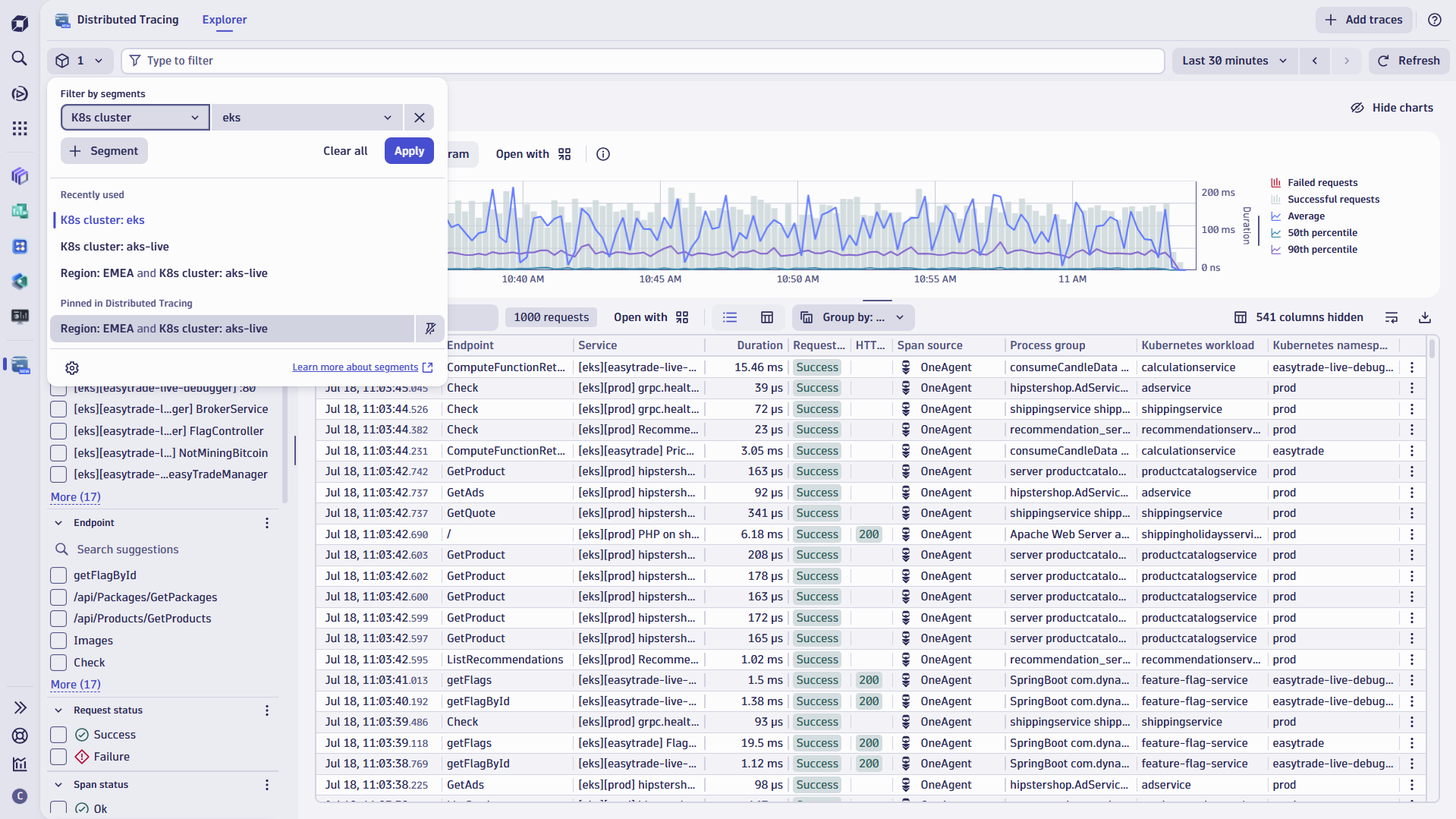
Segments speed up troubleshooting in cloud native environments
Imagine you’re a developer responsible for multiple microservices or applications running across various regions, clusters, and environments. When something breaks or performance dips, you need to access the right data in the right context, quickly.
Segments help by narrowing the view to exactly what matters for you and your team, whether it’s a specific service, an environment, or a region. Instead of sorting through hundreds of unrelated logs or services, you get answers on the spot. This allows you to:
- Instantly understand the health of your services.
In Services, filter by ownership to view only the services your team is responsible for. Immediately, you can assess key metrics like failure rate, response time, and throughput, then instantly drill down into related logs, traces, or infrastructure components such as Kubernetes clusters and namespaces. Segment context is preserved across all views and drilldowns, so there’s no need to reapply filters or recall complex query syntax.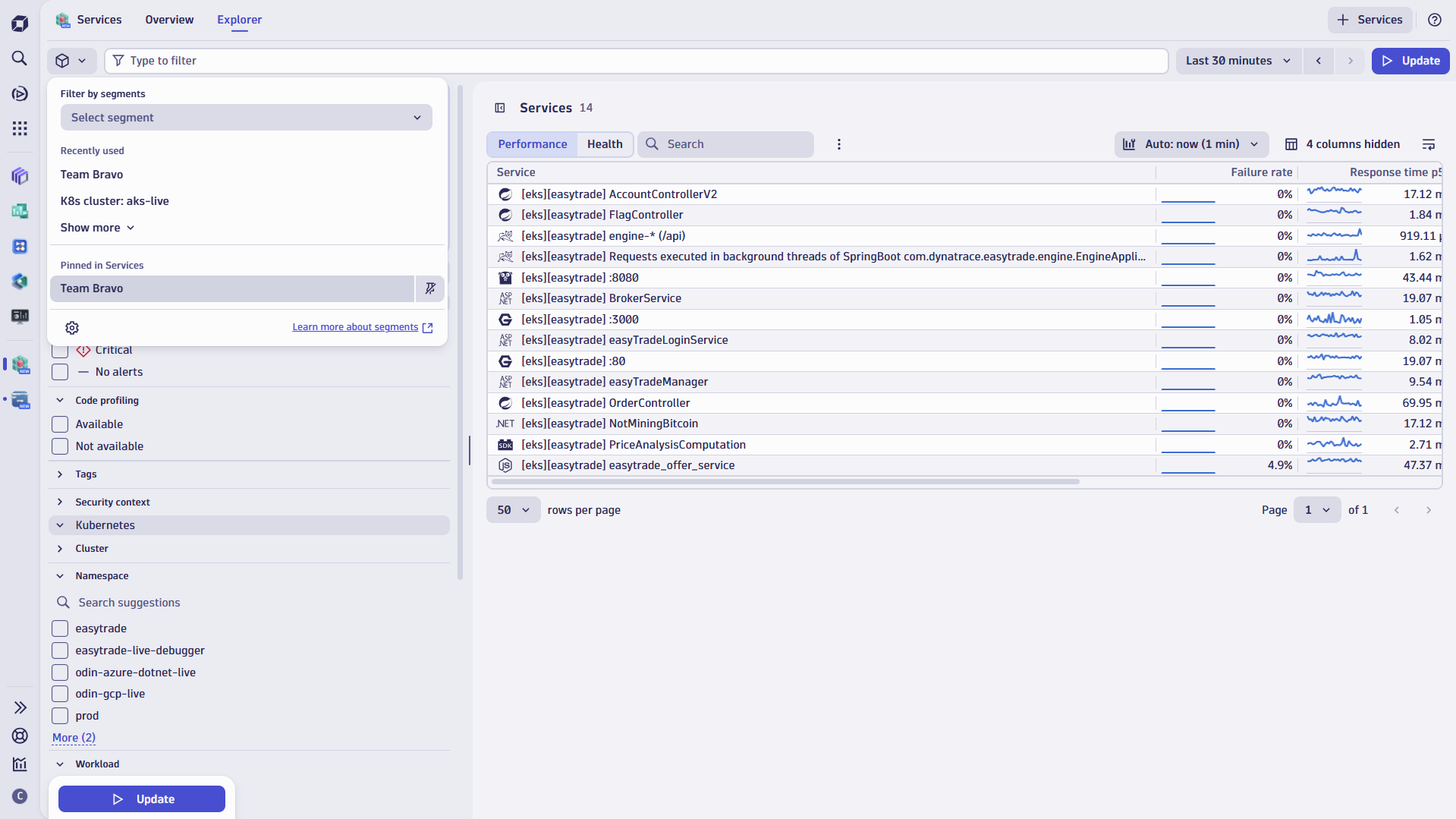
Figure 3. Check service health for all your team’s services. - Triage and resolve problems more effectively.
In Problems, segments allow you to isolate issues that affect your team’s services, ensuring that only relevant alerts are shown. Define segments based on environment or stage, such as production or staging, to pinpoint problems within a specific context. This makes it easier to compare behavior across environments and direct attention where it’s most needed. - Break down SLOs to focus on what you own.
Narrow the scope of your Service Level Objectives (SLOs) to reflect what your team is actually responsible for. With segments, you can filter SLO tiles on dashboards to only include the services, environments, or traffic patterns relevant to your team, such as staging tests or requests from a specific region. This ensures your SLOs accurately represent performance and reliability for your area of ownership. You can also configure alerts to trigger on segment-specific conditions, like an SLO breach in a particular region or service, helping teams take targeted action faster. - Validate releases with Site Reliability Guardian (SRG) and Workflows.
Once you’ve focused on the KPIs that matter to your team, use Site Reliability Guardian (SRG) to prevent regressions from reaching production. Segment-specific conditions can be defined directly within individual SRG objectives, enabling automated release validation aligned with your team’s performance standards, executed via Workflows. For example, you can restrict validation to logs from a specific service in a hardening environment, significantly reducing the volume of queried data while ensuring release quality without unnecessary noise.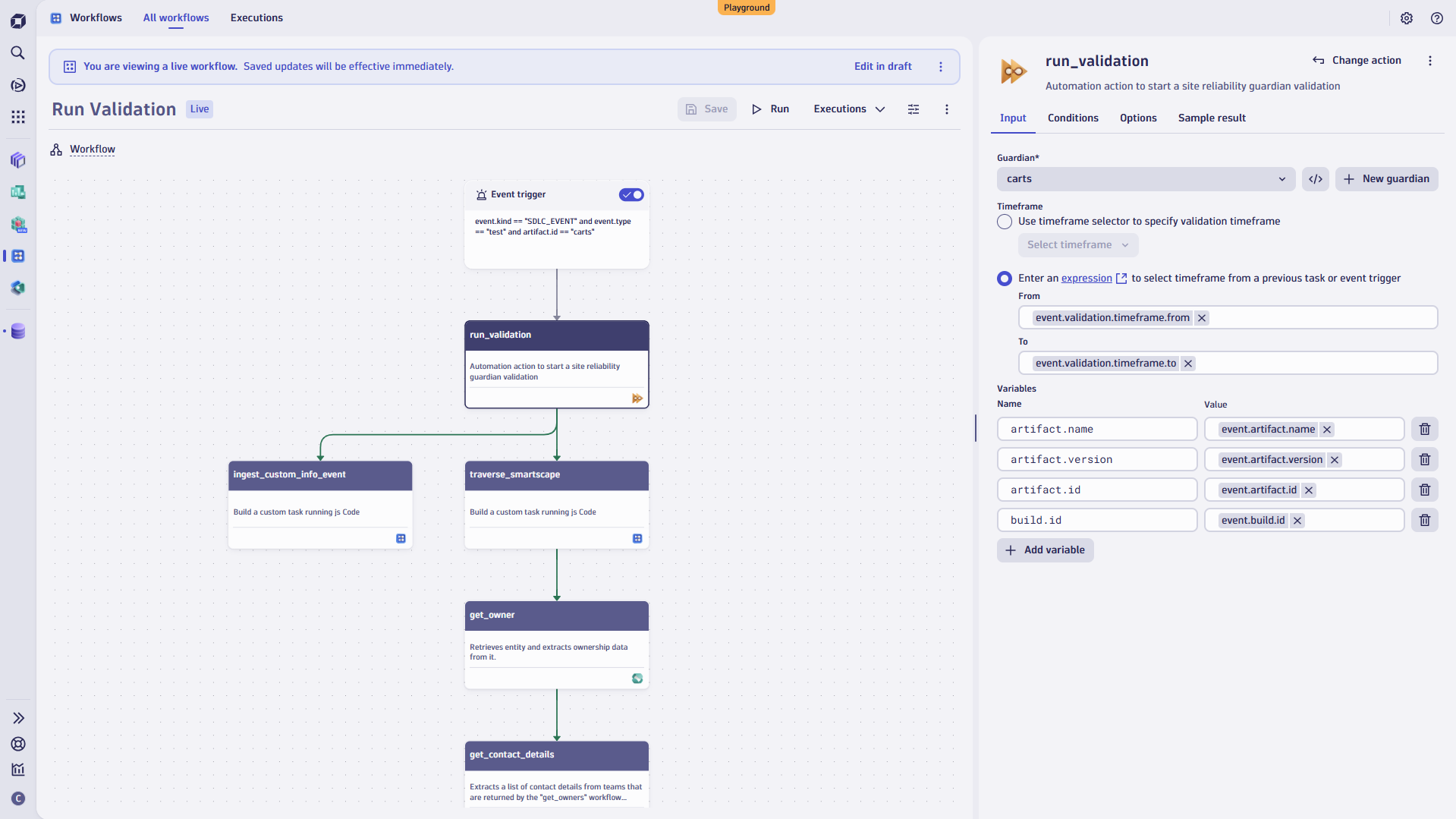
Figure 4. Automatically validate new releases with Site Reliability Guardians using targeted segments.
Investigate vulnerabilities and security signals faster with segments
Because not all assets carry the same level of risk or compliance requirements, segments empower you to stay focused by isolating the systems that matter most. Grouping assets in segments opens the door to tiering strategies based on business criticality or risk level, such as production vs. test environments, or high-risk vs. low-impact systems.
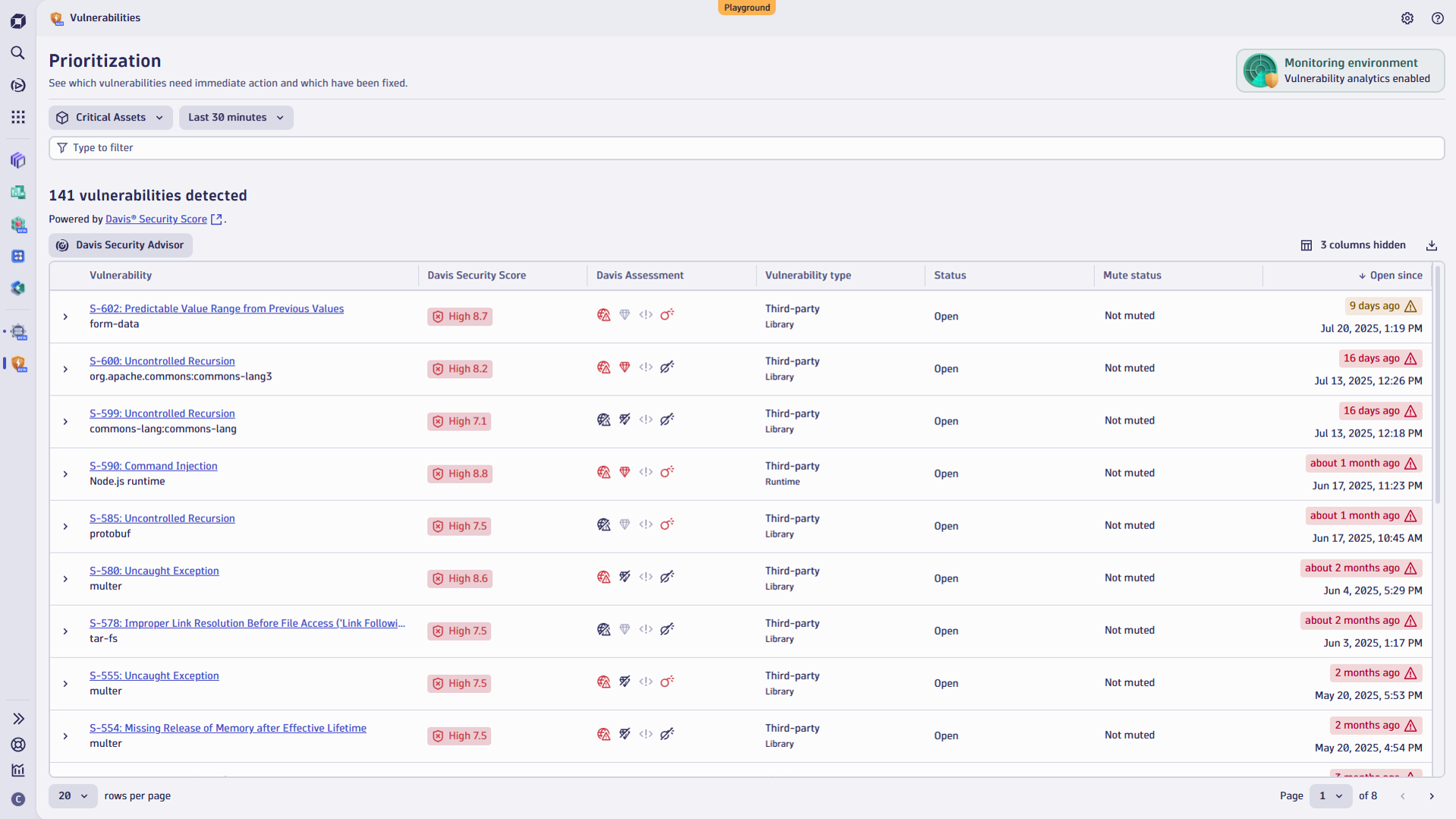
This precision becomes even more powerful when combined with the Dynatrace Vulnerabilities app, which highlights those vulnerabilities that are actively exploited at runtime and present real threats, such as internet exposure or access to sensitive data.
Instead of being overwhelmed by hundreds of generic alerts, you significantly reduce the signal-to-noise ratio. For example, if you’re part of a financial services team, you may use segments to first zero in and focus on a critical, customer-facing credit card application service. With Davis® AI assessment, your team is alerted only to vulnerabilities that are exposed, exploited, and urgent. This allows you to respond quickly and to maximize your impact.
Segments also prove valuable during security incident investigations. If there’s a spike in failed login attempts, selecting a segment like app:customer-portal, env:prod, and region:us-east instantly narrows the scope. Within Notebooks or many other Dynatrace Apps, you can explore logs, traces, and metrics tied to that specific context, no manual filtering or tool-switching required. And because segments enforce access controls by design, sensitive data stays protected while investigations remain fast, focused, and compliant.
Boost your efficiency with enterprise-scale filtering
Segments make observability data instantly accessible and actionable for every team. Whether you’re analyzing data in Notebooks, tracking SLOs, troubleshooting in Dashboards, or automating with Service Reliability Guardian (SRG), segments keep you focused, reduce noise, and help you move faster.
Available on the latest Dynatrace, segments bring consistent, dynamic filtering across your entire observability workflow. For more on segments, have a look at our documentation or check out these resources to learn more.


Looking for answers?
Start a new discussion or ask for help in our Q&A forum.
Go to forum