 Snowflake for Workflows
Snowflake for Workflows
Access, query, and store Snowflake data to analyze further within Dynatrace.
App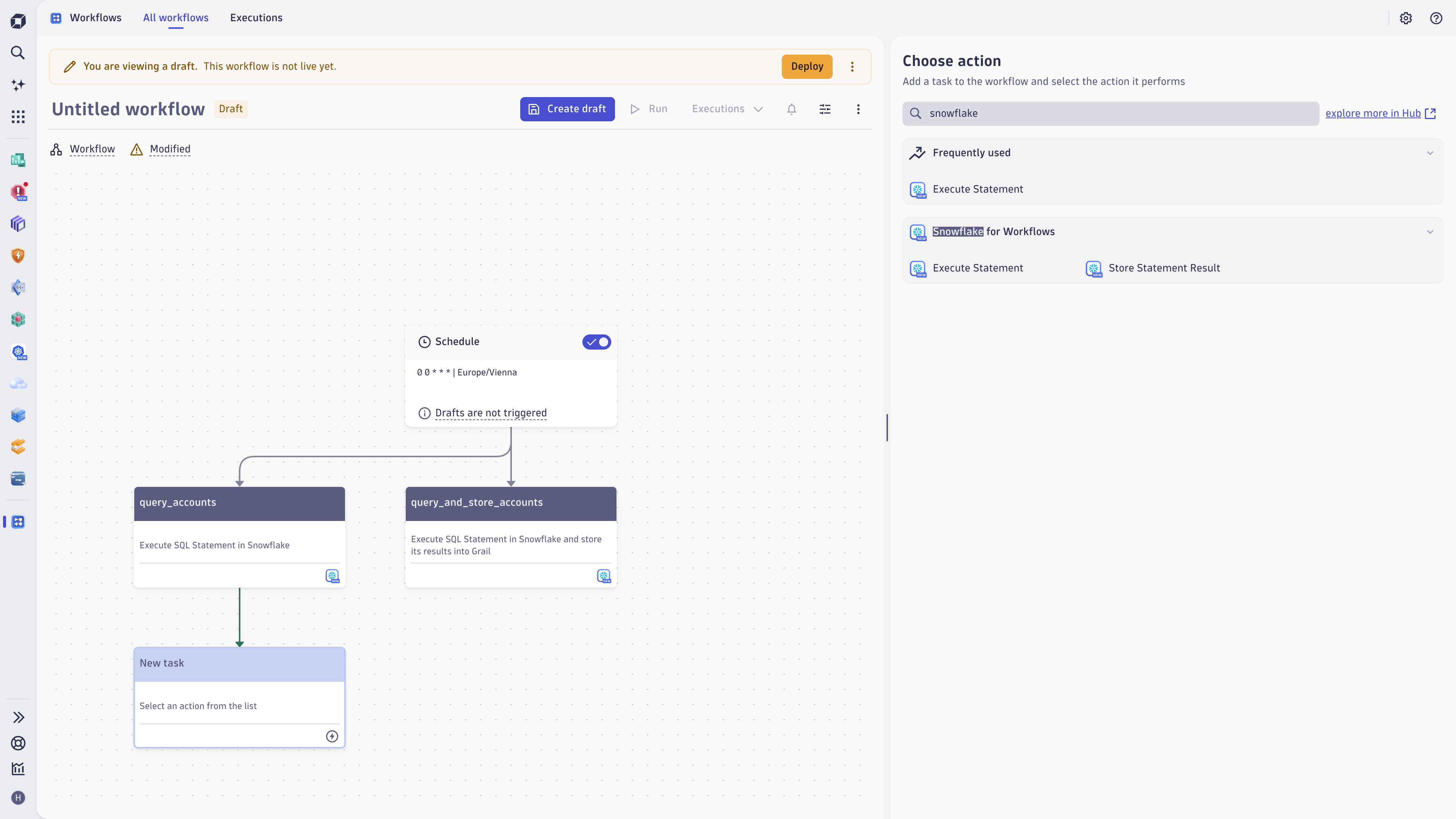
- Product information
- Release notes
Overview
Unlock new use cases by integrating Snowflake data with data stored in Grail.
Enterprises are using diverse tools to address their business needs, resulting in separate data silos. Dynatrace's goal to provide complete visibility and get contextual insights doesn't stop at the edge of Grail and, therefore, natively integrates with multiple Enterprise tools.
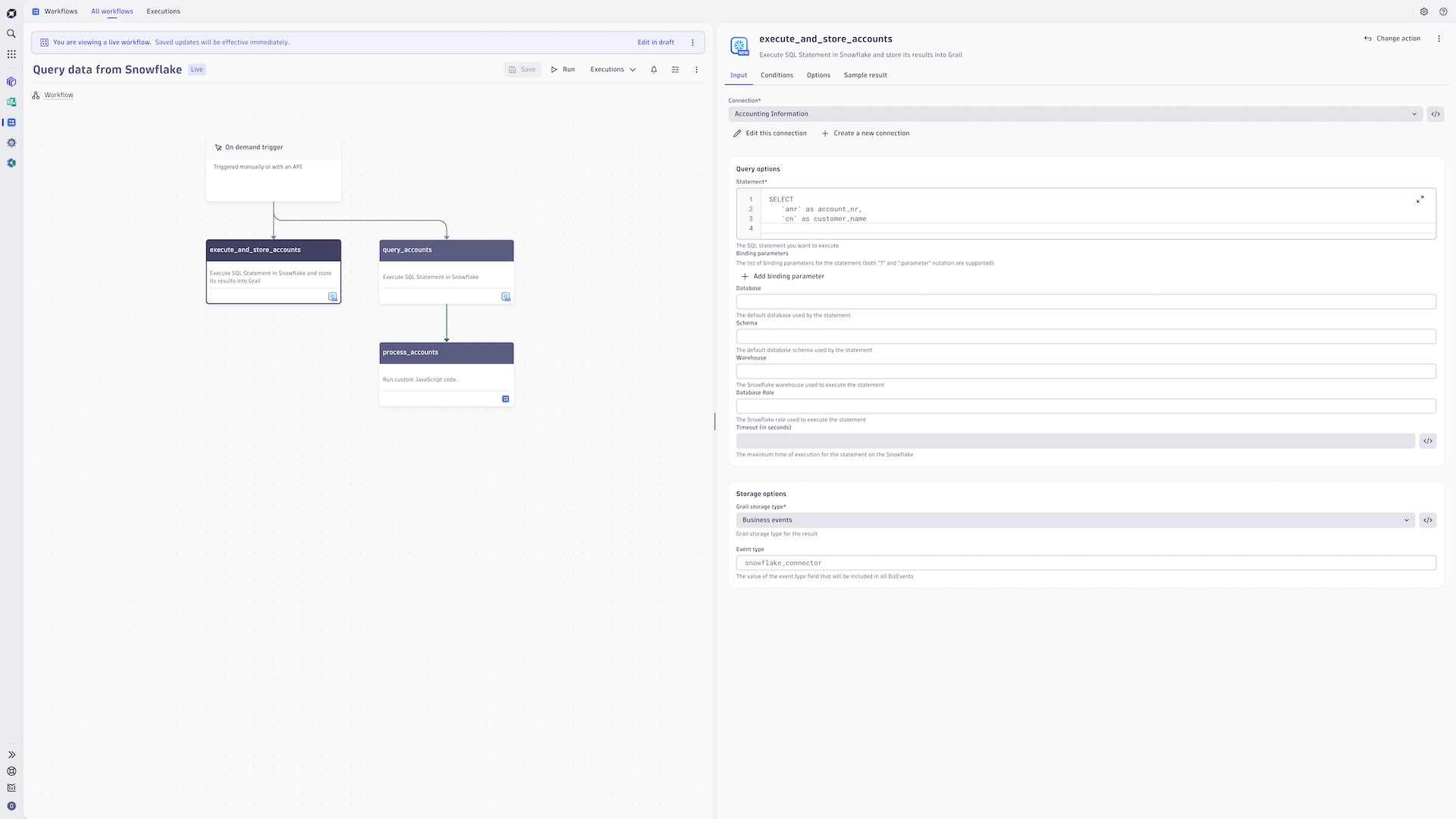
Snowflake for Workflows is a fast, flexible, and secure way to query and process Snowflake data within Dynatrace. It adds two new actions to Workflows, which allows you to execute SQL statements and process the result sent in the response. You can use the result set within the workflow, enrich already available data, or persist it in Dynatrace as a new Business event.
Use cases
Access relational data from Snowflake to ...
- contextualize data: enrich data stored in Grail with additional context from Snowflake
- utilize Davis Analyzers on Snowflake data: pull in data to perform complex analysis by leveraging Dynatrace's anomaly detection and forecasting capabilities
- address Data Observability use cases based on metadata stored in Snowflake
- or gather new business analytics insights by joining observability data with data natively stored in Snowflake. This means your data stays always fresh - natively stored in Snowflake.
Get started
- Install the connector
- Set up and authorize the connection to Snowflake
- Either create a new workflow or add one of the Snowflake actions to an existing one
- Utilize the data to perform look-ups, reuse the data in adjacent workflow steps, or store it in Grail
- Run the workflow on demand, periodically, or even triggered by specific events
- Use Notebooks or Dashboards to query Snowflake data stored as Business events



Full version history
ReleaseDate
Full version history
Patch Changes
- Replaced "moment" library usage with "date-fns"
- Fixing the issue of fractions not being properly represented - they were incorrectly scaled to higher values.
Full version history
1.1.0
Minor Changes
Streaming the Snowflake response per data record to avoid issues with memory when loading whole partitions.
Patch Changes
Updating dependencies
Full version history
1.0.0
The first official version of the Snowflake Connector.
Features
- Snowflake for Workflows supports two types of actions:
execute-statementthat just executes the SQL statement on Snowflake and returns the first partition of data as the result so other workflow actions can use itstore-statement-resultthat executes SQL statement on Snowflake and ingests all data partitions into Grail as either BizEvents or lookup tables.
Minor Changes
- Replaced allowed users feature by access control settings.
- Migrating actions to stateful actions, allowing them to pass the 2-min execution limit.
- Added support for overwriting
event.typefield of BizEvents - Introduce a new, streamlined connection management experience with a modernized interface. This update makes adding and editing connections directly within workflows easier and provides connection control and convenience in one place.
- Added lookup tables as an option of Grail storage type
Patch Changes
- Disabling validations on expressions in the lookup file path
- Fixing the error with the missing permission to create Lookup Tables. Improved logging in case of an error.
- Fixed race conditions in lookup table creation if the request failed early during streaming
- Supporting different data types for lookup tables ingest
- Major dependencies updates
- Improving UI performance for Snowflake Connector's form
- The private key passphrase will no longer be a required field in the connection form
- Dependency updates
1.0.0-preview.7
Patch Changes
- Re-release for the
1.0.0-preview.6version that couldn't be published due to dependencies bug.
1.0.0-preview.6
Minor Changes
- Updating dependencies
- Supporting different data types for lookup tables ingest
Patch Changes
- Disabling validations on expressions in the lookup file path
- Fixed race conditions in lookup table creation if the request failed early during streaming
- The private key passphrase will no longer be a required field in the connection form
1.0.0-preview.5
Minor Changes
- Updating dependencies
- Added lookup tables as an option of Grail storage type
1.0.0-preview.4
Minor Changes
- Replaced allowed users feature by access control settings.
- Introduce a new, streamlined connection management experience with a modernized interface. This update makes adding and editing connections directly within workflows easier and provides connection control and convenience in one place.
- Major dependencies updates
1.0.0-preview.3
Minor Changes
- Added support for overwriting the
event.typefield of BizEvents
Patch Changes
- Updated dependencies
1.0.0-preview.2
Minor Changes
- Removing the
allowedUsersproperty from the connection settings.
Patch Changes
- Bug fix: Avoiding the "Invalid input value. Undefined is not a UUID" Snowflake error.
- Dependency updates
1.0.0-preview.1
Patch Changes
- Dependency updates
1.0.0-preview.0
Major Changes
- Releasing the Preview version of Snowflake for Workflows
Minor Changes
- Added support for specifying binding parameters for the Snowflake statement