


 Red Hat Ansible
Red Hat Ansible
Automate remediation using AI-powered insights with Red Hat Ansible.
App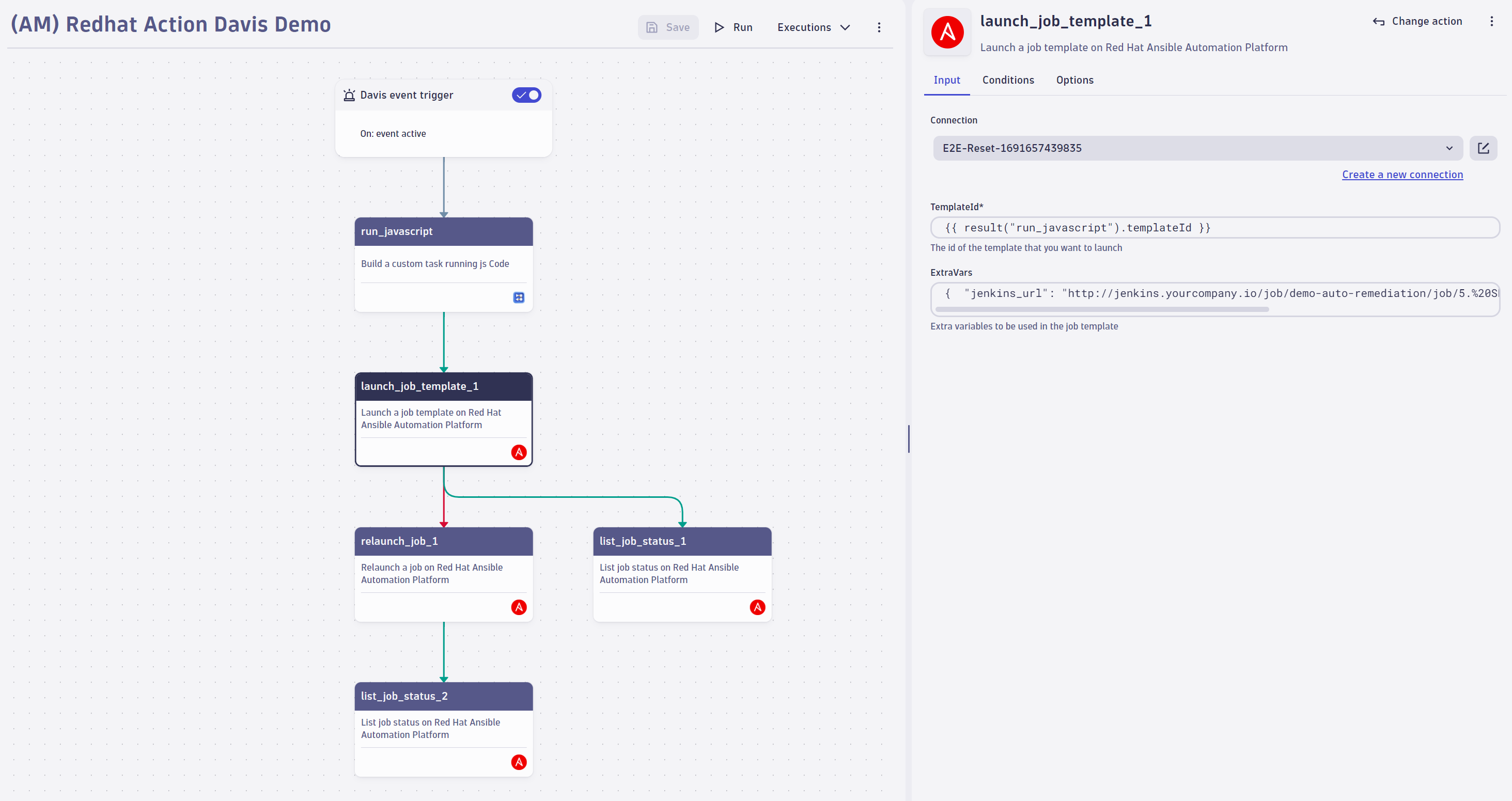
- Product information
- Release notes
Overview
Connect Dynatrace observability powered by AI with the Red Hat Ansible Automation Platform (or AWX) to turn detected problems into automated action. You accelerate incident response, close the loop on remediation, and cut manual operational work.
This is intended for users who:
- Use Red Hat Ansible Automation Platform, AWX, or Event-Driven Ansible.
- Want to automate remediation triggered by Dynatrace problems and events.
Use cases
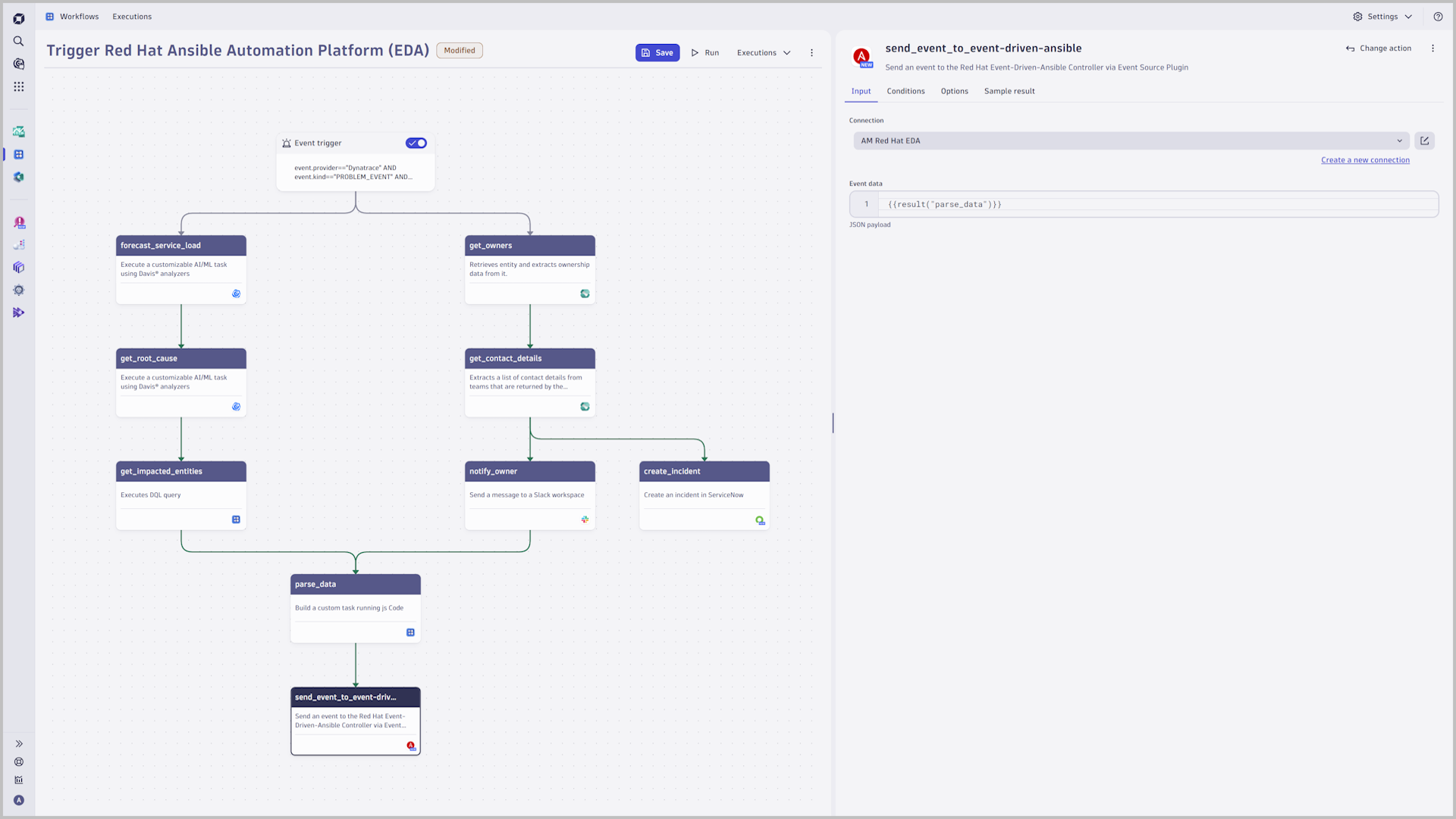
- Trigger Ansible playbooks from Dynatrace problems to accelerate resolution and reduce downtime.
- Automate corrective actions with root-cause analysis powered by AI for faster recovery.
- Combine observability, automation, and business context to improve IT operations efficiency.
- Eliminate manual tasks with scalable automation workflows that lower operational costs.
Get started
Install Red Hat Ansible, configure outbound connections, and authorize the connection to the Automation Controller. If your Automation Platform sits behind a firewall, use EdgeConnect to tunnel traffic securely. Follow the steps in Dynatrace Documentation
Details
Integrates with Red Hat Ansible Automation Controller, AWX, and Event-Driven Ansible. Trigger remediation from Dynatrace problems, security incidents, Business Events, or a scheduler using DQL; hand over extra vars to fine-tune playbook execution; and list or retry job status from within a workflow.
Related to Red Hat Ansible

Full version history
ReleaseDate
Full version history
This release improves the workflow templates for Red Hat Ansible by fixing the target configuration for Slack connections, ensuring that automated workflows can reliably send notifications to the correct Slack channels.
Full version history
This release improves the stability and performance of the Red Hat Ansible app.
Full version history
This release improves the stability and performance of the Red Hat Ansible app.
Full version history
This release improves the stability of the Red Hat Ansible app.
Full version history
This release improves the stability of the Red Hat Ansible app.
Full version history
This maintenance release is bundled with some minor quality of life improvements.
Full version history
This release improves the stability of the Red Hat Ansible app
Full version history
Improved app stability and performance through updated dependencies
Full version history
- Updated dependencies
- Memorize the event stream setting between creating connections
Full version history
- add support for Red Hat event streams
- Updated dependencies
Full version history
2.0.2
Patch Changes
- Updated dependencies
2.0.1
Patch Changes
- Improved visual fidelity of connection management in modals
- Updated dependencies
2.0.0
Major changes
- Migrated to owner based access control (ACL)
Full version history
2.0.0
Major changes
- Migrated to owner based access control (ACL)
Full version history
1.1.1
Patch Changes
- Updated dependencies
1.1.0
Minor Changes
- App is headless again. To control your connections, please use the Settings app.
Patch Changes
- Add grouping of input fields in workflow widget.
Full version history
1.1.0
Minor Changes
- App is headless again. To control your connections, please use the Settings app.
Patch Changes
- Add grouping of input fields in workflow widget.
Full version history
1.0.1
Patch Changes
- Change: "for Workflows" was removed from the app title
- Chore: Increase URL limit to 255 characters
- Fix: Launch job template did not wait until the job finished
1.0.0
This marks the first initial release of Red Hat Ansible for Workflows.
Full version history
1.0.0
This marks the first initial release of Red Hat Ansible for Workflows.
Full version history
0.3.2
Patch Changes
- Fix: eventData is now more resilient to different input types
- Fix: Ensure that there is a default widget state to avoid data validation issues
0.3.1
Patch Changes
- Updated dependencies
0.3.0
- Breaking: connections have been changed from an ordered list to an unordered list. This was done in preparation for better ACL support. However, inserting connections via API or Monaco using
insertAfterwill no longer be possible.
Full version history
0.3.1
Patch Changes
- Updated dependencies
0.3.0
- Breaking: connections have been changed from an ordered list to an unordered list. This was done in preparation for better ACL support. However, inserting connections via API or Monaco using
insertAfterwill no longer be possible.
Full version history
0.3.0
- Breaking: connections have been changed from an ordered list to an unordered list. This was done in preparation for better ACL support. However, inserting connections via API or Monaco using
insertAfterwill no longer be possible.
Full version history
0.2.4
Patch Changes
- Updated dependencies
0.2.3
Patch Changes
- Fix typo in display name of settings schema
0.2.2
Patch Changes
- Update app icon
- Ensure proper handling of trailing slashes in API
- Add sample results for all actions
- Fix a typo in description
0.2.1
Patch Changes
- Update dependencies
0.2.0
Minor Changes
- Improve support for multi-line
extraVarsin Launch job template action
Patch Changes
- Update dependencies
- Update app description and value statement
Full version history
0.2.3
Patch Changes
- ce0a373: fix typo in display name of settings schema
0.2.2
Patch Changes
- 0d98026: Update app icon
- b5c1248: Ensure proper handling of trailing slashes in API
- 918d4a1: Add sample results for all actions
- 6797e83: Fixed a typo in description
0.2.1
Patch Changes
- Update dependencies
0.2.0
Minor Changes
- 19cf5a6: Improve support for multi-line
extraVarsin Launch job template action
Patch Changes
- 041e0b9: Update dependencies
- 11f148e: Update app description and value statement
Full version history
0.2.1
Patch Changes
- Update dependencies
0.2.0
Minor Changes
- 19cf5a6: Improve support for multi-line
extraVarsin Launch job template action
Patch Changes
- 041e0b9: Update dependencies
- 11f148e: Update app description and value statement
Full version history
0.1.4
Patch Changes
- Update dependencies
0.1.3
Patch Changes
- Update dependencies
0.1.2
Patch Changes
- 8f38470: Update dependencies
0.1.1
Patch Changes
- 6e7a75d: Force resubmission of API token before saving connection configuration.
0.1.0
Minor Changes
- da91c19: Introduced new actions launch-job-template, list-job-status and relaunch-job
Full version history
No release notes