
Simplify SAP Monitoring with PowerConnect and Dynatrace
Read more
 PowerConnect for SAP on Dynatrace
SAP S/4HANA observability with PowerConnect. On RISE, on-prem, BTP - all-in-one
Technology by SoftwareOneStart SAP performance management in Dynatrace, in minutes, and achieve great results leveraging rich library of the use case-oriented dashboards.
Running S/4HANA, ECC, PI/PO, BO, BW?
Using SAP SaaS like Ariba, SalesCloud, SuccessFactors? Relying on SAP CPI or CIS?
Modernizing your landscape with SAP RISE, adopting BTP?
Broaden your view to the SAP operations using Business Flows monitoring. Deepen the diagnostics of the SAP issues using Services app-powered insights into the Open Telemetry traces collected on monitored SAP systems.
PowerConnect by SoftwareOne provides the data gathered from SAP systems where it's installed. Dynatrace analyzes and visualizes this data, and delivers answers to your questions on SAP performance, usage, availability and business process health.
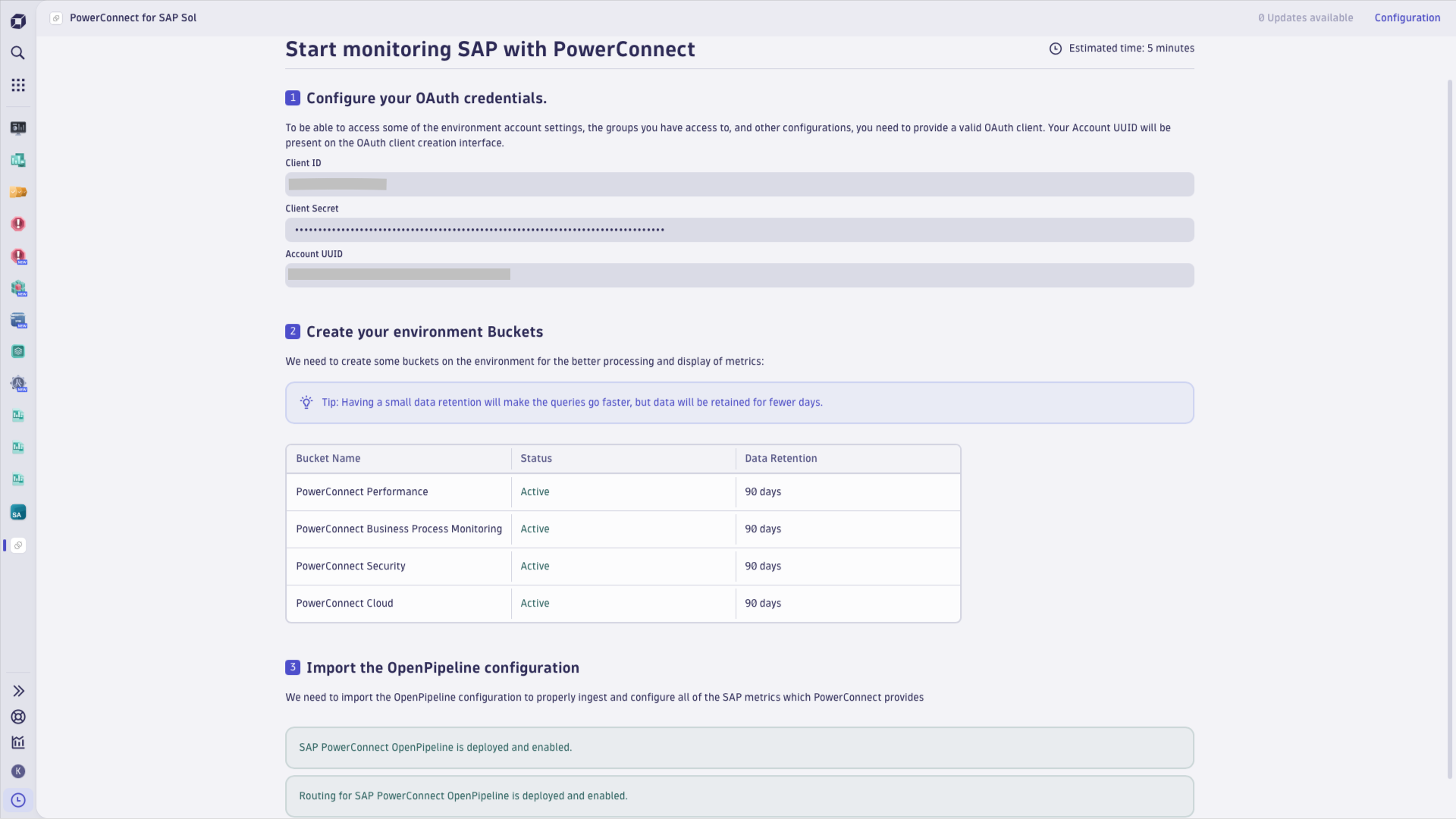
PowerConnect application for Dynatrace has been designed to set up the Dynatrace Platform integration in a few easy steps. Get the app by requesting it from PowerConnect, deploy it on your Dynatrace tenant and let it prepare all the necessary settings for you.
Note to Dynatrace Managed customers: we have a Dynatrace extension for you, since Managed can't run apps. Learn more below in this document.
Onboarding and configuration of the PowerConnect integration with Dynatrace:
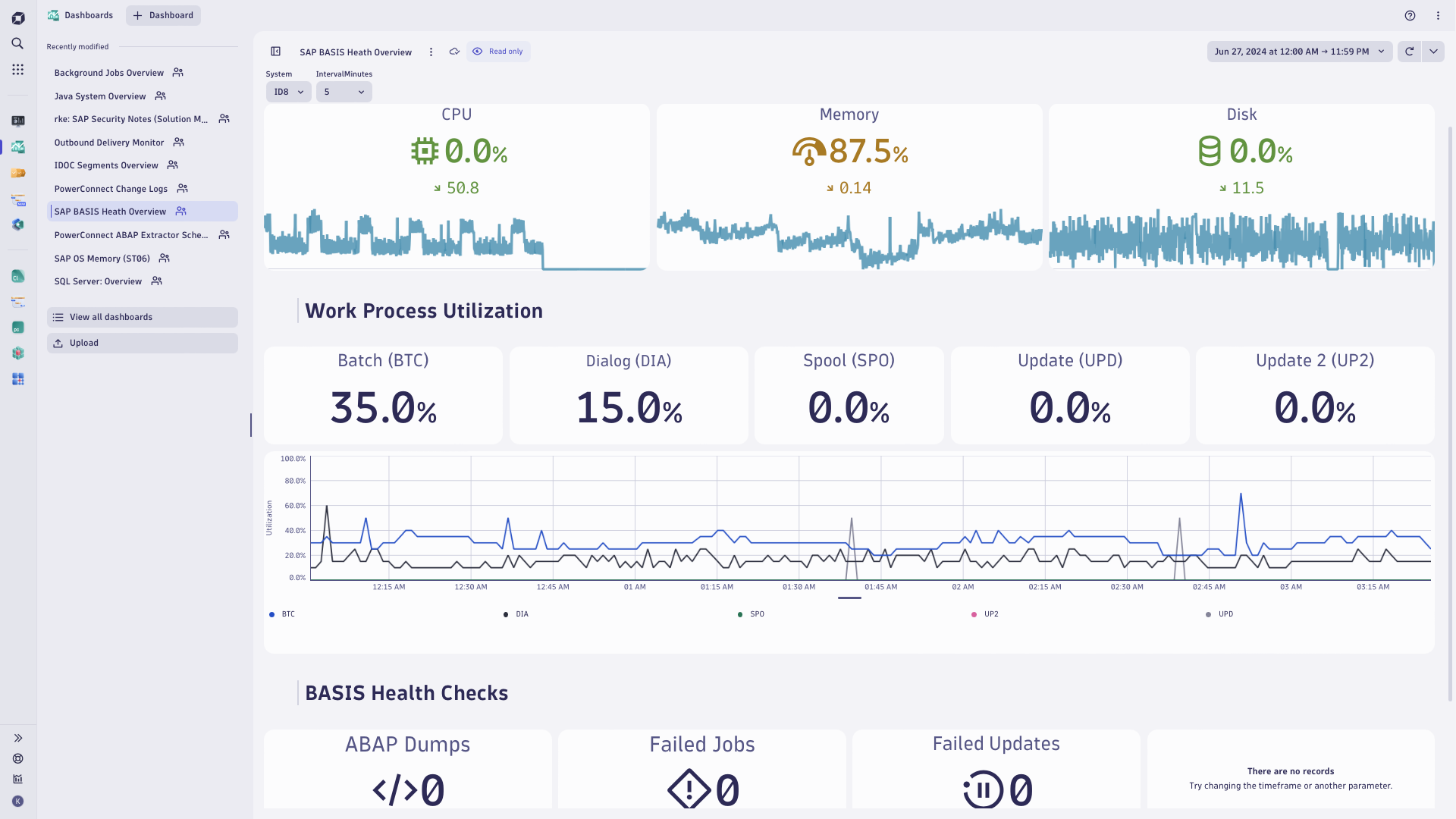
Once onboarding is completed, use Dashboards, Services and Business Flows apps to:
PowerConnect application is designed to help you set up PowerConnect integration with Dynatrace. This application relies on data fed into Dynatrace by the PowerConnect agent deployed on your SAP systems.
https://sso.dynatrace.com is on the list on Allowlist in Settings Classic > Settings > Preferences > Limit outbound connections.Once PowerConnect is set up and feeding Dynatrace, its data will land in the buckets that the app set up for you. OpenPipeline rules, set up by the app, assure that.
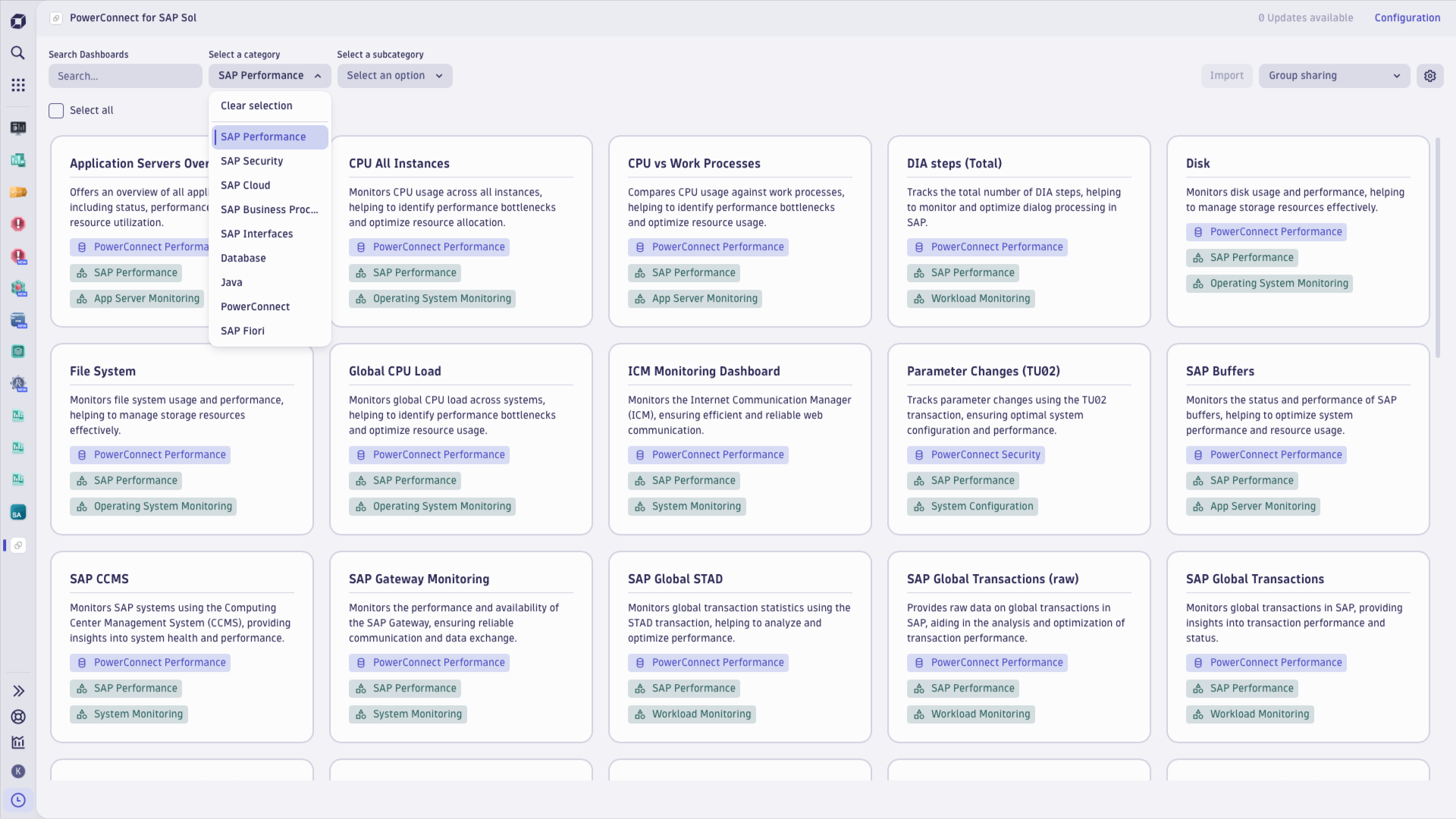
Dashboards provided by this app will be populated with data from your SAP systems. You can copy the dashboards and modify them to your needs, or create your own. PowerConnect data, which characterizes your SAP systems operations, is available for you as metrics, logs, traces and business events, like any other observability signals that Dynatrace maintains.
Services app can be used to analyze traces collected from your SAP systems by the PowerConnect agent. Mind that SAP traces may get long, as SAP operations may be comprised of dozens or hundreds of steps (i.e. spans) that together orchestrate SAP transactions or tasks.
Business Flow app lets you organize events monitored by PowerConnect on your SAP systems into the flows that reflect business processes implemented on your system, including specifics of your SAP implementation. Then observe success rate and diagnose anomalies and failures automatically, with troubleshooting data linking down to metrics, logs and traces collected as your business flow has been executing.
Note on license consumption This application by itself does not incur any Dynatrace license consumption, as it is responsible for system set up and configuration for seamless PowerConnect experience. Subscription consumption level incurred by PowerConnect data ingest heavily depends on the monitored SAP systems size and activity. You will store monitored SAP system telemetry data as logs, metric, biz events and traces in Dynatrace, for the time period you define, typically between 90 and 360+ days.
Logs will be translated to essential metrics, for easy reporting purposes, but more advanced reporting may still require DQL queries.
Past experience tells us that you can expect:
Between 5 GB and 500 GB logs ingested by PowerConnect, per day
Check your rating card for costs that such log ingestion will incur on your tenant. See documentation for examples of the consumption calculation approaches and online reporting.
Note on license requirements PowerConnect is licensed separately from Dynatrace. It is a 3rd-party product governed by an End User License Agreement between you and SoftwareOne.
This application is also provided by SoftwareOne and is a subject to license agreement between you and SoftwareOne.
More on PowerConnect See PowerConnect Compatibility Matrix for details of the SAP systems supported. Consult PowerConnect documentation for detailed list of metric extractors applied by PowerConnect on SAP systems. For complete details about the value of monitoring SAP with PowerConnect for Dynatrace, see this blog post and PowerConnect pages.
If you are running Dynatrace Managed, we have a Dynatrace extension for you, since Managed can't run apps.
The extension will provision log processing and metric extraction rules on your tenant, so you can benefit from PowerConnect insights. A dashboard and a few Unified Analysis screens offer a starting point into the SAP monitoring overview and status analysis. Sample alert definitions round the package.
Metrics availability limitations Managed tenants (which have no Grail underpinnings) can't deliver several metrics from PowerConnect. Following metrics are not available on Dynatrace Managed:
Dashboards availability limitations Dynatrace Managed provides a dozen of Unified Analysis screens out of the box, but you need to build dashboards yourself.
Dynatrace SaaS opens access to 200+ ready-made PowerConnect dashboards. Upgrade to Dynatrace SaaS to leverage full potential of PowerConnect on Dynatrace.

Transform complex data into clear visualizations with custom dashboards.
Maintain centralized control over service health, performance, and resources.

Analyze and slice distributed traces by any attribute and from any source.

Track, analyze, and optimize your critical business processes.