 .NET
.NET.NET
Automatic end-to-end observability for .NET applications and processes.
Extension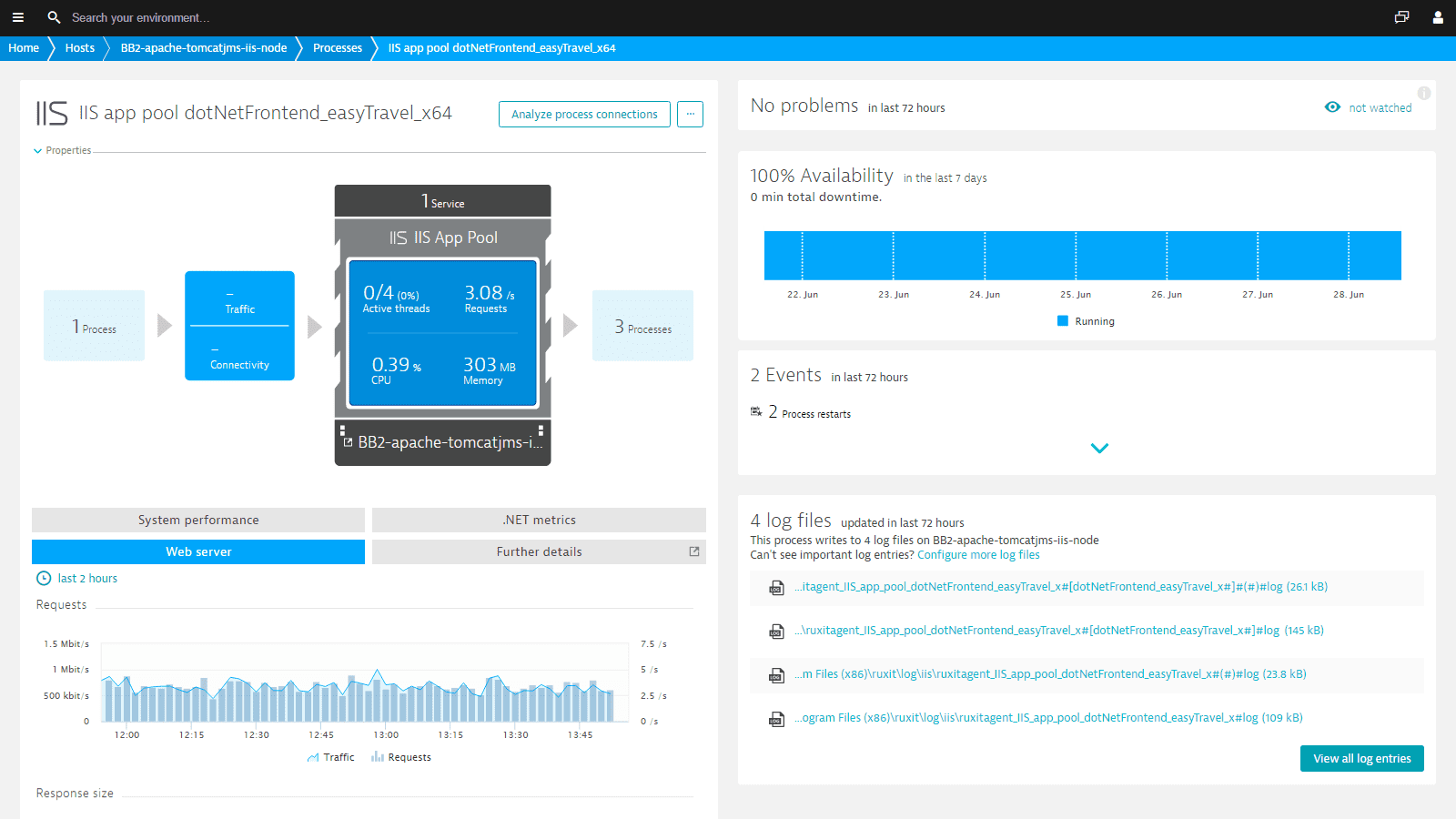
- Product information
- Release notes
Overview
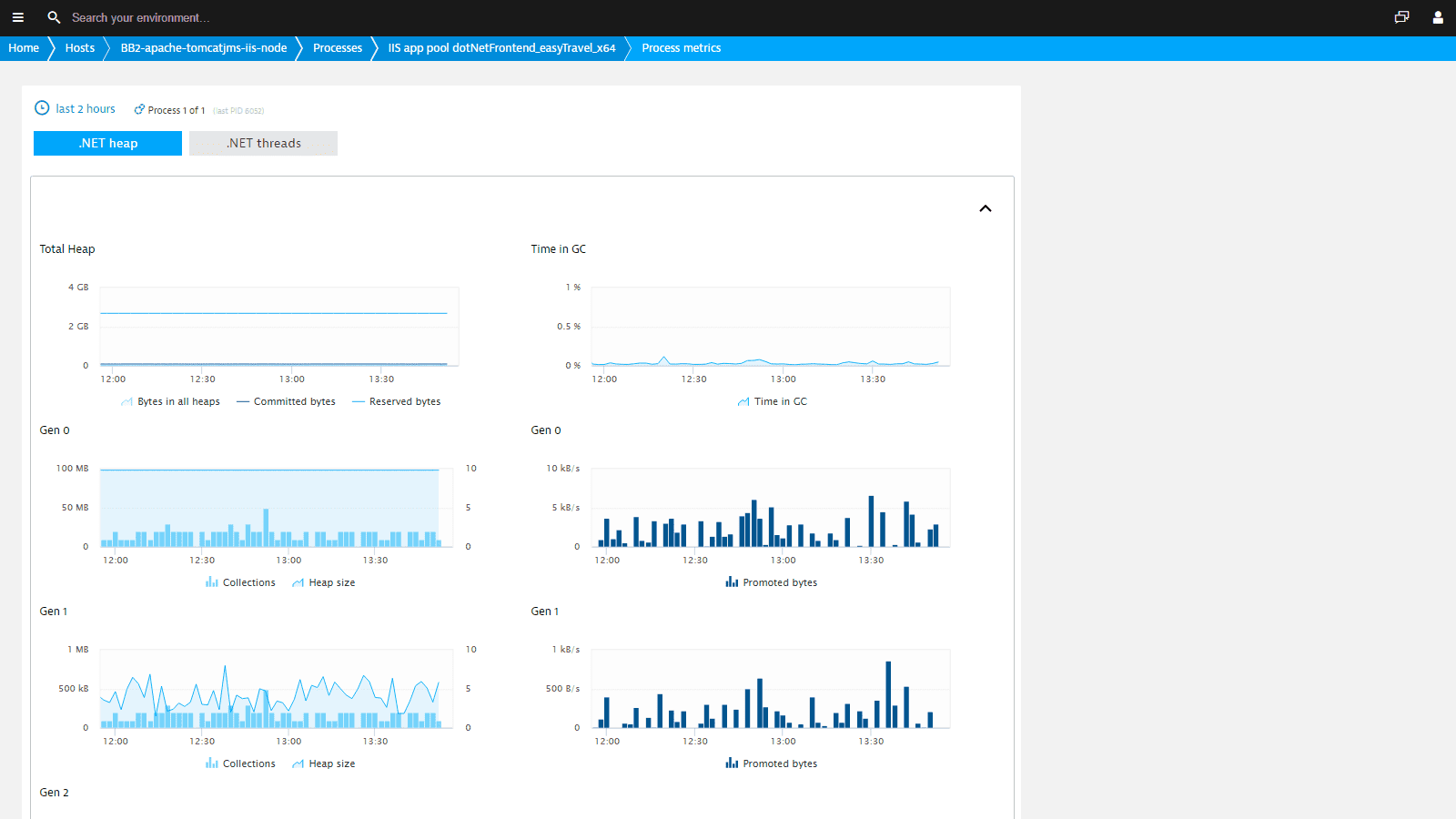
With Dynatrace, you can get observability for all applications based on .NET, .NET Core, .NET Framework, ADO.NET, and ASP.NET Owin/Katana. Dynatrace analyzes your applications and detects issues in real-time, including your users' behavior. Thanks to our proprietary AI engine, you can pinpoint the root cause of problems down to the code level, reduce mean time to repair, and proactively stabilize application performance before your customers are affected. Comprehensive memory and thread metrics give you insight into the resource contention of your .NET processes.
Use cases
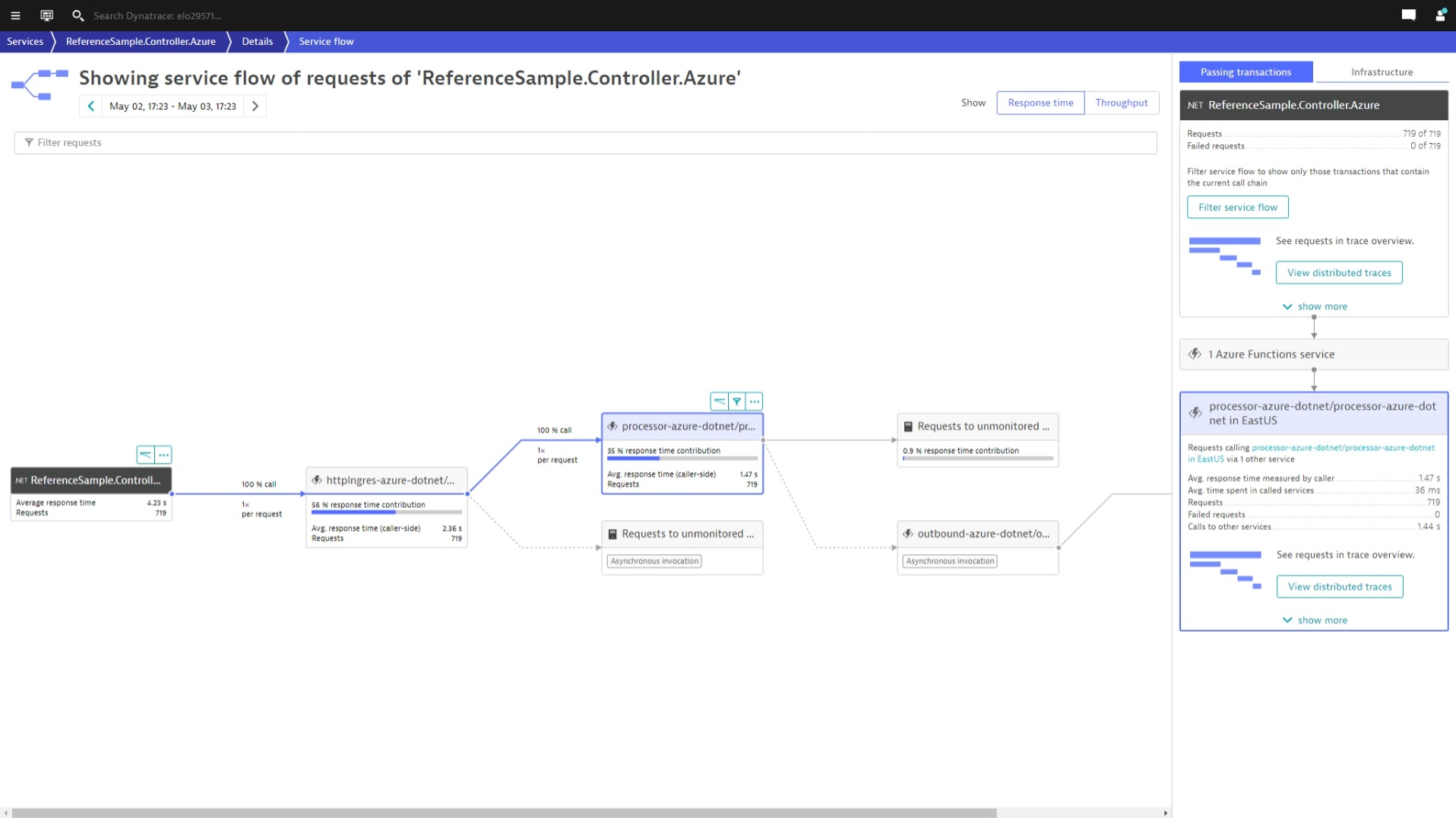
- Monitor the performance of your distributed applications across every layer.
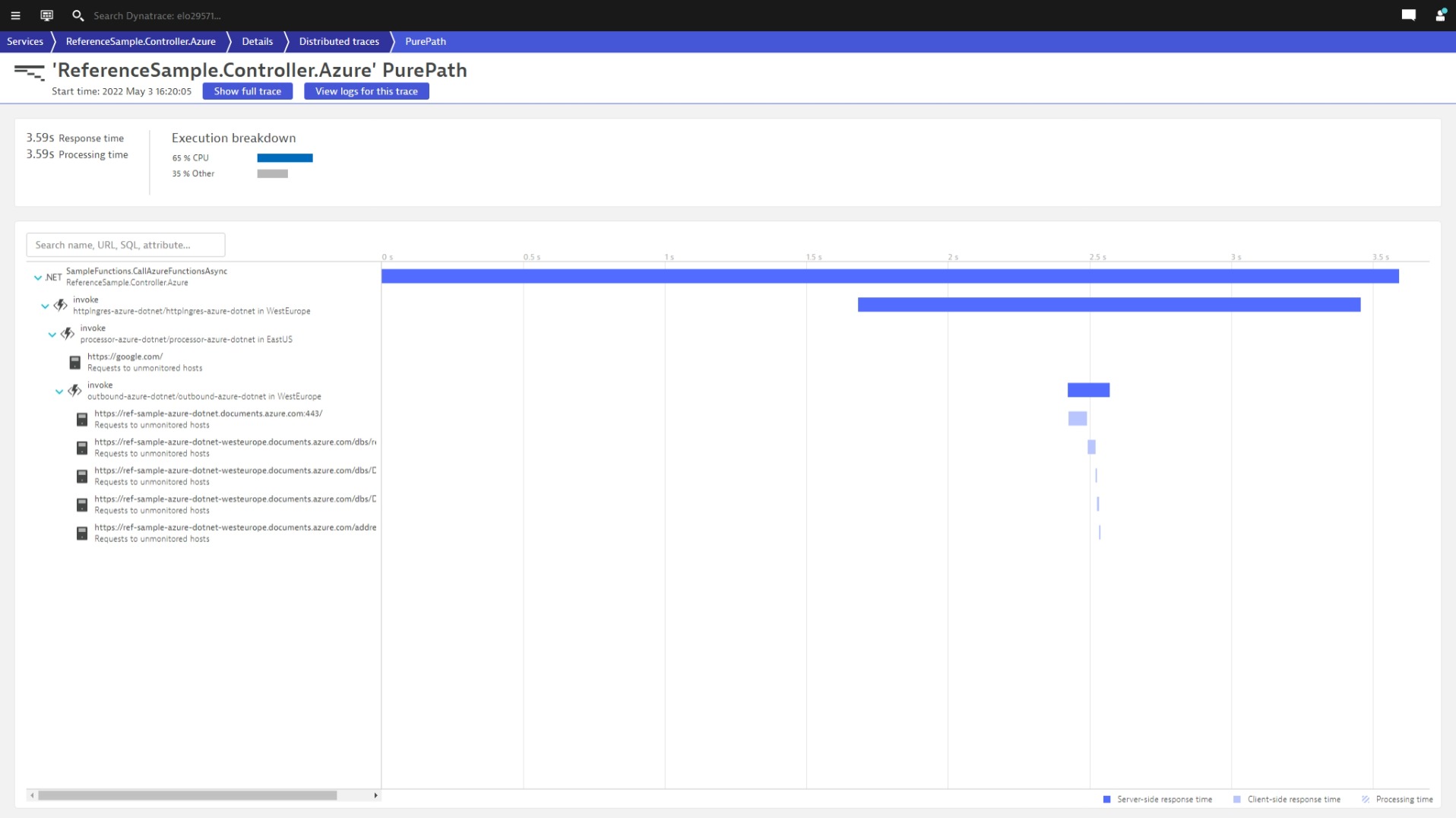
- Trace requests end-to-end from frontend apps via message queues to backend services and databases.
- Troubleshoot issues with deep code-level visibility down to a single line of code.
- Analyze resource contention issues with memory, thread, and other process metrics.
- Capture memory dumps for advanced troubleshooting.
- Investigate logs in the context of traces and workloads.
Get started
For more information on the installation and configuration, please see .NET extension in the Dynatrace Documentation.
Feature sets
Below is a complete list of the feature sets provided in this version. To ensure a good fit for your needs, individual feature sets can be activated and deactivated by your administrator during configuration.
Feature setsNumber of metrics included
| Metric name | Metric key | Description | Unit |
|---|---|---|---|
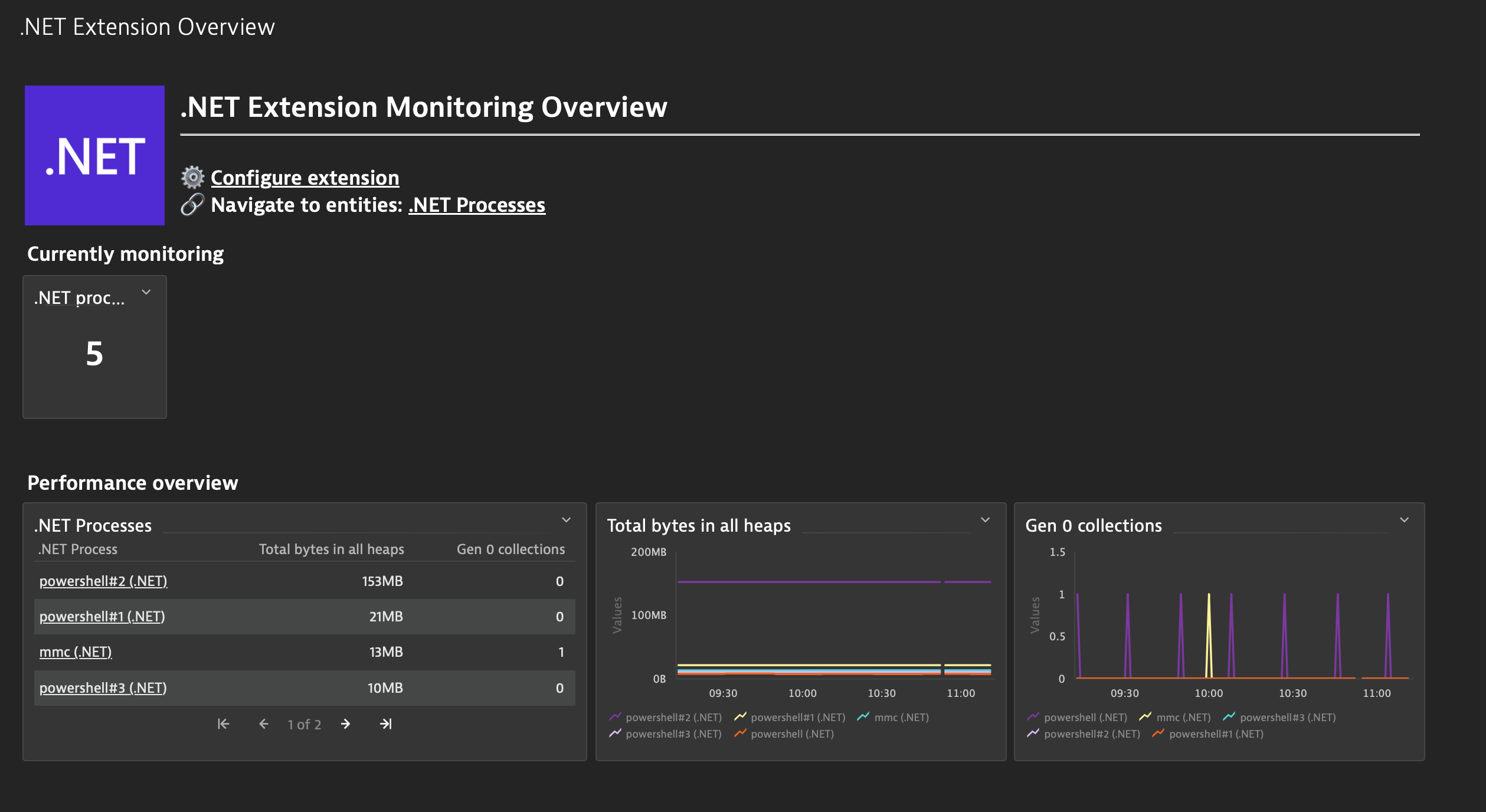
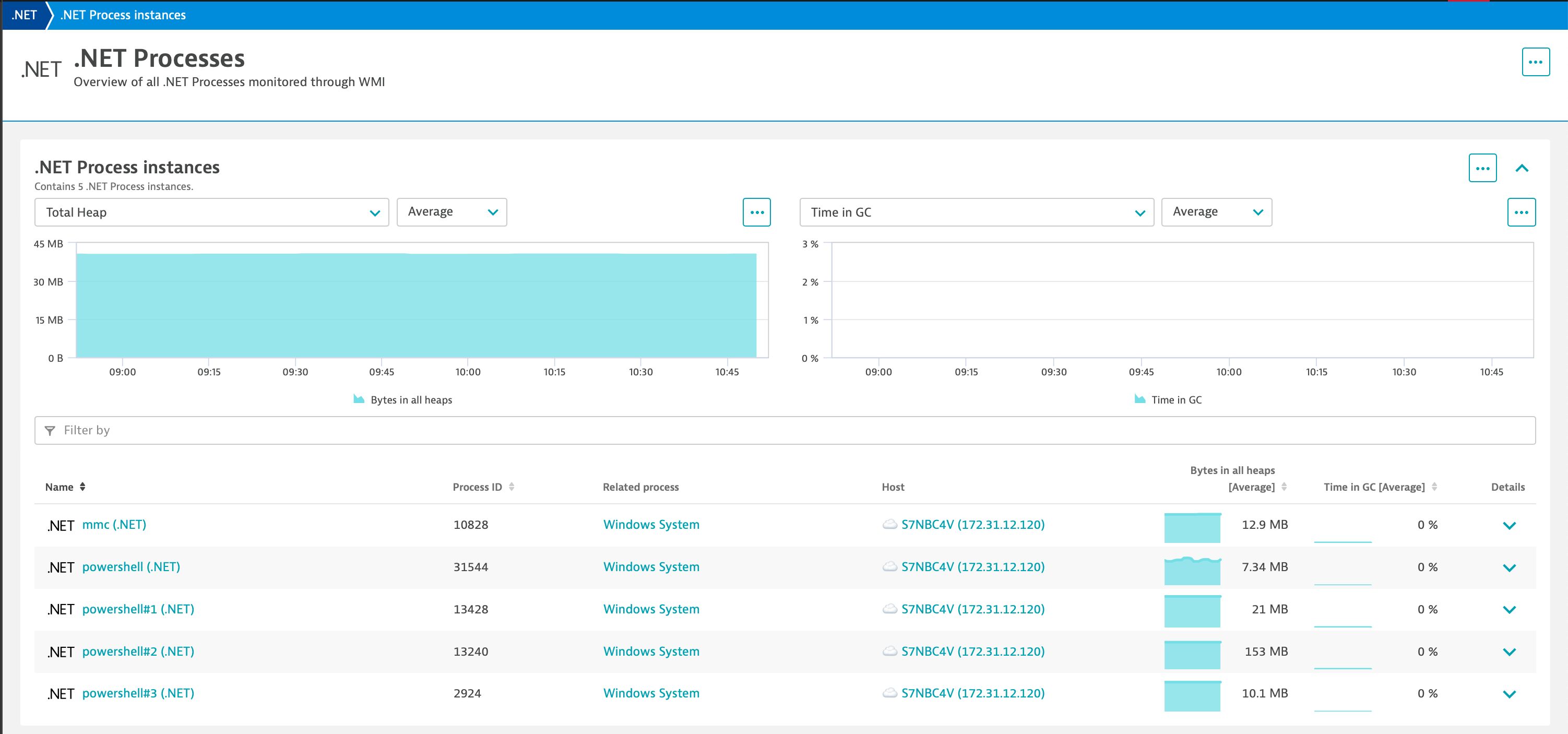
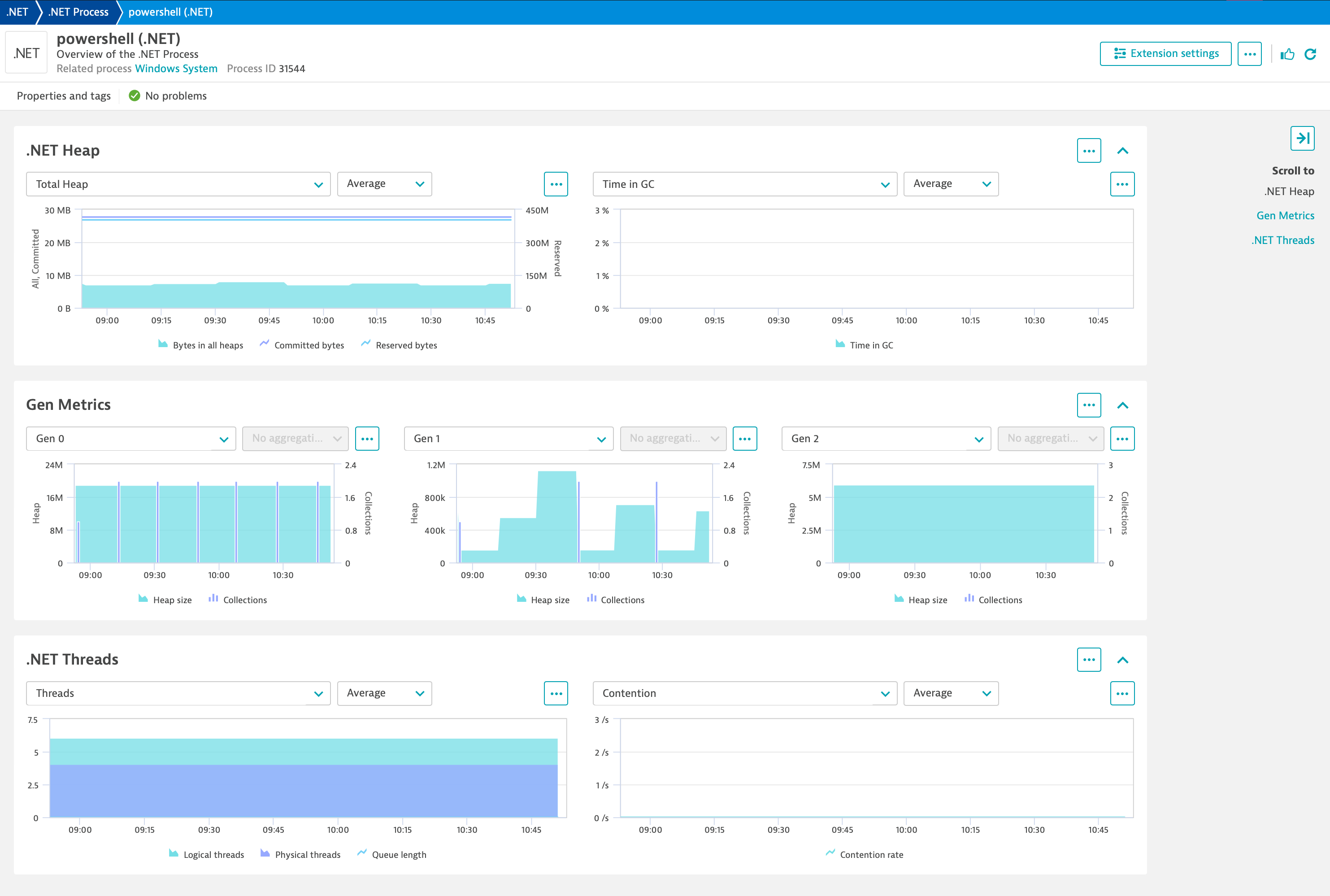
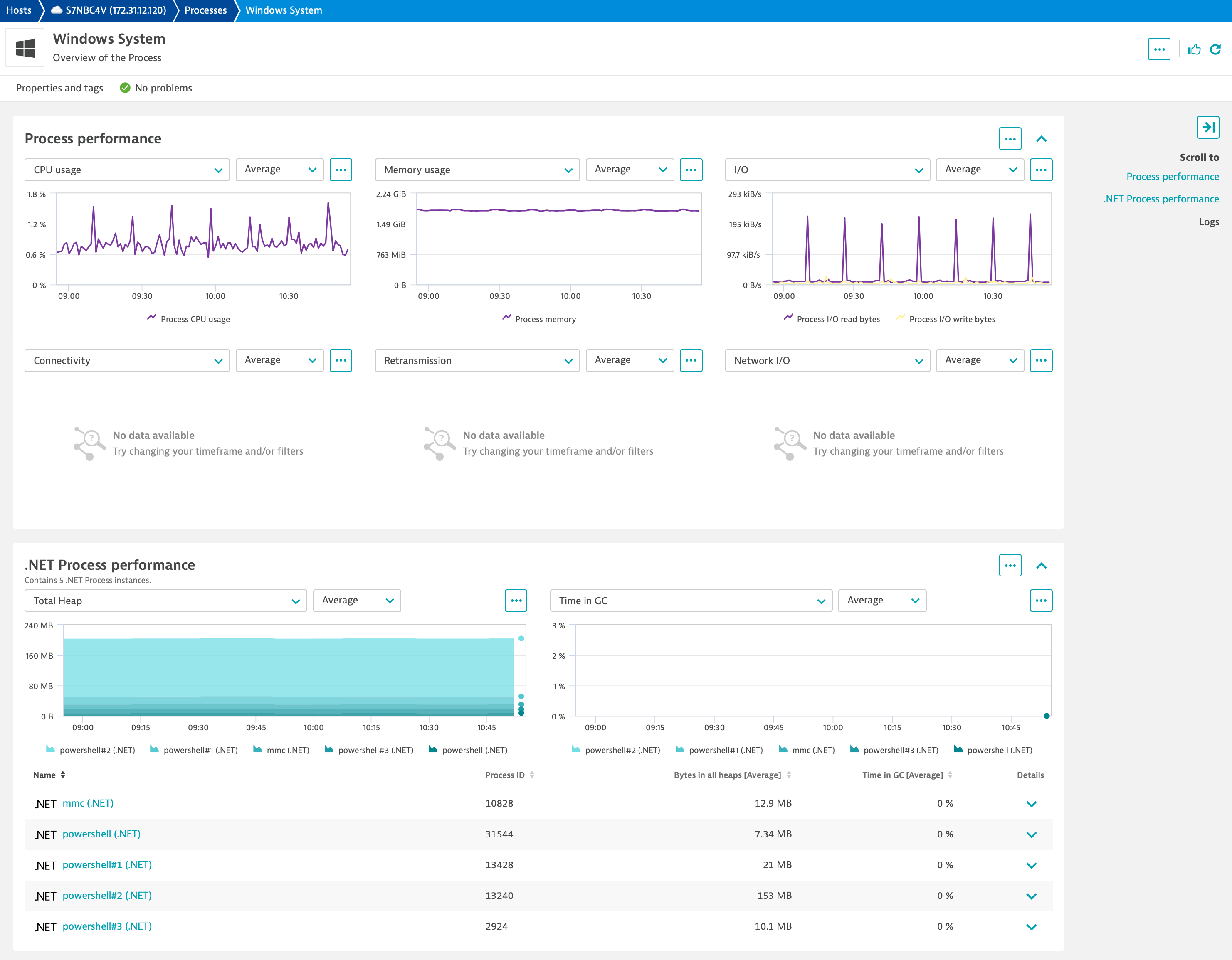
| Total bytes in all heaps | dotnet.memory.numberbytesinallheaps | This counter is the sum of four other counters; Gen 0 Heap Size; Gen 1 Heap Size; Gen 2 Heap Size and the Large Object Heap Size. This counter indicates the current memory allocated in bytes on the GC Heaps. | Byte |
| Gen 0 collections | dotnet.memory.numbergen0collections.count | This counter displays the number of times the generation 0 objects (youngest; most recently allocated) are garbage collected (Gen 0 GC) since the start of the application. Gen 0 GC occurs when the available memory in generation 0 is not sufficient to satisfy an allocation request. This counter is incremented at the end of a Gen 0 GC. Higher generation GCs include all lower generation GCs. This counter is explicitly incremented when a higher generation (Gen 1 or Gen 2) GC occurs. _Global_ counter value is not accurate and should be ignored. This counter displays the last observed value. | Count |
| Gen 1 collections | dotnet.memory.numbergen1collections.count | This counter displays the number of times the generation 1 objects are garbage collected since the start of the application. The counter is incremented at the end of a Gen 1 GC. Higher generation GCs include all lower generation GCs. This counter is explicitly incremented when a higher generation (Gen 2) GC occurs. _Global_ counter value is not accurate and should be ignored. This counter displays the last observed value. | Count |
| Gen 2 collections | dotnet.memory.numbergen2collections.count | This counter displays the number of times the generation 2 objects (older) are garbage collected since the start of the application. The counter is incremented at the end of a Gen 2 GC (also called full GC). _Global_ counter value is not accurate and should be ignored. This counter displays the last observed value. | Count |
| Total commited bytes | dotnet.memory.numbertotalcommittedbytes | This counter displays the amount of virtual memory (in bytes) currently committed by the Garbage Collector. (Committed memory is the physical memory for which space has been reserved on the disk paging file). | Bytes |
| Total reserved bytes | dotnet.memory.numbertotaleeservedbytes | This counter displays the amount of virtual memory (in bytes) currently reserved by the Garbage Collector. (Reserved memory is the virtual memory space reserved for the application but no disk or main memory pages have been used.) | Bytes |
| Percent of time in GC | dotnet.memory.percenttimeingc | The percentage of elapsed time that was spent in performing a garbage collection (GC) since the last GC cycle. This counter is usually an indicator of the work done by the Garbage Collector on behalf of the application to collect and compact memory. This counter is updated only at the end of every GC and the counter value reflects the last observed value; its not an average. | Percent |
| Gen 0 heap size | dotnet.memory.gen0heapsize | This counter displays the maximum bytes that can be allocated in generation 0 (Gen 0); its does not indicate the current number of bytes allocated in Gen 0. A Gen 0 GC is triggered when the allocations since the last GC exceed this size. The Gen 0 size is tuned by the Garbage Collector and can change during the execution of the application. At the end of a Gen 0 collection the size of the Gen 0 heap is infact 0 bytes; this counter displays the size (in bytes) of allocations that would trigger the next Gen 0 GC. This counter is updated at the end of a GC; its not updated on every allocation. | Bytes |
| Gen 1 heap size | dotnet.memory.gen1heapsize | This counter displays the current number of bytes in generation 1 (Gen 1); this counter does not display the maximum size of Gen 1. Objects are not directly allocated in this generation; they are promoted from previous Gen 0 GCs. This counter is updated at the end of a GC; its not updated on every allocation. | Bytes |
| Gen 2 heap size | dotnet.memory.gen2heapsize | This counter displays the current number of bytes in generation 2 (Gen 2). Objects are not directly allocated in this generation; they are promoted from Gen 1 during previous Gen 1 GCs. This counter is updated at the end of a GC; its not updated on every allocation. | Bytes |
| Number of current logical threads | dotnet.locksandthreads.numberofcurrentlogicalthreads | This counter displays the number of current .NET thread objects in the application. A .NET thread object is created either by new System.Threading.Thread or when an unmanaged thread enters the managed environment. This counters maintains the count of both running and stopped threads. This counter is not an average over time; it just displays the last observed value. | Count |
| Number of current physical threads | dotnet.locksandthreads.numberofcurrentphysicalthreads | This counter displays the number of native OS threads created and owned by the CLR to act as underlying threads for .NET thread objects. This counters value does not include the threads used by the CLR in its internal operations; it is a subset of the threads in the OS process. | Count |
| Current queue length | dotnet.locksandthreads.currentqueuelength | This counter displays the total number of threads currently waiting to acquire some managed lock in the application. This counter is not an average over time; it displays the last observed value. | Count |
| Contention rate per second | dotnet.locksandthreads.contentionratepersec | Rate at which threads in the runtime attempt to acquire a managed lock unsuccessfully. Managed locks can be acquired in many ways; by the "lock" statement in C# or by calling System.Monitor.Enter or by using MethodImplOptions.Synchronized custom attribute. | PerSecond |
Related to .NET

Azure SignalR
Adding real-time communications to your web application is as simple as provisioning a service.

Azure App Service
Cloud platform for hosting websites, created and operated by Microsoft.

Microsoft Message Queuing (MSMQ)
Observability for MSMQ with end-to-end traces of connected producers/consumers.
Full version history
To have more information on how to install the downloaded package, please follow the instructions on this page.
ReleaseDate
Full version history
v1.2.8
This version of the extension requires cluster version 1.318+.
- Updated 3rd generation dashboard to link to Infrastructure and Operations app.
- Added
requiredDimensionsto extension topology. - Added extension keyword metadata.
Full version history
v1.2.3
- Fix for invalid entitySelectorTemplate on UA screen
Full version history
- Fix dashboard links on Platform dashboard
- Lower minimum version to 1.309
Full version history
v1.2
⚠️ This version of the extension requires a minimum Dynatrace Cluster version 1.313
✨ What's new:
- Add Platform dashboard
- Add
dt.security_contextto entities - Add Platform UA definitions
Full version history
- Changes relationship between
wmi:dotnet_processentity andprocess_group_instancefromCALLStoSAME_AS
Full version history
- Fix for display conditions on host and process UA screens
Full version history
No release notes