




All
0 Results filtered by:

We couldn't find any results
You can search all listings, or try a different spelling or keyword. Still nothing? Dynatrace makes it easy to create custom apps.
 Microsoft Hyper-V Infrastructure
Monitor health and performance of the Hyper-V clusters, hosts and VMs.
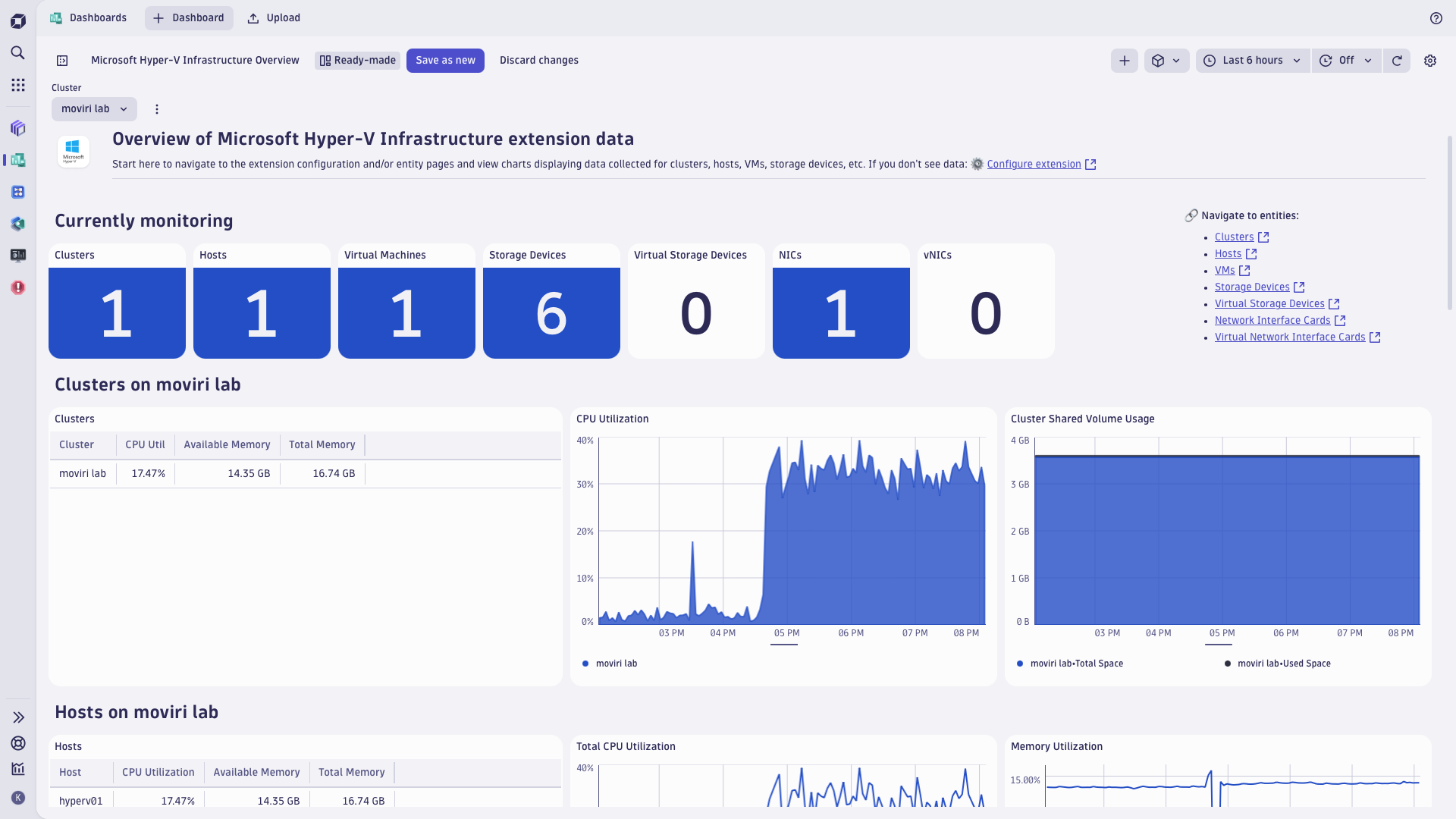
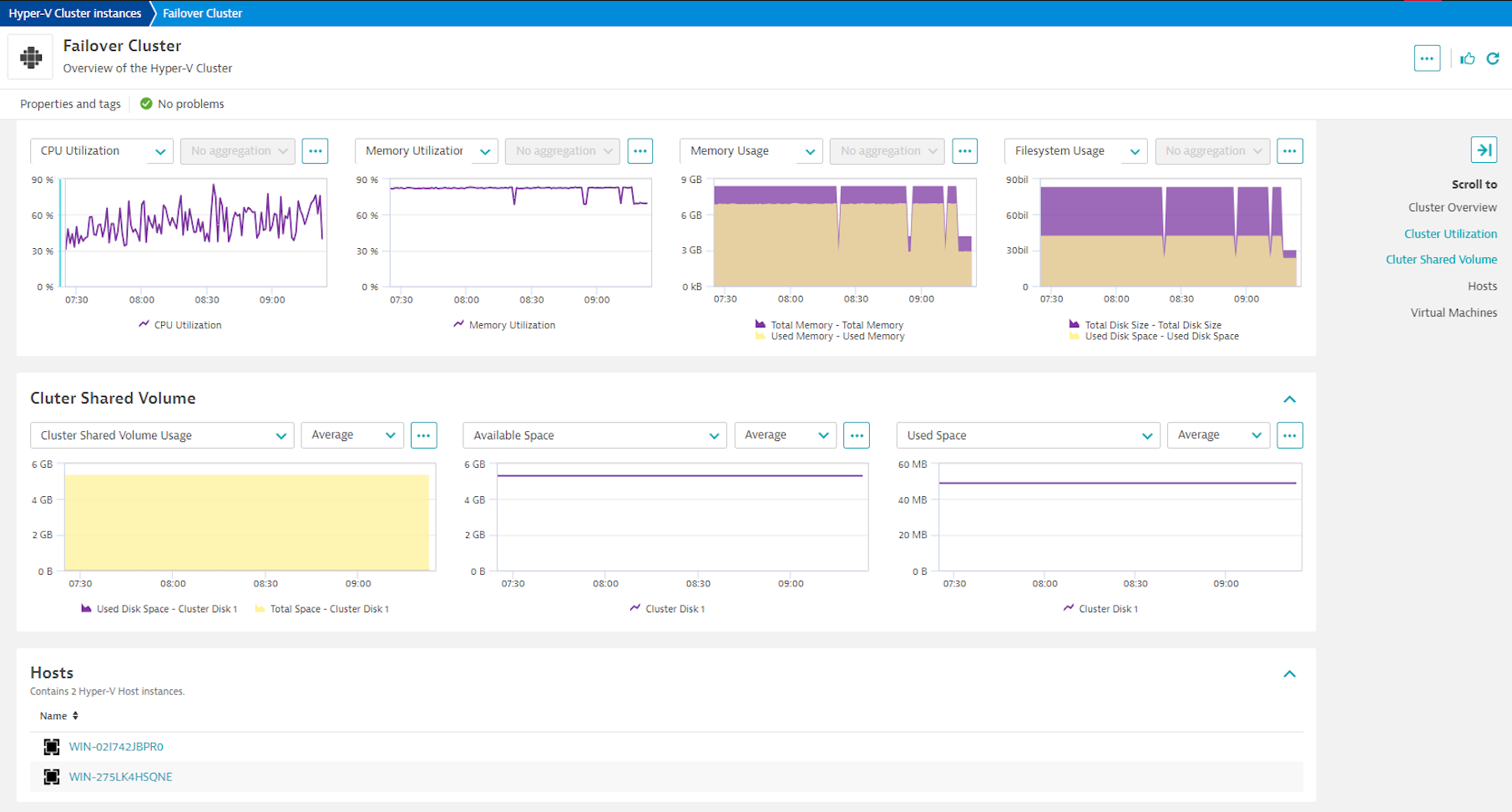
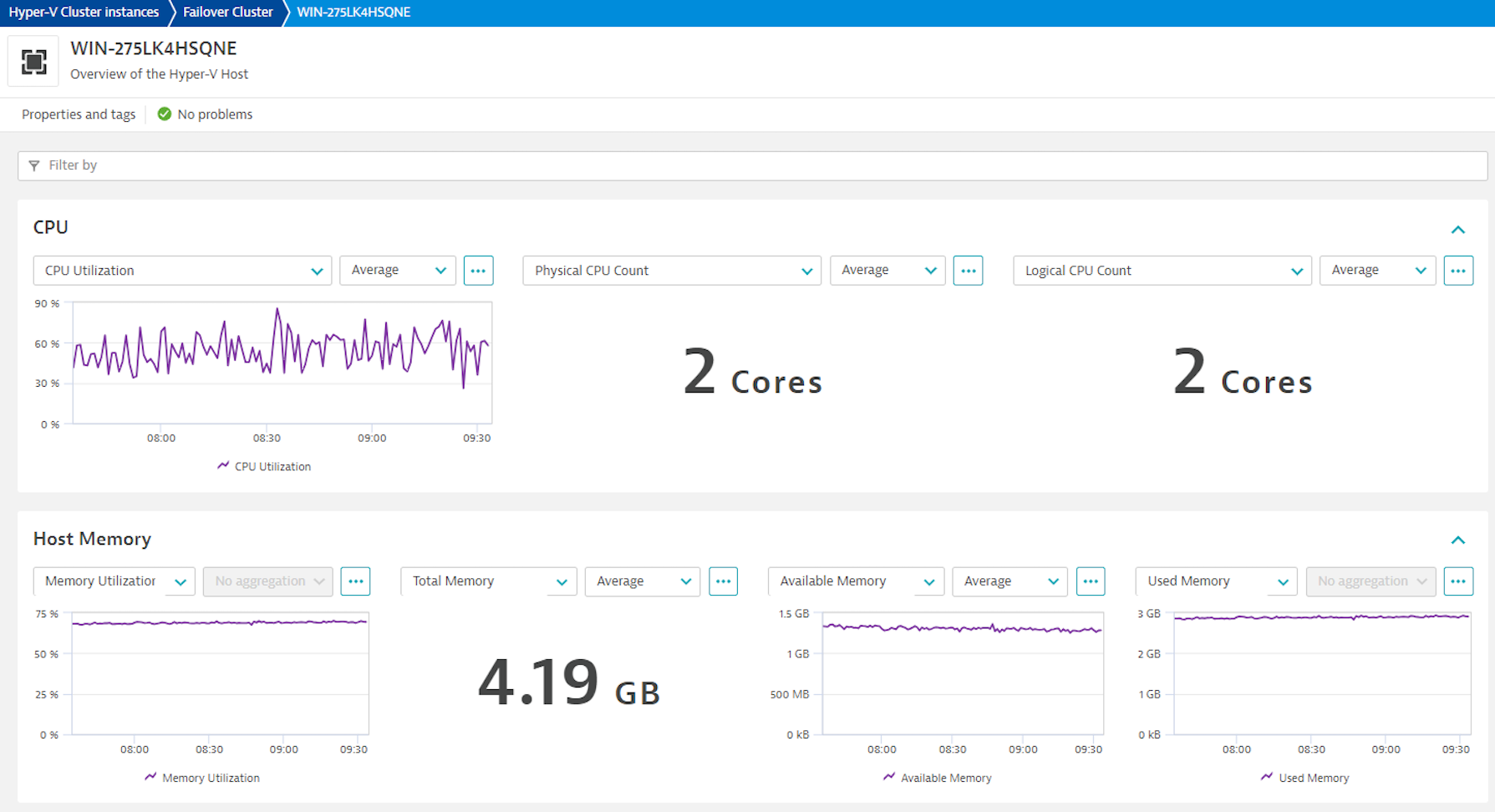
ExtensionGet insights into performance of the Hyper-V fabric, tracking health, performance and resource utilization of the Hyper-V VMs, together with the context of their host and cluster resources. Monitor Hyper-V clusters, detect problems ahead of serious impact, and pinpoint the bottlenecks in the virtualization and application layer, including:
Hyper-V extension leverages PowerShell cmdlets and WMI queries to collect data from the Windows hypervisor, following best practices employed by Microsoft, as well as Dynatrace customers who contributed to validation of this extension in real-life situations.
For more information on the installation and configuration, please see Microsoft Hyper-V Infrastructure extension in the Dynatrace Documentation.
This extension requires:
Note on topological relationships between discovered Hyper-V VMs and OneAgent-monitored VM instances:
Below is a complete list of the feature sets provided in this version. To ensure a good fit for your needs, individual feature sets can be activated and deactivated by your administrator during configuration.
| Metric name | Metric key | Description | Unit |
|---|---|---|---|
| Network Packets Sent | hyperv.host.network_interface_card.packets_sent | - | BytePerSecond |
| Network Packets Received | hyperv.host.network_interface_card.packets_received | - | BytePerSecond |
| Network Packets Transferred | hyperv.host.network_interface_card.packets_transferred | - | BytePerSecond |
| Metric name | Metric key | Description | Unit |
|---|---|---|---|
| Disk Read Rate | hyperv.virtual_machine.storage_device.read_rate | - | PerSecond |
| Disk Write Rate | hyperv.virtual_machine.storage_device.write_rate | - | PerSecond |
| Disk IOPS | hyperv.virtual_machine.storage_device.iops | - | PerSecond |
| Metric name | Metric key | Description | Unit |
|---|---|---|---|
| Disk Read Rate | hyperv.host.disk.read_rate | - | PerSecond |
| Disk Write Rate | hyperv.host.disk.write_rate | - | PerSecond |
| Disk IOPS | hyperv.host.disk.iops | - | PerSecond |
| Metric name | Metric key | Description | Unit |
|---|---|---|---|
| Network Bytes Sent | hyperv.host.network_interface_card.bytes_sent | - | BytePerSecond |
| Network Bytes Received | hyperv.host.network_interface_card.bytes_received | - | BytePerSecond |
| Network Bytes Transferred | hyperv.host.network_interface_card.bytes_transferred | - | BytePerSecond |
| Metric name | Metric key | Description | Unit |
|---|---|---|---|
| Disk Utilization | hyperv.host.disk.disk_util | - | Percent |
| Total Disk Size | hyperv.host.disk.total_size | - | Byte |
| Used Disk Space | hyperv.host.disk.used_space | - | Byte |
| Available Disk Space | hyperv.host.disk.space_free | - | Byte |
| Metric name | Metric key | Description | Unit |
|---|---|---|---|
| CPU Count | hyperv.virtual_machine.cpu_count.gauge | - | Cores |
| CPU Reserve | hyperv.virtual_machine.cpu_reserve | - | Percent |
| CPU Utilization | hyperv.virtual_machine.cpu_utilization | CPU Utilization % relative to the hosts total capacity. | Percent |
| Real CPU Utilization | hyperv.virtual_machine.real_cpu_utilization | CPU Utilization % as seen on the VM | Percent |
| Total Memory | hyperv.virtual_machine.total_memory | - | Byte |
| Available Memory | hyperv.virtual_machine.available_memory | - | Byte |
| Used Memory | hyperv.virtual_machine.used_memory | - | Byte |
| Memory Utilization | hyperv.virtual_machine.memory_util | - | Percent |
| Memory Pressure | hyperv.virtual_machine.memory_pressure | - | Percent |
| Metric name | Metric key | Description | Unit |
|---|---|---|---|
| Virtual Machine Count | hyperv.host.virtual_machine_count.gauge | - | Count |
| Running Virtual Machine Count | hyperv.host.running_virtual_machine_count.gauge | - | Count |
| Uptime | hyperv.host.uptime | - | Second |
| Metric name | Metric key | Description | Unit |
|---|---|---|---|
| Network Bytes Sent | hyperv.virtual_machine.network_interface_card.bytes_sent | - | BytePerSecond |
| Network Bytes Received | hyperv.virtual_machine.network_interface_card.bytes_received | - | BytePerSecond |
| Network Bytes Transferred | hyperv.virtual_machine.network_interface_card.bytes_transferred | - | BytePerSecond |
| Metric name | Metric key | Description | Unit |
|---|---|---|---|
| Memory Utilization | hyperv.host.memory_util | - | Percent |
| Total Memory | hyperv.host.total_memory | - | KiloByte |
| Used Memory | hyperv.host.used_memory | - | Byte |
| Available Memory | hyperv.host.available_memory | - | KiloByte |
| Metric name | Metric key | Description | Unit |
|---|---|---|---|
| Disk Utilization of the Virtual Hard Disk file according the the Host OS | hyperv.virtual_machine.storage_device.disk_util | - | Percent |
| Free Disk Space | hyperv.virtual_machine.storage_device.free_disk_space | - | Byte |
| Total Disk Space | hyperv.virtual_machine.storage_device.total_disk_space | - | Byte |
| Used Disk Space | hyperv.virtual_machine.storage_device.used_disk_space | - | Byte |
| Metric name | Metric key | Description | Unit |
|---|---|---|---|
| Network Packets Sent | hyperv.virtual_machine.network_interface_card.packets_sent | - | PerSecond |
| Network Packets Received | hyperv.virtual_machine.network_interface_card.packets_received | - | PerSecond |
| Network Packets Transferred | hyperv.virtual_machine.network_interface_card.packets_transferred | - | PerSecond |
| Metric name | Metric key | Description | Unit |
|---|---|---|---|
| CPU Utilization | hyperv.host.cpu_utilization | - | Percent |
| Logical CPU Count | hyperv.host.logical_cpu_count.gauge | - | Cores |
| Physical CPU Count | hyperv.host.physical_cpu_count.gauge | - | Cores |
| CPU Reserve | hyperv.host.cpu_reserve | - | Percent |
hyperv.host.disk.iops metric updated to fix an issue where it reported the sum of read and write data size instead of disk operations. As a result, this metric values lose continuity after the upgrade. Other metrics are not affected by this change.Full version history
Published Thu Dec 4 2025
Published Thu Aug 28 2025
Published Fri Aug 08 2025
⚠️IMPORTANT CHANGES
Published Tue Jun 24 2025
⚠️IMPORTANT CHANGE This extension release requires Dynatrace cluster version 1.310 or later. ⚠️If your Dynatrace cluster is on an earlier version, use previous release of this extension, tagged 2.2.38.
Plus, carry-on from release 2.2.38
Published Tue Jun 24 2025
Published Thu Mar 27 2025
Published Mon Feb 10 2025
Published Fri Aug 16 2024
Published Tue Aug 06 2024
Published Fri Jul 12 2024
Published Wed Jul 03 2024
Published Wed May 15 2024
Published Fri Apr 05 2024
Published Thu Apr 04 2024
Published Mon Feb 26 2024
Published Fri Feb 09 2024
Published Wed Nov 29 2023
Published Wed Sep 27 2023