Jira
JiraJira
Open, update, and close Jira tickets automatically from Dynatrace Workflows.
App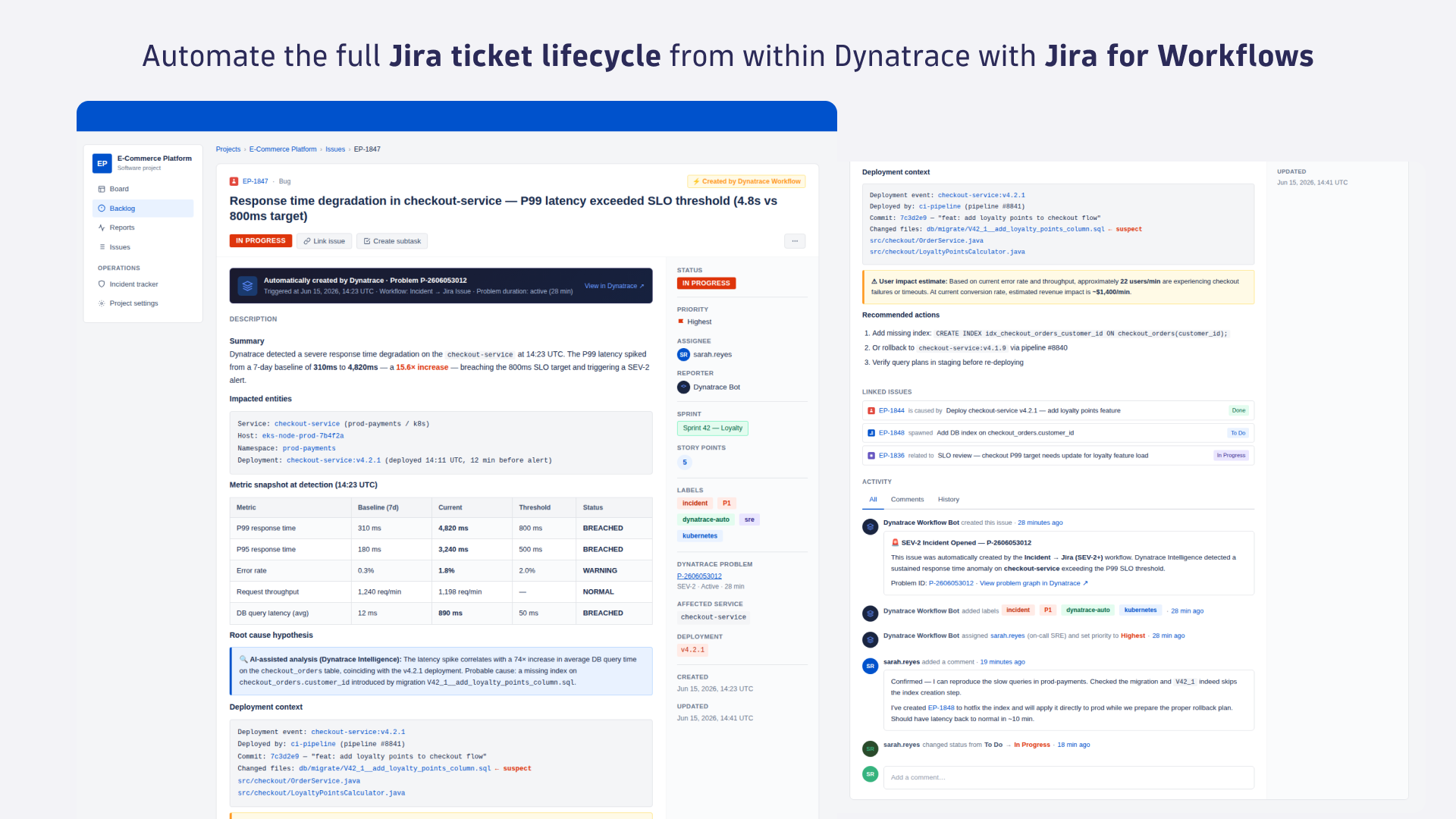
- Product information
- Release notes
Overview
Jira for Workflows automates the full Jira ticket lifecycle from within Dynatrace. Open tickets when problems or security incidents are detected, keep them updated as incidents evolve, and close them when Dynatrace resolves the underlying issue.
Key capabilities include:
-
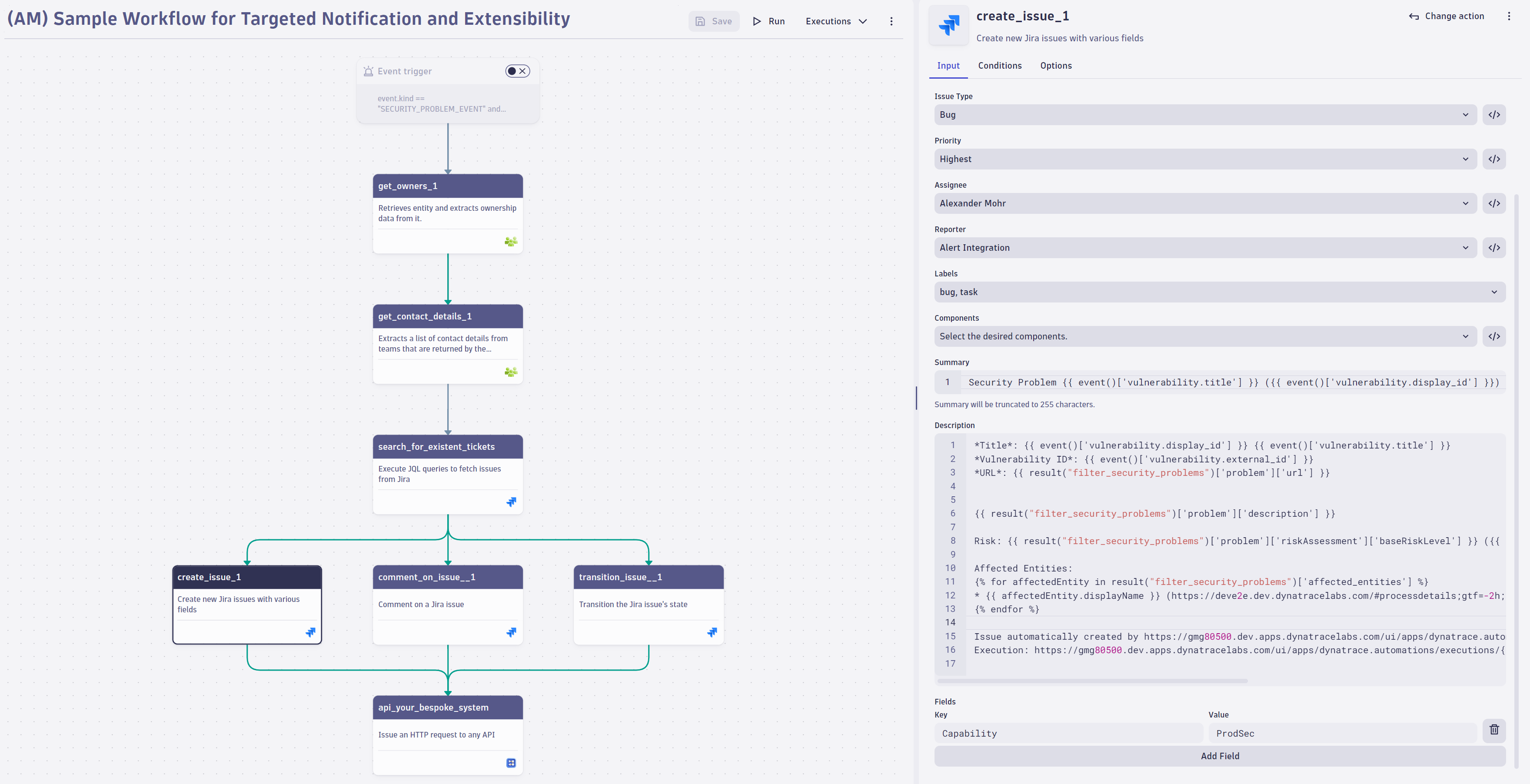
Ticket creation: open Jira issues triggered by problems, events, logs, or metrics; populate project, issue type, priority, assignee, labels, and custom fields automatically
-
Lifecycle management: comment on, reassign, transition, and resolve tickets as incidents evolve
-
JQL search: query Jira to find related tickets before creating duplicates or to pull context into a workflow
-
Notification triggers: use DQL and business events to react to any problem, security incident, or custom signal
-
Jira Cloud and Server support: connect to Jira Cloud instances or Jira Server environments, including firewall-protected instances via EdgeConnect
Use cases
-
Create Jira tickets automatically when Dynatrace detects a problem or security incident with context fields pre-populated so engineers can act without manual data entry.
-
Keep tickets synchronized as incidents evolve: update assignees, add comments, and transition status from within the same workflow that detected the problem.
-
Close the loop on resolved incidents by transitioning or resolving Jira tickets automatically when Dynatrace clears the underlying problem.
-
Search Jira with JQL before creating new tickets to avoid duplicates and surface related issues that provide context for the current incident.
-
Connect to Jira Cloud or Jira Server, including firewall-protected environments via EdgeConnect, without changing your existing Jira setup.
Get started
Install Jira and follow the instructions in Dynatrace Documentation.
Before you start, make sure that Jira is installed in your environment, outbound connections are configured, and the connection to Jira is authorized.
Full version history
ReleaseDate
Full version history
- Updated dependencies
- Updated internationalization
Full version history
- JQL Search Action: Improved authorization handling
- Create Issue Action: Fixed empty assignee value not being treated as unassigned
- Increased the username field length from 50 to 254 characters
- Updated dependencies
Full version history
- Updated dependencies
- Updated internationalization
Full version history
- Fixed workflow template issues
- Updated dependencies
Full version history
- Added workflow template to get notifications for open Jira bug tickets via email
- Added workflow template to auto-track problem errors
- Adapted connection settings page according to style guide
- Updated dependencies
Full version history
- Fixed a bug within the create issue action which led to UI crashes
- Updated internationalization
- Updated dependencies
Full version history
- Added hints and links to docs about custom fields
- Fixed a bug where the result of the JQL search was mistakenly invalided
- Fixed expression mode for create-issue
- Unified data fetching error messages
- Removed custom connection error handling
- Changed the styling of the table in the connection overview
- Updated dependencies
- Updated internationalization
Full version history
- Changed the payload of the share issue intent
- Improved internationalization
- Fixed incorrect background color in the connection overview
- Changed legacy hint text in the connection overview
- Updated dependencies
Full version history
- Added history revision for connection settings
- Removed internally used expressions from action payload
- Reworked message containers design and hint texts in the modal, intent and connection overview
Full version history
- Fixed bug where the connection settings form stayed open after editing a connection
- Added text localization
- Prevented question marks in the Jira-URL when setting up a connection
- Updated dependencies
- Increased schema version
- Improved error message for custom fields
- Adjusted height of create and edit connection intent
- Adjusted some action names to be sentence cased
- Added a link below the description field in the create-issue widget and intent to the text formatting documentation site
Full version history
- Migrated to owner based access for connections
- Added validation in the create/edit connection dialog that the connection name should not begin or end with a whitespace
Full version history
- JQL Search action - Use new API endpoint
- Integrated connection picker with expression mode
- Updated dependencies
Full version history
- Updated dependencies
Full version history
4.8.1
- Changed tooltip link in edit issue action
- Renamed app to "Jira" (former "Jira for Workflows")
- Changed hint text in jql search action
4.8.0
- Add a new action that allows to edit fields on a given issue
- Add sample result for the edit-issue action
- Group input fields in actions and intents by headers
- Added log statements to display action progress
4.7.1
- Add missing surface around connection picker
- Show confirmation dialog before closing an intent while having modified fields
- Adjust create issue intent to align with UX guidelines
- Changed error handling in get issue types action
- Adjust the size of the bin icon for custom fields
4.7.0
- Added query parameters when creating or editing a connection
- Grouped related input fields visually
- Updated dependencies
4.6.0
- Made Jira for Worklows headless
- Replaced "Issue key" Multiline Input Field with Singleline Input Field
- Updated hint text for Jira JQL-search
- Marked required input-fields as required.
- Adjust constraint message to show correct constraints
- Adjusted the format of some labels
Full version history
4.5.1
- Changed label of link type picker from inward to outward
- Made comment optional in "link issue" action
4.5.0
- Added confirmation modal for closing unsaved connection settings
- Added "Link Issue" Action to link two Jira Issues
- Updated dependency and resolved deprecation warnings
Full version history
4.4.0
- Aligned footer and use case text in connection overview
- Improved user interface when connection had been deleted
- Hint text improvements
Full version history
4.3.1
- Fixed missing scroll bar in dropdowns for Chrome versions 129.0.6668.xx or higher
- Improved user interface for all actions when connection is missing
4.3.0
- Introduce a new, streamlined connection management experience with a modernized interface. This update makes adding and editing connections directly within workflows easier and provides connection control and convenience in one place.
- Transition issue action - Fixed aborting fetch of transitions after entering an issue key
- Create issue action - Query labels by search term instead of fetching all labels
- Create Issue action - Replaced hardcoded environment url with expression
Full version history
4.0.0
- Changed Connection list to an unordered list.
- Updated dependencies.
Full version history
3.1.5
- Dependencies - Updated dependencies.
3.1.4
- Dependencies - Update dependencies.
3.1.3
- Improvement: Connections - Unretrievable Connections are now logged to the user.
3.1.2
- Bugfix: Create Issue Action - Fix response validation for priorities.
- Dependencies - Update dependencies.
- Bugfix: All actions - Fix possible chinese error messages in case when an invalid authencation token is configured.
3.1.1
- Bugfix: Transition Issue Action - Fix changing connection when typing in an issue key after changing the connection.
3.1.0
- Improvement: Usability - Infer deployment type based on authentication type.
- Improvement: Create issue - Add expression support for label picker.
- Bugfix: Create issue - Reduce number of network requests needed when fetching labels.
Full version history
3.1.1
- Bugfix: Transition Issue Action - Fix changing connection when typing in an issue key after changing the connection.
3.1.0
- Improvement: Usability - Infer deployment type based on authentication type.
- Improvement: Create issue - Add expression support for label picker.
- Bugfix: Create issue - Reduce number of network requests needed when fetching labels.
Full version history
3.0.1
- Dependencies - Update dependencies.
3.0.0
- Breaking Change: Intent Response Properties - Adapted the intent response properties to prefixed keys.
- Bugfix: Reporter and Assignee Fields - Fixed problem that filtering then selecting a user would not select the user.
Full version history
3.0.0
- Breaking Change: Intent Response Properties - Adapted the intent response properties to prefixed keys.
- Bugfix: Reporter and Assignee Fields - Fixed problem that filtering then selecting a user would not select the user.
2.0.0
- Improvement: Usability - Adapt create issue intent to improve the user experience.
- Breaking Change: Intent Payload - Adapted the intent payload to prefixed keys.
- Dependencies - Update dependencies.
- Improvement: Transition issue - Improve error handling of transition issue action.
1.8.0
- Action Dev 2.0 - Migrate to Action Dev 2.0.
- Improvement: Styling - Adapt create issue intent styling.
1.7.3
- Bugfix: All Actions - Support for AbortController to abort API calls upon clicking on another Automation Action.
Full version history
1.7.1
- Dependencies - Update dependencies.
1.7.0
- Improvement: Transition issue - Simplify form by removing project and issue type picker.
- Improvement - Allow assignee and reporter expressions to evaluate to names.
- Bugfix: Create issue - Fixed a bug that prevented suffix to be applied to description even after editing the workflow.
- Connection settings - Allow connection name to change without the need to re-enter token/password.
Full version history
1.6.1
- Dependencies - Update dependencies.
1.6.0
- Description suffix - Add suffix to description of issues created via workflow.
- Improvement: Usability - Provide better log messages and hints for JQL search action.
1.5.4
- Bugfix: Transition issue - Fixed a bug that prevented issues to be transitioned if the transition required a comment.
- Bugfix: Error handling - Improve error handling of priority picker.
- Bugfix: Error handling - Improve error handling of user picker.
1.5.3
- Bugfix: Error handling - Improved error handling when workflow action input is empty.
Full version history
1.5.2
Patch Changes
- 4eeb521: Fix action input validation issue where undefined was considered an invalid value for fieldSetters in the Jira Create Issue action.
1.5.1
Patch Changes
- ef2cae5: Improve jira-get-users error handling.
- bdc77ac: Improve jira-get-projects error handling.
- a60bc42: Improve deployment type fetch error handling.
1.5.0
Minor Changes
- 55d19e4: Add support for expressions in priority picker.
- cb6928a: Add support for custom fields in create issue action
Patch Changes
- b3b3a81: Reduce log spam when fetching users
- 307a731: Unify issue key label
Full version history
1.5.1
Patch Changes
- ef2cae5: Improve jira-get-users error handling.
- bdc77ac: Improve jira-get-projects error handling.
- a60bc42: Improve deployment type fetch error handling.
1.5.0
Minor Changes
- 55d19e4: Add support for expressions in priority picker.
- cb6928a: Add support for custom fields in create issue action
Patch Changes
- b3b3a81: Reduce log spam when fetching users
- 307a731: Unify issue key label
Full version history
1.5.0
Minor Changes
- 55d19e4: Add support for expressions in priority picker.
- cb6928a: Add support for custom fields in create issue action
Patch Changes
- b3b3a81: Reduce log spam when fetching users
- 307a731: Unify issue key label
Full version history
1.4.2
Patch Changes
- 6af8598: Fix handling of paginated Jira REST API endpoints
- 0d3cdbf: Unify labels for issue key
1.4.1
Patch Changes
- 2c79de6: Ensure app ID and app name never exceed length limits.
- 716b7de: Remove Name property from components action payload
- 4038aa4: Remove displayName property from assignee and reporter intent payload
- e98f974: Fix user picker to not perform rest request without selecting a connection first
1.4.0
Minor Changes
- 3f81730: Add support for JSON in field values when transitioning issues.
Patch Changes
- 3bf6fef: Remove displayName property from assignee and reporter action payload
- c64b7c6: Add support for consumer app state propagation in jira-create-issue intent payload.
Full version history
1.4.0
Minor Changes
- 3f81730: Add support for JSON in field values when transitioning issues.
Patch Changes
- 3bf6fef: Remove displayName property from assignee and reporter action payload
- c64b7c6: Add support for consumer app state propagation in jira-create-issue intent payload.
Full version history
1.1.1
Patch Changes
- b4324d4: Fix loading inconsistency for issue type and priority picker
- 22ff4ff: Fix user picker behavior when filtering items
- 86bbe34: Fix loading inconsistency for assignee and reporter picker when switching between Jira cloud and Jira server connections
- 0bf1602: Optimize connection object
1.1.0
Minor Changes
- a25ca99: Support NJinn expressions for Components Picker
- 7d7338c: Enable expression support in the project picker
Patch Changes
- a273ffe: Require secrets to be re-entered upon configuration change
- 829a54e: Fix state inconsistency in labels input field
Full version history
No release notes