Skip to technology filters Skip to main content
Dynatrace Hub

Extend the platform,
empower your team.

Popular searches:
Home hero bg
Dynatrace AssistDynatrace Assist
Dynatrace Assist

Dynatrace Assist

Dynatrace Assist: Ask, analyze, and act with Dynatrace Intelligence.

App
Free trialDocumentation
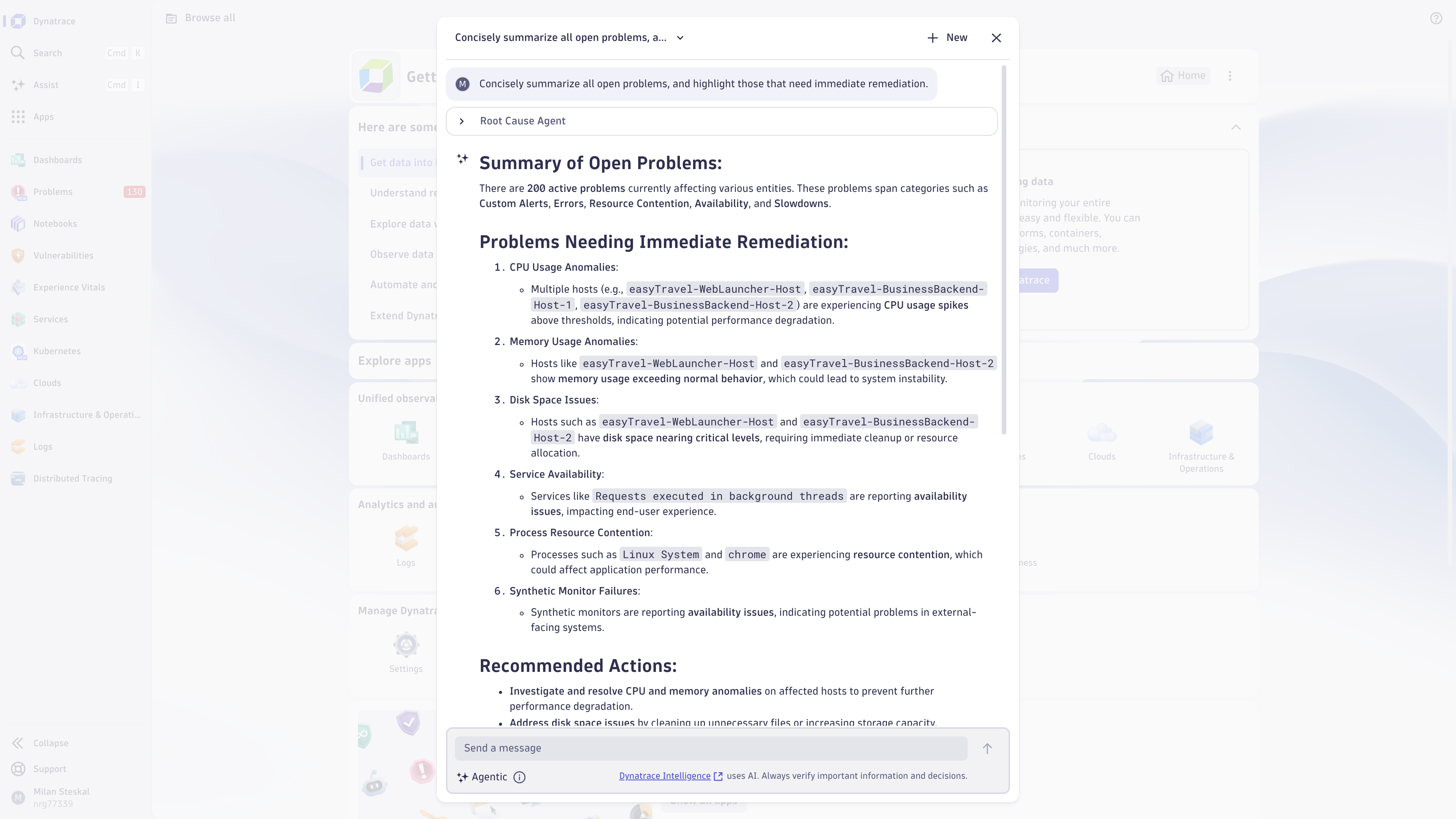
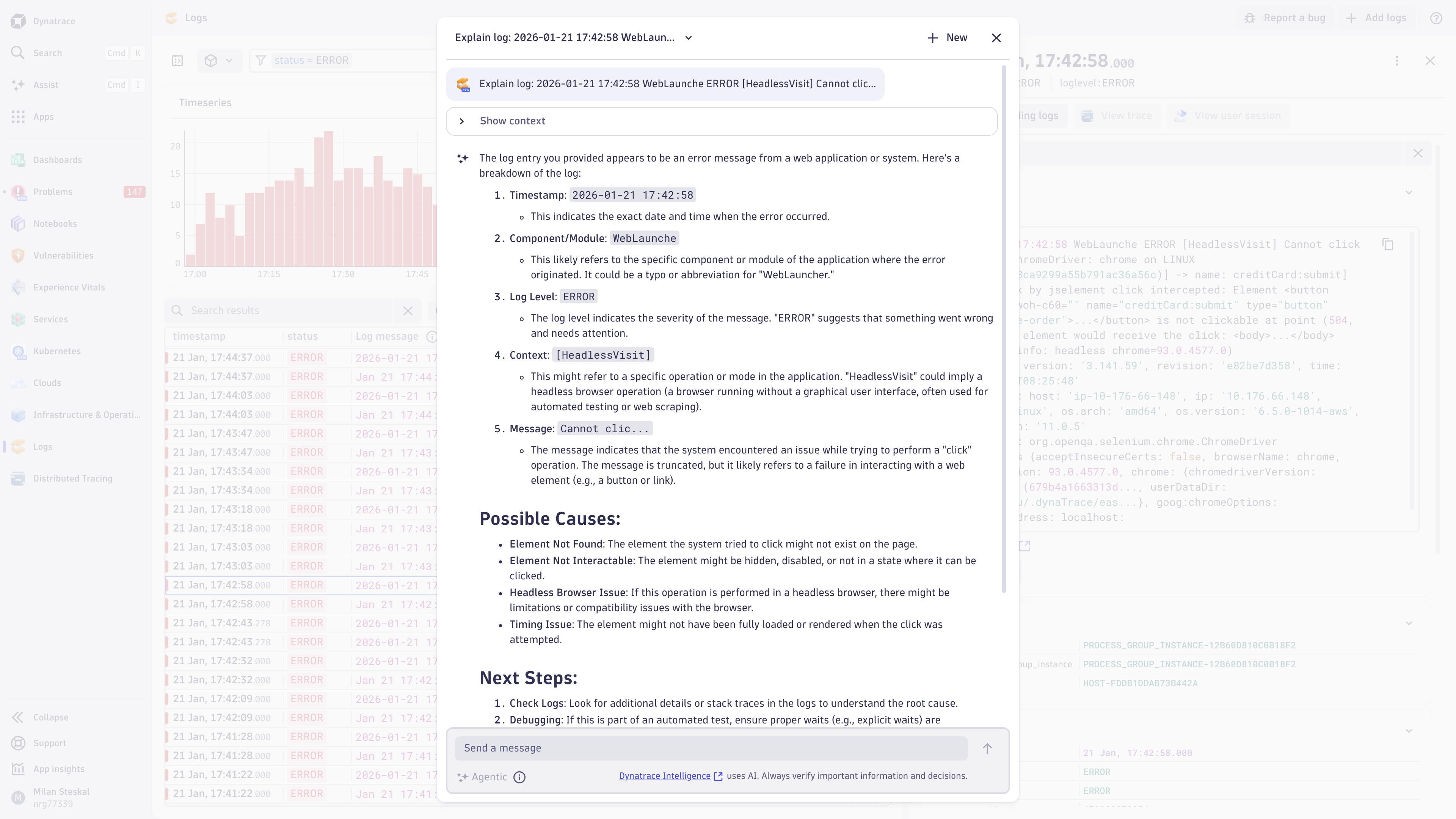
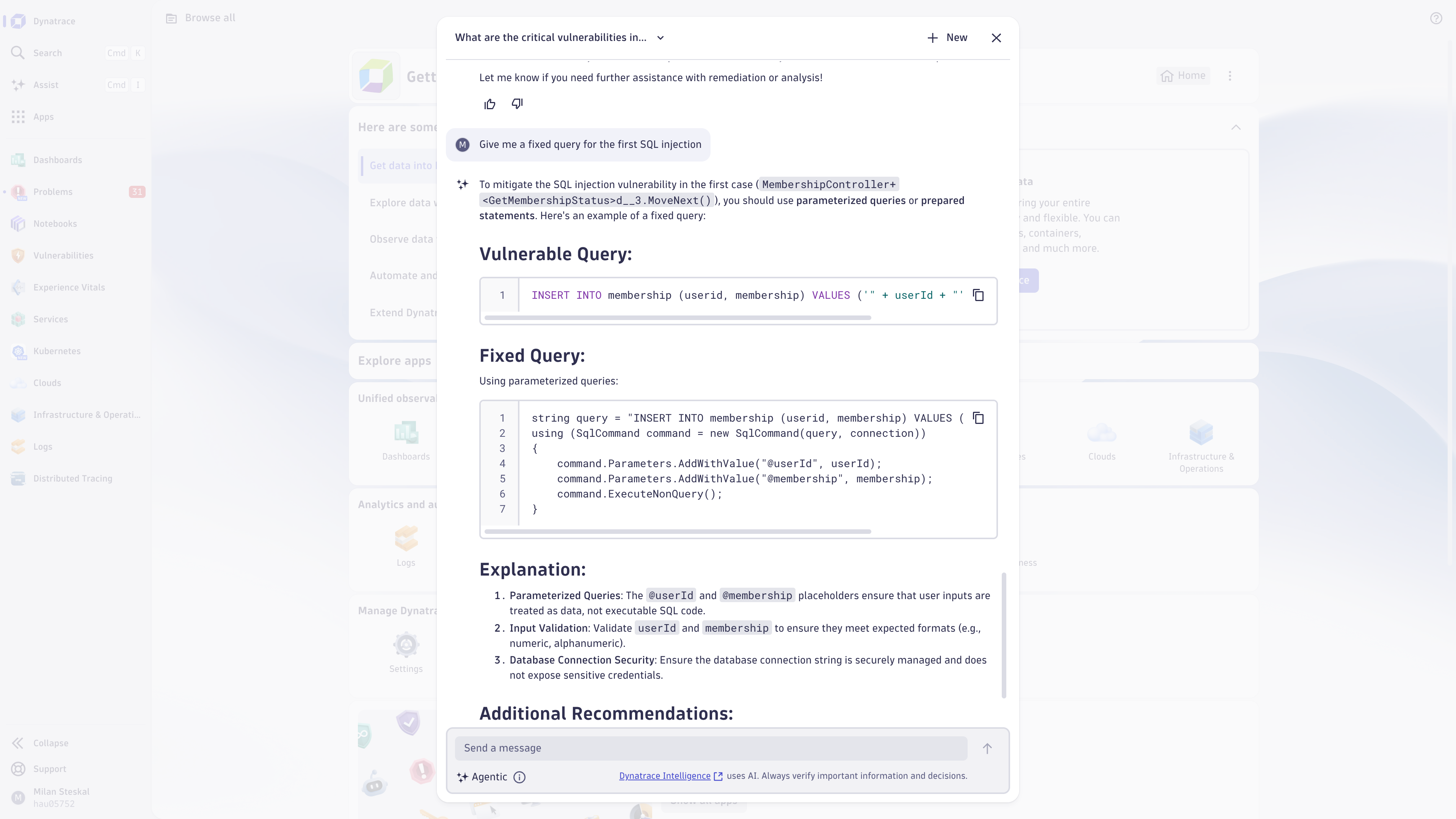
Get started quickly and easily by asking Dynatrace Assist a question. Try out one of the examples to see what's possible.Ask Dynatrace Assist to summarize all open problems to get a quick overview of your environment.Ask Dynatrace Assist to explain your logs to quickly get the insights, potential impact, likely causes and recommended next steps.Get help with identifying and fixing vulnerabilities, such as SQL injections.
  • Product information
  • Release notes

Overview

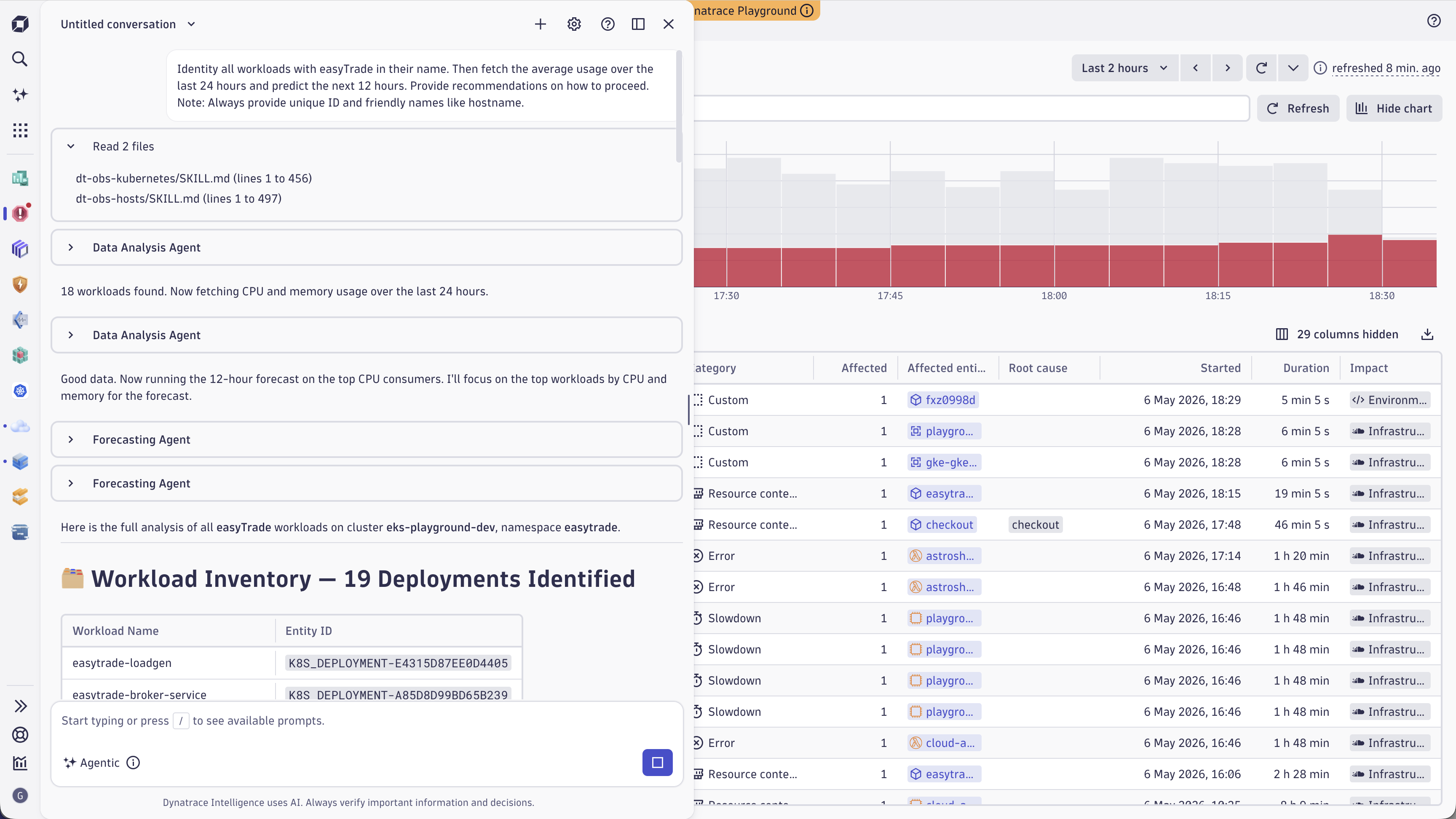
Dynatrace Assist is your natural‑language gateway into Dynatrace Intelligence, the agentic operations system that brings the full platform together for you. Instead of switching between dashboards, queries, apps, and other tools, you simply ask a question and Dynatrace Intelligence responds accordingly, using Dynatrace’s generative, causal, and predictive AI capabilities as well as all agentic tools provided by Dynatrace MCP Server. Like a true team member, Assist draws context from Grail, maps relationships through Smartscape, and collaborates with Dynatrace agents to deliver grounded, precise answers. As the conversation continues, you naturally move from insights and understanding to exploration and action. Ask. Analyze. Act.

Use cases

Use Assist for use cases such as:

  • In-context assistance to help with onboarding, Dynatrace usage, and configuration topics

  • Explain Kubernetes warning signals, Logs, Problems, threat detection findings, or database insights integrated right into the respective app

  • Analyze your data, get insights, and recommend next steps right within the Assist chat interface

  • Interact with available Dynatrace foundational agents for deeper analysis when needed

and much more coming in the next weeks and months.

Get started

To get started with this app, you simply need to enable generative AI functionality for your environment and assign the necessary permissions to the relevant user groups via a policy. See our documentation for further details.

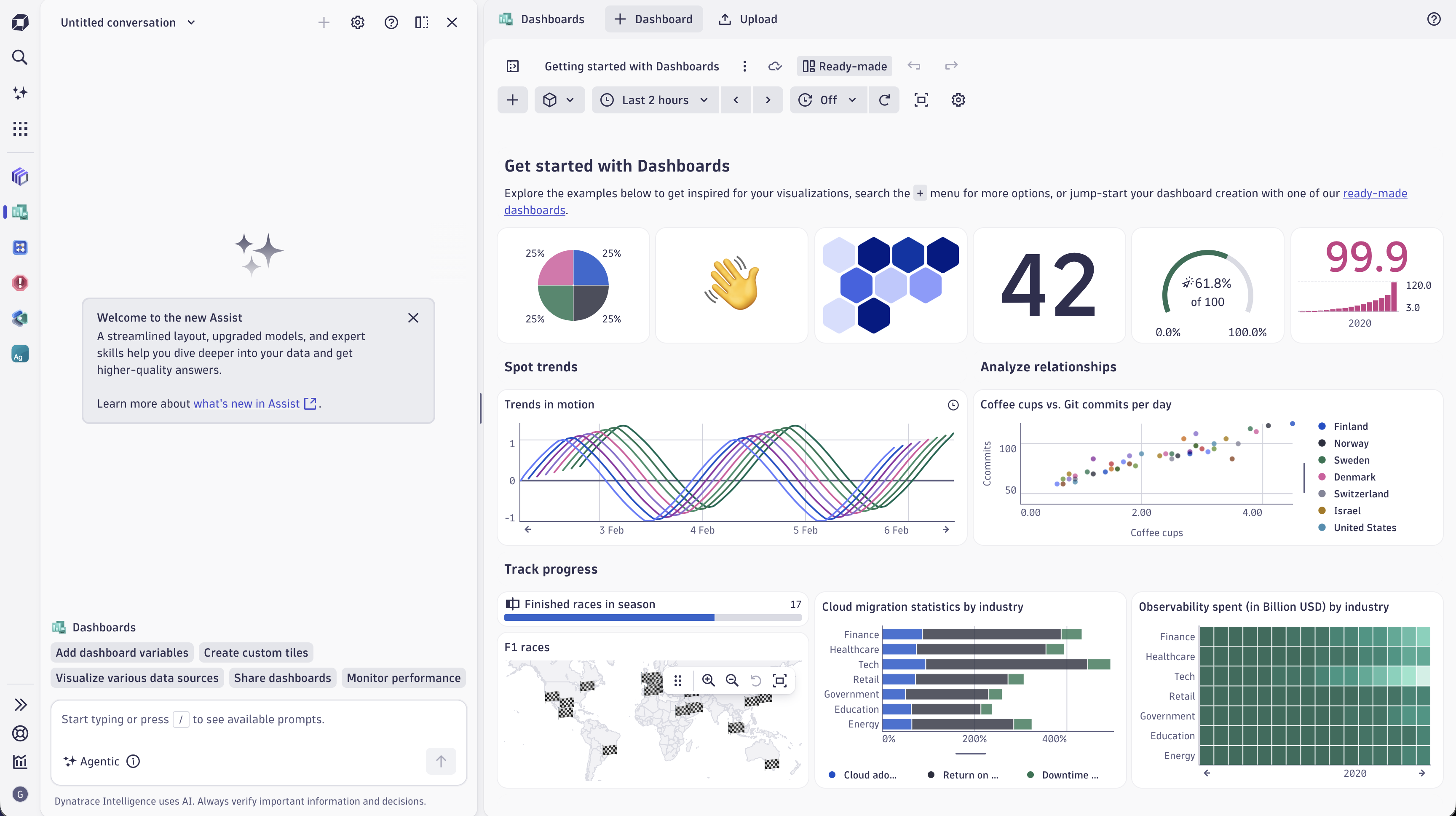
Once users have access, all they need to do to get started is to select the new Assist entry (below the global search) in the dock and ask Dynatrace Assist their desired question, or select one of the example prompts.

Curious to understand how Dynatrace Intelligence generative AI is being adopted across your environment? Check out the read-made dashboard called ā€œGenerative AI feature adoptionā€.

*Please note that your prompts are sent to LLMs hosted by enterprise vendors such as Microsoft Azure AI and AWS Bedrock, which power Dynatrace Intelligence generative AI. These vendors don't store the submitted data or any responses. The prompts and related responses are used only to serve your experience. Neither our enterprise vendors nor Dynatrace use the prompts to fine-tune or improve any models or services, or to train models across customers or environments.

Dynatrace may store prompts submitted to Dynatrace Assist and the responses provided by the LLMs to better understand use cases, contextualize feedback on those responses, and identify additional user expectations.*

Dynatrace
DocumentationMore Information
By Dynatrace
Dynatrace support center
Subscribe to new releases
Copy to clipboard

Related to Dynatrace Assist

Dynatrace MCP Server logo

Dynatrace MCP Server

Enable your AI agents with high-quality data and real-time production insights.

MCP Server Tools logo

MCP Server Tools

Enable your agents with reliable insights, with our toolkit accessible via MCP.

Dynatrace Intelligence for Workflows logo

Dynatrace Intelligence for Workflows

Automate smarter with intelligent detection, forecasting, and custom analysis.

Dynatrace Intelligence logo

Dynatrace Intelligence

Action based on answers with deterministic insights and agentic operations.

Agentic Workflows logo

Agentic Workflows

Build agentic workflows to automate, orchestrate and govern operations at scale.

More resources

Ask, analyze, and act with Dynatrace Intelligence

Ask, analyze, and act with Dynatrace Intelligence

Your agentic partner that helps you gather insights
Read more

Full version history

ReleaseDate

Full version history

1.332.0

Dynatrace Assist now supports agentic capabilities, which let you ask questions and analyze issues from a single conversational interface powered by Dynatrace Intelligence. It combines generative, causal, and predictive AI with environment context (Grail and Smartscape) to deliver transparent, data‑backed recommendations and end‑to‑end remediation guidance.

Highlights

  • Conversational, agentic flows: Multi‑step reasoning guides you from question, to insight, to actionable steps without switching context.
  • Deep environment awareness: pulls context from Grail and Smartscape for environment‑specific analysis.
  • Transparent recommendations: shows the data that backs each suggestion so teams can validate and trust actions.
  • Explain raw signals: select a log or signal and get expert‑style explanations of impact, likely causes, and recommended next steps.
  • Integration of Dynatrace MCP Server: leverages agentic tooling to access production insights and trigger deeper analyses when needed.

Read more about the release here, or learn more about how to get started with Agentic mode.

Full version history

1.331.2

Minor Changes

  • Correctly reset feedback button when switching between conversations
  • Minor improvements and bugfixes

Full version history

1.330.3

With the launch of Dynatrace Intelligence, the Ask Davis CoPilot app has been renamed to Dynatrace Assist. You'll also see refreshed icons across the interface for clearer, more consistent visuals.

Full version history

1.328.1

Minor Changes

  • Updated the background color scheme in Davis CoPilot chat to improve message distinction and readability. This makes it easier to identify different messages in the chat interface in order to better follow conversation flows.
  • Improved error message handling to better understand what went wrong.

Full version history

1.327.0

Minor Changes

  • Minor changes and improvements.

Full version history

1.326.0

Minor Changes

  • Introducing the newĀ Davis CoPilot Feature Adoption Dashboard, designed to give administrators a comprehensive view of how generative AI features are being utilized across their environment. With this dashboard, you can:
    • TrackĀ key adoption metricsĀ to monitor Davis CoPilot feature usage and engagement.
    • GainĀ user behavior insightsĀ to understand where assistance is needed.
    • IdentifyĀ guardrail interactions, highlighting areas where users encounter limits.
    • Monitor for potentialĀ misuse or abuseĀ of generative AI capabilities.
  • Minor fixes and improvements.

Full version history

1.324.1

Minor Changes

  • Minor fixes and improvements.

Full version history

1.323.0

Minor Changes

  • Minor fixes and improvements

Full version history

1.322.0

Minor Changes

  • Increased context limits so that CoPilot can give even more precise answers

Full version history

1.321.0

  • Minor fixes and improvements.

Full version history

1.320.0

  • Added some new prompt examples, so you can explore more use cases.

Full version history

1.319.1

  • Improved conversation overview list:
    • Conversations can now be sorted by name and last modified date
    • Columns can be resized so you can see more information upfront
  • Improved auto-focus behaviour so you can get to typing your prompts quicker
  • Improved the streaming, to prevent interrupted responses.

Full version history

1.318.1

  • Fixed a bug that prevented you from updating or interacting with older conversations
  • Minor UI improvements

Full version history

1.317.0

  • Minor fixes and improvements.

Full version history

1.316.0

  • Minor fixes and improvements.

Full version history

1.315.0

  • Minor fixes and improvements.

Full version history

1.314.0

  • Minor fixes and improvements.

Full version history

1.313.2

Bug Fixes

  • Fixed copilot conversations created by an intent not using the correct conversation history

1.313.1

Bug Fixes

  • Fixed copilot response not being sent in the feedback event

1.313.0

Minor Changes
  • Introduced bulk delete action on conversation overview list.
  • Conversation overview list now has no limit on how many conversations can be shown.
  • Minor improvements.

Full version history

1.312.0

Minor Changes
  • Improved response streaming behaviour

Full version history

1.311.0

Minor Changes
  • Minor text improvements.

Full version history

1.310.0

Minor Changes
  • User input now supports markdown formatting.
  • You can now explain problems directly from a Problem detail screen
  • You can now ask Davis CoPilot to summarize a database execution plan
  • Minor performance improvements and fixes

Full version history

1.308.0

  • Conversation list view now shows up to 1000 past conversations and includes pagination
  • Minor text changes

Full version history

1.307.1

Availability changes

  • With this release, Davis CoPilot Chat is generally available for all customers.

Minor changes

  • Increased the prompt character limit from 3000 to 5000
  • Increases number of conversations shown in list view from 50 to 200
  • Filtering in the conversations list view is now case insensitive
  • Improved error messages
Dynatrace Hub
Hub HomeGet data into DynatraceBuild your own app
Dynatrace Intelligence - Agentic Operations SystemThe Dynatrace Agentic AI ecosystem
Log Management and AnalyticsKubernetesAI and LLM ObservabilityInfrastructure ObservabilitySoftware DeliveryApplication ObservabilityApplication SecurityBusiness ObservabilityDigital Experience
Filter
Type
Built and maintained by
Deployment model
SaaS
  • SaaS
  • Managed
Partner FinderBecome a partnerDynatrace Developer

All

1 Results filtered by:

Tricentis NeoLoad logo

Tricentis NeoLoad

Automated Load Testing tool enabling you to run Continuous Performance Testing.