 Synthetic for Workflows
Synthetic for Workflows
Execute Dynatrace synthetic monitors within Workflows.
App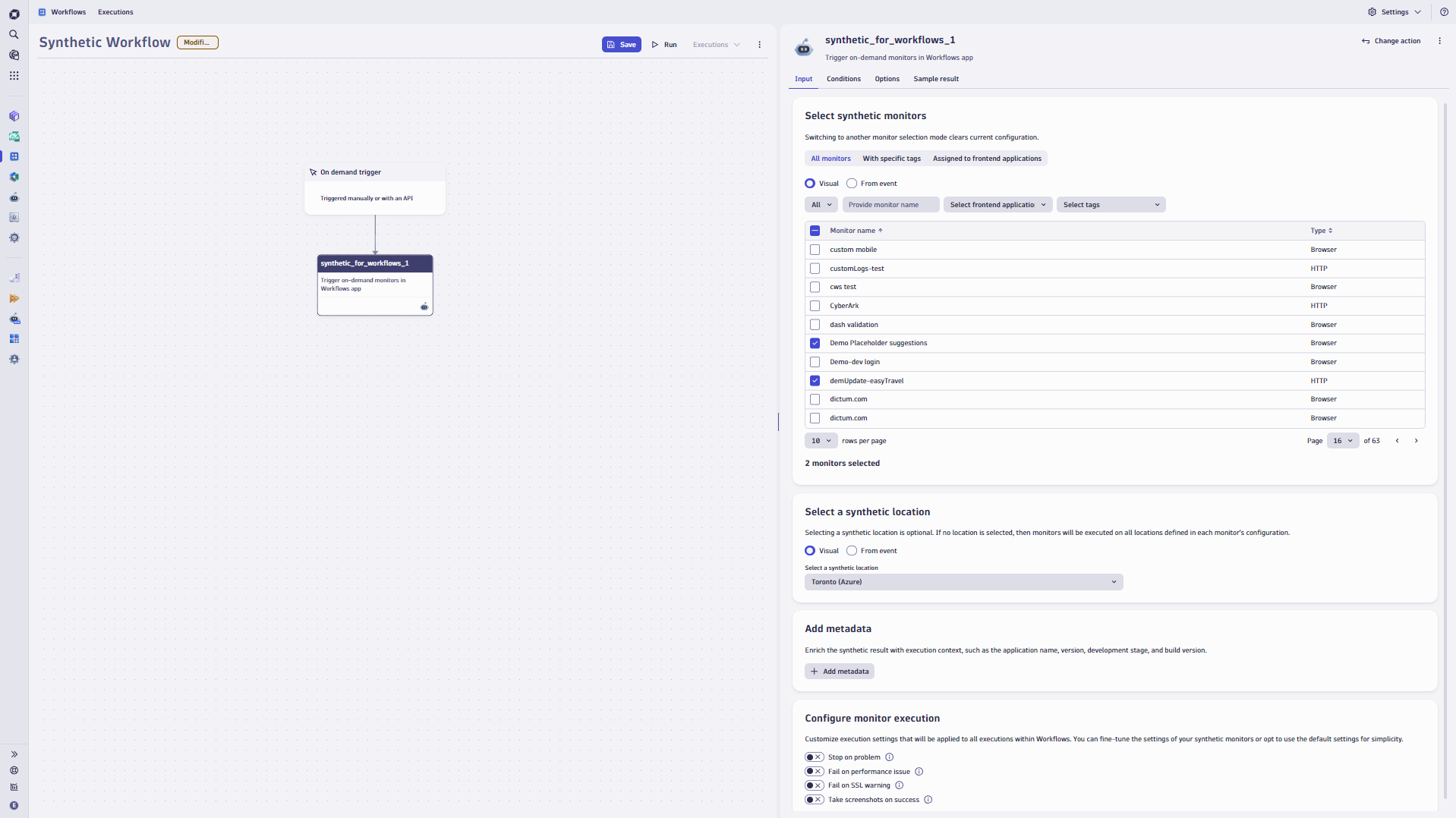
- Product information
- Release notes
Overview
Enhance your automation capabilities with Synthetic Monitoring. Synthetic for Workflows allows you to execute synthetic monitors on demand at selected locations within your workflows.
You can choose which monitors to execute. Specify:
- A list of selected monitors.
- Monitors tagged with specific identifiers.
- Monitors assigned to a particular frontend application.
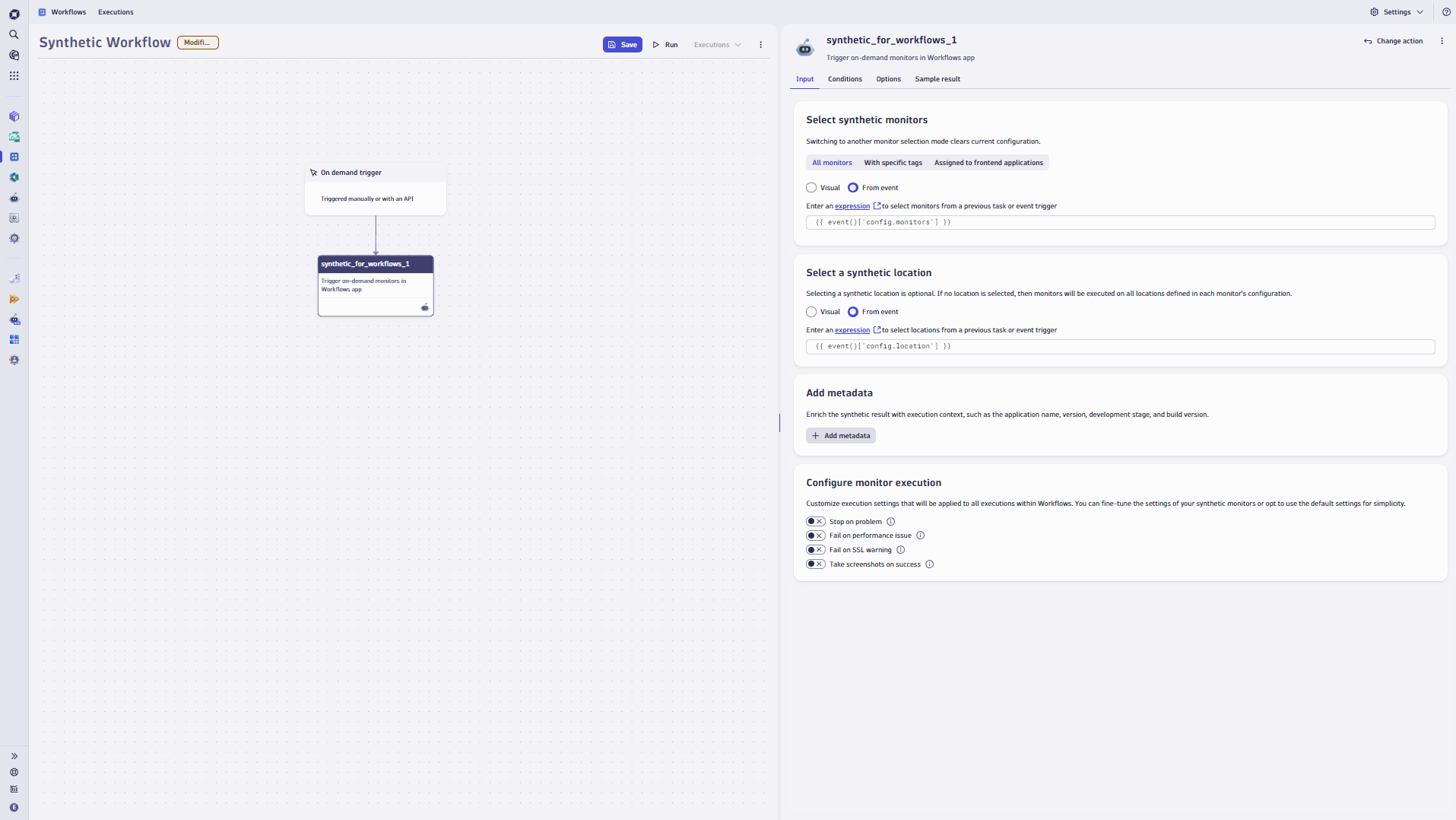
Besides, you can use expressions to extract the list of monitors and locations from incoming events, enabling you to build a reusable workflow.
Use cases
- Integrate Synthetic for Workflows with your CI/CD pipelines and build an automated process for release validation along with Site Reliability Guardian.
- Use Synthetic for Workflows to automate checks on your critical user journeys, ensuring they function correctly every time there's a change, such as in the infrastructure configuration or when a problem occurs.
- Customize your Synthetic schedules to accommodate various platform events, particularly when operational conditions can change rapidly.
Get started
To integrate Synthetic Monitoring into your custom workflows, first install Synthetic for Workflows in your environment. Then use the synthetic_for_workflows action in your automated workflows.
Before you begin, ensure that all monitors are properly defined.
Please use the Synthetic app to create a new synthetic monitor.


Full version history
ReleaseDate
Full version history
2.0.0
Major Changes
- 240c868: As previously announced, the support for attributes returned in the old synthetic events format has ended. For details, please refer to the documentation.
Full version history
1.4.0
Minor Changes
- 9e01c23: Due to recent updates, we have unified the attribute names of synthetic events, which introduces incompatibilities with the format of result events. For details, please refer to the documentation.
Full version history
1.3.0
Minor Changes
- 2043c31: Added new format of the synthetic events to the action result (for DPS customers)
Full version history
1.2.1
Patch Changes
- e73d7ad: Fixed workflow execution for non-DPS customers
1.2.0
Minor Changes
- 3833b4c: Added "Configure workflow execution" section where user can customize settings for workflow task behavior
Full version history
1.2.0
Minor Changes
- 3833b4c: Added "Configure workflow execution" section where user can customize settings for workflow task behavior
Full version history
1.1.1
Patch Changes
- Fix showing action in "Choose action" panel in Workflows app
1.1.0
Minor Changes
- 13ead72: Added workflow support for non-DPS customers
Full version history
1.0.2
Patch Changes
- 02f73d2: Fix preselecting options in widget
1.0.1
Patch Changes
- 023fc6f: Added parsing array from event
Full version history
1.0.0
Synthetic for Workflows is an extension to Workflows app. It allows you to execute synthetic monitors on demand at selected locations within your workflows.