 MySQL
MySQLMySQL
Automatically and intelligently observe, analyze and optimize how your the usage, health and performance of your database.
Technology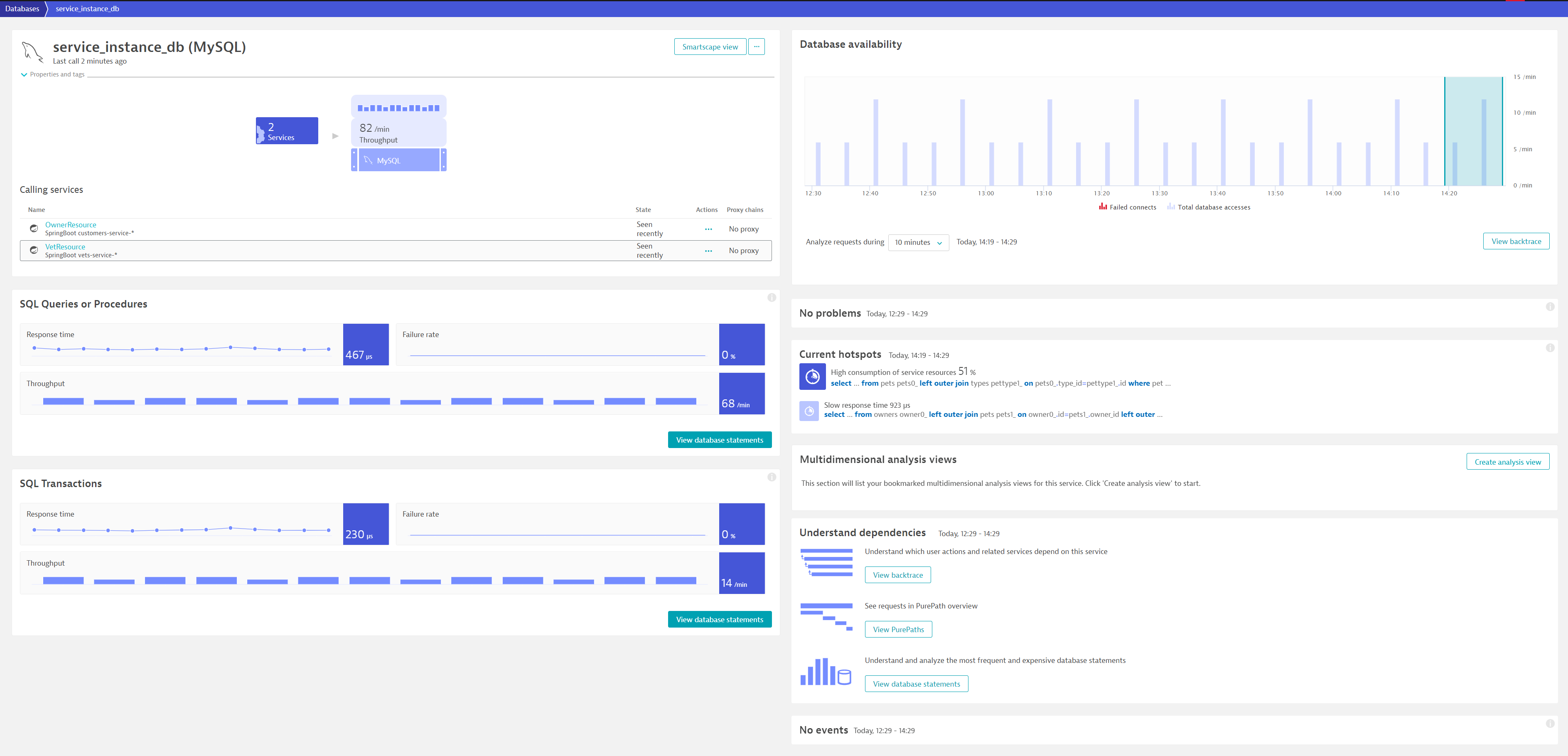
- Product information
Overview
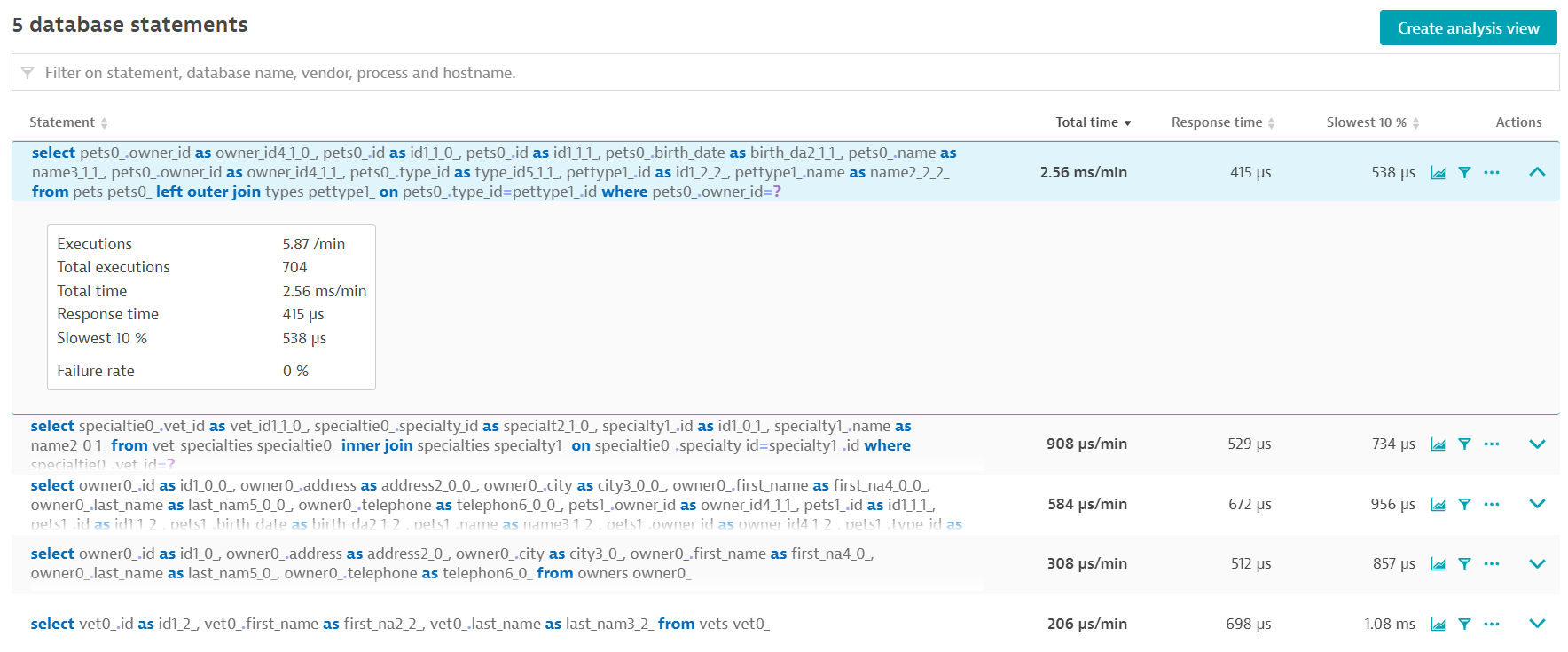
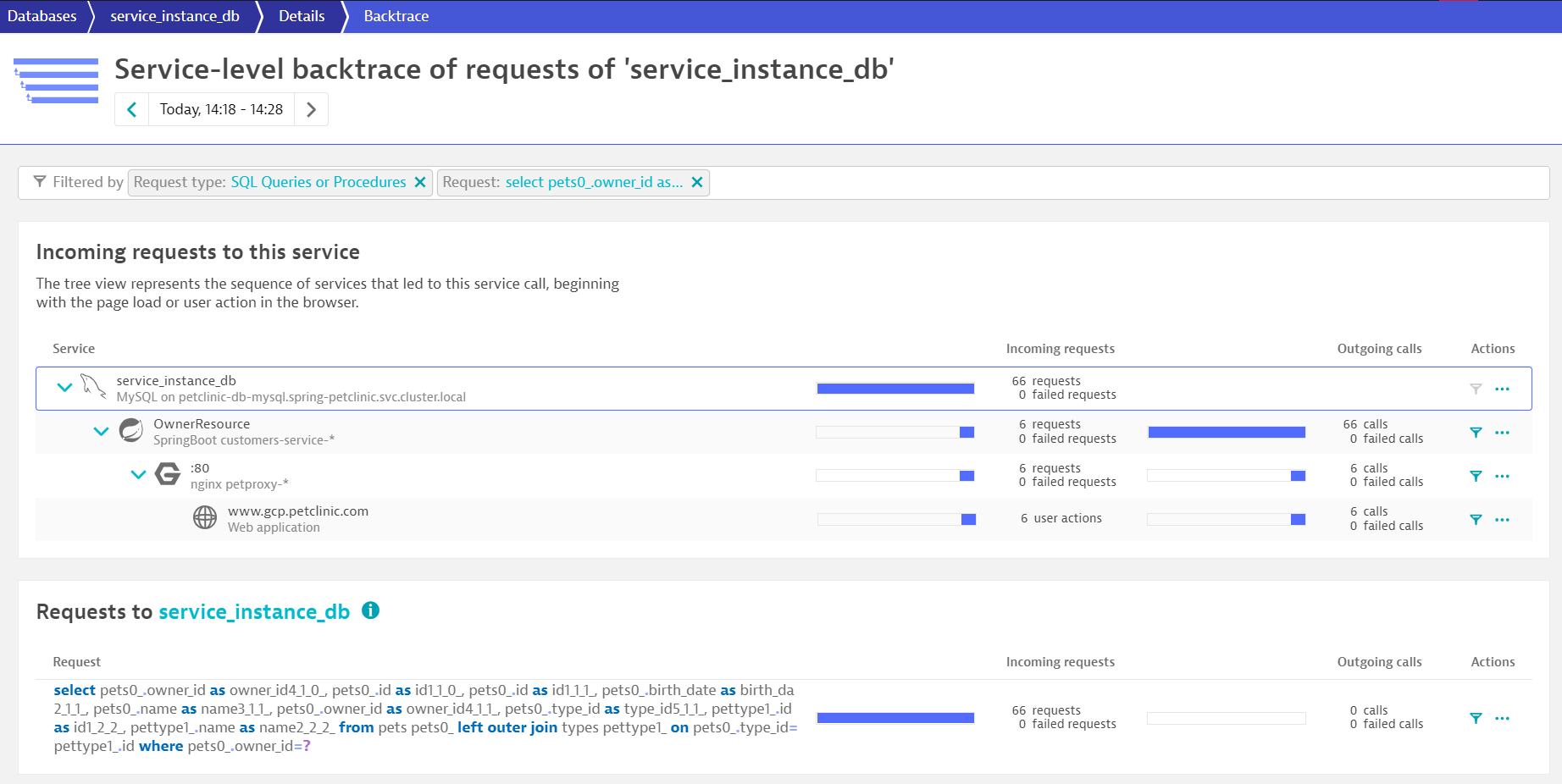
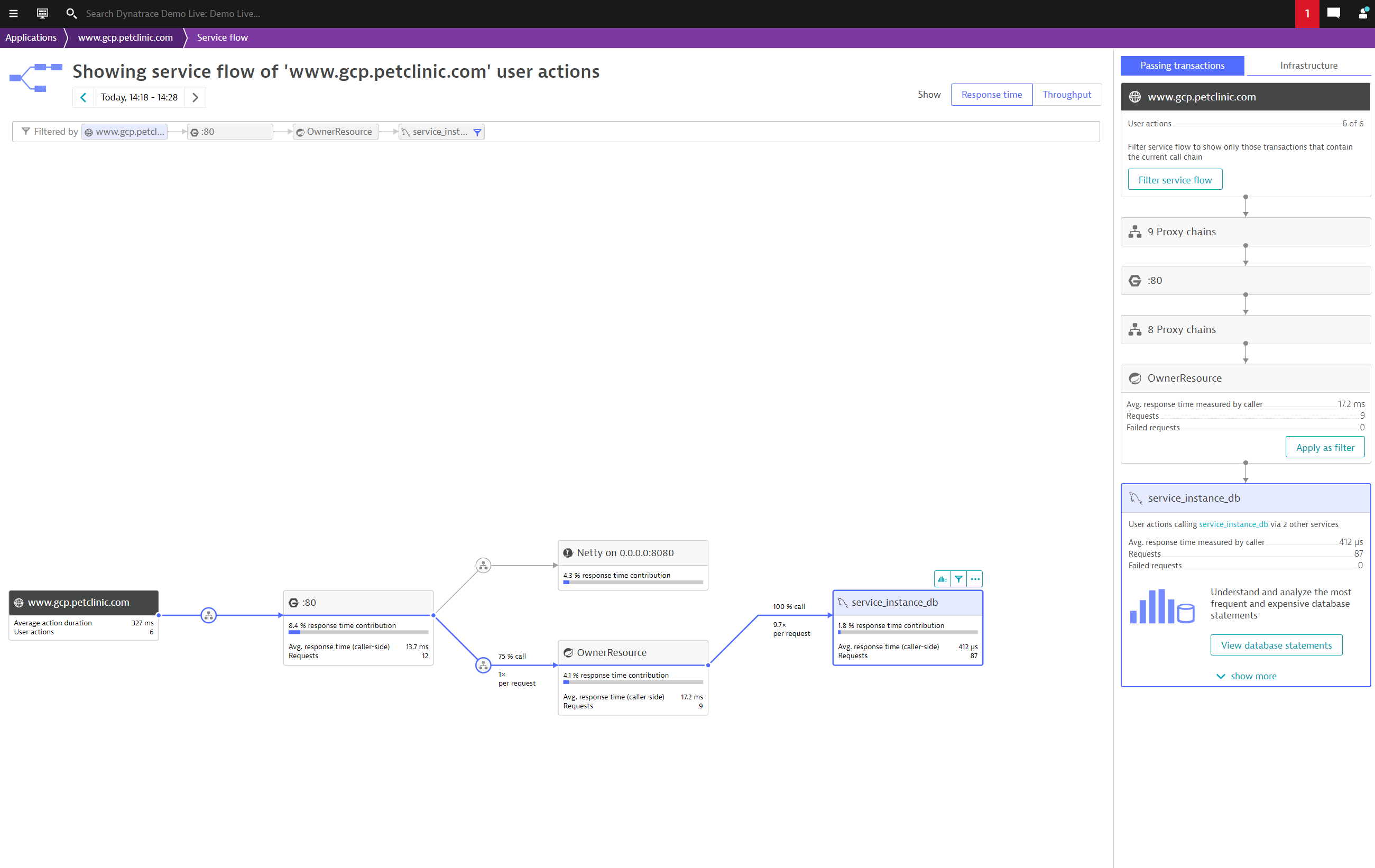
Dynatrace automatically detects all applications and microservices deployed in your system and how it uses MySQL. It provides automatic end-to-end tracing down to the single SQL statement, MySQL server metrics and log insights. Dynatrace visualizes application to database dependencies for SQL and noSQL database as well as for cloud databases and self hosted databases. It diagnoses anomalies in real time with AI and pinpoints the root-cause down to the slow performing or erroneous SQL statements. Deep code-level insights combined with cloud native database server monitoring will help you ensure a robust production environment.
Use cases
- Understand all dependencies of your applications to the database, which database statements are executed and their performance.
- Improve the performance of your application by reducing or optimizing typical database patterns like the 1+N query problem
- Understand the resource impact that your applications have on your database.
- Understand the impact of resource shortages, locks or other database issues have on your application by observing the database server itself.
Get started
If your MySQL is running on a virtual machine directly, you will need to install OneAgent on that virtual machine to get started.
If your MySQL is running as a workload in Kubernetes, please refer to the Kubernetes deployment start guide.
If your MySQL is running as a workload in OpenShift, please refer to the OpenShift deployment start guide.
Ensure that the following OneAgent features are activated to get full tracing and metric insight.
- Go SQL
- Node.js MySQL
- Node.js MySQL 2
- JDBC
- .NET ADO.NET
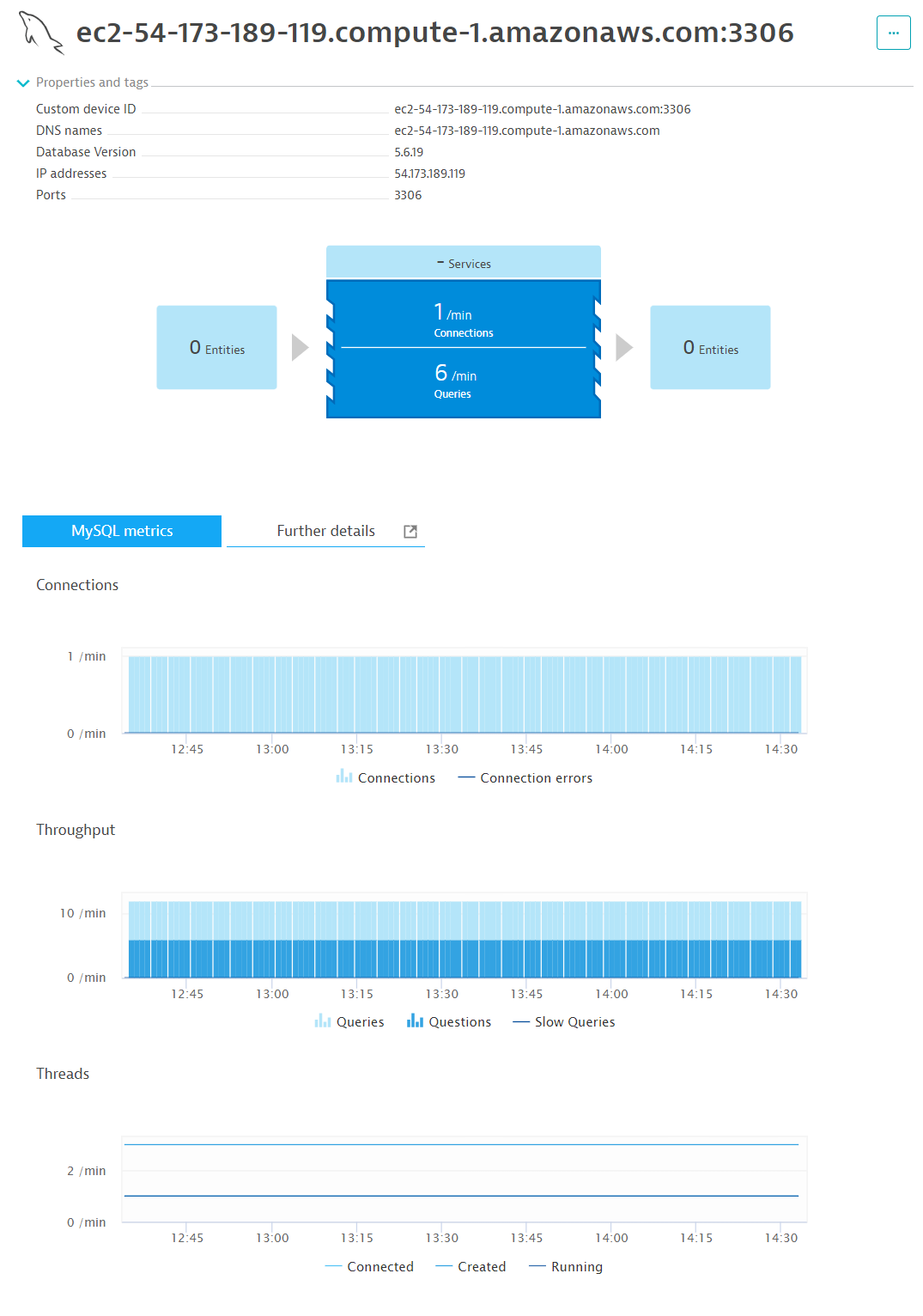
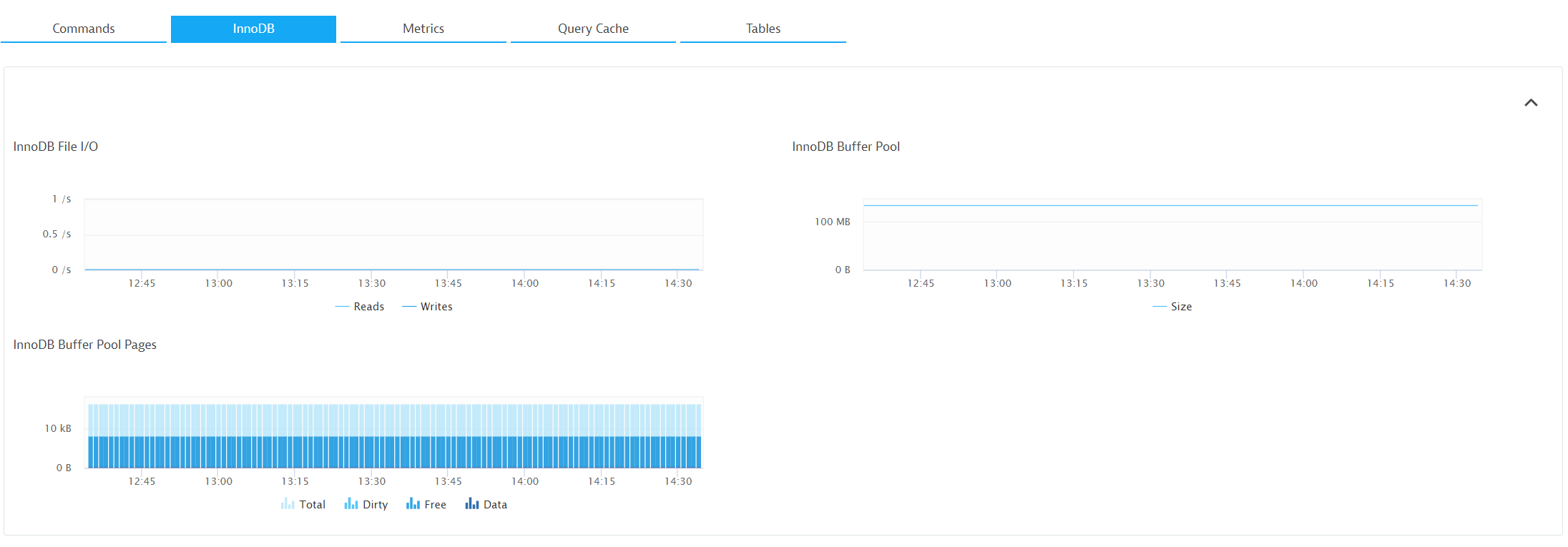
Activate the MySQL extension to get further metrics and events.
Ensure that you have log monitoring enabled to get full log insight.
Compatibility information
MySQL 5.7 Need MySQL 8.x monitoring? Check the MySQL remote monitoring extension. Contact [extensions@dynatrace.com] for access
Customer story Photobox
“With such a diverse technology stack, not many solutions were able to meet all our needs, but Dynatrace was the exception.”
Alex Hibbitt
Engineering Director, SRE & Fulfillment